Search Results: "tim"

7 June 2011

Vincent Bernat: Mobile browsing & content optimization

Since my laptop features WWAN connectivity, I purchased a 3G mobile broadband plan from SFR, a French mobile phone company. I took the cheapest one available: 250 MB per month for 10 .

Optimizing transparent proxy by SFR While browsing, I was curious about the fact that there were multiple accesses to non-public IP, like 10.141.0.4. I was browsing the mobile version of Le Monde, a French daily newspaper. I enabled Chromium developer tools and watched what happened in the Network tab. All images were served from IP like 10.141.0.4. Looking at the HTML source code, I discovered that <img> tags were rewritten to point to those images. The smaller one were identical to the original one but the larger ones (more than 50 KB) were of reduced quality (and therefore reduced size). <img> tags were not the only one to be rewritten. <style> and <script> tags that were pointing to external resources (with a src attribute) were also rewritten to include the CSS or the javascript inline. Before:
<script src="http://s1.lemde.fr/js/lib/jquery/1.5.1/jquery.js"></script>
After:
<script oldSrc="http://s1.lemde.fr/js/lib/jquery/1.5.1/jquery.js" NG="replaced">
/*!
 * jQuery JavaScript Library v1.5.1
 *
 * Copyright 2011, John Resig
 * Dual licensed under the MIT or GPL Version 2 licenses.
 * http://jquery.org/license
 * [...] */
</script>
This means that each page that includes jQuery, a popular javascript library, as an external resource, will be turned into a page that includes the whole jQuery code which is about 85 KB. Each page will weight more than 85 KB instead of relying on an external and cacheable resource. Nowadays, most browsers support HTTP keep-alive which allows to serve multiple resources into a single request. There are two cases:
  1. If the resource is served from the same server as the HTML page, keep-alive would enable to get almost the same result without hindering the cache: the browser would first request the HTML page, then the javascript resource into the same TCP connection. There is a small penalty of about 100 ms to let the browser request the second resource. The browser may decide to open another connection because the initial document is not loaded yet. Some browsers may even negotiate this additional connection before needing it. In this case, it can use this idle connection at no cost. Otherwise, we may fall in the second case.
  2. If the resource is served from another server (like in the example above) or if the browser does not have an idle connection ready for reuse, it would download the resource in parallel with the help of another connection. It will only costs about 300 ms of additional time due to the establishment of a new TCP connection with the server. Those 300 ms are a very small price to pay compared to the 2 seconds needed to download 85 KB for each page. Moreover, other static resources will likely be downloaded from the same server and therefore, this is 300 ms the first time and about 100 ms for additional resources (round-trip time for a new HTTP request into the same TCP connection).
UPDATED: In a previous version of this article, I confused pipelining and keep-alive mechanisms. While keep-alive allows to reuse an existing connection to download a new resource, only one request at a time by connection could be issued. Pipelining allows to push additional requests in the same TCP connection without waiting for answers. As noted by ric Daspet in a comment, pipelining is disabled for most browsers. However, keep-alive is well supported. Searching on the web for oldSrc and NG="replaced", I find very little information about what is used. It seems that such a feature may also break some scripts, like TinyMCE, trying to get additional resources relative to the path where the script is installed. It appears that SFR is using a product from Flash Networks called Harmony Gateway. I have asked SFR more info about this and if it was possible to disable the use of this feature but got no answer so far. I have retried a bit later and there was no rewriting for Javascript and CSS. Images were still degraded and served by a special server. The next day, my requests did not travel through a transparent proxy anymore (no more Via header in answers). Each try was done at a different location. The proxies may be installed at some locations only and configured differently. Another explanation is that SFR silently disabled this functionality for my account. If it was done correctly, such an accelerator service could be be proposed as an opt-out option since most users would appreciate faster page downloads. If you care about network neutrality, you can disable this option. Of course, it needs to be properly advertised, for example as a free option in your mobile plan.

Setting up our own optimizing proxy Google provides mod_pagespeed as a solution to optimize a website on the fly. This is an Apache module. It is targeted at optimizing your own website but since Apache can act as a regular proxy, it seems possible to enable mod_pagespeed for any website. That s pretty easy to setup if you don t mind using a precompiled version of mod_pagespeed. Download mod_pagespeed. I have downloaded the 64bit version for Debian.
# touch /etc/default/mod-pagespeed
# dpkg -i ~/download/mod-pagespeed-beta_current_amd64.deb
Selecting previously deselected package mod-pagespeed-beta.
(Reading database ... 277699 files and directories currently installed.)
Unpacking mod-pagespeed-beta (from .../mod-pagespeed-beta_current_amd64.deb) ...
dpkg: dependency problems prevent configuration of mod-pagespeed-beta:
 mod-pagespeed-beta depends on apache2.2-common; however:
  Package apache2.2-common is not installed.
dpkg: error processing mod-pagespeed-beta (--install):
 dependency problems - leaving unconfigured
Errors were encountered while processing:
 mod-pagespeed-beta
# apt-get install -f
[...]
Unpacking apache2.2-common (from .../apache2.2-common_2.2.19-1_amd64.deb) ...
Processing triggers for man-db ...
Setting up apache2.2-common (2.2.19-1) ...
[...]
# apt-get install apache2-mpm-worker
[...]
Unpacking apache2-mpm-worker (from .../apache2-mpm-worker_2.2.19-1_amd64.deb) ...
Setting up apache2-mpm-worker (2.2.19-1) ...
Starting web server: apache2.
# a2enmod proxy_http
Considering dependency proxy for proxy_http:
Enabling module proxy.
Enabling module proxy_http.
To to activate the new configuration, you need to run:
  /etc/init.d/apache2 restart
Then, we modify /etc/apache2/mods-enabled/proxy.conf:
ProxyRequests On
<Proxy *>
    AddDefaultCharset off
    Order deny,allow
    Deny from all
    Allow from 127.0.0.1
</Proxy>
Of course, this makes little sense to run the proxy on your laptop since you don t want to download the non-optimized content over your WWAN link. You need to run it on another server and therefore allow your laptop to access it. Also, we need to modify /etc/apache2/mods-enabled/pagespeed.conf to add the directive ModPagespeedDomain * to let mod_pagespeed rewrite any page. You should restart Apache after that. Now, check if the proxy is working:
$ curl -six http://localhost:80 http://www.lemonde.fr/   grep ^X-Mod-Pagespeed
X-Mod-Pagespeed: 0.9.17.7-716
All is working! Let s try a very simple site, like Debian Backports. It features one HTML file and two CSS files: Debian Backports website without pagespeed We downloaded a total of 8 KB (compression included). Let s use our proxy and try again: Debian Backports website with pagespeed mod_pagespeed succeeds in reducing the size of the HTML file and combined the CSS files. Moreover, it minified the resulting CSS file. There seems to be a bug in Chromium that display incorrect transfert sizes (including in the timeline representation) when using a proxy. I have checked with Wireshark that the overall quantity transferred was about 8 KB. The gain is very thin here but you can imagine that you will get better results on larger sites. mod_pagespeed seems to handle well most sites. However, it only optimizes pages that already are in its cache. The first time you grab a page, you will get the unoptimized version. I don t know if it is the expected behaviour.

Vincent Fourmond: Record sound currently playing to file using ALSA

I've been wondering for a long time about how to record sound which is currently being played on the computer. I know the ALSA framework is powerful enough to do that, and today just proved me so (at least to some extent). It turns out that it's pretty trivial using the file PCM plugin; all you need is a stanza like this in your $HOME/.asoundrc file:
pcm.save  
    type file
    format wav
    slave.pcm front 
    # my main PCM is called front
    file output.wav
 
Afterwards, you can use this save PCM with the tools that understand it, such as aplay or mplayer:
~ aplay -Dsave stuff.wav
~ mplayer -ao alsa:device=save stuff.wav
(for xine users, you may want to have a look at the audio.device.alsa_front_device configuration element). Funnier, though, is the possibility to use it with programs that don't provide such an easy way to change that, (say, the flash player in a browser ?) via the use of the default PCM specification in $HOME/.asoundrc:
pcm.!default save
After that, all programs using the default PCM will save the sound they play as a save.wav file in their current directory - but nothing stops you from specifiying an absolute directory. Better yet, you may apparently use pipes in stead of the file name, la popen.

Lars Wirzenius: TDDD systest tool proof of concept

Continuing my earlier musings about test driven distro development, and the tools that would require. I imagine something like this: We might also want this scenario: There might be other scenarios that would be useful to test as well. Even from these two, it's clear there's a need for at least three separate tools: I've written a rudimentary version of the first tool: vmdebootstrap. I've since learned there's a bunch of others that might also work. There's room for more: someone should write (or find) a tool to make a snapshot of a real system and create a VM image that mimicks it, for example. Anyway, for now, I'll assume that one of the existing tools is good enough to get started. For the second tool, I wrote a quick-and-dirty proof-of-concept thing, see systest.py. Here's a sample of how it might be used:
liw@havelock$ ./systest -v --target 192.168.122.139 --user tomjon
test 1/6: cat
test 2/6: only-ssh-port
ERROR: Assertion failed: ['22/tcp', '139/tcp', '445/tcp'] != ['22/tcp']
[status 1]
liw@havelock$ ./systest -v --target 192.168.122.139 --user tomjon \
    cat ping6-localhost ping-localhost simple-dns-lookup ssh-login
test 1/5: cat
test 2/5: ping6-localhost
test 3/5: ping-localhost
test 4/5: simple-dns-lookup
test 5/5: ssh-login
liw@havelock$ 
The first run failed, because the VM I'm testing against has some extra ports open. Some of the tests will require logging into the machine, via ssh, and for that one needs to specify the user to use. systool may overlap heavily on system monitoring tools, and possibly the production implementation should be based on those. I think it's best to design such a tool for the more general purpose of testing whether a system currently works rather than as an integrated part of a more specific larger tool. This lets the tool be useful for other things than just testing specific things about Debian. (The production implementation would then need to not have all the tests hardcoded, of course. SMOP.) The third tool I have not spent a lot of time on yet. One thing at a time. Given these tools, one would then need to decide how to use them. The easiest way would be to use them like lintian and piuparts: run them frequently on whatever packages happen to be in testing or unstable or experimental, and put links to the test reports to the PTS, and hope that people fix things. That is the easiest way to start things. Once there's a nice set of test cases and scenarios, it may be interesting to think about more aggressive ways: for example, preventing packages from migrating to testing unless the test suite passes with them. If the tests do not pass, one of four things is broken: If things are set up properly, the last one should be rare. The other three always require manual inspection: it is not possible to automatically know whether the test itself, or the code it tests, is at fault. it is, however, enough to know that something is wrong. If the tests are written well, they should be robust enough to not be the culprits very often. (Someone wanting to make a rolling distrbution, or even better, making a monthly mini-release, might benefit from this sort of automated testing.)

DebConf team: Small update about Travel Sponsorship for DebConf11 (Posted by Travel Sponsorship team)

As usual many people requested travel sponsorship to attend DebConf 11 and are now waiting eagerly on the outcome of their request. We are sorry, that we can t give you much details yet. To give you an idea of the time line, here is a small explanation of the process. About 100 people requested travel sponsorship. In total that would about 50 000 Euro. Problem is currently we don t exactly know, how much money we may spend on travel sponsorship ourselves (By the way: If a potential sponsor is reading this, please contact us; DebConf also accepts donations). So, we formed a team of 13 persons (the mail only lists twelve, one was added later). The team members will start to rate each and every single request in two criteria: Contributor Level and sponsorship amount. With limited amounts we obviously want to sponsor those first, who contribute a lot to Debian, preferably if they don t travel first class. After that s done, we ll have a long, but ordered list, but the team still needs to meet and discuss different cases and similar. Our team isn t really small and consists of people living all over the world, it s quite hard to actually schedule a meeting everyone can attend. (Which is not a bug, but a feature: More people from more countries should in the end result in a fair rating of the sponsorship requests.) So, in the end, we ll meet on 19th of June. Sounds late, please keep in mind, that every team member has to rate all sponsorship requests (including some research) and all of them are volunteers with actual daytime jobs. But even if you don t hear anything from us short after that date, don t panic! As said we really don t know, yet, how much money we can spend on travel sponsorship. Our sponsor-hunting-team is constantly working on the acquisition of more money, so every now and then the budget for travel sponsorship gets increased, meaning that we can mail a couple of more people on our ordered list. So it might take a while, till we get to all, but we try very hard to do so.

John Goerzen: Back from Joplin

I m just back from spending a few days volunteering with the tornado recovery effort in Joplin, MO. The biggest image that remains in my mind is of the first time I saw a person picking through a large pile of rubble. The person was standing on top of what used to be a house. Now it was a pile of wood, glass, carpet, siding, and roofing material. I m sure there was hope for finding some treasure or other maybe a photo album or videos of children. In any case, it made me feel so lucky, even unfairly lucky, to have not had to go through that. This scene was repeated several times, but mostly the houses that devastated appeared abandoned by the time we were there, now two weeks after the event. But I heard stories, and lots of them. The victims of the storm, who were perhaps trying to rebuild that part of their house that got smashed by a tree or a pickup, or trying to get their intact belongings out before abandoning the house, or whatever, were mostly surprisingly upbeat. They were working out in 95-degree heat, many without electricity, running water, or sewer service. Almost every person I met that suffered a loss from the tornado wanted to tell their story. Many also told of their plans for the future, which were full of hope and even upbeat. These were people doing a hard job in terrible conditions and still showing hope. Another testament to the disaster was the most unusual set of vehicles you ve ever seen parked at any hotel you can care to think of, for at least an hour-and-a-half radius in the direction I came from. Besides the usual cars and minivans, there might be FEMA vehicles, electric company trucks, Red Cross vans, construction trucks of every kind, police and law enforcement from all over, etc. There was quite obviously an influx of people helping out in Joplin. My primary task there was to provide communications support for the effort as an amateur radio operator. Amateurs (or hams ) are something of a volunteer first responder of sorts during times of crisis; most of us own and are very familiar with operating equipment that can communicate over very long distances without the need for any on-site infrastructure. Amateur radio was the only method of communication for some Joplin hospitals in the immediate aftermath. The communications emergency is over, but the response isn t. I was assigned to work with the Salvation Army. They were doing a lot of things in Joplin, and had hundreds of volunteers working with them. I don t think I even know what many of them were doing I do know they had set up several warehouses across the city working with donating clothing, food, etc. The part I was involved with was primarily the canteen operation. The SA sent in food service trucks from several parts of the country. These trucks would roam up and down the streets in the damaged area, trying to get past every single street several times a day. Anybody that we could see would be offered food and water. No strings attached, no questions asked. This included homeowners, electric line workers, construction crews, sanitation workers, and quite a few nonprofit groups that sent well-meaning and useful volunteers into the area but didn t think to provide them with a large supply of water due to sending them into an area without any. Oops. In any case, with extreme heat and no running water, conditions were dangerous. The canteens also knew of certain at-risk families that were living in homes that were mostly intact in the disaster areas, and made a special point to check in on them. They also generally looked to make sure that people looked like they were healthy. Each canteen also had a counselor on board that would visit with people while we quickly prepared their meal they all seemed to welcome that. Amateur Radio s Role The operation of this size had quite a logistics challenge. I d hear of things like an unexpected need of 70 lunches, or a semi showing up with donations before there was space, or an unexpected but very welcome donation of a large quantity of ice cream without a place to store it (so the canteen trucks, which have freezers, needed to pick it up quickly). That s where us hams came in. Each canteen had an amateur radio operator on board. Each major location also had a ham stationed there, and the head of operations also often had a shadow a ham that would follow him around wherever he went to relay messages back and forth. We also had hams with pickups (with radios in them, of course) that could transport things around the city to places that needed them, hams at headquarters managing all the communication and generally investigating questions that didn t have immediately obvious answers, etc. Radios were used instead of cellphones for a few reasons. One big one is that everybody on the operation can hear what everyone else s needs are, since it s a group communications situation rather than one-to-one. It s easy to give a general alert to everyone ( come get your ice cream now please! ) and people that have suggestions can chime in. This came in extremely handy more than once. Also, it frees the people doing other jobs from having to spend time chasing someone s voicemail, finding phone numbers, etc; that gets delegated to us in some cases. I heard from the head of canteen operations, for whom this was the first disaster he d worked that had amateur radio support, how wonderful it was to have this going on. I also heard a secondhand report that some police officers that were also amateurs had listened to our operation and reported that we sound more professional than 911 dispatch and do a better job. On Sunday I was assigned to a canteen. This meant I didn t have a lot of radio traffic to pass, so although I had it in my ear all day, I wasn t actively talking on the radio very much. So I rode in back, helping hand out water, carry meals to people, and so forth. On Saturday, I was the shadow for the head of operations. That was a difficult task, because he barely ever moved at a pace slower than a run, sometimes would abruptly zip out somewhere, etc. But it was also enlightening and vital. He was a real get it done sort of guy, and was the key to quite a few things. Having someone available to relay questions to and from him was a good thing. And today I worked as a transport person and at headquarters. Due to not having a pickup there, I didn t actually get called on much to transport things, but in general between jobs the whole time I d act as a runner if needed, or simply try to figure out the details of how things were run for next time. I wound up taking net control (being the control operator at headquarters, and generally managing communications so that people don t talk over each other and such) for about an hour. So I got to do a little of just about every amateur radio task. Thoughts I am thankful for the opportunity to go, and the good feeling of helping people in need the first I ve ever had the chance to do that in a disaster. It s a good feeling to have a skill that is useful and appreciated. Sometimes it felt like handing out food and water is something pretty small in the scheme of things. But on the other hand, it gives people a chance to have contact with someone that cares, an opportunity to have people that can notice problems drive by a few times a day, and an opportunity to help meet people s basic needs. And sometimes in a fluid situation, there might be more volunteers than are needed, so I did spend some time sitting waiting for the next task. But overall, I m convinced that the work I helped facilitate was a good thing and provided a good and needed service in Joplin. This has been quite the experience and I m sure it s changed me too, though I don t yet know how.

6 June 2011

Sam Dunne: Declarative Diversions - Design Spec 2

DECLARATIVE DIVERSIONS ====================== Introduction A diversion is when it is possible to have dpkg not overwrite a file when it reinstalls the package it belongs to, and to have it put the file from the package somewhere else instead. Declarative diversions involves a new control file with a declarative syntax which dpkg will parse and process directly as part of the package unpack and removal phases, eliminating the problems resulting from non-atomic handling of diversions. Topics There are a number of topics involved in implementing this kind of project * What syntax do we use for the new control file? * What dpkg does with the control file * How do we handle diversions to a non-existant directory? * How do we order unpacking a new package which adds a diversion? * How do we order unpacking a new package that removes a diversion? * How do we order removing a package which had a diversion? * How do we handle errors? * What happens to dpkg-divert? Details - Control File Syntax - It will conform to RFC2822 style with the following format: * Divert-From: * Divert-To: * Blank lines and lines beginning with # will be comments Divert-To will be optional and if it is ommitted then files being diverted will have their filename changed to file.distrib The above style has it s advantages, one of the main ones being that there is no need to escape whitespace within filenames. It also allows for more commands to be added at a later date. Details - Control File Handling - Within control.tar.gz the file should be named diversions This file is then copied to /var/lib/info/$package.diversions We need to store the control file for the currently-installed package so that we can detect declarative diversions that have been removed from the control file between versions (On-disk version and the to-be-unpacked version). If there is no previous version of a control file then all current diversions within the package are left in place and any new ones declared within the control file are added. If there is a previous version of the control file then the diversions listed within the file are compared with the diversions currently in place. If a diversion exists that is no longer listed in the control file then it is removed. If there is a diversion listed in the control file that doesn t currently exist then it is added. Details - Handling Diversions to non-existant directories - Diverting files to directories that don t exist can cause a number of problems. If the package does not own the directory it may be left orphaned on removal of the package The package is responsible for ensuring the availability of the target directory in the unpack phase. If a declarative diversion attempts to divert a file to a folder that neither exists already on the filesystem at unpack time, nor is shipped within the package, dpkg will return an error at unpack time. Details - Ordering Requirements - =>Unpacking a new package that adds a diversion *1. Check if package has a previous diversion control file *2. Copy control file to tmp directory *3. Calculate diversions to be added *4. Unpack folders *5. Add diversions *6. Unpack files *7. Copy control file to /var/lib/dpkg/info/$package.diversion *Performing diversions this way avoids trouble with creating folders and accidentally overwriting the wrong version of files. *Another major problem would be extracting a new version of the file and overwriting the old one. *This might cause the wrong version of the file to be diverted and the package to break. =>Unpacking a new package that removes a diversion *1. Check if package has a previous diversion control file *2. Copy control file to tmp directory *3. Calculate diversions to be removed *4. Check if dropped diversion results in a file conflict and abort the unpack if it does. *5. Unpack folders *6. Unpack files *7. Remove old files no longer needed in the package *8. Remove diversions *9. Copy control file to /var/lib/dpkg/info/$package.diversion *If a package has no previous diversion control file then no diversions will be removed and existing diversions can only be removed using dpkg-divert. *If removing a diversion results in a file conflict then dpkg will return an error at unpack time before anything is unpacked and the unpack is aborted. =>Removing a package which had a diversion *1. Remove files *2. Remove diversions *3. Remove folders *4. Remove control file at /var/lib/dpkg/info/$package.diversion *This ensures that all files, diversions and folders are removed correctly Details - Error handling Errors in diversions will have to handled with a great deal of care due to the fact that if they are not the package could be broken. This means that a great deal of checks must be done to ensure that all the files can be diverted properly before any actual diverting takes place. If they can t the package installation/update must be stopped and rolled back to avoid the package being installed incorrectly or broken. Details - dpkg-divert - When we impliment the new diversion method we should keep the current dpkg-divert. This allows maintainers to catch up with the new method without breaking their packages. It also allows maintainers to perform some operations that aren t support by the new method. All current functionality of dpkg-divert will be left intact for use by sysadmins and for maintainers to catch up with the new system. The two systems will work together without directly conflicting with each other. Example Usage #1 The file to be diverted is /usr/share/foo It needs to be moved to /usr/share/bar The syntax of the control file would be: #Start File Divert-From: /usr/share/foo Divert-To: /usr/share/bar #End File Example Usage #2 In this example the maintainer doesn t want to move the file to any specific folder The syntax of the control file would be: #Start File Divert-From: /usr/share/foo #End File This would divert the file to /usr/share/foo.distrib Footnotes - RFC2822 Guide: * http://www.faqs.org/rfcs/rfc2822.html First Email Thread on Declarative Diversions (First Message in Thread): * http://lists.debian.org/debian-dpkg/2011/05/msg00102.html Email thread on first design draft (First message in Thread): * http://lists.debian.org/debian-dpkg/2011/06/msg00019.html Declarative Diversions Wiki: * http://wiki.debian.org/SummerOfCode2011/DeclarativeDiversions My Blog for this Project: * http://blog.sam-dunne.com

Steve McIntyre: Silly Cars!

Jo bought me a voucher last Christmas to spend some time on a race track, driving an Aston Martin and a Lamborghini. Finally we got around to using it last week. Jo is just as much a petrol-head as me, so I surprised her by buying the same experience voucher for her - call it a wedding present. Good call - she didn't stop grinning all day, even on the long drive home! The Aston Martin was a DB9 Volante (i.e. the convertible). Lovely car, but a little softer than I'd expected (maybe due to it being the convertible). I preferred the Lamborghini Gallardo, pictured here in a nice subtle colour. *grin* Lamborghini The nice folks doing the official photos at the track also took some extra photos of us sitting in another supercar - an Audi R8 V10 convertible. We've got those photos coming on CD in the post, and I'll post one when they land.

Thorsten Glaser: synchronise environment between two shells

(First posting to Pl net Commandline! Tag: pcli) Vutral asked in IRC how to synchronise two shells environment while they re running. As you may know, POSIX systems cannot change a process environment vector after it has been started, only the process itself can. Well, the shell can, and we ll use a variety of things for this. This trick assumes you have $HISTFILE set to the same pathname in both shells (obviously, they run under the same user). It uses export -p to render the current list of exported variables, then transforms the list from newline-separated to a single big one-line export statement.
Then it transforms all remaining newlines (which will be part of a single-quoted string, since that s mksh(1) s export format) into the sequence '$'\n'' which means: terminate current single-quoted string, append $'\n' and open up a new single-quoted string immediately; concatenate these three.
Now, $'\n' is just a fancy way of saying newline, and part of mksh because David Korn (yes, the Korn in Korn Shell) strongly suggested to me that this functionality be included but, as we can see here, it pays off.
Finally, the so transformed string is prepended by unset \$(export); which, when executed, will cause the shell to unset (and unexport) all currently exported variables. The shell parameters that are not exported, i.e. not in the environment, are not affected by this code (except for $x and $nl, but whatever).
This string is then passed to read -s (plus -r and clearing IFS to enable raw mode), which means, read into the parameter $REPLY (which we conveniently don t use but it s trashed too, thus) but store into history at the same time. Ah hah! Now, the persistent history feature comes into effect! After running the below statement in the source shell, switch into the terminal running the destination shell, press Enter once on the empty line (Ctrl-U to empty it if it wasn t), then Cursor-Up ( ) to recall voil , an insanely large line with the previously created string sorta expanded and press Enter again to run it. Now your set of exported parameters is the exact same (minus if you exported IFS, nl, x or REPLY) as in the source shell.

I ve added extra spaces and a linewrap below, this is really just one big line:

nl=$'\n'; x=$(export -p); x=$ x//$ nl export/ ; IFS= read -rs <<<"unset \\\$(export);$ x//$nl/\'\$\'\\\\n\'\' "

Of course, this makes a nice function, for your ~/.mkshrc or somesuch.

Ingo Juergensmann: Apache and SNI - problems with some clients

Never change a running system. Old but true saying, but sometimes there's no other chance. Until a few days ago I was happy with SSL vhosts running with a single SSL certificate. Then I needed to add another SSL certificate for another site with several subdomains like svn.site-A.de, trac.site-A.de and www.site-A.de. With Apache2 running on Squeeze it's possible to make use of Server Name Indication (SNI) mechanism in order to be able to use multiple SSL certs on a single IP based vhost setup. Well, it works for some client software, but apparently it does not work well with korganizer or Firefox Sync plugin nor with Cyberduck on OS X. Here's an example config:
SSLEngine on
SSLCipherSuite ALL:!ADH:!EXPORT56:RC4+RSA:+HIGH:+MEDIUM:+LOW:+SSLv2:+EXP:+eNULL
SSLCertificateFile /etc/apache2/ssl/site-A-cert.pem
SSLCertificateKeyFile /etc/apache2/ssl/site-A-key.pem
SSLOptions StrictRequire
SSLProtocol -all +TLSv1 +SSLv3
SSLCipherSuite HIGH:MEDIUM:!aNULL:+SHA1:+MD5:+HIGH:+MEDIUM
SSLVerifyClient none
SSLProxyEngine off
This is identical to all SSL vhosts on my system. The funny thing is now that it works for two sites (site A and site B) while it doesn't work for site C. In Firefox Sync plugin I get an error that the connection couldn't be established while on Cyberduck (a webdav client for OS X) I get a requester stating that I get cert for site A on site C. Pointing the browse to the appropriate URL I get the correct cert for site C on site C. Is there anything I miss with SNI setup in Apache?

Kartik Mistry: Some Debian activity

* We re doing heavy uploading and fixing in Debian-IN repository nowadays. Thanks to Vasudev for taking initiative on Git migration + various nice stuffs pending from long time. * Gwibber is till mess. Help wanted as usual! * And, MiniDebConf India at Pune is planned at Pune again. Unless, it is colliding heavily with my wife s plan, I ll be there as last time :)

Rapha&#235;l Hertzog: Official Debian/Ubuntu packages for Dropbox

Dropbox is a popular service to synchronize files between multiple computers. The service is entirely proprietary but the company is Linux friendly and provides Linux binaries ready to use. They even provide Ubuntu packages that wrap the dropbox client and provide integration with Nautilus. A bit of story Unfortunately for Debian users, those packages do not work on Debian due to a dependency that can t be satisfied (because Ubuntu introduced an epoch on the version of their nautilus package that Debian doesn t have). This was even reported in a Squeeze review in Linux Weekly News. At some point, Ivan Borzenkov introduced a dropbox package to Debian but it was not based on the above package, instead it packaged directly the proprietary binaries. This was a bad decision because the binaries bundle a set of LGPL libraries and nobody from Debian wanted to do the required work to provide the corresponding source code. So the package got dropped (see bug #610300). More recently several persons filed ITP (Intent To Package) bugs stating their willingness to re-introduce dropbox in Debian, but after many months lingering in the bug tracking system (see #544499, #613788), they have been turned back to RFP (Request For Package) because they changed their minds. What I did Being a dropbox user myself (despite the recent proof that data stored on dropbox is not 100% private), I offered sponsorship to the volunteers who wanted to package dropbox. But it turns out this was not enough to motivate someone to complete the task. In the mean time I was still using the old dropbox package that was removed (it used to be downloadable from snapshot.debian.org). While this was good enough for me, it s clearly not OK in the long term and way too difficult for the majority of users. So this week-end I spent some hours to create a proper package. It s loosely based on the package provided by Dropbox but I upgraded the packaging and changed the way it works. I patched the dropbox wrapper to provide a dropbox update command that downloads and updates the proprietary binaries. They are now stored in /var/lib/dropbox instead of having a copy in each user s home directory (~/.dropbox-dist/). This update command is run by the postinst so that installing the package immediately downloads the proprietary binaries. Get the Dropbox packages for Debian The package nautilus-dropbox has been uploaded to Debian unstable, it s currently in the NEW queue but will shortly reach the mirrors. Then you will be able to You can install the package with a simple apt-get install nautilus-dropbox (provided that you activated the non-free section since that s where the package is hosted, it can t be part of Debian since it requires the proprietary binaries to be useful). In the mean time you can get the packages from the links below: Get the Dropbox packages for Ubuntu I have setup a PPA for nautilus-dropbox. Feel free to use it in place of the upstream packages.
$ sudo add-apt-repository ppa:hertzog/nautilus-dropbox
$ sudo apt-get update
$ sudo apt-get install nautilus-dropbox
It also includes packages for oneiric, but in theory once the package is accepted into Debian, it should appear in oneiric shortly after. Package maintenance I have done the initial packaging work but I don t really want to maintain it in the long term. I have more than enough to do with dpkg and my other packages. So if you are interested in maintaining this package, please get in touch with me. You should know a bit of python since there are Debian-specific patches of the upstream code. The package is maintained in a git repository. Feedback If you have encountered a problem with one of those packages, feel free to leave a comment. If you re an happy user of the above packages, click here to find out how you can thank me. I hope you enjoy the packages!

13 comments Liked this article? Click here. My blog is Flattr-enabled.

Vincent Bernat: Ready for World IPv6 day?

On June 8, 2011, will be World IPv6 Day. Major web companies like Google, Yahoo! and Facebook will serve their content through IPv6. While some of them already provide IPv6 content, you either need to use a special URL or get your connection from some selected providers, known to provide working IPv6 connection (the selection is done through DNS).

What s World IPv6 Day about? World IPv6 Day is mostly about major content providers and network operators. End users are not expected to take any special actions. The content will be provided for one day on IPv6 and IPv4 without any special trick to circumvent broken IPv6 setup. If you have an IPv4 only connectivity, all will continue to work (this day is not about switching Internet to IPv6 only). If you have a working IPv6 connectivity of any kind, you will use it to access content. However, if you have a broken IPv6 connectivity, you will find yourself isolated during one day until you solve the problem. You can check your connectivity and determine if you will run into trouble on World IPv6 Day. The main point of this day is to check if IPv6 native content can be provided to anybody without leaving out a large part of the users (the ones with a broken connectivity) which is reason why we don t already have IPv6 native content everywhere. Google explains it this way:
We continuously conduct detailed measurements on the quality of IPv6 connectivity, and our latest results show that making Google services generally available over IPv6 at this time would lead to connection problems and increased latency for a small number of users. User experience is very important to us, and we do not want to impact users on networks that do not yet fully support IPv6. We will continue to re-evaluate the situation as the IPv6 Internet evolves.
While content provider are invited to provide IPv6 content, network operator are expected to troubleshoot their customers problem (and they cannot withdraw themselves from this operation since the main change is done by content providers). If they can enable IPv6 connectivity, that would be great too but this is not mandatory. UPDATED: It s a shame but Microsoft s participation to World IPv6 day is a fix to prefer IPv4 over IPv6. Moreover, this fix will be reverted a few days later. Let s hope that network operators don t follow the lead by not setting up DNS hijacking to remove AAAA record.

What can I do? Even if you are neither a network operator nor a major player in web content publishing, it is expected that World IPv6 Day will also be the playground for most IPv6 related things.

As a user Check if your ISP provides native IPv6 connectivity. This can be an opt-in option. For example, in France, Free allows its users to enable native IPv6 connectivity if they choose the appropriate option. That s easy to do and you get IPv6 in a matter of minutes. If your ISP does not provide native IPv6 connectivity, you can try to bug them about this. This is unlikely to work. You can also get IPv6 through a tunnel broker like SixXS (create an account and apt-get install aiccu) or Hurricane Electric. Wikipedia has a list of IPv6 tunnel brokers. Don t rely on any other transition mechanism, they are unreliable.

As a service provider If you host yourself some services, like your web page or your own mail server, you can enable IPv6 connectivity for those as well. Get an IPv6 connectivity for your services, either native or through a tunnel broker. Then, enable IPv6 on each service you provide. Check that they are listening on IPv6 with ss -6l. All the tips below are meant for very simple setup. Ensure that net.ipv6.bindv6only is set to 0. Here is what I have done:
  • Enable SSH access through IPv6. With the default configuration of OpenSSH, this is already done. Check your ListenAddress directive if you have one.
  • Serve Web content through IPv6. I am using Nginx as a web server and you can mix IPv4 and IPv6 in the same virtual host. Setting up IPv6 is easy. Ensure that IPv6 support is compiled in (nginx -V) use listen [::]:80 instead of listen 80. Apache is equally easy to configure and should even work out of the box since the Listen 80 directive will listen to both IPv4 and IPv6 by default. lighttpd also supports IPv6. An easy way to get started is to use server.use-ipv6 = "enable".
  • Enable IPv6 in Postfix, Dovecot, BIND. For all of those, this works out of the box. Nowadays, most daemons will work fine with IPv6 without any special configuration since they will listen to :: by default which means any IPv4 or IPv6 address as long as net.ipv6.bindv6only is set to 0. Unfortunately, there is still some daemons that do not support IPv6.
  • Add appropriate AAAA record to your DNS because providing IPv6 services is of little use if your users (including you) cannot access them without typing the appropriate IP address. You may also want to provide a NS record reachable through IPv6.
  • Update your monitoring to use IPv6 as well. If you advertise IPv6 service and only IPv4 is working, most IPv6 client will be unable to access them.
  • Adapt your firewall. In Linux, Netfilter handles IPv4 and IPv6 separately. You need to ensure you setup a correct firewall for IPv6 as you have done with IPv4.
Here is a minimal firewall that you can adapt:
 1
 2
 3
 4
 5
 6
 7
 8
 9
10
11
12
13
14
15
16
17
18
19
20
21
22
23
24
ip6tables -A INPUT -m state --state ESTABLISHED,RELATED -j ACCEPT
ip6tables -A OUTPUT -m state --state ESTABLISHED,RELATED -j ACCEPT
for chain in INPUT OUTPUT; do
  ip6tables -A $chain -m rt --rt-type 0 -j DROP
  ip6tables -A $chain -p icmpv6 --icmpv6-type neighbor-solicitation \
     -m hl --hl-eq 255 -j ACCEPT
  ip6tables -A $chain -p icmpv6 --icmpv6-type neighbor-advertisement \
     -m hl --hl-eq 255 -j ACCEPT
  ip6tables -A $chain -m state --state NEW \
     -p icmpv6 --icmpv6-type echo-request -j ACCEPT
done
ip6tables -A INPUT -i lo -j ACCEPT
ip6tables -A OUTPUT -o lo -j ACCEPT
# Put your rules here!
ip6tables -N REJECT_ALL
ip6tables -A REJECT_ALL -p tcp -j REJECT --reject-with tcp-reset
ip6tables -A REJECT_ALL -p udp -j REJECT --reject-with icmp6-adm-prohibited
ip6tables -A REJECT_ALL -j DROP
for chain in INPUT OUTPUT FORWARD; do
    ip6tables -A $chain -j LOG --log-prefix "$chain-reject: "
    ip6tables -A $chain -j REJECT_ALL
done

Debian status There is still a long way for full IPv6 support of all applications in Debian but it is a release goal since Etch. This is not an easy task since adding IPv6 support on some software can be really difficult. DSA also enabled IPv6 support on many servers used by the Debian project including the main web server, the main mirror, the security mirror and the name servers. You should be able to use Debian with an IPv6 only access.

Enrico Zini: Python list gotcha

Python list gotcha Suppose in python you're building a list of buckets:
>>> a = [[]] * 10
>>> print a
[[], [], [], [], [], [], [], [], [], []]
Looks good. However:
>>> a[5].append(1)
>>> print a
[[1], [1], [1], [1], [1], [1], [1], [1], [1], [1]]
Surprising? What happens here is that multiplying the list replicates the reference to the same empty list. You have the exact same mutable list replicated 10 times: instead of 10 buckets, you have 10 references to 1 bucket: therefore if appending to one it looks like one appends to all. What you need here is a way to invoke the list constructor [] multiple times:
>>> a = [[] for i in range(10)]
>>> print a
[[], [], [], [], [], [], [], [], [], []]
>>> a[5].append(1)
>>> print a
[[], [], [], [], [], [1], [], [], [], []]
a mistake like this can take quite a bit of time to track down.

5 June 2011

Christian Perrier: Back into OpenStreetMap

I'm trying to resume some activity in OSM maintenance. As many people, I mapped most parts ofmy neighbourhood, as one can see when looking at Maurepas, France on the map. I stopped about 20 months ago because it was becoming too addictive..:-) I'll start resuming this work by focusing on things I can easily map: my tracks from running sessions. What's good in them is that I know most of these places by heart and can easily remember the terrain features when working on the map. Also, it means only a few dozens of minutes to work on a GPS track, so that's manageable. Another goal I set to myself is improving the map around our country house in Normandy. As you can see there, there is much more to do...but when I'm over there, I have more free time..:-) So, let's see if I can manage my addictability!
Russell Coker: Rallying for a Carbon Tax 5th June

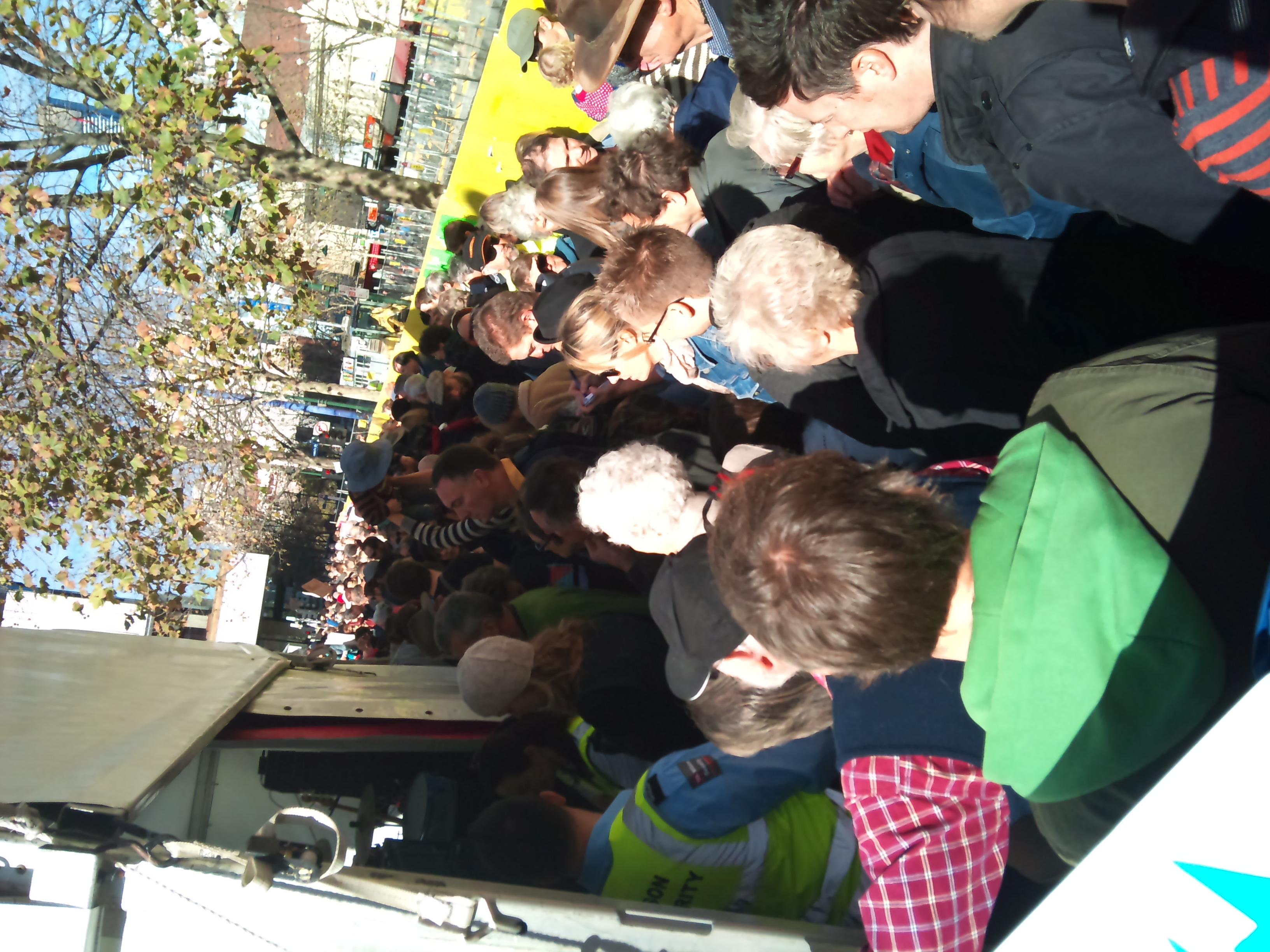
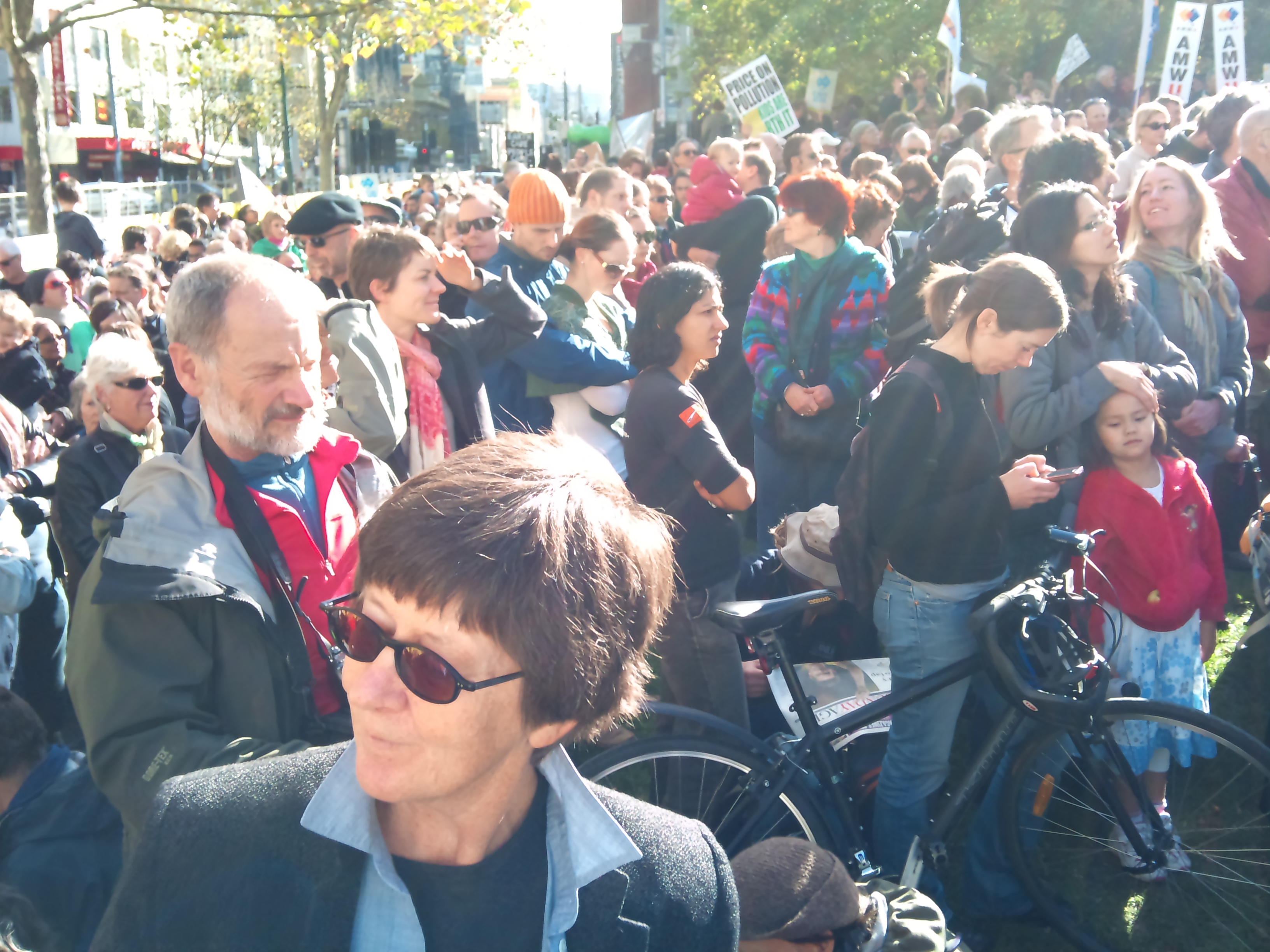
It s not that common to have a rally in favor of creating a new tax, but today I attended the Melbourne rally in favor of a carbon tax [1], it was the second such event this year. The rally was held in front of the state library, there is a reasonable size park there and it s a great place for a few hundred people, and a few thousand can squeeze in there without any problem. But according to the best estimates 10,000 people attended and the venue was obviously a bad choice as all available space was used and the crowd was so great that it wasn t much fun to be there. This was a great contrast to the previous rally in favor of a carbon tax which had maybe about 8,000 people attend and a much larger area [2]. The state library is a great place to hold a small or medium size rally where people can see it, but if you are going to get 10,000 people you need a bigger venue as the exits were partially blocked by road work I m sure that the local government wouldn t have given a permit if so many people were expected. Usually the city center is very quiet on a Sunday afternoon, but this afternoon everything was packed. An extra 10,000 people really makes a difference although admittedly sunny weather would have helped. Australia wide there were apparently about 100,000 people attending similar rallies, that s 0.5% of the population of the country! The aim of the rally was to advocate a large enough tax on coal, oil, and other energy sources that emit CO2 to provide an economic incentive to minimise use and use alternate energy sources where possible. Currently billions of dollars are being given to polluting industries, instead those industries should be taxed and the money raised given to compensate needy people. looking north Looking North towards where I entered. looking east Two pictures from slightly different angles that are roughly East from where I was standing in the center of the crowd. looking east through the bandlooking south Pictures looking east through the band when people were starting to leave and looking south towards the exit I chose while on the way out.

Joey Hess: announcing olduse.net

As I write this, it's the morning of June 5th, 1981. A few people scattered across the US are waking up, going in to work, sitting down at their terminal with a coffee, and reading Usenet. Usenet is only getting a trickle of posts each day -- it's still in that period where it's easy to read every message posted to it. Many things lie in Usenet's future. It's still running A-News, which doesn't even have a real From header yet. Later this year it will switch over to B-News, and volume will begin to increase. In 1987 there will be The great renaming. And of course in 1994, the first spam will be posted to Usenet. But that's all a long way off, here in 1981. Right now, they're talking about 500 mb disk drives that only cost $38000. And rms is inciting flames about nuclear proliferation. And Postel is publishing an RFC for the new Mail Transfer Protocol. Good morning, Usenet. Who knows what will come next in this fledgeling electronic communications medium! a ten year real-time historical exhibit This morning, I'm announcing a new site: Olduse.net It's Usenet, updated in real time as it was thirty years ago. Planned to be available for the next ten years, unless I run out of inodes (again). If you missed it the first time around, this is your chance to follow Usenet's flowering. made possible by 141 magtape usenet archive
PS: You can post to olduse.net, but it won't show up for at least 30 years. :)

Sune Vuorela: Five is a four letter word

and it starts with f While looking at the future of the KDE Platform Frameworks here in Randa, Switzerland, a lot of interesting things has been found in kdelibs and kdepimlibs that no one knew what was there for. On the good side, there is also lots of cool stuff, that of course most people knows about and uses And a lot of great larger solutions for solving different real life problems And lots of other cool stuff And we have currently nice things in the required runtime components for every app built using kdelibs

4 June 2011

Christian Perrier: [life] [running] April/May update

My last update about running activities is dated back to Paris Marathon (April 10th). Time for a new update, then. After a very busy end March-early April, with that crazy succession of 55km Ecotrail and 42km Paris marathon with only two weeks between both, I needed a kind of "break". Moreover, I had another goal set with the 35m trail race named "Trail des Cerfs", on May 15th, in my neighbourhood. So, end of April was a little bit quieter. Still, one week after Paris marathon, I completed a very hard trail run in Seine Valley: only 18km, but about 600-700m positive slope. That was indeed a good moutain-style run (yes, in Seine valley....) and a good way to check that I recovered quite well. Later on, I slowed down a little with even a Sunday (24th) where I *didn't run at all*..:-).. Just a few short uns during the week and a short Saturday run. Well, that was indeed Easter Sunday and Monday is a holiday in France, so I ran an half-marathon on 25th...:-)...on a loop where I already have some references, the fastest being 1h46. This time it was 1h52'...but, well, that was two weeks after a marathon... Still, a small pain at the back of my ankle decided me to stop running long distances until May 15th. So, I only did short trainings up to no more than 12km, even during my stay in Germany for SambaXP. As a consequence, I was very well for the 35km (600m positive slope) Trail des Cerfs, which I completed in 3h31', 168th out of 328 runners. More interestingly, I completed it in negative split with a much faster second half, ending up at about 12km/h. For seomthing that (given the slope and the nature of the paths) is comparable to a marathon, that's very promising. The rest of May was spent quietly with a standard training and progressively resuming longer distances. I originally planned to do my spring solo marathon on May 28th in Versailles Castle park, but I stopped at km28 and completed the distance two days after with a 14km run..:-)... Stopping was wiser as I was feeling that the last loop would have been a great pain. That was indeed the first time I give up on a marathon. I prefer this to happen for a non official race, after all! June will not see any "big goal". I might be running one race somewhere in my neighbourhood but the point will mostly be accumulating kilometers before summer. Summer (which includes DebConf that makes training a little bit more hectic) will not see any race, probably (unless I find one in banja Luka!) but more some specific preparation for Berlin marathon. Here, the "safe" target for me is, first, breaking my record. I'm probably not ready for 3h30 and even 3h35 might be difficult. It seems that I'm now reaching a barrier where progress becomes harder. Before Berlin, I'll run the Bois d'Arcy half-marathon, two weeks before. Last year, I managed to set a very good mark, there, with 1h37. Not sure that i'll try to break this only two weeks before Berlin. After Berlin? We'll see, but my last big goal of the year will be the 67km "Le Puy-Firminy" night race, in November (no web site, this is indeed a "small" local race). Yet another adventure beyond marathon distances, in the unknown...

Mike (stew) O'Connor: My Movein Script

Erich Schubert's blog post reminded me that I've been meaning to writeup a post detailing how I'm keeping parts of my $HOME in git repositories. My goal has been to keep my home directory in a version control system effectively. I have a number of constraints however. I want the system to be modular. I don't always need X related config files in my home directory. Sometimes I want just my zsh related files and my emacs related files. I have multiple machines I check email from, and on those want to keep my notmuch/offlineimap files in sync, but I don't need these on every machine I'm on, expecially since those configurations have more sensitive data. I played around with laysvn for a while, but it never really seemed comfortable. I more recently discovered that madduck had started a "vcs-home" website and mailing list, talking about doing what I'm trying to do. I'm now going with madduck's idea of using git with detached work trees, so that I can have multiple git repositories all using $HOME as their $GIT_WORK_TREE. I have a script inspired by his vcsh script that will create a subshell where the GIT_DIR, GIT_WORK_TREE variables are set for me. I can do my git operations related to just one git repository in that shell, while still operating directly on my config files in $HOME, and avoiding any kind of nasty symlinking or hardlinking. Since I am usually using my script to allow me to quickly "move in" to a new host, I named my script "movein". It can be found here. Here's how I'll typically use it:
    stew@guppy:~$ movein init
    git server hostname? git.vireo.org
    path to remote repositories? [~/git] 
    Local repository directory? [~/.movein] 
    Location of .mrconfig file? [~/.mrconfig] 
    stew@guppy:~$ 
This is just run once. It asks me questions about how to setup the 'movein' environment. Now I should have a .moveinrc storing the answers I gave above, I have a stub of a .mrconfig, and an empty .movein directory. Next thing to do is to add some of my repositories. The one I typically add on all machines is my "shell" repository. It has a .bashrc/.zshrc, an .alias that both source and other zsh goodies I'll generally wish to be around:
    stew@guppy:~$ ls .zshrc
    ls: cannot access .zshrc: No such file or directory
    stew@guppy:~$ movein add shell
    Initialized empty Git repository in /home/stew/.movein/shell.git/
    remote: Counting objects: 42, done.
    remote: Compressing objects: 100% (39/39), done.
    remote: Total 42 (delta 18), reused 0 (delta 0)
    Unpacking objects: 100% (42/42), done.
    From ssh://git.vireo.org//home/stew/git/shell
     * [new branch]      master     -> origin/master
    stew@guppy:~$ ls .zshrc
    .zshrc
So what happened here is that the ssh://git.vireo.org/~/git/shell.git repository was cloned with GIT_WORK_TREE=~ and GIT_DIR=.movein/shell.git. My .zshrc (along with a bunch of other files) has appeared. Next perhaps I'll add my emacs config files:
    stew@guppy:~$ movein add emacs       
    Initialized empty Git repository in /home/stew/.movein/emacs.git/
    remote: Counting objects: 77, done.
    remote: Compressing objects: 100% (63/63), done.
    remote: Total 77 (delta 10), reused 0 (delta 0)
    Unpacking objects: 100% (77/77), done.
    From ssh://git.vireo.org//home/stew/git/emacs
     * [new branch]      emacs21    -> origin/emacs21
     * [new branch]      master     -> origin/master
    stew@guppy:~$ ls .emacs
    .emacs
    stew@guppy:~$ 
My remote repositry has a master branch, but also has an emacs21 branch, which I can use when checking out on older machines which don't yet have newer versions of emacs. Let's say I have made changes to my .zshrc file, and I want to check them in. Since we are working with detached work trees, git can't immediately help us:
    stew@guppy:~$ git status
    fatal: Not a git repository (or any of the parent directories): .git
The movein script allows me to "login" to one of the repositories. It will create a subshell with GIT_WORK_TREE and GIT_DIR set. In that subshell, git operations operate as one might expect:
    stew@guppy:~ $ movein login shell
    stew@guppy:~ (shell:master>*) $ echo >> .zshrc
    stew@guppy:~ (shell:master>*) $ git add .zshrc                                       
    stew@guppy:~ (shell:master>*) $ git commit -m "adding a newline to the end of .zshrc"
    [master 81b7311] adding a newline to the end of .zshrc
     1 files changed, 1 insertions(+), 0 deletions(-)
    stew@guppy:~ (shell:master>*) $ git push
    Counting objects: 8, done.
    Delta compression using up to 2 threads.
    Compressing objects: 100% (6/6), done.
    Writing objects: 100% (6/6), 546 bytes, done.
    Total 6 (delta 4), reused 0 (delta 0)
    To ssh://git.vireo.org//home/stew/git/shell.git
       d24bf2d..81b7311  master -> master
    stew@guppy:~ (shell:master*) $ exit
    stew@guppy:~ $ 
If I want to create a brand new repository from files in my home directory. I can:
    stew@guppy:~ $ touch methere
    stew@guppy:~ $ touch mealsothere
    stew@guppy:~ $ movein new oohlala methere mealsothere
    Initialized empty Git repository in /home/stew/git/oohlala.git/
    Initialized empty Git repository in /home/stew/.movein/oohlala.git/
    [master (root-commit) 7abe5ba] initial checkin
     0 files changed, 0 insertions(+), 0 deletions(-)
     create mode 100644 mealsothere
     create mode 100644 methere
    Counting objects: 3, done.
    Delta compression using up to 2 threads.
    Compressing objects: 100% (2/2), done.
    Writing objects: 100% (3/3), 224 bytes, done.
    Total 3 (delta 0), reused 0 (delta 0)
    To ssh://git.vireo.org//home/stew/git/oohlala.git
     * [new branch]      master -> master
Above, the command movein new oohlala methere mealsothere says "create a new repository containing two files: methere, mealsothere". A bare repository is created on the remote machine, a repository is created in the .movein directory, the files are committed, and the new commit is pushed to the remote repository. New on some other machine, I could run movein add oohlala to get these two new files. The movein script maintains a .mrconfig file, so that joeyh's mr tool can be used to manage the repositories in bulk. Commands like "mr update", "mr commit", "mr push" will act on all the known repositories. Here's an example:
    stew@guppy:~ $ cat .mrconfig
    [DEFAULT]
    include = cat /usr/share/mr/git-fake-bare
    [/home/stew/.movein/emacs.git]
    checkout = git_fake_bare_checkout 'ssh://git.vireo.org//home/stew/git/emacs.git' 'emacs.git' '../../'
    [/home/stew/.movein/shell.git]
    checkout = git_fake_bare_checkout 'ssh://git.vireo.org//home/stew/git/shell.git' 'shell.git' '../../'
    [/home/stew/.movein/oohlala.git]
    checkout = git_fake_bare_checkout 'ssh://git.vireo.org//home/stew/git/oohlala.git' 'oohlala.git' '../../'
    stew@guppy:~ $ mr update
    mr update: /home/stew//home/stew/.movein/emacs.git
    From ssh://git.vireo.org//home/stew/git/emacs
     * branch            master     -> FETCH_HEAD
    Already up-to-date.
    mr update: /home/stew//home/stew/.movein/oohlala.git
    From ssh://git.vireo.org//home/stew/git/oohlala
     * branch            master     -> FETCH_HEAD
    Already up-to-date.
    mr update: /home/stew//home/stew/.movein/shell.git
    From ssh://git.vireo.org//home/stew/git/shell
     * branch            master     -> FETCH_HEAD
    Already up-to-date.
    mr update: finished (3 ok)
    stew@guppy:~ $ mr update        
There are still issues I'd like to address. The big one in my mind is that there is no .gitignore. So when you "movein login somerepository" then run "git status", It tells you about hundreds of untracked files in your home directory. Ideally, I just want to know about the files which are already associated with the repository I'm logged into.

Mike (stew) O'Connor: My Movin Script

Erich Schubert's blog post reminded me that I've been meaning to writeup a post detailing how I'm keeping parts of my $HOME in git repositories. My goal has been to keep my home directory in a version control system effectively. I have a number of constraints however. I want the system to be modular. I don't always need X related config files in my home directory. Sometimes I want just my zsh related files and my emacs related files. I have multiple machines I check email from, and on those want to keep my notmuch/offlineimap files in sync, but I don't need these on every machine I'm on, expecially since those configurations have more sensitive data. I played around with laysvn for a while, but it never really seemed comfortable. I more recently discovered that madduck had started a "vcs-home" website and mailing list, talking about doing what I'm trying to do. I'm now going with madduck's idea of using git with detached work trees, so that I can have multiple git repositories all using $HOME as their $GIT_WORK_TREE. I have a script inspired by his vcsh script that will create a subshell where the GIT_DIR, GIT_WORK_TREE variables are set for me. I can do my git operations related to just one git repository in that shell, while still operating directly on my config files in $HOME, and avoiding any kind of nasty symlinking or hardlinking. Since I am usually using my script to allow me to quickly "move in" to a new host, I named my script "movein". It can be found here. Here's how I'll typically use it:
    stew@guppy:~$ movein init
    git server hostname? git.vireo.org
    path to remote repositories? [~/git] 
    Local repository directory? [~/.movein] 
    Location of .mrconfig file? [~/.mrconfig] 
    stew@guppy:~$ 
This is just run once. It asks me questions about how to setup the 'movein' environment. Now I should have a .moveinrc storing the answers I gave above, I have a stub of a .mrconfig, and an empty .movein directory. Next thing to do is to add some of my repositories. The one I typically add on all machines is my "shell" repository. It has a .bashrc/.zshrc, an .alias that both source and other zsh goodies I'll generally wish to be around:
    stew@guppy:~$ ls .zshrc
    ls: cannot access .zshrc: No such file or directory
    stew@guppy:~$ movein add shell
    Initialized empty Git repository in /home/stew/.movein/shell.git/
    remote: Counting objects: 42, done.
    remote: Compressing objects: 100% (39/39), done.
    remote: Total 42 (delta 18), reused 0 (delta 0)
    Unpacking objects: 100% (42/42), done.
    From ssh://git.vireo.org//home/stew/git/shell
     * [new branch]      master     -> origin/master
    stew@guppy:~$ ls .zshrc
    .zshrc
So what happened here is that the ssh://git.vireo.org/~/git/shell.git repository was cloned with GIT_WORK_TREE=~ and GIT_DIR=.movein/shell.git. My .zshrc (along with a bunch of other files) has appeared. Next perhaps I'll add my emacs config files:
    stew@guppy:~$ movein add emacs       
    Initialized empty Git repository in /home/stew/.movein/emacs.git/
    remote: Counting objects: 77, done.
    remote: Compressing objects: 100% (63/63), done.
    remote: Total 77 (delta 10), reused 0 (delta 0)
    Unpacking objects: 100% (77/77), done.
    From ssh://git.vireo.org//home/stew/git/emacs
     * [new branch]      emacs21    -> origin/emacs21
     * [new branch]      master     -> origin/master
    stew@guppy:~$ ls .emacs
    .emacs
    stew@guppy:~$ 
My remote repositry has a master branch, but also has an emacs21 branch, which I can use when checking out on older machines which don't yet have newer versions of emacs. Let's say I have made changes to my .zshrc file, and I want to check them in. Since we are working with detached work trees, git can't immediately help us:
    stew@guppy:~$ git status
    fatal: Not a git repository (or any of the parent directories): .git
The movein script allows me to "login" to one of the repositories. It will create a subshell with GIT_WORK_TREE and GIT_DIR set. In that subshell, git operations operate as one might expect:
    stew@guppy:~ $ movein login shell
    stew@guppy:~ (shell:master>*) $ echo >> .zshrc
    stew@guppy:~ (shell:master>*) $ git add .zshrc                                       
    stew@guppy:~ (shell:master>*) $ git commit -m "adding a newline to the end of .zshrc"
    [master 81b7311] adding a newline to the end of .zshrc
     1 files changed, 1 insertions(+), 0 deletions(-)
    stew@guppy:~ (shell:master>*) $ git push
    Counting objects: 8, done.
    Delta compression using up to 2 threads.
    Compressing objects: 100% (6/6), done.
    Writing objects: 100% (6/6), 546 bytes, done.
    Total 6 (delta 4), reused 0 (delta 0)
    To ssh://git.vireo.org//home/stew/git/shell.git
       d24bf2d..81b7311  master -> master
    stew@guppy:~ (shell:master*) $ exit
    stew@guppy:~ $ 
If I want to create a brand new repository from files in my home directory. I can:
    stew@guppy:~ $ touch methere
    stew@guppy:~ $ touch mealsothere
    stew@guppy:~ $ movein new oohlala methere mealsothere
    Initialized empty Git repository in /home/stew/git/oohlala.git/
    Initialized empty Git repository in /home/stew/.movein/oohlala.git/
    [master (root-commit) 7abe5ba] initial checkin
     0 files changed, 0 insertions(+), 0 deletions(-)
     create mode 100644 mealsothere
     create mode 100644 methere
    Counting objects: 3, done.
    Delta compression using up to 2 threads.
    Compressing objects: 100% (2/2), done.
    Writing objects: 100% (3/3), 224 bytes, done.
    Total 3 (delta 0), reused 0 (delta 0)
    To ssh://git.vireo.org//home/stew/git/oohlala.git
     * [new branch]      master -> master
Above, the command movein new oohlala methere mealsothere says "create a new repository containing two files: methere, mealsothere". A bare repository is created on the remote machine, a repository is created in the .movein directory, the files are committed, and the new commit is pushed to the remote repository. New on some other machine, I could run movein add oohlala to get these two new files. The movein script maintains a .mrconfig file, so that joeyh's mr tool can be used to manage the repositories in bulk. Commands like "mr update", "mr commit", "mr push" will act on all the known repositories. Here's an example:
    stew@guppy:~ $ cat .mrconfig
    [DEFAULT]
    include = cat /usr/share/mr/git-fake-bare
    [/home/stew/.movein/emacs.git]
    checkout = git_fake_bare_checkout 'ssh://git.vireo.org//home/stew/git/emacs.git' 'emacs.git' '../../'
    [/home/stew/.movein/shell.git]
    checkout = git_fake_bare_checkout 'ssh://git.vireo.org//home/stew/git/shell.git' 'shell.git' '../../'
    [/home/stew/.movein/oohlala.git]
    checkout = git_fake_bare_checkout 'ssh://git.vireo.org//home/stew/git/oohlala.git' 'oohlala.git' '../../'
    stew@guppy:~ $ mr update
    mr update: /home/stew//home/stew/.movein/emacs.git
    From ssh://git.vireo.org//home/stew/git/emacs
     * branch            master     -> FETCH_HEAD
    Already up-to-date.
    mr update: /home/stew//home/stew/.movein/oohlala.git
    From ssh://git.vireo.org//home/stew/git/oohlala
     * branch            master     -> FETCH_HEAD
    Already up-to-date.
    mr update: /home/stew//home/stew/.movein/shell.git
    From ssh://git.vireo.org//home/stew/git/shell
     * branch            master     -> FETCH_HEAD
    Already up-to-date.
    mr update: finished (3 ok)
    stew@guppy:~ $ mr update        
There are still issues I'd like to address. The big one in my mind is that there is no .gitignore. So when you "movein login somerepository" then run "git status", It tells you about hundreds of untracked files in your home directory. Ideally, I just want to know about the files which are already associated with the repository I'm logged into.

Next.

Previous.