Search Results: "ema"

9 December 2022

Dirk Eddelbuettel: AsioHeaders 1.22.1-2 on CRAN: Small Update

An new minor revision of the AsioHeaders package arrived at CRAN earlier today. Asio provides a cross-platform C++ library for network and low-level I/O programming. It is also included in Boost but requires linking when used as part of Boost. This standalone version of Asio is a header-only C++ library which can be used without linking (just like our BH package with parts of Boost). This minor update avoid use of (v)sprintf which CRAN now flags in r-devel (for all R builds), following the decision by Apple to deprecated it for macOS. Winston had notified me about email he had gotten for for his websocket package also highlighting the issue for both iptools and ipaddress. As the issue ticket dialog shows I was initially a little hamfisted about replicating, falsely thinking I would need an updated compiler. But this really is just a change in r-devel once again scanning shared libraries for symbols now warned about. Upstream has newer minor releases but they did not yet cover this; however I found a commit mentioning Xcode and snprint from three days ago which I essentially ported. We needed one more change, and that addressed the issue in websocket. But as it is good to increase the number of random acts of kindness, I also looked into iptools and ipaddress as CRAN has its eyes on them too for this. Turned out they needed simple and limited changes from sprint to snprintf so made those and sent them PRs: iptools PR #42 and ipaddress PR #79. The short NEWS entry for AsioHeaders follows.

Changes in version 1.22.1-2 (2022-12-07)
  • Switch a handful of upstream (v)sprint uses to (v)snprintf.

Thanks to my CRANberries, there is also a diffstat report relative to the previous release. Comments and suggestions about AsioHeaders are welcome via the issue tracker at the GitHub repo. If you like this or other open-source work I do, you can now sponsor me at GitHub.

This post by Dirk Eddelbuettel originated on his Thinking inside the box blog. Please report excessive re-aggregation in third-party for-profit settings.

8 December 2022

John Goerzen: Building an Asynchronous, Internet-Optional Instant Messaging System

I loaded up this title with buzzwords. The basic idea is that IM systems shouldn t have to only use the Internet. Why not let them be carried across LoRa radios, USB sticks, local Wifi networks, and yes, the Internet? I ll first discuss how, and then why.

How do set it up I ve talked about most of the pieces here already: So, putting this together:
  • All Delta Chat needs is access to a SMTP and IMAP server. This server could easily reside on localhost.
  • Existing email servers support transport of email using non-IP transports, including batch transports that can easily store it in files.
  • These batches can be easily carried by NNCP, Syncthing, Filespooler, etc. Or, if the connectivity is good enough, via traditional networking using Yggdrasil.
    • Side note: Both NNCP and email servers support various routing arrangements, and can easily use intermediary routing nodes. Syncthing can also mesh. NNCP supports asynchronous multicast, letting your messages opportunistically find the best way to their destination.

OK, so why would you do it? You might be thinking, doesn t asynchronous mean slow? Well, not necessarily. Asynchronous means reliability is more important than speed ; that is, slow (even to the point of weeks) is acceptable, but not required. NNCP and Syncthing, for instance, can easily deliver within a couple of seconds. But let s step back a bit. Let s say you re hiking in the wilderness in an area with no connectivity. You get back to your group at a campsite at the end of the day, and have taken some photos of the forest and sent them to some friends. Some of those friends are at the campsite; when you get within signal range, they get your messages right away. Some of those friends are in another country. So one person from your group drives into town and sits at a coffee shop for a few minutes, connected to their wifi. All the messages from everyone in the group go out, all the messages from outside the group come in. Then they go back to camp and the devices exchange messages. Pretty slick, eh?
Note: this article also has a more permanent home on my website, where it may be periodically updated.

Reproducible Builds: Reproducible Builds in November 2022

Welcome to yet another report from the Reproducible Builds project, this time for November 2022. In all of these reports (which we have been publishing regularly since May 2015) we attempt to outline the most important things that we have been up to over the past month. As always, if you interested in contributing to the project, please visit our Contribute page on our website.

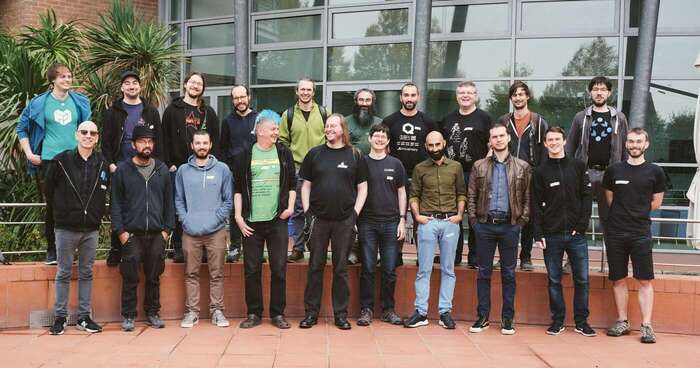
Reproducible Builds Summit 2022 Following-up from last month s report about our recent summit in Venice, Italy, a comprehensive report from the meeting has not been finalised yet watch this space! As a very small preview, however, we can link to several issues that were filed about the website during the summit (#38, #39, #40, #41, #42, #43, etc.) and collectively learned about Software Bill of Materials (SBOM) s and how .buildinfo files can be seen/used as SBOMs. And, no less importantly, the Reproducible Builds t-shirt design has been updated

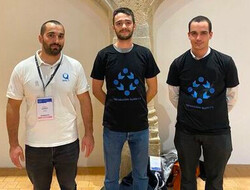
Reproducible Builds at European Cyber Week 2022 During the European Cyber Week 2022, a Capture The Flag (CTF) cybersecurity challenge was created by Fr d ric Pierret on the subject of Reproducible Builds. The challenge consisted in a pedagogical sense based on how to make a software release reproducible. To progress through the challenge issues that affect the reproducibility of build (such as build path, timestamps, file ordering, etc.) were to be fixed in steps in order to get the final flag in order to win the challenge. At the end of the competition, five people succeeded in solving the challenge, all of whom were awarded with a shirt. Fr d ric Pierret intends to create similar challenge in the form of a how to in the Reproducible Builds documentation, but two of the 2022 winners are shown here:

On business adoption and use of reproducible builds Simon Butler announced on the rb-general mailing list that the Software Quality Journal published an article called On business adoption and use of reproducible builds for open and closed source software. This article is an interview-based study which focuses on the adoption and uses of Reproducible Builds in industry, with a focus on investigating the reasons why organisations might not have adopted them:
[ ] industry application of R-Bs appears limited, and we seek to understand whether awareness is low or if significant technical and business reasons prevent wider adoption.
This is achieved through interviews with software practitioners and business managers, and touches on both the business and technical reasons supporting the adoption (or not) of Reproducible Builds. The article also begins with an excellent explanation and literature review, and even introduces a new helpful analogy for reproducible builds:
[Users are] able to perform a bitwise comparison of the two binaries to verify that they are identical and that the distributed binary is indeed built from the source code in the way the provider claims. Applied in this manner, R-Bs function as a canary, a mechanism that indicates when something might be wrong, and offer an improvement in security over running unverified binaries on computer systems.
The full paper is available to download on an open access basis. Elsewhere in academia, Beatriz Michelson Reichert and Rafael R. Obelheiro have published a paper proposing a systematic threat model for a generic software development pipeline identifying possible mitigations for each threat (PDF). Under the Tampering rubric of their paper, various attacks against Continuous Integration (CI) processes:
An attacker may insert a backdoor into a CI or build tool and thus introduce vulnerabilities into the software (resulting in an improper build). To avoid this threat, it is the developer s responsibility to take due care when making use of third-party build tools. Tampered compilers can be mitigated using diversity, as in the diverse double compiling (DDC) technique. Reproducible builds, a recent research topic, can also provide mitigation for this problem. (PDF)

Misc news
On our mailing list this month:

Debian & other Linux distributions Over 50 reviews of Debian packages were added this month, another 48 were updated and almost 30 were removed, all of which adds to our knowledge about identified issues. Two new issue types were added as well. [ ][ ]. Vagrant Cascadian announced on our mailing list another online sprint to help clear the huge backlog of reproducible builds patches submitted by performing NMUs (Non-Maintainer Uploads). The first such sprint took place on September 22nd, but others were held on October 6th and October 20th. There were two additional sprints that occurred in November, however, which resulted in the following progress: Lastly, Roland Clobus posted his latest update of the status of reproducible Debian ISO images on our mailing list. This reports that all major desktops build reproducibly with bullseye, bookworm and sid as well as that no custom patches needed to applied to Debian unstable for this result to occur. During November, however, Roland proposed some modifications to live-setup and the rebuild script has been adjusted to fix the failing Jenkins tests for Debian bullseye [ ][ ].
In other news, Miro Hron ok proposed a change to clamp build modification times to the value of SOURCE_DATE_EPOCH. This was initially suggested and discussed on a devel@ mailing list post but was later written up on the Fedora Wiki as well as being officially proposed to Fedora Engineering Steering Committee (FESCo).

Upstream patches The Reproducible Builds project detects, dissects and attempts to fix as many currently-unreproducible packages as possible. We endeavour to send all of our patches upstream where appropriate. This month, we wrote a large number of such patches, including:

diffoscope diffoscope is our in-depth and content-aware diff utility. Not only can it locate and diagnose reproducibility issues, it can provide human-readable diffs from many kinds of binary formats. This month, Chris Lamb prepared and uploaded versions 226 and 227 to Debian:
  • Support both python3-progressbar and python3-progressbar2, two modules providing the progressbar Python module. [ ]
  • Don t run Python decompiling tests on Python bytecode that file(1) cannot detect yet and Python 3.11 cannot unmarshal. (#1024335)
  • Don t attempt to attach text-only differences notice if there are no differences to begin with. (#1024171)
  • Make sure we recommend apksigcopier. [ ]
  • Tidy generation of os_list. [ ]
  • Make the code clearer around generating the Debian substvars . [ ]
  • Use our assert_diff helper in test_lzip.py. [ ]
  • Drop other copyright notices from lzip.py and test_lzip.py. [ ]
In addition to this, Christopher Baines added lzip support [ ], and FC Stegerman added an optimisation whereby we don t run apktool if no differences are detected before the signing block [ ].
A significant number of changes were made to the Reproducible Builds website and documentation this month, including Chris Lamb ensuring the openEuler logo is correctly visible with a white background [ ], FC Stegerman de-duplicated by email address to avoid listing some contributors twice [ ], Herv Boutemy added Apache Maven to the list of affiliated projects [ ] and boyska updated our Contribute page to remark that the Reproducible Builds presence on salsa.debian.org is not just the Git repository but is also for creating issues [ ][ ]. In addition to all this, however, Holger Levsen made the following changes:
  • Add a number of existing publications [ ][ ] and update metadata for some existing publications as well [ ].
  • Hide draft posts on the website homepage. [ ]
  • Add the Warpforge build tool as a participating project of the summit. [ ]
  • Clarify in the footer that we welcome patches to the website repository. [ ]

Testing framework The Reproducible Builds project operates a comprehensive testing framework at tests.reproducible-builds.org in order to check packages and other artifacts for reproducibility. In October, the following changes were made by Holger Levsen:
  • Improve the generation of meta package sets (used in grouping packages for reporting/statistical purposes) to treat Debian bookworm as equivalent to Debian unstable in this specific case [ ] and to parse the list of packages used in the Debian cloud images [ ][ ][ ].
  • Temporarily allow Frederic to ssh(1) into our snapshot server as the jenkins user. [ ]
  • Keep some reproducible jobs Jenkins logs much longer [ ] (later reverted).
  • Improve the node health checks to detect failures to update the Debian cloud image package set [ ][ ] and to improve prioritisation of some kernel warnings [ ].
  • Always echo any IRC output to Jenkins output as well. [ ]
  • Deal gracefully with problems related to processing the cloud image package set. [ ]
Finally, Roland Clobus continued his work on testing Live Debian images, including adding support for specifying the origin of the Debian installer [ ] and to warn when the image has unmet dependencies in the package list (e.g. due to a transition) [ ].
If you are interested in contributing to the Reproducible Builds project, please visit our Contribute page on our website. You can get in touch with us via:

Shirish Agarwal: Wayland, Hearing aids, Multiverse & Identity

Wayland First up, I read Antoine Beaupr s Wayland to Sway migration with interest. While he said it s done and dusted or something similar, the post shows there s still quite a ways to go. I wouldn t say it s done or whatever till it s integrated so well that a person installs it and doesn t really need to fiddle with config files as an average user. For specific use-cases you may need to, but that should be outside of a normal user (layperson) experience. I have been using mate for a long long time and truth be told been very happy with it. The only thing I found about Wayland on mate is this discussion or rather this entry. The roadmap on Ubuntu Mate is also quite iffy. The Mate Wayland entry on Debian wiki also perhaps need an updation but dunno much as the latest update it shares is 2019 and it s 2022. One thing to note, at least according to Antoine, things should be better as and when it gets integrated even on legacy hardware. I would be interested to know how it would work on old desktops and laptops rather than new or is there some barrier? I, for one would have liked to see or know about why lightdm didn t work on Wayland and if there s support. From what little I know lightdm is much lighter than gdm3 and doesn t require much memory and from what little I have experienced works very well with mate. I have been using it since 2015/16 although the Debian changelog tells me that it has been present since 2011. I was hoping to see if there was a Wayland specific mailing list, something like debian-wayland but apparently there s not :(. Using mate desktop wayland (tried few other variations on the keywords) but search fails to find any meaningful answer :(. FWIW and I don t know the reason why but Archwiki never fails to amaze me. Interestingly, it just says No for mate. I probably would contact upstream in the coming days to know what their plans are and hopefully they will document what their plans are on integrating Wayland in both short-term and long-term with an update, or if there is something more recent they have documented elsewhere, get that update on the Debian wiki so people know. The other interesting thread I read was Russel Coker s Thinkpad X1 Carbon Gen5 entry. I would be in the market in a few months to find/buy a Thinkpad but probably of AMD rather than Intel because part of recent past history with Intel as well as AMD having a bit of an edge over Intel as far as graphics is concerned. I wonder why Russel was looking into Intel and not AMD. Would be interested to know why Intel and not AMD? Any specific reason ???

Hearing Aids I finally bought hearing aids about a couple of weeks back and have been practicing using them. I was able to have quite a few conversations although music is still I m not able to listen clearly but it is still a far cry from before and for the better. I am able to have conversations with people and also reply and they do not have to make that extra effort that they needed to. Make things easier for everybody. The one I bought is at the starting range although the hearing aids go all the way to 8 lakhs for a pair (INR 800,000), the more expensive ones having WiFi, Bluetooth and more channels, it all depends on how much can one afford. And AFAIK there is not a single Indian manufacturer who is known in this business.

One thing I did notice is while the hearing aids are remarkably sturdy if they fall down as they are small, yet you have to be careful of both dust and water . That does makes life a bit difficult as my house and city both gets sand quite a bit everyday. I don t think they made any India-specific changes, if they had, would probably make things better. I haven t yet looked at it, but it may be possible to hack it remotely. There may or may not be security issues involved, probably would try once I ve bit more time am bit more comfortable to try and see what I can find out. If I had bought it before, maybe I would have applied for the Debian event happening in Kerala, if nothing else, would have been to document what happened there in detail.  I probably would have to get a new motherboard for my desktop probably in a year or two as quite a few motherboards also have WiFi (WiFi 6 ?) think on the southbridge. I at least would have a look in new year and know more as to what s been happening. For last at least 2-3 years there has been a rumor which has been confirmed time and again that the Tata Group has been in talks with multiple vendors to set chip fabrication and testing business but to date they haven t been able to find one. They do keep on giving press conferences about the same but that s all they do :(. Just shared the latest one above.

The Long War Terry Pratchett, Stephen Braxter Long Earth Terry Pratchett, Stephen Braxter ISBN13: 9780062067777 Last month there was also a seconds books sale where I was lucky enough to get my hands on the Long War. But before I share about the book itself, I had a discussion with another of my friends and had to re-share part of that conversation. While the gentleman was adamant that non-fiction books are great, my point as always is both are equal. As I shared perhaps on this blog itself, perhaps multiple times, that I had seen a YT video in which a professor shared multiple textbooks of physics and shared how they are wrong and have been wrong and kept them in a specific corner. He took the latest book which he honestly said doesn t have any mistakes as far as he know and yet still kept in that same corner denoting that it is highly possible that future understanding will make the knowledge or understanding we know different. An example of physics in the nano world and how that is different and basically turns our understanding than what we know. Now as far as the book is concerned, remember Michael Crichton s Timeline. Now that book was originally written in the 1960 s while this one was written by both the honorable gentleman in 2013. So almost 50+ years difference between the two books, and that even shows how they think about things. In this book, you no longer need a big machine, but have something called a stepper machine which is say similar to a cellphone, that size and that frame, thickness etc. In this one, the idea of multiverse is also there but done a tad differently. In this, we do not have other humans or copy humans but have multiple earths that may have same or different geography as how evolution happened. None of the multiverse earths have humans but have different species depending on the evolution that happened there. There are something called as trolls but they have a much different meaning and way about them about how most fantasy authors portray trolls. While they are big in this as well, they are as gentle as bears or rabbits. So the whole thing is about real estate and how humans have spread out on multiple earths and the politics therein. Interestingly, the story was trashed or given negative reviews on Goodreads. The sad part is/was that it was written and published in 2013 when perhaps the possibility of war or anything like that was very remote especially in the States, but now we are now in 2022 and just had an insurrection happen and whole lot of Americans are radicalized, whether you see the left or the right depending on your ideology. An American did share few weeks ago how some shares are looking at Proportional Representation and that should make both parties come more towards the center and be a bit more transparent. What was interesting to me is the fact that states have much more rights to do elections and electioneering the way they want rather than a set model which everyone has common which is what happens in India. This also does poke holes into the whole Donald Trump stolen democracy drama but that s a different story altogether. One of the more interesting things I came to know about is that there are 4 books in the long series and this was the second book in itself. I do not want to dwell on the characters themselves as frankly speaking I haven t read all the four books and it would be gross injustice on my part to talk about the characters themselves. Did I enjoy reading the book, for sure. What was interesting and very true of human nature is that even if we have the ability or had the ability to have whole worlds to ourselves, we are bound to mess it up. And in that aspect, I don t think he is too far off the mark. If I had a whole world, wouldn t I try to exploit it to the best or worse of my ability. One of the more interesting topics in the book is the barter system they have thought of that is called as favors. If you are in multiple worlds, then having a currency, even fiat money is of no use and they have to find ways and means to trade with one another. The book also touches a bit on slavery but only just and doesn t really explore it as much as it could have.

Identity Now this has many meanings to it. Couple of weeks ago, saw a transgender meet. For the uninitiated or rather people like me, basically it is about people who are born in one gender but do not identify with it but the other and they express it first through their clothes and expression and the end of the journey perhaps is with having the organs but this may or may not be feasible, as such surgery is expensive and also not available everywhere. After section 377 was repealed few years ago, we do have a third gender on forms as well as have something called a Transgender Act but how much the needle has moved in society is still a question. They were doing a roadshow near my house hence I was able to talk with them with my new hearing aids and while there was lot of traffic was able to understand some of their issues. For e.g. they find it difficult to get houses on rent, but then it is similar for bachelor guys or girls also. One could argue to what degree it is, and that perhaps maybe. Also, there is a myth that they are somehow promiscuous but that I believe is neither here or there. Osho said an average person thinks about the opposite sex every few seconds or a minute. I am sure even Freud would have similar ideas. So, if you look in that way everybody is promiscuous as far as thought is concerned. The other part being opportunity but that again is function of so many other things. Some people are able to attract a lot of people, others might not. And then whether they chose to act on that opportunity or not is another thing altogether. Another word that is or was used is called gender fluid, but that too is iffy as gender fluid may or may not mean transgender. Also, while watching some nature documentary few days/weeks back had come to know that trees have something like 18 odd genders. That just blows me out of the mind and does re-question this whole idea of sexuality and identity to only two which seems somewhat regressive at least to me. If we think humans are part of nature, then we need to be open up perhaps a bit more. But identity as I shared above has more than one meaning. For e.g. citizenship, that one is born in India is even messier to know, understand and define. I had come across this article about couple of months back. Now think about this. Now, there have been studies and surveys about citizenship and it says something like 60% birth registrations are done in metro cities. Now Metro cities are 10 as defined by Indian state. But there are roughly an odd 4k cities in India and probably twice the number of villages and those are conservative numbers as we still don t record things meticulously, maybe due to the Indian oral tradition or just being lazy or both, one part is also that if you document people and villages and towns, then you are also obligated to give them some things as a state and that perhaps is not what the Indian state wants. A small village in India could be anywhere from few hundreds of people to a few thousand. And all the new interventions whether it is PAN, Aadhar has just made holes rather than making things better. They are not inclusive but exclusive. And none of this takes into account Indian character and the way things are done in India. In most households, excluding the celebs (they are in a world of pain altogether when it comes to baby names but then it s big business but that s an entire different saga altogether, so not going to touch that.) I would use or say my individual case as that is and seems to be something which is regular even today. I was given a nickname when I was 3 years old and given a name when I was 5-6 when I was put in school. I also came to know in school few kids who didn t like their names and couple of them cajoled and actually changed their names while they were kids, most of us just stayed with what we got. I do remember sharing about nakushi or something similar a name given to few girls in Maharashtra by their parents and the state intervened and changed their names. But that too is another story in itself. What I find most problematic is that the state seems to be blind, and this seems to be by design rather than a mistake. Couple of years back, Assam did something called NRC (National Register of Citizens) and by the Govt s own account it was a failure of massive proportions. And they still want to bring in CAA, screwing up Assam more. And this is the same Govt. went shown how incorrect it was, blamed it all on the High Court and it s the same Govt. that shopped around for judges to put somebody called Mr. Saibaba (an invalid 90 year adivasi) against whom the Govt. hasn t even a single proof as of date. Apparently, they went to 6 judges who couldn t give what the decision the Govt. wanted. All this info. is in public domain. So the current party ruling, i.e. BJP just wants to make more divisions rather than taking people along as they don t have answers either on economy, inflation or issues that people are facing. One bright light has been Rahul Gandhi who has been doing a padhyatra (walking) from Kanyakumari to Kashmir and has had tremendous success although mainstream media has showed almost nothing what he is doing or why he is doing that. Not only he had people following him, there are and were many who took his example and using the same values of inclusiveness are walking where they can. And this is not to do with just a political party but more with a political thought of inclusiveness, that we are one irrespective of what I believe, eat, wear etc. And that gentleman has been giving press conferences while our dear P.M. even after 8 years doesn t have the guts to do a single press conference. Before closing, I do want to take another aspect, Rahul Gandhi s mother is an Italian or was from Italy before she married. But for BJP she is still Italian. Rishi Sunak, who has become the UK Prime Minister they think of him as Indian and yet he has sworn using the Queen s name. And the same goes for Canada Kumar (Akshay Kumar) and many others. How the right is able to blind and deaf to what it thinks is beyond me. All these people have taken an oath in the name of the Queen and they have to be loyal to her or rather now King Charles III. The disconnect continues.

Louis-Philippe V ronneau: Debian Python Team 2022 Sprint Report

This is the report for the Debian Python Team remote sprint that took place on December 2-3-4 2022. Many thanks to those who participated, namely: Here is a list of issues we worked on: pybuild autodep8 feature About a year ago, Antonio Terceiro contributed code to pybuild to make it possible to automatically run the upstream test suite as autopkgtests. This feature has now been merged and uploaded to unstable. Although you can find out more about it in the pybuild-autopkgtest manpage, an email providing more details should be sent to the debian-python mailing list relatively soon. Fixing packages that run tests via python3 setup.py test Last August, Stefano Rivera poked the team about the deprecation of the python3 setup.py test command to run tests in pybuild. Although this feature has been deprecated upstream for 6 years now, many packages in the archive still use it to run the upstream test suite during build. Around 29 of the 67 packages that are team-maintained by the Debian Python Team were fixed during the sprint. Ideally, all of them would be before the feature is removed from pybuild. if a package you maintain still runs this command, please consider fixing it! Fixing packages that use nose nose, provided by the python3-nose package, is an obsolete testing framework for Python and has been unmaintained since 2015. During the sprint, people worked on fixing some of the many bugs filled against packages still running tests via nose, but there are still around 240 packages affected by this issue in the archive. Again, if a package you maintain still runs this command, please consider fixing it! Removal of the remaining Python2 packages With the upload of dh-python 5.20221202, Stefano Rivera officially removed support for dh_python2 and dh_pypy, thus closing the "Python2 removal in sid/bullseye" bug. It seems some work still needs to be done for complete Python2 removal from Sid, but I expect this will be done in time for the Bookworm release. Working on Lintian tags for the Team During the sprint, I managed to work on some Lintian issues that we had targeted, namely: I also worked on a few other Lintian tags, but they were unrelated to the Debian Python Team itself. I'm also happy to report many of the tags I wrote for the team in the past few months were merged by the awesome Russ Allbery and should land in unstable as soon as a new release is made. I'm particularly looking forward the new "uses-python-distutils" tag that should help us flag packages that still use the deprecated distutils library. Patching distro-tracker (tracker.debian.org) to show pending team MRs It's often hard to have a good overview of pending merge requests when working with team-maintained packages, as by default, Salsa doesn't notify anyone when a MR is opened. Although our workflow typically does not involve creating merge requests, some people still do and they end up sitting there, unnoticed. During the sprint, Kurt Kremitzki worked on solving this issue by having distro-tracker show the pending MRs on our team's tracker page. Sadly, it seems little progress was made, as the removal of python3-django-jsonfield from the archive and breaking changes in python3-selenium has broken the test suite. Migrate packages building with the flit plugin to the generic pyproject one pybuild has been supporting building with PEP-517 style pyproject.toml files via a generic plugin (pybuild-plugin-pyproject) for a while now. As this plugin supersedes the old flit plugin, we've been thinking of deprecating it in time for the Bookworm release. To make this possible, most of the packages in the archive that still used this plugin were migrated to the generic one and I opened bugs on the last handful of packages that were not team-maintained. Other work Many other things were done during the sprint, such as: Thanks Thanks again to everyone who joined the sprint, and three big cheers for all the folks who donate to Debian and made it possible for us to have a food budget for the event.

3 December 2022

Ben Hutchings: Debian LTS work, November 2022

In November I was assigned 24 hours by Freexian's Debian LTS initiative. I worked 9 of those hours and will carry over the remainder. I updated the linux (4.19) package to the latest stable update, but didn't upload it. I attended the monthly LTS team meeting.

Vincent Bernat: Broken commit diff on Cisco IOS XR

TL;DR Never trust show commit changes diff on Cisco IOS XR.

Cisco IOS XR is the operating system running for the Cisco ASR, NCS, and 8000 routers. Compared to Cisco IOS, it features a candidate configuration and a running configuration. In configuration mode, you can modify the first one and issue the commit command to apply it to the running configuration.1 This is a common concept for many NOS. Before committing the candidate configuration to the running configuration, you may want to check the changes that have accumulated until now. That s where the show commit changes diff command2 comes up. Its goal is to show the difference between the running configuration (show running-configuration) and the candidate configuration (show configuration merge). How hard can it be? Let s put an interface down on IOS XR 7.6.2 (released in August 2022):
RP/0/RP0/CPU0:router(config)#int Hu0/1/0/1 shut
RP/0/RP0/CPU0:router(config)#show commit changes diff
Wed Nov 23 11:08:30.275 CET
Building configuration...
!! IOS XR Configuration 7.6.2
+  interface HundredGigE0/1/0/1
+   shutdown
   !
end
The + sign before interface HundredGigE0/1/0/1 makes it look like you did create a new interface. Maybe there was a typo? No, the diff is just broken. If you look at the candidate configuration, everything is like you expect:
RP/0/RP0/CPU0:router(config)#show configuration merge int Hu0/1/0/1
Wed Nov 23 11:08:43.360 CET
interface HundredGigE0/1/0/1
 description PNI: (some description)
 bundle id 4000 mode active
 lldp
  receive disable
  transmit disable
 !
 shutdown
 load-interval 30
Here is a more problematic example on IOS XR 7.2.2 (released in January 2021). We want to unconfigure three interfaces:
RP/0/RP0/CPU0:router(config)#no int GigabitEthernet 0/0/0/5
RP/0/RP0/CPU0:router(config)#int TenGigE 0/0/0/5 shut
RP/0/RP0/CPU0:router(config)#no int TenGigE 0/0/0/28
RP/0/RP0/CPU0:router(config)#int TenGigE 0/0/0/28 shut
RP/0/RP0/CPU0:router(config)#no int TenGigE 0/0/0/29
RP/0/RP0/CPU0:router(config)#int TenGigE 0/0/0/29 shut
RP/0/RP0/CPU0:router(config)#show commit changes diff
Mon Nov  7 15:07:22.990 CET
Building configuration...
!! IOS XR Configuration 7.2.2
-  interface GigabitEthernet0/0/0/5
-   shutdown
   !
+  interface TenGigE0/0/0/5
+   shutdown
   !
   interface TenGigE0/0/0/28
-   description Trunk (some description)
-   bundle id 2 mode active
   !
end
The two first commands are correctly represented by the first two chunks of the diff: we remove GigabitEthernet0/0/0/5 and create TenGigE0/0/0/5. The two next commands are also correctly represented by the last chunk of the diff. TenGigE0/0/0/28 was already shut down, so it is expected that only description and bundle id are removed. However, the diff command forgets about the modifications for TenGigE0/0/0/29. The diff should include a chunk similar to the last one.
RP/0/RP0/CPU0:router(config)#show run int TenGigE 0/0/0/29
Mon Nov  7 15:07:43.571 CET
interface TenGigE0/0/0/29
 description Trunk to other router
 bundle id 2 mode active
 shutdown
!
RP/0/RP0/CPU0:router(config)#show configuration merge int TenGigE 0/0/0/29
Mon Nov  7 15:07:53.584 CET
interface TenGigE0/0/0/29
 shutdown
!
How can the diff be correct for TenGigE0/0/0/28 but incorrect for TenGigE0/0/0/29 while they have the same configuration? How can you trust the diff command if it forgets part of the configuration? Do you remember the last time you ran an Ansible playbook and discovered the whole router ospf block disappeared without a warning? If you use automation tools, you should check how the diff is assembled. Automation tools should build it from the result of show running-config and show configuration merge. This is what NAPALM does. This is not what cisco.iosxr collection for Ansible does. The problem is not limited to the interface directives. You can get similar issues for other parts of the configuration. For example, here is what we get when removing inactive BGP neighbors on IOS XR 7.2.2:
RP/0/RP0/CPU0:router(config)#router bgp 65400
RP/0/RP0/CPU0:router(config-bgp)#vrf public
RP/0/RP0/CPU0:router(config-bgp-vrf)#no neighbor 217.29.66.1
RP/0/RP0/CPU0:router(config-bgp-vrf)#no neighbor 217.29.66.75
RP/0/RP0/CPU0:router(config-bgp-vrf)#no neighbor 217.29.66.110
RP/0/RP0/CPU0:router(config-bgp-vrf)#no neighbor 217.29.66.112
RP/0/RP0/CPU0:router(config-bgp-vrf)#no neighbor 217.29.66.158
RP/0/RP0/CPU0:router(config-bgp-vrf)#show commit changes diff
Tue Aug  2 13:58:02.536 CEST
Building configuration...
!! IOS XR Configuration 7.2.2
   router bgp 65400
    vrf public
-    neighbor 217.29.66.1
-     remote-as 16004
-     use neighbor-group MIX_IPV4_PUBLIC
-     description MIX: MIX-IT
     !
-    neighbor 217.29.66.75
-     remote-as 49367
-     use neighbor-group MIX_IPV4_PUBLIC
     !
-    neighbor 217.29.67.10
-     remote-as 19679
     !
-    neighbor 217.29.67.15
-    neighbor 217.29.66.112
-     remote-as 8075
-     use neighbor-group MIX_IPV4_PUBLIC
-     description MIX: Microsoft
-     address-family ipv4 unicast
-      maximum-prefix 1500 95 restart 5
      !
     !
-    neighbor 217.29.66.158
-     remote-as 24482
-     use neighbor-group MIX_IPV4_PUBLIC
-     description MIX: SG.GS
-     address-family ipv4 unicast
     !
     !
    !
   !
end
The only correct chunk is for neighbor 217.29.66.112. All the others are missing some of the removed lines. 217.29.67.15 is even missing all of them. How bad is the code providing such a diff? I could go all day with examples such as these. Cisco TAC is happy to open a case in DDTS, their bug tracker, to fix specific occurrences of this bug.3 However, I fail to understand why the XR team is not just providing the diff between show run and show configuration merge. The output would always be correct!

  1. IOS XR has several limitations. The most inconvenient one is the inability to change the AS number in the router bgp directive. Such a limitation is a great pain for both operations and automation.
  2. This command could have been just show commit, as show commit changes diff is the only valid command you can execute from this point. Starting from IOS XR 7.5.1, show commit changes diff precise is also a valid command. However, I have failed to find any documentation about it and it seems to provide the same output as show commit changes diff. That s how clunky IOS XR can be.
  3. See CSCwa26251 as an example of a fix for something I reported earlier this year. You need a valid Cisco support contract to be able to see its content.

2 December 2022

Paul Wise: FLOSS Activities November 2022

Focus This month I didn't have any particular focus. I just worked on issues in my info bubble.

Changes

Issues

Review

Administration
  • Debian IRC: setup topic/entrymsg to redirect OFTC #debian-jp to the Debian Japan IRC server, cleaned up #debianppc ChanServ metadata
  • Debian wiki: unblock IP addresses, approve domains, approve accounts

Communication

Sponsors The libemail-outlook-message-perl, purple-discord, sptag, celery work was sponsored. All other work was done on a volunteer basis.

30 November 2022

Matthew Garrett: Making unphishable 2FA phishable

One of the huge benefits of WebAuthn is that it makes traditional phishing attacks impossible. An attacker sends you a link to a site that looks legitimate but isn't, and you type in your credentials. With SMS or TOTP-based 2FA, you type in your second factor as well, and the attacker now has both your credentials and a legitimate (if time-limited) second factor token to log in with. WebAuthn prevents this by verifying that the site it's sending the secret to is the one that issued it in the first place - visit an attacker-controlled site and said attacker may get your username and password, but they won't be able to obtain a valid WebAuthn response.

But what if there was a mechanism for an attacker to direct a user to a legitimate login page, resulting in a happy WebAuthn flow, and obtain valid credentials for that user anyway? This seems like the lead-in to someone saying "The Aristocrats", but unfortunately it's (a) real, (b) RFC-defined, and (c) implemented in a whole bunch of places that handle sensitive credentials. The villain of this piece is RFC 8628, and while it exists for good reasons it can be used in a whole bunch of ways that have unfortunate security consequences.

What is the RFC 8628-defined Device Authorization Grant, and why does it exist? Imagine a device that you don't want to type a password into - either it has no input devices at all (eg, some IoT thing) or it's awkward to type a complicated password (eg, a TV with an on-screen keyboard). You want that device to be able to access resources on behalf of a user, so you want to ensure that that user authenticates the device. RFC 8628 describes an approach where the device requests the credentials, and then presents a code to the user (either on screen or over Bluetooth or something), and starts polling an endpoint for a result. The user visits a URL and types in that code (or is given a URL that has the code pre-populated) and is then guided through a standard auth process. The key distinction is that if the user authenticates correctly, the issued credentials are passed back to the device rather than the user - on successful auth, the endpoint the device is polling will return an oauth token.

But what happens if it's not a device that requests the credentials, but an attacker? What if said attacker obfuscates the URL in some way and tricks a user into clicking it? The user will be presented with their legitimate ID provider login screen, and if they're using a WebAuthn token for second factor it'll work correctly (because it's genuinely talking to the real ID provider!). The user will then typically be prompted to approve the request, but in every example I've seen the language used here is very generic and doesn't describe what's going on or ask the user. AWS simply says "An application or device requested authorization using your AWS sign-in" and has a big "Allow" button, giving the user no indication at all that hitting "Allow" may give a third party their credentials.

This isn't novel! Christoph Tafani-Dereeper has an excellent writeup on this topic from last year, which builds on Nestori Syynimaa's earlier work. But whenever I've talked about this, people seem surprised at the consequences. WebAuthn is supposed to protect against phishing attacks, but this approach subverts that protection by presenting the user with a legitimate login page and then handing their credentials to someone else.

RFC 8628 actually recognises this vector and presents a set of mitigations. Unfortunately nobody actually seems to implement these, and most of the mitigations are based around the idea that this flow will only be used for physical devices. Sadly, AWS uses this for initial authentication for the aws-cli tool, so there's no device in that scenario. Another mitigation is that there's a relatively short window where the code is valid, and so sending a link via email is likely to result in it expiring before the user clicks it. An attacker could avoid this by directing the user to a domain under their control that triggers the flow and then redirects the user to the login page, ensuring that the code is only generated after the user has clicked the link.

Can this be avoided? The best way to do so is to ensure that you don't support this token issuance flow anywhere, or if you do then ensure that any tokens issued that way are extremely narrowly scoped. Unfortunately if you're an AWS user, that's probably not viable - this flow is required for the cli tool to perform SSO login, and users are going to end up with broadly scoped tokens as a result. The logs are also not terribly useful.

The infuriating thing is that this isn't necessary for CLI tooling. The reason this approach is taken is that you need a way to get the token to a local process even if the user is doing authentication in a browser. This can be avoided by having the process listen on localhost, and then have the login flow redirect to localhost (including the token) on successful completion. In this scenario the attacker can't get access to the token without having access to the user's machine, and if they have that they probably have access to the token anyway.

There's no real moral here other than "Security is hard". Sorry.

comment count unavailable comments

29 November 2022

Jonathan McDowell: onak 0.6.2 released

Over the weekend I released a new version of onak, my OpenPGP compatible keyserver. At 2 years since the last release that means I ve at least managed to speed up a bit, but it s fair to say its development isn t a high priority for me at present. This release is largely driven by a collection of minor fixes that have built up, and the knowledge that a Debian freeze is coming in the new year. The fixes largely revolve around the signature verification that was introduced in 0.6.0, which makes it a bit safer to run a keyserver by only accepting key material that can be validated. All of the major items I wanted to work on post 0.6.0 remain outstanding. For the next release I d like to get some basic Stateless OpenPGP Command Line Interface support integrated. That would then allow onak to be tested with the OpenPGP interoperability test suite, which has recently added support for verification only OpenPGP implementations. I realise most people like to dismiss OpenPGP, and the tooling has been fairly dreadful for as long as I ve been using it, but I do think it fills a space that no competing system has bothered to try and replicate. And that s the web of trust, which helps provide some ability to verify keys without relying on (but also without preventing) a central authority to do so. Anyway. Available locally or via GitHub.
0.6.2 - 27th November 2022
  • Don t take creation time from unhashed subpackets
  • Fix ECDSA/SHA1 signature check
  • Fix handling of other signature requirement
  • Fix deletion of keys with PostgreSQL backend
  • Add support for verifying v3 signature packets

28 November 2022

Steve Kemp: I put an LSP in your LISP ..

I recently wrote about yet another lisp I'd been having fun with. Over the past couple of years I've played with a few toy scripting languages, or random interpreters, and this time I figured I'd do something beyond the minimum, by implementing the Language Server Protocol. In brief the language server protocol (LSP) is designed to abstract functionality that might be provided by an editor, or IDE, into a small "language server". If the language-server knows how to jump to definitions, provide completion, etc, etc, then the editor doesn't need to implement those things for NN different languages - it just needs to launch and communicate with something that does know how to do the job. Anyway LSP? LISP? Only one letter different, so that's practically enough reason to have a stab at it. Thankfully I found a beautiful library that implements a simple framework allowing the easy implementation of a golang-based LSP-server Using that I quickly hacked up a server that can provide: I've tested this in both GNU Emacs and Neovim, so that means I'm happy I support all editors! (More seriously if it works in two then that probably means that the LSP stuff should work elsewhere too.) Here's what the "help on hover" looks like, within Emacs: Vim looks similar but you have to press K to see the wee popup. Still kinda cute, and was a good experiment.

26 November 2022

Matthew Garrett: Poking a mobile hotspot

I've been playing with an Orbic Speed, a relatively outdated device that only speaks LTE Cat 4, but the towers I can see from here are, uh, not well provisioned so throughput really isn't a concern (and refurbs are $18, so). As usual I'm pretty terrible at just buying devices and using them for their intended purpose, and in this case it has the irritating behaviour that if there's a power cut and the battery runs out it doesn't boot again when power returns, so here's what I've learned so far.

First, it's clearly running Linux (nmap indicates that, as do the headers from the built-in webserver). The login page for the web interface has some text reading "Open Source Notice" that highlights when you move the mouse over it, but that's it - there's code to make the text light up, but it's not actually a link. There's no exposed license notices at all, although there is a copy on the filesystem that doesn't seem to be reachable from anywhere. The notice tells you to email them to receive source code, but doesn't actually provide an email address.

Still! Let's see what else we can figure out. There's no open ports other than the web server, but there is an update utility that includes some interesting components. First, there's a copy of adb, the Android Debug Bridge. That doesn't mean the device is running Android, it's common for embedded devices from various vendors to use a bunch of Android infrastructure (including the bootloader) while having a non-Android userland on top. But this is still slightly surprising, because the device isn't exposing an adb interface over USB. There's also drivers for various Qualcomm endpoints that are, again, not exposed. Running the utility under Windows while the modem is connected results in the modem rebooting and Windows talking about new hardware being detected, and watching the device manager shows a bunch of COM ports being detected and bound by Qualcomm drivers. So, what's it doing?

Sticking the utility into Ghidra and looking for strings that correspond to the output that the tool conveniently leaves in the logs subdirectory shows that after finding a device it calls vendor_device_send_cmd(). This is implemented in a copy of libusb-win32 that, again, has no offer for source code. But it's also easy to drop that into Ghidra and discover thatn vendor_device_send_cmd() is just a wrapper for usb_control_msg(dev,0xc0,0xa0,0,0,NULL,0,1000);. Sending that from Linux results in the device rebooting and suddenly exposing some more USB endpoints, including a functional adb interface. Although, annoyingly, the rndis interface that enables USB tethering via the modem is now missing.

Unfortunately the adb user is unprivileged, but most files on the system are world-readable. data/logs/atfwd.log is especially interesting. This modem has an application processor built into the modem chipset itself, and while the modem implements the Hayes Command Set there's also a mechanism for userland to register that certain AT commands should be pushed up to userland. These are handled by the atfwd_daemon that runs as root, and conveniently logs everything it's up to. This includes having logged all the communications executed when the update tool was run earlier, so let's dig into that.

The system sends a bunch of AT+SYSCMD= commands, each of which is in the form of echo (stuff) >>/usrdata/sec/chipid. Once that's all done, it sends AT+CHIPID, receives a response of CHIPID:PASS, and then AT+SER=3,1, at which point the modem reboots back into the normal mode - adb is gone, but rndis is back. But the logs also reveal that between the CHIPID request and the response is a security check that involves RSA. The logs on the client side show that the text being written to the chipid file is a single block of base64 encoded data. Decoding it just gives apparently random binary. Heading back to Ghidra shows that atfwd_daemon is reading the chipid file and then decrypting it with an RSA key. The key is obtained by calling a series of functions, each of which returns a long base64-encoded string. Decoding each of these gives 1028 bytes of high entropy data, which is then passed to another function that decrypts it using AES CBC using a key of 000102030405060708090a0b0c0d0e0f and an initialization vector of all 0s. This is somewhat weird, since there's 1028 bytes of data and 128 bit AES works on blocks of 16 bytes. The behaviour of OpenSSL is apparently to just pad the data out to a multiple of 16 bytes, but that implies that we're going to end up with a block of garbage at the end. It turns out not to matter - despite the fact that we decrypt 1028 bytes of input only the first 200 bytes mean anything, with the rest just being garbage. Concatenating all of that together gives us a PKCS#8 private key blob in PEM format. Which means we have not only the private key, but also the public key.

So, what's in the encrypted data, and where did it come from in the first place? It turns out to be a JSON blob that contains the IMEI and the serial number of the modem. This is information that can be read from the modem in the first place, so it's not secret. The modem decrypts it, compares the values in the blob to its own values, and if they match sets a flag indicating that validation has succeeeded. But what encrypted it in the first place? It turns out that the json blob is just POSTed to http://pro.w.ifelman.com/api/encrypt and an encrypted blob returned. Of course, the fact that it's being encrypted on the server with the public key and sent to the modem that decrypted with the private key means that having access to the modem gives us the public key as well, which means we can just encrypt our own blobs.

What does that buy us? Digging through the code shows the only case that it seems to matter is when parsing the AT+SER command. The first argument to this is the serial mode to transition to, and the second is whether this should be a temporary transition or a permanent one. Once parsed, these arguments are passed to /sbin/usb/compositions/switch_usb which just writes the mode out to /usrdata/mode.cfg (if permanent) or /usrdata/mode_tmp.cfg (if temporary). On boot, /data/usb/boot_hsusb_composition reads the number from this file and chooses which USB profile to apply. This requires no special permissions, except if the number is 3 - if so, the RSA verification has to be performed first. This is somewhat strange, since mode 9 gives the same rndis functionality as mode 3, but also still leaves the debug and diagnostic interfaces enabled.

So what's the point of all of this? I'm honestly not sure! It doesn't seem like any sort of effective enforcement mechanism (even ignoring the fact that you can just create your own blobs, if you change the IMEI on the device somehow, you can just POST the new values to the server and get back a new blob), so the best I've been able to come up with is to ensure that there's some mapping between IMEI and serial number before the device can be transitioned into production mode during manufacturing.

But, uh, we can just ignore all of this anyway. Remember that AT+SYSCMD= stuff that was writing the data to /usrdata/sec/chipid in the first place? Anything that's passed to AT+SYSCMD is just executed as root. Which means we can just write a new value (including 3) to /usrdata/mode.cfg in the first place, without needing to jump through any of these hoops. Which also means we can just adb push a shell onto there and then use the AT interface to make it suid root, which avoids needing to figure out how to exploit any of the bugs that are just sitting there given it's running a 3.18.48 kernel.

Anyway, I've now got a modem that's got working USB tethering and also exposes a working adb interface, and I've got root on it. Which let me dump the bootloader and discover that it implements fastboot and has an oem off-mode-charge command which solves the problem I wanted to solve of having the device boot when it gets power again. Unfortunately I still need to get into fastboot mode. I haven't found a way to do it through software (adb reboot bootloader doesn't do anything), but this post suggests it's just a matter of grounding a test pad, at which point I should just be able to run fastboot oem off-mode-charge and it'll be all set. But that's a job for tomorrow.

Edit: Got into fastboot mode and ran fastboot oem off-mode-charge 0 but sadly it doesn't actually do anything, so I guess next is going to involve patching the bootloader binary. Since it's signed with a cert titled "General Use Test Key (for testing only)" it apparently doesn't have secure boot enabled, so this should be easy enough.

comment count unavailable comments

25 November 2022

Russ Allbery: podlators 5.00

podlators is my collection of POD formatting modules, which generate *roff or text (possibly with escape sequence markup) from the documentation format used by Perl and some other packages. This is a major release, the biggest since the Pod::Simple rewrite in 2005. The headline news is that after some fairly extensive investigation, this release of Pod::Man finally changes the default output format to Unicode. No more replacement of characters in people's names, or text in non-English languages, with ugly X characters! There is a new encoding option to set the output encoding, and new options groff (which uses the groff extension for Unicode code points and is the default on EBCDIC systmes) and roff (which does the old, broken X substitution). Since this was a major backward-incompatible change, I also finally removed most of the formatting touch-ups that Pod::Man tried to do for troff output but which would be invisible for the (by far more commonly used) nroff output. These have been an endless source of bugs and are very difficult to maintain, most of them were of marginal utility, and I am dubious many people are using troff to print Perl manual pages these days instead of, say, printing the rendered output from one of the many excellent POD to HTML modules. There is some remaining somewhat-Perl-specific guesswork applied to the formatting, which is much simpler, but even that can now be turned off with the new guesswork option. This will allow people using POD to generate manual pages for things other than Perl modules to disable the Perl-specific markup logic. Pod::Text also now supports encoding and gets some major encoding cleanups, including using Encode instead of PerlIO encoding layers for its output. There are also numerous other fixes and improvements: a new language option to Pod::Man to configure (in an unfortunately groff-specific way) the line-breaking rules for languages like Chinese and Japanese, conversion of zero-width spaces to the *roff \: equivalent, a fix for wrapping L<> inside S<>, and various other bug fixes. Perhaps the most interesting is a fix to a long-standing problem with the Pod::Man output where bold and italic text would extend too far if used in combination with C<> fixed-width text. This bug has been around forever without being noticed, and then two different people noticed it while I was preparing this release. You can get the latest release from CPAN or from the podlators distribution page. These changes should be incorporated into Perl core in due course, although given the substantial changes, that may require a baking period.

19 November 2022

Freexian Collaborators: Monthly report about Debian Long Term Support, October 2022 (by Rapha l Hertzog)

Like each month, have a look at the work funded by Freexian s Debian LTS offering.

Debian LTS contributors In October, 15 contributors have been paid to work on Debian LTS, their reports are available:
  • Abhijith PA did 14.0h (out of 2.0h assigned and 12.0h from previous period).
  • Anton Gladky did 20.0h (out of 19.0h assigned and 1.0h from previous period).
  • Ben Hutchings did 9.0h (out of 0h assigned and 9.0h from previous period).
  • Chris Lamb did 18.0h (out of 18.0h assigned).
  • Dominik George did 0.0h (out of 0h assigned and 24.0h from previous period), thus carrying over 24.0h to the next month.
  • Emilio Pozuelo Monfort did 40.5h (out of 58.0h assigned and 2.0h from previous period), thus carrying over 19.5h to the next month.
  • Enrico Zini did 0.0h (out of 0h assigned and 8.0h from previous period), thus carrying over 8.0h to the next month.
  • Helmut Grohne did 15.0h (out of 15.0h assigned).
  • Markus Koschany did 40.0h (out of 40.0h assigned).
  • Ola Lundqvist did 7.0h (out of 12.0h assigned), thus carrying over 5.0h to the next month.
  • Roberto C. S nchez did 0.75h (out of 1.0h assigned and 31.0h from previous period), thus carrying over 31.25h to the next month.
  • Stefano Rivera did 12.5h (out of 9.0h assigned and 26.0h from previous period), thus carrying over 22.5h to the next month.
  • Sylvain Beucler did 25.5h (out of 31.5h assigned and 28.5h from previous period), thus carrying over 34.5h to the next month.
  • Thorsten Alteholz did 14.0h (out of 14.0h assigned).
  • Utkarsh Gupta did 35.0h (out of 38.0h assigned and 22.0h from previous period), thus carrying over 25.0h to the next month.

Evolution of the situation In October, we have released 42 DLAs, closing 106 CVEs. At the moment we have 82 packages in dla-needed.txt, waiting for update. We are continuously working on updating our infrastructure, trying to document all of our changes in the git-repo. Most of packages there are having continuous integration (CI) pipelines.

Thanks to our sponsors Sponsors that joined recently are in bold.

18 November 2022

Reproducible Builds (diffoscope): diffoscope 227 released

The diffoscope maintainers are pleased to announce the release of diffoscope version 227. This version includes the following changes:
[ Chris Lamb ]
* Don't attempt to attach text-only differences notice if there are no
  differences to begin with. (Closes: #1024171, #1024349)
* Don't run Python decompiling tests on Python bytecode that both file(1)
  cannot yet detect and Python 3.11 cannot demarshall. (Closes: #1024335)
You find out more by visiting the project homepage.

16 November 2022

Ian Jackson: Stop writing Rust linked list libraries!

tl;dr: Don t write a Rust linked list library: they are hard to do well, and usually useless. Use VecDeque, which is great. If you actually need more than VecDeque can do, use one of the handful of libraries that actually offer a significantly more useful API. If you are writing your own data structure, check if someone has done it already, and consider slotmap or generation_arena, (or maybe Rc/Arc). Contents Survey of Rust linked list libraries I have updated my Survey of Rust linked list libraries. Background In 2019 I was writing plag-mangler, a tool for planar graph layout. I needed a data structure. Naturally I looked for a library to help. I didn t find what I needed, so I wrote rc-dlist-deque. However, on the way I noticed an inordinate number of linked list libraries written in Rust. Most all of these had no real reason for existing. Even the one in the Rust standard library is useless. Results Now I have redone the survey. The results are depressing. In 2019 there were 5 libraries which, in my opinion, were largely useless. In late 2022 there are now thirteen linked list libraries that ought probably not ever to be used. And, a further eight libraries for which there are strictly superior alternatives. Many of these have the signs of projects whose authors are otherwise competent: proper documentation, extensive APIs, and so on. There is one new library which is better for some applications than those available in 2019. (I m referring to generational_token_list, which makes a plausible alternative to dlv-list which I already recommended in 2019.) Why are there so many poor Rust linked list libraries ? Linked lists and Rust do not go well together. But (and I m guessing here) I presume many people are taught in programming school that a linked list is a fundamental data structure; people are often even asked to write one as a teaching exercise. This is a bad idea in Rust. Or maybe they ve heard that writing linked lists in Rust is hard and want to prove they can do it. Double-ended queues One of the main applications for a linked list in a language like C, is a queue, where you put items in at one end, and take them out at the other. The Rust standard library has a data structure for that, VecDeque. Five of the available libraries: For these you could, and should, just use VecDeque instead. The Cursor concept A proper linked list lets you identify and hold onto an element in the middle of the list, and cheaply insert and remove elements there. Rust s ownership and borrowing rules make this awkward. One idea that people have many times reinvented and reimplemented, is to have a Cursor type, derived from the list, which is a reference to an element, and permits insertion and removal there. Eight libraries have implemented this in the obvious way. However, there is a serious API limitation: To prevent a cursor being invalidated (e.g. by deletion of the entry it points to) you can t modify the list while the cursor exists. You can only have one cursor (that can be used for modification) at a time. The practical effect of this is that you cannot retain cursors. You can make and use such a cursor for a particular operation, but you must dispose of it soon. Attempts to do otherwise will see you losing a battle with the borrow checker. If that s good enough, then you could just use a VecDeque and use array indices instead of the cursors. It s true that deleting or adding elements in the middle involves a lot of copying, but your algorithm is O(n) even with the single-cursor list libraries, because it must first walk the cursor to the desired element. Formally, I believe any algorithm using these exclusive cursors can be rewritten, in an obvious way, to simply iterate and/or copy from the start or end (as one can do with VecDeque) without changing the headline O() performance characteristics. IMO the savings available from avoiding extra copies etc. are not worth the additional dependency, unsafe code, and so on, especially as there are other ways of helping with that (e.g. boxing the individual elements). Even if you don t find that convincing, generational_token_list and dlv_list are strictly superior since they offer a more flexible and convenient API and better performance, and rely on much less unsafe code. Rustic approaches to pointers-to-and-between-nodes data structures Most of the time a VecDeque is great. But if you actually want to hold onto (perhaps many) references to the middle of the list, and later modify it through those references, you do need something more. This is a specific case of a general class of problems where the naive approach (use Rust references to the data structure nodes) doesn t work well. But there is a good solution: Keep all the nodes in an array (a Vec<Option<T>> or similar) and use the index in the array as your node reference. This is fast, and quite ergonomic, and neatly solves most of the problems. If you are concerned that bare indices might cause confusion, as newly inserted elements would reuse indices, add a per-index generation count. These approaches have been neatly packaged up in libraries like slab, slotmap, generational-arena and thunderdome. And they have been nicely applied to linked lists by the authors of generational_token_list. and dlv-list. The alternative for nodey data structures in safe Rust: Rc/Arc Of course, you can just use Rust s interior mutability and reference counting smart pointers, to directly implement the data structure of your choice. In many applications, a single-threaded data structure is fine, in which case Rc and Cell/RefCell will let you write safe code, with cheap refcount updates and runtime checks inserted to defend against unexpected aliasing, use-after-free, etc. I took this approach in rc-dlist-deque, because I wanted each node to be able to be on multiple lists. Rust s package ecosystem demonstrating software s NIH problem The Rust ecosystem is full of NIH libraries of all kinds. In my survey, there are: five good options; seven libraries which are plausible, but just not as good as the alternatives; and fourteen others. There is a whole rant I could have about how the whole software and computing community is pathologically neophilic. Often we seem to actively resist reusing ideas, let alone code; and are ignorant and dismissive of what has gone before. As a result, we keep solving the same problems, badly - making the same mistakes over and over again. In some subfields, working software, or nearly working software, is frequently replaced with something worse, maybe more than once. One aspect of this is a massive cultural bias towards rewriting rather than reusing, let alone fixing and using. Many people can come out of a degree, trained to be a programmer, and have no formal training in selecting and evaluating software; this is even though working effectively with computers requires making good use of everyone else s work. If one isn t taught these skills (when and how to search for prior art, how to choose between dependencies, and so on) one must learn it on the job. The result is usually an ad-hoc and unsystematic approach, often dominated by fashion rather than engineering. The package naming paradox The more experienced and competent programmer is aware of all the other options that exist - after all they have evaluated other choices before writing their own library. So they will call their library something like generational_token_list or vecdeque-stableix. Whereas the novice straight out of a pre-Rust programming course just thinks what they are doing is the one and only obvious thing (even though it s a poor idea) and hasn t even searched for a previous implementation. So they call their package something obvious like linked list . As a result, the most obvious names seem to refer to the least useful libraries.
Edited 2022-11-16 23:55 UTC to update numbers of libraries in various categories following updates to the survey (including updates prompted by feedback received after this post first published).


comment count unavailable comments

Antoine Beaupr : Wayland: i3 to Sway migration

I started migrating my graphical workstations to Wayland, specifically migrating from i3 to Sway. This is mostly to address serious graphics bugs in the latest Framwork laptop, but also something I felt was inevitable. The current status is that I've been able to convert my i3 configuration to Sway, and adapt my systemd startup sequence to the new environment. Screen sharing only works with Pipewire, so I also did that migration, which basically requires an upgrade to Debian bookworm to get a nice enough Pipewire release. I'm testing Wayland on my laptop, but I'm not using it as a daily driver because I first need to upgrade to Debian bookworm on my main workstation. Most irritants have been solved one way or the other. My main problem with Wayland right now is that I spent a frigging week doing the conversion: it's exciting and new, but it basically sucked the life out of all my other projects and it's distracting, and I want it to stop. The rest of this page documents why I made the switch, how it happened, and what's left to do. Hopefully it will keep you from spending as much time as I did in fixing this. TL;DR: Wayland is mostly ready. Main blockers you might find are that you need to do manual configurations, DisplayLink (multiple monitors on a single cable) doesn't work in Sway, HDR and color management are still in development. I had to install the following packages:
apt install \
    brightnessctl \
    foot \
    gammastep \
    gdm3 \
    grim slurp \
    pipewire-pulse \
    sway \
    swayidle \
    swaylock \
    wdisplays \
    wev \
    wireplumber \
    wlr-randr \
    xdg-desktop-portal-wlr
And did some of tweaks in my $HOME, mostly dealing with my esoteric systemd startup sequence, which you won't have to deal with if you are not a fan.

Why switch? I originally held back from migrating to Wayland: it seemed like a complicated endeavor hardly worth the cost. It also didn't seem actually ready. But after reading this blurb on LWN, I decided to at least document the situation here. The actual quote that convinced me it might be worth it was:
It s amazing. I have never experienced gaming on Linux that looked this smooth in my life.
... I'm not a gamer, but I do care about latency. The longer version is worth a read as well. The point here is not to bash one side or the other, or even do a thorough comparison. I start with the premise that Xorg is likely going away in the future and that I will need to adapt some day. In fact, the last major Xorg release (21.1, October 2021) is rumored to be the last ("just like the previous release...", that said, minor releases are still coming out, e.g. 21.1.4). Indeed, it seems even core Xorg people have moved on to developing Wayland, or at least Xwayland, which was spun off it its own source tree. X, or at least Xorg, in in maintenance mode and has been for years. Granted, the X Window System is getting close to forty years old at this point: it got us amazingly far for something that was designed around the time the first graphical interface. Since Mac and (especially?) Windows released theirs, they have rebuilt their graphical backends numerous times, but UNIX derivatives have stuck on Xorg this entire time, which is a testament to the design and reliability of X. (Or our incapacity at developing meaningful architectural change across the entire ecosystem, take your pick I guess.) What pushed me over the edge is that I had some pretty bad driver crashes with Xorg while screen sharing under Firefox, in Debian bookworm (around November 2022). The symptom would be that the UI would completely crash, reverting to a text-only console, while Firefox would keep running, audio and everything still working. People could still see my screen, but I couldn't, of course, let alone interact with it. All processes still running, including Xorg. (And no, sorry, I haven't reported that bug, maybe I should have, and it's actually possible it comes up again in Wayland, of course. But at first, screen sharing didn't work of course, so it's coming a much further way. After making screen sharing work, though, the bug didn't occur again, so I consider this a Xorg-specific problem until further notice.) There were also frustrating glitches in the UI, in general. I actually had to setup a compositor alongside i3 to make things bearable at all. Video playback in a window was laggy, sluggish, and out of sync. Wayland fixed all of this.

Wayland equivalents This section documents each tool I have picked as an alternative to the current Xorg tool I am using for the task at hand. It also touches on other alternatives and how the tool was configured. Note that this list is based on the series of tools I use in desktop. TODO: update desktop with the following when done, possibly moving old configs to a ?xorg archive.

Window manager: i3 sway This seems like kind of a no-brainer. Sway is around, it's feature-complete, and it's in Debian. I'm a bit worried about the "Drew DeVault community", to be honest. There's a certain aggressiveness in the community I don't like so much; at least an open hostility towards more modern UNIX tools like containers and systemd that make it hard to do my work while interacting with that community. I'm also concern about the lack of unit tests and user manual for Sway. The i3 window manager has been designed by a fellow (ex-)Debian developer I have a lot of respect for (Michael Stapelberg), partly because of i3 itself, but also working with him on other projects. Beyond the characters, i3 has a user guide, a code of conduct, and lots more documentation. It has a test suite. Sway has... manual pages, with the homepage just telling users to use man -k sway to find what they need. I don't think we need that kind of elitism in our communities, to put this bluntly. But let's put that aside: Sway is still a no-brainer. It's the easiest thing to migrate to, because it's mostly compatible with i3. I had to immediately fix those resources to get a minimal session going:
i3 Sway note
set_from_resources set no support for X resources, naturally
new_window pixel 1 default_border pixel 1 actually supported in i3 as well
That's it. All of the other changes I had to do (and there were actually a lot) were all Wayland-specific changes, not Sway-specific changes. For example, use brightnessctl instead of xbacklight to change the backlight levels. See a copy of my full sway/config for details. Other options include:
  • dwl: tiling, minimalist, dwm for Wayland, not in Debian
  • Hyprland: tiling, fancy animations, not in Debian
  • Qtile: tiling, extensible, in Python, not in Debian (1015267)
  • river: Zig, stackable, tagging, not in Debian (1006593)
  • velox: inspired by xmonad and dwm, not in Debian
  • vivarium: inspired by xmonad, not in Debian

Status bar: py3status waybar I have invested quite a bit of effort in setting up my status bar with py3status. It supports Sway directly, and did not actually require any change when migrating to Wayland. Unfortunately, I had trouble making nm-applet work. Based on this nm-applet.service, I found that you need to pass --indicator for it to show up at all. In theory, tray icon support was merged in 1.5, but in practice there are still several limitations, like icons not clickable. Also, on startup, nm-applet --indicator triggers this error in the Sway logs:
nov 11 22:34:12 angela sway[298938]: 00:49:42.325 [INFO] [swaybar/tray/host.c:24] Registering Status Notifier Item ':1.47/org/ayatana/NotificationItem/nm_applet'
nov 11 22:34:12 angela sway[298938]: 00:49:42.327 [ERROR] [swaybar/tray/item.c:127] :1.47/org/ayatana/NotificationItem/nm_applet IconPixmap: No such property  IconPixmap 
nov 11 22:34:12 angela sway[298938]: 00:49:42.327 [ERROR] [swaybar/tray/item.c:127] :1.47/org/ayatana/NotificationItem/nm_applet AttentionIconPixmap: No such property  AttentionIconPixmap 
nov 11 22:34:12 angela sway[298938]: 00:49:42.327 [ERROR] [swaybar/tray/item.c:127] :1.47/org/ayatana/NotificationItem/nm_applet ItemIsMenu: No such property  ItemIsMenu 
nov 11 22:36:10 angela sway[313419]: info: fcft.c:838: /usr/share/fonts/truetype/dejavu/DejaVuSans.ttf: size=24.00pt/32px, dpi=96.00
... but that seems innocuous. The tray icon displays but is not clickable. Note that there is currently (November 2022) a pull request to hook up a "Tray D-Bus Menu" which, according to Reddit might fix this, or at least be somewhat relevant. If you don't see the icon, check the bar.tray_output property in the Sway config, try: tray_output *. The non-working tray was the biggest irritant in my migration. I have used nmtui to connect to new Wifi hotspots or change connection settings, but that doesn't support actions like "turn off WiFi". I eventually fixed this by switching from py3status to waybar, which was another yak horde shaving session, but ultimately, it worked.

Web browser: Firefox Firefox has had support for Wayland for a while now, with the team enabling it by default in nightlies around January 2022. It's actually not easy to figure out the state of the port, the meta bug report is still open and it's huge: it currently (Sept 2022) depends on 76 open bugs, it was opened twelve (2010) years ago, and it's still getting daily updates (mostly linking to other tickets). Firefox 106 presumably shipped with "Better screen sharing for Windows and Linux Wayland users", but I couldn't quite figure out what those were. TL;DR: echo MOZ_ENABLE_WAYLAND=1 >> ~/.config/environment.d/firefox.conf && apt install xdg-desktop-portal-wlr

How to enable it Firefox depends on this silly variable to start correctly under Wayland (otherwise it starts inside Xwayland and looks fuzzy and fails to screen share):
MOZ_ENABLE_WAYLAND=1 firefox
To make the change permanent, many recipes recommend adding this to an environment startup script:
if [ "$XDG_SESSION_TYPE" == "wayland" ]; then
    export MOZ_ENABLE_WAYLAND=1
fi
At least that's the theory. In practice, Sway doesn't actually run any startup shell script, so that can't possibly work. Furthermore, XDG_SESSION_TYPE is not actually set when starting Sway from gdm3 which I find really confusing, and I'm not the only one. So the above trick doesn't actually work, even if the environment (XDG_SESSION_TYPE) is set correctly, because we don't have conditionals in environment.d(5). (Note that systemd.environment-generator(7) do support running arbitrary commands to generate environment, but for some some do not support user-specific configuration files... Even then it may be a solution to have a conditional MOZ_ENABLE_WAYLAND environment, but I'm not sure it would work because ordering between those two isn't clear: maybe the XDG_SESSION_TYPE wouldn't be set just yet...) At first, I made this ridiculous script to workaround those issues. Really, it seems to me Firefox should just parse the XDG_SESSION_TYPE variable here... but then I realized that Firefox works fine in Xorg when the MOZ_ENABLE_WAYLAND is set. So now I just set that variable in environment.d and It Just Works :
MOZ_ENABLE_WAYLAND=1

Screen sharing Out of the box, screen sharing doesn't work until you install xdg-desktop-portal-wlr or similar (e.g. xdg-desktop-portal-gnome on GNOME). I had to reboot for the change to take effect. Without those tools, it shows the usual permission prompt with "Use operating system settings" as the only choice, but when we accept... nothing happens. After installing the portals, it actualyl works, and works well! This was tested in Debian bookworm/testing with Firefox ESR 102 and Firefox 106. Major caveat: we can only share a full screen, we can't currently share just a window. The major upside to that is that, by default, it streams only one output which is actually what I want most of the time! See the screencast compatibility for more information on what is supposed to work. This is actually a huge improvement over the situation in Xorg, where Firefox can only share a window or all monitors, which led me to use Chromium a lot for video-conferencing. With this change, in other words, I will not need Chromium for anything anymore, whoohoo! If slurp, wofi, or bemenu are installed, one of them will be used to pick the monitor to share, which effectively acts as some minimal security measure. See xdg-desktop-portal-wlr(1) for how to configure that.

Side note: Chrome fails to share a full screen I was still using Google Chrome (or, more accurately, Debian's Chromium package) for some videoconferencing. It's mainly because Chromium was the only browser which will allow me to share only one of my two monitors, which is extremely useful. To start chrome with the Wayland backend, you need to use:
chromium  -enable-features=UseOzonePlatform -ozone-platform=wayland
If it shows an ugly gray border, check the Use system title bar and borders setting. It can do some screensharing. Sharing a window and a tab seems to work, but sharing a full screen doesn't: it's all black. Maybe not ready for prime time. And since Firefox can do what I need under Wayland now, I will not need to fight with Chromium to work under Wayland:
apt purge chromium
Note that a similar fix was necessary for Signal Desktop, see this commit. Basically you need to figure out a way to pass those same flags to signal:
--enable-features=WaylandWindowDecorations --ozone-platform-hint=auto

Email: notmuch See Emacs, below.

File manager: thunar Unchanged.

News: feed2exec, gnus See Email, above, or Emacs in Editor, below.

Editor: Emacs okay-ish Emacs is being actively ported to Wayland. According to this LWN article, the first (partial, to Cairo) port was done in 2014 and a working port (to GTK3) was completed in 2021, but wasn't merged until late 2021. That is: after Emacs 28 was released (April 2022). So we'll probably need to wait for Emacs 29 to have native Wayland support in Emacs, which, in turn, is unlikely to arrive in time for the Debian bookworm freeze. There are, however, unofficial builds for both Emacs 28 and 29 provided by spwhitton which may provide native Wayland support. I tested the snapshot packages and they do not quite work well enough. First off, they completely take over the builtin Emacs they hijack the $PATH in /etc! and certain things are simply not working in my setup. For example, this hook never gets ran on startup:
(add-hook 'after-init-hook 'server-start t) 
Still, like many X11 applications, Emacs mostly works fine under Xwayland. The clipboard works as expected, for example. Scaling is a bit of an issue: fonts look fuzzy. I have heard anecdotal evidence of hard lockups with Emacs running under Xwayland as well, but haven't experienced any problem so far. I did experience a Wayland crash with the snapshot version however. TODO: look again at Wayland in Emacs 29.

Backups: borg Mostly irrelevant, as I do not use a GUI.

Color theme: srcery, redshift gammastep I am keeping Srcery as a color theme, in general. Redshift is another story: it has no support for Wayland out of the box, but it's apparently possible to apply a hack on the TTY before starting Wayland, with:
redshift -m drm -PO 3000
This tip is from the arch wiki which also has other suggestions for Wayland-based alternatives. Both KDE and GNOME have their own "red shifters", and for wlroots-based compositors, they (currently, Sept. 2022) list the following alternatives: I configured gammastep with a simple gammastep.service file associated with the sway-session.target.

Display manager: lightdm gdm3 Switched because lightdm failed to start sway:
nov 16 16:41:43 angela sway[843121]: 00:00:00.002 [ERROR] [wlr] [libseat] [common/terminal.c:162] Could not open target tty: Permission denied
Possible alternatives:

Terminal: xterm foot One of the biggest question mark in this transition was what to do about Xterm. After writing two articles about terminal emulators as a professional journalist, decades of working on the terminal, and probably using dozens of different terminal emulators, I'm still not happy with any of them. This is such a big topic that I actually have an entire blog post specifically about this. For starters, using xterm under Xwayland works well enough, although the font scaling makes things look a bit too fuzzy. I have also tried foot: it ... just works! Fonts are much crisper than Xterm and Emacs. URLs are not clickable but the URL selector (control-shift-u) is just plain awesome (think "vimperator" for the terminal). There's cool hack to jump between prompts. Copy-paste works. True colors work. The word-wrapping is excellent: it doesn't lose one byte. Emojis are nicely sized and colored. Font resize works. There's even scroll back search (control-shift-r). Foot went from a question mark to being a reason to switch to Wayland, just for this little goodie, which says a lot about the quality of that software. The selection clicks are a not quite what I would expect though. In rxvt and others, you have the following patterns:
  • single click: reset selection, or drag to select
  • double: select word
  • triple: select quotes or line
  • quadruple: select line
I particularly find the "select quotes" bit useful. It seems like foot just supports double and triple clicks, with word and line selected. You can select a rectangle with control,. It correctly extends the selection word-wise with right click if double-click was first used. One major problem with Foot is that it's a new terminal, with its own termcap entry. Support for foot was added to ncurses in the 20210731 release, which was shipped after the current Debian stable release (Debian bullseye, which ships 6.2+20201114-2). A workaround for this problem is to install the foot-terminfo package on the remote host, which is available in Debian stable. This should eventually resolve itself, as Debian bookworm has a newer version. Note that some corrections were also shipped in the 20211113 release, but that is also shipped in Debian bookworm. That said, I am almost certain I will have to revert back to xterm under Xwayland at some point in the future. Back when I was using GNOME Terminal, it would mostly work for everything until I had to use the serial console on a (HP ProCurve) network switch, which have a fancy TUI that was basically unusable there. I fully expect such problems with foot, or any other terminal than xterm, for that matter. The foot wiki has good troubleshooting instructions as well. Update: I did find one tiny thing to improve with foot, and it's the default logging level which I found pretty verbose. After discussing it with the maintainer on IRC, I submitted this patch to tweak it, which I described like this on Mastodon:
today's reason why i will go to hell when i die (TRWIWGTHWID?): a 600-word, 63 lines commit log for a one line change: https://codeberg.org/dnkl/foot/pulls/1215
It's Friday.

Launcher: rofi rofi?? rofi does not support Wayland. There was a rather disgraceful battle in the pull request that led to the creation of a fork (lbonn/rofi), so it's unclear how that will turn out. Given how relatively trivial problem space is, there is of course a profusion of options:
Tool In Debian Notes
alfred yes general launcher/assistant tool
bemenu yes, bookworm+ inspired by dmenu
cerebro no Javascript ... uh... thing
dmenu-wl no fork of dmenu, straight port to Wayland
Fuzzel ITP 982140 dmenu/drun replacement, app icon overlay
gmenu no drun replacement, with app icons
kickoff no dmenu/run replacement, fuzzy search, "snappy", history, copy-paste, Rust
krunner yes KDE's runner
mauncher no dmenu/drun replacement, math
nwg-launchers no dmenu/drun replacement, JSON config, app icons, nwg-shell project
Onagre no rofi/alfred inspired, multiple plugins, Rust
menu no dmenu/drun rewrite
Rofi (lbonn's fork) no see above
sirula no .desktop based app launcher
Ulauncher ITP 949358 generic launcher like Onagre/rofi/alfred, might be overkill
tofi yes, bookworm+ dmenu/drun replacement, C
wmenu no fork of dmenu-wl, but mostly a rewrite
Wofi yes dmenu/drun replacement, not actively maintained
yofi no dmenu/drun replacement, Rust
The above list comes partly from https://arewewaylandyet.com/ and awesome-wayland. It is likely incomplete. I have read some good things about bemenu, fuzzel, and wofi. A particularly tricky option is that my rofi password management depends on xdotool for some operations. At first, I thought this was just going to be (thankfully?) impossible, because we actually like the idea that one app cannot send keystrokes to another. But it seems there are actually alternatives to this, like wtype or ydotool, the latter which requires root access. wl-ime-type does that through the input-method-unstable-v2 protocol (sample emoji picker, but is not packaged in Debian. As it turns out, wtype just works as expected, and fixing this was basically a two-line patch. Another alternative, not in Debian, is wofi-pass. The other problem is that I actually heavily modified rofi. I use "modis" which are not actually implemented in wofi or tofi, so I'm left with reinventing those wheels from scratch or using the rofi + wayland fork... It's really too bad that fork isn't being reintegrated... For now, I'm actually still using rofi under Xwayland. The main downside is that fonts are fuzzy, but it otherwise just works. Note that wlogout could be a partial replacement (just for the "power menu").

Image viewers: geeqie ? I'm not very happy with geeqie in the first place, and I suspect the Wayland switch will just make add impossible things on top of the things I already find irritating (Geeqie doesn't support copy-pasting images). In practice, Geeqie doesn't seem to work so well under Wayland. The fonts are fuzzy and the thumbnail preview just doesn't work anymore (filed as Debian bug 1024092). It seems it also has problems with scaling. Alternatives: See also this list and that list for other list of image viewers, not necessarily ported to Wayland. TODO: pick an alternative to geeqie, nomacs would be gorgeous if it wouldn't be basically abandoned upstream (no release since 2020), has an unpatched CVE-2020-23884 since July 2020, does bad vendoring, and is in bad shape in Debian (4 minor releases behind). So for now I'm still grumpily using Geeqie.

Media player: mpv, gmpc / sublime This is basically unchanged. mpv seems to work fine under Wayland, better than Xorg on my new laptop (as mentioned in the introduction), and that before the version which improves Wayland support significantly, by bringing native Pipewire support and DMA-BUF support. gmpc is more of a problem, mainly because it is abandoned. See 2022-08-22-gmpc-alternatives for the full discussion, one of the alternatives there will likely support Wayland. Finally, I might just switch to sublime-music instead... In any case, not many changes here, thankfully.

Screensaver: xsecurelock swaylock I was previously using xss-lock and xsecurelock as a screensaver, with xscreensaver "hacks" as a backend for xsecurelock. The basic screensaver in Sway seems to be built with swayidle and swaylock. It's interesting because it's the same "split" design as xss-lock and xsecurelock. That, unfortunately, does not include the fancy "hacks" provided by xscreensaver, and that is unlikely to be implemented upstream. Other alternatives include gtklock and waylock (zig), which do not solve that problem either. It looks like swaylock-plugin, a swaylock fork, which at least attempts to solve this problem, although not directly using the real xscreensaver hacks. swaylock-effects is another attempt at this, but it only adds more effects, it doesn't delegate the image display. Other than that, maybe it's time to just let go of those funky animations and just let swaylock do it's thing, which is display a static image or just a black screen, which is fine by me. In the end, I am just using swayidle with a configuration based on the systemd integration wiki page but with additional tweaks from this service, see the resulting swayidle.service file. Interestingly, damjan also has a service for swaylock itself, although it's not clear to me what its purpose is...

Screenshot: maim grim, pubpaste I'm a heavy user of maim (and a package uploader in Debian). It looks like the direct replacement to maim (and slop) is grim (and slurp). There's also swappy which goes on top of grim and allows preview/edit of the resulting image, nice touch (not in Debian though). See also awesome-wayland screenshots for other alternatives: there are many, including X11 tools like Flameshot that also support Wayland. One key problem here was that I have my own screenshot / pastebin software which will needed an update for Wayland as well. That, thankfully, meant actually cleaning up a lot of horrible code that involved calling xterm and xmessage for user interaction. Now, pubpaste uses GTK for prompts and looks much better. (And before anyone freaks out, I already had to use GTK for proper clipboard support, so this isn't much of a stretch...)

Screen recorder: simplescreenrecorder wf-recorder In Xorg, I have used both peek or simplescreenrecorder for screen recordings. The former will work in Wayland, but has no sound support. The latter has a fork with Wayland support but it is limited and buggy ("doesn't support recording area selection and has issues with multiple screens"). It looks like wf-recorder will just do everything correctly out of the box, including audio support (with --audio, duh). It's also packaged in Debian. One has to wonder how this works while keeping the "between app security" that Wayland promises, however... Would installing such a program make my system less secure? Many other options are available, see the awesome Wayland screencasting list.

RSI: workrave nothing? Workrave has no support for Wayland. activity watch is a time tracker alternative, but is not a RSI watcher. KDE has rsiwatcher, but that's a bit too much on the heavy side for my taste. SafeEyes looks like an alternative at first, but it has many issues under Wayland (escape doesn't work, idle doesn't work, it just doesn't work really). timekpr-next could be an alternative as well, and has support for Wayland. I am also considering just abandoning workrave, even if I stick with Xorg, because it apparently introduces significant latency in the input pipeline. And besides, I've developed a pretty unhealthy alert fatigue with Workrave. I have used the program for so long that my fingers know exactly where to click to dismiss those warnings very effectively. It makes my work just more irritating, and doesn't fix the fundamental problem I have with computers.

Other apps This is a constantly changing list, of course. There's a bit of a "death by a thousand cuts" in migrating to Wayland because you realize how many things you were using are tightly bound to X.
  • .Xresources - just say goodbye to that old resource system, it was used, in my case, only for rofi, xterm, and ... Xboard!?
  • keyboard layout switcher: built-in to Sway since 2017 (PR 1505, 1.5rc2+), requires a small configuration change, see this answer as well, looks something like this command:
     swaymsg input 0:0:X11_keyboard xkb_layout de
    
    or using this config:
     input *  
         xkb_layout "ca,us"
         xkb_options "grp:sclk_toggle"
      
    
    That works refreshingly well, even better than in Xorg, I must say. swaykbdd is an alternative that supports per-window layouts (in Debian).
  • wallpaper: currently using feh, will need a replacement, TODO: figure out something that does, like feh, a random shuffle. swaybg just loads a single image, duh. oguri might be a solution, but unmaintained, used here, not in Debian. wallutils is another option, also not in Debian. For now I just don't have a wallpaper, the background is a solid gray, which is better than Xorg's default (which is whatever crap was left around a buffer by the previous collection of programs, basically)
  • notifications: currently using dunst in some places, which works well in both Xorg and Wayland, not a blocker, salut a possible alternative (not in Debian), damjan uses mako. TODO: install dunst everywhere
  • notification area: I had trouble making nm-applet work. based on this nm-applet.service, I found that you need to pass --indicator. In theory, tray icon support was merged in 1.5, but in practice there are still several limitations, like icons not clickable. On startup, nm-applet --indicator triggers this error in the Sway logs:
     nov 11 22:34:12 angela sway[298938]: 00:49:42.325 [INFO] [swaybar/tray/host.c:24] Registering Status Notifier Item ':1.47/org/ayatana/NotificationItem/nm_applet'
     nov 11 22:34:12 angela sway[298938]: 00:49:42.327 [ERROR] [swaybar/tray/item.c:127] :1.47/org/ayatana/NotificationItem/nm_applet IconPixmap: No such property  IconPixmap 
     nov 11 22:34:12 angela sway[298938]: 00:49:42.327 [ERROR] [swaybar/tray/item.c:127] :1.47/org/ayatana/NotificationItem/nm_applet AttentionIconPixmap: No such property  AttentionIconPixmap 
     nov 11 22:34:12 angela sway[298938]: 00:49:42.327 [ERROR] [swaybar/tray/item.c:127] :1.47/org/ayatana/NotificationItem/nm_applet ItemIsMenu: No such property  ItemIsMenu 
     nov 11 22:36:10 angela sway[313419]: info: fcft.c:838: /usr/share/fonts/truetype/dejavu/DejaVuSans.ttf: size=24.00pt/32px, dpi=96.00
    
    ... but it seems innocuous. The tray icon displays but, as stated above, is not clickable. If you don't see the icon, check the bar.tray_output property in the Sway config, try: tray_output *. Note that there is currently (November 2022) a pull request to hook up a "Tray D-Bus Menu" which, according to Reddit might fix this, or at least be somewhat relevant. This was the biggest irritant in my migration. I have used nmtui to connect to new Wifi hotspots or change connection settings, but that doesn't support actions like "turn off WiFi". I eventually fixed this by switching from py3status to waybar.
  • window switcher: in i3 I was using this bespoke i3-focus script, which doesn't work under Sway, swayr an option, not in Debian. So I put together this other bespoke hack from multiple sources, which works.
  • PDF viewer: currently using atril (which supports Wayland), could also just switch to zatura/mupdf permanently, see also calibre for a discussion on document viewers
See also this list of useful addons and this other list for other app alternatives.

More X11 / Wayland equivalents For all the tools above, it's not exactly clear what options exist in Wayland, or when they do, which one should be used. But for some basic tools, it seems the options are actually quite clear. If that's the case, they should be listed here:
X11 Wayland In Debian
arandr wdisplays yes
autorandr kanshi yes
xdotool wtype yes
xev wev yes
xlsclients swaymsg -t get_tree yes
xrandr wlr-randr yes
lswt is a more direct replacement for xlsclients but is not packaged in Debian. See also: Note that arandr and autorandr are not directly part of X. arewewaylandyet.com refers to a few alternatives. We suggest wdisplays and kanshi above (see also this service file) but wallutils can also do the autorandr stuff, apparently, and nwg-displays can do the arandr part. Neither are packaged in Debian yet. So I have tried wdisplays and it Just Works, and well. The UI even looks better and more usable than arandr, so another clean win from Wayland here. TODO: test kanshi as a autorandr replacement

Other issues

systemd integration I've had trouble getting session startup to work. This is partly because I had a kind of funky system to start my session in the first place. I used to have my whole session started from .xsession like this:
#!/bin/sh
. ~/.shenv
systemctl --user import-environment
exec systemctl --user start --wait xsession.target
But obviously, the xsession.target is not started by the Sway session. It seems to just start a default.target, which is really not what we want because we want to associate the services directly with the graphical-session.target, so that they don't start when logging in over (say) SSH. damjan on #debian-systemd showed me his sway-setup which features systemd integration. It involves starting a different session in a completely new .desktop file. That work was submitted upstream but refused on the grounds that "I'd rather not give a preference to any particular init system." Another PR was abandoned because "restarting sway does not makes sense: that kills everything". The work was therefore moved to the wiki. So. Not a great situation. The upstream wiki systemd integration suggests starting the systemd target from within Sway, which has all sorts of problems:
  • you don't get Sway logs anywhere
  • control groups are all messed up
I have done a lot of work trying to figure this out, but I remember that starting systemd from Sway didn't actually work for me: my previously configured systemd units didn't correctly start, and especially not with the right $PATH and environment. So I went down that rabbit hole and managed to correctly configure Sway to be started from the systemd --user session. I have partly followed the wiki but also picked ideas from damjan's sway-setup and xdbob's sway-services. Another option is uwsm (not in Debian). This is the config I have in .config/systemd/user/: I have also configured those services, but that's somewhat optional: You will also need at least part of my sway/config, which sends the systemd notification (because, no, Sway doesn't support any sort of readiness notification, that would be too easy). And you might like to see my swayidle-config while you're there. Finally, you need to hook this up somehow to the login manager. This is typically done with a desktop file, so drop sway-session.desktop in /usr/share/wayland-sessions and sway-user-service somewhere in your $PATH (typically /usr/bin/sway-user-service). The session then looks something like this:
$ systemd-cgls   head -101
Control group /:
-.slice
 user.slice (#472)
    user.invocation_id: bc405c6341de4e93a545bde6d7abbeec
    trusted.invocation_id: bc405c6341de4e93a545bde6d7abbeec
   user-1000.slice (#10072)
      user.invocation_id: 08f40f5c4bcd4fd6adfd27bec24e4827
      trusted.invocation_id: 08f40f5c4bcd4fd6adfd27bec24e4827
     user@1000.service   (#10156)
        user.delegate: 1
        trusted.delegate: 1
        user.invocation_id: 76bed72a1ffb41dca9bfda7bb174ef6b
        trusted.invocation_id: 76bed72a1ffb41dca9bfda7bb174ef6b
       session.slice (#10282)
         xdg-document-portal.service (#12248)
           9533 /usr/libexec/xdg-document-portal
           9542 fusermount3 -o rw,nosuid,nodev,fsname=portal,auto_unmount,subt 
         xdg-desktop-portal.service (#12211)
           9529 /usr/libexec/xdg-desktop-portal
         pipewire-pulse.service (#10778)
           6002 /usr/bin/pipewire-pulse
         wireplumber.service (#10519)
           5944 /usr/bin/wireplumber
         gvfs-daemon.service (#10667)
           5960 /usr/libexec/gvfsd
         gvfs-udisks2-volume-monitor.service (#10852)
           6021 /usr/libexec/gvfs-udisks2-volume-monitor
         at-spi-dbus-bus.service (#11481)
           6210 /usr/libexec/at-spi-bus-launcher
           6216 /usr/bin/dbus-daemon --config-file=/usr/share/defaults/at-spi2 
           6450 /usr/libexec/at-spi2-registryd --use-gnome-session
         pipewire.service (#10403)
           5940 /usr/bin/pipewire
         dbus.service (#10593)
           5946 /usr/bin/dbus-daemon --session --address=systemd: --nofork --n 
       background.slice (#10324)
         tracker-miner-fs-3.service (#10741)
           6001 /usr/libexec/tracker-miner-fs-3
       app.slice (#10240)
         xdg-permission-store.service (#12285)
           9536 /usr/libexec/xdg-permission-store
         gammastep.service (#11370)
           6197 gammastep
         dunst.service (#11958)
           7460 /usr/bin/dunst
         wterminal.service (#13980)
           69100 foot --title pop-up
           69101 /bin/bash
           77660 sudo systemd-cgls
           77661 head -101
           77662 wl-copy
           77663 sudo systemd-cgls
           77664 systemd-cgls
         syncthing.service (#11995)
           7529 /usr/bin/syncthing -no-browser -no-restart -logflags=0 --verbo 
           7537 /usr/bin/syncthing -no-browser -no-restart -logflags=0 --verbo 
         dconf.service (#10704)
           5967 /usr/libexec/dconf-service
         gnome-keyring-daemon.service (#10630)
           5951 /usr/bin/gnome-keyring-daemon --foreground --components=pkcs11 
         gcr-ssh-agent.service (#10963)
           6035 /usr/libexec/gcr-ssh-agent /run/user/1000/gcr
         swayidle.service (#11444)
           6199 /usr/bin/swayidle -w
         nm-applet.service (#11407)
           6198 /usr/bin/nm-applet --indicator
         wcolortaillog.service (#11518)
           6226 foot colortaillog
           6228 /bin/sh /home/anarcat/bin/colortaillog
           6230 sudo journalctl -f
           6233 ccze -m ansi
           6235 sudo journalctl -f
           6236 journalctl -f
         afuse.service (#10889)
           6051 /usr/bin/afuse -o mount_template=sshfs -o transform_symlinks - 
         gpg-agent.service (#13547)
           51662 /usr/bin/gpg-agent --supervised
           51719 scdaemon --multi-server
         emacs.service (#10926)
            6034 /usr/bin/emacs --fg-daemon
           33203 /usr/bin/aspell -a -m -d en --encoding=utf-8
         xdg-desktop-portal-gtk.service (#12322)
           9546 /usr/libexec/xdg-desktop-portal-gtk
         xdg-desktop-portal-wlr.service (#12359)
           9555 /usr/libexec/xdg-desktop-portal-wlr
         sway.service (#11037)
           6037 /usr/bin/sway
           6181 swaybar -b bar-0
           6209 py3status
           6309 /usr/bin/i3status -c /tmp/py3status_oy4ntfnq
           6969 Xwayland :0 -rootless -terminate -core -listen 29 -listen 30 - 
       init.scope (#10198)
         5909 /lib/systemd/systemd --user
         5911 (sd-pam)
     session-7.scope (#10440)
       5895 gdm-session-worker [pam/gdm-password]
       6028 /usr/libexec/gdm-wayland-session --register-session sway-user-serv 
[...]
I think that's pretty neat.

Environment propagation At first, my terminals and rofi didn't have the right $PATH, which broke a lot of my workflow. It's hard to tell exactly how Wayland gets started or where to inject environment. This discussion suggests a few alternatives and this Debian bug report discusses this issue as well. I eventually picked environment.d(5) since I already manage my user session with systemd, and it fixes a bunch of other problems. I used to have a .shenv that I had to manually source everywhere. The only problem with that approach is that it doesn't support conditionals, but that's something that's rarely needed.

Pipewire This is a whole topic onto itself, but migrating to Wayland also involves using Pipewire if you want screen sharing to work. You can actually keep using Pulseaudio for audio, that said, but that migration is actually something I've wanted to do anyways: Pipewire's design seems much better than Pulseaudio, as it folds in JACK features which allows for pretty neat tricks. (Which I should probably show in a separate post, because this one is getting rather long.) I first tried this migration in Debian bullseye, and it didn't work very well. Ardour would fail to export tracks and I would get into weird situations where streams would just drop mid-way. A particularly funny incident is when I was in a meeting and I couldn't hear my colleagues speak anymore (but they could) and I went on blabbering on my own for a solid 5 minutes until I realized what was going on. By then, people had tried numerous ways of letting me know that something was off, including (apparently) coughing, saying "hello?", chat messages, IRC, and so on, until they just gave up and left. I suspect that was also a Pipewire bug, but it could also have been that I muted the tab by error, as I recently learned that clicking on the little tiny speaker icon on a tab mutes that tab. Since the tab itself can get pretty small when you have lots of them, it's actually quite frequently that I mistakenly mute tabs. Anyways. Point is: I already knew how to make the migration, and I had already documented how to make the change in Puppet. It's basically:
apt install pipewire pipewire-audio-client-libraries pipewire-pulse wireplumber 
Then, as a regular user:
systemctl --user daemon-reload
systemctl --user --now disable pulseaudio.service pulseaudio.socket
systemctl --user --now enable pipewire pipewire-pulse
systemctl --user mask pulseaudio
An optional (but key, IMHO) configuration you should also make is to "switch on connect", which will make your Bluetooth or USB headset automatically be the default route for audio, when connected. In ~/.config/pipewire/pipewire-pulse.conf.d/autoconnect.conf:
context.exec = [
      path = "pactl"        args = "load-module module-always-sink"  
      path = "pactl"        args = "load-module module-switch-on-connect"  
    #  path = "/usr/bin/sh"  args = "~/.config/pipewire/default.pw"  
]
See the excellent as usual Arch wiki page about Pipewire for that trick and more information about Pipewire. Note that you must not put the file in ~/.config/pipewire/pipewire.conf (or pipewire-pulse.conf, maybe) directly, as that will break your setup. If you want to add to that file, first copy the template from /usr/share/pipewire/pipewire-pulse.conf first. So far I'm happy with Pipewire in bookworm, but I've heard mixed reports from it. I have high hopes it will become the standard media server for Linux in the coming months or years, which is great because I've been (rather boldly, I admit) on the record saying I don't like PulseAudio. Rereading this now, I feel it might have been a little unfair, as "over-engineered and tries to do too many things at once" applies probably even more to Pipewire than PulseAudio (since it also handles video dispatching). That said, I think Pipewire took the right approach by implementing existing interfaces like Pulseaudio and JACK. That way we're not adding a third (or fourth?) way of doing audio in Linux; we're just making the server better.

Keypress drops Sometimes I lose keyboard presses. This correlates with the following warning from Sway:
d c 06 10:36:31 curie sway[343384]: 23:32:14.034 [ERROR] [wlr] [libinput] event5  - SONiX USB Keyboard: client bug: event processing lagging behind by 37ms, your system is too slow 
... and corresponds to an open bug report in Sway. It seems the "system is too slow" should really be "your compositor is too slow" which seems to be the case here on this older system (curie). It doesn't happen often, but it does happen, particularly when a bunch of busy processes start in parallel (in my case: a linter running inside a container and notmuch new). The proposed fix for this in Sway is to gain real time privileges and add the CAP_SYS_NICE capability to the binary. We'll see how that goes in Debian once 1.8 gets released and shipped.

Improvements over i3

Tiling improvements There's a lot of improvements Sway could bring over using plain i3. There are pretty neat auto-tilers that could replicate the configurations I used to have in Xmonad or Awesome, see:

Display latency tweaks TODO: You can tweak the display latency in wlroots compositors with the max_render_time parameter, possibly getting lower latency than X11 in the end.

Sound/brightness changes notifications TODO: Avizo can display a pop-up to give feedback on volume and brightness changes. Not in Debian. Other alternatives include SwayOSD and sway-nc, also not in Debian.

Debugging tricks The xeyes (in the x11-apps package) will run in Wayland, and can actually be used to easily see if a given window is also in Wayland. If the "eyes" follow the cursor, the app is actually running in xwayland, so not natively in Wayland. Another way to see what is using Wayland in Sway is with the command:
swaymsg -t get_tree

Other documentation

Conclusion In general, this took me a long time, but it mostly works. The tray icon situation is pretty frustrating, but there's a workaround and I have high hopes it will eventually fix itself. I'm also actually worried about the DisplayLink support because I eventually want to be using this, but hopefully that's another thing that will hopefully fix itself before I need it.

A word on the security model I'm kind of worried about all the hacks that have been added to Wayland just to make things work. Pretty much everywhere we need to, we punched a hole in the security model: Wikipedia describes the security properties of Wayland as it "isolates the input and output of every window, achieving confidentiality, integrity and availability for both." I'm not sure those are actually realized in the actual implementation, because of all those holes punched in the design, at least in Sway. For example, apparently the GNOME compositor doesn't have the virtual-keyboard protocol, but they do have (another?!) text input protocol. Wayland does offer a better basis to implement such a system, however. It feels like the Linux applications security model lacks critical decision points in the UI, like the user approving "yes, this application can share my screen now". Applications themselves might have some of those prompts, but it's not mandatory, and that is worrisome.

Antoine Beaupr : A ZFS migration

In my tubman setup, I started using ZFS on an old server I had lying around. The machine is really old though (2011!) and it "feels" pretty slow. I want to see how much of that is ZFS and how much is the machine. Synthetic benchmarks show that ZFS may be slower than mdadm in RAID-10 or RAID-6 configuration, so I want to confirm that on a live workload: my workstation. Plus, I want easy, regular, high performance backups (with send/receive snapshots) and there's no way I'm going to use BTRFS because I find it too confusing and unreliable. So off we go.

Installation Since this is a conversion (and not a new install), our procedure is slightly different than the official documentation but otherwise it's pretty much in the same spirit: we're going to use ZFS for everything, including the root filesystem. So, install the required packages, on the current system:
apt install --yes gdisk zfs-dkms zfs zfs-initramfs zfsutils-linux
We also tell DKMS that we need to rebuild the initrd when upgrading:
echo REMAKE_INITRD=yes > /etc/dkms/zfs.conf

Partitioning This is going to partition /dev/sdc with:
  • 1MB MBR / BIOS legacy boot
  • 512MB EFI boot
  • 1GB bpool, unencrypted pool for /boot
  • rest of the disk for zpool, the rest of the data
     sgdisk --zap-all /dev/sdc
     sgdisk -a1 -n1:24K:+1000K -t1:EF02 /dev/sdc
     sgdisk     -n2:1M:+512M   -t2:EF00 /dev/sdc
     sgdisk     -n3:0:+1G      -t3:BF01 /dev/sdc
     sgdisk     -n4:0:0        -t4:BF00 /dev/sdc
    
That will look something like this:
    root@curie:/home/anarcat# sgdisk -p /dev/sdc
    Disk /dev/sdc: 1953525168 sectors, 931.5 GiB
    Model: ESD-S1C         
    Sector size (logical/physical): 512/512 bytes
    Disk identifier (GUID): [REDACTED]
    Partition table holds up to 128 entries
    Main partition table begins at sector 2 and ends at sector 33
    First usable sector is 34, last usable sector is 1953525134
    Partitions will be aligned on 16-sector boundaries
    Total free space is 14 sectors (7.0 KiB)
    Number  Start (sector)    End (sector)  Size       Code  Name
       1              48            2047   1000.0 KiB  EF02  
       2            2048         1050623   512.0 MiB   EF00  
       3         1050624         3147775   1024.0 MiB  BF01  
       4         3147776      1953525134   930.0 GiB   BF00
Unfortunately, we can't be sure of the sector size here, because the USB controller is probably lying to us about it. Normally, this smartctl command should tell us the sector size as well:
root@curie:~# smartctl -i /dev/sdb -qnoserial
smartctl 7.2 2020-12-30 r5155 [x86_64-linux-5.10.0-14-amd64] (local build)
Copyright (C) 2002-20, Bruce Allen, Christian Franke, www.smartmontools.org
=== START OF INFORMATION SECTION ===
Model Family:     Western Digital Black Mobile
Device Model:     WDC WD10JPLX-00MBPT0
Firmware Version: 01.01H01
User Capacity:    1 000 204 886 016 bytes [1,00 TB]
Sector Sizes:     512 bytes logical, 4096 bytes physical
Rotation Rate:    7200 rpm
Form Factor:      2.5 inches
Device is:        In smartctl database [for details use: -P show]
ATA Version is:   ATA8-ACS T13/1699-D revision 6
SATA Version is:  SATA 3.0, 6.0 Gb/s (current: 6.0 Gb/s)
Local Time is:    Tue May 17 13:33:04 2022 EDT
SMART support is: Available - device has SMART capability.
SMART support is: Enabled
Above is the example of the builtin HDD drive. But the SSD device enclosed in that USB controller doesn't support SMART commands, so we can't trust that it really has 512 bytes sectors. This matters because we need to tweak the ashift value correctly. We're going to go ahead the SSD drive has the common 4KB settings, which means ashift=12. Note here that we are not creating a separate partition for swap. Swap on ZFS volumes (AKA "swap on ZVOL") can trigger lockups and that issue is still not fixed upstream. Ubuntu recommends using a separate partition for swap instead. But since this is "just" a workstation, we're betting that we will not suffer from this problem, after hearing a report from another Debian developer running this setup on their workstation successfully. We do not recommend this setup though. In fact, if I were to redo this partition scheme, I would probably use LUKS encryption and setup a dedicated swap partition, as I had problems with ZFS encryption as well.

Creating pools ZFS pools are somewhat like "volume groups" if you are familiar with LVM, except they obviously also do things like RAID-10. (Even though LVM can technically also do RAID, people typically use mdadm instead.) In any case, the guide suggests creating two different pools here: one, in cleartext, for boot, and a separate, encrypted one, for the rest. Technically, the boot partition is required because the Grub bootloader only supports readonly ZFS pools, from what I understand. But I'm a little out of my depth here and just following the guide.

Boot pool creation This creates the boot pool in readonly mode with features that grub supports:
    zpool create \
        -o cachefile=/etc/zfs/zpool.cache \
        -o ashift=12 -d \
        -o feature@async_destroy=enabled \
        -o feature@bookmarks=enabled \
        -o feature@embedded_data=enabled \
        -o feature@empty_bpobj=enabled \
        -o feature@enabled_txg=enabled \
        -o feature@extensible_dataset=enabled \
        -o feature@filesystem_limits=enabled \
        -o feature@hole_birth=enabled \
        -o feature@large_blocks=enabled \
        -o feature@lz4_compress=enabled \
        -o feature@spacemap_histogram=enabled \
        -o feature@zpool_checkpoint=enabled \
        -O acltype=posixacl -O canmount=off \
        -O compression=lz4 \
        -O devices=off -O normalization=formD -O relatime=on -O xattr=sa \
        -O mountpoint=/boot -R /mnt \
        bpool /dev/sdc3
I haven't investigated all those settings and just trust the upstream guide on the above.

Main pool creation This is a more typical pool creation.
    zpool create \
        -o ashift=12 \
        -O encryption=on -O keylocation=prompt -O keyformat=passphrase \
        -O acltype=posixacl -O xattr=sa -O dnodesize=auto \
        -O compression=zstd \
        -O relatime=on \
        -O canmount=off \
        -O mountpoint=/ -R /mnt \
        rpool /dev/sdc4
Breaking this down:
  • -o ashift=12: mentioned above, 4k sector size
  • -O encryption=on -O keylocation=prompt -O keyformat=passphrase: encryption, prompt for a password, default algorithm is aes-256-gcm, explicit in the guide, made implicit here
  • -O acltype=posixacl -O xattr=sa: enable ACLs, with better performance (not enabled by default)
  • -O dnodesize=auto: related to extended attributes, less compatibility with other implementations
  • -O compression=zstd: enable zstd compression, can be disabled/enabled by dataset to with zfs set compression=off rpool/example
  • -O relatime=on: classic atime optimisation, another that could be used on a busy server is atime=off
  • -O canmount=off: do not make the pool mount automatically with mount -a?
  • -O mountpoint=/ -R /mnt: mount pool on / in the future, but /mnt for now
Those settings are all available in zfsprops(8). Other flags are defined in zpool-create(8). The reasoning behind them is also explained in the upstream guide and some also in [the Debian wiki][]. Those flags were actually not used:
  • -O normalization=formD: normalize file names on comparisons (not storage), implies utf8only=on, which is a bad idea (and effectively meant my first sync failed to copy some files, including this folder from a supysonic checkout). and this cannot be changed after the filesystem is created. bad, bad, bad.
[the Debian wiki]: https://wiki.debian.org/ZFS#Advanced_Topics

Side note about single-disk pools Also note that we're living dangerously here: single-disk ZFS pools are rumoured to be more dangerous than not running ZFS at all. The choice quote from this article is:
[...] any error can be detected, but cannot be corrected. This sounds like an acceptable compromise, but its actually not. The reason its not is that ZFS' metadata cannot be allowed to be corrupted. If it is it is likely the zpool will be impossible to mount (and will probably crash the system once the corruption is found). So a couple of bad sectors in the right place will mean that all data on the zpool will be lost. Not some, all. Also there's no ZFS recovery tools, so you cannot recover any data on the drives.
Compared with (say) ext4, where a single disk error can recovered, this is pretty bad. But we are ready to live with this with the idea that we'll have hourly offline snapshots that we can easily recover from. It's trade-off. Also, we're running this on a NVMe/M.2 drive which typically just blinks out of existence completely, and doesn't "bit rot" the way a HDD would. Also, the FreeBSD handbook quick start doesn't have any warnings about their first example, which is with a single disk. So I am reassured at least.

Creating mount points Next we create the actual filesystems, known as "datasets" which are the things that get mounted on mountpoint and hold the actual files.
  • this creates two containers, for ROOT and BOOT
     zfs create -o canmount=off -o mountpoint=none rpool/ROOT &&
     zfs create -o canmount=off -o mountpoint=none bpool/BOOT
    
    Note that it's unclear to me why those datasets are necessary, but they seem common practice, also used in this FreeBSD example. The OpenZFS guide mentions the Solaris upgrades and Ubuntu's zsys that use that container for upgrades and rollbacks. This blog post seems to explain a bit the layout behind the installer.
  • this creates the actual boot and root filesystems:
     zfs create -o canmount=noauto -o mountpoint=/ rpool/ROOT/debian &&
     zfs mount rpool/ROOT/debian &&
     zfs create -o mountpoint=/boot bpool/BOOT/debian
    
    I guess the debian name here is because we could technically have multiple operating systems with the same underlying datasets.
  • then the main datasets:
     zfs create                                 rpool/home &&
     zfs create -o mountpoint=/root             rpool/home/root &&
     chmod 700 /mnt/root &&
     zfs create                                 rpool/var
    
  • exclude temporary files from snapshots:
     zfs create -o com.sun:auto-snapshot=false  rpool/var/cache &&
     zfs create -o com.sun:auto-snapshot=false  rpool/var/tmp &&
     chmod 1777 /mnt/var/tmp
    
  • and skip automatic snapshots in Docker:
     zfs create -o canmount=off                 rpool/var/lib &&
     zfs create -o com.sun:auto-snapshot=false  rpool/var/lib/docker
    
    Notice here a peculiarity: we must create rpool/var/lib to create rpool/var/lib/docker otherwise we get this error:
     cannot create 'rpool/var/lib/docker': parent does not exist
    
    ... and no, just creating /mnt/var/lib doesn't fix that problem. In fact, it makes things even more confusing because an existing directory shadows a mountpoint, which is the opposite of how things normally work. Also note that you will probably need to change storage driver in Docker, see the zfs-driver documentation for details but, basically, I did:
    echo '  "storage-driver": "zfs"  ' > /etc/docker/daemon.json
    
    Note that podman has the same problem (and similar solution):
    printf '[storage]\ndriver = "zfs"\n' > /etc/containers/storage.conf
    
  • make a tmpfs for /run:
     mkdir /mnt/run &&
     mount -t tmpfs tmpfs /mnt/run &&
     mkdir /mnt/run/lock
    
We don't create a /srv, as that's the HDD stuff. Also mount the EFI partition:
mkfs.fat -F 32 /dev/sdc2 &&
mount /dev/sdc2 /mnt/boot/efi/
At this point, everything should be mounted in /mnt. It should look like this:
root@curie:~# LANG=C df -h -t zfs -t vfat
Filesystem            Size  Used Avail Use% Mounted on
rpool/ROOT/debian     899G  384K  899G   1% /mnt
bpool/BOOT/debian     832M  123M  709M  15% /mnt/boot
rpool/home            899G  256K  899G   1% /mnt/home
rpool/home/root       899G  256K  899G   1% /mnt/root
rpool/var             899G  384K  899G   1% /mnt/var
rpool/var/cache       899G  256K  899G   1% /mnt/var/cache
rpool/var/tmp         899G  256K  899G   1% /mnt/var/tmp
rpool/var/lib/docker  899G  256K  899G   1% /mnt/var/lib/docker
/dev/sdc2             511M  4.0K  511M   1% /mnt/boot/efi
Now that we have everything setup and mounted, let's copy all files over.

Copying files This is a list of all the mounted filesystems
for fs in /boot/ /boot/efi/ / /home/; do
    echo "syncing $fs to /mnt$fs..." && 
    rsync -aSHAXx --info=progress2 --delete $fs /mnt$fs
done
You can check that the list is correct with:
mount -l -t ext4,btrfs,vfat   awk ' print $3 '
Note that we skip /srv as it's on a different disk. On the first run, we had:
root@curie:~# for fs in /boot/ /boot/efi/ / /home/; do
        echo "syncing $fs to /mnt$fs..." && 
        rsync -aSHAXx --info=progress2 $fs /mnt$fs
    done
syncing /boot/ to /mnt/boot/...
              0   0%    0.00kB/s    0:00:00 (xfr#0, to-chk=0/299)  
syncing /boot/efi/ to /mnt/boot/efi/...
     16,831,437 100%  184.14MB/s    0:00:00 (xfr#101, to-chk=0/110)
syncing / to /mnt/...
 28,019,293,280  94%   47.63MB/s    0:09:21 (xfr#703710, ir-chk=6748/839220)rsync: [generator] delete_file: rmdir(var/lib/docker) failed: Device or resource busy (16)
could not make way for new symlink: var/lib/docker
 34,081,267,990  98%   50.71MB/s    0:10:40 (xfr#736577, to-chk=0/867732)    
rsync error: some files/attrs were not transferred (see previous errors) (code 23) at main.c(1333) [sender=3.2.3]
syncing /home/ to /mnt/home/...
rsync: [sender] readlink_stat("/home/anarcat/.fuse") failed: Permission denied (13)
 24,456,268,098  98%   68.03MB/s    0:05:42 (xfr#159867, ir-chk=6875/172377) 
file has vanished: "/home/anarcat/.cache/mozilla/firefox/s2hwvqbu.quantum/cache2/entries/B3AB0CDA9C4454B3C1197E5A22669DF8EE849D90"
199,762,528,125  93%   74.82MB/s    0:42:26 (xfr#1437846, ir-chk=1018/1983979)rsync: [generator] recv_generator: mkdir "/mnt/home/anarcat/dist/supysonic/tests/assets/\#346" failed: Invalid or incomplete multibyte or wide character (84)
*** Skipping any contents from this failed directory ***
315,384,723,978  96%   76.82MB/s    1:05:15 (xfr#2256473, to-chk=0/2993950)    
rsync error: some files/attrs were not transferred (see previous errors) (code 23) at main.c(1333) [sender=3.2.3]
Note the failure to transfer that supysonic file? It turns out they had a weird filename in their source tree, since then removed, but still it showed how the utf8only feature might not be such a bad idea. At this point, the procedure was restarted all the way back to "Creating pools", after unmounting all ZFS filesystems (umount /mnt/run /mnt/boot/efi && umount -t zfs -a) and destroying the pool, which, surprisingly, doesn't require any confirmation (zpool destroy rpool). The second run was cleaner:
root@curie:~# for fs in /boot/ /boot/efi/ / /home/; do
        echo "syncing $fs to /mnt$fs..." && 
        rsync -aSHAXx --info=progress2 --delete $fs /mnt$fs
    done
syncing /boot/ to /mnt/boot/...
              0   0%    0.00kB/s    0:00:00 (xfr#0, to-chk=0/299)  
syncing /boot/efi/ to /mnt/boot/efi/...
              0   0%    0.00kB/s    0:00:00 (xfr#0, to-chk=0/110)  
syncing / to /mnt/...
 28,019,033,070  97%   42.03MB/s    0:10:35 (xfr#703671, ir-chk=1093/833515)rsync: [generator] delete_file: rmdir(var/lib/docker) failed: Device or resource busy (16)
could not make way for new symlink: var/lib/docker
 34,081,807,102  98%   44.84MB/s    0:12:04 (xfr#736580, to-chk=0/867723)    
rsync error: some files/attrs were not transferred (see previous errors) (code 23) at main.c(1333) [sender=3.2.3]
syncing /home/ to /mnt/home/...
rsync: [sender] readlink_stat("/home/anarcat/.fuse") failed: Permission denied (13)
IO error encountered -- skipping file deletion
 24,043,086,450  96%   62.03MB/s    0:06:09 (xfr#151819, ir-chk=15117/172571)
file has vanished: "/home/anarcat/.cache/mozilla/firefox/s2hwvqbu.quantum/cache2/entries/4C1FDBFEA976FF924D062FB990B24B897A77B84B"
315,423,626,507  96%   67.09MB/s    1:14:43 (xfr#2256845, to-chk=0/2994364)    
rsync error: some files/attrs were not transferred (see previous errors) (code 23) at main.c(1333) [sender=3.2.3]
Also note the transfer speed: we seem capped at 76MB/s, or 608Mbit/s. This is not as fast as I was expecting: the USB connection seems to be at around 5Gbps:
anarcat@curie:~$ lsusb -tv   head -4
/:  Bus 02.Port 1: Dev 1, Class=root_hub, Driver=xhci_hcd/6p, 5000M
    ID 1d6b:0003 Linux Foundation 3.0 root hub
     __ Port 1: Dev 4, If 0, Class=Mass Storage, Driver=uas, 5000M
        ID 0b05:1932 ASUSTek Computer, Inc.
So it shouldn't cap at that speed. It's possible the USB adapter is failing to give me the full speed though. It's not the M.2 SSD drive either, as that has a ~500MB/s bandwidth, acccording to its spec. At this point, we're about ready to do the final configuration. We drop to single user mode and do the rest of the procedure. That used to be shutdown now, but it seems like the systemd switch broke that, so now you can reboot into grub and pick the "recovery" option. Alternatively, you might try systemctl rescue, as I found out. I also wanted to copy the drive over to another new NVMe drive, but that failed: it looks like the USB controller I have doesn't work with older, non-NVME drives.

Boot configuration Now we need to enter the new system to rebuild the boot loader and initrd and so on. First, we bind mounts and chroot into the ZFS disk:
mount --rbind /dev  /mnt/dev &&
mount --rbind /proc /mnt/proc &&
mount --rbind /sys  /mnt/sys &&
chroot /mnt /bin/bash
Next we add an extra service that imports the bpool on boot, to make sure it survives a zpool.cache destruction:
cat > /etc/systemd/system/zfs-import-bpool.service <<EOF
[Unit]
DefaultDependencies=no
Before=zfs-import-scan.service
Before=zfs-import-cache.service
[Service]
Type=oneshot
RemainAfterExit=yes
ExecStart=/sbin/zpool import -N -o cachefile=none bpool
# Work-around to preserve zpool cache:
ExecStartPre=-/bin/mv /etc/zfs/zpool.cache /etc/zfs/preboot_zpool.cache
ExecStartPost=-/bin/mv /etc/zfs/preboot_zpool.cache /etc/zfs/zpool.cache
[Install]
WantedBy=zfs-import.target
EOF
Enable the service:
systemctl enable zfs-import-bpool.service
I had to trim down /etc/fstab and /etc/crypttab to only contain references to the legacy filesystems (/srv is still BTRFS!). If we don't already have a tmpfs defined in /etc/fstab:
ln -s /usr/share/systemd/tmp.mount /etc/systemd/system/ &&
systemctl enable tmp.mount
Rebuild boot loader with support for ZFS, but also to workaround GRUB's missing zpool-features support:
grub-probe /boot   grep -q zfs &&
update-initramfs -c -k all &&
sed -i 's,GRUB_CMDLINE_LINUX.*,GRUB_CMDLINE_LINUX="root=ZFS=rpool/ROOT/debian",' /etc/default/grub &&
update-grub
For good measure, make sure the right disk is configured here, for example you might want to tag both drives in a RAID array:
dpkg-reconfigure grub-pc
Install grub to EFI while you're there:
grub-install --target=x86_64-efi --efi-directory=/boot/efi --bootloader-id=debian --recheck --no-floppy
Filesystem mount ordering. The rationale here in the OpenZFS guide is a little strange, but I don't dare ignore that.
mkdir /etc/zfs/zfs-list.cache
touch /etc/zfs/zfs-list.cache/bpool
touch /etc/zfs/zfs-list.cache/rpool
zed -F &
Verify that zed updated the cache by making sure these are not empty:
cat /etc/zfs/zfs-list.cache/bpool
cat /etc/zfs/zfs-list.cache/rpool
Once the files have data, stop zed:
fg
Press Ctrl-C.
Fix the paths to eliminate /mnt:
sed -Ei "s /mnt/? / " /etc/zfs/zfs-list.cache/*
Snapshot initial install:
zfs snapshot bpool/BOOT/debian@install
zfs snapshot rpool/ROOT/debian@install
Exit chroot:
exit

Finalizing One last sync was done in rescue mode:
for fs in /boot/ /boot/efi/ / /home/; do
    echo "syncing $fs to /mnt$fs..." && 
    rsync -aSHAXx --info=progress2 --delete $fs /mnt$fs
done
Then we unmount all filesystems:
mount   grep -v zfs   tac   awk '/\/mnt/  print $3 '   xargs -i  umount -lf  
zpool export -a
Reboot, swap the drives, and boot in ZFS. Hurray!

Benchmarks This is a test that was ran in single-user mode using fio and the Ars Technica recommended tests, which are:
  • Single 4KiB random write process:
     fio --name=randwrite4k1x --ioengine=posixaio --rw=randwrite --bs=4k --size=4g --numjobs=1 --iodepth=1 --runtime=60 --time_based --end_fsync=1
    
  • 16 parallel 64KiB random write processes:
     fio --name=randwrite64k16x --ioengine=posixaio --rw=randwrite --bs=64k --size=256m --numjobs=16 --iodepth=16 --runtime=60 --time_based --end_fsync=1
    
  • Single 1MiB random write process:
     fio --name=randwrite1m1x --ioengine=posixaio --rw=randwrite --bs=1m --size=16g --numjobs=1 --iodepth=1 --runtime=60 --time_based --end_fsync=1
    
Strangely, that's not exactly what the author, Jim Salter, did in his actual test bench used in the ZFS benchmarking article. The first thing is there's no read test at all, which is already pretty strange. But also it doesn't include stuff like dropping caches or repeating results. So here's my variation, which i called fio-ars-bench.sh for now. It just batches a bunch of fio tests, one by one, 60 seconds each. It should take about 12 minutes to run, as there are 3 pair of tests, read/write, with and without async. My bias, before building, running and analysing those results is that ZFS should outperform the traditional stack on writes, but possibly not on reads. It's also possible it outperforms it on both, because it's a newer drive. A new test might be possible with a new external USB drive as well, although I doubt I will find the time to do this.

Results All tests were done on WD blue SN550 drives, which claims to be able to push 2400MB/s read and 1750MB/s write. An extra drive was bought to move the LVM setup from a WDC WDS500G1B0B-00AS40 SSD, a WD blue M.2 2280 SSD that was at least 5 years old, spec'd at 560MB/s read, 530MB/s write. Benchmarks were done on the M.2 SSD drive but discarded so that the drive difference is not a factor in the test. In practice, I'm going to assume we'll never reach those numbers because we're not actually NVMe (this is an old workstation!) so the bottleneck isn't the disk itself. For our purposes, it might still give us useful results.

Rescue test, LUKS/LVM/ext4 Those tests were performed with everything shutdown, after either entering the system in rescue mode, or by reaching that target with:
systemctl rescue
The network might have been started before or after the test as well:
systemctl start systemd-networkd
So it should be fairly reliable as basically nothing else is running. Raw numbers, from the ?job-curie-lvm.log, converted to MiB/s and manually merged:
test read I/O read IOPS write I/O write IOPS
rand4k4g1x 39.27 10052 212.15 54310
rand4k4g1x--fsync=1 39.29 10057 2.73 699
rand64k256m16x 1297.00 20751 1068.57 17097
rand64k256m16x--fsync=1 1290.90 20654 353.82 5661
rand1m16g1x 315.15 315 563.77 563
rand1m16g1x--fsync=1 345.88 345 157.01 157
Peaks are at about 20k IOPS and ~1.3GiB/s read, 1GiB/s write in the 64KB blocks with 16 jobs. Slowest is the random 4k block sync write at an abysmal 3MB/s and 700 IOPS The 1MB read/write tests have lower IOPS, but that is expected.

Rescue test, ZFS This test was also performed in rescue mode. Raw numbers, from the ?job-curie-zfs.log, converted to MiB/s and manually merged:
test read I/O read IOPS write I/O write IOPS
rand4k4g1x 77.20 19763 27.13 6944
rand4k4g1x--fsync=1 76.16 19495 6.53 1673
rand64k256m16x 1882.40 30118 70.58 1129
rand64k256m16x--fsync=1 1865.13 29842 71.98 1151
rand1m16g1x 921.62 921 102.21 102
rand1m16g1x--fsync=1 908.37 908 64.30 64
Peaks are at 1.8GiB/s read, also in the 64k job like above, but much faster. The write is, as expected, much slower at 70MiB/s (compared to 1GiB/s!), but it should be noted the sync write doesn't degrade performance compared to async writes (although it's still below the LVM 300MB/s).

Conclusions Really, ZFS has trouble performing in all write conditions. The random 4k sync write test is the only place where ZFS outperforms LVM in writes, and barely (7MiB/s vs 3MiB/s). Everywhere else, writes are much slower, sometimes by an order of magnitude. And before some ZFS zealot jumps in talking about the SLOG or some other cache that could be added to improved performance, I'll remind you that those numbers are on a bare bones NVMe drive, pretty much as fast storage as you can find on this machine. Adding another NVMe drive as a cache probably will not improve write performance here. Still, those are very different results than the tests performed by Salter which shows ZFS beating traditional configurations in all categories but uncached 4k reads (not writes!). That said, those tests are very different from the tests I performed here, where I test writes on a single disk, not a RAID array, which might explain the discrepancy. Also, note that neither LVM or ZFS manage to reach the 2400MB/s read and 1750MB/s write performance specification. ZFS does manage to reach 82% of the read performance (1973MB/s) and LVM 64% of the write performance (1120MB/s). LVM hits 57% of the read performance and ZFS hits barely 6% of the write performance. Overall, I'm a bit disappointed in the ZFS write performance here, I must say. Maybe I need to tweak the record size or some other ZFS voodoo, but I'll note that I didn't have to do any such configuration on the other side to kick ZFS in the pants...

Real world experience This section document not synthetic backups, but actual real world workloads, comparing before and after I switched my workstation to ZFS.

Docker performance I had the feeling that running some git hook (which was firing a Docker container) was "slower" somehow. It seems that, at runtime, ZFS backends are significant slower than their overlayfs/ext4 equivalent:
May 16 14:42:52 curie systemd[1]: home-docker-overlay2-17e4d24228decc2d2d493efc401dbfb7ac29739da0e46775e122078d9daf3e87\x2dinit-merged.mount: Succeeded.
May 16 14:42:52 curie systemd[5161]: home-docker-overlay2-17e4d24228decc2d2d493efc401dbfb7ac29739da0e46775e122078d9daf3e87\x2dinit-merged.mount: Succeeded.
May 16 14:42:52 curie systemd[1]: home-docker-overlay2-17e4d24228decc2d2d493efc401dbfb7ac29739da0e46775e122078d9daf3e87-merged.mount: Succeeded.
May 16 14:42:53 curie dockerd[1723]: time="2022-05-16T14:42:53.087219426-04:00" level=info msg="starting signal loop" namespace=moby path=/run/docker/containerd/daemon/io.containerd.runtime.v2.task/moby/af22586fba07014a4d10ab19da10cf280db7a43cad804d6c1e9f2682f12b5f10 pid=151170
May 16 14:42:53 curie systemd[1]: Started libcontainer container af22586fba07014a4d10ab19da10cf280db7a43cad804d6c1e9f2682f12b5f10.
May 16 14:42:54 curie systemd[1]: docker-af22586fba07014a4d10ab19da10cf280db7a43cad804d6c1e9f2682f12b5f10.scope: Succeeded.
May 16 14:42:54 curie dockerd[1723]: time="2022-05-16T14:42:54.047297800-04:00" level=info msg="shim disconnected" id=af22586fba07014a4d10ab19da10cf280db7a43cad804d6c1e9f2682f12b5f10
May 16 14:42:54 curie dockerd[998]: time="2022-05-16T14:42:54.051365015-04:00" level=info msg="ignoring event" container=af22586fba07014a4d10ab19da10cf280db7a43cad804d6c1e9f2682f12b5f10 module=libcontainerd namespace=moby topic=/tasks/delete type="*events.TaskDelete"
May 16 14:42:54 curie systemd[2444]: run-docker-netns-f5453c87c879.mount: Succeeded.
May 16 14:42:54 curie systemd[5161]: run-docker-netns-f5453c87c879.mount: Succeeded.
May 16 14:42:54 curie systemd[2444]: home-docker-overlay2-17e4d24228decc2d2d493efc401dbfb7ac29739da0e46775e122078d9daf3e87-merged.mount: Succeeded.
May 16 14:42:54 curie systemd[5161]: home-docker-overlay2-17e4d24228decc2d2d493efc401dbfb7ac29739da0e46775e122078d9daf3e87-merged.mount: Succeeded.
May 16 14:42:54 curie systemd[1]: run-docker-netns-f5453c87c879.mount: Succeeded.
May 16 14:42:54 curie systemd[1]: home-docker-overlay2-17e4d24228decc2d2d493efc401dbfb7ac29739da0e46775e122078d9daf3e87-merged.mount: Succeeded.
Translating this:
  • container setup: ~1 second
  • container runtime: ~1 second
  • container teardown: ~1 second
  • total runtime: 2-3 seconds
Obviously, those timestamps are not quite accurate enough to make precise measurements... After I switched to ZFS:
mai 30 15:31:39 curie systemd[1]: var-lib-docker-zfs-graph-41ce08fb7a1d3a9c101694b82722f5621c0b4819bd1d9f070933fd1e00543cdf\x2dinit.mount: Succeeded. 
mai 30 15:31:39 curie systemd[5287]: var-lib-docker-zfs-graph-41ce08fb7a1d3a9c101694b82722f5621c0b4819bd1d9f070933fd1e00543cdf\x2dinit.mount: Succeeded. 
mai 30 15:31:40 curie systemd[1]: var-lib-docker-zfs-graph-41ce08fb7a1d3a9c101694b82722f5621c0b4819bd1d9f070933fd1e00543cdf.mount: Succeeded. 
mai 30 15:31:40 curie systemd[5287]: var-lib-docker-zfs-graph-41ce08fb7a1d3a9c101694b82722f5621c0b4819bd1d9f070933fd1e00543cdf.mount: Succeeded. 
mai 30 15:31:41 curie dockerd[3199]: time="2022-05-30T15:31:41.551403693-04:00" level=info msg="starting signal loop" namespace=moby path=/run/docker/containerd/daemon/io.containerd.runtime.v2.task/moby/42a1a1ed5912a7227148e997f442e7ab2e5cc3558aa3471548223c5888c9b142 pid=141080 
mai 30 15:31:41 curie systemd[1]: run-docker-runtime\x2drunc-moby-42a1a1ed5912a7227148e997f442e7ab2e5cc3558aa3471548223c5888c9b142-runc.ZVcjvl.mount: Succeeded. 
mai 30 15:31:41 curie systemd[5287]: run-docker-runtime\x2drunc-moby-42a1a1ed5912a7227148e997f442e7ab2e5cc3558aa3471548223c5888c9b142-runc.ZVcjvl.mount: Succeeded. 
mai 30 15:31:41 curie systemd[1]: Started libcontainer container 42a1a1ed5912a7227148e997f442e7ab2e5cc3558aa3471548223c5888c9b142. 
mai 30 15:31:45 curie systemd[1]: docker-42a1a1ed5912a7227148e997f442e7ab2e5cc3558aa3471548223c5888c9b142.scope: Succeeded. 
mai 30 15:31:45 curie dockerd[3199]: time="2022-05-30T15:31:45.883019128-04:00" level=info msg="shim disconnected" id=42a1a1ed5912a7227148e997f442e7ab2e5cc3558aa3471548223c5888c9b142 
mai 30 15:31:45 curie dockerd[1726]: time="2022-05-30T15:31:45.883064491-04:00" level=info msg="ignoring event" container=42a1a1ed5912a7227148e997f442e7ab2e5cc3558aa3471548223c5888c9b142 module=libcontainerd namespace=moby topic=/tasks/delete type="*events.TaskDelete" 
mai 30 15:31:45 curie systemd[1]: run-docker-netns-e45f5cf5f465.mount: Succeeded. 
mai 30 15:31:45 curie systemd[5287]: run-docker-netns-e45f5cf5f465.mount: Succeeded. 
mai 30 15:31:45 curie systemd[1]: var-lib-docker-zfs-graph-41ce08fb7a1d3a9c101694b82722f5621c0b4819bd1d9f070933fd1e00543cdf.mount: Succeeded. 
mai 30 15:31:45 curie systemd[5287]: var-lib-docker-zfs-graph-41ce08fb7a1d3a9c101694b82722f5621c0b4819bd1d9f070933fd1e00543cdf.mount: Succeeded.
That's double or triple the run time, from 2 seconds to 6 seconds. Most of the time is spent in run time, inside the container. Here's the breakdown:
  • container setup: ~2 seconds
  • container run: ~4 seconds
  • container teardown: ~1 second
  • total run time: about ~6-7 seconds
That's a two- to three-fold increase! Clearly something is going on here that I should tweak. It's possible that code path is less optimized in Docker. I also worry about podman, but apparently it also supports ZFS backends. Possibly it would perform better, but at this stage I wouldn't have a good comparison: maybe it would have performed better on non-ZFS as well...

Interactivity While doing the offsite backups (below), the system became somewhat "sluggish". I felt everything was slow, and I estimate it introduced ~50ms latency in any input device. Arguably, those are all USB and the external drive was connected through USB, but I suspect the ZFS drivers are not as well tuned with the scheduler as the regular filesystem drivers...

Recovery procedures For test purposes, I unmounted all systems during the procedure:
umount /mnt/boot/efi /mnt/boot/run
umount -a -t zfs
zpool export -a
And disconnected the drive, to see how I would recover this system from another Linux system in case of a total motherboard failure. To import an existing pool, plug the device, then import the pool with an alternate root, so it doesn't mount over your existing filesystems, then you mount the root filesystem and all the others:
zpool import -l -a -R /mnt &&
zfs mount rpool/ROOT/debian &&
zfs mount -a &&
mount /dev/sdc2 /mnt/boot/efi &&
mount -t tmpfs tmpfs /mnt/run &&
mkdir /mnt/run/lock

Offsite backup Part of the goal of using ZFS is to simplify and harden backups. I wanted to experiment with shorter recovery times specifically both point in time recovery objective and recovery time objective and faster incremental backups. This is, therefore, part of my backup services. This section documents how an external NVMe enclosure was setup in a pool to mirror the datasets from my workstation. The final setup should include syncoid copying datasets to the backup server regularly, but I haven't finished that configuration yet.

Partitioning The above partitioning procedure used sgdisk, but I couldn't figure out how to do this with sgdisk, so this uses sfdisk to dump the partition from the first disk to an external, identical drive:
sfdisk -d /dev/nvme0n1   sfdisk --no-reread /dev/sda --force

Pool creation This is similar to the main pool creation, except we tweaked a few bits after changing the upstream procedure:
zpool create \
        -o cachefile=/etc/zfs/zpool.cache \
        -o ashift=12 -d \
        -o feature@async_destroy=enabled \
        -o feature@bookmarks=enabled \
        -o feature@embedded_data=enabled \
        -o feature@empty_bpobj=enabled \
        -o feature@enabled_txg=enabled \
        -o feature@extensible_dataset=enabled \
        -o feature@filesystem_limits=enabled \
        -o feature@hole_birth=enabled \
        -o feature@large_blocks=enabled \
        -o feature@lz4_compress=enabled \
        -o feature@spacemap_histogram=enabled \
        -o feature@zpool_checkpoint=enabled \
        -O acltype=posixacl -O xattr=sa \
        -O compression=lz4 \
        -O devices=off \
        -O relatime=on \
        -O canmount=off \
        -O mountpoint=/boot -R /mnt \
        bpool-tubman /dev/sdb3
The change from the main boot pool are: Main pool creation is:
zpool create \
        -o ashift=12 \
        -O encryption=on -O keylocation=prompt -O keyformat=passphrase \
        -O acltype=posixacl -O xattr=sa -O dnodesize=auto \
        -O compression=zstd \
        -O relatime=on \
        -O canmount=off \
        -O mountpoint=/ -R /mnt \
        rpool-tubman /dev/sdb4

First sync I used syncoid to copy all pools over to the external device. syncoid is a thing that's part of the sanoid project which is specifically designed to sync snapshots between pool, typically over SSH links but it can also operate locally. The sanoid command had a --readonly argument to simulate changes, but syncoid didn't so I tried to fix that with an upstream PR. It seems it would be better to do this by hand, but this was much easier. The full first sync was:
root@curie:/home/anarcat# ./bin/syncoid -r  bpool bpool-tubman
CRITICAL ERROR: Target bpool-tubman exists but has no snapshots matching with bpool!
                Replication to target would require destroying existing
                target. Cowardly refusing to destroy your existing target.
          NOTE: Target bpool-tubman dataset is < 64MB used - did you mistakenly run
                 zfs create bpool-tubman  on the target? ZFS initial
                replication must be to a NON EXISTENT DATASET, which will
                then be CREATED BY the initial replication process.
INFO: Sending oldest full snapshot bpool/BOOT@test (~ 42 KB) to new target filesystem:
44.2KiB 0:00:00 [4.19MiB/s] [========================================================================================================================] 103%            
INFO: Updating new target filesystem with incremental bpool/BOOT@test ... syncoid_curie_2022-05-30:12:50:39 (~ 4 KB):
2.13KiB 0:00:00 [ 114KiB/s] [===============================================================>                                                         ] 53%            
INFO: Sending oldest full snapshot bpool/BOOT/debian@install (~ 126.0 MB) to new target filesystem:
 126MiB 0:00:00 [ 308MiB/s] [=======================================================================================================================>] 100%            
INFO: Updating new target filesystem with incremental bpool/BOOT/debian@install ... syncoid_curie_2022-05-30:12:50:39 (~ 113.4 MB):
 113MiB 0:00:00 [ 315MiB/s] [=======================================================================================================================>] 100%
root@curie:/home/anarcat# ./bin/syncoid -r  rpool rpool-tubman
CRITICAL ERROR: Target rpool-tubman exists but has no snapshots matching with rpool!
                Replication to target would require destroying existing
                target. Cowardly refusing to destroy your existing target.
          NOTE: Target rpool-tubman dataset is < 64MB used - did you mistakenly run
                 zfs create rpool-tubman  on the target? ZFS initial
                replication must be to a NON EXISTENT DATASET, which will
                then be CREATED BY the initial replication process.
INFO: Sending oldest full snapshot rpool/ROOT@syncoid_curie_2022-05-30:12:50:51 (~ 69 KB) to new target filesystem:
44.2KiB 0:00:00 [2.44MiB/s] [===========================================================================>                                             ] 63%            
INFO: Sending oldest full snapshot rpool/ROOT/debian@install (~ 25.9 GB) to new target filesystem:
25.9GiB 0:03:33 [ 124MiB/s] [=======================================================================================================================>] 100%            
INFO: Updating new target filesystem with incremental rpool/ROOT/debian@install ... syncoid_curie_2022-05-30:12:50:52 (~ 3.9 GB):
3.92GiB 0:00:33 [ 119MiB/s] [======================================================================================================================>  ] 99%            
INFO: Sending oldest full snapshot rpool/home@syncoid_curie_2022-05-30:12:55:04 (~ 276.8 GB) to new target filesystem:
 277GiB 0:27:13 [ 174MiB/s] [=======================================================================================================================>] 100%            
INFO: Sending oldest full snapshot rpool/home/root@syncoid_curie_2022-05-30:13:22:19 (~ 2.2 GB) to new target filesystem:
2.22GiB 0:00:25 [90.2MiB/s] [=======================================================================================================================>] 100%            
INFO: Sending oldest full snapshot rpool/var@syncoid_curie_2022-05-30:13:22:47 (~ 5.6 GB) to new target filesystem:
5.56GiB 0:00:32 [ 176MiB/s] [=======================================================================================================================>] 100%            
INFO: Sending oldest full snapshot rpool/var/cache@syncoid_curie_2022-05-30:13:23:22 (~ 627.3 MB) to new target filesystem:
 627MiB 0:00:03 [ 169MiB/s] [=======================================================================================================================>] 100%            
INFO: Sending oldest full snapshot rpool/var/lib@syncoid_curie_2022-05-30:13:23:28 (~ 69 KB) to new target filesystem:
44.2KiB 0:00:00 [1.40MiB/s] [===========================================================================>                                             ] 63%            
INFO: Sending oldest full snapshot rpool/var/lib/docker@syncoid_curie_2022-05-30:13:23:28 (~ 442.6 MB) to new target filesystem:
 443MiB 0:00:04 [ 103MiB/s] [=======================================================================================================================>] 100%            
INFO: Sending oldest full snapshot rpool/var/lib/docker/05c0de7fabbea60500eaa495d0d82038249f6faa63b12914737c4d71520e62c5@266253254 (~ 6.3 MB) to new target filesystem:
6.49MiB 0:00:00 [12.9MiB/s] [========================================================================================================================] 102%            
INFO: Updating new target filesystem with incremental rpool/var/lib/docker/05c0de7fabbea60500eaa495d0d82038249f6faa63b12914737c4d71520e62c5@266253254 ... syncoid_curie_2022-05-30:13:23:34 (~ 4 KB):
1.52KiB 0:00:00 [27.6KiB/s] [============================================>                                                                            ] 38%            
INFO: Sending oldest full snapshot rpool/var/lib/flatpak@syncoid_curie_2022-05-30:13:23:36 (~ 2.0 GB) to new target filesystem:
2.00GiB 0:00:17 [ 115MiB/s] [=======================================================================================================================>] 100%            
INFO: Sending oldest full snapshot rpool/var/tmp@syncoid_curie_2022-05-30:13:23:55 (~ 57.0 MB) to new target filesystem:
61.8MiB 0:00:01 [45.0MiB/s] [========================================================================================================================] 108%            
INFO: Clone is recreated on target rpool-tubman/var/lib/docker/ed71ddd563a779ba6fb37b3b1d0cc2c11eca9b594e77b4b234867ebcb162b205 based on rpool/var/lib/docker/05c0de7fabbea60500eaa495d0d82038249f6faa63b12914737c4d71520e62c5@266253254
INFO: Sending oldest full snapshot rpool/var/lib/docker/ed71ddd563a779ba6fb37b3b1d0cc2c11eca9b594e77b4b234867ebcb162b205@syncoid_curie_2022-05-30:13:23:58 (~ 218.6 MB) to new target filesystem:
 219MiB 0:00:01 [ 151MiB/s] [=======================================================================================================================>] 100%
Funny how the CRITICAL ERROR doesn't actually stop syncoid and it just carries on merrily doing when it's telling you it's "cowardly refusing to destroy your existing target"... Maybe that's because my pull request broke something though... During the transfer, the computer was very sluggish: everything feels like it has ~30-50ms latency extra:
anarcat@curie:sanoid$ LANG=C top -b  -n 1   head -20
top - 13:07:05 up 6 days,  4:01,  1 user,  load average: 16.13, 16.55, 11.83
Tasks: 606 total,   6 running, 598 sleeping,   0 stopped,   2 zombie
%Cpu(s): 18.8 us, 72.5 sy,  1.2 ni,  5.0 id,  1.2 wa,  0.0 hi,  1.2 si,  0.0 st
MiB Mem :  15898.4 total,   1387.6 free,  13170.0 used,   1340.8 buff/cache
MiB Swap:      0.0 total,      0.0 free,      0.0 used.   1319.8 avail Mem 
    PID USER      PR  NI    VIRT    RES    SHR S  %CPU  %MEM     TIME+ COMMAND
     70 root      20   0       0      0      0 S  83.3   0.0   6:12.67 kswapd0
4024878 root      20   0  282644  96432  10288 S  44.4   0.6   0:11.43 puppet
3896136 root      20   0   35328  16528     48 S  22.2   0.1   2:08.04 mbuffer
3896135 root      20   0   10328    776    168 R  16.7   0.0   1:22.93 zfs
3896138 root      20   0   10588    788    156 R  16.7   0.0   1:49.30 zfs
    350 root       0 -20       0      0      0 R  11.1   0.0   1:03.53 z_rd_int
    351 root       0 -20       0      0      0 S  11.1   0.0   1:04.15 z_rd_int
3896137 root      20   0    4384    352    244 R  11.1   0.0   0:44.73 pv
4034094 anarcat   30  10   20028  13960   2428 S  11.1   0.1   0:00.70 mbsync
4036539 anarcat   20   0    9604   3464   2408 R  11.1   0.0   0:00.04 top
    352 root       0 -20       0      0      0 S   5.6   0.0   1:03.64 z_rd_int
    353 root       0 -20       0      0      0 S   5.6   0.0   1:03.64 z_rd_int
    354 root       0 -20       0      0      0 S   5.6   0.0   1:04.01 z_rd_int
I wonder how much of that is due to syncoid, particularly because I often saw mbuffer and pv in there which are not strictly necessary to do those kind of operations, as far as I understand. Once that's done, export the pools to disconnect the drive:
zpool export bpool-tubman
zpool export rpool-tubman

Raw disk benchmark Copied the 512GB SSD/M.2 device to another 1024GB NVMe/M.2 device:
anarcat@curie:~$ sudo dd if=/dev/sdb of=/dev/sdc bs=4M status=progress conv=fdatasync
499944259584 octets (500 GB, 466 GiB) copi s, 1713 s, 292 MB/s
119235+1 enregistrements lus
119235+1 enregistrements  crits
500107862016 octets (500 GB, 466 GiB) copi s, 1719,93 s, 291 MB/s
... while both over USB, whoohoo 300MB/s!

Monitoring ZFS should be monitoring your pools regularly. Normally, the [[!debman zed]] daemon monitors all ZFS events. It is the thing that will report when a scrub failed, for example. See this configuration guide. Scrubs should be regularly scheduled to ensure consistency of the pool. This can be done in newer zfsutils-linux versions (bullseye-backports or bookworm) with one of those, depending on the desired frequency:
systemctl enable zfs-scrub-weekly@rpool.timer --now
systemctl enable zfs-scrub-monthly@rpool.timer --now
When the scrub runs, if it finds anything it will send an event which will get picked up by the zed daemon which will then send a notification, see below for an example. TODO: deploy on curie, if possible (probably not because no RAID) TODO: this should be in Puppet

Scrub warning example So what happens when problems are found? Here's an example of how I dealt with an error I received. After setting up another server (tubman) with ZFS, I eventually ended up getting a warning from the ZFS toolchain.
Date: Sun, 09 Oct 2022 00:58:08 -0400
From: root <root@anarc.at>
To: root@anarc.at
Subject: ZFS scrub_finish event for rpool on tubman
ZFS has finished a scrub:
   eid: 39536
 class: scrub_finish
  host: tubman
  time: 2022-10-09 00:58:07-0400
  pool: rpool
 state: ONLINE
status: One or more devices has experienced an unrecoverable error.  An
        attempt was made to correct the error.  Applications are unaffected.
action: Determine if the device needs to be replaced, and clear the errors
        using 'zpool clear' or replace the device with 'zpool replace'.
   see: https://openzfs.github.io/openzfs-docs/msg/ZFS-8000-9P
  scan: scrub repaired 0B in 00:33:57 with 0 errors on Sun Oct  9 00:58:07 2022
config:
        NAME        STATE     READ WRITE CKSUM
        rpool       ONLINE       0     0     0
          mirror-0  ONLINE       0     0     0
            sdb4    ONLINE       0     1     0
            sdc4    ONLINE       0     0     0
        cache
          sda3      ONLINE       0     0     0
errors: No known data errors
This, in itself, is a little worrisome. But it helpfully links to this more detailed documentation (and props up there: the link still works) which explains this is a "minor" problem (something that could be included in the report). In this case, this happened on a server setup on 2021-04-28, but the disks and server hardware are much older. The server itself (marcos v1) was built around 2011, over 10 years ago now. The hard drive in question is:
root@tubman:~# smartctl -i -qnoserial /dev/sdb
smartctl 7.2 2020-12-30 r5155 [x86_64-linux-5.10.0-15-amd64] (local build)
Copyright (C) 2002-20, Bruce Allen, Christian Franke, www.smartmontools.org
=== START OF INFORMATION SECTION ===
Model Family:     Seagate BarraCuda 3.5
Device Model:     ST4000DM004-2CV104
Firmware Version: 0001
User Capacity:    4,000,787,030,016 bytes [4.00 TB]
Sector Sizes:     512 bytes logical, 4096 bytes physical
Rotation Rate:    5425 rpm
Form Factor:      3.5 inches
Device is:        In smartctl database [for details use: -P show]
ATA Version is:   ACS-3 T13/2161-D revision 5
SATA Version is:  SATA 3.1, 6.0 Gb/s (current: 3.0 Gb/s)
Local Time is:    Tue Oct 11 11:02:32 2022 EDT
SMART support is: Available - device has SMART capability.
SMART support is: Enabled
Some more SMART stats:
root@tubman:~# smartctl -a -qnoserial /dev/sdb   grep -e  Head_Flying_Hours -e Power_On_Hours -e Total_LBA -e 'Sector Sizes'
Sector Sizes:     512 bytes logical, 4096 bytes physical
  9 Power_On_Hours          0x0032   086   086   000    Old_age   Always       -       12464 (206 202 0)
240 Head_Flying_Hours       0x0000   100   253   000    Old_age   Offline      -       10966h+55m+23.757s
241 Total_LBAs_Written      0x0000   100   253   000    Old_age   Offline      -       21107792664
242 Total_LBAs_Read         0x0000   100   253   000    Old_age   Offline      -       3201579750
That's over a year of power on, which shouldn't be so bad. It has written about 10TB of data (21107792664 LBAs * 512 byte/LBA), which is about two full writes. According to its specification, this device is supposed to support 55 TB/year of writes, so we're far below spec. Note that are still far from the "non-recoverable read error per bits" spec (1 per 10E15), as we've basically read 13E12 bits (3201579750 LBAs * 512 byte/LBA = 13E12 bits). It's likely this disk was made in 2018, so it is in its fourth year. Interestingly, /dev/sdc is also a Seagate drive, but of a different series:
root@tubman:~# smartctl -qnoserial  -i /dev/sdb
smartctl 7.2 2020-12-30 r5155 [x86_64-linux-5.10.0-15-amd64] (local build)
Copyright (C) 2002-20, Bruce Allen, Christian Franke, www.smartmontools.org
=== START OF INFORMATION SECTION ===
Model Family:     Seagate BarraCuda 3.5
Device Model:     ST4000DM004-2CV104
Firmware Version: 0001
User Capacity:    4,000,787,030,016 bytes [4.00 TB]
Sector Sizes:     512 bytes logical, 4096 bytes physical
Rotation Rate:    5425 rpm
Form Factor:      3.5 inches
Device is:        In smartctl database [for details use: -P show]
ATA Version is:   ACS-3 T13/2161-D revision 5
SATA Version is:  SATA 3.1, 6.0 Gb/s (current: 3.0 Gb/s)
Local Time is:    Tue Oct 11 11:21:35 2022 EDT
SMART support is: Available - device has SMART capability.
SMART support is: Enabled
It has seen much more reads than the other disk which is also interesting:
root@tubman:~# smartctl -a -qnoserial /dev/sdc   grep -e  Head_Flying_Hours -e Power_On_Hours -e Total_LBA -e 'Sector Sizes'
Sector Sizes:     512 bytes logical, 4096 bytes physical
  9 Power_On_Hours          0x0032   059   059   000    Old_age   Always       -       36240
240 Head_Flying_Hours       0x0000   100   253   000    Old_age   Offline      -       33994h+10m+52.118s
241 Total_LBAs_Written      0x0000   100   253   000    Old_age   Offline      -       30730174438
242 Total_LBAs_Read         0x0000   100   253   000    Old_age   Offline      -       51894566538
That's 4 years of Head_Flying_Hours, and over 4 years (4 years and 48 days) of Power_On_Hours. The copyright date on that drive's specs goes back to 2016, so it's a much older drive. SMART self-test succeeded.

Remaining issues
  • TODO: move send/receive backups to offsite host, see also zfs for alternatives to syncoid/sanoid there
  • TODO: setup backup cron job (or timer?)
  • TODO: swap still not setup on curie, see zfs
  • TODO: document this somewhere: bpool and rpool are both pools and datasets. that's pretty confusing, but also very useful because it allows for pool-wide recursive snapshots, which are used for the backup system

fio improvements I really want to improve my experience with fio. Right now, I'm just cargo-culting stuff from other folks and I don't really like it. stressant is a good example of my struggles, in the sense that it doesn't really work that well for disk tests. I would love to have just a single .fio job file that lists multiple jobs to run serially. For example, this file describes the above workload pretty well:
[global]
# cargo-culting Salter
fallocate=none
ioengine=posixaio
runtime=60
time_based=1
end_fsync=1
stonewall=1
group_reporting=1
# no need to drop caches, done by default
# invalidate=1
# Single 4KiB random read/write process
[randread-4k-4g-1x]
rw=randread
bs=4k
size=4g
numjobs=1
iodepth=1
[randwrite-4k-4g-1x]
rw=randwrite
bs=4k
size=4g
numjobs=1
iodepth=1
# 16 parallel 64KiB random read/write processes:
[randread-64k-256m-16x]
rw=randread
bs=64k
size=256m
numjobs=16
iodepth=16
[randwrite-64k-256m-16x]
rw=randwrite
bs=64k
size=256m
numjobs=16
iodepth=16
# Single 1MiB random read/write process
[randread-1m-16g-1x]
rw=randread
bs=1m
size=16g
numjobs=1
iodepth=1
[randwrite-1m-16g-1x]
rw=randwrite
bs=1m
size=16g
numjobs=1
iodepth=1
... except the jobs are actually started in parallel, even though they are stonewall'd, as far as I can tell by the reports. I sent a mail to the fio mailing list for clarification. It looks like the jobs are started in parallel, but actual (correctly) run serially. It seems like this might just be a matter of reporting the right timestamps in the end, although it does feel like starting all the processes (even if not doing any work yet) could skew the results.

Hangs during procedure During the procedure, it happened a few times where any ZFS command would completely hang. It seems that using an external USB drive to sync stuff didn't work so well: sometimes it would reconnect under a different device (from sdc to sdd, for example), and this would greatly confuse ZFS. Here, for example, is sdd reappearing out of the blue:
May 19 11:22:53 curie kernel: [  699.820301] scsi host4: uas
May 19 11:22:53 curie kernel: [  699.820544] usb 2-1: authorized to connect
May 19 11:22:53 curie kernel: [  699.922433] scsi 4:0:0:0: Direct-Access     ROG      ESD-S1C          0    PQ: 0 ANSI: 6
May 19 11:22:53 curie kernel: [  699.923235] sd 4:0:0:0: Attached scsi generic sg2 type 0
May 19 11:22:53 curie kernel: [  699.923676] sd 4:0:0:0: [sdd] 1953525168 512-byte logical blocks: (1.00 TB/932 GiB)
May 19 11:22:53 curie kernel: [  699.923788] sd 4:0:0:0: [sdd] Write Protect is off
May 19 11:22:53 curie kernel: [  699.923949] sd 4:0:0:0: [sdd] Write cache: enabled, read cache: enabled, doesn't support DPO or FUA
May 19 11:22:53 curie kernel: [  699.924149] sd 4:0:0:0: [sdd] Optimal transfer size 33553920 bytes
May 19 11:22:53 curie kernel: [  699.961602]  sdd: sdd1 sdd2 sdd3 sdd4
May 19 11:22:53 curie kernel: [  699.996083] sd 4:0:0:0: [sdd] Attached SCSI disk
Next time I run a ZFS command (say zpool list), the command completely hangs (D state) and this comes up in the logs:
May 19 11:34:21 curie kernel: [ 1387.914843] zio pool=bpool vdev=/dev/sdc3 error=5 type=2 offset=71344128 size=4096 flags=184880
May 19 11:34:21 curie kernel: [ 1387.914859] zio pool=bpool vdev=/dev/sdc3 error=5 type=2 offset=205565952 size=4096 flags=184880
May 19 11:34:21 curie kernel: [ 1387.914874] zio pool=bpool vdev=/dev/sdc3 error=5 type=2 offset=272789504 size=4096 flags=184880
May 19 11:34:21 curie kernel: [ 1387.914906] zio pool=bpool vdev=/dev/sdc3 error=5 type=1 offset=270336 size=8192 flags=b08c1
May 19 11:34:21 curie kernel: [ 1387.914932] zio pool=bpool vdev=/dev/sdc3 error=5 type=1 offset=1073225728 size=8192 flags=b08c1
May 19 11:34:21 curie kernel: [ 1387.914948] zio pool=bpool vdev=/dev/sdc3 error=5 type=1 offset=1073487872 size=8192 flags=b08c1
May 19 11:34:21 curie kernel: [ 1387.915165] zio pool=bpool vdev=/dev/sdc3 error=5 type=2 offset=272793600 size=4096 flags=184880
May 19 11:34:21 curie kernel: [ 1387.915183] zio pool=bpool vdev=/dev/sdc3 error=5 type=2 offset=339853312 size=4096 flags=184880
May 19 11:34:21 curie kernel: [ 1387.915648] WARNING: Pool 'bpool' has encountered an uncorrectable I/O failure and has been suspended.
May 19 11:34:21 curie kernel: [ 1387.915648] 
May 19 11:37:25 curie kernel: [ 1571.558614] task:txg_sync        state:D stack:    0 pid:  997 ppid:     2 flags:0x00004000
May 19 11:37:25 curie kernel: [ 1571.558623] Call Trace:
May 19 11:37:25 curie kernel: [ 1571.558640]  __schedule+0x282/0x870
May 19 11:37:25 curie kernel: [ 1571.558650]  schedule+0x46/0xb0
May 19 11:37:25 curie kernel: [ 1571.558670]  schedule_timeout+0x8b/0x140
May 19 11:37:25 curie kernel: [ 1571.558675]  ? __next_timer_interrupt+0x110/0x110
May 19 11:37:25 curie kernel: [ 1571.558678]  io_schedule_timeout+0x4c/0x80
May 19 11:37:25 curie kernel: [ 1571.558689]  __cv_timedwait_common+0x12b/0x160 [spl]
May 19 11:37:25 curie kernel: [ 1571.558694]  ? add_wait_queue_exclusive+0x70/0x70
May 19 11:37:25 curie kernel: [ 1571.558702]  __cv_timedwait_io+0x15/0x20 [spl]
May 19 11:37:25 curie kernel: [ 1571.558816]  zio_wait+0x129/0x2b0 [zfs]
May 19 11:37:25 curie kernel: [ 1571.558929]  dsl_pool_sync+0x461/0x4f0 [zfs]
May 19 11:37:25 curie kernel: [ 1571.559032]  spa_sync+0x575/0xfa0 [zfs]
May 19 11:37:25 curie kernel: [ 1571.559138]  ? spa_txg_history_init_io+0x101/0x110 [zfs]
May 19 11:37:25 curie kernel: [ 1571.559245]  txg_sync_thread+0x2e0/0x4a0 [zfs]
May 19 11:37:25 curie kernel: [ 1571.559354]  ? txg_fini+0x240/0x240 [zfs]
May 19 11:37:25 curie kernel: [ 1571.559366]  thread_generic_wrapper+0x6f/0x80 [spl]
May 19 11:37:25 curie kernel: [ 1571.559376]  ? __thread_exit+0x20/0x20 [spl]
May 19 11:37:25 curie kernel: [ 1571.559379]  kthread+0x11b/0x140
May 19 11:37:25 curie kernel: [ 1571.559382]  ? __kthread_bind_mask+0x60/0x60
May 19 11:37:25 curie kernel: [ 1571.559386]  ret_from_fork+0x22/0x30
May 19 11:37:25 curie kernel: [ 1571.559401] task:zed             state:D stack:    0 pid: 1564 ppid:     1 flags:0x00000000
May 19 11:37:25 curie kernel: [ 1571.559404] Call Trace:
May 19 11:37:25 curie kernel: [ 1571.559409]  __schedule+0x282/0x870
May 19 11:37:25 curie kernel: [ 1571.559412]  ? __kmalloc_node+0x141/0x2b0
May 19 11:37:25 curie kernel: [ 1571.559417]  schedule+0x46/0xb0
May 19 11:37:25 curie kernel: [ 1571.559420]  schedule_preempt_disabled+0xa/0x10
May 19 11:37:25 curie kernel: [ 1571.559424]  __mutex_lock.constprop.0+0x133/0x460
May 19 11:37:25 curie kernel: [ 1571.559435]  ? nvlist_xalloc.part.0+0x68/0xc0 [znvpair]
May 19 11:37:25 curie kernel: [ 1571.559537]  spa_all_configs+0x41/0x120 [zfs]
May 19 11:37:25 curie kernel: [ 1571.559644]  zfs_ioc_pool_configs+0x17/0x70 [zfs]
May 19 11:37:25 curie kernel: [ 1571.559752]  zfsdev_ioctl_common+0x697/0x870 [zfs]
May 19 11:37:25 curie kernel: [ 1571.559758]  ? _copy_from_user+0x28/0x60
May 19 11:37:25 curie kernel: [ 1571.559860]  zfsdev_ioctl+0x53/0xe0 [zfs]
May 19 11:37:25 curie kernel: [ 1571.559866]  __x64_sys_ioctl+0x83/0xb0
May 19 11:37:25 curie kernel: [ 1571.559869]  do_syscall_64+0x33/0x80
May 19 11:37:25 curie kernel: [ 1571.559873]  entry_SYSCALL_64_after_hwframe+0x44/0xa9
May 19 11:37:25 curie kernel: [ 1571.559876] RIP: 0033:0x7fcf0ef32cc7
May 19 11:37:25 curie kernel: [ 1571.559878] RSP: 002b:00007fcf0e181618 EFLAGS: 00000246 ORIG_RAX: 0000000000000010
May 19 11:37:25 curie kernel: [ 1571.559881] RAX: ffffffffffffffda RBX: 000055b212f972a0 RCX: 00007fcf0ef32cc7
May 19 11:37:25 curie kernel: [ 1571.559883] RDX: 00007fcf0e181640 RSI: 0000000000005a04 RDI: 000000000000000b
May 19 11:37:25 curie kernel: [ 1571.559885] RBP: 00007fcf0e184c30 R08: 00007fcf08016810 R09: 00007fcf08000080
May 19 11:37:25 curie kernel: [ 1571.559886] R10: 0000000000080000 R11: 0000000000000246 R12: 000055b212f972a0
May 19 11:37:25 curie kernel: [ 1571.559888] R13: 0000000000000000 R14: 00007fcf0e181640 R15: 0000000000000000
May 19 11:37:25 curie kernel: [ 1571.559980] task:zpool           state:D stack:    0 pid:11815 ppid:  3816 flags:0x00004000
May 19 11:37:25 curie kernel: [ 1571.559983] Call Trace:
May 19 11:37:25 curie kernel: [ 1571.559988]  __schedule+0x282/0x870
May 19 11:37:25 curie kernel: [ 1571.559992]  schedule+0x46/0xb0
May 19 11:37:25 curie kernel: [ 1571.559995]  io_schedule+0x42/0x70
May 19 11:37:25 curie kernel: [ 1571.560004]  cv_wait_common+0xac/0x130 [spl]
May 19 11:37:25 curie kernel: [ 1571.560008]  ? add_wait_queue_exclusive+0x70/0x70
May 19 11:37:25 curie kernel: [ 1571.560118]  txg_wait_synced_impl+0xc9/0x110 [zfs]
May 19 11:37:25 curie kernel: [ 1571.560223]  txg_wait_synced+0xc/0x40 [zfs]
May 19 11:37:25 curie kernel: [ 1571.560325]  spa_export_common+0x4cd/0x590 [zfs]
May 19 11:37:25 curie kernel: [ 1571.560430]  ? zfs_log_history+0x9c/0xf0 [zfs]
May 19 11:37:25 curie kernel: [ 1571.560537]  zfsdev_ioctl_common+0x697/0x870 [zfs]
May 19 11:37:25 curie kernel: [ 1571.560543]  ? _copy_from_user+0x28/0x60
May 19 11:37:25 curie kernel: [ 1571.560644]  zfsdev_ioctl+0x53/0xe0 [zfs]
May 19 11:37:25 curie kernel: [ 1571.560649]  __x64_sys_ioctl+0x83/0xb0
May 19 11:37:25 curie kernel: [ 1571.560653]  do_syscall_64+0x33/0x80
May 19 11:37:25 curie kernel: [ 1571.560656]  entry_SYSCALL_64_after_hwframe+0x44/0xa9
May 19 11:37:25 curie kernel: [ 1571.560659] RIP: 0033:0x7fdc23be2cc7
May 19 11:37:25 curie kernel: [ 1571.560661] RSP: 002b:00007ffc8c792478 EFLAGS: 00000246 ORIG_RAX: 0000000000000010
May 19 11:37:25 curie kernel: [ 1571.560664] RAX: ffffffffffffffda RBX: 000055942ca49e20 RCX: 00007fdc23be2cc7
May 19 11:37:25 curie kernel: [ 1571.560666] RDX: 00007ffc8c792490 RSI: 0000000000005a03 RDI: 0000000000000003
May 19 11:37:25 curie kernel: [ 1571.560667] RBP: 00007ffc8c795e80 R08: 00000000ffffffff R09: 00007ffc8c792310
May 19 11:37:25 curie kernel: [ 1571.560669] R10: 000055942ca49e30 R11: 0000000000000246 R12: 00007ffc8c792490
May 19 11:37:25 curie kernel: [ 1571.560671] R13: 000055942ca49e30 R14: 000055942aed2c20 R15: 00007ffc8c795a40
Here's another example, where you see the USB controller bleeping out and back into existence:
mai 19 11:38:39 curie kernel: usb 2-1: USB disconnect, device number 2
mai 19 11:38:39 curie kernel: sd 4:0:0:0: [sdd] Synchronizing SCSI cache
mai 19 11:38:39 curie kernel: sd 4:0:0:0: [sdd] Synchronize Cache(10) failed: Result: hostbyte=DID_ERROR driverbyte=DRIVER_OK
mai 19 11:39:25 curie kernel: INFO: task zed:1564 blocked for more than 241 seconds.
mai 19 11:39:25 curie kernel:       Tainted: P          IOE     5.10.0-14-amd64 #1 Debian 5.10.113-1
mai 19 11:39:25 curie kernel: "echo 0 > /proc/sys/kernel/hung_task_timeout_secs" disables this message.
mai 19 11:39:25 curie kernel: task:zed             state:D stack:    0 pid: 1564 ppid:     1 flags:0x00000000
mai 19 11:39:25 curie kernel: Call Trace:
mai 19 11:39:25 curie kernel:  __schedule+0x282/0x870
mai 19 11:39:25 curie kernel:  ? __kmalloc_node+0x141/0x2b0
mai 19 11:39:25 curie kernel:  schedule+0x46/0xb0
mai 19 11:39:25 curie kernel:  schedule_preempt_disabled+0xa/0x10
mai 19 11:39:25 curie kernel:  __mutex_lock.constprop.0+0x133/0x460
mai 19 11:39:25 curie kernel:  ? nvlist_xalloc.part.0+0x68/0xc0 [znvpair]
mai 19 11:39:25 curie kernel:  spa_all_configs+0x41/0x120 [zfs]
mai 19 11:39:25 curie kernel:  zfs_ioc_pool_configs+0x17/0x70 [zfs]
mai 19 11:39:25 curie kernel:  zfsdev_ioctl_common+0x697/0x870 [zfs]
mai 19 11:39:25 curie kernel:  ? _copy_from_user+0x28/0x60
mai 19 11:39:25 curie kernel:  zfsdev_ioctl+0x53/0xe0 [zfs]
mai 19 11:39:25 curie kernel:  __x64_sys_ioctl+0x83/0xb0
mai 19 11:39:25 curie kernel:  do_syscall_64+0x33/0x80
mai 19 11:39:25 curie kernel:  entry_SYSCALL_64_after_hwframe+0x44/0xa9
mai 19 11:39:25 curie kernel: RIP: 0033:0x7fcf0ef32cc7
mai 19 11:39:25 curie kernel: RSP: 002b:00007fcf0e181618 EFLAGS: 00000246 ORIG_RAX: 0000000000000010
mai 19 11:39:25 curie kernel: RAX: ffffffffffffffda RBX: 000055b212f972a0 RCX: 00007fcf0ef32cc7
mai 19 11:39:25 curie kernel: RDX: 00007fcf0e181640 RSI: 0000000000005a04 RDI: 000000000000000b
mai 19 11:39:25 curie kernel: RBP: 00007fcf0e184c30 R08: 00007fcf08016810 R09: 00007fcf08000080
mai 19 11:39:25 curie kernel: R10: 0000000000080000 R11: 0000000000000246 R12: 000055b212f972a0
mai 19 11:39:25 curie kernel: R13: 0000000000000000 R14: 00007fcf0e181640 R15: 0000000000000000
mai 19 11:39:25 curie kernel: INFO: task zpool:11815 blocked for more than 241 seconds.
mai 19 11:39:25 curie kernel:       Tainted: P          IOE     5.10.0-14-amd64 #1 Debian 5.10.113-1
mai 19 11:39:25 curie kernel: "echo 0 > /proc/sys/kernel/hung_task_timeout_secs" disables this message.
mai 19 11:39:25 curie kernel: task:zpool           state:D stack:    0 pid:11815 ppid:  2621 flags:0x00004004
mai 19 11:39:25 curie kernel: Call Trace:
mai 19 11:39:25 curie kernel:  __schedule+0x282/0x870
mai 19 11:39:25 curie kernel:  schedule+0x46/0xb0
mai 19 11:39:25 curie kernel:  io_schedule+0x42/0x70
mai 19 11:39:25 curie kernel:  cv_wait_common+0xac/0x130 [spl]
mai 19 11:39:25 curie kernel:  ? add_wait_queue_exclusive+0x70/0x70
mai 19 11:39:25 curie kernel:  txg_wait_synced_impl+0xc9/0x110 [zfs]
mai 19 11:39:25 curie kernel:  txg_wait_synced+0xc/0x40 [zfs]
mai 19 11:39:25 curie kernel:  spa_export_common+0x4cd/0x590 [zfs]
mai 19 11:39:25 curie kernel:  ? zfs_log_history+0x9c/0xf0 [zfs]
mai 19 11:39:25 curie kernel:  zfsdev_ioctl_common+0x697/0x870 [zfs]
mai 19 11:39:25 curie kernel:  ? _copy_from_user+0x28/0x60
mai 19 11:39:25 curie kernel:  zfsdev_ioctl+0x53/0xe0 [zfs]
mai 19 11:39:25 curie kernel:  __x64_sys_ioctl+0x83/0xb0
mai 19 11:39:25 curie kernel:  do_syscall_64+0x33/0x80
mai 19 11:39:25 curie kernel:  entry_SYSCALL_64_after_hwframe+0x44/0xa9
mai 19 11:39:25 curie kernel: RIP: 0033:0x7fdc23be2cc7
mai 19 11:39:25 curie kernel: RSP: 002b:00007ffc8c792478 EFLAGS: 00000246 ORIG_RAX: 0000000000000010
mai 19 11:39:25 curie kernel: RAX: ffffffffffffffda RBX: 000055942ca49e20 RCX: 00007fdc23be2cc7
mai 19 11:39:25 curie kernel: RDX: 00007ffc8c792490 RSI: 0000000000005a03 RDI: 0000000000000003
mai 19 11:39:25 curie kernel: RBP: 00007ffc8c795e80 R08: 00000000ffffffff R09: 00007ffc8c792310
mai 19 11:39:25 curie kernel: R10: 000055942ca49e30 R11: 0000000000000246 R12: 00007ffc8c792490
mai 19 11:39:25 curie kernel: R13: 000055942ca49e30 R14: 000055942aed2c20 R15: 00007ffc8c795a40
I understand those are rather extreme conditions: I would fully expect the pool to stop working if the underlying drives disappear. What doesn't seem acceptable is that a command would completely hang like this.

References See the zfs documentation for more information about ZFS, and tubman for another installation and migration procedure.

13 November 2022

Patryk Cisek: Unattended Upgrades Debian

Unattended Upgrades in Debian Feels like since forever have I been using unattended-upgrades package to automate the Security upgrades on my various Debian Stable based machines. Default Settings By default unattended-upgrades will install only Security updates. It also will not send any email reports. That is not surprising well, you have to have email delivery configured and unattended-upgrades needs to know, what email address to send those reports to.

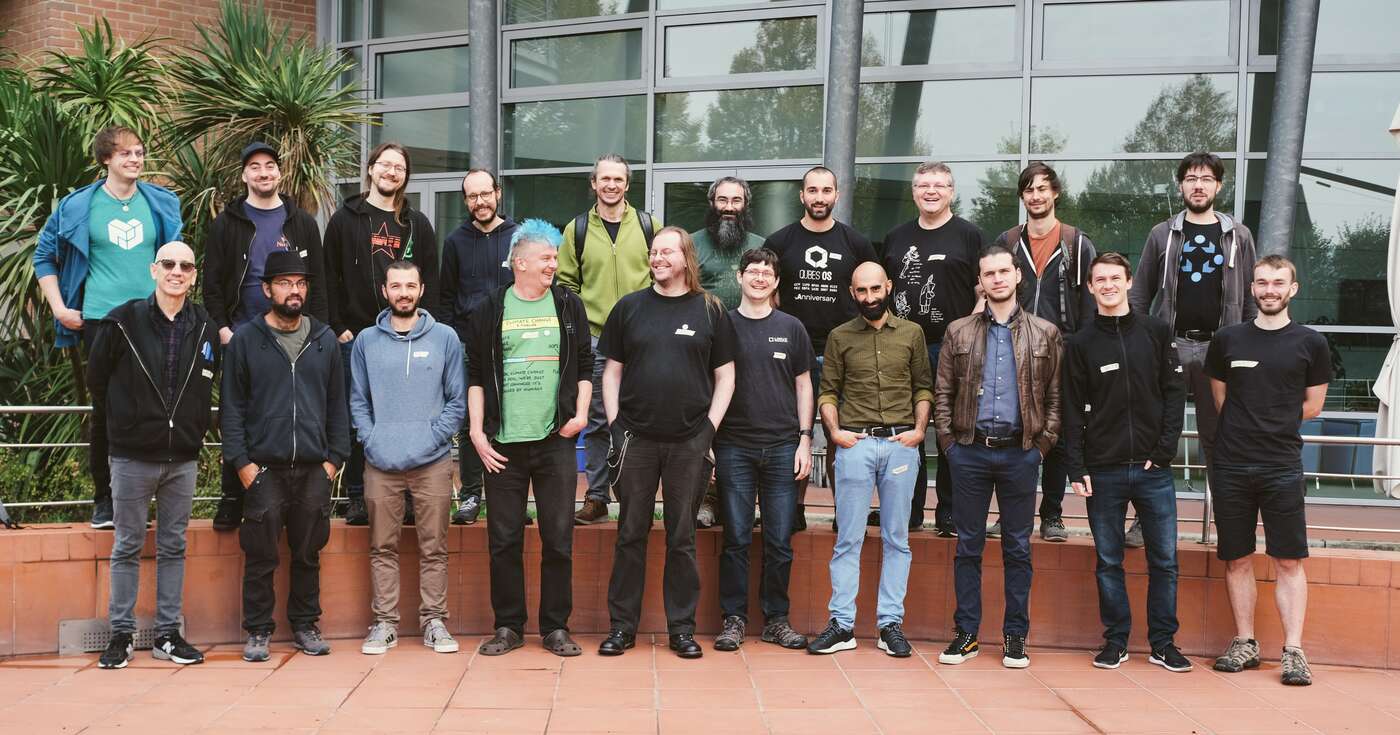
11 November 2022

Reproducible Builds: Reproducible Builds in October 2022

Welcome to the Reproducible Builds report for October 2022! In these reports we attempt to outline the most important things that we have been up to over the past month. As ever, if you are interested in contributing to the project, please visit our Contribute page on our website.

Our in-person summit this year was held in the past few days in Venice, Italy. Activity and news from the summit will therefore be covered in next month s report!
A new article related to reproducible builds was recently published in the 2023 IEEE Symposium on Security and Privacy. Titled Taxonomy of Attacks on Open-Source Software Supply Chains and authored by Piergiorgio Ladisa, Henrik Plate, Matias Martinez and Olivier Barais, their paper:
[ ] proposes a general taxonomy for attacks on opensource supply chains, independent of specific programming languages or ecosystems, and covering all supply chain stages from code contributions to package distribution.
Taking the form of an attack tree, the paper covers 107 unique vectors linked to 94 real world supply-chain incidents which is then mapped to 33 mitigating safeguards including, of course, reproducible builds:
Reproducible Builds received a very high utility rating (5) from 10 participants (58.8%), but also a high-cost rating (4 or 5) from 12 (70.6%). One expert commented that a reproducible build like used by Solarwinds now, is a good measure against tampering with a single build system and another claimed this is going to be the single, biggest barrier .

It was noticed this month that Solarwinds published a whitepaper back in December 2021 in order to:
[ ] illustrate a concerning new reality for the software industry and illuminates the increasingly sophisticated threats made by outside nation-states to the supply chains and infrastructure on which we all rely.
The 12-month anniversary of the 2020 Solarwinds attack (which SolarWinds Worldwide LLC itself calls the SUNBURST attack) was, of course, the likely impetus for publication.
Whilst collaborating on making the Cyrus IMAP server reproducible, Ellie Timoney asked why the Reproducible Builds testing framework uses two remarkably distinctive build paths when attempting to flush out builds that vary on the absolute system path in which they were built. In the case of the Cyrus IMAP server, these happened to be: Asked why they vary in three different ways, Chris Lamb listed in detail the motivation behind to each difference.
On our mailing list this month:
The Reproducible Builds project is delighted to welcome openEuler to the Involved projects page [ ]. openEuler is Linux distribution developed by Huawei, a counterpart to it s more commercially-oriented EulerOS.

Debian Colin Watson wrote about his experience towards making the databases generated by the man-db UNIX manual page indexing tool:
One of the people working on [reproducible builds] noticed that man-db s database files were an obstacle to [reproducibility]: in particular, the exact contents of the database seemed to depend on the order in which files were scanned when building it. The reporter proposed solving this by processing files in sorted order, but I wasn t keen on that approach: firstly because it would mean we could no longer process files in an order that makes it more efficient to read them all from disk (still valuable on rotational disks), but mostly because the differences seemed to point to other bugs.
Colin goes on to describe his approach to solving the problem, including fixing various fits of internal caching, and he ends his post with None of this is particularly glamorous work, but it paid off .
Vagrant Cascadian announced on our mailing list another online sprint to help clear the huge backlog of reproducible builds patches submitted by performing NMUs (Non-Maintainer Uploads). The first such sprint took place on September 22nd, but another was held on October 6th, and another small one on October 20th. This resulted in the following progress:
41 reviews of Debian packages were added, 62 were updated and 12 were removed this month adding to our knowledge about identified issues. A number of issue types were updated too. [1][ ]
Lastly, Luca Boccassi submitted a patch to debhelper, a set of tools used in the packaging of the majority of Debian packages. The patch addressed an issue in the dh_installsysusers utility so that the postinst post-installation script that debhelper generates the same data regardless of the underlying filesystem ordering.

Other distributions F-Droid is a community-run app store that provides free software applications for Android phones. This month, F-Droid changed their documentation and guidance to now explicitly encourage RB for new apps [ ][ ], and FC Stegerman created an extremely in-depth issue on GitLab concerning the APK signing block. You can read more about F-Droid s approach to reproducibility in our July 2022 interview with Hans-Christoph Steiner of the F-Droid Project. In openSUSE, Bernhard M. Wiedemann published his usual openSUSE monthly report.

Upstream patches The Reproducible Builds project detects, dissects and attempts to fix as many currently-unreproducible packages as possible. We endeavour to send all of our patches upstream where appropriate. This month, we wrote a large number of such patches, including:

diffoscope diffoscope is our in-depth and content-aware diff utility. Not only can it locate and diagnose reproducibility issues, it can provide human-readable diffs from many kinds of binary formats. This month, Chris Lamb prepared and uploaded versions 224 and 225 to Debian:
  • Add support for comparing the text content of HTML files using html2text. [ ]
  • Add support for detecting ordering-only differences in XML files. [ ]
  • Fix an issue with detecting ordering differences. [ ]
  • Use the capitalised version of Ordering consistently everywhere in output. [ ]
  • Add support for displaying font metadata using ttx(1) from the fonttools suite. [ ]
  • Testsuite improvements:
    • Temporarily allow the stable-po pipeline to fail in the CI. [ ]
    • Rename the order1.diff test fixture to json_expected_ordering_diff. [ ]
    • Tidy the JSON tests. [ ]
    • Use assert_diff over get_data and an manual assert within the XML tests. [ ]
    • Drop the ALLOWED_TEST_FILES test; it was mostly just annoying. [ ]
    • Tidy the tests/test_source.py file. [ ]
Chris Lamb also added a link to diffoscope s OpenBSD packaging on the diffoscope.org homepage [ ] and Mattia Rizzolo fix an test failure that was occurring under with LLVM 15 [ ].

Testing framework The Reproducible Builds project operates a comprehensive testing framework at tests.reproducible-builds.org in order to check packages and other artifacts for reproducibility. In October, the following changes were made by Holger Levsen:
  • Run the logparse tool to analyse results on the Debian Edu build logs. [ ]
  • Install btop(1) on all nodes running Debian. [ ]
  • Switch Arch Linux from using SHA1 to SHA256. [ ]
  • When checking Debian debstrap jobs, correctly log the tool usage. [ ]
  • Cleanup more task-related temporary directory names when testing Debian packages. [ ][ ]
  • Use the cdebootstrap-static binary for the 2nd runs of the cdebootstrap tests. [ ]
  • Drop a workaround when testing OpenWrt and coreboot as the issue in diffoscope has now been fixed. [ ]
  • Turn on an rm(1) warning into an info -level message. [ ]
  • Special case the osuosl168 node for running Debian bookworm already. [ ][ ]
  • Use the new non-free-firmware suite on the o168 node. [ ]
In addition, Mattia Rizzolo made the following changes:
  • Ensure that 2nd build has a merged /usr. [ ]
  • Only reconfigure the usrmerge package on Debian bookworm and above. [ ]
  • Fix bc(1) syntax in the computation of the percentage of unreproducible packages in the dashboard. [ ][ ][ ]
  • In the index_suite_ pages, order the package status to be the same order of the menu. [ ]
  • Pass the --distribution parameter to the pbuilder utility. [ ]
Finally, Roland Clobus continued his work on testing Live Debian images. In particular, he extended the maintenance script to warn when workspace directories cannot be deleted. [ ]
If you are interested in contributing to the Reproducible Builds project, please visit our Contribute page on our website. However, you can get in touch with us via:

Next.

Previous.