For the Linux Users of Victoria (LUV) I ve run video conferences on Jitsi and BBB (see my previous post about BBB vs Jitsi [1]). One issue with video conferences is the bandwidth requirements.
The place I m hosting my video conference server has a NBN link with allegedly 40Mb/s transmission speed and 100Mb/s reception speed. My tests show that it can transmit at about 37Mb/s and receive at speeds significantly higher than that but also quite a bit lower than 100Mb/s (around 60 or 70Mb/s). For a video conference server you have a small number of sources of video and audio and a larger number of targets as usually most people will have their microphones muted and video cameras turned off. This means that the transmission speed is the bottleneck. In every test the reception speed was well below half the transmission speed, so the tests confirmed my expectation that transmission was the only bottleneck, but the reception speed was higher than I had expected.
When we tested bandwidth use the maximum upload speed we saw was about 4MB/s (32Mb/s) with 8+ video cameras and maybe 20 people seeing some of the video (with a bit of lag). We used 3.5MB/s (28Mb/s) when we only had 6 cameras which seemed to be the maximum for good performance.
In another test run we had 4 people all sending video and the transmission speed was about 260KB/s.
I don t know how BBB manages the small versions of video streams. It might reduce the bandwidth when the display window is smaller.
I don t know the resolutions of the cameras. When you start sending video in BBB you are prompted for the quality with medium being default. I don t know how different camera hardware and different choices about quality affect bandwidth.
These tests showed that for the cameras we had available a small group of people video chatting a 100/40 NBN link (the fastest Internet link in Australia that s not really expensive) a small group of people can be all sending video or a medium size group of people can watch video streams from a small group.
For meetings of the typical size of LUV meetings we won t have a bandwidth problem.
There is one common case that I haven t yet tested, where there is a single video stream that many people are watching. If 4 people are all sending video with 260KB/s transmission bandwidth then 1 person could probably send video to 4 for 65KB/s. Doing some simple calculations on those numbers implies that we could have 1 person sending video to 240 people without running out of bandwidth. I really doubt that would work, but further testing is needed.
QSoas can read and execute Ruby code directly, while reading command files, or even at the command prompt. For that, just write plain Ruby code inside a ruby...ruby end block. Probably the most useful possibility is to define elaborated functions directly from within QSoas, or, preferable, from within a script; this is an alternative to defining a function in a completely separated Ruby-only file using ruby-run. For instance, you can define a function for plain Michaelis-Menten kinetics with a file containing:
ruby
def my_func(x, vm, km)
  return vm/(1 + km/x)
end
ruby end
This defines the function my_func with three parameters, , (vm) and (km), with the formula:
You can then test that the function has been correctly defined running for instance:
This yields the correct answer: the first command evaluates the function with x = 1.0, vm = 1.0 and km = 1.0. For , the result is (here 0.5). For , the result is almost . You can use the newly defined my_func in any place you would use any ruby code, such as in the optional argument to generate-buffer, or for arbitrary fits:
To redefine my_func, just run the ruby code again with a new definition, such as:
ruby
def my_func(x, vm, km)
  return vm/(1 + km/x**2)
end
ruby end
The previous version is just erased, and all new uses of my_func will refer to your new definition.
See for yourselfThe code for this example can be found there. Browse the qsoas-goodiesgithub repository for more goodies !
About QSoasQSoas is a powerful open source data analysis program that focuses on flexibility and powerful fitting capacities. It is released under the GNU General Public License. It is described in Fourmond, Anal. Chem., 2016, 88 (10), pp 5050 5052. Current version is 2.1. You can download its source code or buy precompiled versions for MacOS and Windows there.
I ve tried setting up the Qemu (in this case KVM as it uses the Qemu code in question) 9P/Virtfs filesystem for sharing files to a VM. Here is the Qemu documentation for it [1].
Above are the 2 configuration snippets I tried on the server side. The first uses mapped xattrs (which means that all files will have the same UID/GID and on the host XATTRs will be used for storing the Unix permissions) and the second uses passthrough which requires KVM to run as root and gives the same permissions on the host as on the VM. The advantages of passthrough are better performance through writing less metadata and having the same permissions in host and VM. The advantages of mapped XATTRs are running KVM/Qemu as non-root and not having a SUID file in the VM imply a SUID file in the host.
Here is the link to Bonnie++ output comparing Ext3 on a KVM block device (stored on a regular file in a BTRFS RAID-1 filesystem on 2 SSDs on the host), a NFS share from the host from the same BTRFS filesystem, and virtfs shares of the same filesystem. The only tests that Ext3 doesn t win are some of the latency tests, latency is based on the worst-case not the average. I expected Ext3 to win most tests, but didn t expect it to lose any latency tests.
Here is a link to Bonnie++ output comparing just NFS and Virtfs. It s obvious that Virtfs compares poorly, giving about half the performance on many tests. Surprisingly the only tests where Virtfs compared well to NFS were the file creation tests which I expected Virtfs with mapped XATTRs to do poorly due to the extra metadata.
Here is a link to Bonnie++ output comparing only Virtfs. The options are mapped XATTRs with default msize, mapped XATTRs with 512k msize (I don t know if this made a difference, the results are within the range of random differences), and passthrough. There s an obvious performance benefit in passthrough for the small file tests due to the less metadata overhead, but as creating small files isn t a bottleneck on most systems a 20% to 30% improvement in that area probably doesn t matter much. The result from the random seeks test in passthrough is unusual, I ll have to do more testing on that.
SE Linux
On Virtfs the XATTR used for SE Linux labels is passed through to the host. So every label used in a VM has to be valid on the host and accessible to the context of the KVM/Qemu process. That s not really an option so you have to use the context mount option. Having the mapped XATTR mode work for SE Linux labels is a necessary feature.
Conclusion
The msize mount option in the VM doesn t appear to do anything and it doesn t appear in /proc/mounts, I don t know if it s even supported in the kernel I m using.
The passthrough and mapped XATTR modes give near enough performance that there doesn t seem to be a benefit of one over the other.
NFS gives significant performance benefits over Virtfs while also using less CPU time in the VM. It has the issue of files named .nfs* hanging around if the VM crashes while programs were using deleted files. It s also more well known, ask for help with an NFS problem and you are more likely to get advice than when asking for help with a virtfs problem.
Virtfs might be a better option for accessing databases than NFS due to it s internal operation probably being a better map to Unix filesystem semantics, but running database servers on the host is probably a better choice anyway.
Virtfs generally doesn t seem to be worth using. I had hoped for performance that was better than NFS but the only benefit I seemed to get was avoiding the .nfs* file issue.
The best options for storage for a KVM/Qemu VM seem to be Ext3 for files that are only used on one VM and for which the size won t change suddenly or unexpectedly (particularly the root filesystem) and NFS for everything else.
Sun is the daughter and heir of the mercurial Queen-Marshal Eirene, ruler
of the Republic of Chaonia. Chaonia, thanks to Eirene and her ancestors,
has carved out a fiercely independent position between the Yele League and
the Phene Empire. Sun's father, Prince Jo o, is one of Eirene's three
consorts, all chosen for political alliances to shore up that fragile
position. Jo o is Gatoi, a civilization of feared fighters and supposed
barbarians from outside Chaonia who normally ally with the Phene, which
complicates Sun's position as heir. Sun attempts to compensate for that
by winning battles for the Republic, following in the martial footsteps of
her mother.
The publisher's summary of this book is not great (I'm a huge fan of
Princess Leia, but that is... not the analogy that comes to mind), so let
me try to help. This is gender-swapped Alexander the Great in space.
However, it is gender-swapped Alexander the Great in space with her
Companions, which means the DNA of this novel is half space opera and
half heist story (without, to be clear, an actual heist, although there
are some heist-like maneuvers). It's also worth mentioning that Sun, like
Alexander, is not heterosexual.
The other critical thing to know before reading, mostly because it will
get you through the rather painful start, is that the most interesting
viewpoint character in this book is not Sun, the Alexander analogue. It's
Persephone, who isn't introduced until chapter seven.
Significant disclaimer up front: I got a reasonably typical US grade
school history of Alexander the Great, which means I was taught that he
succeeded his father, conquered a whole swath of the middle of the
Eurasian land mass at a very young age, and then died and left his empire
to his four generals who promptly divided it into four uninteresting
empires that no one's ever heard of, and that's why Rome is more important
than Greece. (I put in that last bit to troll one specific person.)
I am therefore not the person to judge the parallels between this story
and known history, or to notice any damage done to Greek pride, or to pick
up on elements that might cause someone with a better grasp of that
history to break out in hives. I did enough research to know that one
scene in this book is lifted directly out of Alexander's life, but I'm not
sure how closely the other parallels track. Yele is probably southern
Greece and Phene is probably Persia, but I'm not certain even of that, and
some of the details don't line up. If I had to hazard a guess, I'd say
that Elliott has probably mangled history sufficiently to make it clear
that this isn't intended to be a retelling, but if the historical
parallels are likely to bother you, you may want to do more research
before reading.
What I can say is that the space opera setup, while a bit stock, has all
the necessary elements to make me happy. Unconquerable Sun is
firmly in the "lost Earth" tradition: The Argosy fleet fled the
now-mythical Celestial Empire and founded a new starfaring civilization
without any contact with their original home. Eventually, they invented
(or discovered; the characters don't know) the beacons, which allow for
instantaneous travel between specific systems without the long (but still
faster-than-light) journeys of the knnu drive. More recently, the beacon
network has partly collapsed, cutting off the characters' known world from
the civilization that was responsible for the beacons and guarded their
secrets. It's a fun space opera history with lots of lost knowledge to
reference and possibly discover, and with plot-enabling military choke
points at the surviving beacons that link multiple worlds.
This is all background to the story, which is the ongoing war between
Chaonia and the Phene Empire mixed with cutthroat political maneuvering
between the great houses of the Chaonian Republic. This is where the
heist aspects come in. Each house sends one representative to join the
household of the Queen-Marshal and (more to the point for this story)
another to join her heir. Sun has encouraged the individual and divergent
talents of her Companions and their cee-cees (an unfortunate term that I
suspect is short for Companion's Companion) and forged them into a good
working team. A team that's about to be disrupted by the maneuverings of
a rival house and the introduction of a new team member whom no one wants.
A problem with writing tactical geniuses is that they often aren't good
viewpoint characters. Sun's tight third-person chapters, which is a
little less than half the book, advance the plot and provide analysis of
the interpersonal dynamics of the characters, but aren't the strength of
the story. That lies with the interwoven first-person sections that
follow Persephone, an altogether more interesting character.
Persephone is the scion of the house that is Sun's chief rival, but she
has no interest in being part of that house or its maneuverings. When the
story opens, she's a cadet in a military academy for recruits from the
commoners, having run away from home, hidden her identity, and won a
position through the open entrance exams. She of course doesn't stay
there; her past catches up with her and she gets assigned to Sun, to a
great deal of mutual suspicion. She also is assigned an impeccably
dressed and stunningly beautiful cee-cee, Tiana, who has her own secrets
and who was my favorite character in the book.
Somewhat unusually for the space opera tradition, this is a book that
knows that common people exist and have interesting lives. It's primarily
focused on the ruling houses, but that focus is not exclusive and the
rulers do not have a monopoly on competence. Elliott also avoids
narrowing the political field too far; the Gatoi are separate from the
three rival powers, and there are other groups with traditions older than
the Chaonian Republic and their own agendas. Sun and her Companions are
following a couple of political threads, but there is clearly more going
on in this world than that single plot.
This is exactly the kind of story I think of when I think space opera.
It's not doing anything that original or groundbreaking, and it's not
going to make any of my lists of great literature, but it's a fun romp
with satisfyingly layered bits of lore, a large-scale setting with lots of
plot potential, and (once we get through the confusing and somewhat
tedious process of introducing rather too many characters in short
succession) some great interpersonal dynamics. It's the kind of book in
which the characters are in the middle of decisive military action in an
interstellar war and are also near-teenagers competing for ratings in an
ad hoc reality TV show, primarily as an excuse to create tactical
distractions for Sun's latest scheme. The writing is okay but not great,
and the first few chapters have some serious infodumping problems, but I
thoroughly enjoyed the whole book and will pre-order the sequel.
One Amazon review complained that Unconquerable Sun is not a space
opera like Hyperion or
Use of Weapons. That is entirely true,
but if that's your standard for space opera, the world may be a
disappointing place. This is a solid entry in a subgenre I love, with
some great characters, sarcasm, competence porn, plenty of pages to keep
turning, a few twists, and the promise of more to come. Recommended.
Followed by the not-yet-published Furious Heaven.
Rating: 7 out of 10
I upgraded my home internet connection to fibre (FTTP) last October. I m still on an 80M/20M service, so it s no faster than my old VDSL FTTC connection was, and as a result for a long time I continued to use my HomeHub 5A running OpenWRT. However the FTTP ONT meant I was using up an additional ethernet port on the router, and I was already short, so I ended up with a GigE switch in use as well. Also my wifi is handled by a UniFi, which takes its power via Power-over-Ethernet. That mean I had a router, a switch and a PoE injector all in close proximity. I wanted to reduce the number of devices, and ideally upgrade to something that could scale once I decide to upgrade my FTTP service speed.
Looking around I found the MikroTik RB3011UiAS-RM, which is a rack mountable device with 10 GigE ports (plus an SFP slot) and a dual core Qualcomm IPQ8064 ARM powering it. There s 1G RAM and 128MB NAND flash, as well as a USB3 port. It also has PoE support. On paper it seemed like an ideal device. I wasn t particularly interested in running RouterOS on it (the provided software), but that s based on Linux and there was some work going on within OpenWRT to add support, so it seemed like a worthwhile platform to experiment with (what, you expected this to be about me buying an off the shelf device and using it with only the supplied software?). As an added bonus a friend said he had one he wasn t using, and was happy to sell it to me for a bargain price.
I did try out RouterOS to start with, but I didn t find it particularly compelling. I m comfortable configuring firewalling and routing at a Linux command line, and I run some additional services on the router like my MQTT broker, and mqtt-arp, my wifi device presence monitor. I could move things around such that they ran on the house server, but I consider them core services and as a result am happier with them on the router.
The first step was to get something booting on the router. Luckily it has an RJ45 serial console port on the back, and a reasonably featured bootloader that can manage to boot via tftp over the network. It wants an ELF binary rather than a plain kernel, but Sergey Sergeev had done the hard work of getting u-boot working for the IPQ8064, which mean I could just build normal u-boot images to try out.
Linux upstream already had basic support for a lot of the pieces I was interested in. There s a slight fudge around AUTO_ZRELADDR because the network coprocessors want a chunk of memory at the start of RAM, but there s ongoing discussions about how to handle this cleanly that I m hopeful will eventually mean I can drop that hack. Serial, ethernet, the QCA8337 switches (2 sets of 5 ports, tied to different GigE devices on the processor) and the internal NOR all had drivers, so it was a matter of crafting an appropriate DTB to get them working. That left niggles.
First, the second switch is hooked up via SGMII. It turned out the IPQ806x stmmac driver didn t initialise the clocks in this mode correctly, and neither did the qca8k switch driver. So I need to fix up both of those (Sergey had handled the stmmac driver, so I just had to clean up and submit his patch). Next it turned out the driver for talking to the Qualcomm firmware (SCM) had been updated in a way that broke the old method needed on the IPQ8064. Some git archaeology figured that one out and provided a solution. Ansuel Smith helpfully provided the DWC3 PHY driver for the USB port. That got me to the point I could put a Debian armhf image onto a USB stick and mount that as root, which made debugging much easier.
At this point I started to play with configuring up the device to actually act as a router. I make use of a number of VLANs on my home network, so I wanted to make sure I could support those. Turned out the stmmac driver wasn t happy reconfiguring its MTU because the IPQ8064 driver doesn t configure the FIFO sizes. I found what seem to be the correct values and plumbed them in. Then the qca8k driver only supported port bridging. I wanted the ability to have a trunk port to connect to the upstairs switch, while also having ports that only had a single VLAN for local devices. And I wanted the switch to handle this rather than requiring the CPU to bridge the traffic. Thankfully it s easy to find a copy of the QCA8337 datasheet and the kernel Distributed Switch Architecture is pretty flexible, so I was able to implement the necessary support.
I stuck with Debian on the USB stick for actually putting the device into production. It makes it easier to fix things up if necessary, and the USB stick allows for a full Debian install which would be tricky on the 128M of internal NAND. That means I can use things like nftables for my firewalling, and use the standard Debian packages for things like collectd and mosquitto. Plus for debug I can fire up things like tcpdump or tshark. Which ended up being useful because when I put the device into production I started having weird IPv6 issues that turned out to be a lack of proper Ethernet multicast filter support in the IPQ806x ethernet device. The driver would try and setup the multicast filter for the IPv6 NDP related packets, but it wouldn t actually work. The fix was to fall back to just receiving all multicast packets - this is what the vendor driver does.
Most of this work will be present once the 5.9 kernel is released - the basics are already in 5.8. Currently not queued up that I can think of are the following:
stmmac IPQ806x FIFO sizes. I sent out an RFC patch for these, but didn t get any replies. I probably just need to submit this.
NAND. This is missing support for the QCOM ADM DMA engine. I ve sent out the patch I found to enable this, and have had some feedback, so I m hopeful it will get in at some point.
LCD. AFAICT LCD is an ST7735 device, which has kernel support, but I haven t spent serious effort getting the SPI configuration to work.
Touchscreen. Again, this seems to be a zt2046q or similar, which has a kernel driver, but the basic attempts I ve tried don t get any response.
Proper SFP functionality. The IPQ806x has a PCS module, but the stmmac driver doesn t have an easy way to plumb this in. I have ideas about how to get it working properly (and it can be hacked up with a fixed link config) but it s not been a high priority.
Device tree additions. Some of the later bits I ve enabled aren t yet in the mainline RB3011 DTB. I ll submit a patch for that at some point.
Overall I consider the device a success, and it s been entertaining getting it working properly. I m running a mostly mainline kernel, it s handling my house traffic without breaking a sweat, and the fact it s running Debian makes it nice and easy to throw more things on it as I desire. However it turned out the RB3011 isn t as perfect device as I d hoped. The PoE support is passive, and the UniFi wants 802.1af. So I was going to end up with 2 devices. As it happened I picked up a cheap D-Link DGS-1210-10P switch, which provides the PoE support as well as some additional switch ports. Plus it runs Linux, so more on that later
I had an old Nexus 4 phone that was expanding and decided to test some of the theories about battery combustion.
The first claim that often gets made is that if the plastic seal on the outside of the battery is broken then the battery will catch fire. I tested this by cutting the battery with a craft knife. With every cut the battery sparked a bit and then when I levered up layers of the battery (it seems to be multiple flat layers of copper and black stuff inside the battery) there were more sparks. The battery warmed up, it s plausible that in a confined environment that could get hot enough to set something on fire. But when the battery was resting on a brick in my backyard that wasn t going to happen.
The next claim is that a Li-Ion battery fire will be increased with water. The first thing to note is that Li-Ion batteries don t contain Lithium metal (the Lithium high power non-rechargeable batteries do). Lithium metal will seriously go off it exposed to water. But lots of other Lithium compounds will also react vigorously with water (like Lithium oxide for example). After cutting through most of the center of the battery I dripped some water in it. The water boiled vigorously and the corners of the battery (which were furthest away from the area I cut) felt warmer than they did before adding water. It seems that significant amounts of energy are released when water reacts with whatever is inside the Li-Ion battery. The reaction was probably giving off hydrogen gas but didn t appear to generate enough heat to ignite hydrogen (which is when things would really get exciting). Presumably if a battery was cut in the presence of water while in an enclosed space that traps hydrogen then the sparks generated by the battery reacting with air could ignite hydrogen generated from the water and give an exciting result.
It seems that a CO2 fire extinguisher would be best for a phone/tablet/laptop fire as that removes oxygen and cools it down. If that isn t available then a significant quantity of water will do the job, water won t stop the reaction (it can prolong it), but it can keep the reaction to below 100C which means it won t burn a hole in the floor and the range of toxic chemicals released will be reduced.
The rumour that a phone fire on a plane could do a China syndrome type thing and melt through the Aluminium body of the plane seems utterly bogus. I gave it a good try and was unable to get a battery to burn through it s plastic and metal foil case. A spare battery for a laptop in checked luggage could be a major problem for a plane if it ignited. But a battery in the passenger area seems unlikely to be a big problem if plenty of water is dumped on it to prevent the plastic case from burning and polluting the air.
I was not able to get a result that was even worthy of a photograph. I may do further tests with laptop batteries.
I have been late to adopt an on-premise cloud solution as the security of Owncloud a few years ago wasn't so stellar (cf. my comment from 2013 in Encryption files ... for synchronization across the Internet). But the follow-up product Nextcloud has matured quite nicely and we use it for collaboration both in the company and in FLOSS related work at multiple nonprofit organizations.
There is a very annoying "feature" in Nextcloud though that the designers think menu items for apps at the top need to be limited to eight or less to prevent information overload in the header. The whole item discussion is worth reading as it it an archetypical example of design prevalence vs. user choice.
And of course designers think they are right. That's a feature of the trade.
And because they know better there is no user configurable option to extend that 8 items to may be 12 or so which would prevent the annoying overflow menu we are seeing with 10 applications in use:
Luckily code can be changed and there are many comments floating around the Internet to change const minAppsDesktop = 8. In this case it is slightly complicated by the fact that the javascript code is distributed in compressed form (aka "minified") as core/js/dist/main.js and you probably don't want to build the whole beast locally to change one constant.
Basically
// show at least 2 apps in the popover if(appList.length-1- appCount >=1) appCount--
$('#more-apps a').removeClass('active') let lastShownApp for(let k =0; k < appList.length-1; k++) const name = $(appList[k]).data('id') if(k < appCount) $(appList[k]).removeClass('hidden') $('#apps li[data-id='+ name +']').addClass('in-header') lastShownApp = appList[k] else $(appList[k]).addClass('hidden') $('#apps li[data-id='+ name +']').removeClass('in-header') // move active app to last position if it is active if(appCount >0&& $(appList[k]).children('a').hasClass('active')) $(lastShownApp).addClass('hidden') $('#apps li[data-id='+ $(lastShownApp).data('id')+']').removeClass('in-header') $(appList[k]).removeClass('hidden') $('#apps li[data-id='+ name +']').addClass('in-header')
Like each month, here comes a report about the work of paid contributors to Debian LTS.
Individual reports
In August, 237.25 work hours have been dispatched among 14 paid contributors. Their reports are available:
Utkarsh Gupta did 32.75h (out of 21.75h assigned and anticipating 11h from September).
Evolution of the situation
August was a regular LTS month once again, even though it was only our 2nd month with Stretch LTS.
At the end of August some of us participated in DebConf 20 online
where we held our monthly team meeting. A video is available.
As of now this video is also the only public resource about the LTS survey we held in July, though a written summary is expected to be released soon.
The security tracker currently lists 56 packages with a known CVE and the dla-needed.txt file has 55 packages needing an update.
Thanks to our sponsors
Sponsors that recently joined are in bold.
I ve just got a Dell T710 server for LUV and I ve been playing with the configuration options. Here s a list of what I ve done and recommendations on how to do things. I decided not to try to write a step by step guide to doing stuff as the situation doesn t work for that. I think that a list of how things are broken and what to avoid is more useful.
BIOS
Firstly with a Dell server you can upgrade the BIOS from a Linux root shell. Generally when a server is deployed you won t want to upgrade the BIOS (why risk breaking something when it s working), so before deployment you probably should install the latest version. Dell provides a shell script with encoded binaries in it that you can just download and run, it s ugly but it works. The process of loading the firmware takes a long time (a few minutes) with no progress reports, so best to plug both PSUs in and leave it alone. At the end of loading the firmware a hard reboot will be performed, so upgrading your distribution while doing the install is a bad idea (Debian is designed to not lose data in this situation so it s not too bad).
IDRAC
IDRAC is the Integrated Dell Remote Access Controller. By default it will listen on all Ethernet ports, get an IP address via DHCP (using a different Ethernet hardware address to the interface the OS sees), and allow connections. Configuring it to be restrictive as to which ports it listens on may be a good idea (the T710 had 4 ports built in so having one reserved for management is usually OK). You need to configure a username and password for IDRAC that has administrative access in the BIOS configuration.
Web Interface
By default IDRAC will run a web server on the IP address it gets from DHCP, you can connect to that from any web browser that allows ignoring invalid SSL keys. Then you can use the username and password configured in the BIOS to login. IDRAC 6 on the PowerEdge T710 recommends IE 6.
To get a ssl cert that matches the name you want to use (and doesn t give browser errors) you have to generate a CSR (Certificate Signing Request) on the DRAC, the only field that matters is the CN (Common Name), the rest have to be something that Letsencrypt will accept. Certbot has the option --config-dir /etc/letsencrypt-drac to specify an alternate config directory, the SSL key for DRAC should be entirely separate from the SSL key for other stuff. Then use the --csr option to specify the path of the CSR file. When you run letsencrypt the file name of the output file you want will be in the format *_chain.pem . You then have to upload that to IDRAC to have it used. This is a major pain for the lifetime of letsencrypt certificates. Hopefully a more recent version of IDRAC has Certbot built in.
When you access RAC via ssh (see below) you can run the command racadm sslcsrgen to generate a CSR that can be used by certbot. So it s probably possible to write expect scripts to get that CSR, run certbot, and then put the ssl certificate back. I don t expect to use IDRAC often enough to make it worth the effort (I can tell my browser to ignore an outdated certificate), but if I had dozens of Dells I d script it.
SSH
The web interface allows configuring ssh access which I strongly recommend doing. You can configure ssh access via password or via ssh public key. For ssh access set TERM=vt100 on the host to enable backspace as ^H. Something like TERM=vt100 ssh root@drac . Note that changing certain other settings in IDRAC such as enabling Smartcard support will disable ssh access.
There is a limit to the number of open sessions for managing IDRAC, when you ssh to the IDRAC you can run racadm getssninfo to get a list of sessions and racadm closessn -i NUM to close a session. The closessn command takes a -a option to close all sessions but that just gives an error saying that you can t close your own session because of programmer stupidity. The IDRAC web interface also has an option to close sessions. If you get to the limits of both ssh and web sessions due to network issues then you presumably have a problem.
I couldn t find any documentation on how the ssh host key is generated. I Googled for the key fingerprint and didn t get a match so there s a reasonable chance that it s unique to the server (please comment if you know more about this).
Don t Use Graphical Console
The T710 is an older server and runs IDRAC6 (IDRAC9 is the current version). The Java based graphical console access doesn t work with recent versions of Java. The Debian package icedtea-netx has has the javaws command for running the .jnlp command for the console, by default the web browser won t run this, you download the .jnlp file and pass that as the first parameter to the javaws program which then downloads a bunch of Java classes from the IDRAC to run. One error I got with Java 11 was Exception in thread Timer-0 java.util.ServiceConfigurationError: java.nio.charset.spi.CharsetProvider: Provider sun.nio.cs.ext.ExtendedCharsets could not be instantiated , Google didn t turn up any solutions to this. Java 8 didn t have that problem but had a connection failed error that some people reported as being related to the SSL key, but replacing the SSL key for the web server didn t help. The suggestion of running a VM with an old web browser to access IDRAC didn t appeal. So I gave up on this. Presumably a Windows VM running IE6 would work OK for this.
Serial Console
Fortunately IDRAC supports a serial console. Here s a page summarising Serial console setup for DRAC [1]. Once you have done that put console=tty0 console=ttyS1,115200n8 on the kernel command line and Linux will send the console output to the virtual serial port. To access the serial console from remote you can ssh in and run the RAC command console com2 (there is no option for using a different com port). The serial port seems to be unavailable through the web interface.
If I was supporting many Dell systems I d probably setup a ssh to JavaScript gateway to provide a web based console access. It s disappointing that Dell didn t include this.
If you disconnect from an active ssh serial console then the RAC might keep the port locked, then any future attempts to connect to it will give the following error:
/admin1-> console com2
console: Serial Device 2 is currently in use
So far the only way I ve discovered to get console access again after that is the command racadm racreset . If anyone knows of a better way please let me know. As an aside having racreset being so close to racresetcfg (which resets the configuration to default and requires a hard reboot to configure it again) seems like a really bad idea.
Host Based Management
deb http://linux.dell.com/repo/community/ubuntu xenial openmanage
The above apt sources.list line allows installing Dell management utilities (Xenial is old but they work on Debian/Buster). Probably the packages srvadmin-storageservices-cli and srvadmin-omacore will drag in enough dependencies to get it going.
Here are some useful commands:
# show hardware event log
omreport system esmlog
# show hardware alert log
omreport system alertlog
# give summary of system information
omreport system summary
# show versions of firmware that can be updated
omreport system version
# get chassis temp
omreport chassis temps
# show physical disk details on controller 0
omreport storage pdisk controller=0
RAID Control
The RAID controller is known as PERC (PowerEdge Raid Controller), the Dell web site has an rpm package of the perccli tool to manage the RAID from Linux. This is statically linked and appears to have different versions of libraries used to make it. The command perccli show gives an overview of the configuration, but the command perccli /c0 show to give detailed information on controller 0 SEGVs and the kernel logs a vsyscall attempted with vsyscall=none message. Here s an overview of the vsyscall enmulation issue [2]. Basically I could add vsyscall=emulate to the kernel command line and slightly reduce security for the system to allow system calls from perccli that are called from old libc code to work, or I could run code from a dubious source as root.
Some versions of IDRAC have a racadm raid command that can be run from a ssh session to perform RAID administration remotely, mine doesn t have that. As an aside the help for the RAC system doesn t list all commands and the Dell documentation is difficult to find so blog posts from other sysadmins is the best source of information.
I have configured IDRAC to have all of the BIOS output go to the virtual serial console over ssh so I can see the BIOS prompt me for PERC administration but it didn t accept my key presses when I tried to do so. In any case this requires downtime and I d like to be able to change hard drives without rebooting.
I found vsyscall_trace on Github [3], it uses the ptrace interface to emulate vsyscall on a per process basis. You just run vsyscall_trace perccli and it works! Thanks Geoffrey Thomas for writing this!
Here are some perccli commands:
# show overview
perccli show
# help on adding a vd (RAID)
perccli /c0 add help
# show controller 0 details
perccli /c0 show
# add a vd (RAID) of level RAID0 (r0) with the drive 32:0 (enclosure:slot from above command)
perccli /c0 add vd r0 drives=32:0
When a disk is added to a PERC controller about 525MB of space is used at the end for RAID metadata. So when you create a RAID-0 with a single device as in the above example all disk data is preserved by default except for the last 525MB. I have tested this by running a BTRFS scrub on a disk from another system after making it into a RAID-0 on the PERC.
Updated page to record how-to video.
I don't need big camera image, I just need a tiny image with probably my face on it.
As a start, I tried extracting a rectangle.
For long time I have been using a good old nvidia GeForce GTX 1050 for my display and deep learning needs. I reported a few times how to get Tensorflow running on Debian/Sid, see here and here. Later on I switched to AMD GPU in the hope that an open source approach to both GPU driver as well as deep learning (ROCm) would improve the general experience. Unfortunately it turned out that AMD GPUs are generally not ready for deep learning usage.
The problems with AMD and ROCm are far and wide. First of all, it seems that for anything more complicated then simple stuff, AMD s flagship RX 5700(XT) and all GFX10 (Navi) based cards are not(!!!) supported in ROCm. Yes, you read correct AMD does not support 5700(XT) cards in the ROCm stack. Some simple stuff works, but nothing for real computations.
Then, even IF they would support, ROCm as distributed is currently a huge pain in the butt. The source code is a huge mess, and building usable packages from it is probably possible, but quite painful (I am member of the ROCm packaging team in Debian, and have tried many hours). And the packages provided by AMD are not installable on Debian/sid due to library incompatibilities.
So that left me with a bit a problem: for work I need to train quite some neural networks, do model selection, etc. Doing this on a CPU is a bit a burden. So at the end I decided to put the nVidia card back into the computer (well, after moving it to a bigger case but that is a different story to tell). Here are the steps I did to get both cards working for their respective target: AMD GPU for driving the console and X (and games!), and the nVidia card doing the deep learning stuff (tensorflow using the GPU).
Starting point
Starting point was a working AMD GPU installation. The AMD GPU is also the first GPU card (top slot) and thus the one that is used by the BIOS and the Linux console. If you want the video output on the second card you need to trick, and probably don t have console output, etc etc. So not a solution for me.
Installing libcuda1 and the nvidia kernel drivers
Next step was installing the libcuda1 package:
apt install libcuda1
This installs a lot of stuff, including the nvidia drivers, GLX libraries, alternatives setup, and update-glx tool and package.
The kernel module should be built and installed automatically for your kernel.
Installing CUDA
Follow more or less the instructions here and do
wget -O- https://developer.download.nvidia.com/compute/cuda/repos/ubuntu1804/x86_64/7fa2af80.pub   sudo tee /etc/apt/trusted.gpg.d/nvidia-cuda.asc
echo "deb http://developer.download.nvidia.com/compute/cuda/repos/ubuntu1804/x86_64/ /"   sudo tee /etc/apt/sources.list.d/nvidia-cuda.list
sudo apt-get update
sudo apt-get install cuda-libraries-10-1
Warning! At the moment Tensorflow packages require CUDA 10.1, so don t install the 10.0 version. This might change in the future!
This will install lots of libs into /usr/local/cuda-10.1 and add the respective directory to the ld.so path by creating a file /etc/ld.so.conf.d/cuda-10-1.conf.
Install CUDA CuDNN
One difficult to satisfy dependency are the CuDNN libraries. In our case we need the version 7 library for CUDA 10.1. To download these files one needs to have a NVIDIA developer account, which is quick and painless. After that go to the CuDNN page where one needs to select Archived releases and then Download cuDNN v7.N.N (xxxx NN, YYYY), for CUDA 10.1 and then cuDNN Runtime Library for Ubuntu18.04 (Deb).
At the moment (as of today) this will download a file libcudnn7_7.6.5.32-1+cuda10.1_amd64.deb which needs to be installed with dpkg -i libcudnn7_7.6.5.32-1+cuda10.1_amd64.deb.
Updating the GLX setting
Here now comes the very interesting part one needs to set up the GLX libraries. Reading the output of update-glx --help and then the output of update-glx --list glx:
$ update-glx --help
update-glx is a wrapper around update-alternatives supporting only configuration
of the 'glx' and 'nvidia' alternatives. After updating the alternatives, it
takes care to trigger any follow-up actions that may be required to complete
the switch.

It can be used to switch between the main NVIDIA driver version and the legacy
drivers (eg: the 304 series, the 340 series, etc).

For users with Optimus-type laptops it can be used to enable running the discrete
GPU via bumblebee.

Usage: update-glx <command>

Commands:
  --auto <name>            switch the master link <name> to automatic mode.
  --display <name>         display information about the <name> group.
  --query <name>           machine parseable version of --display <name>.
  --list <name>            display all targets of the <name> group.
  --config <name>          show alternatives for the <name> group and ask the
                           user to select which one to use.
  --set <name> <path>      set <path> as alternative for <name>.

<name> is the master name for this link group.
  Only 'nvidia' and 'glx' are supported.
<path> is the location of one of the alternative target files.
  (e.g. /usr/lib/nvidia)

$ update-glx --list glx
/usr/lib/mesa-diverted
/usr/lib/nvidia
I was tempted into using
update-glx --config glx /usr/lib/mesa-diverted
because at the end the Mesa GLX libraries should be used to drive the display via the AMD GPU.
Unfortunately, with this neither the nvidia kernel module was loaded, the nvidia persistenced couldn t run because the library libnvidia-cfg1 wasn t found (not sure it was needed at all ), and with that also no way to run tensorflow on GPU.
So what I did I tried
update-glx --auto glx
(which is the same as update-glx --config glx /usr/lib/nvidia), and rebooted, and decided to check afterwards what is broken.
To my big surprise, the AMD GPU still worked out of the box, including direct rendering, and the games I tried (Overload, Supraland via Wine) all worked without a hinch.
Not that I really understand why the GLX libraries that are seemingly now in use are from nvidia but work the same (if anyone has an explanation, that would be great!), but since I haven t had any problems till now, I am content.
Checking GPU usage in tensorflow
Make sure that you remove tensorflow-rocm and reinstall tensorflow with GPU support:
$ python3 -c "import tensorflow as tf;print(tf.reduce_sum(tf.random.normal([1000, 1000])))"
....(lots of output)
2020-09-02 11:57:04.673096: I tensorflow/core/common_runtime/gpu/gpu_device.cc:1402] Created TensorFlow device (/job:localhost/replica:0/task:0/device:GPU:0 with 3581 MB memory) -> physical GPU (device: 0, name: GeForce GTX 1050 Ti, pci bus id: 0000:05:00.0, compute capability: 6.1)
tf.Tensor(1093.4915, shape=(), dtype=float32)
$
should indicate that the GPU is used by tensorflow!
The R Keras package should also work out of the box and pick up the system-wide tensorflow which in turn picks the GPU, see this post for example code to run for tests.
Conclusion
All in all it was easier than expected, despite the dances one has to do for nvidia to get the correct libraries. What still puzzles me is the selection option in update-glx, and might need a better support for secondary nvidia GPU cards.
I previously wrote about how I installed the Jitsi video-conferencing system on Debian [1]. We used that for a few unofficial meetings of LUV to test it out. Then we installed Big Blue Button (BBB) [2]. The main benefit of Jitsi over BBB is that it supports live streaming to YouTube. The benefits of BBB are a better text chat system and a whiteboard that allows conference participants to draw shared diagrams. So if you have the ability to run both systems then it s best to use Jitsi when you have so many viewers that a YouTube live stream is needed and to use BBB in all other situations.
One problem is with the ability to run both systems. Jitsi isn t too hard to install if you are installing it on a VM that is not used for anything else. BBB is a major pain no matter what you do. The latest version of BBB is 2.2 which was released in March 2020 and requires Ubuntu 16.04 (which was released in 2016 and has standard support until April next year) and doesn t support Ubuntu 18.04 (released in 2018 and has standard support until 2023). The install script doesn t check for correct apt repositories and breaks badly with no explanation if you don t have Ubuntu Multiverse enabled.
I expect that they rushed a release because of the significant increase in demand for video conferencing this year. But that s no reason for demanding the 2016 version of Ubuntu, why couldn t they have developed on version 18.04 for the last 2 years? Since that release they have had 6 months in which they could have released a 2.2.1 version supporting Ubuntu 18.04 or even 20.04.
The dependency list for BBB is significant, among other things it uses LibreOffice for the whiteboard. This adds to the pain of installing and maintaining it. It wouldn t surprise me if some of the interactions between all the different components have security issues.
Conclusion
If you want something that s not really painful to install and run then use Jitsi.
If you need YouTube live streaming use Jitsi.
If you need whiteboards and a good text chat system or if you generally need to run things like a classroom then BBB is a good option. But only if you can manage it, know someone who can manage it for you, or are happy to pay for a managed service provider to do it for you.
Here is my transparent report for my work on the Debian Long Term Support (LTS) and Debian Extended Long Term Support (ELTS), which extend the security support for past Debian releases, as a paid contributor.
In August, the monthly sponsored hours were split evenly among contributors depending on their max availability - I was assigned 21.75h for LTS (out of my 30 max; all done) and 14.25h for ELTS (out of my 20 max; all done).
We had a Birds of a Feathervideoconfsession at DebConf20, sadly with varying quality for participants (from very good to unusable), where we shared the first results of the LTS survey.
There were also discussions about evaluating our security reactivity, which proved surprisingly hard to estimate (neither CVE release date and criticality metrics are accurate nor easily available), and about when it is appropriate to use public naming in procedures.
Interestingly ELTS gained new supported packages, thanks to a new sponsor -- so far I'd seen the opposite, because we were close to the EOL.
As always, there were opportunities to de-dup work through mutual cooperation with the Debian Security team, and LTS/ELTS similar updates.
ELTS - Jessie
Fresh build VMs
rails/redmine: investigate issue, initially no-action as it can't be reproduced on Stretch and isn't supported in Jessie; follow-up when it's supported again
ghostscript: global triage: identify upstream fixed version, distinguish CVEs fixed within a single patch, bisect non-reproducible CVEs, reference missing commit (including at MITRE)
From Ella's childhood, she sees visions of the future. They come at first
with nose bleeds and other physical symptoms, but their worst aspect is
that they're sad and dark. Ella is black, as are those around her, and
their futures are full of shootings and gangs, death and trouble. As she
grows older, she develops her Thing: powers that let her bend, move, and
destroy things with her mind, and later to become invisible, teleport, and
reshape the world. Ella has superpowers.
Ella is not the viewpoint character of most of Riot Baby, however.
That is Kev, her younger brother, the riot baby of the title, born in
South Central on the day of the Rodney King riots. Kev grows up in Harlem
where they move after the destruction from the riots: keeping Ella's
secret, making friends, navigating gang politics, watching people be
harassed by the cops. Growing up black in the United States. Then Ella
sees something awful in the future and disappears, and some time
afterwards Kev ends up in Rikers Island.
One of the problems with writing reviews of every book I read is that
sometimes I read books that I am utterly unqualified to review. This is
one of those books. This novella is about black exhaustion and rage,
about the experience of oppression, about how it feels to be inside the
prison system. It's also a story in dialogue with an argument that isn't
mine, between the patience and suffering of endurance and not making
things worse versus the rage of using all the power that one has to force
a change. Some parts of it sat uncomfortably and the ending didn't work
for me on the first reading, but it's not possible for me to separate my
reactions to the novella from being a white man and having a far different
experience of the world.
I'm writing a review anyway because that's what I do when I read books,
but even more than normal, take this as my personal reaction expressed in
my quiet corner of the Internet. I'm not the person whose opinion of this
story should matter.
In many versions of this novella, Ella would be the main character, since
she's the one with superpowers. She does get some viewpoint scenes, but
most of the focus is on Kev even when the narrative is following Ella.
Kev trying to navigate the world, trying to survive prison, seeing his
friends murdered by the police, and living as the target of oppression
that Ella can escape. This was an excellent choice. Ella wouldn't have
been as interesting of a character if the story were more focused on her
developing powers instead of on the problems that she cannot solve.
The writing is visceral, immediate, and very evocative. Onyebuchi builds
the narrative with a series of short and vividly-described moments showing
the narrowing of Kev's life and Ella's exploration of her growing anger
and search for a way to support and protect him.
This is not a story about nonviolent resistance or about the arc of the
universe bending towards justice. Ella confronts this directly in a
memorable scene in a church towards the end of the novella that for me was
the emotional heart of the story. The previous generations, starting with
Kev and Ella's mother, preach the gospel of endurance and survival and
looking on the good side. The prison system eventually provides Kev a
path to quiet and a form of peace. Riot Baby is a story about
rejecting that approach to the continuing cycle of violence. Ella is fed
up, tired, angry, and increasingly unconvinced that waiting for change is
working.
I wasn't that positive on this story when I finished it, but it's stuck
with me since I read it and my appreciation for it has grown while writing
this review. It uses the power fantasy both to make a hard point about
the problems power cannot solve and to recast the argument about pacifism
and nonviolence in a challenging way. I'm still not certain what I think
of it, but I'm still thinking about it, which says a lot. It deserves the
positive attention that it's gotten.
Rating: 7 out of 10
Here is another monthly update covering what I have been doing in the free software world during August 2020 (previous month):
Filed a pull request against django-enumfield, a library that provides an enumeration-like model field for the Django web development framework. The classproperty helper has been moved to django.utils.functional in newer versions of Django. [...]
As part of my role of being the assistant Secretary of the Open Source Initiative and a board director of Software in the Public Interest, I attended their respective monthly meetings and participated in various licensing and other discussions occurring on the internet, as well as the usual internal discussions, etc.
Filed a pull request for JSON-C, a reference counting library to allow you to easily manipulate JSON objects from C in order to make the documentation build reproducibly. [...]
Reviewed and merged some changes to my django-auto-one-to-one library for Django from Dan Palmer
(which automatically creates and destroys associated model instances) to not configure signals for models that aren't installed and to honour INSTALLED_APPS during model setup. [...]
Merged a pull request from Michael K. to cleanup the codebase after dropping support for Python 2 and Django 1.x [...] in my django-slack library which provides a convenient wrapper between projects using the Django and the Slack chat platform.
Updated my django-staticfiles-dotd utility that concatenates Debian .d-style directories containing Javascript and CSS to drop unquote usage from the six compatibility library. [...]
I uploaded Lintian versions 2.86.0, 2.87.0, 2.88.0, 2.89.0, 2.90.0, 2.91.0 and 2.92.0, as well as made the following changes:
New features:
Check for StandardOutput= and StandardError= fields that use the deprecated syslog or syslog-consolesystemd facilities. (#966617)
Add support for clzip as an alternative for lzip. (#967083)
Check for User=nobody and Group=nogroup in systemd.service files. (#966623)
Update link to the detagtive web interface code as it has been moved to the lintian salsa namespace. [...]
Drop the misleading "Beta testing" from the webpage header. [...]
Misc:
Add justification for the use of the lzip dependency in a previous debian/changelog entry. (#966817)
Update the generate-tag-summary release script to reflect change of tag definition filename extension change from .desc.tag. [...]
Revert a change to the spelling-error-in-rules-requires-root tag's severity; this is not a "spelling" check in the sense that it does not use our dictionary. [...]
Drop an unused $skip_tag argument in the extract_service_file_values routine. [...]
Reproducible Builds
One of the original promises of open source software is that distributed peer review and transparency of process results in enhanced end-user security. However, whilst anyone may inspect the source code of free and open source software for malicious flaws, almost all software today is distributed as pre-compiled binaries. This allows nefarious third-parties to compromise systems by injecting malicious code into ostensibly secure software during the various compilation and distribution processes.
The motivation behind the Reproducible Builds effort is to ensure no flaws have been introduced during this compilation process by promising identical results are always generated from a given source, thus allowing multiple third-parties to come to a consensus on whether a build was compromised.
The project is proud to be a member project of the Software Freedom Conservancy. Conservancy acts as a corporate umbrella allowing projects to operate as non-profit initiatives without managing their own corporate structure. If you like the work of the Conservancy or the Reproducible Builds project, please consider becoming an official supporter.
Responded at length to a discussion about the status of the reproducibility of ISO images [...], wrote back to the maintainer of WalletScrutiny asking why Android developers appear to be "allergic" to their application not being reproducible [...] and passed on an issue about the diffoscope website being down [...]. I also added a few short remarks on a proposal to bundle .buildinfo files within .deb archives [...].
This month, I:
Filed a pull request for JSON-C, a reference counting library to allow you to easily construct JSON objects from C in order to make the documentation build reproducibly. [...]
Categorised a large number of packages and issues in the Reproducible Builds "notes" repository.
Filed a build-failure bug against the muroar package that was discovered while doing reproducibility testing. (#968189)
We operate a large and many-featured Jenkins-based testing framework that powers tests.reproducible-builds.org. This month, I updated the self-serve package rescheduler to use HTML <pre> tags when dumping any debugging data. [...]
diffoscope
I made the following changes to diffoscope, including preparing and uploading versions 155, 156, 157 and 158 to Debian:
New features:
Support extracting data of PGP signed data. (#214)
Try files named .pgp against pgpdump(1) to determine whether they are Pretty Good Privacy (PGP) files. (#211)
Support multiple options for all file extension matching. [...]
Bug fixes:
Don't raise an exception when we encounter XML files with <!ENTITY> declarations inside the Document Type Definition (DTD), or when a DTD or entity references an external resource. (#212)
pgpdump(1) can successfully parse some binary files, so check that the parsed output contains something sensible before accepting it. [...]
Temporarily drop gnumeric from the Debian build-dependies as it has been removed from the testing distribution. (#968742)
Correctly use fallback_recognises to prevent matching .xsb binary XML files.
Correct identify signed PGP files as file(1) returns "data". (#211)
Logging improvements:
Emit a message when ppudump version does not match our file header. [...]
Don't use Python's repr(object) output in "Calling external command" messages. [...]
Include the filename in the "... not identified by any comparator" message. [...]
Codebase improvements:
Bump Python requirement from 3.6 to 3.7. Most distributions are either shipping with Python 3.5 or 3.7, so supporting 3.6 is not only somewhat unnecessary but also cumbersome to test locally. [...]
Drop some unused imports [...], drop an unnecessary dictionary comprehensions [...] and some unnecessary control flow [...].
Frontdesk duties, responding to user/developer questions, reviewing others' packages, participating in mailing list discussions, attending the Debian LTS BoF at DebConf20 etc.
Issued ELA-263-1 for qtbase-opensource-src and ELA-261-1 for qt4-x11, two components of cross-platform C++ application framework. A specially-crafted XBM image file could have caused a buffer overread.
Issued ELA-268-1 to address unsafe serialisation vulnerabilities that were discovered in the PHP-based squirrelmail webmail client.
Issued DLA 2311-1 for zabbix, the PHP-based monitoring system to fix a potential cross-site scripting vulnerability via <iframe> HTML elements.
Issued DLA 2334-1 to fix a denial of service vulnerability in ruby-websocket-extensions, a library for managing long-lived HTTP 'WebSocket' connections.
Issued DLA 2345-1 for PHP 7.0 as it was discovered that there was a use-after-free vulnerability when parsing PHAR files, a method of putting entire PHP applications into a single file.
I also updated the Extended LTS website to pluralise the "Related CVEs" text in announcement emails [...] and dropped some trailing whitespace [...].
You can find out more about the project via the following video:
What is this thing?
When you first open a command-line (note that I use the terms command-line
and shell interchangably here, they re basically the same, but command-line
is the more general term, and shell is the name for the program that executes
commands for you)
you ll see something like this:
This line is called a command prompt and it tells you four pieces of information:
jaadams: The username of the user that is currently running this shell.
bg7: The name of the computer that this shell is running on, important
for when you start accessing shells on remote machines.
/tmp/thisfolder: The folder or directory that your shell is currently
running in. Like a file explorer (like Window s Explorer or Mac s Finder) a
shell always has a working directory, from which all relative paths (see
sidenote below) are resolved.
When you first opened a shell, however, you might notice that is looks more
like this:
This is a shorthand notation that the shell uses to make this output shorter
when possible. ~ stands for your home directory, usually /home/<username>.
Like C:\Users\<username>\ on Windows or /Users/<username> on Mac,
this directory is where all your files should go by default.
Thus a command prompt like this:
actually tells you that you are currently in the /home/jaadams/Downloads
directory.
Sidenote: The Unix Filesystem and Relative Paths
folders on Linux and other Unix-derived systems like MacOS are usually
called directories.
These directories are represented by paths, strings that indicate where the
directory is on the filesystem.
The one unusual part is the so-called root directory .
All files are stored in this folder or directories under it.
Its path is just / and there are no directories above it.
For example, the directory called home typically contains all user directories.
This is stored in the root directory, and each users specific data
is stored in a directory named after that user under home.
Thus, the home directory of the user jacob is typically /home/jacob,
the directory jacob under the
home directory stored in the root directory /.
If you re interested in more details about what goes in what directory,
man hier has the basics and the
Filesystem Hierarchy Standard
governs the layout of the filesystem on most Linux distributions.
You don t always have to use the full path, however.
If the path does not begin with a /, it is assumed that the path actually
begins with the path of the current directory.
So if you use a path like my/folders/here, and you re in the /home/jacob
directory, the path will be treated like /home/jacob/my/folders/here.
Each folder also contains the symbolic links .. and ..
Symbolic links are a very powerful kind of
file that is actually a reference to another file.
.. always represents the parent directory
of the current directory, so /home/jacob/.. links to /home/.
. always links to the current directory, so /home/jacob/. links to
/home/jacob.
Running commands
To run a command from the command prompt, you type its name and then
usually some arguments to tell it what to do.
For example, the echo command displays the text passed as arguments.
jacob@lovelace/home/jacob$ echo hello world
hello world
Arguments to commands are space-separated, so in the previous example hello
is the first argument and world is the second. If you need an argument to
contain spaces, you ll want to put quotes around it, echo "like so".
Certain arguments are called flags , or options (options if they take another
argument, flags otherwise) usually prefixed with a hyphen,
and they change the way a program operates.
For example, the ls command outputs the contents of a directory passed as
an argument, but if you add -l before the directory, it will give you more
details on the files in that directory.
jacob@lovelace/tmp/test$ ls /tmp/test
1  2  3  4  5  6
jacob@lovelace/tmp/test$ ls -l /tmp/test
total 0
-rw-r--r-- 1 jacob jacob 0 Aug 26 22:06 1
-rw-r--r-- 1 jacob jacob 0 Aug 26 22:06 2
-rw-r--r-- 1 jacob jacob 0 Aug 26 22:06 3
-rw-r--r-- 1 jacob jacob 0 Aug 26 22:06 4
-rw-r--r-- 1 jacob jacob 0 Aug 26 22:06 5
-rw-r--r-- 1 jacob jacob 0 Aug 26 22:06 6
jacob@lovelace/tmp/test$
Most commands take different flags to change their behavior in various ways.
File Management
cd <path>: Change the current directory of the running shell to <path>.
ls <path>: Output the contents of <path>. If no path is passed, it prints
the contents of the current directory.
touch <filename>: create an new empty file called <filename>.
Used on an existing file, it updates the file s last accessed and modified times.
Most text editors can also create a new file for you, which is probably more useful.
mkdir <directory>: Create a new folder/directory at path <directory>.
mv <src> <dest>: Move a file or directory at path <src> to <dest>.
cp <src> <dest>: Copy a file or directory at path <src> to <dest>.
rm <file>: Remove a file at path <file>.
zip -r <zipfile> <contents...>: Create a zip file <zipfile> with contents
<contents>. <contents> can be multiple arguments, and you ll usually want
to use the -r argument when including directories in your zipfile, as otherwise
only the directory will be included and not the files and directories within it.
Searching
grep <thing> <file>: Look for the string <thing> in <file>.
If no <file> is passed it searches standard input.
find <path> -name <name>: Find a file or directory called <name> somwhere
under <path>. This command is actually very powerful, but also very complex.
For example you can delete all files in a directory older than 30 days with:
find -mtime +30 -exec rm \;
locate <name>: A much easier to use command to find a file with a given
name, but it is not usually installed by default.
Outputting Files
cat <files...>: Output (concatenate) all the files passed as arguments.
head <file>: Output the beginning of <file>
tail <file>: Output the end of <file>
How to Find the Right Command
All commands (at least on sane Linux distributions like Debian or Ubuntu)
are documented with a manual page, in man section 1 (for more information on
manual sections, run man intro).
This can be accessed using man <command>
You can search for the right command using the -k flag, as in man -k <search>.
You can also view manual pages in your browser, on sites like https://manpages.debian.org
or https://linux.die.net/man.
This is not always helpful, however, because some command s descriptions are
not particularly useful, and also there are a lot of manual pages, which can
make searching for a specific one difficult. For example, finding the right
command to search inside text files is quite difficult via man (it s grep).
When you can t find what you need with man I recommend falling back to
searching the Internet. There are lots of bad Linux tutorials out there, but
here are some reputable sources I recommend:
Hosting providers like Digital Ocean or Linode: Good intro documentation, but
can sometimes be outdated
https://tldp.org: The Linux Documentation project is great, but it can also be a little
outdated sometimes.
https://stackoverflow.com: Oftentimes has great answers, but quality varies wildly
since anyone can answer.
These are certainly not the only options but they re the sources I would
recommend when available.
How to Read a Manual Page
Manual pages consist of a series of sections, each with a specific purpose.
Instead of attempting to write my own description here, I m going to borrow
the excellent one from The Linux Documentation Project
The NAME section
is the only required section. Man pages without a name section are as useful as refrigerators at the north pole. This section also has a standardized format consisting of a comma-separated list of program or function names, followed by a dash, followed by a short (usually one line) description of the functionality the program (or function, or file) is supposed to provide. By means of makewhatis(8), the name sections make it into the whatis database files. Makewhatis is the reason the name section must exist, and why it must adhere to the format I described.
(Formatting explanation cut for brevity)
The SYNOPSIS section
is intended to give a short overview on available program options. For functions this sections lists corresponding include files and the prototype so the programmer knows the type and number of arguments as well as the return type.
The DESCRIPTION section
eloquently explains why your sequence of 0s and 1s is worth anything at all. Here s where you write down all your knowledge. This is the Hall Of Fame. Win other programmers and users admiration by making this section the source of reliable and detailed information. Explain what the arguments are for, the file format, what algorithms do the dirty jobs.
The OPTIONS section
gives a description of how each option affects program behaviour. You knew that, didn t you?
The FILES section
lists files the program or function uses. For example, it lists configuration files, startup files, and files the program directly operates on.
(Cut details about installing files)
The ENVIRONMENT section
lists all environment variables that affect your program or function and tells how, of course. Most commonly the variables will hold pathnames, filenames or default options.
The DIAGNOSTICS section
should give an overview of the most common error messages from your program and how to cope with them. There s no need to explain system error error messages (from perror(3)) or fatal signals (from psignal(3)) as they can appear during execution of any program.
The BUGS section
should ideally be non-existent. If you re brave, you can describe here the limitations, known inconveniences and features that others may regard as misfeatures. If you re not so brave, rename it the TO DO section ;-)
The AUTHOR section
is nice to have in case there are gross errors in the documentation or program behaviour (Bzzt!) and you want to mail a bug report.
The SEE ALSO section
is a list of related man pages in alphabetical order. Conventionally, it is the last section.
Remote Access
One of the more powerful uses of the shell is through ssh, the secure shell.
This allows you to remotely connect to another computer and run a shell on that
machine:
The prompt changes to reflect the change in user and host,
as you can see in the example above.
This allows you to work in a shell on that machine as if it was right in front
of you.
Moving Files Between Machines
There are several ways you can move files between machines over ssh.
The first and easiest is scp, which works much like the cp command
except that paths can also take a user@host argument to move files across
computers. For example, if you wanted to move a file test.txt to your
home directory on another machine, the command would look like:
scp test.txt other@example.com:
(The home directory is the default path)
Otherwise you can move files by reversing the order of the arguments
and put a path after the colon to move files from another directory on the
remote host. For example, if you wanted to fetch the file /etc/issue.net
from example.com:
scp other@example.com:/etc/issue.net .
Another option is the sftp command, which gives you a very simple shell-like
interface in which you can cd and ls, before either puting files onto
the local machine or geting files off of it.
The final and most powerful option is rsync which syncs the contents of one
directory to another, and doesn t copy files that haven t changed. It s powerful
and complex, however, so I recommend reading the USAGE section of its man page.
Long-Running Commands
The one problem with ssh is that it will stop any command running in your
shell when you disconnect. If you want to leave something on and come back
later then this can be a problem.
This is where terminal multiplexers come in. tmux and screen both allow
you to run a shell in a safe environment where it will continue even if you
disconnect from it. You do this by running the command without any arguments,
i.e. just tmux or just screen.
In tmux you can disconnect from the current session by
pressing Ctrl+b then d, and reattach with the tmux attach command.
screen works similarly, but with Ctrl+a instead of b and screen -r to
reattach.
Command Inputs and Outputs
Arguments are not the only way to pass input to a command. They can also take
input from what s called standard input , which the shell usually connects to
your keyboard.
Output can go to two places, standard output and standard error, both of which
are directed to the screen by default.
Redirecting I/O
Note that I said above that standard input/output/error are only usually
connected to the keyboard and the terminal? This is because you can redirect
them to other places with the shell operators <, > and the very powerful .
File redirects
The operators < and > redirect the input and output of a command to a file.
For example, if you wanted a file called list.txt that contained a list of
all the files in a directory /this/one/here you could use:
ls /this/one/here > list.txt
Pipelines
The pipe character, , allows you to direct the output of one command into
the input of another. This can be very powerful.
For example, the following pipeline lists the contents of the current directory
searches for the string test , then counts the number of results.
(wc -l counts the number of lines in its input)
ls grep test wc -l
For a better, but even more contrived example, say you have a file myfile,
with a bunch of lines of potentially duplicated and unsorted data
test
test
1234
4567
1234
You can sort it and output only the unique lines with sort and uniq:
$ uniq < myfile   sort
1234
1234
4567
test
Save Yourself Some Typing: Globs and Tab-Completion
Sometimes you don t want to type out the whole filename when writing out a
command. The shell can help you here by autocompleting when you press the tab
key.
If you have a whole bunch of files with the same suffix, you can refer to them
when writing arguments as *.suffix. This also works with prefixes, prefix*,
and in fact you can put a * anywhere, *middle*. The shell will expand that
* into all the files in that directory that match your criteria
(ending with a specific suffix, starting with a specific prefix, and so on)
and pass each file as a separate argument to the command.
For example, if I have a series of files called 1.txt, 2.txt, and so on
up to 9, each containing just the number for which it s named, I could use
cat to output all of them like so:
Also the ~ shorthand mentioned above that refers to your home directory
can be used when passing a path as an argument to a command.
Ifs and For loops
The files in the above example were generated with the following shell
commands:
for i in 1 2 3 4 5 6 7 8 9
do
echo $i > $i.txt
done
But I ll have to save variables, conditionals and loops for another day because
this is already too long. Needless to say the shell is a full programming
language, although a very ugly and dangerous one.
Dealing with the void during MiniDebConf Online #1
Between 28 and 31 May this year, we set out to create our first ever online MiniDebConf for Debian. Many people have been meaning to do something similar for a long time, but it just didn t work out yet. With many of us being in lock down due to COVID-19, and with the strong possibility looming that DebConf20 might have had to become an online event, we rushed towards organising the first ever Online MiniDebConf and put together some form of usable video stack for it.
I could go into all kinds of details on the above, but this post is about a bug that lead to a pretty nifty feature for DebConf20. The tool that we use to capture Jitsi calls is called Jibri (Jitsi Broadcasting Infrustructure). It had a bug (well, bug for us, but it s an upstream feature) where Jibri would hang up after 30s of complete silence, because it would assume that the call has ended and that the worker can be freed up again. This would result in the stream being ended at the end of every talk, so before the next talk, someone would have to remember to press play again in their media player or on the video player on the stream page. Hrmph.
Easy solution on the morning that the conference starts? I was testing a Debian Live image the night before in a KVM and thought that I might as well just start a Jitsi call from there and keep a steady stream of silence so that Jibri doesn t hang up.
It worked! But the black screen and silence on stream was a bit eery. Because this event was so experimental in nature, and because we were on such an incredibly tight timeline, we opted not to seek sponsors for this event, so there was no sponsors loop that we d usually stream during a DebConf event. Then I thought Ah! I could just show the schedule! .
The stream looked bright and colourful (and was even useful!) and Jitsi/Jibri didn t die. I thought my work was done. As usual, little did I know how untrue that was.
The silence was slightly disturbing after the talks, and people asked for some music. Playing music on my VM and capturing the desktop audio in to Jitsi was just a few pulseaudio settings away, so I spent two minutes finding some freely licensed tracks that sounded ok enough to just start playing on the stream. I came across mini-albums by Captive Portal and Cinema Noir, During the course of the MiniDebConf Online I even started enjoying those. Someone also pointed out that it would be really nice to have a UTC clock on the stream. I couldn t find a nice clock in a hurry so I just added a tmux clock in the meantime while we deal with the real-time torrent of issues that usually happens when organising events like this.
Speaking of issues, during our very first talk of the last day, our speaker had a power cut during the talk and abruptly dropped off. Oops! So, since I had a screenshare open from the VM to the stream, I thought I d just pop in a quick message in a text editor to let people know that we re aware of it and trying to figure out what s going on.
In the end, MiniDebConf Online worked out all right. Besides the power cut for our one speaker, and another who had a laptop that was way too under-powered to deal with video, everything worked out very well. Even the issues we had weren t show-stoppers and we managed to work around them.
DebConf20 Moves Online
For DebConf, we usually show a sponsors loop in between sessions. It s great that we give our sponsors visibility here, but in reality people see the sponsors loop and think Talk over! and then they look away. It s also completely silent and doesn t provide any additional useful information. I was wondering how I could take our lessons from MDCO#1 and integrate our new tricks with the sponsors loop. That is, add the schedule, time, some space to type announcements on the screen and also add some loopable music to it.
I used OBS before in making my videos, and like the flexibility it provides when working with scenes and sources. A scene is what you would think of as a screen or a document with its own collection of sources or elements. For example, a scene might contain sources such as a logo, clock, video, image, etc. A scene can also contain another scene. This is useful if you want to contain a banner or play some background music that is shared between scenes.
The above screenshots illustrate some basics of scenes and sources. First with just the DC20 banner, and then that used embedded in another scene.
For MDCO#1, I copied and pasted the schedule into a LibreOffice Impress slide that was displayed on the stream. Having to do this for all 7 days of DebConf, plus dealing with scheduling changes would be daunting. So, I started to look in to generating some schedule slides programmatically. Stefano then pointed me to the Happening Now page on the DebConf website, where the current schedule block is displayed. So all I would need to do in OBS was to display a web page. Nice!
Unfortunately the OBS in Debian doesn t have the ability to display web pages out of the box (we need to figure out CEF in Debian), but fortunately someone provides a pre-compiled version of the plugin called Linux Browser that works just fine. This allowed me to easily add the schedule page in its own scene.
Being able to display a web page solved another problem. I wasn t fond of having to type / manage the announcements in OBS. It would either be a bit prone to user error, and if you want to edit the text while the loop is running, you d have to disrupt the loop, go to the foreground scene, and edit the text before resuming the loop. That s a bit icky. Then I thought that we could probably just get that from a web page instead. We could host some nice html snippet in a repository in salsa, and then anyone could easily commit an MR to update the announcement.
But then I went a step further, use an etherpad! Then anyone in the orga team can quickly update the announcement and it would be instantly changed on the stream. Nice! So that small section of announcement text on the screen is actually a whole web browser with an added OBS filter to crop away all the pieces we don t want. Overkill? Sure, but it gave us a decent enough solution that worked in time for the start of DebConf. Also, being able to type directly on to the loop screen works out great especially in an emergency. Oh, and uhm the clock is also a website rendered in its own web browser :-P
So, I had the ability to make scenes, add elements and add all the minimal elements I wanted in there. Great! But now I had to figure out how to switch scenes automatically. It s probably worth mentioning that I only found some time to really dig into this right before DebConf started, so with all of this I was scrambling to find things that would work without too many bugs while also still being practical.
Now I needed the ability to switch between the scenes automatically / programmatically. I had never done this in OBS before. I know it has some API because there are Android apps that you can use to control OBS with from your phone. I discovered that it had an automatic scene switcher, but it s very basic. It can only switch based on active window, which can be useful in some cases, but since we won t have any windows open other than OBS, this tool was basically pointless.
After some quick searches, I found a plugin called Advanced Scene Switcher. This plugin can do a lot more, but has some weird UI choices, and is really meant for gamers and other types of professional streamers to help them automate their work flow and doesn t seem at all meant to be used for a continuous loop, but, it worked, and I could make it do something that will work for us during the DebConf.
I had a chicken and egg problem because I had to figure out a programming flow, but didn t really have any content to work with, or an idea of all the content that we would eventually have. I ve been toying with the idea in my mind and had some idea that we could add fun facts, postcards (an image with some text), time now in different timezones, Debian news (maybe procured by the press team), cards that contain the longer announcements that was sent to debconf-announce, perhaps a shout out or two and some photos from previous DebConfs like the group photos. I knew that I wouldn t be able to build anything substantial by the time DebConf starts, but adding content to OBS in between talks is relatively easy, so we could keep on building on it during DebConf.
Nattie provided the first shout out, and I made 2 video loops with the DC18/19 pictures and also two Did you know cards. So the flow I ended up with was: Sponsors -> Happening Now -> Random video (which would be any of those clips) -> Back to sponsors. This ended up working pretty well for quite a while. With the first batch of videos the sponsor loop would come up on average about every 2 minutes, but as much shorter clips like shout outs started to come in faster and faster, it made sense to play a few 2-3 shout-outs before going back to sponsors.
So here is a very brief guide on how I set up the sequencing in Advanced Scene Switcher.
If no condition was met, a video would play from the Random tab.
Then in the Random tab, I added the scenes that were part of the random mix. Annoyingly, you have to specify how long it should play for. If you don t, the no condition thingy is triggered and another video is selected. The time is also the length of the video minus one second, because
You can t just say that a random video should return back to a certain scene, you have to specify that in the sequence tab for each video. Why after 1 second? Because, at least in my early tests, and I didn t circle back to this, it seems like 0s can randomly either mean instantly, or never. Yes, this ended up being a bit confusing and tedious, and considering the late hours I worked on this, I m surprised that I didn t manage to screw it up completely at any point.
I also suspected that threads would eventually happen. That is, when people create video replies to other videos. We had 3 threads in total. There was a backups thread, beverage thread and an impersonation thread. The arrow in the screenshot above points to the backups thread. I know it doesn t look that complicated, but it was initially somewhat confusing to set up and make sense out of it.
For the next event, the Advanced Scene Switcher might just get some more taming, or even be replaced entirely. There are ways to drive OBS by API, and even the Advanced Scene Switcher tool can be driven externally to some degree, but I think we definitely want to replace it by the next full DebConf. We had the problem that when a talk ended, we would return to the loop in the middle of a clip, which felt very unnatural and sometimes even confusing. So Stefano helped me with a helper script that could read the socket from Vocto, which I used to write either Loop or Standby to a file, and then the scene switcher would watch that file and keep the sponsors loop ready for start while the talks play. Why not just switch to sponsors when the talk ends? Well, the little bit of delay in switching would mean that you would see a tiny bit of loop every time before switching to sponsors. This is also why we didn t have any loop for the ad-hoc track (that would have probably needed another OBS instance, we ll look more into solutions for this for the future).
Then for all the clips. There were over 50 of them. All of them edited by hand in kdenlive. I removed any hard clicks, tried to improve audibility, remove some sections at the beginning and the end that seemed extra and added some music that would reduce in volume when someone speaks. In the beginning, I had lots of fun with choosing music for the clips. Towards the end, I had to rush them through and just chose the same tune whether it made sense or not. For comparison of what a difference the music can make, compare the original and adapted version for Valhalla s clip above, or this original and adapted video from urbec. This part was a lot more fun than dealing with the video sequencer, but I also want to automate it a bit. When I can fully drive OBS from Python I ll likely instead want to show those cards and control music volume from Python (what could possibly go wrong ).
The loopy name happened when I requested an @debconf.org alias for this. I was initially just thinking about loop@debconf.org but since I wanted to make it clear that the purpose of this loop is also to have some fun, I opted for loopy instead:
I was really surprised by how people took to loopy. I hoped it would be good and that it would have somewhat positive feedback, but the positive feedback was just immense. The idea was that people typically saw it in between talks. But a few people told me they kept it playing after the last talk of the day to watch it in the background. Some asked for the music because they want to keep listening to it while working (and even for jogging!?). Some people also asked for recordings of the loop because they want to keep it for after DebConf. The shoutouts idea proved to be very popular. Overall, I m very glad that people enjoyed it and I think it s safe to say that loopy will be back for the next event.
Also throughout this experiment Loopy Loop turned into yet another DebConf mascot. We gain one about every DebConf, some by accident and some on purpose. This one was not quite on purpose. I meant to make an image for it for salsa, and started with an infinite loop symbol. That s a loop, but by just adding two more solid circles to it, it looks like googly eyes, now it s a proper loopy loop!
I like the progress we ve made on this, but there s still a long way to go, and the ideas keep heaping up. The next event is quite soon (MDCO#2 at the end of November, and it seems that 3 other MiniDebConf events may also be planned), but over the next few events there will likely be significantly better graphics/artwork, better sequencing, better flow and more layout options. I hope to gain some additional members in the team to deal with incoming requests during DebConf. It was quite hectic this time! The new OBS also has a scripting host that supports Python, so I should be able to do some nice things even within OBS without having to drive it externally (like, display a clock without starting a web browser).
The Loopy Loop Music
The two mini albums that mostly played during the first few days were just a copy and paste from the MDCO#1 music, which was:
I have much more things to say about DebConf20, but I ll keep that for another post, and hopefully we can get all the other video stuff in a post from the video team, because I think there s been some real good work done for this DebConf. Also thanks to Infomaniak who was not only a platinum sponsor for this DebConf, but they also provided us with plenty of computing power to run all the video stuff on. Thanks again!
The Debian Janitor is an automated
system that commits fixes for (minor) issues in Debian packages that can be
fixed by software. It gradually started proposing merges in early
December. The first set of changes sent out ran lintian-brush on sid packages maintained in
Git. This post is part of a series about the progress of the
Janitor.
Last week s blog post
documented how there are now over 30,000 lintian issues
that have been fixed in git packaging repositories by the
Janitor.
It's important to note that any fixes from the Janitor that
make it into a Git packaging repository will also need
to be uploaded to the Debian archive. This currently requires
that a Debian packager clones the repository and builds
and uploads the package.
Until a change makes it into the archive, users of Debian
will unfortunately not see the benefits of improvements
made by the Janitor.
82% of the 30,000 changes from the Janitor that have made
it into a Git repository have not yet been uploaded, although
changes do slowly trickle in as maintainers make other
changes to packages and upload them along with the lintian
fixes from the Janitor. This is not just true for changes
from the Janitor, but for all sorts of other smaller improvements
as well.
However, the process of cloning and building git repositories
and uploading the resulting packages to the Debian archive
is fairly time-consuming and it s probably not worth
the time of developers to follow up every change from the
Janitor with a labour-intensive upload to the archive.
It would be great if it was easier to trigger uploads from
git commits. Projects like tag2upload will hopefully help, and
make it more likely that changes end up in the Debian archive.
The majority packages do get at least one new source version
upload per release, so most changes will eventually make
it into the archive.
For more information about the Janitor's lintian-fixes efforts, see the landing page.
A new minor release of the anytime package arrived on CRAN yesterday. This is the twentieth release, but sadly we seem to be spinning our wheels just accomodating CRAN (which the two or three last releases focused on). Code and functionality remain mature and stable, of course.
anytime is a very focused package aiming to do just one thing really well: to convert anything in integer, numeric, character, factor, ordered, format to either POSIXct or Date objects and to do so without requiring a format string as well as accomodating different formats in one input vector. See the anytime page, or the GitHub README.md for a few examples.
This release once again has to play catchup with CRAN as r-devel now changes how tzone propagates when we do as.POSIXct(as.POSIXlt(Sys.time()) which is now no longer equal to as.POSIXct(Sys.time()) even for a fixed, stored Sys.time() call result. Probably for the better, but an issue for now so we effectively just reduced test coverage. Call it progress .
The full list of changes follows.
Changes in anytime version 0.3.9 (2020-08-26)
Skip one test file that is impossible to run across different CRAN setups, and life is definitely too short for these games.
Change remaining http:// to https:// because, well, you know.
 I upgraded my home internet connection to fibre (FTTP)
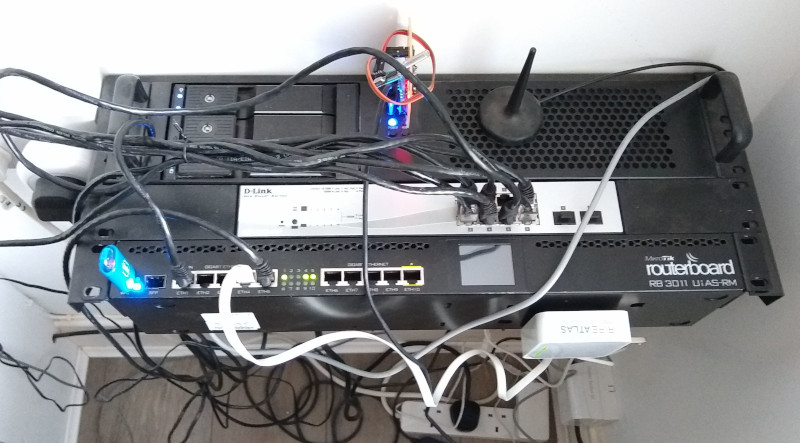 I did try out RouterOS to start with, but I didn t find it particularly compelling. I m comfortable configuring firewalling and routing at a Linux command line, and I run some additional services on the router like my
 I have been late to adopt an on-premise cloud solution as the security of Owncloud a few years ago wasn't so stellar (cf. my comment from 2013 in
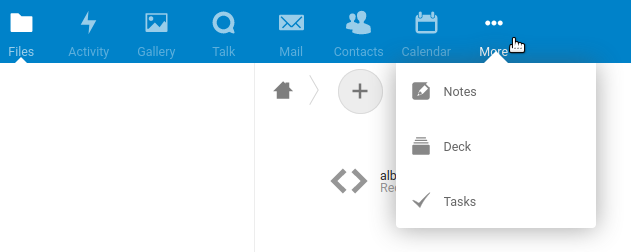 Luckily code can be changed and there are many comments floating around the Internet to change

 Like
 Updated page to record how-to video.
I don't need big camera image, I just need a tiny image with probably my face on it.
As a start,
 For long time I have been using a good old nvidia GeForce GTX 1050 for my display and deep learning needs. I reported a few times how to get Tensorflow running on Debian/Sid, see
 The problems with AMD and

 Here is another monthly update covering what I have been doing in the free software world during August 2020 (
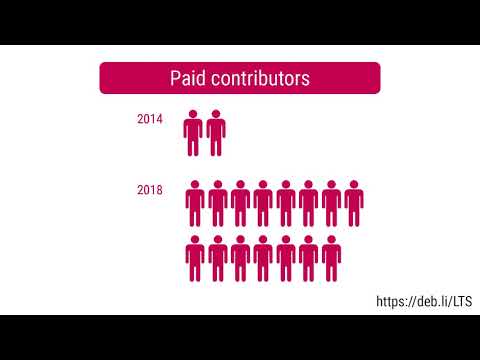
 This line is called a command prompt and it tells you four pieces of information:
 This is a shorthand notation that the shell uses to make this output shorter
when possible.
 actually tells you that you are currently in the

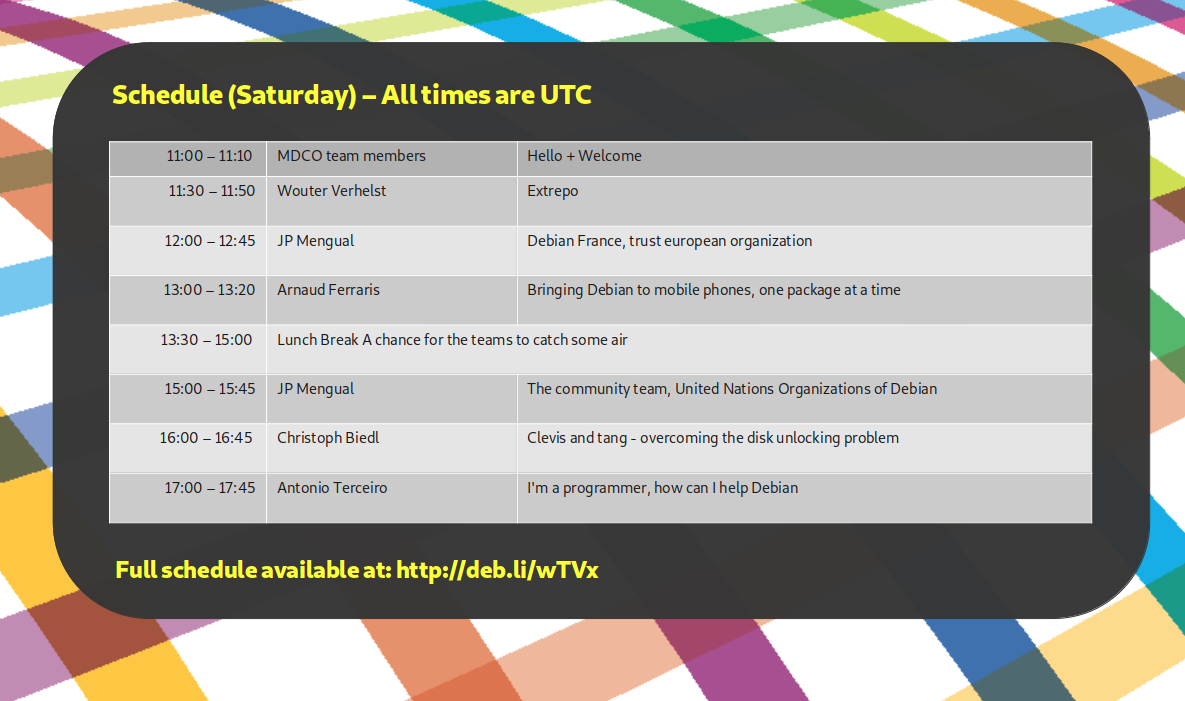
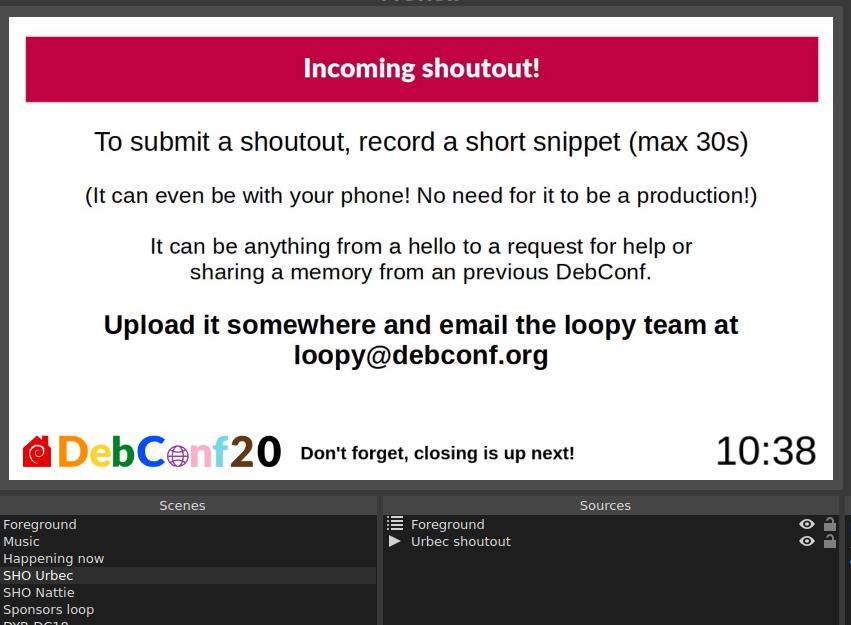
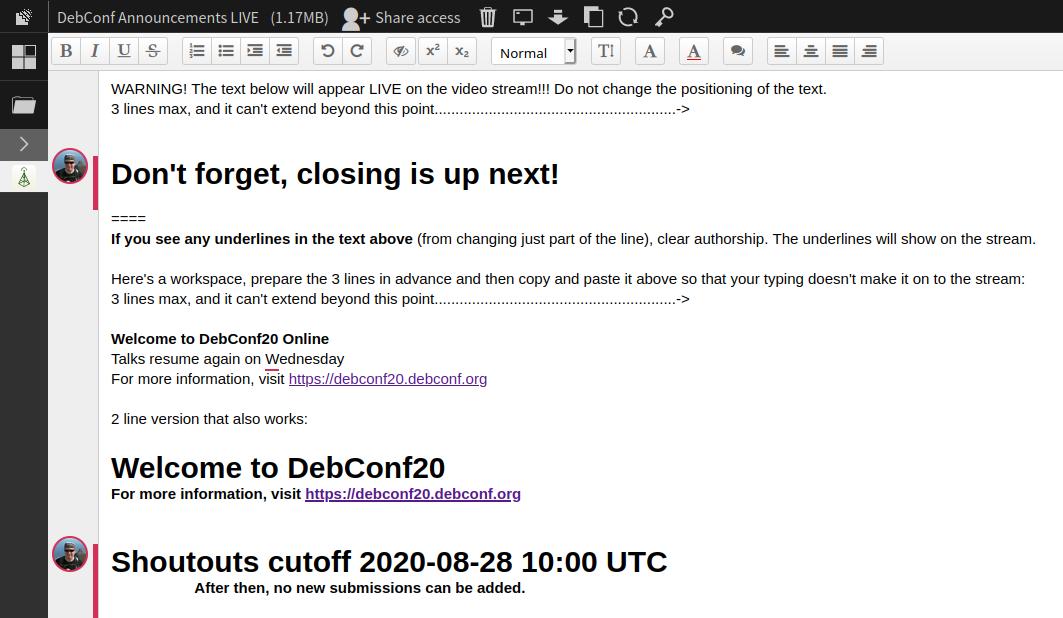
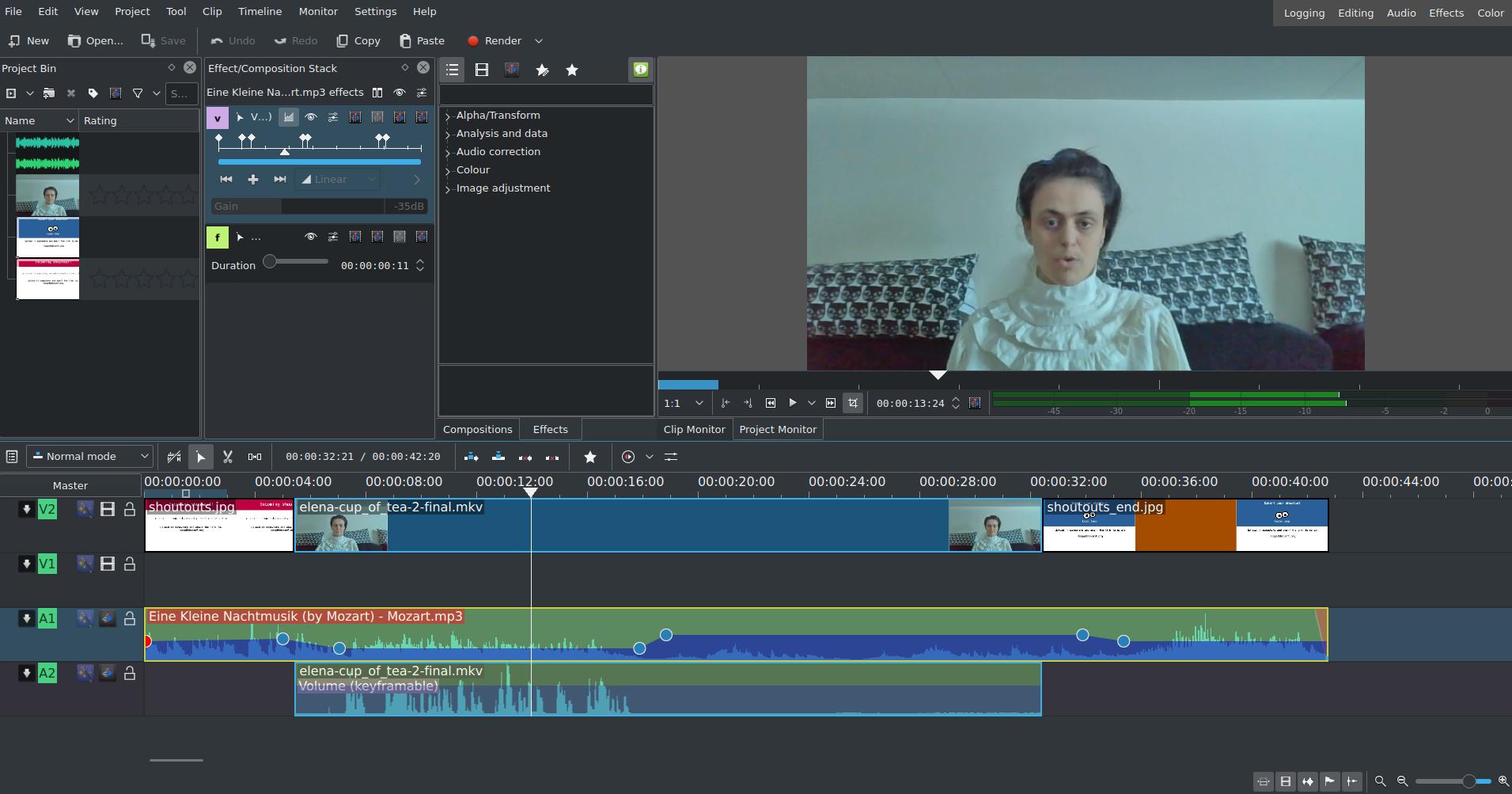

 A new minor release of the