Dowry
Few days back, had posted about the movie Raksha Bandhan and whatever I felt about it. Sadly, just couple of days back, somebody shared this link. Part of me was shocked and part of me was not. Couple of acquaintances of mine in the past had said the same thing for their daughters. And in such situations you are generally left speechless because you don t know what the right thing to do is. If he has shared it with you being an outsider, how many times he must have told the same to their wife and daughters? And from what little I have gathered in life, many people have justified it on similar lines. And while the protests were there, sadly the book was not removed. Now if nurses are reading such literature, how their thought process might be forming, you can tell :(. And these are the ones whom we call for when we are sick and tired :(. And I have not taken into account how the girls/women themselves might be feeling. There are similar things in another country but probably not the same, nor the same motivations though although feeling helplessness in both would be a common thing.
But such statements are not alone. Another gentleman in slightly different context shared this as well
The above is a statement shared in a book recommended for CTET (Central Teacher s Eligibility Test that became mandatory to be taken as the RTE (Right To Education) Act came in.). The statement says People from cold places are white, beautiful, well-built, healthy and wise. And people from hot places are black, irritable and of violent nature.
Now while I can agree with one part of the statement that people residing in colder regions are more fair than others but there are loads of other factors that determine fairness or skin color/skin pigmentation. After a bit of search came to know that this and similar articulation have been made in an idea/work called Environmental Determinism . Now if you look at that page, you would realize this was what colonialism is and was all about. The idea that the white man had god-given right to rule over others. Similarly, if you are fair, you can lord over others. Seems simplistic, but yet it has a powerful hold on many people in India. Forget the common man, this thinking is and was applicable to some of our better-known Freedom fighters. Pune s own Bal Gangadhar Tilak The Artic Home to the Vedas. It sort of talks about Aryans and how they invaded India and became settled here. I haven t read or have access to the book so have to rely on third-party sources. The reason I m sharing all this is that the right-wing has been doing this myth-making for sometime now and unless and until you put a light on it, it will continue to perpetuate . For those who have read this blog, do know that India is and has been in casteism from ever. They even took the fair comment and applied it to all Brahmins. According to them, all Brahmins are fair and hence have god-given right to lord over others. What is called the Eton boy s network serves the same in this casteism. The only solution is those idea under limelight and investigate. To take the above, how does one prove that all fair people are wise and peaceful while all people black and brown are violent. If that is so, how does one count for Mahatma Gandhi, Martin Luther King Junior, Nelson Mandela, Michael Jackson the list is probably endless. And not to forget that when Mahatma Gandhiji did his nonviolent movements either in India or in South Africa, both black and brown people in millions took part. Similar examples of Martin Luther King Jr. I know and read of so many non-violent civl movements that took place in the U.S. For e.g. Rosa Parks and the Montgomery Bus Boycott. So just based on these examples, one can conclude that at least the part about the fair having exclusive rights to being fair and noble is not correct.
Now as far as violence goes, while every race, every community has had done violence in the past or been a victim of the same. So no one is and can be blameless, although in light of the above statement, the question can argumentated as to who were the Vikings? Both popular imagination and serious history shares stories about Vikings. The Vikings were somewhat nomadic in nature even though they had permanent settlements but even then they went on raids, raped women, captured both men and women and sold them at slaves. So they are what pirates came to be, but not the kind Hollywood romanticizes about. Europe in itself has been a tale in conflict since time immemorial. It is only after the formation of EU that most of these countries stopped fighting each other From a historical point perspective, it is too new. So even the part of fair being non-violent dies in face of this evidence. I could go on but this is enough on that topic.
Railways and Industrial Action around the World.
While I have shared about Railways so many times on this blog, it continues to fascinate me that how people don t understand the first things about Railways. For e.g. Railways is a natural monopoly. What that means is and you can look at all and any type of privatization around the world, you will see it is a monopoly. Unlike the road or Skies, Railways is and would always be limited by infrastructure and the ability to have new infrastructure. Unlike in road or Skies (even they have their limits) you cannot run train services on a whim. At any particular point in time, only a single train could and should occupy a stretch of Railway network. You could have more trains on one line, but then the likelihood of front or rear-end collisions becomes a real possibility. You also need all sorts of good and reliable communications, redundant infrastructure so if one thing fails then you have something in place. The reason being a single train can carry anywhere from 2000 to 5000 passengers or more. While this is true of Indian Railways, Railways around the world would probably have some sort of similar numbers.It is in this light that I share the below videos.
To be more precise, see the fuller video
Now to give context to the recording above, Mike Lynch is the general secretary at RMT. For those who came in late, both UK and the U.S. have been threatened by railway strikes. And the reason for the strikes or threat of strikes is similar. Now from the company perspective, all they care is to invest less and make the most profits that can be given to equity shareholders. At the same time, they have freezed the salaries of railway workers for the last 3 years. While the politicians who were asking the questions, apparently gave themselves raise twice this year. They are asking them to negotiate at 8% while inflation in the UK has been 12.3% and projected to go higher. And it is not only the money. Since the 1980s when UK privatized the Railways, they stopped investing in the infrastructure. And that meant that the UK Railway infrastructure over period of time started getting behind and is even behind say Indian Railways which used to provide most bang for the buck. And Indian Railways is far from ideal. Ironically, most of the operators on UK are nationalized Railways of France, Germany etc. but after the hard Brexit, they too are mulling to cut their operations short, they have too There is also the EU Entry/Exit system that would come next year.
Why am I sharing about what is happening in UK Rail, because the Indian Government wants to follow the same thing, and fooling the public into saying we would do it better. What inevitably will happen is that ticket prices go up, people no longer use the service, the number of services go down and eventually they are cancelled. This has happened both in Indian Railways as well as Airlines. In fact, GOI just recently announced a credit scheme just a few days back to help Airlines stay afloat. I was chatting with a friend who had come down to Pune from Chennai and the round-trip cost him INR 15k/- on that single trip alone. We reminisced how a few years ago, 8 years to be precise, we could buy an Air ticket for 2.5k/- just a few days before the trip and did it. I remember doing/experiencing at least a dozen odd trips via air in the years before 2014. My friend used to come to Pune, almost every weekend because he could afford it, now he can t do that. And these are people who are in the above 5-10% of the population. And this is not just in UK, but also in the United States. There is one big difference though, the U.S. is mainly a freight carrier while the UK Railway Operations are mostly passenger based. What was and is interesting that Scotland had to nationalize their services as they realized the Operators cannot or will not function when they were most needed. Most of the public even in the UK seem to want a nationalized rail service, at least their polls say so. So, it would definitely be interesting to see what happens in the UK next year.
In the end, I know I promised to share about books, but the above incidents have just been too fascinating to not just share the news but also share what I think about them. Free markets function good where there is competition, for example what is and has been happening in China for EV s but not where you have natural monopolies. In all Railway privatization, you have to handover the area to one person, then they have no motivation. If you have multiple operators, then there would always be haggling as to who will run the train and at what time. In either scenario, it doesn t work and raises prices while not delivering anything better
I do take examples from UK because lot of things are India are still the legacy of the British. The whole civil department that was created in 1953 is/was a copy of the British civil department at that time and it is to this day.
P.S. Just came to know that the UK Chancellor Kwasi Kwarteng was just sacked as UK Chancellor. I do commend Truss for facing the press even though she might be dumped a week later unlike our PM who hasn t faced a single press conference in the last 8 odd years.
https://www.youtube.com/watch?v=oTP6ogBqU7of
The difference in Indian and UK politics seems to be that the English are now asking questions while here in India, most people are still sleeping without a care in the world.
Another thing to note Minidebconf Palakkad is gonna happen 12-13th November 2022. I am probably not gonna go but would request everyone who wants to do something in free software to attend it. I am not sure whether I would be of any use like this and also when I get back, it would be an empty house. But for people young and old, who want to do anything with free/open source software it is a chance not to be missed. Registration of the same closes on 1st of November 2022. All the best, break a leg
Just read this, beautifully done.
I m on the train back from MuniHac, where I gave a talk about the rec-def library that I have excessively blogged about recently (here, here, here and here). I got quite flattering comments about that talk, so if you want to see if they were sincere, I suggest you watch the recording of Getting recursive definitions off their bottoms (but it s not necessary for the following).
After the talk, Franz Thoma approached me and told me a story of how we was once implementing the game Minesweeper in Haskell, and in particular the part of the logic where, after the user has uncovered a field, the game would automatically uncover all fields that are next to a neutral field, i.e. one with zero adjacent bombs. He was using a comonadic data structure, which makes a context-dependent parallel computation such as uncovering one field quite natural, and was hoping that using a suitable fix-point operator, he can elegantly obtain not just the next step, but directly the result of recursively uncovering all these fields. But, much to his disappointment, that did not work out: Due to the recursion inherent in that definition, a knot-tying fixed-point operator will lead to a cyclic definition.
Microsoft Minesweeper
He was wondering if the rec-def library could have helped him, and we sat down to find out, and this is the tale of this blog post. I will avoid the comonadic abstractions and program it more naively, though, to not lose too many readers along the way. Maybe read Chris Penner s blog post and Finch s functional pearl Getting a Quick Fix on Comonads if you are curious about that angle.
Minesweeper setup
Let s start with defining a suitable data type for the grid of the minesweeper board. I ll use the Array data type, it s Ix-based indexing is quite useful for grids:
Version 0.3.14 of the Rblpapi package arrived on CRAN earlier today. Rblpapi provides a direct interface between R and the Bloomberg Terminal via the C++ API provided by Bloomberg (but note that a valid Bloomberg license and installation is required).
This is the fourteenth release since the package first appeared on CRAN in 2016. It comprises a nice PR from Robert Harlow extending support to B-PIPE authentication (for those who have it) along with a few fixes made since the last release in January. The last one provided from a kind assist by Tomas Kalibera who pointed out how to overcome an absolute rpath dynamic linker instruction (and as I noticed noticed something I already did in another package ah well) so that we no longer require StagedInstall: yes.
The detailed list of changes follow below.
Changes in Rblpapi version 0.3.14 (2022-10-05)
Build configuration was generalized to consider local copies of library and headers (Dirk in #362)
A ticker symbol was corrected (Dirk in #368 addressing an issue #366 and #367)
Support for B-PIPE was added (Robert Harlow in #369 closing #342)
The package no longer requires staged installation thanks to an assist from Tomas Kalibera (Dirk in #373)
The retired package fts is no longer suggested (Dirk in #374 closing #372)
Courtesy of my CRANberries, there is also a diffstat report for the this release. As always, more detailed information is on the Rblpapi page. Questions, comments etc should go to the issue tickets system at the GitHub repo.
If you like this or other open-source work I do, you can now sponsor me at GitHub.
Almost to the week one year since the last maintenance release, we can announce another maintenance release, now at version 0.0.17, of the RVowpalWabbit package. The CRAN maintainers kindly and politly pointed out that I was (cough, cough) apparently the last maintainer who had packages that set StagedInstall: no. Guilty as charged.
RVowpalWabbit is one the two packages; the other one will hopefully follow shortly . And while I long suspected linking aspects to drive this (this is an old package, newer R packaging of the awesome VowpalWabbit is in rvw, I was plain wrong here. The cause was an absolute path to an included dataset, computed in an example, which then gets serialized. As Tomas Kalibera suggested, we can replace the constant with a function and all is well. So here is 0.0.17.
As noted before, there is a newer package rvw based on the excellent GSoC 2018 and beyond work by Ivan Pavlov (mentored by James and myself) so if you are into VowpalWabbit from R go check it out.
CRANberries provides a summary of changes to the previous version. More information is on the RVowpalWabbit page. Issues and bugreports should go to the GitHub issue tracker.
If you like this or other open-source work I do, you can now sponsor me at GitHub.
(Sorry if you have read this already, due to a tag mistake, my draft
copy got published)
I recently bought a refurbished thinkpad x260. If you have read my
post of my <a href= <!DOCTYPE html>
Laptop refreshment
Armadillo is a powerful and expressive C++ template library for linear algebra and scientific computing. It aims towards a good balance between speed and ease of use, has a syntax deliberately close to Matlab, and is useful for algorithm development directly in C++, or quick conversion of research code into production environments. RcppArmadillo integrates this library with the R environment and language and is widely used by (currently) 1023 packages other packages on CRAN, downloaded 26.4 million times (per the partial logs from the cloud mirrors of CRAN), and the CSDA paper (preprint / vignette) by Conrad and myself has been cited 497 times according to Google Scholar.
This release reflect as new upstream release 11.4.0 Conrad made recently. It turns out that it triggered warnings under g++-12 for about five packages in the fortify mode default for Debian builds. Conrad then kindly addressed this with a few fixes.
The full set of changes (since the last CRAN release 0.11.2.4.0) follows.
Changes in RcppArmadillo version 0.11.4.0.1 (2022-10-01
Upgraded to Armadillo release 11.4.0 (Ship of Theseus)
faster handling of compound expressions by sum()
extended pow() with various forms of element-wise power operations
added find_nan() to find indices of NaN elements
Also applied fixes to avoid g++-12 warnings affecting just a handful of CRAN packages.
Well this is a mouthful.
I recently worked on a neat hack called puppet-package-check. It
is designed to warn about manually installed packages, to make sure
"everything is in Puppet". But it turns out it can (probably?)
dramatically decrease the bootstrap time of Puppet bootstrap when it
needs to install a large number of packages.
Detecting manual packages
On a cleanly filed workstation, it looks like this:
Yuck! That's a lot of shit to go through.
Notice how the packages get sorted between "old" and "new"
packages. This is because popcon is used as a tool to mark which
packages are "old". If you have unmanaged packages, the "old" ones are
likely things that you can uninstall, for example.
If you don't have popcon installed, you'll also get this warning:
popcon stats not available: [Errno 2] No such file or directory: '/var/log/popularity-contest'
The error can otherwise be safely ignored, but you won't get "help"
prioritizing the packages to add to your manifests.
Note that the tool ignores packages that were "marked" (see
apt-mark(8)) as automatically installed. This implies that you
might have to do a little bit of cleanup the first time you run this,
as Debian doesn't necessarily mark all of those packages correctly on
first install. For example, here's how it looks like on a clean
install, after Puppet ran:
Normally, there should be unmanaged packages here. But because of the
way Debian is installed, a lot of libraries and some core packages are
marked as manually installed, and are of course not managed through
Puppet. There are two solutions to this problem:
really manage everything in Puppet (argh)
mark packages as automatically installed
I typically chose the second path and mark a ton of stuff as
automatic. Then either they will be auto-removed, or will stop being
listed. In the above scenario, one could mark all libraries as
automatically installed with:
apt-mark auto $(./bin/puppet-package-check grep -o 'lib[^ ]*')
... but if you trust that most of that stuff is actually garbage that
you don't really want installed anyways, you could just mark it all
as automatically installed:
apt-mark auto $(./bin/puppet-package-check)
In my case, that ended up keeping basically all libraries (because of
course they're installed for some reason) and auto-removing this:
You'll notice xorg in there: yep, that's bad. Not what I wanted. But
for some reason, on other workstations, I did not actually have
xorg installed. Turns out having xserver-xorg is enough, and that
one has dependencies. So now I guess I just learned to stop worrying
and live without X(org).
Optimizing large package installs
But that, of course, is not all. Why make things simple when you can
have an unreadable title that is trying to be both syntactically
correct and click-baity enough to flatter my vain ego? Right.
One of the challenges in bootstrapping Puppet with large package lists
is that it's slow. Puppet lists packages as individual resources and
will basically run apt install $PKG on every package in the
manifest, one at a time. While the overhead of apt is generally
small, when you add things like apt-listbugs, apt-listchanges,
needrestart, triggers and so on, it can take forever setting up a
new host.
So for initial installs, it can actually makes sense to skip the queue
and just install everything in one big batch.
And because the above tool inspects the packages installed by Puppet,
you can run it against a catalog and have a full lists of all the
packages Puppet would install, even before I even had Puppet
running.
So when reinstalling my laptop, I basically did this:
That massive grep was because there are currently a lot of
packages missing from bookworm. Those are all packages that I have
in my catalog but that still haven't made it to bookworm. Sad, I
know. I eventually worked around that by adding bullseye sources so
that the Puppet manifest actually ran.
The point here is that this improves the Puppet run time a lot. All
packages get installed at once, and you get a nice progress bar. Then
you actually run Puppet to deploy configurations and all the other
goodies:
puppet agent --test
I wish I could tell you how much faster that ran. I don't know, and I
will not go through a full reinstall just to please your
curiosity. The only hard number I have is that it installed 444
packages (which exploded in 10,191 packages with dependencies) in a
mere 10 minutes. That might also be with the packages already
downloaded.
In any case, I have that gut feeling it's faster, so you'll have to
just trust my gut. It is, after all, much more important than you
might think.
It figures out what you ve done manually, stores it locally in a Git
repository, generates code that s able to recreate your efforts, and
helps you deploy those changes to production
That tool has unfortunately been abandoned for a decade at this point.
Also note that the AutoRemove::RecommendsImportant and
AutoRemove::SuggestsImportant are relevant here. If it is set to
true (the default), a package will not be removed if it is
(respectively) a Recommends or Suggests of another package (as
opposed to the normal Depends). In other words, if you want to also
auto-remove packages that are only Suggests, you would, for example,
add this to apt.conf:
AutoRemove::SuggestsImportant false;
Paul Wise has tried to make the Debian installer and debootstrap
properly mark packages as automatically installed in the past, but his
bug reports were rejected. The other suggestions in this section are
also from Paul, thanks!
This summer, I signed up to participate in the Northcape 4000
<https://www.northcape4000.com/>, an annual 4000km bike ride between Rovereto
(in northern Italy) and the northernmost point of Europe, the North cape.
The Northcape event has been held for several years, and while it always ends
on the North Cape, the route there varies. Last years route went through the
Baltics, but this years was perhaps as direct as possible - taking us through
Italy, Austria, Switzerland, Germany, the Czech republic, Germany again, Sweden,
Finland and finally Norway.
The ride is unsupported, meaning you have to find your own food and
accomodation and can only avail yourself of resupply and sleeping options on
the route that are available to everybody else as well. The event is not meant
to be a race (unlike the Transcontinental, which starts at the same day),
so there is a minimum time to finish it in (10 days) and a maximum (21 days).
Unfortunately, this meant skipping some other events I d wanted attend
(DebConf, MCH).
This post describes how I ve put together a simple static content server for
kubernetes clusters using a Pod with a persistent volume and multiple
containers: an sftp server to manage contents, a web server to publish them
with optional access control and another one to run scripts which need access
to the volume filesystem.
The sftp server runs using
MySecureShell, the web
server is nginx and the script runner uses the
webhook tool to publish endpoints to call
them (the calls will come from other Pods that run backend servers or are
executed from Jobs or CronJobs).
HistoryThe system was developed because we had a NodeJS API with endpoints to upload
files and store them on S3 compatible services that were later accessed via
HTTPS, but the requirements changed and we needed to be able to publish folders
instead of individual files using their original names and apply access
restrictions using our API.
Thinking about our requirements the use of a regular filesystem to keep the
files and folders was a good option, as uploading and serving files is simple.
For the upload I decided to use the sftp protocol, mainly because I already
had an sftp container image based on
mysecureshell prepared; once
we settled on that we added sftp support to the API server and configured it
to upload the files to our server instead of using S3 buckets.
To publish the files we added a nginx container configured
to work as a reverse proxy that uses the
ngx_http_auth_request_module
to validate access to the files (the sub request is configurable, in our
deployment we have configured it to call our API to check if the user can
access a given URL).
Finally we added a third container when we needed to execute some tasks
directly on the filesystem (using kubectl exec with the existing containers
did not seem a good idea, as that is not supported by CronJobs objects, for
example).
The solution we found avoiding the NIH Syndrome (i.e. write our own tool) was
to use the webhook tool to provide the
endpoints to call the scripts; for now we have three:
one to get the disc usage of a PATH,
one to hardlink all the files that are identical on the filesystem,
one to copy files and folders from S3 buckets to our filesystem.
Container definitions
mysecureshellThe mysecureshell container can be used to provide an sftp service with
multiple users (although the files are owned by the same UID and GID) using
standalone containers (launched with docker or podman) or in an
orchestration system like kubernetes, as we are going to do here.
The image is generated using the following Dockerfile:
The /etc/sftp_config file is used to
configure
the mysecureshell server to have all the user homes under /sftp/data, only
allow them to see the files under their home directories as if it were at the
root of the server and close idle connections after 5m of inactivity:
etc/sftp_config
# Default mysecureshell configuration<Default>
# All users will have access their home directory under /sftp/data
Home /sftp/data/$USER
# Log to a file inside /sftp/logs/ (only works when the directory exists)
LogFile /sftp/logs/mysecureshell.log
# Force users to stay in their home directory
StayAtHome true
# Hide Home PATH, it will be shown as /
VirtualChroot true
# Hide real file/directory owner (just change displayed permissions)
DirFakeUser true
# Hide real file/directory group (just change displayed permissions)
DirFakeGroup true
# We do not want users to keep forever their idle connection
IdleTimeOut 5m
</Default>
# vim: ts=2:sw=2:et
The entrypoint.sh script is the one responsible to prepare the container for
the users included on the /secrets/user_pass.txt file (creates the users with
their HOME directories under /sftp/data and a /bin/false shell and
creates the key files from /secrets/user_keys.txt if available).
The script expects a couple of environment variables:
SFTP_UID: UID used to run the daemon and for all the files, it has to be
different than 0 (all the files managed by this daemon are going to be
owned by the same user and group, even if the remote users are different).
SFTP_GID: GID used to run the daemon and for all the files, it has to be
different than 0.
And can use the SSH_PORT and SSH_PARAMS values if present.
It also requires the following files (they can be mounted as secrets in
kubernetes):
/secrets/host_keys.txt: Text file containing the ssh server keys in mime
format; the file is processed using the reformime utility (the one included
on busybox) and can be generated using the
gen-host-keys script included on the container (it uses ssh-keygen and
makemime).
/secrets/user_pass.txt: Text file containing lines of the form
username:password_in_clear_text (only the users included on this file are
available on the sftp server, in fact in our deployment we use only the
scs user for everything).
And optionally can use another one:
/secrets/user_keys.txt: Text file that contains lines of the form
username:public_ssh_ed25519_or_rsa_key; the public keys are installed on
the server and can be used to log into the sftp server if the username
exists on the user_pass.txt file.
The contents of the entrypoint.sh script are:
entrypoint.sh
#!/bin/shset-e# ---------# VARIABLES# ---------# Expects SSH_UID & SSH_GID on the environment and uses the value of the# SSH_PORT & SSH_PARAMS variables if present# SSH_PARAMSSSH_PARAMS="-D -e -p $ SSH_PORT:=22$ SSH_PARAMS"# Fixed values# DIRECTORIESHOME_DIR="/sftp/data"CONF_FILES_DIR="/secrets"AUTH_KEYS_PATH="/etc/ssh/auth_keys"# FILESHOST_KEYS="$CONF_FILES_DIR/host_keys.txt"USER_KEYS="$CONF_FILES_DIR/user_keys.txt"USER_PASS="$CONF_FILES_DIR/user_pass.txt"USER_SHELL_CMD="/usr/bin/mysecureshell"# TYPESHOST_KEY_TYPES="dsa ecdsa ed25519 rsa"# ---------# FUNCTIONS# ---------# Validate HOST_KEYS, USER_PASS, SFTP_UID and SFTP_GID
_check_environment()# Check the ssh server keys ... we don't boot if we don't have themif[!-f"$HOST_KEYS"];then
cat<<EOF
We need the host keys on the '$HOST_KEYS' file to proceed.
Call the 'gen-host-keys' script to create and export them on a mime file.
EOF
exit 1
fi# Check that we have users ... if we don't we can't continueif[!-f"$USER_PASS"];then
cat<<EOF
We need at least the '$USER_PASS' file to provision users.
Call the 'gen-users-tar' script to create a tar file to create an archive that
contains public and private keys for users, a 'user_keys.txt' with the public
keys of the users and a 'user_pass.txt' file with random passwords for them
(pass the list of usernames to it).
EOF
exit 1
fi# Check SFTP_UIDif[-z"$SFTP_UID"];then
echo"The 'SFTP_UID' can't be empty, pass a 'GID'."exit 1
fi
if["$SFTP_UID"-eq"0"];then
echo"The 'SFTP_UID' can't be 0, use a different 'UID'"exit 1
fi# Check SFTP_GIDif[-z"$SFTP_GID"];then
echo"The 'SFTP_GID' can't be empty, pass a 'GID'."exit 1
fi
if["$SFTP_GID"-eq"0"];then
echo"The 'SFTP_GID' can't be 0, use a different 'GID'"exit 1
fi# Adjust ssh host keys
_setup_host_keys()opwd="$(pwd)"tmpdir="$(mktemp-d)"cd"$tmpdir"ret="0"
reformime <"$HOST_KEYS"ret="1"for kt in$HOST_KEY_TYPES;do
key="ssh_host_$ kt_key"pub="ssh_host_$ kt_key.pub"if[!-f"$key"];then
echo"Missing '$key' file"ret="1"fi
if[!-f"$pub"];then
echo"Missing '$pub' file"ret="1"fi
if["$ret"-ne"0"];then
continue
fi
cat"$key">"/etc/ssh/$key"chmod 0600 "/etc/ssh/$key"chown root:root "/etc/ssh/$key"cat"$pub">"/etc/ssh/$pub"chmod 0600 "/etc/ssh/$pub"chown root:root "/etc/ssh/$pub"done
cd"$opwd"rm-rf"$tmpdir"return"$ret"# Create users
_setup_user_pass()opwd="$(pwd)"tmpdir="$(mktemp-d)"cd"$tmpdir"ret="0"[-d"$HOME_DIR"]mkdir"$HOME_DIR"# Make sure the data dir can be managed by the sftp userchown"$SFTP_UID:$SFTP_GID""$HOME_DIR"# Allow the user (and root) to create directories inside the $HOME_DIR, if# we don't allow it the directory creation fails on EFS (AWS)chmod 0755 "$HOME_DIR"# Create usersecho"sftp:sftp:$SFTP_UID:$SFTP_GID:::/bin/false">"newusers.txt"sed-n"/^[^#]/ s/:/ /p ""$USER_PASS"while read-r _u _p;do
echo"$_u:$_p:$SFTP_UID:$SFTP_GID::$HOME_DIR/$_u:$USER_SHELL_CMD"done>>"newusers.txt"
newusers --badnames newusers.txt
# Disable write permission on the directory to forbid remote sftp users to# remove their own root dir (they have already done it); we adjust that# here to avoid issues with EFS (see before)chmod 0555 "$HOME_DIR"# Clean up the tmpdircd"$opwd"rm-rf"$tmpdir"return"$ret"# Adjust user keys
_setup_user_keys()if[-f"$USER_KEYS"];then
sed-n"/^[^#]/ s/:/ /p ""$USER_KEYS"while read-r _u _k;do
echo"$_k">>"$AUTH_KEYS_PATH/$_u"done
fi# Main function
exec_sshd()
_check_environment
_setup_host_keys
_setup_user_pass
_setup_user_keys
echo"Running: /usr/sbin/sshd $SSH_PARAMS"# shellcheck disable=SC2086exec /usr/sbin/sshd -D$SSH_PARAMS# ----# MAIN# ----case"$1"in"server") exec_sshd ;;*)exec"$@";;esac# vim: ts=2:sw=2:et
The container also includes a couple of auxiliary scripts, the first one can be
used to generate the host_keys.txt file as follows:
$docker run --rm stodh/mysecureshell gen-host-keys > host_keys.txt
Where the script is as simple as:
bin/gen-host-keys
#!/bin/shset-e# Generate new host keys
ssh-keygen -A>/dev/null
# Replace hostnamesed-i-e's/@.*$/@mysecureshell/' /etc/ssh/ssh_host_*_key.pub
# Print in mime format (stdout)
makemime /etc/ssh/ssh_host_*# vim: ts=2:sw=2:et
And there is another script to generate a .tar file that contains auth data
for the list of usernames passed to it (the file contains a user_pass.txt
file with random passwords for the users, public and private ssh keys for them
and the user_keys.txt file that matches the generated keys).
To generate a tar file for the user scs we can execute the following:
$docker run --rm stodh/mysecureshell gen-users-tar scs > /tmp/scs-users.tar
To see the contents and the text inside the user_pass.txt file we can do:
Basically we are removing the existing docker-entrypoint.d scripts from the
standard image and adding a new one that configures the web server as we want
using a couple of environment variables:
AUTH_REQUEST_URI: URL to use for the auth_request, if the variable is not
found on the environment auth_request is not used.
HTML_ROOT: Base directory of the web server, if not passed the default
/usr/share/nginx/html is used.
Note that if we don t pass the variables everything works as if we were using
the original nginx image.
The contents of the configuration script are:
docker-entrypoint.d/10-update-default-conf.sh
As we will see later the idea is to use the /sftp/data or /sftp/data/scs
folder as the root of the web published by this container and create an
Ingress object to provide access to it outside of our kubernetes cluster.
webhook-scsThe webhook-scs container is generated using the following Dockerfile:
Again, we use a multi-stage build because in production we wanted to support a
functionality that is not already on the official versions (streaming the
command output as a response instead of waiting until the execution ends); this
time we build the image applying the PATCH included on this
pull request against a released
version of the source instead of creating a fork.
The entrypoint.sh script is used to generate the webhook configuration file
for the existing hooks using environment variables (basically the
WEBHOOK_WORKDIR and the *_TOKEN variables) and launch the webhook
service:
entrypoint.sh
#!/bin/shset-e# ---------# VARIABLES# ---------WEBHOOK_BIN="$ WEBHOOK_BIN:-/webhook/hooks"WEBHOOK_YML="$ WEBHOOK_YML:-/webhook/scs.yml"WEBHOOK_OPTS="$ WEBHOOK_OPTS:--verbose"# ---------# FUNCTIONS# ---------
print_du_yml()cat<<EOF
- id: du
execute-command: '$WEBHOOK_BIN/du.sh'
command-working-directory: '$WORKDIR'
response-headers:
- name: 'Content-Type'
value: 'application/json'
http-methods: ['GET']
include-command-output-in-response: true
include-command-output-in-response-on-error: true
pass-arguments-to-command:
- source: 'url'
name: 'path'
pass-environment-to-command:
- source: 'string'
envname: 'OUTPUT_FORMAT'
name: 'json'
EOF
print_hardlink_yml()cat<<EOF
- id: hardlink
execute-command: '$WEBHOOK_BIN/hardlink.sh'
command-working-directory: '$WORKDIR'
http-methods: ['GET']
include-command-output-in-response: true
include-command-output-in-response-on-error: true
EOF
print_s3sync_yml()cat<<EOF
- id: s3sync
execute-command: '$WEBHOOK_BIN/s3sync.sh'
command-working-directory: '$WORKDIR'
http-methods: ['POST']
include-command-output-in-response: true
include-command-output-in-response-on-error: true
pass-environment-to-command:
- source: 'payload'
envname: 'AWS_KEY'
name: 'aws.key'
- source: 'payload'
envname: 'AWS_SECRET_KEY'
name: 'aws.secret_key'
- source: 'payload'
envname: 'S3_BUCKET'
name: 's3.bucket'
- source: 'payload'
envname: 'S3_REGION'
name: 's3.region'
- source: 'payload'
envname: 'S3_PATH'
name: 's3.path'
- source: 'payload'
envname: 'SCS_PATH'
name: 'scs.path'
stream-command-output: true
EOF
print_token_yml()if["$1"];then
cat<<EOF
trigger-rule:
match:
type: 'value'
value: '$1'
parameter:
source: 'header'
name: 'X-Webhook-Token'
EOF
fi
exec_webhook()# Validate WORKDIRif[-z"$WEBHOOK_WORKDIR"];then
echo"Must define the WEBHOOK_WORKDIR variable!">&2
exit 1
fi
WORKDIR="$(realpath"$WEBHOOK_WORKDIR" 2>/dev/null)"true
if[!-d"$WORKDIR"];then
echo"The WEBHOOK_WORKDIR '$WEBHOOK_WORKDIR' is not a directory!">&2
exit 1
fi# Get TOKENS, if the DU_TOKEN or HARDLINK_TOKEN is defined that is used, if# not if the COMMON_TOKEN that is used and in other case no token is checked# (that is the default)DU_TOKEN="$ DU_TOKEN:-$COMMON_TOKEN"HARDLINK_TOKEN="$ HARDLINK_TOKEN:-$COMMON_TOKEN"S3_TOKEN="$ S3_TOKEN:-$COMMON_TOKEN"# Create webhook configuration
print_du_yml
print_token_yml "$DU_TOKEN"echo""
print_hardlink_yml
print_token_yml "$HARDLINK_TOKEN"echo""
print_s3sync_yml
print_token_yml "$S3_TOKEN" >"$WEBHOOK_YML"# Run the webhook command# shellcheck disable=SC2086exec webhook -hooks"$WEBHOOK_YML"$WEBHOOK_OPTS# ----# MAIN# ----case"$1"in"server") exec_webhook ;;*)exec"$@";;esac
The entrypoint.sh script generates the configuration file for the webhook
server calling functions that print a yaml section for each hook and
optionally adds rules to validate access to them comparing the value of a
X-Webhook-Token header against predefined values.
The expected token values are taken from environment variables, we can define
a token variable for each hook (DU_TOKEN, HARDLINK_TOKEN or S3_TOKEN)
and a fallback value (COMMON_TOKEN); if no token variable is defined for a
hook no check is done and everybody can call it.
The Hook
Definition documentation explains the options you can use for each hook, the
ones we have right now do the following:
du: runs on the $WORKDIR directory, passes as first argument to the
script the value of the path query parameter and sets the variable
OUTPUT_FORMAT to the fixed value json (we use that to print the output of
the script in JSON format instead of text).
hardlink: runs on the $WORKDIR directory and takes no parameters.
s3sync: runs on the $WORKDIR directory and sets a lot of environment
variables from values read from the JSON encoded payload sent by the caller
(all the values must be sent by the caller even if they are assigned an empty
value, if they are missing the hook fails without calling the script); we
also set the stream-command-output value to true to make the script show
its output as it is working (we patched the webhook source to be able to
use this option).
The du hook scriptThe du hook script code checks if the argument passed is a directory,
computes its size using the du command and prints the results in text format
or as a JSON dictionary:
hooks/du.sh
#!/bin/shset-e# Script to print disk usage for a PATH inside the scs folder# ---------# FUNCTIONS# ---------
print_error()if["$OUTPUT_FORMAT"="json"];then
echo" \"error\":\"$*\" "else
echo"$*">&2
fi
exit 1
usage()if["$OUTPUT_FORMAT"="json"];then
echo" \"error\":\"Pass arguments as '?path=XXX\" "else
echo"Usage: $(basename"$0") PATH">&2
fi
exit 1
# ----# MAIN# ----if["$#"-eq"0"][-z"$1"];then
usage
fi
if["$1"="."];then
DU_PATH="./"else
DU_PATH="$(find .-name"$1"-mindepth 1 -maxdepth 1)"true
fi
if[-z"$DU_PATH"][!-d"$DU_PATH/."];then
print_error "The provided PATH ('$1') is not a directory"fi# Print disk usage in bytes for the given PATHOUTPUT="$(du-b-s"$DU_PATH")"if["$OUTPUT_FORMAT"="json"];then# Format output as "path":"PATH","bytes":"BYTES" echo"$OUTPUT"sed-e"s%^\(.*\)\t.*/\(.*\)$%\"path\":\"\2\",\"bytes\":\"\1\" %"tr-d'\n'else# Print du output as isecho"$OUTPUT"fi# vim: ts=2:sw=2:et:ai:sts=2
The hardlink hook scriptThe hardlink hook script is really simple, it just runs the
util-linux version of the
hardlink
command on its working directory:
hooks/hardlink.sh
#!/bin/sh
hardlink --ignore-time--maximize .
We use that to reduce the size of the stored content; to manage versions of
files and folders we keep each version on a separate directory and when one or
more files are not changed this script makes them hardlinks to the same file on
disc, reducing the space used on disk.
The s3sync hook scriptThe s3sync hook script uses the s3fs
tool to mount a bucket and synchronise data between a folder inside the bucket
and a directory on the filesystem using rsync; all values needed to execute
the task are taken from environment variables:
hooks/s3sync.sh
#!/bin/ashset-euo pipefail
set-o errexit
set-o errtrace
# Functions
finish()ret="$1"echo""echo"Script exit code: $ret"exit"$ret"# Check variablesif[-z"$AWS_KEY"][-z"$AWS_SECRET_KEY"][-z"$S3_BUCKET"][-z"$S3_PATH"][-z"$SCS_PATH"];then["$AWS_KEY"]echo"Set the AWS_KEY environment variable"["$AWS_SECRET_KEY"]echo"Set the AWS_SECRET_KEY environment variable"["$S3_BUCKET"]echo"Set the S3_BUCKET environment variable"["$S3_PATH"]echo"Set the S3_PATH environment variable"["$SCS_PATH"]echo"Set the SCS_PATH environment variable"
finish 1
fi
if["$S3_REGION"]&&["$S3_REGION"!="us-east-1"];then
EP_URL="endpoint=$S3_REGION,url=https://s3.$S3_REGION.amazonaws.com"else
EP_URL="endpoint=us-east-1"fi# Prepare working directoryWORK_DIR="$(mktemp-p"$HOME"-d)"MNT_POINT="$WORK_DIR/s3data"PASSWD_S3FS="$WORK_DIR/.passwd-s3fs"# Check the moutpointif[!-d"$MNT_POINT"];then
mkdir-p"$MNT_POINT"elif mountpoint "$MNT_POINT";then
echo"There is already something mounted on '$MNT_POINT', aborting!"
finish 1
fi# Create password filetouch"$PASSWD_S3FS"chmod 0400 "$PASSWD_S3FS"echo"$AWS_KEY:$AWS_SECRET_KEY">"$PASSWD_S3FS"# Mount s3 bucket as a filesystem
s3fs -odbglevel=info,retries=5 -o"$EP_URL"-o"passwd_file=$PASSWD_S3FS"\"$S3_BUCKET""$MNT_POINT"echo"Mounted bucket '$S3_BUCKET' on '$MNT_POINT'"# Remove the password file, just in caserm-f"$PASSWD_S3FS"# Check source PATHret="0"SRC_PATH="$MNT_POINT/$S3_PATH"if[!-d"$SRC_PATH"];then
echo"The S3_PATH '$S3_PATH' can't be found!"ret=1
fi# Compute SCS_UID & SCS_GID (by default based on the working directory owner)SCS_UID="$ SCS_UID:=$(stat-c"%u""." 2>/dev/null)"true
SCS_GID="$ SCS_GID:=$(stat-c"%g""." 2>/dev/null)"true# Check destination PATHDST_PATH="./$SCS_PATH"if["$ret"-eq"0"]&&[-d"$DST_PATH"];then
mkdir-p"$DST_PATH"ret="$?"fi# Copy using rsyncif["$ret"-eq"0"];then
rsync -rlptv--chown="$SCS_UID:$SCS_GID"--delete--stats\"$SRC_PATH/""$DST_PATH/"ret="$?"fi# Unmount the S3 bucket
umount -f"$MNT_POINT"echo"Called umount for '$MNT_POINT'"# Remove mount point dirrmdir"$MNT_POINT"# Remove WORK_DIRrmdir"$WORK_DIR"# We are done
finish "$ret"# vim: ts=2:sw=2:et:ai:sts=2
Deployment objectsThe system is deployed as a StatefulSet with one replica.
Our production deployment is done on AWS and to be
able to scale we use EFS for our
PersistenVolume; the idea is that the volume has no size limit, its
AccessMode can be set to ReadWriteMany and we can mount it from multiple
instances of the Pod without issues, even if they are in different availability
zones.
For development we use k3d and we are also able to scale the
StatefulSet for testing because we use a ReadWriteOnce PVC, but it points
to a hostPath that is backed up by a folder that is mounted on all the
compute nodes, so in reality Pods in different k3d nodes use the same folder
on the host.
secrets.yamlThe secrets file contains the files used by the mysecureshell container that
can be generated using kubernetes pods as follows (we are only creating the
scs user):
$kubectl run "mysecureshell"--restart='Never'--quiet--rm--stdin\ --image "stodh/mysecureshell:latest" -- gen-host-keys >"./host_keys.txt"$kubectl run "mysecureshell"--restart='Never'--quiet--rm--stdin\ --image "stodh/mysecureshell:latest" -- gen-users-tar scs >"./users.tar"
Once we have the files we can generate the secrets.yaml file as follows:
On this definition we don t set the storageClassName to use the default one.
Volumes in our development environment (k3d)In our development deployment we create the following PersistentVolume as
required by the
Local
Persistence Volume Static Provisioner (note that the /volumes/scs-pv has to
be created by hand, in our k3d system we mount the same host directory on the
/volumes path of all the nodes and create the scs-pv directory by hand
before deploying the persistent volume):
k3d-pv.yaml
Volumes in our production environment (aws)In the production deployment we don t create the PersistentVolume (we are
using the
aws-efs-csi-driver which
supports Dynamic Provisioning) but we add the storageClassName (we set it
to the one mapped to the EFS driver, i.e. efs-sc) and set ReadWriteMany
as the accessMode:
efs-pvc.yaml
nginx: As this is an example the web server is not using an
AUTH_REQUEST_URI and uses the /sftp/data directory as the root of the web
(to get to the files uploaded for the scs user we will need to use /scs/
as a prefix on the URLs).
mysecureshell: We are adding the IPC_OWNER capability to the container to
be able to use some of the sftp-* commands inside it, but they are
not really needed, so adding the capability is optional.
webhook: We are launching this container in privileged mode to be able to
use the s3fs-fuse, as it will not work otherwise for now (see this
kubernetes issue); if
the functionality is not needed the container can be executed with regular
privileges; besides, as we are not enabling public access to this service we
don t define *_TOKEN variables (if required the values should be read from a
Secret object).
Notes about the volumes:
the devfuse volume is only needed if we plan to use the s3fs command on
the webhook container, if not we can remove the volume definition and its
mounts.
service.yamlTo be able to access the different services on the statefulset we publish the
relevant ports using the following Service object:
service.yaml
ingress.yamlTo download the scs files from the outside we can add an ingress object like
the following (the definition is for testing using the localhost name):
DeploymentTo deploy the statefulSet we create a namespace and apply the object
definitions shown before:
$kubectl create namespace scs-demo
namespace/scs-demo created
$kubectl -n scs-demo apply -f secrets.yaml
secret/scs-secrets created
$kubectl -n scs-demo apply -f pvc.yaml
persistentvolumeclaim/scs-pvc created
$kubectl -n scs-demo apply -f statefulset.yaml
statefulset.apps/scs created
$kubectl -n scs-demo apply -f service.yaml
service/scs-svc created
$kubectl -n scs-demo apply -f ingress.yaml
ingress.networking.k8s.io/scs-ingress created
Once the objects are deployed we can check that all is working using kubectl:
$kubectl -n scs-demo get all,secrets,ingress
NAME READY STATUS RESTARTS AGE
pod/scs-0 3/3 Running 0 24s
NAME TYPE CLUSTER-IP EXTERNAL-IP PORT(S) AGE
service/scs-svc ClusterIP 10.43.0.47 <none>22/TCP,80/TCP,9000/TCP 21s
NAME READY AGE
statefulset.apps/scs 1/1 24s
NAME TYPE DATA AGE
secret/default-token-mwcd7 kubernetes.io/service-account-token 3 53s
secret/scs-secrets Opaque 3 39s
NAME CLASS HOSTS ADDRESS PORTS AGE
ingress.networking.k8s.io/scs-ingress nginx localhost 172.21.0.5 80 17s
At this point we are ready to use the system.
Usage examples
File uploadsAs previously mentioned in our system the idea is to use the sftp server from
other Pods, but to test the system we are going to do a kubectl port-forward
and connect to the server using our host client and the password we have
generated (it is on the user_pass.txt file, inside the users.tar archive):
$kubectl -n scs-demo port-forward service/scs-svc 2020:22 &
Forwarding from 127.0.0.1:2020 ->22
Forwarding from [::1]:2020 ->22
$PF_PID=$!$sftp -P 2020 scs@127.0.0.1 1
Handling connection for 2020
The authenticity of host '[127.0.0.1]:2020 ([127.0.0.1]:2020)' can't be \
established.
ED25519 key fingerprint is SHA256:eHNwCnyLcSSuVXXiLKeGraw0FT/4Bb/yjfqTstt+088.
This key is not known by any other names
Are you sure you want to continue connecting (yes/no/[fingerprint])? yes
Warning: Permanently added '[127.0.0.1]:2020' (ED25519) to the list of known \
hosts.
scs@127.0.0.1's password: **********
Connected to 127.0.0.1.
sftp>ls-ladrwxr-xr-x 2 sftp sftp 4096 Sep 25 14:47 .
dr-xr-xr-x 3 sftp sftp 4096 Sep 25 14:36 ..
sftp>!date-R> /tmp/date.txt 2
sftp>put /tmp/date.txt .Uploading /tmp/date.txt to /date.txt
date.txt 100% 32 27.8KB/s 00:00
sftp>ls-l-rw-r--r-- 1 sftp sftp 32 Sep 25 15:21 date.txt
sftp>ln date.txt date.txt.1 3
sftp>ls-l-rw-r--r-- 2 sftp sftp 32 Sep 25 15:21 date.txt
-rw-r--r-- 2 sftp sftp 32 Sep 25 15:21 date.txt.1
sftp>put /tmp/date.txt date.txt.2 4
Uploading /tmp/date.txt to /date.txt.2
date.txt 100% 32 27.8KB/s 00:00
sftp>ls-l5
-rw-r--r-- 2 sftp sftp 32 Sep 25 15:21 date.txt
-rw-r--r-- 2 sftp sftp 32 Sep 25 15:21 date.txt.1
-rw-r--r-- 1 sftp sftp 32 Sep 25 15:21 date.txt.2
sftp>exit$kill"$PF_PID"[1] + terminated kubectl -n scs-demo port-forward service/scs-svc 2020:22
We connect to the sftp service on the forwarded port with the scs user.
We put a file we have created on the host on the directory.
We do a hard link of the uploaded file.
We put a second copy of the file we created locally.
On the file list we can see that the two first files have two hardlinks
File retrievalsIf our ingress is configured right we can download the date.txt file from the
URL http://localhost/scs/date.txt:
Use of the webhook containerTo finish this post we are going to show how we can call the hooks directly,
from a CronJob and from a Job.
Direct script call (du)In our deployment the direct calls are done from other Pods, to simulate it we
are going to do a port-forward and call the script with an existing PATH (the
root directory) and a bad one:
$kubectl -n scs-demo port-forward service/scs-svc 9000:9000 >/dev/null &
$PF_PID=$!$JSON="$(curl -s"http://localhost:9000/hooks/du?path=.")"$echo$JSON "path":"","bytes":"4160"
$JSON="$(curl -s"http://localhost:9000/hooks/du?path=foo")"$echo$JSON "error":"The provided PATH ('foo') is not a directory"
$kill$PF_PID
As we only have files on the base directory we print the disk usage of the .
PATH and the output is in json format because we export OUTPUT_FORMAT with
the value json on the webhook configuration.
Cronjobs (hardlink)As explained before, the webhook container can be used to run cronjobs; the
following one uses an alpine container to call the hardlink script each
minute (that setup is for testing, obviously):
webhook-cronjob.yaml
The following console session shows how we create the object, allow a couple of
executions and remove it (in production we keep it running but once a day, not
each minute):
$kubectl -n scs-demo apply -f webhook-cronjob.yaml 1
cronjob.batch/hardlink created
$kubectl -n scs-demo get pods -l"cronjob=hardlink"-w2
NAME READY STATUS RESTARTS AGE
hardlink-27735351-zvpnb 0/1 Pending 0 0s
hardlink-27735351-zvpnb 0/1 ContainerCreating 0 0s
hardlink-27735351-zvpnb 0/1 Completed 0 2s
^C
$kubectl -n scs-demo logs pod/hardlink-27735351-zvpnb 3
Mode: real
Method: sha256
Files: 3
Linked: 1 files
Compared: 0 xattrs
Compared: 1 files
Saved: 32 B
Duration: 0.000220 seconds
$sleep 60
$kubectl -n scs-demo get pods -l"cronjob=hardlink"4
NAME READY STATUS RESTARTS AGE
hardlink-27735351-zvpnb 0/1 Completed 0 83s
hardlink-27735352-br5rn 0/1 Completed 0 23s
$kubectl -n scs-demo logs pod/hardlink-27735352-br5rn 5
Mode: real
Method: sha256
Files: 3
Linked: 0 files
Compared: 0 xattrs
Compared: 0 files
Saved: 0 B
Duration: 0.000070 seconds
$kubectl -n scs-demo delete -f webhook-cronjob.yaml 6
cronjob.batch "hardlink" deleted
This command creates the cronjob object.
This checks the pods with our cronjob label, we interrupt it once we see
that the first run has been completed.
With this command we see the output of the execution, as this is the fist
execution we see that date.txt.2 has been replaced by a hardlink (the
summary does not name the file, but it is the only option knowing the
contents from the original upload).
After waiting a little bit we check the pods executed again to get the name
of the latest one.
The log now shows that nothing was done.
As this is a demo, we delete the cronjob.
Jobs (s3sync)The following job can be used to synchronise the contents of a directory in a
S3 bucket with the SCS Filesystem:
job.yaml
Once we have both files we can run the Job as follows:
$kubectl -n scs-demo create secret generic webhook-job-secrets \ 1
--from-file="s3sync.json=s3sync.json"
secret/webhook-job-secrets created
$kubectl -n scs-demo apply -f webhook-job.yaml 2
job.batch/s3sync created
$kubectl -n scs-demo get pods -l"cronjob=s3sync"3
NAME READY STATUS RESTARTS AGE
s3sync-zx2cj 0/1 Completed 0 12s
$kubectl -n scs-demo logs s3sync-zx2cj 4
Mounted bucket 's3fs-test' on '/root/tmp.jiOjaF/s3data'
sending incremental file list
created directory ./test
./
kyso.png
Number of files: 2 (reg: 1, dir: 1)
Number of created files: 2 (reg: 1, dir: 1)
Number of deleted files: 0
Number of regular files transferred: 1
Total file size: 15,075 bytes
Total transferred file size: 15,075 bytes
Literal data: 15,075 bytes
Matched data: 0 bytes
File list size: 0
File list generation time: 0.147 seconds
File list transfer time: 0.000 seconds
Total bytes sent: 15,183
Total bytes received: 74
sent 15,183 bytes received 74 bytes 30,514.00 bytes/sec
total size is 15,075 speedup is 0.99
Called umount for '/root/tmp.jiOjaF/s3data'
Script exit code: 0
$kubectl -n scs-demo delete -f webhook-job.yaml 5
job.batch "s3sync" deleted
$kubectl -n scs-demo delete secrets webhook-job-secrets 6
secret "webhook-job-secrets" deleted
Here we create the webhook-job-secrets secret that contains the
s3sync.json file.
This command runs the job.
Checking the label cronjob=s3sync we get the Pods executed by the job.
Here we print the logs of the completed job.
Once we are finished we remove the Job.
And also the secret.
Final remarksThis post has been longer than I expected, but I believe it can be useful for
someone; in any case, next time I ll try to explain something shorter or will
split it into multiple entries.
To protect web resources with Kerberos you may use Apache HTTPD with mod_auth_gssapi however, all web scripts (e.g., PHP) run under Apache will have access to the Kerberos long-term symmetric secret credential (keytab). If someone can get it, they can impersonate your server, which is bad.
The gssproxy project makes it possible to introduce privilege separation to reduce the attack surface. There is a tutorial for RPM-based distributions (Fedora, RHEL, AlmaLinux, etc), but I wanted to get this to work on a DPKG-based distribution (Debian, Ubuntu, Trisquel, PureOS, etc) and found it worthwhile to document the process. I m using Ubuntu 22.04 below, but have tested it on Debian 11 as well. I have adopted the gssproxy package in Debian, and testing this setup is part of the scripted autopkgtest/debci regression testing.
First install the required packages:
This should give you a working and running web server. Verify it is operational under the proper hostname, I ll use foo.sjd.se in this writeup.
root@foo:~# curl --head http://foo.sjd.se/
HTTP/1.1 200 OK
The next step is to create a keytab containing the Kerberos V5 secrets for your host, the exact steps depends on your environment (usually kadmin ktadd or ipa-getkeytab), but use the string HTTP/foo.sjd.se and then confirm using something like the following.
The file should be owned by root and not be in the default /etc/krb5.keytab location, so Apache s libapache2-mod-auth-gssapi will have to use gssproxy to use it.
Then configure gssproxy to find the credential and use it with Apache.
You should see something like this in the log file:
Sep 18 07:03:15 foo gssproxy[4076]: [2022/09/18 05:03:15]: Exiting after receiving a signal
Sep 18 07:03:15 foo systemd[1]: Stopping GSSAPI Proxy Daemon
Sep 18 07:03:15 foo systemd[1]: gssproxy.service: Deactivated successfully.
Sep 18 07:03:15 foo systemd[1]: Stopped GSSAPI Proxy Daemon.
Sep 18 07:03:15 foo gssproxy[4092]: [2022/09/18 05:03:15]: Debug Enabled (level: 1)
Sep 18 07:03:15 foo systemd[1]: Starting GSSAPI Proxy Daemon
Sep 18 07:03:15 foo gssproxy[4093]: [2022/09/18 05:03:15]: Kernel doesn't support GSS-Proxy (can't open /proc/net/rpc/use-gss-proxy: 2 (No such file or directory))
Sep 18 07:03:15 foo gssproxy[4093]: [2022/09/18 05:03:15]: Problem with kernel communication! NFS server will not work
Sep 18 07:03:15 foo systemd[1]: Started GSSAPI Proxy Daemon.
Sep 18 07:03:15 foo gssproxy[4093]: [2022/09/18 05:03:15]: Initialization complete.
The NFS-related errors is due to a default gssproxy configuration file, it is harmless and if you don t use NFS with GSS-API you can silence it like this:
To instruct Apache or actually, the MIT Kerberos V5 GSS-API library used by mod_auth_gssap loaded by Apache to use gssproxy instead of using /etc/krb5.keytab as usual, Apache needs to be started in an environment that has GSS_USE_PROXY=1 set. The background is covered by the gssproxy-mech(8) man page and explained by the gssproxy README.
When systemd is used the following can be used to set the environment variable, note the final command to reload systemd.
Enable the configuration and restart Apache the suggested use of reload is not sufficient, because then it won t be restarted with the newly introduced GSS_USE_PROXY variable. This just applies to the first time, after the first restart you may use reload again.
root@foo:~# a2enconf private
Enabling conf private.
To activate the new configuration, you need to run:
systemctl reload apache2
root@foo:~# systemctl restart apache2
When you have debug messages enabled, the log may look like this:
To verify that the server is working properly you may acquire tickets locally and then use curl to retrieve the GSS-API protected resource. The "--negotiate" enables SPNEGO and "--user :" asks curl to use username from the environment.
root@foo:~# klist
Ticket cache: FILE:/tmp/krb5cc_0
Default principal: jas@GSSPROXY.EXAMPLE.ORG
Valid starting Expires Service principal
09/18/22 07:40:37 09/19/22 07:40:37 krbtgt/GSSPROXY.EXAMPLE.ORG@GSSPROXY.EXAMPLE.ORG
root@foo:~# curl --negotiate --user : http://foo.sjd.se/private
OK
root@foo:~#
Being able to SSH into remote machines and do work there is great. Using hardware security tokens for 2FA is also great. But trying to use them both at the same time doesn't work super well, because if you hit a WebAuthn request on the remote machine it doesn't matter how much you mash your token - it's not going to work.
But could it?
The SSH agent protocol abstracts key management out of SSH itself and into a separate process. When you run "ssh-add .ssh/id_rsa", that key is being loaded into the SSH agent. When SSH wants to use that key to authenticate to a remote system, it asks the SSH agent to perform the cryptographic signatures on its behalf. SSH also supports forwarding the SSH agent protocol over SSH itself, so if you SSH into a remote system then remote clients can also access your keys - this allows you to bounce through one remote system into another without having to copy your keys to those remote systems.
More recently, SSH gained the ability to store SSH keys on hardware tokens such as Yubikeys. If configured appropriately, this means that even if you forward your agent to a remote site, that site can't do anything with your keys unless you physically touch the token. But out of the box, this is only useful for SSH keys - you can't do anything else with this support.
Well, that's what I thought, at least. And then I looked at the code and realised that SSH is communicating with the security tokens using the same library that a browser would, except it ensures that any signature request starts with the string "ssh:" (which a genuine WebAuthn request never will). This constraint can actually be disabled by passing -O no-restrict-websafe to ssh-agent, except that was broken until this weekend. But let's assume there's a glorious future where that patch gets backported everywhere, and see what we can do with it.
First we need to load the key into the security token. For this I ended up hacking up the Go SSH agent support. Annoyingly it doesn't seem to be possible to make calls to the agent without going via one of the exported methods here, so I don't think this logic can be implemented without modifying the agent module itself. But this is basically as simple as adding another key message type that looks something like:
Where Type is ssh.KeyAlgoSKECDSA256, Curve is "nistp256", RpId is the identity of the relying party (eg, "webauthn.io"), Flags is 0x1 if you want the user to have to touch the key, KeyHandle is the hardware token's representation of the key (basically an opaque blob that's sufficient for the token to regenerate the keypair - this is generally stored by the remote site and handed back to you when it wants you to authenticate). The other fields can be ignored, other than PubKeyBytes, which is supposed to be the public half of the keypair.
This causes an obvious problem. We have an opaque blob that represents a keypair. We don't have the public key. And OpenSSH verifies that PubKeyByes is a legitimate ecdsa public key before it'll load the key. Fortunately it only verifies that it's a legitimate ecdsa public key, and does nothing to verify that it's related to the private key in any way. So, just generate a new ECDSA key (ecdsa.GenerateKey(elliptic.P256(), rand.Reader)) and marshal it ( elliptic.Marshal(ecKey.Curve, ecKey.X, ecKey.Y)) and we're good. Pass that struct to ssh.Marshal() and then make an agent call.
Now you can use the standard agent interfaces to trigger a signature event. You want to pass the raw challenge (not the hash of the challenge!) - the SSH code will do the hashing itself. If you're using agent forwarding this will be forwarded from the remote system to your local one, and your security token should start blinking - touch it and you'll get back an ssh.Signature blob. ssh.Unmarshal() the Blob member to a struct like
type ecSig struct
        R *big.Int
        S *big.Int
and then ssh.Unmarshal the Rest member to
type authData struct
        Flags    uint8
        SigCount uint32
The signature needs to be converted back to a DER-encoded ASN.1 structure (eg,
var b cryptobyte.Builder
b.AddASN1(asn1.SEQUENCE, func(b *cryptobyte.Builder)
        b.AddASN1BigInt(ecSig.R)
        b.AddASN1BigInt(ecSig.S)
 )
signatureDER, _ := b.Bytes()
, and then you need to construct the Authenticator Data structure. For this, take the RpId used earlier and generate the sha256. Append the one byte Flags variable, and then convert SigCount to big endian and append those 4 bytes. You should now have a 37 byte structure. This needs to be CBOR encoded (I used github.com/fxamacker/cbor and just called cbor.Marshal(data, cbor.EncOptions )).
Now base64 encode the sha256 of the challenge data, the DER-encoded signature and the CBOR-encoded authenticator data and you've got everything you need to provide to the remote site to satisfy the challenge.
There are alternative approaches - you can use USB/IP to forward the hardware token directly to the remote system. But that means you can't use it locally, so it's less than ideal. Or you could implement a proxy that communicates with the key locally and have that tunneled through to the remote host, but at that point you're just reinventing ssh-agent.
And you should bear in mind that the default behaviour of blocking this sort of request is for a good reason! If someone is able to compromise a remote system that you're SSHed into, they can potentially trick you into hitting the key to sign a request they've made on behalf of an arbitrary site. Obviously they could do the same without any of this if they've compromised your local system, but there is some additional risk to this. It would be nice to have sensible MAC policies that default-denied access to the SSH agent socket and only allowed trustworthy binaries to do so, or maybe have some sort of reasonable flatpak-style portal to gate access. For my threat model I think it's a worthwhile security tradeoff, but you should evaluate that carefully yourself.
Anyway. Now to figure out whether there's a reasonable way to get browsers to work with this.
William MacAskill has been on a book tour for What We Owe to the
Future, which has put effective altruism back in the news. That plus the
decision by GiveWell to
remove GiveDirectly from their top charity list got me thinking about
charity again. I think effective altruism, by embracing long-termism, is
falling into an ethical trap, and I'm going to start heavily discounting
their recommendations for donations.
Background
Some background first for people who have no idea what I'm talking about.
Effective altruism is the idea that we should hold charities accountable
for effectiveness. It's not sufficient to have an appealing mission. A
charity should demonstrate that the money they spend accomplishes the
goals they claimed it would. There is a lot of debate around defining
"effective," but as a basic principle, this is sound. Mainstream charity
evaluators such as Charity
Navigator measure overhead and (arguable) waste, but they don't ask
whether the on-the-ground work of the charity has a positive effect
proportional to the resources it's expending.
This is a good question to
ask.GiveWell is a charity research
organization that directs money for donors based on effective altruism
principles. It's one of the central organizations in effective altruism.
GiveDirectly is a charity that
directly transfers money from donors to poor people. It doesn't attempt
to build infrastructure, buy specific things, or fund programs. It
identifies poor people and gives them cash with no strings attached.
Long-termism is part of the debate over what "effectiveness" means. It
says we should value impact on future generations more highly than we tend
to do. (In other words, we should have a much smaller
future discount rate.) A sloppy but intuitive expression of
long-termism is that (hopefully) there will be far more humans living in
the future than are living today, and therefore a "greatest good for the
greatest number" moral philosophy argues that we should invest significant
resources into making the long-term future brighter. This has obvious
appeal to those of us who are concerned about the long-term impacts of
climate change, for example.
There is a lot of overlap between the communities of effective altruism,
long-termism, and "rationalism." One way this becomes apparent is that
all three communities have a tendency to obsess over the risks of sentient
AI taking over the world. I'm going to come back to that.
Psychology of control
GiveWell, early on, discovered that GiveDirectly was measurably more
effective than most charities. Giving money directly to poor people
without telling them how to spend it produced more benefits for those
people and their surrounding society than nearly all international aid
charities.
GiveDirectly then became the baseline for GiveWell's evaluations, and
GiveWell started looking for ways to be more effective than that. There
is some logic to thinking more effectiveness is possible. Some problems
are poorly addressed by markets and too large for individual spending.
Health care infrastructure is an obvious example.
That said, there's also a psychological reason to look for other
charities. Part of the appeal of charity is picking a cause that supports
your values (whether that be raw effectiveness or something else). Your
opinions and expertise are valued alongside your money. In some cases,
this may be objectively true. But in all cases, it's more flattering to
the ego than giving poor people cash.
At that point, the argument was over how to address immediate and
objectively measurable human problems. The innovation of effective
altruism is to tie charitable giving to a research feedback cycle. You
measure the world, see if it is improving, and adjust your funding
accordingly. Impact is measured by its effects on actual people.
Effective altruism was somewhat suspicious of talking directly to
individuals and preferred "objective" statistical measures, but the point
was to remain in contact with physical reality.
Enter long-termism: what if you could get more value for your money by
addressing problems that would affect vast numbers of future people,
instead of the smaller number of people who happen to be alive today?
Rather than looking at the merits of that argument, look at its
psychology. Real people are messy. They do things you don't approve of.
They have opinions that don't fit your models. They're hard to
"objectively" measure. But people who haven't been born yet are much
tidier. They're comfortably theoretical; instead of having to go to a
strange place with unfamiliar food and languages to talk to people who
aren't like you, you can think hard about future trends in the comfort of
your home. You control how your theoretical future people are defined, so
the results of your analysis will align with your philosophical and
ideological beliefs.
Problems affecting future humans are still extrapolations of problems
visible today in the world, though. They're constrained by observations
of real human societies, despite the layer of projection and
extrapolation. We can do better: what if the most serious problem facing
humanity is the possible future development of rogue AI?
Here's a problem that no one can observe or measure because it's never
happened. It is purely theoretical, and thus under the control of the
smart philosopher or rich western donor. We don't know if a rogue AI is
possible, what it would be like, how one might arise, or what we could do
about it, but we can convince ourselves that all those things can be
calculated with some probability bar through the power of pure logic. Now
we have escaped the uncomfortable psychological tension of effective
altruism and returned to the familiar world in which the rich donor can
define both the problem and the solution. Effectiveness is once again
what we say it is.
William MacAskill, one of the originators of effective altruism, now
constantly talks about the threat of rogue AI. In a way, it's quite sad.
Where to give money?
The mindset of long-termism is bad for the human brain. It whispers to
you that you're smarter than other people, that you know what's really
important, and that you should retain control of more resources because
you'll spend them more wisely than others. It's the opposite of
intellectual humility. A government funding agency should take some risks
on theoretical solutions to real problems, and maybe a few on theoretical
solutions to theoretical problems (although an order of magnitude less).
I don't think this is a useful way for an individual donor to think.
So, if I think effective altruism is abandoning the one good idea it had
and turning back into psychological support for the egos of philosophers
and rich donors, where does this leave my charitable donations?
To their credit, GiveWell so far seems uninterested in shifting from
concrete to theoretical problems. However, they believe they can do
better by picking projects than giving people money, and they're
committing to that by dropping GiveDirectly (while still praising them).
They may be right. But I'm increasingly suspicious of the level of
control donors want to retain. It's too easy to trick oneself into
thinking you know better than the people directly affected.
I have two goals when I donate money. One is to make the world a better,
kinder place. The other is to redistribute wealth. I have more of
something than I need, and it should go to someone who does need it. The
net effect should be to make the world fairer and more equal.
The first goal argues for effective altruism principles: where can I give
money to have the most impact on making the world better? The second goal
argues for giving across an inequality gradient. I should find the people
who are struggling the most and transfer as many resources to them as I
can. This is Peter Singer's classic argument for giving money to the
global poor.
I think one can sometimes do better than transferring money, but doing so
requires a deep understanding of the infrastructure and economies of scale
that are being used as leverage. The more distant one is from a society,
the more dubious I think one should be of one's ability to evaluate that,
and the more wary one should be of retaining any control over how
resources are used.
Therefore, I'm pulling my recurring donation to GiveWell. Half of it is
going to go to GiveDirectly, because
I think it is an effective way of redistributing wealth while giving up
control. The other half is going to my local
foodbank, because they have a straightforward analysis of how they can
take advantage of economy of scale, and because I have more tools
available (such as local news) to understand what problem they're solving
and if they're doing so effectively.
I don't know that those are the best choices. There are a lot of good
ones. But I do feel strongly that the best charity comes from embracing
the idea that I do not have special wisdom, other people know more about
what they need than I do, and deploying my ego and logic from the comfort
of my home is not helpful. Find someone who needs something you have an
excess of. Give it to them. Treat them as equals. Don't retain control.
You won't go far wrong.
In June I caved and bought a Prusa
Mini
3D printer for home. I bought it just before an announced price hike. I went
for a Prusa because of their reputation for "just working", and the Mini mostly
as its the cheapest, although, the print area (7" ) is large enough for most of
the things I am likely to print.
To get started, at the same time I bought some Prusament recycled
PLA to print
with which, unfortunately, I've been a little disappointed with.
I was attracted to the idea of buying a recycled material and Prusa make a lot
about the quality of their filaments.
The description was pretty clear that the colour would be somewhat random and
vary throughout the spool, but I didn't mind that, and I planned to use it for
mainly functional prints where the precise colour didn't matter. The colour
examples from the product page were mostly off-white grey with some tint,
typically green. There are not a lot of reviews of the recycled PLA that
comment on the colour of their spools, but in a couple of youtube videos
(1,
2) the spools have looked a
grey-ish silver, sometimes with a greenish tint, pretty similar to the product
page.
The colour I got is quite unlike those: it's a dull brown, with little flecks
of glitter, presumably originally from recycling something like Galaxy
Black.
That's totally within "spec", of course, but it's a bit boring.
Brown recycled Prusament PLA on the right
In terms of quality, sadly I've ended up with had at least one tangle in the
spool wind so far. There's at least two reviews on their own product page from
people who have had similar difficulties.
Edit:
I realised after I wrote this post that I hadn't actually
written much about the printer. That's because I'm still in the early days of
using it. In short I'd say it's a very high quality machine, very pleasant to
use. Since I also went on a tangent about the recycled Prusament, the tone of
the whole post was more negative than I intended. Watch this space for some
more positive Prusa news soon!
More ICFP-inspired experiments using the rec-def library: In Norman Ramsey s very nice talk about his Functional Pearl Beyond Relooper: Recursive Translation of Unstructured Control Flow to Structured Control Flow , he had the following slide showing the equation for the dominators of a node in a graph:
Norman Ramsey shows a formula
He said it s ICFP and I wanted to say the dominance relation has a beautiful set of equations you can read all these algorithms how to compute this, but the concept is simple .
This made me wonder: If the concept is simple and this formula is beautiful shouldn t this be sufficient for the Haskell programmer to obtain the dominator relation, without reading all those algorithms?
Before we start, we have to clarify the formula a bit: If a node is an entry node (no predecessors) then the big intersection is over the empty set, and that is not a well-defined concept. For these nodes, we need that big intersection to return the empty set, as entry nodes are not dominated by any other node. (Let s assume that the entry nodes are exactly those with no predecessors.)
Let s try, first using plain Haskell data structures. We begin by implementing this big intersection operator on Data.Set, and also a function to find the predecessors of a node in a graph:
Last night I complained that git's SSH signature format didn't support using SSH certificates rather than raw keys, and was swiftly corrected, once again highlighting that the best way to make something happen is to complain about it on the internet in order to trigger the universe to retcon it into existence to make you look like a fool. But anyway. Let's talk about making this work!
git's SSH signing support is actually just it shelling out to ssh-keygen with a specific set of options, so let's go through an example of this with ssh-keygen. First, here's my certificate:
$ ssh-keygen -L -f id_aurora-cert.pub id_aurora-cert.pub: Type: ecdsa-sha2-nistp256-cert-v01@openssh.com user certificate Public key: ECDSA-CERT SHA256:(elided) Signing CA: RSA SHA256:(elided) Key ID: "mgarrett@aurora.tech" Serial: 10505979558050566331 Valid: from 2022-09-13T17:23:53 to 2022-09-14T13:24:23 Principals: mgarrett@aurora.tech Critical Options: (none) Extensions: permit-agent-forwarding permit-port-forwarding permit-pty
and then getting on with life. Any commits will now be signed with the provided certificate. Unfortunately, git itself won't handle verification of these - it calls ssh-keygen -Y find-principals which doesn't deal with wildcards in the allowed signers file correctly, and then falls back to verifying the signature without making any assertions about identity. Which means you're going to have to implement this in your own CI by extracting the commit and the signature, extracting the identity from the commit metadata and calling ssh-keygen on your own. But it can be made to work!
But why would you want to? The current approach of managing keys for git isn't ideal - you can kind of piggy-back off github/gitlab SSH key infrastructure, but if you're an enterprise using SSH certificates for access then your users don't necessarily have enrolled keys to start with. And using certificates gives you extra benefits, such as having your CA verify that keys are hardware-backed before issuing a cert. Want to ensure that whoever made a commit was actually on an authorised laptop? Now you can!
I'll probably spend a little while looking into whether it's plausible to make the git verification code work with certificates or whether the right thing is to fix up ssh-keygen -Y find-principals to work with wildcard identities, but either way it's probably not much effort to get this working out of the box.
Edit to add: thanks to this commenter for pointing out that current OpenSSH git actually makes this work already!
At this week s International Conference on Functional Programming I showed my rec-def Haskell library to a few people. As this crowd appreciates writing compilers, and example from the realm of program analysis is quite compelling.
To Throw or not to throw
Here is our little toy language to analyze: It has variables, lambdas and applications, non-recursive (lazy) let bindings and, so that we have something to analyze, a way to throw and to catch exceptions:
Introduction: an immutable OS
The Steam Deck runs SteamOS, a single-user operating system based on Arch Linux. Although derived from a standard package-based distro, the OS in the Steam Deck is immutable and system updates replace the contents of the root filesystem atomically instead of using the package manager.
An immutable OS makes the system more stable and its updates less error-prone, but users cannot install additional packages to add more software. This is not a problem for most users since they are only going to run Steam and its games (which are stored in the home partition). Nevertheless, the OS also has a desktop mode which provides a standard Linux desktop experience, and here it makes sense to be able to install more software.
How to do that though? It is possible for the user to become root, make the root filesytem read-write and install additional software there, but any changes will be gone after the next OS update. Modifying the rootfs can also be dangerous if the user is not careful.
Ways to add additional software
The simplest and safest way to install additional software is with Flatpak, and that s the method recommended in the Steam Deck Desktop FAQ. Flatpak is already installed and integrated in the system via the Discover app so I won t go into more details here.
However, while Flatpak works great for desktop applications not every piece of software is currently available, and Flatpak is also not designed for other types of programs like system services or command-line tools.
Fortunately there are several ways to add software to the Steam Deck without touching the root filesystem, each one with different pros and cons. I will probably talk about some of them in the future, but in this post I m going to focus on one that is already available in the system: systemd-sysext.
About systemd-sysext
This is a tool included in recent versions of systemd and it is designed to add additional files (in the form of system extensions) to an otherwise immutable root filesystem. Each one of these extensions contains a set of files. When extensions are enabled (aka merged ) those files will appear on the root filesystem using overlayfs. From then on the user can open and run them normally as if they had been installed with a package manager. Merged extensions are seamlessly integrated with the rest of the OS.
Since extensions are just collections of files they can be used to add new applications but also other things like system services, development tools, language packs, etc.
Creating an extension: yakuake
I m using yakuake as an example for this tutorial since the extension is very easy to create, it is an application that some users are demanding and is not easy to distribute with Flatpak.
So let s create a yakuake extension. Here are the steps:
1) Create a directory and unpack the files there:
2) Create a file called extension-release.NAME under usr/lib/extension-release.d with the fields ID and VERSION_ID taken from the Steam Deck s /etc/os-release file.
3) Create an image file with the contents of the extension:
$ mksquashfs yakuake yakuake.raw
That s it! The extension is ready.
A couple of important things: image files must have the .raw suffix and, despite the name, they can contain any filesystem that the OS can mount. In this example I used SquashFS but other alternatives like EroFS or ext4 are equally valid.
NOTE: systemd-sysext can also use extensions from plain directories (i.e skipping the mksquashfs part). Unfortunately we cannot use them in our case because overlayfs does not work with the casefold feature that is enabled on the Steam Deck.
Using the extension
Once the extension is created you simply need to copy it to a place where systemd-systext can find it. There are several places where they can be installed (see the manual for a list) but due to the Deck s partition layout and the potentially large size of some extensions it probably makes more sense to store them in the home partition and create a link from one of the supported locations (/var/lib/extensions in this example):
After this, if everything went fine you should be able to see (and run) /usr/bin/yakuake. The files should remain there from now on, also if you reboot the device. You can see what extensions are enabled with this command:
$ systemd-sysext status
HIERARCHY EXTENSIONS SINCE
/opt      none       -
/usr      yakuake    Tue 2022-09-13 18:21:53 CEST
If you add or remove extensions from the directory then a simple systemd-sysext refresh is enough to apply the changes.
Unfortunately, and unlike distro packages, extensions don t have any kind of post-installation hooks or triggers, so in the case of Yakuake you probably won t see an entry in the KDE application menu immediately after enabling the extension. You can solve that by running kbuildsycoca5 once from the command line.
Limitations and caveats
Using systemd extensions is generally very easy but there are some things that you need to take into account:
Using extensions is easy (you put them in the directory and voil !). However, creating extensions is not necessarily always easy. To begin with, any libraries, files, etc., that your extensions may need should be either present in the root filesystem or provided by the extension itself. You may need to combine files from different sources or packages into a single extension, or compile them yourself.
In particular, if the extension contains binaries they should probably come from the Steam Deck repository or they should be built to work with those packages. If you need to build your own binaries then having a SteamOS virtual machine can be handy. There you can install all development files and also test that everything works as expected. One could also create a Steam Deck SDK extension with all the necessary files to develop directly on the Deck
Extensions are not distribution packages, they don t have dependency information and therefore they should be self-contained. They also lack triggers and other features available in packages. For desktop applications I still recommend using a system like Flatpak when possible.
Extensions are tied to a particular version of the OS and, as explained above, the ID and VERSION_ID of each extension must match the values from /etc/os-release. If the fields don t match then the extension will be ignored. This is to be expected because there s no guarantee that a particular extension is going to work with a different version of the OS. This can happen after a system update. In the best case one simply needs to update the extension s VERSION_ID, but in some cases it might be necessary to create the extension again with different/updated files.
Extensions only install files in /usr and /opt. Any other file in the image will be ignored. This can be a problem if a particular piece of software needs files in other directories.
When extensions are enabled the /usr and /opt directories become read-only because they are now part of an overlayfs. They will remain read-only even if you runsteamos-readonly disable!!. If you really want to make the rootfs read-write you need to disable the extensions (systemd-sysext unmerge) first.
Unlike Flatpak or Podman (including toolbox / distrobox), this is (by design) not meant to isolate the contents of the extension from the rest of the system, so you should be careful with what you re installing. On the other hand, this lack of isolation makes systemd-sysext better suited to some use cases than those container-based systems.
Conclusion
systemd extensions are an easy way to add software (or data files) to the immutable OS of the Steam Deck in a way that is seamlessly integrated with the rest of the system. Creating them can be more or less easy depending on the case, but using them is extremely simple. Extensions are not packages, and systemd-sysext is not a package manager or a general-purpose tool to solve all problems, but if you are aware of its limitations it can be a practical tool. It is also possible to share extensions with other users, but here the usual warning against installing binaries from untrusted sources applies. Use with caution, and enjoy!
Armadillo is a powerful and expressive C++ template library for linear algebra and scientific computing. It aims towards a good balance between speed and ease of use, has a syntax deliberately close to Matlab, and is useful for algorithm development directly in C++, or quick conversion of research code into production environments. RcppArmadillo integrates this library with the R environment and language and is widely used by (currently) 1016 packages other packages on CRAN, downloaded 26.2 million times (per the partial logs from the cloud mirrors of CRAN), and the CSDA paper (preprint / vignette) by Conrad and myself has been cited 493 times according to Google Scholar.
This new release (made yesterday) brings three changes. First, it updates the release to the upstream 11.2.4 bugfix release made days ago by Conrad. Second, it contains support for the deprecation transition we are managing in issue #391. In short, the (convenient but non-standard) initialization via use of << has been deprecated upstream. Until all packages are updated, we override this in the RcppArmadillo but aim to become compliant . Out of the over 1000 packages, a mere 25 need small adjustments. I reached out email and PRs, and the response has been great. Eight packages are already updated on CRAN, and several others have already in integrated or merged the change. Lastly, Conrad pointed out that the fastLm() example and application can be written more concisely by using arma::dot().
The full set of changes (since the last CRAN release 0.11.2.3.1) follows.
Changes in RcppArmadillo version 0.11.2.4.0 (2022-09-09)
Upgraded to Armadillo release 11.2.4 (Classic Roast)
fix handling of std::move() involving matrices constructed with auxiliary memory
In the fastLm() examples, use arma::dot() to compute to the inner product (as proposed by Conrad), plus small edits
Support optional #define named RCPPARMADILLO_FORCE_DEPRECATE to suppress use of ARMA_IGNORE_DEPRECATED_MARKER permitting use and development under deprecation
Politics
I have been reading books, both fiction and non-fiction for a long long time. My first book was a comic most probably when I was down with Malaria when I was a kid. I must be around 4-5 years old. Over the years, books have given me great joy and I continue to find nuggets of useful information, both in fiction as well as non-fiction books. So here s to sharing something and how that can lead you to a rabbit hole. This entry would be a bit NSFW as far as language is concerned.
NYPD Red 5 by James Patterson First of all, have no clue as to why James Patterson s popularity has been falling. He used to be right there with Lee Child and others, but not so much now. While I try to be mysterious about books, I would give a bit of heads-up so people know what to expect. This is probably more towards the Adult crowd as there is a bit of sex as well as quite a few grey characters. The NYPD Red is a sort of elite police task force that basically is for celebrities. In the book series, they do a lot of ass-kissing (figuratively more than literally).
Now the reason I have always liked fiction is that however wild the assumption or presumption is, it does have somewhere a grain of truth. And each and every time I read a book or two, that gets cemented. One of the statements in the book told something about how 9/11 took a lot of police personnel out of the game. First, there were a number of policemen who were patrolling the Two Towers, so they perished literally during the explosion. Then there were policemen who were given the cases to close the cases (bring the cases to conclusion). When you are investigating your own brethren or even civilians who perished 9/11 they must have experienced emotional trauma and no outlet. Mental health even in cops is the same and given similar help as you and me (i.e. next to none.) But both of these were my assumptions. The only statement that was in the book was they lost a lot of bench strength. Even NYFD (New York Fire Department). This led me to me to With Crime At Record Lows, Should NYC Have Fewer Cops? This is more right-wing sentiment and in fact, there have been calls to defund the police. This led me to https://cbcny.org/ and one specific graph. Unfortunately, this tells the story from 2010-2022 but not before. I was looking for data from around 1999 to 2005 because that will tell whether or not it happened.
Then I remembered reading in newspapers the year or two later how 9/11 had led NYC to recession. I looked up online and for sure NY was booming before 9/11. One can argue that NYC could come down and that is pretty much possible, everything that goes up comes down, it s a law of nature but it would have been steady rather than abrupt. And once you are in recession, the first thing to go is personnel. So people both from NYPD and NYFD were let go, even though they were needed the most then. As you can see, a single statement in a book can take you to places & time literally.
Edit: Addition 11th September There were quite a few people who also died from New York Port Authority and they also lost quite a number of people directly and indirectly and did a lot of patrolling of the water bodies near NYC. Later on, even in their department, there were a lot of early retirements.
Kosovo
A couple of days back I had a look at the Debconf 2023 BOF that was done in Kosovo. One of the interesting things that happened during the BOF is when a woman participant chimed in and asks India to recognize Kosovo. Immediately it triggered me and I opened the Kosovo Wikipedia page to get some understanding of the topic. Reading up on it, came to know Russia didn t agree and doesn t recognize Kosovo. Mr. Modi likes Putin and India imports a lot of its oil from Russia. Unrelatedly, but still useful, we rejected to join IPEF. Earlier, we had rejected China s BRI. India has never been as vulnerable as she is now. Our foreign balance has reached record lows. Now India has been importing quite a bit of Russian crude and has been buying arms and ammunition from them. We are also scheduled to buy a couple of warships and submarines etc. We even took arms and ammunition from them on lease. So we can t afford that they are displeased with India. Even though Russia has more than friendly relations with both China and Pakistan. At the same time, the U.S. is back to aiding Pakistan which the mainstream media in India refuses to even cover. And to top all of this, we have the Chip 4 Alliance but that needs its own article, truth be told but we will do with a paragraph
Edit Addition 11th September Seems Kosovo isn t unique in that situation, there are 3-4 states like that. A brief look at worldpopulationreview tells you there are many more.
Chip 4 Alliance
For almost a decade I have been screaming about this on my blog as well as everywhere that chip fabrication is a national security thing. And for years, most people deny it. And now we have chip 4 alliance. Now to understand this, you have to understand that China for almost a decade, somewhere around 2014 or so came up with something called the big fund . Now one can argue one way or the other how successful the fund has been, but it has, without doubt, created ripples so strong that the U.S., Taiwan, Japan, and probably South Korea will join and try to stem the tide. Interestingly, in this grouping, South Korea is the weakest in the statements and what they have been saying. Within the group itself, there is a lot of tension and China would use that and there are a number of unresolved issues between the three countries that both China & Russia would exploit. For e.g. the Comfort women between South Korea and Japan. Or the 1985 Accord Agreement between Japan and the U.S.
Now people need to understand this, this is not just about China but also about us. If China has 5-6x times India s GDP and their research budget is at the very least 100x times what India spends, how do you think we will be self-reliant? Whom are we fooling? Are we not tired of fooling ourselves In diplomacy, countries use leverage. Sadly, we let go of some of our most experienced negotiators in 2014 and since then have been singing in the wind
Accessibility, Jitsi, IRC, Element-Desktop
The Wikipedia page on Accessibility says the following Accessibility is the design of products, devices, services, vehicles, or environments so as to be usable by people with disabilities. The concept of accessible design and practice of accessible development ensures both direct access (i.e. unassisted) and indirect access meaning compatibility with a person s assistive technology. Now IRC or Internet Relay Chat has been accessible for a long time. I know of even blind people who have been able to navigate IRC quite effortlessly as there has been a lot of work done to make sure all the joints speak to each other so people with one or more disabilities still can use, and contribute without an issue. It does help that IRC and many clients have been there since the 1970s so most of them have had more than enough time to get all the bugs fixed and both text-to-speech and speech-to-text work brilliantly on IRC. Newer software like Jitsi or for that matter Telegram is lacking those features. A few days ago, discovered on Telegram I was shared that Samsung Voice input is also able to do the same. The Samsung Voice Input works wonder as it translates voice to text, I have not yet tried the text-to-speech but perhaps somebody can and they can share whatever the results can be one way or the other. I have tried element-desktop both on the desktop as well as mobile phone and it has been disappointing, to say the least. On the desktop, it is unruly and freezes once in a while, and is buggy. The mobile version is a little better but that s not saying a lot. I prefer the desktop version as I can use the full-size keyboard. The bug I reported has been there since its Riot days. I had put up a bug report even then. All in all, yesterday was disappointing


 . For those who have read this blog, do know that India is and has been in casteism from ever. They even took the fair comment and applied it to all Brahmins. According to them, all Brahmins are fair and hence have god-given right to lord over others. What is called the Eton boy s network serves the same in this casteism. The only solution is those idea under limelight and investigate. To take the above, how does one prove that all fair people are wise and peaceful while all people black and brown are violent. If that is so, how does one count for Mahatma Gandhi, Martin Luther King Junior, Nelson Mandela, Michael Jackson the list is probably endless. And not to forget that when Mahatma Gandhiji did his nonviolent movements either in India or in South Africa, both black and brown people in millions took part. Similar examples of Martin Luther King Jr. I know and read of so many non-violent civl movements that took place in the U.S. For e.g. Rosa Parks and the Montgomery Bus Boycott. So just based on these examples, one can conclude that at least the part about the fair having exclusive rights to being fair and noble is not correct.
Now as far as violence goes, while every race, every community has had done violence in the past or been a victim of the same. So no one is and can be blameless, although in light of the above statement, the question can argumentated as to who were the Vikings? Both popular imagination and serious history shares stories about Vikings. The Vikings were somewhat nomadic in nature even though they had permanent settlements but even then they went on raids, raped women, captured both men and women and sold them at slaves. So they are what pirates came to be, but not the kind Hollywood romanticizes about. Europe in itself has been a tale in conflict since time immemorial. It is only after the formation of EU that most of these countries stopped fighting each other From a historical point perspective, it is too new. So even the part of fair being non-violent dies in face of this evidence. I could go on but this is enough on that topic.
. For those who have read this blog, do know that India is and has been in casteism from ever. They even took the fair comment and applied it to all Brahmins. According to them, all Brahmins are fair and hence have god-given right to lord over others. What is called the Eton boy s network serves the same in this casteism. The only solution is those idea under limelight and investigate. To take the above, how does one prove that all fair people are wise and peaceful while all people black and brown are violent. If that is so, how does one count for Mahatma Gandhi, Martin Luther King Junior, Nelson Mandela, Michael Jackson the list is probably endless. And not to forget that when Mahatma Gandhiji did his nonviolent movements either in India or in South Africa, both black and brown people in millions took part. Similar examples of Martin Luther King Jr. I know and read of so many non-violent civl movements that took place in the U.S. For e.g. Rosa Parks and the Montgomery Bus Boycott. So just based on these examples, one can conclude that at least the part about the fair having exclusive rights to being fair and noble is not correct.
Now as far as violence goes, while every race, every community has had done violence in the past or been a victim of the same. So no one is and can be blameless, although in light of the above statement, the question can argumentated as to who were the Vikings? Both popular imagination and serious history shares stories about Vikings. The Vikings were somewhat nomadic in nature even though they had permanent settlements but even then they went on raids, raped women, captured both men and women and sold them at slaves. So they are what pirates came to be, but not the kind Hollywood romanticizes about. Europe in itself has been a tale in conflict since time immemorial. It is only after the formation of EU that most of these countries stopped fighting each other From a historical point perspective, it is too new. So even the part of fair being non-violent dies in face of this evidence. I could go on but this is enough on that topic.
 Just read this, beautifully done.

 github activity october 2013 to october 2014
 github activity october 2014 to october 2015
 github activity october 2015 to october 2016
 github activity october 2016 to october 2017
 github activity october 2017 to october 2018
 github activity october 2018 to october 2019
 github activity october 2019 to october 2020
 github activity october 2020 to october 2021
 github activity october 2021 to october 2022
 I m on the train back from
  Microsoft Minesweeper
 Version 0.3.14 of the
  I recently bought a refurbished thinkpad x260. If you have read my
post of my <a href= <!DOCTYPE html>
Laptop refreshment
I recently bought a refurbished thinkpad x260. If you have read my
post of my <a href= <!DOCTYPE html>
Laptop refreshment


 This post describes how I ve put together a simple static content server for
kubernetes clusters using a Pod with a persistent volume and multiple
containers: an sftp server to manage contents, a web server to publish them
with optional access control and another one to run scripts which need access
to the volume filesystem.
The sftp server runs using
This post describes how I ve put together a simple static content server for
kubernetes clusters using a Pod with a persistent volume and multiple
containers: an sftp server to manage contents, a web server to publish them
with optional access control and another one to run scripts which need access
to the volume filesystem.
The sftp server runs using
 Being able to SSH into remote machines and do work there is great. Using hardware security tokens for 2FA is also great. But trying to use them both at the same time doesn't work super well, because if you hit a WebAuthn request on the remote machine it doesn't matter how much you mash your token - it's not going to work.
 In June I caved and bought a

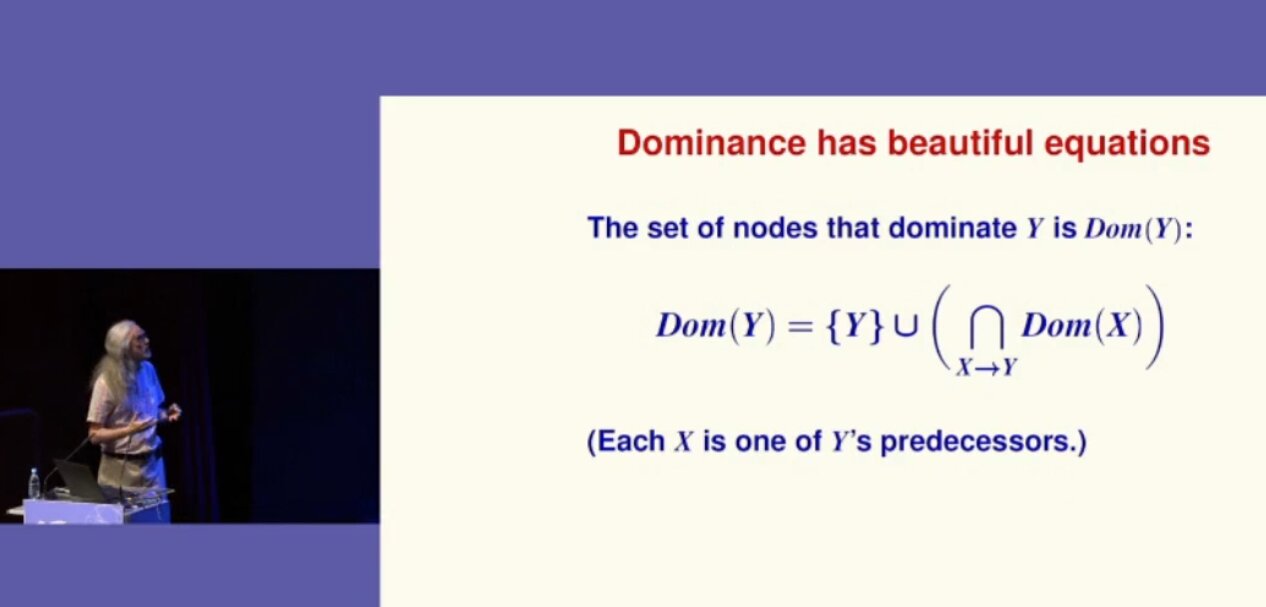 Norman Ramsey shows a formula
 Introduction: an immutable OS
The
Introduction: an immutable OS
The 