
Search Results: "sto"

8 July 2008

Christoph Berg: Packages up for adoption

(Advertisment) I have several packages to give away: If you are interested in taking any of these, please contact me. The first three have open RC-bugs that need some attention, they have been orphaned for some weeks, with no takers. endeavour and avscan are already on the way to RM, if you are interested in these, speak up now. Thanks :)

Joey Hess: distributed BTS

Though I'd mention that I'm thinking a lot about distributed bug tracking right now. LWN had an article a while ago about distributed bug tracking, and one interesting suggestion that came out of it was that a bug report could somehow be passed around from one project to another while still somehow remaining the same bug report and connecting together the info from the different systems it passed through. That would really be excellent, but getting there seems hard, since there are many different bug tracking systems, all incompatible, and all storing incompatible data. Launchpad tries to pull together info from all of them in a centralised, top-down way. I'm thinking much more decentralised, ad-hoc, and bottom-up. And more subversive. Amoung other things, I'm thinking about microformats. Anyway, I think it would be good to get a group of interested people together to look over my ideas once they're a bit more refined, and generally beat on the distributed bug tracking problem. If you're interested, get in touch.

7 July 2008

Neil Williams: At LAST!

My first go at getting Emdebian to run a GUI:


Yes, yes, there are no icons and the touchscreen library doesn't work so
the apps can't start (at least via the screen) but it's a start!

Silver USB cable on the left if ethernet-over-usb (which works fine), on the right is a USB key from which the root filesystem, kernel and modules were installed (not needed for subsequent operation but used for debugging by copying log files to the key etc.).

Stats:
Still too large at over 80Mb installed for a full GUI but that is still
100Mb smaller than a minimal Debian system without any GUI stuff.
Available only for ARM
Tested only on Balloon3 : http://balloonboard.org/index.html
Not installing cleanly at this stage - some fettling is required.

192 packages used.
Linux balloon 2.6.25.2-pxa270 #1 Sun May 18 22:38:11 BST 2008 armv5tel
unknown

ii dpkg 1.14.20em1
ii libgpewidget1 0.115-5em1
ii libgtk2.0-0 2.12.3-2em1

Access:
Ethernet over USB (static IP only at the moment)
USB storage / keyboard
Serial connection
SSH pending

Lots to do to make it simple but at least it works.

Raphaël Hertzog: Git, CIA and branch merging

Dear Joey, we also had this problem for dpkg, that’s why I hacked the /usr/local/bin/git-commit-notice script that we’re using on Alioth to do something like this instead:
while read oldrev newrev refname; do
    branchname=$ refname#refs/heads/ 
    [ "$branchname" = "master" ] && branchname=""
    for merged in $(git rev-parse --not --branches   grep -v $(git rev-parse $refname)   git rev-list --reverse --stdin $oldrev..$newrev); do
         /usr/local/bin/git-ciabot.pl $merged $branchname
    done
done
It will stop git rev-list each time that it encounters a commit that is available in any of the other branches present in the repository and thus when you merge a branch, you only see the merge commit in CIA. You should also note that the script is smarter as it calls CIA only for branch updates, not for tag creation (and other kinds of updates) where it only leads to strange errors IIRC. Partagez cet article / Share This

6 July 2008

Raphael Geissert: 7 001!


Just received the notification of last DEHS run, and decided to take a look at the stats (on last run the number of packages shipping watch files was around 6050)...


watch_count:7001
watch_count_unstable:6862
watch_count_experimental:139


milestone! :D

now ~56.59% of the non Debian-native packages are being watched :)

John Goerzen: Look out Nebraska, Here Comes Jacob!

img_5195.jpg

This weekend, the three of us got in the car and drove up to Tekamah, NE for Blogstock 08 at Cliff's. That's Jacob when we were stopped at a park halfway there. Sure looks like he's about to do something ornery, doesn't it? I think he looks even more ornery than the photo of Cliff. That's saying something.

We all really enjoyed Blogstock. Ralph, Cliff, and the rest of the Morrows sure know how to have an event. Ralph said that Cliff's BBQ smoked chicken is the best we'll ever have, and he may just have been right.

I'm going to include a few of my photos in this post; you can see all of my 200+ Blogstock photos on Flickr. (In case anyone else uploads Blogstock photos, you might tag them blogstock08).

Jacob had a blast, and I think he took special pleasure in keeping Terah and me busy. I recall saying something like this, all strung together:

"Jacob, please stop throwing dirt at the cat. That cat doesn't like to have dirt thrown on it. Jacob, stop throwing grass on the cat. Jacob, stop hitting the cat. The cat doesn't like to be hit. Can you pet the cat gently like this? Good job! Jacob, stop sitting on the cat. That hurts the cat. Stop throwing dirt at the cat. Would you like to go play in the corn?"

The Morrow cat was the most tolerant cat I've ever seen, and didn't really seem to mind having a toddler sit on its head. However, we noticed this morning that Jacob's legs mysteriously have some scratches that look very much like cat scratches. We didn't see anything happen, and Jacob didn't come crying to us or anything. I suspect the cat found a way to communicate that it doesn't very much like to have someone sit on it. I also suspect that Jacob understood the message.

img_4996.jpg

As for corn -- Jacob loves corn. He first noticed it within the past week or two, and always gets excited when we drove past some. He calls it "koh!", and particularly tall corn is "koh-koh" or "ah-koh". Cliff has tall corn, and when I first asked Jacob if he wanted to see it, he immediately stopped pestering the cat, yelled "KOOHHHHH!!! KOH KOH KOH KOH!!!" and started running towards it. He started by carefully inspecting the corn from the edge of the field. (I can't help but thinking he looks a bit like is great-grandpa Yoder in this picture.) I can almost hear him saying "yep, this corn looks pretty good" in a couple of years.

img_5051.jpg

The real fun begins when you get into the corn, apparently. With a little bit of holding my hand to balance while walking over the rows of dirt, he'd get between the rows of corn and have a blast. That means mainly picking up a full handful of dirt, running to another random corn plant somewhere, throwing the dirt in the general direction of the corn, and cackling like this was the best thing ever. I had to watch out with the camera, because I didn't really care for it to be hit by dirt, and well, I was in the general direction of corn, too.

img_5062.jpg

And, in case you didn't know, having fun in the corn is serious business.

Now, what can a toddler possibly do after playing in the corn, eating some cherries off a tree, and smearing some dirt on his face with cherry juice?
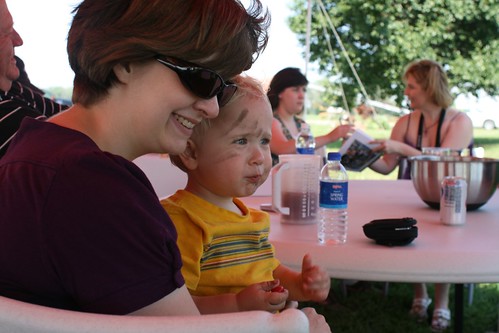
img_5088.jpg

Well, plan his next activity, of course! From the look on his face, it will be another one to keep Terah and me busy.

Jacob seemed to get along really well with everyone. But Ralph said that everytime he came close, Jacob would give him a nasty glare. Here's Ralph holding Jacob. Was this the look, Ralph?
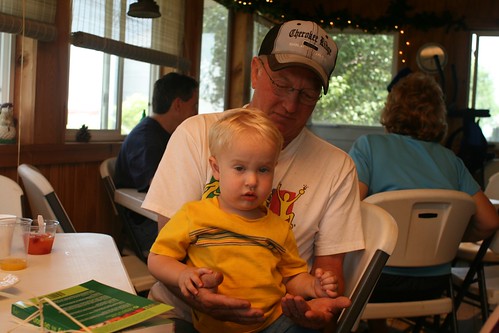
img_5078.jpg

Or maybe it was this:

img_5116.jpg

Friday evening, Cliff and Ralph made up some great hamburgers, hot dogs, and sausages. We all ate under the big tent, and had a nice time visiting. It was sort of an unusual thing -- meeting people you already know for the first time -- but very nice. We left somewhere around 8. Jacob enjoyed the hotel room, too.

img_5027r.jpg

That's Jacob talking on the telephone. Well, I would normally use it as a TV remote, but to Jacob it looks like a phone, so a phone it is. (I can see his point.) This is Jacob answering the phone by saying Hi! Jacob's word for a phone, by the way, is "hi." He'll find a remote by the TV in the room, point to it, and yell "hi!"

Jacob's usual bedtime is 6:30PM. He normally falls asleep fairly easily and sleeps soundly until 6:30AM. Well, we got him in bed well after 6:30PM. Then he made the discovery that the hotel crib/playpen has a mattress that is not attached to the bottom like our mattresses at home are. This was good for at least an hour of excited playing. As Terah and I were trying to sleep, we'd hear these cackles from Jacob's crib, and the noises of a very active boy. I'd peek around and see him using the mattress as a tent, as a peek-a-boo toy, or just as something to throw. I think he fell asleep at about 11.

And woke up promptly at 6:30 on Saturday, just like clockwork, ready to make some phone calls and start the day.

Now, just a tidbit for anyone that doesn't have kids: a toddler, low on sleep, and endless excitement all combine to make for busy parents. Jacob did pretty well, and got in a good long nap in the afternoon. We did take several trips to the corn field.

For most of us, Saturday was a day for brunch, for sitting around and visiting under the tent, for horse rides, and maybe a massage for those that wanted it. Terah got to ride a horse, and Jacob got to ride a pony, too.

For Jacob, it was a day to make new friends, too.
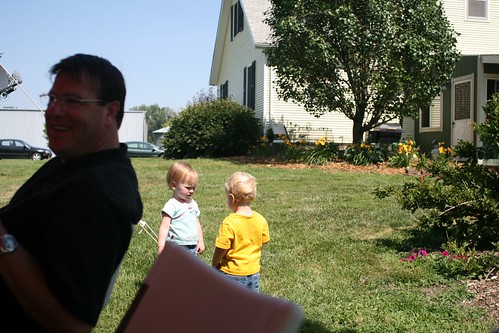
img_5095.jpg

I took this picture just a second after she had given him a hug. I was just a little too slow whipping out the camera.

But when it comes to cherry picking, it's all serious business once again.
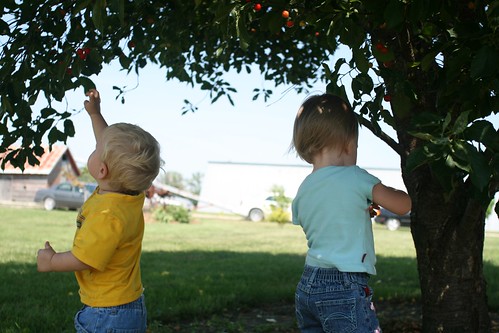
img_5098.jpg

Jacob loved eating these sour cherries. At first, he would pick one cherry off the tree, run over to the tent, give it to Terah for her to get the pit out, eat it, then go back to the tree for another one. He must have decided this was inefficient not long after I did. After a few roundtrips, he started trying to get the closest adult, whoever that might be, to pit the cherry for him. When he found one that would do it, he'd keep bringing cherries back to that person.

And then he was under the tree for a long time. Terah and I noticed, and had a conversation about just how many cherry pits it's OK to swallow. But when I checked it out, I found out that Jacob had figured out how to pit cherries himself. He did lose about half a cherry each time he did it, but I guess that was more efficient than pestering adults to do it for him. Though it may have also worked to carry two cherries to the tent at a time.
img_5123.jpg

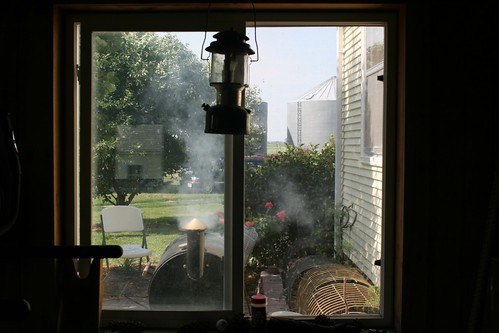
Late in the afternoon, Cliff started up the smoker for the chicken. He had rented a big smoker for the occasion, but it wasn't working, so he made do with his regular smoker, ovens for the corn, and an array of dutch ovens or side grills for everything else. I couldn't keep track of it all, and I was just watching, but somehow it all turned out perfect.
img_5140.jpg

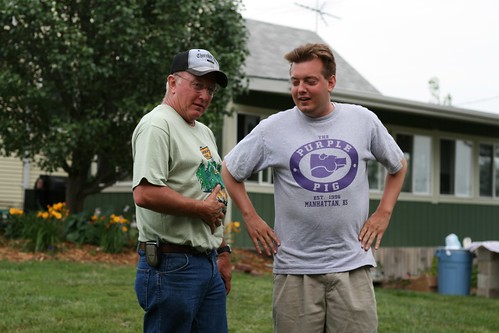
While the chicken was cooking, Ralph and son-of-Ralph (SOR) were having a conversation and patting their bellies. I couldn't hear, and didn't ask questions, so I'm choosing to believe that they were discussing how many pieces of chicken they could eat. When they heard my camera click, Ralph said, "He didn't just take a photo, did he?" Thereby guaranteeing a spot on my blog.

I had the distinction, I think, of being the least-read blogger at Blogstock. I can't quite remember how many times I'd meet someone, and they'd say, "Oh, you're the computer guy, right? I tried reading your blog, but I didn't understand it, sorry!" Completely understandable, I assure you!

After dinner Saturday, we talked about how we got started blogging (hi, Marty and Andy if you're reading), why we were there. Cliff said some very kind things about Terah and me, which really meant a lot.

Later, Cliff told me how Terah showed up in the kitchen with her tray of deviled eggs. Cliff saw them, and said, "Terah, I love you." Later, Cliff said "I love you" to someone else. From the next room, Terah piped up, "What food did she bring?"

Saturday evening, Terah took her horse ride. Jacob was quite tired by that point, and threw a tantrum about not being able to go with mom and ride a horse, too. We were talking about it when Rachel came over. Jacob asked her to pick him up, she did, and he instantly stopped fussing. Maybe it was a "so there" to me, since I had been holding him a minute before, and he took the opportunity to scream in my ear. But in any case, Jacob loved Rachel. She let him sit on a pony, carried him all around the yard, and he managed to hold it together until Terah came back at 9:30.

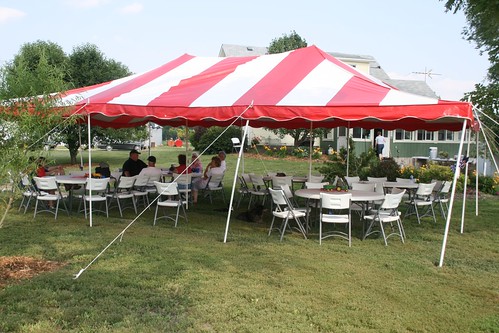
Saturday evening it was time for goodbyes. We all had a blast and I'm sure we'll do this again. If you weren't there, here's what Blogstock looks like:
img_4991.jpg

A bunch of friends sitting around chatting under a tent pretty well sums it up.

(There was a full tent of people; some were just elsewhere when this particular photo was taken.)

Jacob shared his thoughts on the whole trip on the way home, too. Well put, Jacob.

img_5202.jpg

5 July 2008

Runa Sandvik: Like a kid on Christmas Eve

I can’t stop smiling now. I worked two stations tonight, one was Greg (PE2GRT), and I even have a picture to prove it. I had so much fun. Greg was recording everything, and I got his permission to upload it here so you can all listen. I’m still a bit nervous when I’m on the air, but I’m working on it.

Jeff Bailey: My sister-in-law is in a movie trailer!!!

Holy crap - You know one of those things where life is so surreal? My sister-in-law, Heather, is in a movie trailer with a speaking role!

The Day The Earth Stood Still

About a minute from the end, she passes a message to Kathy Bates.

So yeah, everyone go see the movie. =)

4 July 2008

Russell Coker: New Dell Server

My Dell PowerEdge T105 server (as referenced in my previous post [1]) is now working. It has new memory (why replace just the broken DIMM when you can replace both) and a new BIOS (Dell released an “Urgent” update yesterday that fixes a problem with memory timing and Opteron CPUs). The BIOS update can be installed from a DOS executable (traditionally done from a floppy disk) or an i386 Linux executable. As I didn’t have a floppy drive in my new server I had to use Linux (not that I object to using Linux, but I’d rather have had the technician do it all for me). I used rescue mode from a Fedora 9 CD that was convenient, mounted a USB stick that I had used to store the BIOS update, and then ran it. The Dell service was quite good, on-site service and the problem was fixed approximately 27 hours after I called them. Replacing a couple of DIMMs is hardly a test of skill for the repair-man (unlike the time in Amsterdam when a Dell repair-man swapped a motherboard in a server with only 20 minutes of down-time). So I haven’t seen evidence of them doing anything really great, but getting someone on-site close to 24 hours after the report is quite decent, especially considering that I paid for the cheapest support that they offer. When I got it working I was a little surprised by the memory speed, I had hoped that a new 2GHz Opteron would perform similarly to an Intel E2160 and better than an old Pentium-D (see the results here [2]). Also the memtest86+ run took ages on the step of writing random numbers (I don’t recall ever seeing that step on previous runs, let alone having a system spend half an hour doing it). It seems that the CPU (Opteron 1212) doesn’t perform well for random number generation. In terms of actual operation all I’ve done so far is to install Debian. The process of installing Debian packages was quite fast (even with a RAID-1 reconstruction occurring at the same time) and the boot time is also very quick. The hard drive “rails” seemed a little flimsy. The way they attach to the drive is that they have screws that end in pins, so you screw them into plastic and the pins just sit in the holes in the drive where screws normally attach. I think that it would make more sense to have them not screw onto the plastic and instead screw onto the disk. Then if the plastic part that connects the two sides was to break it would still be usable. In fact they could just make the “rails” be separate rails as most other manufacturers do. One thing that surprised me was the lack of PS/2 keyboard and mouse ports. I had expected that such ports would last longer than serial ports and floppy drives. However my Dell has a power connector for a floppy drive and has a built-in serial port (with some BIOS support for management via a serial port - I have not investigated this because I always plan to use a keyboard and monitor). Of course I expect that most other machines will start shipping without PS/2 ports now and I will have to dispose of my stockpile of PS/2 keyboards and mouses. I generally like to keep a few on hand so that I can give friends and relatives a chance to try a selection and discover which type suits them the best. But I probably don’t need a dozen of them for that purpose. While a comment on my previous post noted that the floppy drive bay can be used for another disk, it seems that a disk is not going to fit in there easily. It looks like I might be able to install a disk there from the front if I unscrew the face-plate - but that’s more effort than I’m prepared to exert for testing the system (for production I will only have two disks). In terms of noise, the Dell seems considerably better than a NEC machine which was designed for desktop use. Of course it’s difficult to be certain as part of the noise is from hard disks and one of the disks I’ve installed in the Dell is a WD “Green” disk and the other may have newer technology to minimise noise. Also the mounting brackets for disks in a server may be better at damping vibrations than screwing a disk to the chassis of a desktop machine. Finally the NEC machine does seem to make more noise now than it used to, so maybe it would be best to compare after a few months use to allow for minor wear on the moving parts. I was initially going to run Debian/Etch on the machine. But as Debian didn’t recognise the built-in Ethernet card and the Xen kernel crashed when doing intensive disk IO I was forced to use CentOS. CentOS 5.1 didn’t start my DomU’s for some reason (which I never diagnosed) but CentOS 5.2 worked perfectly. Finally I was shocked when I realised that the Dell has no sound hardware! When the CentOS post-install program said that it couldn’t find a sound device I thought that meant that it didn’t support the hardware (it’s the sort of thing that sometimes happens when you get a new machine). But it actually has no sound support! It seems really strange that Dell design a desk-side server (which is quiet) and don’t include sound support. If nothing else then using something like randomsound to take input from the microphone line as a source of entropy is going to be useful on servers. While the seven USB ports initially seemed like a lot, being forced to use them for keyboard, mouse, and sound (if I end up using it on a desktop) means that there would only be four left.

Daniel Burrows: CWidget tutoral 1: 'Hello, world!'

Late last year, I spent some time disentangling aptitude's internal UI library and packaging it as a separate library, which I named cwidget. This article is the first in what will hopefully become a series describing the basic concepts and APIs of cwidget. It applies to the versions of cwidget currently available in Debian sid and lenny, 0.5.11-1 and 0.5.12-1. Autogenerated documentation of cwidget can be found here (but beware that as of this writing it is somewhat incomplete).
In this tutorial, I will walk through a simple program (hello.cc) that initializes cwidget, displays a simple message box, and then terminates the program when the user confirms the message. I assume a basic familiarity with C++. Screenshot of the 'Hello, World' program The first thing to do is to include the portions of cwidget that our program will use. Most importantly, we need the top level cwidget routines. These are the global routines that initialize cwidget, shut it down, and control its main loop (among other things).
#include <cwidget/toplevel.h>
cwidget comes with a collection of stock dialog boxes for things like displaying messages to the user. To access the routines that build these dialogs, we write:
#include <cwidget/dialogs.h>
All the symbols provided by the cwidget library are in the cwidget namespace. Using the full library name means that there's a reasonable chance that its names will not conflict with the names provided by other libraries; however, it's a real pain to type cwidget over and over. Since this is the only namespaced library we are using in this program, it's handy to define cw as an alias for cwidget:
namespace cw = cwidget;
Now we're ready to write the main routine. The first interaction of client code with the cwidget library is to initialize it. This will initialize the ncurses library and put the terminal into a mode suitable for a full-screen curses program.
cw::toplevel::init();
Next, we create a dialog box that will be displayed to the user. There are two things to note about this code:
  1. cwidget is Unicode-aware and the ok() routine expects the message string to be a wide-character string. In this case, that means that we need to pass in a wide-character string (indicated by typing L in front of the string).
  2. The second argument tells cwidget what to do when the ok button is pressed. The expression
      sigc::ptr_fun(cw::toplevel::exitmain);
    
    creates a slot using libsigc++. Briefly, a slot is a reference to a function or to a method of a class instance. When invoked, this particular slot will call cwidget::toplevel::exitmain(), which causes the main cwidget loop to exit. The slot is wrapped in cwidget::util::arg, a utility function that handles passing slots as optional arguments.
cw::widgets::widget_ref dialog =
    cw::dialogs::ok(L"Hello, world!",
                    cw::util::arg(sigc::ptr_fun(cw::toplevel::exitmain)));
Now that we have a widget, the next step is to arrange for it to appear on the terminal. In cwidget, control of the terminal is assigned to a single top-level widget: whatever it displays is what gets displayed on the terminal, and all user input is passed directly to it. In a real program this widget will typically manage a collection of sub-widgets and assign each one a screen region, but for now let's just display the dialog box we created:
cw::toplevel::settoplevel(dialog);
With everything initialized, we're ready to start the main loop. mainloop() will keep the display up-to-date and dispatch incoming events (for instance, keystrokes and mouse presses) until exitmain() is invoked.
cw::toplevel::mainloop();
When the user presses Enter or clicks on the Ok button in the dialog, exitmain() will be invoked by the binding that we set up earlier. Once this happens, we need to shut down cwidget in order to restore the terminal to its original state. If you skip this step, the terminal will be garbled and will not work properly when your program exits.
cw::toplevel::shutdown();
And that's it! To compile the program, change to the directory containing hello.cc and run:
$ g++ -o hello hello.cc $(pkg-config --cflags --libs cwidget)
Of course, you'll need to have the g++ and libcwidget-dev packages installed for this to work!

3 July 2008

Russell Coker: New Dell Server

My Dell PowerEdge T105 server (as referenced in my previous post [1]) is now working. It has new memory (why replace just the broken DIMM when you can replace both) and a new BIOS (Dell released an “Urgent” update yesterday that fixes a problem with memory timing and Opteron CPUs). The BIOS update can be installed from a DOS executable (traditionally done from a floppy disk) or an i386 Linux executable. As I didn’t have a floppy drive in my new server I had to use Linux (not that I object to using Linux, but I’d rather have had the technician do it all for me). I used rescue mode from a Fedora 9 CD that was convenient, mounted a USB stick that I had used to store the BIOS update, and then ran it. The Dell service was quite good, on-site service and the problem was fixed approximately 27 hours after I called them. Replacing a couple of DIMMs is hardly a test of skill for the repair-man (unlike the time in Amsterdam when a Dell repair-man swapped a motherboard in a server with only 20 minutes of down-time). So I haven’t seen evidence of them doing anything really great, but getting someone on-site close to 24 hours after the report is quite decent, especially considering that I paid for the cheapest support that they offer. When I got it working I was a little surprised by the memory speed, I had hoped that a new 2GHz Opteron would perform similarly to an Intel E2160 and better than an old Pentium-D (see the results here [2]). Also the memtest86+ run took ages on the step of writing random numbers (I don’t recall ever seeing that step on previous runs, let alone having a system spend half an hour doing it). It seems that the CPU (Opteron 1212) doesn’t perform well for random number generation. In terms of actual operation all I’ve done so far is to install Debian. The process of installing Debian packages was quite fast (even with a RAID-1 reconstruction occurring at the same time) and the boot time is also very quick. The hard drive “rails” seemed a little flimsy. The way they attach to the drive is that they have screws that end in pins, so you screw them into plastic and the pins just sit in the holes in the drive where screws normally attach. I think that it would make more sense to have them not screw onto the plastic and instead screw onto the disk. Then if the plastic part that connects the two sides was to break it would still be usable. In fact they could just make the “rails” be separate rails as most other manufacturers do. One thing that surprised me was the lack of PS/2 keyboard and mouse ports. I had expected that such ports would last longer than serial ports and floppy drives. However my Dell has a power connector for a floppy drive and has a built-in serial port (with some BIOS support for management via a serial port - I have not investigated this because I always plan to use a keyboard and monitor). Of course I expect that most other machines will start shipping without PS/2 ports now and I will have to dispose of my stockpile of PS/2 keyboards and mouses. I generally like to keep a few on hand so that I can give friends and relatives a chance to try a selection and discover which type suits them the best. But I probably don’t need a dozen of them for that purpose. While a comment on my previous post noted that the floppy drive bay can be used for another disk, it seems that a disk is not going to fit in there easily. It looks like I might be able to install a disk there from the front if I unscrew the face-plate - but that’s more effort than I’m prepared to exert for testing the system (for production I will only have two disks). In terms of noise, the Dell seems considerably better than a NEC machine which was designed for desktop use. Of course it’s difficult to be certain as part of the noise is from hard disks and one of the disks I’ve installed in the Dell is a WD “Green” disk and the other may have newer technology to minimise noise. Also the mounting brackets for disks in a server may be better at damping vibrations than screwing a disk to the chassis of a desktop machine. Finally the NEC machine does seem to make more noise now than it used to, so maybe it would be best to compare after a few months use to allow for minor wear on the moving parts. One interesting feature is the Broadcom Gig-E port on the motherboard, it supports iSCSI as a boot protocol which is an interesting alternative to PXE, so if you have a server attached to a SAN via iSCSI you can use the same protocol for booting. There is a USB port inside the case (for permanently attached USB devices), however the USB boot option states that it is offering the option to boot from front USB ports - and it claims that no operating system is found on the USB stick that I use to boot my Thinkpad. The down-side is that the bnx2 module in the Debian/Etch kernel doesn’t seem to work with it. I want the machine to have three Ethernet ports, I have a two-port PCI card and if I can get the port on the motherboard to work then I’ll have enough. Otherwise I need to buy a PCIe Ethernet card (the machine only has one PCI slot). I ended up installing CentOS on the machine after the Debian/Etch Xen kernel started falling over on disk IO load (a problem I had seen on another Debian/Etch 64bit Xen machine). CentOS 5.1 supports the built-in Ethernet device, but didn’t work correctly with Xen (my DomU’s would just hang or abort). CentOS 5.2 is now working correctly.

Antti-Juhani Kaijanaho: SF encyclopedic wiki?

I sometime wish I had access to an encyclopedia, written in wiki style so that it could be updated by anybody, that had an article about every SF story and novel ever written, and every fictional concept (like ansible, hyperspace etc) ever used in an SF story, and which crosslinked these in a useful manner. Often, once I’ve had a worldbuilding idea, I want to go read some of the key stories that use the same or a similar idea, so that I could see what others have already done with the idea. Only it turns out there are no indexes that tell me “antigravity has been used in these ways in SF stories, and it is a central concept in these stories” etc. Anybody know of something like this?

Wouter Verhelst: Review: Samsung YP-T10

About a month ago, I bought me a Samsung YP-T10 media player. I didn't want a device for which the Linux and/or Ogg Vorbis support was against the explicit wishes of the device's manufacturer, such as in the case of the iPod; because the more devices such manufacturers sell, the more they're encouraged to keep their systems closed. Definately not something I'd like to see. In that regard, the YP-T10 is pretty okayish. It supports Ogg Vorbis out of the box, and it has a reasonable set of features for a portable media player. It's not perfect, but it goes a long way. The set of features on the device is simply astonishing; apart from the obvious music playback stuff, it sports an FM radio, a text file reader, a voice recorder, a picture viewer, and a movie player. Given the size and clarity of the screen, this is actually a useful way to view a movie clip, too, although not a very comfortable one. Apart from the obvious USB cable, the device also has bluetooth connectivity which can be used to send and receive files, or to connect a bluetooth headset—especially interesting if you consider the modern stereo headphones that sound just like 'normal' headphones. Once you upgrade the firmware, the device gains the ability to play a few games, and to store vCard files. Very impressive, for such a small device. Unfortunately, not all is well. There's an RSS reader thingy on the device, which could be interesting; but it only works in companion with a Windows program, which obviously doesn't run on my (powerpc) laptop. There's only one way to charge the battery, and that's by connecting the device to a USB port. Unfortunately, that also means you cannot use the device while it's charging, since it switches to the MTP mode in which to receive files. That also goes for bluetooth, BTW -- if you're playing something, and the device receives bluetooth data, the playback is paused until receiving that data is finished. The USB cable is a nonstandard one. Given my track record of losing cables and stuff, I'm sure I'll get in trouble at some point. Hopefully Samsung will still sell those at that point. If not, well, I guess I'll see what happens then. Another point of this cable is that it's impossible to remove it from the device while the headphones are connected; you have to push a button which is physically placed in the direction of the headphone connector, about a millimeter away from it—not very interesting if I just want to connect the device to store one or two media files on there... The headphones that came with the device were not too bad, but the protective sleeves that came with it were too loose; after about a week or so, I'd lost both of them and had to buy me a new set of headphones. Luckily, that involves a simple standard headphone connector, so no problem there. All these are just minor annoyances, however. I don't really need an RSS reader, anyway. What really is a problem is the lack of tag support in Ogg files; while I can at least play them, the display will show 'Unknown' for artist, album, or title for any Ogg file—which is a real PITA. Altogether, however, I don't think the disadvantages of the device outweigh the advantages, and I've had quite some fun with it already. Having said that, given the lack of tag support in Ogg files, I don't feel I can really recommend it, at least not if you want to use it to play your Ogg Vorbis collection.

Craig Sanders: Introduction to Linux Signals 101

or ^C doesn’t kill processes, SIGINT does On the LUV mailing list recently, the perils of tty handling when booting with “init=/bin/bash” came up, and somebody asked why running ‘ping’ (without remembering to run stty or openvt first) will result in you having to reboot. i.e. “why doesn’t ^C work in emergency mode”? I wrote a fairly detailed, but comprehensible to a novice, answer and a friend suggested i should have written it as a blog post - which was the point of me setting up a blog in the first place. So here’s a slightly edited version of it: > Couldn’t you just open another console, run “top” and find the PID for
> ping and kill it? Or ps aux grep ping and kill it? Is a reboot the
> only way to kill a ping where ^C is not available? there’s nothing special about ^C except that by long convention it is mapped to the interrupt signal aka intr aka SIGINT. So, ^C itself doesn’t kill a program, the fact that it generates an interrupt signal does. If you’ve rebooted for emergency maintenance (e.g. “init=/bin/bash” on the LILO or GRUB command line) then all you get is ONE instance of /bin/bash. Nothing else is running and nothing else has been run (because you’ve overriden the usual init with /bin/bash). No setup has been done on the terminal, and no other virtual terminals have been opened. The emergency environment is minimal (and deliberately so - you asked for it, you got it). It’s up to you to do whatever is needed to set up the environment so that you can do the required maintenance/repair work. So if you run ping *before* remembering to set up the terminal (’stty sane’) then ^C doesn’t work because ^C doesn’t generate SIGINT so there’s no way of telling ping to quit, and if you haven’t opened another virtual terminal with openvt (aka “open” - it got renamed some time ago) then there is no other shell available to run top or ps or kill. BTW, it’s not just ping. You’ll see the same problem in the same environment with ANY program that runs continuously until it gets a signal to terminate it. ping’s just the most obvious and common example. Most programs, especially simple programs like ping, don’t have a ^C handler. They don’t need one. They have a signal handler which, amongst other things, handles SIGINT however it’s generated - it can be generated by pressing ^C in a normal tty environment, or by sending the program a SIGINT (e.g. “kill -2″). That, BTW, is a core difference between a SIGTERM (just plain ‘kill’ or ‘kill -15′) and SIGKILL (’kill -9′). SIGTERM is usually handled by the program by setting up a signal handler for it, and it voluntarily terminates when it receives the signal (usually cleaning up, closing files, etc before it does so). If the program hasn’t set up a handler for SIGTERM then the default action is to just terminate. A program can set up a handler which does nothing on SIGTERM, which effectively just ignores the signal. SIGKILL is handled by the kernel and it just kills the process immediately - it can not be blocked or intercepted by the program. (By common convention, SIGHUP or ‘kill -1′ tells a long running daemon process to just reload it’s config files. It’s also generated when the tty that the program is running on is terminated - e.g. you log out or the modem hangs up or the ssh session dies, hence the name “HUP” aka “HANGUP”. That’s why you need to use something like nohup or screen if you want a program to continue running after you log out) In a way, ‘kill’ is a bit of a misnomer. It’s actually a generic tool for sending signals to running processes, but the default action for most of those signals is to terminate the program. Here’s a list of the signals which can be sent.
$ kill -l
 1) SIGHUP	 2) SIGINT	 3) SIGQUIT	 4) SIGILL
 5) SIGTRAP	 6) SIGABRT	 7) SIGBUS	 8) SIGFPE
 9) SIGKILL	10) SIGUSR1	11) SIGSEGV	12) SIGUSR2
13) SIGPIPE	14) SIGALRM	15) SIGTERM	16) SIGSTKFLT
17) SIGCHLD	18) SIGCONT	19) SIGSTOP	20) SIGTSTP
21) SIGTTIN	22) SIGTTOU	23) SIGURG	24) SIGXCPU
25) SIGXFSZ	26) SIGVTALRM	27) SIGPROF	28) SIGWINCH
29) SIGIO	30) SIGPWR	31) SIGSYS	34) SIGRTMIN
35) SIGRTMIN+1	36) SIGRTMIN+2	37) SIGRTMIN+3	38) SIGRTMIN+4
39) SIGRTMIN+5	40) SIGRTMIN+6	41) SIGRTMIN+7	42) SIGRTMIN+8
43) SIGRTMIN+9	44) SIGRTMIN+10	45) SIGRTMIN+11	46) SIGRTMIN+12
47) SIGRTMIN+13	48) SIGRTMIN+14	49) SIGRTMIN+15	50) SIGRTMAX-14
51) SIGRTMAX-13	52) SIGRTMAX-12	53) SIGRTMAX-11	54) SIGRTMAX-10
55) SIGRTMAX-9	56) SIGRTMAX-8	57) SIGRTMAX-7	58) SIGRTMAX-6
59) SIGRTMAX-5	60) SIGRTMAX-4	61) SIGRTMAX-3	62) SIGRTMAX-2
63) SIGRTMAX-1	64) SIGRTMAX
See the man pages for init(8), kill(1), and especially signal(7) for more info on this topic. Syndicated from Craig Sanders' Errata: Tech Notes and Miscellaneous Thoughts Introduction to Linux Signals 101

Biella Coleman: Barista rants about stupid customers at Starbucks

Who knew that rants at Starbucks could be the subject of a seemingly interesting lingustic article.

2 July 2008

Enrico Zini: Using OpenStreetMap maps with gpsdrive

Using OpenStreetMap maps with gpsdrive Here's how I made it:
  1. wget http://download.geofabrik.de/osm/europe/italy.osm.bz2
  2. bunzip2 italy.osm.bz2 (this might not be needed)
  3. setup mapnik; the instructions for sid worked on my lenny/testing system.
  4. osm2pgsql -c /store/italy.osm (you should not use -m with gpsdrive)
  5. start gpsdrive and turn on mapnik mode. Originally it did not work for me, until I deleted ~/.gpsdrive/osm.xml.
This makes gpsdrive not only more useful, but also completely Free.

Jon Dowland: My site is (slowly) moving

I've decided to give my website a spring-clean. One of the things that is overdue a change is my domain name. You can find out more about the history of the "alcopop" name at /about/ if you are so inclined. I've been using it for a long time and haven't really thought about what people might presume about me from the name. Over the next few months, the site will be moving to the more neutral jmtd.net (my initials). From this point forward, any new content will go there only. This log will probably stay where it is for a while, however. I'm taking this opportunity to migrate to ikiwiki which is a really useful bit of software and has managed to scratch an itch that I thought nothing would quite manage.

Antti-Juhani Kaijanaho: A reader s meme

From Tuesday thingers, via Jules Jones:
Here is the Top 100 Most Popular Books on LibraryThing. Bold what you own, italicize what you’ve read. Star what you liked. Star multiple times what you loved!
(more…)

Clint Adams: Meiosis

Word on the street is that there will be a Mini Purse in about seven months. That could mean Procter & Gamble stock is undervalued. Contact Manish for more details.

Evan Prodromou: 14 Messidor CCXVI

I've been working hard on a new project for the last couple of months, which I'm glad to be able to share with you now. For the impatient: today my company Control Yourself, Inc. is launching Identi.ca, a new microblogging service. (There's a press release on the Control Yourself site). Users can post short messages about themselves to Identi.ca, which are then broadcast to friends in their social network using instant messages (IM), RSS feeds, and the Web. The difference between Identi.ca and other services like Twitter, Jaiku, or Pownce is that it is Open Source software. I tried to meet the requirements of the Open Service Definition -- Free Software and Free Data. In the same spirit, Identi.ca supports open standards like OpenID and OpenMicroBlogging, to integrate with other Web sites and services. A little background: in March of this year, I was privileged to take part in a summit at the Free Software Foundation about open network services. The summit brought together a number of people involved in Open Source and Open Content to discuss problems with "software as a service" and how to solve them. More and more, people are depending on Web sites and other network services "in the cloud" to do much of their computing tasks. Examples: using Yahoo! Maps instead of a desktop mapping application, or using Google Docs instead of Microsoft Word. Software-as-a-service can be extremely convenient -- data on remote servers stays up-to-date, software gets updated regularly, and you can use different computers or mobile devices to get at the same data. The sacrifice, however, is user autonomy. If you decide that Google Docs doesn't work the way you want, you can't tinker with the software and fix it. If you want to share a map on your Web site, you need Yahoo!'s permission. If you want to use a new social networking site, you have to re-enter all your personal data and re-invite all your friends. The data and code belong to someone else, and they're hidden behind servers that you, the user, aren't allowed to touch. There aren't a lot of clear answers to this. But our loosely-organized summit group is moving forward to promote and support Free/Open Network Services. These are Web sites (or other services) that use Free/Open Source software (with the source available) and provide Open Content data (except for data that users mark as private). There are a lot of them popping up -- like OpenStreetMap and Wikipedia. Others are close on the software side, although the data side is a little less clear -- like Wordpress.com, Reddit, or LiveJournal. After the summit, I wanted to try to see what I could do personally to further this mission. I think several of the sites I work on now -- like Vinismo and Keiki -- would qualify. But I also wanted to break some new ground and challenge people's assumptions about software services. And the services I was using, and getting invited to, the most were microblogging sites. Clearly that was the area to dig into further. To do it, I started Laconica, the software underlying Identi.ca. It's AGPL'd PHP using MySQL as a backend -- probably the most accessible platform on the planet right now. I used lots of existing libraries to make development easier, and I hired a great designer (Montreal's Marie-Claude Doyon) to give the site a professional look. Almost as important as the Open Source and Open Content is the distributed nature of Identi.ca. I designed an open protocol called OpenMicroBlogging, based on OAuth, to make it easy for users on one Laconica server to subscribe to notices by users on another server. I hope this will make the service more robust, develop a rich and diverse social network, and stimulate innovation. Because in the end, that's the Internet that we all want to be part of. As a society we rejected "walled gardens" like AOL, Compuserve, and MSN in the early 90s in favor of the distributed, open nature of the World Wide Web. And I think that the new walled gardens like Facebook and Google, need to be replaced with open protocols and standards. Will Open Network Services be the basis of "Web 3.0", the next stage of Web culture? I truly think so, but that's still an open question. People have been using Identi.ca for a few weeks now, although I've asked that folks wait until the software was more mature before posting public links. Today I'm lifting that embargo and asking friends and colleagues to join and participate in the conversation. I hope that people who are sympathetic with the ideals of Identi.ca will take the time to blog about it, invite their friends, and start using the site regularly. And of course I'd love to get feedback on bugs, requested features, and ideas for the future. Please also subscribe to me on the site -- see http://identi.ca/evan -- so I can see who's out there. There are still so many standard services on the Web that I'd like to see open sourced, open content, and distributed -- advertising, storage, image and file sharing, comments, portal pages, social news, social bookmarks, search engines. There's a real business potential for taking the lead in these areas, and I hope more people jump in.

Next.

Previous.