Search Results: "tim"

4 September 2011

Christoph Egger: A week of Debian GNU/kFreeBSD

While other people are squashing RC bugs I was using this week to fix (or investigationg) some more kFreeBSD issues -- mostly looking at failed build logs and trying to fix the problems and after some nice fish for dinner writing things up.

Kai Wasserb ch: Untangling the Linux graphics stack

[UPDATE 2011-09-05]I received some questions (or saw them), which I tried to answer with a follow-up entry.[/UPDATE] As I tried to explain this a few times in the past to others and had trouble myself, when I started using Linux, I thought I take some time today and write down what parts comprise the Linux graphics stack and how they interact. I'll ignore some parts which aren't too interesting to an average user at the moment, to keep this post as consise as possible. Apart from that, I hope I'm able to put all the relevant data into one spot. Let us start our little journey in the kernel. There, in a directory named gpu you'll find the drm directory, which contains all DRM drivers. In this post, we'll focus on those. The drivers in that directory are the kernel side of the Direct Rendering Infrastructure (DRI) and are responsible for managing concurrent access to the graphics hardware. They also provide interfaces to pass commands and data to the GPU. The DRI wiki explains the three main purposes of the DRM modules. The DRM module is also the part that decides whether KMS or UMS is used. Other acronyms you might hear with regard to graphics acceleration on Linux and are referring to the Kernel part are: Apart from that, every driver has its hardware-specific parts like utilizing power-saving functions of the respective GPUs, loading firmware, if required, etc. Now we move from Kernel space to user land. We'll ignore any non-X and non-Mesa parts (like acceleration for TTYs). That means, that our next GPU specific part is most likely the DDX. (Please note, that the classic DDX might be replaced by a Gallium3D state tracker, currently that would be the xorg state tracker, but xorg will be replaced by XA. This is only an option if the Gallium driver for your GPU supports one of those state trackers, see the Gallium status page for further details.) The DDX for your GPU offers plain (2D) X acceleration on your hardware. The respective DDX' are generally named xf86-video-[NAME], where [NAME] is replaced by e.g. ati or intel. The DDX decides which X acceleration paths are available. Acronyms you might hear, referring to the DDX part of the graphics stack, are: We're almost through: the last important part is the 3D acceleration offered by a Mesa driver. Mesa drivers come in two flavours: classic (e.g. all Intel drivers which are supported by Intel) and Gallium3D-based (like the drivers for Radeon chips from the R300 onwards). The difference here is, that the Gallium3D drivers try to share as much code as possible (and thus simplify writing a new driver supporting many platforms, systems and technologies), while the classic drivers are specific to certain platforms, chips, and technologies. They share much less code among each other. All parts of Mesa need direct access to the graphics hardware (DRI) The Mesa drivers use the 3D pipeline of the GPUs for accelerated drawing, even for non-3D applications like video acceleration (recently VDPAU, XvMC and VA support were added to Gallium3D, driver support followed quickly). Otherwise the Mesa drivers are mainly used for OpenGL acceleration. Users of OpenGL include scientific programs, CAD and of course games. This concludes our little journey through the various parts of the Linux graphics stack. I hope it helps in understanding the building blocks.

Raphaël Hertzog: My Debian activities in August 2011

This is my monthly summary of my Debian related activities. If you re among the people who made a donation to support my work (91.44 , thanks everybody!), then you can learn how I spent your money. Otherwise it s just an interesting status update on my various projects. Dpkg work When I came back from Debconf, I merged my implementation of dpkg-source --commit (already presented last month). I continued some work on the hardening build flags but it s currently stalled waiting on Kees Cook to provide the required documentation to integrate in dpkg-buildflags(1). Following a discussion held during DebConf, Michael Prokop has been kind enough to setup a git-triggered auto-builder of dpkg (using Jenkins). You can now help us by testing the latest git version. Follow those instructions:
$ wget -O - http://jenkins.grml.org/debian/C525F56752D4A654.asc   sudo apt-key add -
$ sudo sponge /etc/apt/sources.list.d/dpkg-git <<END
deb http://jenkins.grml.org/debian dpkg main
END
$ sudo apt-get update && sudo apt-get upgrade
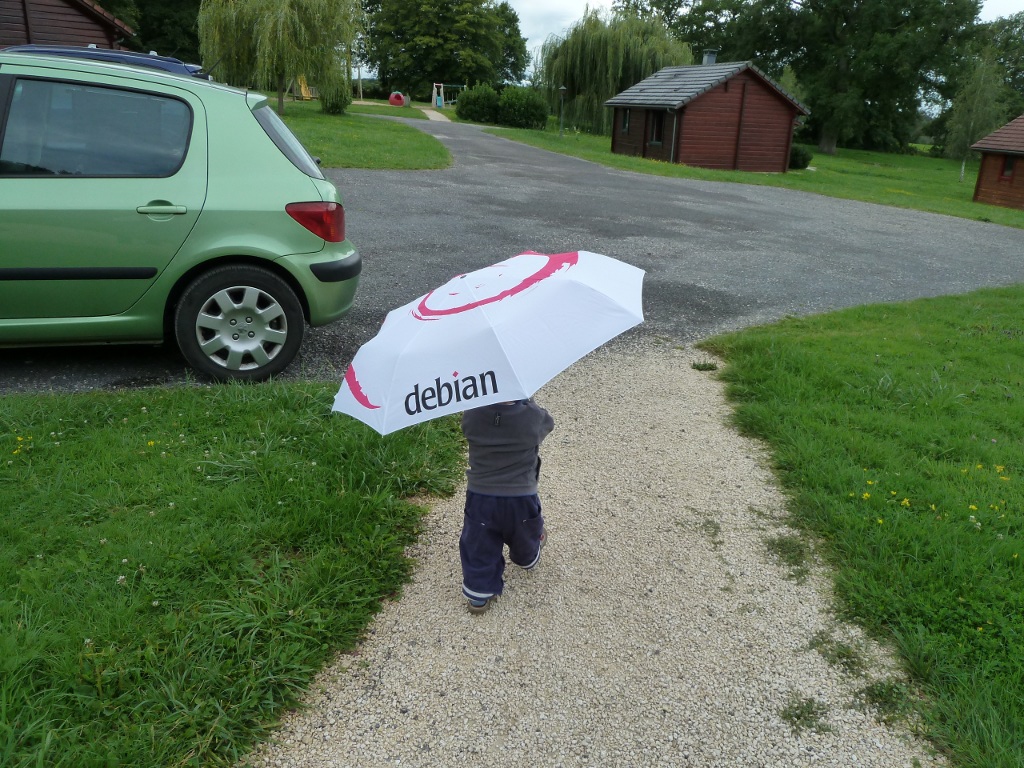
On the bug fixing side I took care of #640198 (minor man page update), #638291 (a fix to correctly handle hardlinks of conffiles), #637564 (the simplification logic of union dependencies was broken in some cases) and #631494 (interrupting dpkg-source while building a native source package left some temporary files around that should have been cleaned). WordPress update I released WordPress 3.2.1 in unstable (after having taken the time to test the updated package on my blog!) and fixed its RC bug (#625773). In the process I discovered a false positive in lintian (I reported it in 637473). Gnome-shell-timer package From time to time, I like to use the Pomodoro Technique. That s why I was an user of timer-applet in GNOME 2. Now with the switch to GNOME 3, I lost this feature. But I recently discovered gnome-shell-timer, a GNOME Shell extension that provides the same features. I created a Debian package of it and quickly filed some bugs while I was testing it (two usability issues and an encoding problem) QA Work During DebConf I met Giovanni Mascellani and he was interested to help the QA team. He started working on the backlog of bugs concerning the Package Tracking System (PTS) and submitted a bunch of patches. I reviewed them and merged them but since they were good, I quickly got lazy and got him added to the QA team so that he can commit his fixes alone. It also helps to build trust when you have had the opportunity to discuss face to face. :-) Vacation That s not so much compared to usual but to my defense I also took 2 weeks of vacation with my family. But somehow even in vacation I can t really forget Debian. Here s my son:
Thanks See you next month for a new summary of my activities.

3 comments Liked this article? Click here. My blog is Flattr-enabled.

2 September 2011

Asheesh Laroia: Debian bug squashing party at SIPB, MIT


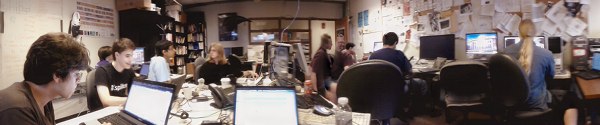
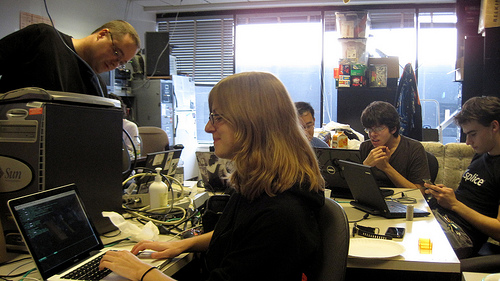
(Photo credit: Obey Arthur Liu; originally on Picasa, license.) Three weekends ago, I participated in a Debian bug squashing party. It was more fun than I had guessed! The event worked: we squashed bugs. Geoffrey Thomas (geofft) organized it as an event for MIT's student computing group, SIPB. In this post, I'll review the good parts and the bad. I'll conclude with beaming photos of my two mentees and talk about the bugs they fixed. So, the good:

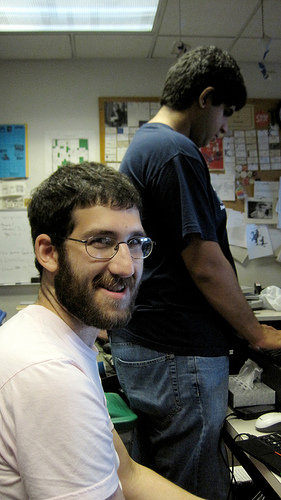
The event was a success, but as always, there are some things that could have gone more smoothly. Here's that list: Still, it turned out well! I did three NMUs, corresponding to three patches submitted for release-critical bugs by my two mentees. Those mentees were: Jessica enjoying herself Jessica McKellar is a software engineer at Ksplice Oracle and a recent graduate of MIT's EECS program. She solved three release-critical bugs. This was her first direct contribution to Debian. In particular: Jessica has since gotten involved in the Twisted project's personal package archive. Toward the end of the sprint, she explained, "I like fixing bugs. I will totally come to the next bug squashing party." Noah grinning Noah Swartz is a recent graduate of Case Western Reserve University where he studied Mathematics and played Magic. He is an intern at the MIT Media Lab where he contributes to DoppelLab in Joe Paradiso's Responsive Environments group. This was definitely his first direct contribution to Debian. It was also one of the most intense command-line experiences he has had so far. Noah wasn't originally planning to come, but we were having lunch together before the hackathon, and I convinced him to join us. Noah fixed #625177, a fails-to-build-from-source (FTBFS) bug in nslint. The problem was that "-Wl" was instead written in all lowercase in the debian/rules file, as "-wl". Noah fixed that, making sure the package properly built in pbuilder, and then spent some quality time with lintian figuring out the right way to write a debian/changelog. That's a wrap! We'll hopefully have one again in a few months, and before that, I hope to write up a guide so that we run things even more smoothly next time.

Wouter Verhelst: Mind reading

As a spectator to sporting events, there are times when the ability to read a sport(wo)man's mind would be... interesting. For instance. Yesterday's woman's 1500m final at the world athletics championships in Daegu was won by Jennifer Simpson. This was a surprise to many, including (apparently) Jennifer herself, as evidenced by the look on her face after the finish. See, for instance, this youtube clip (interesting bits around the 4 minute mark) Alternatively, I'd love to know what went through Carlos Berlocq when he won his first game in the match against Novak Djokovic in the third set. I mean, obviously nobody expected the world number one to lose from a relatively unknown 74-ranked argentine player, but that doesn't make it less painful.

Rapha&#235;l Hertzog: Google plus and server to give away

Just a quick note to let you know that (like many free software hackers apparently) I have an account on Google+. I m not using it much yet but I like it in general. It s interesting to see how Google transformed Joindiaspora s aspects into circles . When Google will make an API available, I ll probably setup it like my public Facebook page so that new blog posts are automatically announced. In the mean time, it s going to be very quiet on my Google+ profile. That said, I used it twice this week: the first time because I m looking for a French developer with sysadmin skills, and the second time because I have a server to give away (Pentium IV 3Ghz, 4 Gb RAM, 200 Gb of diskspace in RAID1 Hard). If you take the server for a free software project, it can be hosted for free where it currently is (courtesy of Julien Danjou). So if you re also a Google+ user, feel free to add me to one of your circles.

5 comments Liked this article? Click here. My blog is Flattr-enabled.

1 September 2011

Sune Vuorela: First Plasma Active experience

John Layt recently blogged about his adventure with having children use Plasma Active with quite some success. The task I was this evening out at a board meeting in my local scout group, and for such a event you of course need the following I ve heard from various people that an iPad is great for such meetings, and produces much less paper waste, so of course, I wanted to try with my brand new Plasma Active tablet. Before meeting So before meeting: Charge tablet & fetch needed documents.
Possible issues: Everything was on a my imap server. Minutes was a plain text file, Agenda was a docx file, treasures report was a xls spreadsheet, and the various other papers were pdf files. For fetching, I ve heard a lot about Kontact Touch and everything using Akonadi. Besides me not being fully able to properly enter my password in the first 10 tries, and a sometimes flaky internet connection, everything here was a breeze. To the three first documents, the answer was Calligra Mobile . Rendered even the docx file better than libreoffice did. And Calligra Mobile was nice and touch friendly and worked pretty well for this. There is also something called Calligra Active , which is supposed to be way cooler, but still misses at least one essential feature to be used for a touchscreen only. It can only open documents passed to it on command line. And I m not yet very comfortable with a onscreen keyboard. For the last, there was Okular. The desktop edition of Okular. I was impressed by *how* usable Okular were for a touch screen device. A quick and dirty edition of a mobile Okular could probably be done with remove all toolbars and menubars and such and if no file is passed on command line, then open a file selector window and open selected file , which shouldn t take a person knowing the Okular code much time. But that s still just the Quick and dirty edition During And during the meeting, everything worked flawlessly, except the internet on site, so I was happy I had prepared in advance. As a extra bonus, Plasma Active offered the nice KDE Games, as John Layt also mentioned, for the parts of the meeting where it was a bit boring. So. At least for me and in this case, Plasma Active did its job, at least to a A. And it is still described as Alpha software. Issues There is, though, a few important usability issues: For QWidget based applications, oxygen s nice desktop feature of being able to move the application by dragging it from almost everywhere is just completely useless on a touch screen device when you are only using full screen applications. Luckily, oxygen-settings can disable this. Update: People tells me that this has already been fixed. The Network Manager Plasma Widget, in case of no network , is very hard to activate in order to select a network. A bit larger touch area here would be very nice. Currently, it feels like it is only slightly larger than a dot: . Future Oh boy, I m looking forward for Plasma Active getting to Beta or RC status. Or Final! And btw, I m looking for a job.

Christian Perrier: Bug #640000

Brent S. Elmer reported the Debian bug #640000 on Thursday September 1st, against evolution. Bug #630000 was reported as of June 10th. This time, it took a little bit more than 2.5 months for 10,000 bugs. This #640000 bug was indeed "fixed" very quickly as it turns out it was not a bug..:-).. Congratulations to Corsac for fixing it..:-)

Niels Thykier: DEP-5, JW, dev docs and other goodies

Are you using DEP-5 in copyright file? Are you doing it right? Thanks to the work of Jakub Wilk, Lintian 2.5.3 will spot some of the regular mistakes (including syntax errors) and check if you are using the newest revision. This is far from the only thing Jakub Wilk has added to Lintian in this development cycle. Most of his contributions in 2.5.3 are listed next to a little [JW] in the changelog and I hope to see a lot more of those. :) Together with Jeremiah Foster, we have created a small POD document that hopefully will help aspiring developers. The file currently explains how the source code is divided, some core concepts and how to run specific tests in the test suite. The plan is to make it available on lintian.d.o along with a link to the git source code (#639974). Last time, I mentioned we have gotten rid of collection/fields by a simple improvement to our Lintian::Collect API. Turns out the same improvement could also be used on collection/source-control-file. This means we no longer create a file per field in the d/control of the source package. To avoid (any more) confusion, Lintian will now inform you if the package carries an override for a non-overridable tag (except if you use --quiet). On a related note, Lintian will now error out if it sees an unknown field in a vendor profile. Previously it would just silently ignore the field. There is one more change I would like to highlight and this one is probably best served with an example:
$ lintian --show-overrides ../lintian_2.5.2.dsc
N: We build-depend on cdbs for the test suite
O: lintian source: unused-build-dependency-on-cdbs
N: We build-depend on quilt for the test suite
O: lintian source: quilt-build-dep-but-no-series-file
N: We don't have a patch system for lintian itself
O: lintian source: patch-system-but-no-source-readme
Lintian will now attempt to extract and print the comment related to the override from the overrides file. The comment will be printed above each tag the override applies to (so you may see some repeated comments). The full documentation for how Lintian finds the comments (or why it does not find the comment) is available in the Lintian User Manual. The exact format of the comments being outputted may change in the near future. Particularly, we may add a marker to assist the tools generating lintian.d.o to find the comments. Hopefully we will be able to close #512901 soon. Beyond the changes above, I am very happy to see the bug count drop below 180 unfixed bugs[1]. We have not been this low there since the 2.5.0~rc1 upload (in February) and I hope we can keep it this time. :) Finally if you ever wanted to run your own little lintian.d.o , then you may find the Lintian harness proposal interesting. The basic idea the is to clean up the current tools and make a proper frontend out of them. Should you be interested, feel free to come with suggestions or requests. [1] Lintain bug page I use the number next to Outstanding under Status near the bottom. So pending bugs are considered fixed in my numbering.

31 August 2011

Wouter Verhelst: Debian-installer support for NBD

Folkert asks, not without reason, whether my debian-installer support for NBD is available for testing. The answer is: yes, it is! At DebConf11 in Banja Luka, I sat down with Otavio, who helped me get the necessary modules uploaded in the correct way. As such, you can now install debian to an NBD device with a regular debian-installer build although for now, you'll probably still need a daily build to get it to work[1]. To test, you should do the following: And that's it! Everything else should Just Work(tm). Well, almost. There's some loose ends that I need to fix, which I haven't had the time to look into yet. Hopefully that won't take too long. [1] It's possible that cdimage builds will work too, but I haven't tested that.

Tim Retout: Apache Request-Range headers

Note to self: when disabling Range headers in Apache to fix CVE-2011-3192, be sure to read the updated advisory and also disable Request-Range headers. (Presumably not "Range-Request" as in the summary of that link?) Or just apply the handy Debian update, of course.

David Welton: Pranks that are actually funny

I saw this link on Hacker News:
http://techcrunch.com/2011/08/30/speaking-of-dropbox-heres-my-no-1-phone-prank/

And couldn't help but thinking it was singularly unfunny. He changed the guy's password - ha ha! I'm sure most people can do better. Here's one off the top of my head: I was due to leave a company in a few days, prior to our move to Austria. One of my colleagues in the programming department was tasked, in that period, with doing a bunch of work with Drupal, which he found singularly unpleasant and a pain in the neck to work with, which was compounded by the boss asking often about the status of the project. My colleague tended to be an early riser and would get into the office to get some work done early, before it got noisy and people started hassling him about this, that or the other thing. So on my soon-to-be-abandoned workstation, I set up a cron job that would, during those hours, randomly play a sound file I recorded while he was out, with my impression of a ghostly voice saying "druuuuuuuppaaaaaaallll". He said it scared the pants off him the first couple of times it went off.

Keith Packard: Altos1.0

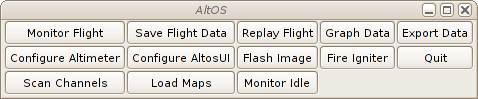
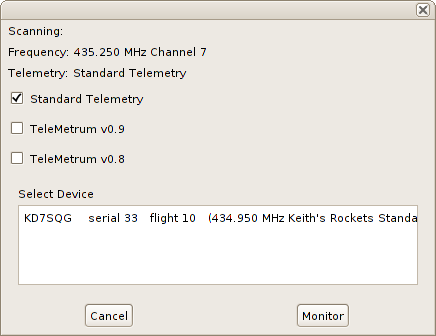
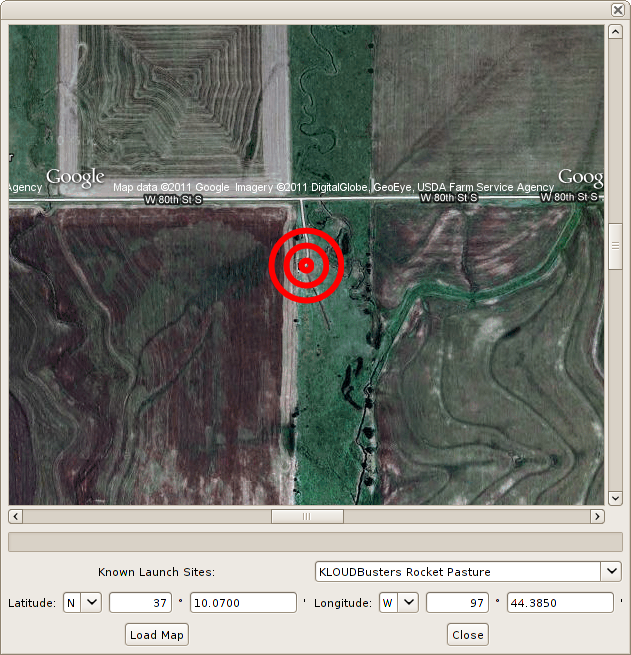
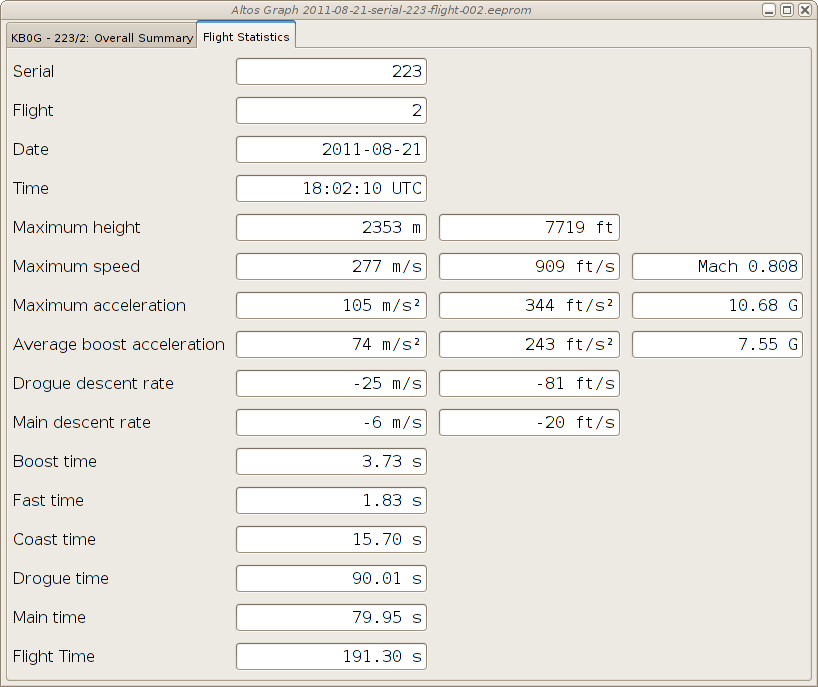
AltOS 1.0 TeleMini support and a host of new features Bdale and I are pleased to announce the release of AltOS version 1.0. AltOS is the core of the software for all of the Altus Metrum products. It consists of cc1111-based microcontroller firmware and Java-based ground station software. AltOS Firmware TeleMini support, Kalman Filtering and more Support for the new TeleMini altimeter is included in version 1.0 along with a wealth of other new features: AltosUI New Features AltosUI has also seen quite a bit of work for the 1.0.1 release. Of course, many of the changes in AltosUI are to accomodate the new TeleMini altimeter and changes in the AltOS firmware for TeleMetrum. In addition, we ve also added lots of new features in response to user requests.

30 August 2011

Keith Packard: TeleMini

TeleMini Dual-deploy altimeter with telemetry now available TeleMini is a miniature dual-deploy flight computer with data logging and radio telemetry. Small enough to fit comfortably in an 18mm tube, this powerful package does everything you need on a single board: I don t have anything in these images to show just how tiny this board is but the spacing between the screw terminals is 2.54mm (0.1in), and the whole board is only 13mm wide (1/2in). We ve been flying these for quite a while; testing the hardware and tuning the firmware. My new 29mm mmt airframe, Koala, sports a TeleMini board for apogee-only deployment. It s been really nice to have something flying on G s and H s that doesn t depend on the vagaries of delay grains.

Gintautas Miliauskas: Crackbook

Shortly before starting my job at Google, I had invested a little time into writing a Chrome extension called Crackbook. It helps against wasting time on the web by delaying access to selected sites (see this XKCD cartoon for an illustration, and check out the hint too). Because access is just delayed rather than blocked, you are less likely to just disable the tool after a while, which is exactly what happened to the other tools I tried to use. Having found a little free time in the evenings, I have just updated the extension. If you use Chrome, please try it and give feedback! The extension also collects anonymous statistics on what domains people tend to mark as junk and how often the domains are hit. Some very basic results are available at crackbook.info. Now that a fair amount of data has been collected, a deeper statistical inspection is in the plans. Stay tuned.

Timo Jyrinki: MeeGo (CE) and the FreeSmartphone.Org Distributions

Debian MeeGo mixup. MeeGo screenshot CC-BY wiki.meego.com, Debian screenshot by me
FreeSmartphone.Org (FSO), Openmoko, Debian's FSO group, SHR, QtMoko et cetera are a few of the community based intertwined projects to bring free software to smartphones. They have a relatively long and colorful history of doing this, and have nowadays been approaching multiple target devices despite limited resources and for example the losing of Openmoko Inc. in 2009. I've been using Debian on my Neo FreeRunner phone for over two years now, and over three years of FreeRunner use altogether. FSO2, the next generation freesmartphone.org stack, is finally coming into Debian now, extending the basic phone support besides Openmoko phones to eg. Palm Pre, Nexus One, Nokia N900 and a few HTC phones. It needs a lot of tweaking and eg. a proper kernel, but still.

Four years after beginning of sales of the first Openmoko device (Neo1973), we're still in the pioneering phase of free distributions for mobile phones. There is no "Ubuntu for phones" so to speak, not for even a selected models. Meanwhile, like so often in the wide world, competing free software approaches have arrived. Android is the obvious one, and has seen a port to Neo Freerunner among else. Android is not as open a project as one could like, and replaces everything we've known with its own code, but nevertheless it requires to be noted and is completely usable in its free software form. But since there are limitations to its approach, and since it's more of an own separate world from the rest of Linux distributions, it is not as interesting to me as the others in the long run, at least in its current shape.

A more similar competitor to FSO and distributions using FSO is MeeGo and its middleware, and to be more precise so far specifically Nokia's efforts on it. Obviously there is the strong competitor for the best general population smartphone of the year, the Qt based Nokia N9, but its default software is more of a proprietary thing even though it has a neatly rock solid free software foundation with separate free/non-free repositories and all that. Nice and great for the (GNU/)Linux in general, but the Harmattan software is not exactly on topic for this blog post. It's however in my opinion the best marketing to vendors around the world GNU/Linux + Qt can get as Android Linux has been taking most of the limelight. But meanwhile, with significantly smaller focus and resources, Nokia has also been sponsoring to try to create a truly community based mobile phone software stack at the MeeGo upstream, nowadays called "MeeGo Community Edition" or MeeGo CE for short. It co-operates with the MeeGo Handset target of MeeGo (and Intel) that hasn't got actual target consumer hardware at the moment, although that might change soon (?), but has been doing some nice applications recently. CE has the target hardware and additional device specific and non-specific software cooking. It used to target Nokia N900 only, but nowadays the project has added N950 (the for-developers-only phone) and N9 to the targets, and it is starting to seem there should be no showstoppers to bring MeeGo CE (or other distributions later on) to them, despite some earlier doubts. A few needed bits to void the warranty we all want to do are still missing, though, but coming. After that it's just developing free software. Usual caveats about specifics of a few kernel drivers apply, as the devices were not designed with the sole purpose of free software drivers in mind. Hopefully mobile 3D gets into a better shape in the coming years, but that's another story.

MeeGo (CE) smartphone middleware, of course, shares nothing with FSO *). While FSO is a "handle everything" in itself with its wide variety of daemons, MeeGo consists of more separate software like Intel's and Nokia's oFono for modem support. FSO demo UIs and SHR UIs have traditionally focused on using Enlightenment 17 for its suitability to low power machines, while in MeeGo everything is written in Qt. As Qt/QML is becoming faster and faster, and it's very powerful to write, there might be quite a bit of useful software emerging from there also for other distributions besides MeeGo itself. Actually, there is already a Debian MeeGo stack maintainer group available, although it hasn't yet focused on the UIs as far as I can see (if I'll have free time I'll join the effort and see for myself in more detail). There is also the QtMoko distribution, based on the original, canceled Trolltech/Nokia Qt Extended (Qtopia) project, but ported to newer Qt:s and put on top of Debian.

*) Although, correct me if I'm wrong and I might be, the Nokia N900 isi modem driver in FSO was ported/learned from oFono.

MeeGo CE is not only a project to bring a proper MeeGo distribution to a few smartphones, but also to shake out bugs in the MeeGo project's contributions and community processes. It is acting as a completely open MeeGo product contributor, and investigating how things should be optimally done so that everything gets integrated into the MeeGo properly, and that proper MeeGo software releases can be done for the target devices. Therefore it's also an important project for the vitality of the whole MeeGo.

MeeGo CE has so far had a whole team in Nokia working on it, but for obvious strategy related reasons community cannot rely on it lasting forever. The real hurdle is for the wider free smartphones community to be ready for really embracing a project that is already a community project but to outsiders might seem like a company project. I believe it's never easy to grow a volunteer community if the starting setup is a paid company team, but it mainly requires a) the interested people and b) the few smart ones to take control and communication responsibility so that it's not anymore seen as a company project. MeeGo CE never was a traditional company project, everything being done in the open and together with volunteers, but I just know how people perceive these things by default. People tend to assume stuff as someone else's responsibility

Whatever happens, I hope there are enough people interested in free software for mobile phones to carry on all these different approaches to the software needed. I hope MeeGo / MeeGo CE will have a great future, and I hope that both the middleware like FSO and MeeGo's components, and the UIs like FSO, SHR, QtMoko and MeeGo Handheld UIs continue to develop. I also hope other distributions like Debian will gather a strong suite of packaged software for smartphones. I know I have had some hard time to find suitable apps for my phone at times.

For those interested about how I use Debian as my mobile phone OS, see http://wiki.openmoko.org/wiki/User:TimoJyrinki

29 August 2011

Lior Kaplan: The Mozilla Inn

Hello planet Mozilla. For my first post appearing in the planet I d like to write about a recent community aspect I experienced, the rest will probably be more technical. While we have some great volunteers participating in Mozilla, there s aren t any Mozilla representatives in Israel. To be exact, there are a few Israeli that do work for Mozilla (and I think they work from within Israel), but we don t feel them in the local free software community. I was very surprised to see 5 people from Mozilla attending Wikimania 2011, but this is of course a good surprise. I would have excepted to see representatives in a free software conference, but we still haven t had any international free software conference in Israel (maybe some day I could bring Debconf here). A week later I had another representative arriving for a free software conference I organized called August Penguin. This is the first time having someone arriving from abroad just for the local conference. For me, a free software user and contributor, Mozilla is mostly a software project. Meeting the various representatives gave me the chance to know some of the other sides of the organization and its activities. For me that was really interesting and I think that it would be positive to do many of the activities also in Israel. Besides the interest in the organization, I had the chance to host some of the representatives by showing them around, providing a place to crash at and making sure they stay after the conferences would be as easy and enjoyable as possible. Reflecting back, my place would probably could be the Moziila Inn as I had 3 people from Mozilla as guests in one week (on separate days). For me that was fulfilling the community side of the term free software community , as we re not only a technical community. Others might even call this an outreach program (a term I heard from all 3 guess in various contexts), but I m still not sure who is outreaching to whom (: So if you happen to work on Mozilla stuff, and arriving Israel, drop me a note
Filed under: Israeli Community, Mozilla

Axel Beckert: SSH Multiplexer: parallel-ssh

There are many SSH multiplexers in Debian and most of them have one or two features which make them unique and especially useful for that one use case. I use some of them regularily (I even maintain the Debian package of one of them, namely pconsole :-) and I ll present then and when one of them here. For non-interactive purposes I really like parallel-ssh aka pssh. It takes a file of hostnames and a bunch of common ssh parameters as parameters, executes the given command in parallel in up to 32 threads (by default, adjustable with -p) and waits by default for 60 seconds (adjustable with -t). For example to restart hobbit-client on all hosts in kiva.txt, the following command is suitable:
$ parallel-ssh -h kiva.txt -l root /etc/init.d/hobbit-client restart
[1] 19:56:03 [FAILURE] kiva6 Exited with error code 127
[2] 19:56:04 [SUCCESS] kiva
[3] 19:56:04 [SUCCESS] kiva4
[4] 19:56:04 [SUCCESS] kiva2
[5] 19:56:04 [SUCCESS] kiva5
[6] 19:56:04 [SUCCESS] kiva3
[7] 19:57:03 [FAILURE] kiva1 Timed out, Killed by signal 9
(Coloured Screenshots done with ANSI HTML Adapter from the package aha.) You easily see on which hosts the command failed and partially also why: On kiva6 hobbit-client is not installed and therefore the init.d script is not present. kiva1 is currently offline so the ssh connection timed out. If you want to see the output of the commands, you have a two choices. Which one to choose depends on the expected amount of output: If you don t expect a lot of output, the -i (or --inline) option for inline aggregated output is probably the right choice:
$ parallel-ssh -h kiva.txt -l root -t 10 -i uptime
[1] 20:30:20 [SUCCESS] kiva
 20:30:20 up 7 days,  5:51,  0 users,  load average: 0.12, 0.08, 0.06
[2] 20:30:20 [SUCCESS] kiva2
 20:30:20 up 7 days,  5:50,  0 users,  load average: 0.19, 0.08, 0.02
[3] 20:30:20 [SUCCESS] kiva3
 20:30:20 up 7 days,  5:49,  0 users,  load average: 0.10, 0.06, 0.06
[4] 20:30:20 [SUCCESS] kiva4
 20:30:20 up 7 days,  5:49,  0 users,  load average: 0.25, 0.17, 0.14
[5] 20:30:20 [SUCCESS] kiva6
 20:30:20 up 7 days,  5:49, 10 users,  load average: 0.16, 0.08, 0.02
[6] 20:30:21 [SUCCESS] kiva5
 20:30:21 up 7 days,  5:49,  0 users,  load average: 3.11, 3.36, 3.06
[7] 20:30:29 [FAILURE] kiva1 Timed out, Killed by signal 9
If you expect a lot of output you can give directories with the -o (or --outdir) and -e (or --errdir) option:
$ parallel-ssh -h kiva.txt -l root -t 20 -o kiva-output lsb_release -a
[1] 20:36:51 [SUCCESS] kiva
[2] 20:36:51 [SUCCESS] kiva2
[3] 20:36:51 [SUCCESS] kiva3
[4] 20:36:51 [SUCCESS] kiva4
[5] 20:36:53 [SUCCESS] kiva6
[6] 20:36:54 [SUCCESS] kiva5
[7] 20:37:10 [FAILURE] kiva1 Timed out, Killed by signal 9
$ ls -l kiva-output
total 24
-rw-r--r-- 1 abe abe  98 Aug 28 20:36 kiva
-rw-r--r-- 1 abe abe   0 Aug 28 20:36 kiva1
-rw-r--r-- 1 abe abe  98 Aug 28 20:36 kiva2
-rw-r--r-- 1 abe abe  98 Aug 28 20:36 kiva3
-rw-r--r-- 1 abe abe  98 Aug 28 20:36 kiva4
-rw-r--r-- 1 abe abe 102 Aug 28 20:36 kiva5
-rw-r--r-- 1 abe abe 100 Aug 28 20:36 kiva6
$ cat kiva-output/kiva5
Distributor ID:	Debian
Description:	Debian GNU/Linux 6.0.2 (squeeze)
Release:	6.0.2
Codename:	squeeze
The only annoying thing IMHO is that the host list needs to be in a file. With zsh, bash and the original ksh (but neither tcsh, pdksh nor mksh), you can circumvent this restriction with one of the following command lines:
$ parallel-ssh -h <(printf "host1\nhost2\nhost3\n ") -l root uptime
[ ]
$ parallel-ssh -h <(echo host1 host2 host3     xargs -n1) -l root uptime
[ ]
In addition to parallel-ssh the pssh package also contains some more ssh based tools: I though think that parallel-ssh is by far the most useful tool from the pssh package. (Probably no wonder as it s the most generic one. :-)

Biella Coleman: Redesign

I sorely need to update this blog with some real content and news as there is some big news. In the meantime, I did redesign my main website (finally) and you can see what I have been up to there

Mike Hommey: Extreme tab browsing

I have a pathological use of browser tabs: I use a lot of them. A lot is probably an understatement. We could say I use them as bookmarks of things I need to track. A couple weeks ago, I was saying I had around two hundred tabs opened. I now actually have much more. It affected startup until I discovered that setting the browser.sessionstore.max_concurrent_tabs pref to 0 was making things much better by only loading tabs when they are selected. This preference has/will become browser.sessionstore.restore_on_demand. However, since I only start my main browser once a day, while other applications start and while I begin to read email, I hadn t noticed that this was still heavily affecting startup time: about:startup tells me reaching the sessionRestored state takes seven seconds, even on a warm startup. It also affects memory usage, because even when tabs are only loaded on demand, there is a quite big overhead for each tab. And more importantly, it gets worse with time. And I think the user interface is actively making it worse. So, to get an idea how bad things were in my session, I wrote a little restartless extension. After installing it, you can go to the about:tabs url to see the damage on your session. Please note that the number of groups is currently wrong until you open the tab grouping interface. This is what the extension has to say about my session 2 days ago, right after a startup: The first thing to note is that when I filed the memory bug 4 days earlier, I had a bit more than 470 tabs in that session. You can see 4 days later, I now have 555 tabs (if excluding the about:tabs tab). The second thing to note is something I suspected because it s so easy to get there: a lot of the tabs are opened on the same address. Since Firefox 4.0, if I m not mistaken, there is a great feature in the awesomebar, that allows to jump to an existing tab matching what you type in the urlbar. That is very useful, and I use it a lot. However, there are a lot of cases where it s not as useful as it could be. One of the addresses I visit a lot is http://buildd.debian.org/iceweasel. It gives me the build status of the latest iceweasel package I uploaded to Debian unstable. That url is particularly known in my browsing history, and is the first hit when I type buildd in the urlbar (actually, even typing b brings it first). Unfortunately, that url redirects to https://buildd.debian.org/status/package.php?p=iceweasel through an HTTP redirection. I say unfortunately because when I type buildd in the urlbar, I get 6 suggestions for urls in the form http://buildd.debian.org/package (I also watch other packages build status), and the suggestion to switch to the existing tab for what the first hit would get me to is 7th. Guess what? The suggestion list only shows 6 items ; you have to scroll to see the 7th. The result is that I effectively have fifteen tabs open on that url. I also keep a lot of bugzilla.mozilla.org bugs open in different tabs. The extension tells me there are 255 of them for 166 unique bugs. Largely, the duplicate bug tabs are due to having these bugs open in some tab, but accessing the same bugs from somewhere else, usually a dependent bug or TBPL. I also have 5 tabs opened on my request queue. I usually get there by going to the bugzilla home page and clicking on the My Requests link. And I have several tabs opened on the same bug lists. For the same reason. When I started using tab groups, I splitted in very distinct groups. Basically, one for Mozilla, one for Debian, one for stuff I want to follow (usually blog posts I want to follow comments from), and one for the rest. While I was keeping up with grouping at the beginning, I don t anymore, and the result is that each group is now a real mess. Firefox has hundreds of millions users. It s impossible to create a user experience that works for everyone. One thing is sure, it doesn t work for me. My usage is probably very wrong at different levels, but I don t feel my browser is encouraging me to use it better, except by making my number of opened tabs explode to an unmanageable level (I already have 30 tabs more than when I started writing this post 2 days ago). There are a few other things I would like to know about my usage that my extension hasn t told me yet, either because it doesn t tell, or because I haven t looked: Reflecting on my usage patterns, I think a few improvements, either in the stock browser, or through extensions, could make my browsing easier: Maybe these exist as extensions, I don t know. It s hard to find very specific things like that through an add-on search (though I haven t searched very hard). [Looks like there is an experiment for the auto tab grouping part] I think it would also be interesting to have something like Test Pilot, but for users that want to know the answer to How do I use my browser? . As I understand it, Test Pilot can show individual user data, but it only can do so if there is such data, and you can t get data for past studies you didn t take. In my case, I m not entirely sure that, apart from the pinned tabs, I use the tab bar a lot. And even for pinned tabs, most of the time I use keyboard shortcuts. I m not using the menu button that much either. I already removed the url and search bar (most of the time) with LessChrome HD. Maybe I could go further and use the full window for web browsing.

Next.

Previous.