Search Results: "tg"

18 August 2011

Thorsten Glaser: Not a good idea

Sometimes, when you develop WUIs (Web UI), you really have to test them against a variety of browsers, not all of which are available for the operating system installed on peoples desktop PCs, or working in Wine. (For theming QA, Wine is also a #FAIL, but for technical QA, MSIE 1.5, 3.0, 5.02, 5.5, 6.0 work fine, and MSIE 7.0 can be used under rare circumstances.) In these cases, you use VMs running certain operating systems. One VM had an interesting idea of which hardware you can safely remove a couple of days ago when I was hacking it anyway: Safely Remove  the RAM controller?

Thorsten Glaser: ??? ??? or mira meets d-i

(originally published on 2011-01-26, but reposting so the people on Pl net Debian can have some fun) While helping a cow-orker setting up an encrypted hard disc (basically, putting / and swap into LVM inside cryptsetup, and /boot outside), mirabilos managed to discover an entirely new side of Kubuntu 10.10 on his voyage Warped
wo noch nie ein Debian Developer zuvor gewesen ist oder? (Only a reboot helped at that point. Earlier, the dialogue box was shown only once, but upon re-entry of the partitioning clickibunti d-i tool, neither button did anything save redrawing this interesting, informative and intuitive error message.)

11 August 2011

Sandro Tosi: Mercurial: how to completely remove a named branch

I like so much the git feature branch workflow, that in the early days of development on Python with Mercurial I created some named branches; well, that is something you should not do.

In Mercurial, the changeset contains the branch name, so you cannot develop on a separated (named) branch and then merge on default and hope that branch goes away, because it will stay.

What do I do now? Python Mercurial repository is quite big (around 200Megs) so I wanted to avoid to re-check it out. Thanks to the help of the folks on #mercurial (on freenode IRC network) I found my solution: strip the branch!

Please note that strip is dangerous. Use it only as last resort, and mind you can lose data with it. That said, it's a very powerful tool :) My main aim was to remove completely those named branches, leave no traces, and lose the changes I made on them. Another important aspect is that I didn't merged those branches on default.

So, how to get rid of a named branch:

$ hg strip "branch($ BRANCHNAME )"

and re-iterate for all the branches you have, that's it. Now, to be completely sure they were removed and no spurious changes are in the repository, you can:

$ hg pull -u
$ hg outgoing

and if it says "no changes found" you're sure that those branches are really gone.

7 August 2011

Debian Med: Debian Med BOF @ DebConf 11 in Banja Luka

Andreas Tille had a BOF about Debian Med at DebConf 11 in Banja Luka at 30.7.2011. The slides as well as a video record can be downloaded.
Andreas had given an overview about the current status of Debian Med. It can be stated that the project which is one out of several Debian Pure Blends had made good progress over its nine years of existence. While several applications which might be used in medical care in the wider sense (which also stretches to microbiological research) were added to Debian so that we have a count of close to 200 packages it was also stated that the existence of Debian Med itself has attracted new Developers to the Debian project. Saying this Free Software for medicine profits from the Debian distribution and Debian was able to gather new manpower because this software was included.
The following TODO items were raised in the BOF
Visibility:
Plans for the next Debian Release:

30 July 2011

Vincent Bernat: Plot benchmark results with matplotlib

In the past week, I ran a lot of benchmarks using a Spirent Avalanche which is an appliance providing performance testing of network related products (a load balancer, a router, a web server, ). The reporting module does not provide a lot of flexibility and the plots are not the most beautiful ones. Fortunately, the results are also exported as CSV. matplotlib is a python plotting library which produces great figures without making things hard when they should be easy. It is a good replacement for GNU Plot and you don t need a lot of Python knowledge to use it. The documentation includes a fine user s guide that should get you started in less than 20 minutes.

Quick introduction You can use matplotlib from IPython to experiment:
$ ipython -pylab
Python 2.6.7 (r267:88850, Jul 10 2011, 08:11:54) 
Type "copyright", "credits" or "license" for more information.
  Welcome to pylab, a matplotlib-based Python environment.
  For more information, type 'help(pylab)'.
> In [1]: plot([1,1,4,5,10,11])
When you are ready, you can build a simple Python script:
#!/usr/bin/env python
from matplotlib.pylab import *
plot([1,1,4,5,10,11])
savefig("my-plot.pdf")

Grabbing results from CSV Data are contained into a file named realtime.csv. It contains the raw data as well as some general information about the benchmark (test name, description, paramaters ). We need to skip those. Fortunately, csv2rec() allows to load data from a CSV file into a record array and skip the first rows if necessary.
from matplotlib.pylab import *
import sys, os
import gzip
skip = 0
for line in gzip.open(sys.argv[1]):
    if line.startswith("Seconds Elapsed,"):
        break
    skip = skip + 1
ava = csv2rec(gzip.open(sys.argv[1]),skiprows=skip)
Now, the Elapsed seconds column can be accessed with ava['elapsed_seconds'].

General structure I need 4 plots:
  • successful, unsuccesful and attempted transactions per second,
  • minimum, average and maximum response time per page,
  • Avalanche CPU usage,
  • incoming and outgoing bandwidth.
The most important plot is the first one. The second one is less important and the last ones are here only to check we did not hit some bottleneck during the benchmark. We want to produce a page like this: General structure matplotlib allows to plot subfigures. We create 4 subfigures sharing the same X axis (which the number of seconds elapsed since the beginning of the benchmark). We save the result to PDF.
# Create the figure (A4 format)
figure(num=None, figsize=(8.27, 11.69), dpi=100)
ax1 = subplot2grid((4, 2), (0, 0), rowspan=2, colspan=2)
# [...]
ax2 = subplot2grid((4, 2), (2, 0), colspan=2, sharex=ax1)
# [...]
ax3 = subplot2grid((4, 2), (3, 0), sharex=ax1)
# [...]
ax4 = subplot2grid((4, 2), (3, 1), sharex=ax1)
# [...]
# Save to PDF
savefig("%s.pdf" % TITLE)

Bandwidth plot Let s start with the easiest plot: bandwidth usage.
# Plot 4: Bandwidth
ax4 = subplot2grid((4, 2), (3, 1), sharex=ax1)
plot(ava['seconds_elapsed'], ava['incoming_traffic_kbps']/1000.,
     'b-', label='Incoming traffic')
plot(ava['seconds_elapsed'], -ava['outgoing_traffic_kbps']/1000.,
     'r-', label='Outgoing traffic')
grid(True, which="both", linestyle="dotted")
ylabel("Mbps", fontsize=7)
xticks(fontsize=7)
yticks(fontsize=7)
Here, in the suplot positioned in (3,1), we plot the number of seconds elapsed versus the incoming traffic with a blue line (b-). We also plot the seconds elapsed versus the outgoing traffic with a red line (r-). Here is the result: Bandwidth plot Most functions of matplotlib are exposed as a method of the object they refer to and as a global function. In the latest case, the function is applied to the latest created figure or plotting area. For example, plot() is called a function and therefore refer to the plotting area ax4. We could have written ax4.plot() instead.

CPU plot The average CPU utilization data available in the CSV file needs to be normalized. We assume the Avalanche to be mostly idle on start. The plotting part is pretty similar to our previous case.
# CPU
max = np.max(ava['average_cpu_utilization'])
order = 10**np.floor(np.log10(max))
max = np.ceil(max/order)*order
cpu = (max - ava['average_cpu_utilization'])*100/max
# Plot 3: CPU
ax3 = subplot2grid((4, 2), (3, 0), sharex=ax1)
plot(ava['seconds_elapsed'],
     cpu,
     'r-', label="Avalanche CPU")
grid(True, which="both", linestyle="dotted")
ylabel("Avalanche CPU%", fontsize=7)
xticks(fontsize=7)
yticks(fontsize=7)

Response time We would like to plot response time. We have three corresponding metrics: minimum response time, average response time, maximum response time. Because those metrics start from 0 ms up to several seconds, a logarithmic scale is used:
# Plot 2: response time
ax2 = subplot2grid((4, 2), (2, 0), colspan=2, sharex=ax1)
plot(ava['seconds_elapsed'], ava['minimum_response_time_per_page_msec'],
     'b-', label="Minimum response time")
plot(ava['seconds_elapsed'], ava['maximum_response_time_per_page_msec'],
     'r-', label="Maximum response time")
plot(ava['seconds_elapsed'], ava['average_response_time_per_page_msec'],
     'g-', linewidth=2, label="Average response time")
legend(loc='upper left', fancybox=True, shadow=True, prop=dict(size=8))
grid(True, which="major", linestyle="dotted")
yscale("log")
ylabel("Response time (msec)", fontsize=9)
xticks(fontsize=9)
yticks(fontsize=9)
This is also the first graphic with a legend. Response time plot

Transactions per second The most important plot is the number of transactions per second.
# Plot 1: TPS
ax1 = subplot2grid((4, 2), (0, 0), rowspan=2, colspan=2)
plot(ava['seconds_elapsed'], ava['desired_load_transactionssec'],
     '-', color='0.7', label="Desired Load")
plot(ava['seconds_elapsed'], ava['successful_transactionssecond'],
     'g:', label="Successful")
plot(ava['seconds_elapsed'], smooth(ava['successful_transactionssecond']),
     'g-', linewidth=2)
plot(ava['seconds_elapsed'], ava['attempted_transactionssecond'],
     'b-', label="Attempted")
plot(ava['seconds_elapsed'], ava['aborted_transactionssecond'],
     'k-', label="Aborted")
plot(ava['seconds_elapsed'][:-1], ava['unsuccessful_transactionssecond'][:-1],
     'r-', label="Unsuccessful")
legend(loc='upper left', fancybox=True, shadow=True, prop=dict(size=10))
grid(True, which="both", linestyle="dotted")
ylabel("Transactions/s")
The number of successful transactions is plotted twice: when the benchmarked equipment becomes overloaded, we get a lot of noise in this metric and it can be difficult to read. Therefore, we plot a smoothed version with the help of NumPy:
import numpy as np
def smooth(x, win=4):
    s = np.r_[x[win-1:0:-1],x,x[-1:-win:-1]]
    w = np.ones(win, 'd')
    y = np.convolve(w/w.sum(),s,mode='valid')
    return y[(win-1)/2:-(win-1)/2]
np.r_() is just here to extend our data by the size of the window. np.ones() build a weight vector of the size of the window. If the window is 4, we get [0.25, 0.25, 0.25, 0.25]. We use this vector to apply a convolution to the original data. Here is the result: Transactions plot The original data is a green dotted line while the smoothed one is a green thick line. What about the three annotations? matplotlib allows to put annotations on a figure. Here is how this is done:
# Noticeable points
count = 0
def highlight(index, reason):
    global count
    if index and index > 0:
        x,y = (ava['seconds_elapsed'][index],
               smooth(ava['successful_transactionssecond'])[index])
        plot([x], [y], 'ko')
        annotate('%d TPS\n(%s)' % (y,reason), xy=(x,y),
                 xytext=(20, -(count+4.7)*22), textcoords='axes points',
                 arrowprops=dict(arrowstyle="-",
                 connectionstyle="angle,angleA=0,angleB=80,rad=10"),
                 horizontalalignment='left',
                 verticalalignment='bottom',
                 fontsize=8)
        count = count + 1
highlight(np.argmax(smooth(ava['successful_transactionssecond'])), "Max TPS")
highlight(np.argmax(cpu > 99), "CPU>99%")
highlight(np.argmax(ava['average_response_time_per_page_msec'] > 500), ">500ms")
highlight(np.argmax(ava['average_response_time_per_page_msec'] > 100), ">100ms")
np.argmax() returns the index of the first maximum value. The trick here is that when I write ava['average_response_time_per_page_msec'] > 100, I get an array with 1 when the value is more than 100 and 0 otherwise. Therefore, np.argmax() will return the first index where the value is superior to 100 ms. The highlight() function will add a point (plot([x], [y], 'ko')) on the smoothed successful transactions par second plot and add an annotation with some fancy arrow. Look at this benchmark of nginx as SSL termination for a complete output of this script.

27 July 2011

Thorsten Glaser: jupp: new release, new distro package

jupp 3.1.17 uploaded today, mostly thanks to user input suggesting I improve things, especially the syntax highlighting. (Maybe more to come.) I like users who don t complain but give helpful comments and send in patches even. Since the Debian FTP masters complain that the NEW queue is empty for the first time in ages, I also uploaded jupp to Debian proper (got requests, several, from actual users independent of each other). I originally thought I were the only user, it s not worth it, maybe too close to joe (which segfaults a lot more and has some ugly things, so I cherry-picked the better features of it instead of rebasing jupp), but it s had a package in mports (MidnightBSD ports) for ages, users submitted one to FreeBSD last year and keep it updated, there s even a WIP package in pkgsrc , and who knows where else or how many people are using my OpenSuSE Buildservice package or have had installed the previous DEB package I uploaded to my play repo. So now I feel it worth to upload. I even invested some major packaging rework, such as splitting the build-arch and build-indep parts from each other, and importing the upstream source into the packaging VCS, as I have learned in the packaging with git talk here at DebConf. (No guys, I will stick to CVS as git doesn t give me anything.)

Thorsten Glaser: (Banja Luka)

Been hot and dry today (although the sky is now back full of dark clouds), so I had a headache most of the morning until way past noon. Better now though, and I found a place where I could get Cevapi, which are really some sort of quick imbiss / fast food here (no uve pirina though, and she didn t have any Ajvar nor did she speak any language other than the local, but that wasn t a problem, only a bit dry because I didn t give in and took the offered Ketchup). Bought a 1 bottle of Kru kovac (from Hrvatska, though) and some small plastic glasses, then. I wonder how many people would, now, be willing to give Bosna i Hercegovina a try as holiday region (which might have been the intent of having a Balkan DebConf). I m sure I do. To all attendees: the hotel will give you some kind of stamped hardpaper card which states where you stayed on the trip, and for how long give that to the border guards when exiting Bosnia.

26 July 2011

Erich Schubert: Restricting Skype via iptables

Whenever I launch Skype on my computer, it gets banned from the university network within a few minutes; the ban expires again after a few minutes when I close Skype. This is likely due to the aggresive nature of Skype, maybe the firewalls think it is trying to do a DDoS attack. One of the known big issues of using Skype.
For Windows users, there are some known workaround to limit Skype that usually involve registry editing. These are however not available on Linux, unfortunately.
Therefore, I decided to play around with advanced iptables functionality. While you cannot match the originating process reliably (the owner match module seemed to include such functionality at some point, but it was deemed unreliable on multi-core systems). However, there are other and more efficient methods of achieving the same.
Here's my setup:
# Add a system group for Skype
addgroup --system skype
# Override permissions of skype (assuming Debian package!)
dpkg-statoverride --update --add root skype 2755  which skype 
And these are the iptables rules I use:
iptables -I OUTPUT -p tcp -m owner --gid-owner skype \
    -m multiport ! --dports 80,443 -j REJECT
iptables -I OUTPUT -p udp -m owner --gid-owner skype -j REJECT
They allow outgoing connections by Skype only on ports 80 and 443, which supposedly do not trigger the firewall (in fact, this filter is recommended by our network administration for Skype).
Or wrapped as pyroman (my firewall configuration tool; aptitude install pyroman) module:
"""
Skype restriction to avoid firewall block.
Raw iptables commands.
"""
iptables(Firewall.output, "-p tcp -m owner --gid-owner skype -m multiport ! --dports 80,443 -j %s" % Firewall.reject)
iptables(Firewall.output, "-p udp -m owner --gid-owner skype -j %s" % Firewall.reject)
which I've put just after the conntrack default module, as 05_skype.py

25 July 2011

Thorsten Glaser: DebConf

Sitting in , , (Banja Luka, Republika Srpska, Bosna i Hercegovina) let s just say the country is pretty nice. People are okay, the beer is not called Nektar by accident, and the Mark (subunit Fennig, funnily enough) is worth 1 DM. Price niveau is below Germany (even when we had the DM) in some things, below or at modern European in others. In short, very affordable. They don t accept paper money though, it s really hard to get coins in most places, and they only want those. The food is okay, and my hotel is very luxurious. It s also got LAN. The weather is not so nice at the moment though: raining a lot, and expecting 30 C too-hot sun in two days. And there are still no Geocaches in the area. Anyway, DebConf is going on, I m acclimating and trying to get people, faces, nicknames and realnames connected. And accents. (And pronunciation of names for example, Ian differs totally from what I d use.) We even have working wire network (LAN) most of the time ;-) We re indeed still working on resurrecting m68k, but that s no news. More on that later, I d say.

21 July 2011

Kai Wasserb ch: pbuilder: building a source package

From time to time I get e-mails about my wine-unstable packages being uninstallable. Most often it turns out, that the problem stems from using e.g. oldstable (Lenny) instead of at least stable (Squeeze). The same problem arises, if you wish to install the wine-unstable packages on a platform for which I don't offer binaries. In either case you need to build the package from source, which isn't as difficult, as many think. This entry in my ongoing tips mini-series of posts is thus going to detail how you setup pbuilder and afterwards use it to build a package. Please note, that I'm just focusing on pbuilder here and ignore things like cowbuilder. Preparations The following steps are needed just once, in general. Some would be needed again, if you want to create a second base.tgz, e.g. for a different distribution.
  1. Install pbuilder with your favourite package manager, e.g. aptitude: aptitude install pbuilder
  2. Become root
  3. Configure pbuilder. Have a look at /etc/pbuilderrc, /usr/share/doc/pbuilder/examples/pbuilderrc and the manual page for pbuilderrc for reference. If you want to change some settings made in /etc/pbuilderrc, create a /root/.pbuilderrc and override any settings you don't like.
  4. Create the base.tgz (the chroot environment for your builds). In the easiest case all your settings are made in the configuration files and you just need to run pbuilder --create, which creates the base.tgz in /var/cache/pbuilder, unless you changed the configuration.
    You should also note, that you can override certain settings, like the distribution or the path to (and name of) the base.tgz file created. See the manual page for pbuilder for all options and when they can be used.
Build a package The following steps are needed for every build:
  1. Download the source package, you want to build. No matter how you fetch them (dget, apt-get source, ), you should end up with three files, one of them ending in .dsc.
  2. Become root.
  3. Update your base.tgz file: pbuilder --update. Again, see the manual page for further options. (You can skip this step, if you just created the base.tgz or you just updated it for another build.)
  4. Build the source package: run pbuilder --build /path/to/source-package.dsc (obviously you need to replace the last argument with a real path)
  5. If you haven't changed the configuration of pbuilder in that regard, then your binaries end up in /var/cache/pbuilder/result. Install the binaries, you want, from there (with dpkg -i).
Now you should be able to build your own packages from source! And to answer one question, that some of you might have now ("Why use pbuilder at all and not just build the package with dpkg-buildpackage directly?"): because pbuilder allows you to reliably build in a clean environment. That can safe you a lot of trouble, especially if you modified the source package. And it helps to keep the number of installed packages on your system down.

19 July 2011

John Goerzen: Trains and Birthdays

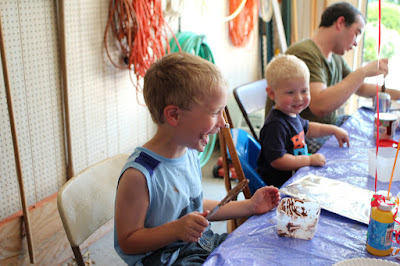
This weekend, the boys got what they ve been waiting for: another trip on Amtrak. For the last week or so, Jacob has had a morning ritual. He ll look at the calendar, figure out what today is, figure out when we ll get on the train, and then figure out how many days it will be. As the number gets lower, the excitement gets higher, of course. Friday morning, we woke the boys at 2:30AM to get to the train station. The only Amtrak trains through our area are middle of the night departures. Jacob is normally hard to wake up, but when I tell him that I m waking him up to go to the train station, he wakes up faster than I ve ever seen him before. It takes about 3 seconds for him to process that in his groggy state, and then he sits up straight, throws off the covers, and is instantly ready to go. Both boys were excited even in the station waiting room. Oliver has been on an Amtrak train before, but it s been awhile and he probably doesn t remember it. He constantly talked about it, jabbering as much as his vocabulary lets him. Once we were on the train, Terah and I would have liked to get some more sleep. The boys, on the other hand, were now wide awake, and didn t fall back asleep until about 5:30. That means Terah and I didn t, either. Here s what it usually looks like: When it came time for breakfast, we went to the dining car as usual. Jacob had already been telling us for days what he would eat for breakfast on the train: I always have French toast on the train, dad. And so he did. A few minutes later, I heard the waitress telling other people they were out of French toast, so I was glad I didn t have to disappoint Jacob over that! But it was Oliver that really came alive on this trip. I don t think I ve ever seen him so excited. It was almost constant. He happily talked about anything he could see or touch. But he also listened to other conversations, and would frequently pick out one word from a sentence and try to say it. He does that at home too, but not nearly so often as on the train. Both boys wanted to go exploring a lot my word for taking them for a walk in the train and seeing what they might find. We walked up and down the train several times, Jacob excited over opening the doors between the cars, and Oliver excited just to be there. Oliver s excitement kept him from sleeping well. He did eventually get a short nap, but that wasn t quite enough to avert a couple of tantrums later in the day. The reason for the trip was the 80th birthday party for Terah s grandpa. And it so happened that Oliver s 2nd birthday would be over the same time. So, Saturday morning, we all went for breakfast at Das Dutchman Essenhaus, one of the favorite local restaurants in northern Indiana. After that, it was over to a relative s place for some birthday festivities. The children got mini cakes to decorate as rail cars. There was frosting and all sorts of toppings. Great fun was had by all, and it was wise that this activity took place in a garage rather than indoors. Yes, that is a marshmallow stuck to Jacob s nose. Then in the evening, it was off to another relative s place for some more family time. Jacob had a great time all day, and was in high spirits. He asked me to sit by him at dinner, and started one of the longest conversations I ve had with him in some time. We just talked about the things that happened in the day, but it was nice when I told him, I like sitting by you, Jacob, and he said, Dad, me too! The big highlight for the day happened in the evening. We were gathered around a fire with a guitar to do some singing. Jacob was happily perched in his lawn chair, but got very excited when he saw some lightweight airplanes flying overhead. These kept flying at some distance, and he kept pointing them out to us. But that wasn t even the most exciting part. That came when the fireflies came out. Jacob ran around, catching them in his hands, and excitedly showing them to whatever person happened to be closest. He was laughing with joy for such a long time. At one point, someone asked him if the bugs were tickling his hands. He said, evidentally just realizing it, Oh yes, they ARE tickling my hands! He was one very happy boy. Sunday I had to leave to get back home, while Terah and the boys will return a couple of days later. Although I do sort of look forward to a train trip that I can relax without having to manage two young boys, I do miss them already and will be happy to have everyone back home in a few days. (This post written during the trip and posted a week later after arriving home)

17 July 2011

Thorsten Glaser: mksh R40b; joe 3.1jupp16 and 2.8jupp2 released

mksh R40b (nowadays with filled in user s caveats (for R40, too!) and packager s upgrade hints) has just been released. This is a should-have upgrade, fixing a number of admittedly some obscure bugs, changing things begun in R40, improving upon others. Thanks to the PLD Linux guys for spotting all these errors; thanks to them and phpnet.org both for adopting mksh so well. I have also fixed a bug in nroff(1) which will lead to an even nicer looking HTML manpage mksh(1) (after the next rebuild and upload of a MirBSD snapshot scheduled RSN). jupp 3.1.16 took on the task of merging Debian joe changes (aiming at an upload). I also split the jupprc file into three versions (2.8 generic/DOS, 3.1+jupp and 3.7/Unix) because of the differences in the baseline executables making rc files partially mutually incompatible (think Insert key), annoyingly warning (think syntax, hmsg), or less usable (joe s new menu system). jupp 2.8.2 is a companion to jupp 3.1.16 mostly because of the new help window character map Binaries for jupp should be updated RSN too. Considering Banja Luka is arriving quickly, the r in RSN should be taken with a few grains of salt. I ve also scheduled working on the pcc Debian package for the next future; updating lynx and maybe others like OpenSSH in MirBSD is also due; cvs(1) will receive more of my time, but before the next Upload I d like to fix LP#12230 once verified. Builds for Debian/m68k are also still running. I note I did in fact not manage to make a new base image, yet (but 2.6.39 kernels miss a patch, anyway, so waiting for 3.0 is ok). It s still using gcc-4.4 because nobody tests gcc-4.6 and gcj-4.6 FTBFS due to SIGSEGV, but that s ok in my books. rsyslog is broken but sysklogd works. The #ksh Freenode page finally got a well-deserved link to Planet Commandline. Throw more my way! Acronyms and translations, too. (Got Norwegian and Rumanian covered in the meantime. No idea whether any RTL languages will work in that beast. But I m young and need the money) Since I m writing a wlog entry anyway let me thank Gunnar for a nice summary on the current Free Culture discussion; my comments on Nina s site seem to be eaten, but let me support it fully, although, of course, I normally use a copycenter style licence, which is specifically written for general works of authorship under copyright law, not limited to software. I did in fact have that in mind. Maybe some people will like it (it s less than one Kibibyte long) either generally or just for their everyday random musings (they can then keep CC-BY-SA for the big works if they so desire). Wouter, grass background makes green headlines illegible. I ve never liked, and never installed manually, cups either. (Benny tells me that Apple s new version refuses to talk with a non-Apple cups, kinda defeating the whole idea I think.) Port 9100 is JetDirect (probably with an HP in front and some subset of trailing) and just nice. (Being able to talk ESC/P with your printer like print '\033K\x07\0\x3E\x81\x99\xA5\xA5\x81\x3E' >/dev/lpa too rocks though, IMHO. Yes, mine can, and I still can. /dev/lpa is BSD.)

Kai, thanks for your vimrc lines:

	:highlight TrailWhitespace ctermbg=red guibg=red
	:match TrailWhitespace /\s\+$\  \+\ze\t/
 

Automatic removal is harmful, though I just fell into the trap since jupprc contains needed whitespace at EOL but manual removal (bound to ^K] in jupp) rocks. And I like that your solution uses such strong a colour vim users are the single most represented offender group for actually leaving the redundant whitespace at EOL there, and it should hurt their eyes. (Sadly there is some vehement disagreement preventing them from inclusion in grml-etc-core but that s why I re-post them here.) Ah, and jupp can of course display whitespace visibly (although it uses / , replacing the arrow with if no UTF-8, not ), accessible with ^Ov. Steve, want to put up a checklist for sites? We can crowdsource the testing to maybe get some interesting results Some other people would get more comments if they were idling in IRC (Freenode) or allow comments on their blog, specifically without too high an entrance barrier OpenID is ok, but many other things, and ECMAscript, are not; but I can t really say that loud because our wlog is static HTML compiled from a flat plaintext data source so it doesn t allow such either. I often forget what I wanted to add if I can t get it out quickly enough (especially at work). Sowwy Me like the cat picture postings (Amayita, Tiago, Gracias!).

14 July 2011

Asheesh Laroia: Open Source Bridge 2011: they love me (and gave me a scarf)!

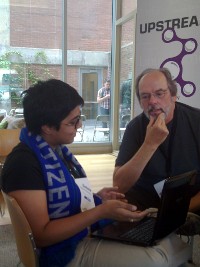
On Friday, June 24, the last day of Open Source Bridge, I won a scarf! It says, "Open Source Citizen." I wasn't the only one. The attendees nominated people who "made an extra effort to help others and share their knowledge," and the conference committee chose the three people they felt exemplified this. The winners were Sumana Harihareswara, Igal Koshevoy, and me. In case you don't know Sumana, she's the new Wikimedia Volunteer Development Coordinator, a friend, and a commenter here at Asheeshworld. In the photo of her and her new scarf, you can also see Ward Cunningham. I suggest reading her wrap-up about the conference, and checking out the notes from her talk. I haven't met Igal, but I've learned he's a fixture of the Portland tech scene. He's user number one on opensourcebridge.org and one of the original contributors to calagator, the most important event calendar in the Portland tech world. That's just a brief summary; follow him on Twitter to keep in touch. I started the conference a little shy, not wanting to introduce myself to people, so I hung out with Sumana. She talked to everyone she could find, and there I was standing next to her. On the first day, it was only because of Sumana's outgoingness that people knew who I was. On the second and third days, I was involved in two sessions: a panel on open source communities and a talk about the OpenHatch training missions. I was extremely honored to be chosen. There were so many other spectacular people I met for the first time, like Valerie Aurora, Jacinta Richardson, Brian Aker, and Alex Linsker. These are all people with three crucial traits: they're extremely knowledgeable, friendly, and opinionated. I'm glad I had a chance to attend and meet them! Photo credits: Thanks to Noah Swartz for the photo of me. Sumana's photo comes from her post to wikitech-l. Igal's comes from his Open Source Bridge user profile.

11 July 2011

Thorsten Glaser: [Update] Hilfe gesucht: Mitarbeiter berwachung

Deutsche Version dieses Postings read the English Version instead Der Leiter der Abteilung Systemadministration einer Firma, welche in diesem Artikel ungenannt bleiben soll, wo der Zufall es will, da ich f r sie arbeite, m chte uns Mitarbeiter dazu zwingen, das Feature der persistenten Historie (also einen niedergeschriebenen Verlauf der abgesetzten Befehle) der Shell (Kommandozeile) auf allen Systemen zu benutzen. Nun hat die mksh dies vern nftigerweise, w hrend immer noch verf gbar, standardm ig aus Gr nden der Privatsph re deaktiviert, und ich finde, dies sollte sich nicht ndern. Es kann ja nicht sein, da man mir beim Arbeiten ber die Schulter guckt; was kommt als n chstes, Video berwachung der B ros? (Seine Argumentation l uft darauf hinaus, da er nachvollziehen/verstehen kann, wie ich (ha! ich! nicht die anderen, nein, ich!) ein Problem das letzte Mal gel st habe; es ist aber nichts anderes als rekonstru eren zu k nnen, wer wann was eingetippt/gemacht hat. Naja, Argumentationen sind eh relativ, andere jagen Flugzeuge in ihre eigenen Verteidigungsministerien, welche gerade zuf llig umgebaut werden ) Ich habe dies nat rlich in die F hrungsetage eskaliert, und unser Gesch ftsf hrer versteht meine Bedenken und m chte nun ein Gespr ch anraunen, um eine L sung zu finden. Die meisten meiner Kollegen im Bereich Systemadministration denken leider nichtmals dr ber nach, obschon ich in anderen Bereichen Gleichgesinnte gefunden habe. Einen Betriebsrat haben wir auch gro er Fehler, ich wei nicht (aber ich s e eh nicht drin, ich hasse Politik jeder Art). Dies l t mich in dringender Not, Argumente wider diese Total berwachung aller (insbesondere auf der Kommandozeile arbeitenden also besonders mich) Kollegen zu finden, idealerweise solche, die durch deutsches Recht gest tzt sind. Wenn ihr solche habt, bitte mailt die schnell an meine eMail-Adresse, welche da nicht junk@mirbsd.org lautet, sondern mit einem tg vor dem Klammeraffen (dies dient der Abwehr unerw nschter Werbemails). Vielen Dank bereits im Voraus! Update 12.07.2011: Wir haben geredet, und wie viele kommentierten keine L sung auf rechtlicher Ebene gefunden, sondern stattdessen, nachdem wir festgestellt hatten, da mir dieses Problem sehr am Herzen liegt, nach anderen L sungen f r das eigentliche Ziel des Chefadmins gesucht; dies z hlt als ein Entgegenkommen auf Seiten der Firma. Ich habe zugestimmt, meine L sungen in kleine Skripte zu verpacken und ins VCS zu committen f r das Herausfinden, wann was auf einem Server ge ndert wurde, im Fehlerfall, denken wir uns gerade ohnehin was aus. Danke an alle, die kommentiert haben!

Thorsten Glaser: [Update] Big Brother , or: Help wanted arguments against monitoring employees

English version of this posting lese stattdessen die deutsche Version The head system administrator of a henceforth unnamed company I happen to be employed at wants to force us to use the shell s persistent history feature disabled by default in mksh as is sensible, for privacy reasons on all systems, so he can retrace what we do (of course, his wording was more like, so he can reconstruct how I fixed a problem the last time it occurred yeah, sure). Now I ve escalated this to the boss, since this just cannot happen, what ll be next, video monitoring our offices or what and the boss said he sees my concerns and would like a meeting to get an agreement between all parties involved. Most sysadmin coworkers actually don t even think about this, they are sheeple, really; but my project manager (for when I m not a sysadmin but a programmer) and the leaderess of our QA department agree with me, luckily. Now I m in dire need of arguments, especially German-Legalese, to fight this total surveillance of employees, mostly targetted at these who use the command line almost exclusively, which I m a prime example of. Please mail me at my address, which is not junk@mirbsd.org but with tg instead of the waste part here to catch address grabbers (sending mail to that address yields a 24-hour total blacklist of your IPv4 address I ve yet to get enough spam via IPv6 to say filtering it is worth the cost). Thanks in advance!


Update 2011-07-12: We talked, and it was agreed to not force a shell history; instead I will now put problem solutions into smallish scripts and commit them into the sysadmin SCM. It was not solved using legal arguments, as many people commented would have been difficult; instead, they acknowledged that I was concerned with this, and we searched for a different solution to the head sysadmin s original concerns (apparently, to figure out how to fix things without reinventing the fix every time, and to find out what was changed on a server in case it breaks).

Thorsten Glaser: New releases

You might have noticed the release of mksh R40 recently, after more than a year of development. Well, stay tuned for both R40b (with accumulated fixes) and R41 (intent to speed up array handling a lot and prepare for what we postponed to mksh R42 now associative, multi-dimensional arrays). You should also upgrade, if you have not yet done so, to kwalletcli 2.11. Finally, jupp 3.1.15 was left out to the world, including Minix 3 users this time, by special request of one of these on our mailing list. In addition to the MidnightBSD mport which has been there in like forever and the MirPort and the FreeWRT package, in December 2011 a user submitted it to FreeBSD ports, and Benny is going to add it to NetBSD pkgsrc soon, he said. (He also updated their mksh source package. Thanks!) I ve been asked by two people, independent from each other, when I ll upload it to Debian proper, instead of the private-repo packaging. Maybe I should indeed do that, comments?

Thorsten Glaser: Yugoslawia, I ll be back

So yes, this means I m going to DebConf 11 to what used to be Yugoslawia when I was there the last time, although in the Pore region of Istria, Hrvatska. Thanks to my my boss who s sending me there.

29 June 2011

Vincent Bernat: Alternate Android firmware on Samsung Galaxy S

I have bought a Samsung Galaxy S Android phone some time ago. One of the first thing that you try to do with such a phone is to switch to some alternate firmware (the coined term is ROM ), like CyanogenMod. Flashing a firmware is a whole new universe. You are told about a lot of proprietary tools, you need to download a lot of things from MegaUpload and friends and nobody really explains what s going on under the hood. I was a bit lost at first. I will not provide a step-by-step guide since I cannot afford to stay up-to-date. Such a guide is usually posted on some forum. It assumes you are running Windows and provides appropriate download links. You must follow it (and check that it is recent enough). I will just provide you some background to understand those guides.

Android firmwares There are several Android firmwares. Most of them are specific to a given phone (or its close variations). They can be sorted in three categories:
  1. Official firmwares from the phone manufacturer include a kernel with appropriate drivers and, usually, a customized interface (HTC Sense for HTC, TouchWiz for Samsung). Some manufacturers will lag a lot behind Android schedule and you may not get all the new shiny features.
  2. Modified firmwares are built from the official firmwares. They usually add a lot of hacks on top of the original firmware, remove some cruft but are still closely related to the official firmware.
  3. Firmwares built from Android Open Source Project (the open source version of Android) do not share nothing with the official firmware except some bits related to the kernel (drivers, hacks).

Darky ROM Darky ROM is a modified firmware. It takes the original firmware from Samsung, adds a custom kernel (based on the source of the official kernel), adds a lot of hacks, some additional applications and removes some unwanted cruft. This is a very nice firmware which is quite snappy. This is a drop-in replacement for the default firmware: you will only get improvements. The latest version is 10.1 and there is a neat guide on how to install it.

CyanogenMod CyanogenMod is a firmware built from AOSP. It supports several devices and provide an unified firmware on all of them. Support for the Samsung Galaxy S is recent and is not present in the stable build. However, some RC build is now available. Be sure to read the FAQ (most notably the part saying that you need to install from Froyo 2.2 because the bootloader provided by Samsung with Gingerbread 2.3 is not compatible). You can also grab some information from the wiki. The major drawback of using this firmware instead of going for a modified firmware like Darky ROM is that the battery life may suck. I now need to charge my phone every day instead of once every two days. On the plus side, you get a very clean firmware with a lot of features and almost no cruft. For example, the notification bar can be customized and OpenVPN is available out of the box. Moreover, almost everything is open source (if you don t install Google apps). You can see this firmware as an open source distribution for your phone. There is no need to download random files linked from a random forum to make it work. There is no package manager, though. Despite the bad battery life, I prefer this firmware.

Prerequisites Before trying to flash a new firmware, there are some tools that you need to have. Note that you don t need root access to flash a new firmware.

Download & recovery mode Before trying to install any firmware, you must check that your phone can access download and recovery modes. The download mode allows to flash any new firmware, even if the current firmware does not boot at all. As long as this mode is available, there is very little chance that you brick your phone. To access those modes, you need to use the three-button combo . Here are the steps (your phone should not be plugged):
  1. Power off the phone (wait for the phone to vibrate).
  2. Hold the Volume down button for download mode. Hold the Volume up button for recovery mode.
  3. Hold the Home button.
  4. Hold the Power button. The phone will start.
  5. Once you have the Samsung logo displayed on the screen, release the Power button.
  6. Only release the two other buttons when you enter the recovery mode or download mode. The recovery mode displays a menu. The download mode displays a big yellow Android logo.
If after ten tries, you are unable to access those modes, maybe they have been disabled. Keep reading, there is a solution.

Heimdall Heimdall is a tool to flash a new firmware to your phone. This is not a mandatory tool but you will have to use it if something goes wrong. Most guides will tell you to use Odin. It is a leaked Samsung tool running on Windows only. You can use Heimdall instead.
$ git clone https://github.com/Benjamin-Dobell/Heimdall.git
Cloning into Heimdall...
remote: Counting objects: 423, done.
remote: Compressing objects: 100% (271/271), done.
remote: Total 423 (delta 220), reused 332 (delta 138)
Receiving objects: 100% (423/423), 5.91 MiB   962 KiB/s, done.
Resolving deltas: 100% (220/220), done.
$ cd Heimdall/heimdall
$ sudo apt-get install libusb-1.0-0-dev
$ ./configure && make
[...]
$ sudo cp 60-heimdall-galaxy-s.rules /etc/udev/rules.d
$ sudo /etc/init.d/udev reload
You need to use this tool while in download mode. You can test it, while in download mode, with:
$ ./heimdall print-pit
This will display the partition table of your phone. This is enlightening to know what it contains:
  • IBL+PBL is the boot loader, be extra careful with it;
  • PIT is the partition table;
  • EFS contains some important data like IEMEI, be extra careful with it;
  • SBL is the second boot loader;
  • SBL2 is the backup of the second boot loader;
  • PARAM contains some images used as various stage of the boot process;
  • KERNEL is the kernel;
  • RECOVERY is the backup of the kernel;
  • FACTORYFS contains /system file system which is some kind of root file system;
  • DBDATA contains /data file system which is the database to store application parameters;
  • CACHE contains /cache file system which contains the Dalvik cache;
  • MODEM contains the firmware for the modem.
As we will see, Heimdall is able to flash any of those partitions with flash subcommand.

adb adb stands for Android Debug Bridge. Among other things, this tool allow you to drive your phone through the USB connection. You can get a shell, reboot into download or recovery mode, push files to your Android device, etc. To get this tool, you need to download the full Android SDK.
$ tar zxvf ~/download/android-sdk_r11-linux_x86.tgz
$ cd android-sdk-linux_x86
$ tools/android update sdk
[select Android SDK Platform-tools]
$ platform-tools/adb shell
# uname -a
Linux localhost 2.6.35.7-I9000XWJVH-CL184813 #Dark_Core_2.4 PREEMPT Mon May 16 15:02:38 EEST 2011 armv7l GNU/Linux
The important commands are:
  • shell to get a shell on the device;
  • reboot recovery to reboot in recovery mode;
  • reboot download to reboot in download mode;
  • push to put a file on the phone;
  • pull to retrieve a file;
  • install to install an application from its APK;
  • logcat to see the logs and what happens, very useful!

Restore download mode If your phone is missing download mode, you can recover it with the help of adb and heimdall. You need to grab some official firmware and extract boot.bin and Sbl.bin from it.
$ adb reboot download
$ heimdall flash --primary-boot ~/download/boot.bin --secondary-boot ~/download/Sbl.bin
Be extra careful here. You may brick your phone. Double check that you grab the correct files and that they are really for your phone (there exists some variants). It worked for me.

Installing a new firmware While you can switch from one firmware to another without losing your data, it is better to wipe your system and your data before switching firmware. This means that you will lose all your applications and the data inside them (list of contacts, SMS, preferences). However, nothing will ever modify your data in the internal SD card or in the external SD card (which are both inside the phone). They usually contains your music and your photos. There are two ways to install a firmware:
  1. via Heimdall, or
  2. using the recovery.

Heimdall When a guide tells you to use Odin, you can use Heimdall instead. Odin takes a TAR file. You should untar it and uses its content with Heimdall. For example:
$ ./heimdall flash --repartition --pit s1_odin_20100512.pit \
>                  --factoryfs factoryfs.rfs \
>                  --cache cache.rfs --dbdata dbdata.rfs \
>                  --param param.lfs --modem modem.bin \
>                  --kernel zImage --secondary-boot Sbl.bin 
Claiming interface again...   Success
Setting up interface...   Success
Beginning session...
Handshaking with Loke...   Success
Uploading PIT
PIT upload successful
Uploading SBL
100%
SBL upload successful
Uploading KERNEL
100%
KERNEL upload successful
Uploading MODEM
100%
MODEM upload successful
Uploading PARAM
100%
PARAM upload successful
Uploading FACTORYFS
100%
FACTORYFS upload successful
Uploading DBDATAFS
100%
DBDATAFS upload successful
Uploading CACHE
100%
CACHE upload successful
Ending session...
Rebooting device...
You may be interested to update your modem using Heimdall. This is usually independent of the firmware you want to use. Also, no need to provide a PIT file if you don t want to repartition. Heimdall can read the current one and flash only one of the partitions.

Recovery mode The base recovery shipped with the Samsung Galaxy S does not have a lot of options. Moreover, it may be locked and will accept to install only signed firmwares. Most firmwares come with ClockWorkMod, a more advanced recovery. Once you get it, you will be able to use any ZIP file to install a new firmware. My advice is to try to get ClockWorkMod as soon as possible. If you are root, you can install ROM Manager that will install it for you. If you are not root, most custom firmwares will provide ClockWorkMod. Therefore, you can just install a custom firmware with Heimdall. There exists special firmwares just for this, like EZbase. If you want to install CyanogenMod, be sure to download a Froyo firmware, not a Gingerbread one. Keep in mind that the recovery is located inside the kernel. It is not self-contained in the bootloader (unlike download mode). If you don t want to flash a whole firmware (and lose everything on your phone) just to get the recovery, you can just flash the kernel. The ClockWorkMod recovery comes with an utility to backup your whole phone. This way, you can easily restore your previous firmware if you don t like the current one. This is what is called a Nandroid backup.

Lagfix A lot of guides will tell you to enable or disable lagfix. Samsung shipped the Galaxy S with some crappy filesystem called RFS (which is some kind of enhanced FAT). It is slow and seems responsible for some lags that may happen on the interface. A lagfix is a way to replace this filesystem by something better, like EXT4 or YAFFS2. The process is pretty straighforward and consist to backup all the partition to the SD card, reformat it with another filesystem and restore the backup. The lagfix may be applied automatically with some firmware (like CyanogenMod) or you may request it in the recovery mode (most modified firmwares work this way). In this case, it will be applied automatically on the next boot. You should disable it before installing another firmware with the recovery mode (no need if you install it with Heimdall).

Applications You can find many free (as in free speech) applications for Android. Unfortunately, Android Market does not allow to use this criteria as a filter. F-Droid is an alternate market featuring only FOSS applications. Here is a short selection of free applications:
  • ADW.Launcher is a home replacement app. It is very configurable and themable.
  • K-9 Mail is a very nice email client.
  • Xabber is a XMPP/Jabber client.
  • ConnectBot is an SSH client (as well as a terminal).
  • DroidWall is an application firewall (using Netfilter). It lets you select which application can access to Internet depending on your connection (wifi or 3G).
  • Barcode Scanner decodes 1D/2D barcode including QR codes.
  • OsmAnd is a replacement for Google Maps using OpenStreetMap. The free version on Android Market is out-dated. Buy the plus version or download it throught F-Droid.
Another must-have application is Titanium Backup which allows to backup any application with data. Unfortunately, this is not a free (as in free speech) application.

27 June 2011

Riku Voipio: QEMU with OpenGL ES acceleration

In the graphics side, the major differences between ARM and X86 systems is that on ARM 3D acceleration is done with OpenGL ES. It is mostly a subset of modern OpenGL used on X86 desktop machines. From QEMU point of view this could mostly be ignored, as OpenGL was mostly used on games and specialist applications. This has now been changing, as desktops and user interfaces have started OpenGL to render graphics. Without acceleration, these user interfaces become slower than slugs crossing a tarpit.

For this reason, MeeGo introduced OpenGL ES acceleration support to QEMU. With the lack of easily available MeeGo QEMU images and test setup, I've created a test setup for Linaro 11.05 image.

Running torus opengl es1 demo from mesa-demos inside QEMU.

Next.

Previous.