I have been wanting to post for several days already, at least since this last Sunday. I have repeatedly bragged about taking part in the Ciclot n: The last Sunday every month, the city's government closes to automotive transit a ~33Km circuit, for cyclists to enjoy. And by cyclists, I mean people from all expertise ranges Well, the very elite bikers will not take part of such a massive thing, but there are people pedalling a couple of blocks, people taking their small kids to drive a bit, and I recognized an amazingly large proportion of people doing the whole route.
Well, this last Sunday one lap was not enough for me I did two laps, ~65Km.
For some reason, the distance numbers in that map were made... in miles :-P Anyway, the planned route will be:
Some careful readers of Planet OCamlCore should wonder why the OCaml packages in Debian has not yet been upgraded to 3.12.0. For the Planet Debian readers, this is the latest version of the Objective Caml programming language.
The answer is simple: Debian Squeeze froze on 6th August. This means that Debian folks focus on fixing release critical bugs and avoid doing big transitions in unstable (Sid). In particular, the Debian OCaml maintainers has decided to keep OCaml 3.11.2 for Squeeze, because the delay was really too short: OCaml 3.12 was out on 2nd August.
A great work has already been done by S. Glondu and the rest of the Debian OCaml maintainers to spot possible problems. The result was a series of bugs submitted to the Debian BTS. This effort has started quite early and have been updated with various OCaml release candidates.
S. Glondu has also built an unofficial Debian repository of OCaml 3.12.0 packages here.
Let's use it to experiment with OCaml 3.12.0.
schroot setup
Following my last post about schroot and CentOS, we will use a schroot to isolate our installation of unofficial OCaml 3.12.0 packages.
approx
approx is a debian caching proxy server for Debian archive files. It is very effective and simple to setup. It is already on my server (Debian Lenny, approx v3.3.0). I just have to add a single line to create a proxy for ocaml 3.12 packages:
$ echo "ocaml-312 http://ocaml.debian.net/debian/ocaml-3.12.0" >> /etc/approx/approx.conf $ invoke-rc.d approx restartapprox is written in OCaml, if you want to know how I come to it. debootstrap and schroot We create a chroot environment with Debian Sid:
# PROXY = host where approx is installed, debian/ points to official Debian repository of # your choice. $ debootstrap sid sid-amd64-ocaml312 http://PROXY:9999/debianWe create a section for sid-amd64-ocaml312 in /etc/schroot/schroot.conf (Debian Lenny):
[sid-amd64-ocaml312] description=Debian sid/amd64 with OCaml 3.12.0 type=directory location=/srv/chroot/sid-amd64-ocaml312 priority=3 users=XXX root-groups=root run-setup-scripts=true run-exec-scripts=trueReplace XXX by your login. And we install additional softwares:
$ schroot -c sid-amd64-ocaml312 apt-get update $ schroot -c sid-amd64-ocaml312 apt-get install vim-nox sudoOCaml 3.12 packages Now we can start the setup to access OCaml 3.12.0 packages. The repository is signed by S. Glondu GPG key (see here). We need to get it and inject it into apt:
$ gpg --recv-key 49881AD3 gpg: requ te de la cl 49881AD3 du serveur hkp keys.gnupg.net gpg: cl 49881AD3: St phane Glondu <steph@glondu.net> n'a pas chang gpg: Quantit totale trait e: 1 gpg: inchang e: 1 $ gpg -a --export 49881AD3 > glondu.gpg $ schroot -c sid-amd64-ocaml312 apt-key add glondu.gpgThe following part is done in the schroot:
$ schroot -c sid-amd64-ocaml312
# PROXY = host where approx is installed
(sid-amd64-ocaml312)$ echo "deb http://PROXY:9999/ocaml-312 sid main" >> /etc/apt/sources.list
(sid-amd64-ocaml312)$ cat <<EOF >> /etc/apt/preferences
Package: *
Pin: release l=ocaml
Pin-Priority: 1001
EOF
(sid-amd64-ocaml312)$ apt-get update
...
(sid-amd64-ocaml312)$ apt-cache policy ocaml
Install : (aucun)
Candidat : 3.12.0-1~38
Table de version :
3.12.0-1~38 0
1001 http://atto/ocaml-312/ sid/main amd64 Packages
3.11.2-1 0
500 http://atto/debian/ sid/main amd64 Packages
(sid-amd64-ocaml312)$ apt-get install ocaml-nox libtype-conv-camlp4-dev libounit-ocaml-dev...That's it. The apt-policy command shows that OCaml 3.12 for the ocaml-312 repository has an higher priority for installation. Good luck playing with OCaml 3.12.0.
Since I published How to make 110.28 EUR in one month with free software and Flattr , quite a few people joined the movement and I had less troubles finding projects to Flattr. That s great! This article is part of the Flattr FOSS project.
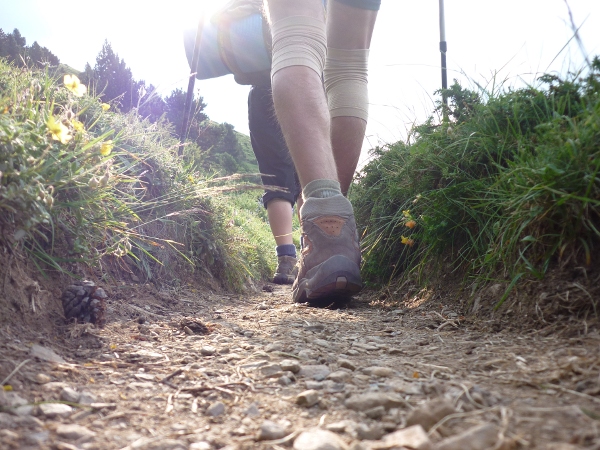
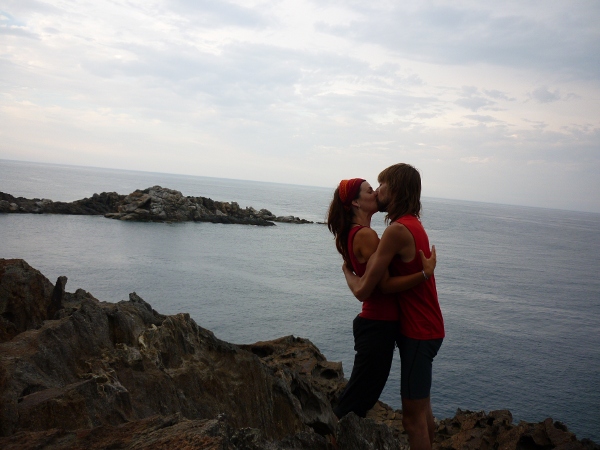
Two weeks ago, Maria and I completed
one of our dreams
when we arrived in Cap de Creus, where the Pyrenean range sinks in the
Mediterranean. To get there, we walked hundreds of kilometres during a month,
crossed dozens of steep valleys and enjoyed one of the richest experiences
of our lives.
We managed to complete this challenge without facing major problems or
pains, and after the first five our six days, our legs seemed to have
gotten used to the daily effort and it started to be easier and easier.
Our morale kept growing as days passed and we advanced east. When I
started walking on a cold and rainy morning in Hondarribia, after barely
no rest in the night bus to Ir n, I thought for myself that it was
improbable that we'd manage to get anywhere near Catalunya, that one of
us would get injuried way before, or we'd just give up and go for the easy
beach vacation in the Basque Country.

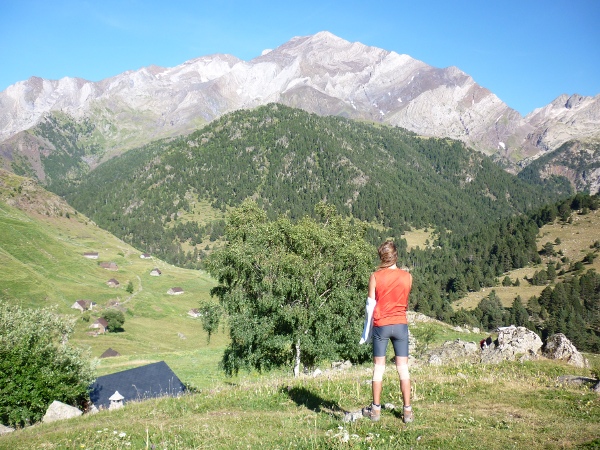
Biad s refuge, under Posets
But we didn't, and after a somewhat painful start, with our boots soaking
wet during the stages that crossed the enchanting Selva de Irati
which ended up with me getting the biggest blister I've ever seen, we
started to walk farther every day, extending the stages when we
felt strong after reaching their official end. When we crossed from
Nafarroa to Aragonese territory, the mental wall that I had built over the
toughest stages in our quest started to fall apart. Days later, we found
ourselves climbing down to Pineta, leaving Ordesa behind and enjoying a
feeling that our adventure could not go better. The weather had been
perfect for over a week and our legs and back were strong to go all over
the way to the sea.

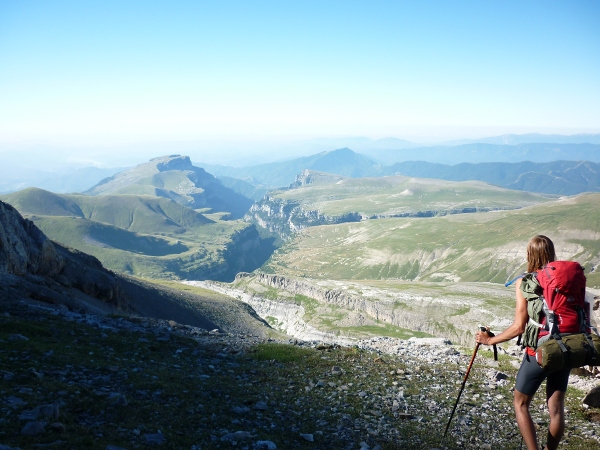
Ca n de A isclo, on our way to Pineta
When we finally saw that huge blue stain on the horizon, the day before
getting to the last mark, we got really excited. We had made it, but as we
walked towards the cape, happiness slowly got mixed with melancholy. An
unforgettable adventure was about to end, and we didn't want to face our
return to the city and our routines. It had been many days surrounded only by
awesome landscapes, and living without watches, with only sunlight and
weariness marking the time to get in our sleeping bags.

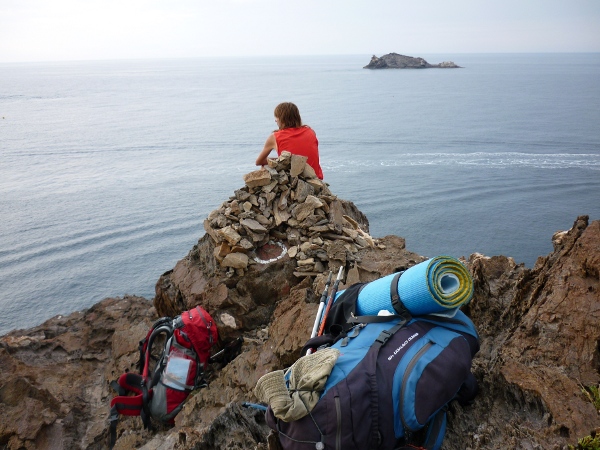
At the very last red and white mark of our journey
We've had plenty of time to meet great people. Starting with
the Navarrian brothers we met in the early stage, which provided us with a
good pace to follow while our leg muscles were still building up; or Kike
and Ana, who drove from Pamplona to visit us during the first Aragonese
stages (thanks for the supplies!). Tom s and Roger, young hikers from
Matar , surprised us with their maturity and experience as mountaineers;
we had the pleasure to join forces during four days, walking a really cool
variant through the Infiernos and Collado del Letrero
which avoided going through the ghost city of Panticosa. Roger and Tom s,
we really hope to meet you soon! Andreu, Manel, Ghandi and Ga la visited us
at the Vall de N ria and were unlucky to suffer a frightening
hail and thunder storm when they left our shelter on their way back to
their car. Thanks! All of you have been a very special part of our
experience!
This adventure through GR 11 has been incredibly positive for us for
several reasons. We've learned a lot about ourselves and strengthened our
relation, and now I know how powerful drive can be; to get somewhere, no
matter how far, it's really easy if you just believe you can do it and
desire to get there.
Maria and I are proud of what we've done, and no wonder we're looking
for new challenges. An obvious one would be repeating this experience,
going through the French side of the Pyrenees, but for now, the Corsican
GR 20 seems the most appealing. We'll see, next summer!
To quote the ftp-masters REJECT-FAQ :
What may not be obvious to the recently REJECTed developer is actually how to use help2man. To try t0 explain the process a bit more verbosely, I took the liberty of writing a tutorial on the Debian wiki. Comments and corrections are welcome.
Of course, help2man-generated manpages are no substitute for real, hand-written manpages made of sweat, blood, and the Maintainer s tears, and it won t work for all packages. This is just a start, and is much better than no manpages at all.
There was a discussion on #debian-devel a couple of days ago when I brought up my creation of the above, and some wondered if it wouldn t be better to add hooks to man-db to allow package maintainers to enable manpage generation at runtime. I m not sure if that idea will ever make it into a proposal, but, if the details of the implementation were worked out, would be much better than the above, manually generated method.
-c, -l selftest,
etc.)smartctl -a reads a while, and then:
Error SMART Error Self-Test Log Read failed: Input/output error
Smartctl: SMART Self Test Log Read Failed
real 0m39.029s
The timeout above also has generated lots of errors in the drive's
error log. I don't know how to read these properly, but in any case
they don't seem too scary:
Error 144 occurred at disk power-on lifetime: 13552 hours (564 days + 16 hours)
When the command that caused the error occurred, the device was doing SMART Offline or Self-test.
After command completion occurred, registers were:
ER ST SC SN CL CH DH
-- -- -- -- -- -- --
10 51 00 80 ae 39 40
Commands leading to the command that caused the error were:
CR FR SC SN CL CH DH DC Powered_Up_Time Command/Feature_Name
-- -- -- -- -- -- -- -- ---------------- --------------------
61 80 70 80 ae 39 1c 08 41d+08:07:45.052 WRITE FPDMA QUEUED
b0 d0 01 00 4f c2 00 08 41d+08:07:45.038 SMART READ DATA
ec 00 01 00 00 00 00 08 41d+08:07:44.958 IDENTIFY DEVICE
2f 00 01 10 00 00 00 08 41d+08:07:44.957 READ LOG EXT
61 80 70 80 ae 39 1c 08 41d+08:07:37.960 WRITE FPDMA QUEUED
For some of the errors, all preceding commands are WRITE FPDMA
QUEUED, but all are during a "SMART Offline or Self-test" phase.
When a self-test is not being done, reading all the SMART data
(smartctl -a) is very very quick, taking half a second.
The only thing I can think of is that the drive's own area for storing
SMART data is unhealthy, and reading it takes time, and a concurrent
SMART test and I/O load makes it hard for the drive to do so. But
again, I can't trigger any real I/O error, nor at the beginning of the
drive neither at the end, so
This also happens when the drives is connected to a plain SATA port,
skipping the RAID controller, so it's not just the controller playing
games on me.
I'm really confused now. Given my previous experience, this drive will
die, should already have died, and yet, no I/O errors, just some
timeouts. Do I just need to wait a couple more weeks?
The last few weeks I have been using LaTex a lot, to write the final report
for my master's course. During that period I found a couple of LaTeX goodies
that might be interesting to share: the memoir class, gnuplot integration, and
some stuff to help preparing cover pages.
The memoir class is a kind of all-in-one package. It is meant to be
used in place of the book and report classes, but it
can also replace simpler environments, such as article. It
provides many ready-to-use templates, and loads of commands to easily customize
them. It seems to be specially tailored for dead-tree publication, dedicating
an entire chapter in the manual to page layout.
It also aims at removing the usual cruft you have to add into any medium
sized project, it is macro-compatible with: abstract,
appendix, array, booktabs,
ccaption, chngcntr, chngpage,
dcolumn, delarray, enumerate,
epigraph, framed, ifmtarg,
ifpdf, index, makeidx,
moreverb, needspace, newfile,
nextpage, parskip, patchcmd,
setspace, shortvrb, showidx,
tabularx, titleref , titling,
tocbibind, tocloft, verbatim, and
verse. Furthermore, it provides functionality equivalent to the
following packages: crop, fancyhdr,
geometry, sidecap, subfigure,
titlesec. In the end, you have a project that only needs a couple
of packages, and a few customisation commands, which is nice and also eases distribution.
Other nice thing I have found is that there is not one, but many ways of
merging gnuplot graphs into your text
while having LaTeX typeset all the labels. There is some LaTeX packages aimed
at this, but I have more success using a special gnuplot terminal. Again, there is more than one option:
eepic,
epslatex, latex, lua, mp,
pslatex, pstex, pstricks,
texdraw, and tpic. While I could not try them all, I
tried a few and the easiest and prettiest was epslatex. This
terminal creates two files: a EPS file, as would have been created with the
usual postscript terminal, except that it does not contain any
text; and a LaTeX snippet meant to be included with
\input foo . Finally, I could generate graphs that match the rest
of the document!
To end this post, a couple of things about creating the dreaded cover page.
First, a suggestion: don't fret too much about finding a ready-made template,
once you understood the basics of how to insert arbitrary spaces around text,
it is quite easy to roll your own cover! Having said that, the memoir manual
has some sample cover pages that can be useful to use as a base, and there is
another really useful resource I have found: titlepages.pdf, a collection of 40 sample title pages with source
code for you to choose.
Tags: Planet Debian, Planet Lugfi, latex
Debian and Ubuntu have a set of official membership roles that can be granted to regular contributors. Those roles come with rights that enable the contributors to do their work and to participate in the project governance (elections and other official decision-making processes). It s also a way for the distributions to acknowledge the work done: most contributors are proud of the status they reached.
The membership structure plays an important role in the development of a distribution: it defines the kind of contributors that are welcome in the project, it sets expectations of the project towards its contributors and defines their rights. In the end, this shapes the project s ability to recruit new contributors to keep the project alive and kicking. This article introduces the existing statuses in Debian and Ubuntu, and defines the sometimes confusing jargon associated with them.
The Debian Case
Debian only has two types of official members: Debian Developers (DD) and Debian Maintainers (DM). The rights of the developers are codified in the Debian Constitution while those of the maintainers have been defined in a general resolution of 2007. The Debian Maintainer status is still mostly documented in a wiki page. The integration of this new status in Debian s official processes has been slow to come largely because it was introduced at that time without enough negotiation with the involved parties. Nowadays, it is preferred that people get the DM status before applying for DD.
DM is a very limited role: maintainers can only upload packages that already have their name on them (either in the Maintainer or Uploaders field) and a specific flag (DM-Upload-Allowed: yes) that only Debian Developers can add. They have no other rights and limited access to Debian s resources.
Besides those official roles, there are also maintainers of packages that have no official status within Debian except that they are listed in the Maintainer field of the package. They are doing the maintenance work but all uploads are done by a Debian Developer after verification of the work done (this is called sponsorship and is the only way to start with official packaging work). Once the DD trusts the maintainer, the developer will typically ask the maintainer to apply for DM status in order to be relieved from the sponsorship work.
In the end, that makes three different kind of package maintainers and a lot of confusion when you discuss membership issues in particular when the New Maintainer process is the path that you follow to become a Debian Developer. Don t be fooled by the names when reading Debian s documentation!
The Ubuntu Case
Ubuntu had, from the start, an official Ubuntu Member status that includes all contributors: developers of course, but also documentation writers, artists, translators, etc. This status notably grants the right to vote in elections of the Community
Council, the right to participate on Planet Ubuntu, and the @ubuntu.com email alias.
For developers, the situation is more complicated: the wiki page lists no less than five different statuses. Initially, developers were split between Ubuntu Core Developers and the MOTU (Masters Of The Universe). The latter were responsible of the universe/multiverse sections of the archive while the former also had upload rights for the main/restricted sections. But, inspired by the Debian Maintainers concept and facing concrete problems in terms of archive management, they changed their infrastructure to offer more fine-grained control on package uploads.
Ubuntu can now grant upload permissions on a package-per-package basis, but it can also delegate the right to grant upload permissions with the same granularity. This lead to the new Per-Package Uploader status which is simply an Ubuntu Member with upload rights on a limited set of packages where they have a specific expertise. The more generic Ubuntu Developers status now encompasses members of various development teams that have been delegated the right to manage upload permissions on a (usually large) package set (the current teams are Ubuntu Desktop, Mythubuntu, Kubuntu, and Edubuntu). Those teams can define their own policy to add new members provided they follow the basic rules defined by the Developer Membership Board (see this wiki page).
Ubuntu Contributing Developer is an intermediate status for someone who is not yet ready for one of the other developer statuses but who has still shown enough commitment to be an Ubuntu Member.
All those statuses can be obtained in a similar way: you prepare a wiki page listing your past contributions, you collect testimonials from existing members that you have worked with, you add yourself in the agenda of the next meeting of the board (or council) that grants the status that you seek, and you attend the meeting. The members of the board will decide whether you are ready for the status (or not) based on what you provided in the wiki, based on your answers during the meeting (and on a mailing-list for developers), and based on what others have to say about you.
The most important boards are usually elected by the community while others are commonly appointed by the community council. Those governance bodies include Canonical employees but not as many as one would expect: two out of eight in the Developer Membership Board, two out of eight in the Community Council, but all six members of the Technical Board. The last figure, while not intended, is not surprising given the high expectations set on potential members of the technical board. Mark, as the founder, is the only person to have a permanent seat on both the Community Council and the Technical Board.
Comparison of the Statuses Between Debian and Ubuntu
The following table summarizes the rights given to each developer role in the two projects (Put the mouse over the abbreviations to know what they are referring to).
| Rights | Debian | Ubuntu | ||||
|---|---|---|---|---|---|---|
| DM | DD | UM | PPU/UD | MOTU | UCD | |
| Package maintenance via sponsorship | Y | N/A | Y | Y | Y | N/A |
| Official email alias | - | Y | Y | Y | Y | Y |
| Participate in votes for members | - | Y | Y | Y | Y | Y |
| Participate in votes for developers | - | Y | - | Y | Y | Y |
| Upload rights restricted to pre-approved packages | Y | - | - | Y | - | - |
| Upload rights restricted to a section of the archive | - | - | - | - | Y | - |
| Unlimited upload rights | - | Y | - | - | - | Y |
| Number of contributors (as of 2010-07-27) | 117 | 904 | 462 | 27 | 85 | 63 |
This article was first published in Linux Weekly News. In a comment, Mark Shuttleworth tried to explain how the Ubuntu community is being setup.
A number of things have happened in and around forked-daapd in the last month or so, so let s review the new features and the plan for Squeeze.
On the features front, Kai Elwert has done a lot of work since July to implement missing features at the DAAP and DACP level to get better support for Remote:
mksh was merged into Android (both
AOSP and Google s internal master tree) in the night 24/25th August,
and is expected to be the one shell to rule them all, for Gingerbread.
mksh(1) now also has a cat builtin, for here documents
mostly. It calls the cat(1) command if it receives any options. The
shell is nevertheless smaller than yesterday because of improved
string pooling.
There s another reason to use the MirOS OPTU-16 encoding instead of PEP 383,
on which I already wrote: try passing a wide-char filename to a function
such as MessageBoxW, or create a filename on a system using wide chars,
such as FAT s LFN or ISO 9660 s Joliet, or one that only allows Unicode
(canonically decomposed u out of all things) like HFS+. OPTU-8
at least maps to somewhat reserved codepoints (would, of course, be
better to get an official 128 codepoint block, but the chance s small
of getting that in the BMP). Still.
Oh well, the torrents. I ve remade them all, using one DHT seed node
and OpenBitTorrent as tracker
and put them on a very rudimentary BT
page that will be completely redone soonish. Please re-download them.
I currently do not believe f.scarywater.net will return.
Finally, I fell victim to a selling-out and may have just bought a
Windows Mobile 6 based phone (Glofiish X650) and an SDHC card and an
extra battery with double capacity. Well, at least it s said to run CacheWolf well. I still would like
to have something like Interix, Cygwin, UWIN, coLinux, or maybe some
qemu-for-WinCE variant that runs Android, Maemo, Debian/armhf (or armel
or arm) at near-native speed (and is usable the device sadly doesn t
have a hardware keyboard, but it comes with SiRFstar GPSr). It only
has 64 MiB RAM, like the Zaurus SL-C3200 and the jesusPhone, though.
Any chance to get MirWorldDomination
onto that device as well?
If you find that running Windows makes a GRUB 2-based system unbootable (Debian bug, Ubuntu bug), then I'd like to hear from you. This is a bug in which some proprietary Windows-based software overwrites particular sectors in the gap between the master boot record and the first partition, sometimes called the "embedding area". GRUB Legacy and GRUB 2 both normally use this part of the disk to store one of their key components: GRUB Legacy calls this component Stage 1.5, while GRUB 2 calls it the core image (comparison). However, Stage 1.5 is less useful than the core image (for example, the latter provides a rescue shell which can be used to recover from some problems), and is therefore rather smaller: somewhere around 10KB vs. 24KB for the common case of ext[234] on plain block devices. It seems that the Windows-based software writes to a sector which is after the end of Stage 1.5, but before the end of the core image. This is why the problem appears to be new with GRUB 2.
At least some occurrences of this are with software which writes a signature to the embedding area which hangs around even after uninstallation (even with one of those tools that tracks everything the installation process did and reverses it, I gather), so that you cannot uninstall and reinstall the application to defeat a trial period. This seems like a fine example of an antifeature, especially given its destructive consequences for free software, and is in general a poor piece of engineering; what happens if multiple such programs want to use the same sector, I wonder? They clearly aren't doing much checking that the sector is unused, not that that's really possible anyway. While I do not normally think that GRUB should go to any great lengths to accommodate proprietary software, this is a case where we need to defend ourselves against the predatory practices of some companies making us look bad: a relatively small number of people do enough detective work to realise that it's the fault of a particular Windows application, but many more simply blame our operating system because it won't start any more.
I believe that it may be possible to assemble a collection of signatures of such software, and arrange to avoid the disk sectors they have stolen. Indeed, I have a first draft of the necessary code. This is not a particularly pleasant solution, but it seems to be the most practical way around the problem; I'm hoping that several of the programs at fault are using common "licence manager" code or something like that, so that we can address most of the problems with a relatively small number of signatures. In order to do this, I need to hear from as many people as possible who are affected by this problem.
If you suffer from this problem, then please do the following:
fdisk -lu to a file. In this output, take note of the start sector of the first partition (usually 63, but might also be 2048 on recent installations, or occasionally something else). If this is something other than 63, then replace 63 in the following items with your number./dev/sda with your disk device if it's something else): dd if=/dev/sda of=sda.1 count=63dd if=/dev/sda of=sda.2 count=63fdisk -lu, and the embedding area before and after making GRUB unbootable.
OCaml compiles native executables in static mode. It allows to have a minimal set of dependencies when delivering an executable. It has also disadvantages like the size of the executable and problems arising when considering libraries update -- but this is another topic. There is still one strong dependency that you should not forget when you want to deliver a product for most of the Linux distributions: dependency on the glibc version.
Trying to run OASIS compiled with Debian Lenny, on CentOS 5.5:
$ OASIS .../OASIS: /lib64/libc.so.6: version GLIBC_2.7' not found (required by .../OASIS)So when compiling for delivery, one should choose the oldest distribution he targets. In my case, I choose CentOS 5 which comes with glibc v2.5. I usually choose Debian stable at the moment of writing Debian Lenny. But for now, the Debian Lenny's glibc is newer (v2.7) than the one coming from the CentOS 5.5 stable release. CentOS is a Red Hat like Linux distribution. I use a Debian Lenny amd64 host system and I decided to setup a chroot of CentOS 5 i386 and amd64. I also setup schroot to use my CentOS chroot. CentOS 5 amd64 setup First of all we use rinse, which can setup a RPM based distribution in a chroot. The version v1.3 shipped with Debian Lenny has some bugs: it doesn't install nss and other mandatory packages. So I downloaded v1.7 directly from Debian Sid. There is no dependencies problems and the package is arch:all, so it is straightforward to install:
$ wget http://ftp.de.debian.org/debian/pool/main/r/rinse/rinse_1.7-1_all.deb # Replace ftp.de.debian.org by your preferred Debian mirror $ dpkg -i rinse_1.7-1_all.debThen I create the chroot directory and launch rinse:
$ mkdir /srv/chroot/centos5-amd64 $ rinse --arch amd64 --distribution centos-5 --directory /srv/chroot/centos5-amd64 # N.B. you must use --arch, the default is i386Once installation is complete, you can add an entry for this distribution in /etc/schroot/schroot.conf:
[centos5-amd64] description=Centos 5 (amd64) location=/srv/chroot/centos5-amd64 priority=3 users=XXX groups= root-groups=root type=directory run-setup-scripts=true run-exec-scripts=trueReplace XXX by your login. If you try to login directly, you will get warnings:
$ schroot -c centos5-i386 I : [chroot centos5-i386-a952de23-7f4b-4bae-a9b9-752ecee4a185] Ex cution de l'interpr teur de commandes initial : /bin/bash -bash: /dev/null: Permission denied -bash: /dev/null: Permission denied -bash: /dev/null: Permission denied -bash: /dev/null: Permission denied -bash: /dev/null: Permission deniedThis is a bit misleading because the real problem is that nothing is created in /dev/. CentOS delegates creating char/block devices to udev. You have two solutions to solve this issue:
$ MAKEDEV random $ MAKEDEV console $ MAKEDEV zero $ MAKEDEV null $ MAKEDEV stdout $ MAKEDEV stdin $ MAKEDEV stderr
$ rsync -av /srv/chroot/lenny-amd64/dev/* /srv/chroot/centos5-amd64/dev/That's it, you now have a functional chrooted CentOS 5 environment:
$ schroot -c centos5-amd64 cat /etc/redhat-release I : [chroot centos5-amd64-b9bae264-285b-4d17-a046-13386736cecd] Ex cution de la commande : cat /etc/redhat-release CentOS release 5.5 (Final)CentOS 5 i386 setup To setup an i386 environment, we follow almost the same scheme, except we need to fix a bug in rinse v1.7: we need to call linux32 before executing chroot. The problem is that the first stage installation of rinse install an i386/686 environment but as soon as you call chroot yum install ..., it will guess that the system is amd64 and will install missing packages. See the Debian bug report and the example patch attached to correct this behavior. WARNING: this patch is just an example, you can apply it for creating CentOS i386 chroot on Lenny amd64 host but you should remove the patch as soon as the installation is complete.
$ mkdir /srv/chroot/centos5-i386/ $ rinse --arch i386 --distribution centos-5 --directory /srv/chroot/centos5-i386 # With /usr/lib/rinse/centos-5/post-install.sh patched $ rsync -av /srv/chroot/lenny-i386/dev/* /srv/chroot/centos5-i386/dev/Add this distribution to /etc/schroot/schroot.conf:
[centos5-i386] description=Centos 5 (i386) location=/srv/chroot/centos5-i386 priority=3 users=XXX groups= root-groups=root type=directory run-setup-scripts=true run-exec-scripts=true personality=linux32You now have a schroot of CentOS 5 i386:
$ schroot -c centos5-i386 cat /etc/redhat-release I : [chroot centos5-i386-9acafa91-9862-4488-aaef-4ab2a482771e] Ex cution de la commande : cat /etc/redhat-release CentOS release 5.5 (Final)Happy schroot hacking!
Version 0.1 of gmtkbabel has just been released!
It consists of a set of shell scripts, which use zenity to give a nice GUI
over mtkbabel.
Future improvements might include providing a Qt alternative (and the "g"
in the name might just mean "GUI" instead of "GTK" then), and whatever users
need. It might also become something more serious, written in a more complex
language, who knows
Many thank to Elena of Valhalla'' Grandi, who started this project
to help some users on #osm-it@oftc.
Next.