Search Results: "tach"

2 August 2010

Christine Spang: lolbikeride to debconf

DebConf being in New York City this year, clearly the right way to get there was to bike, together with Molly and Daf. Being touring newbs, there were a few mishaps.

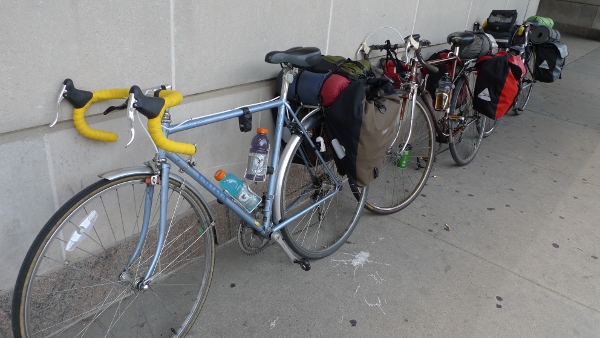
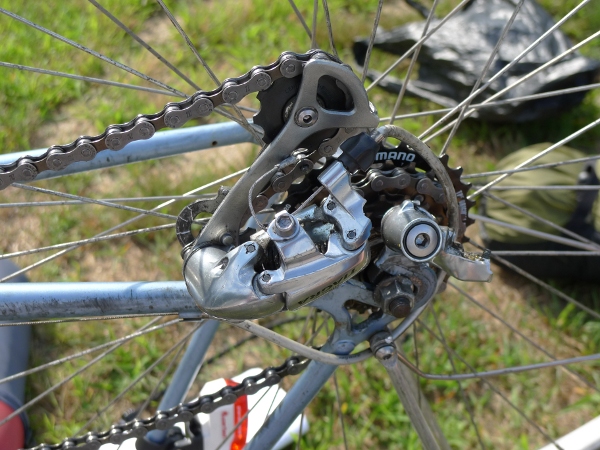
Day 1 We aimed to catch the 10:00 commuter rail train from Boston to Providence, Rhode Island, but we ran late (predictable) and had problems with the bicycle rack for my racing bike, which attaches without frame mounts (also predictable, since Mako and Mika test-rode it earlier in the week), so we didn't make it in to the station until around 10:20. We used the extra time to eat and fix up the bikes, though, so it's not clear how much of a setback that was. Here are our bikes ready to go at the Providence commuter rail station. bikes at Providence We then had some problems with Molly's brakes, and it took a long time to navigate out of the city, but eventually we found ourself on the "Washington Secondary Trail" a wonderful bike path along an old rail line. Every couple miles there'd be an old covered rail bridge over the river, and it was a well-paved straight shot for about ten miles, with no cars and no need to navigate. Molly on a train bridge Just as we were getting into things after the bike trail ended, something completely unexpected happened. This is Daf's derailleur after it sheared off in the middle as we attempted to start after a red light outside Tractor Supply Co. broken derailleur Luckily, John and his son Chris lent us a hand and hauled Daf and his bike to the nearest bicycle shop in the back of their pickup truck. They'd just come from there, where John had bought Chris a new helmet. Greenway Cycles, the only bike shop in a twenty mile radius, was three miles away. We got there an hour before it closed and Rick replaced the derailleur and straightened the hanger in a jiffy. Due to all these things, we didn't get as far as we'd planned in the first day and ended up camping in Seaport Campground in Mystic, Connecticut, rolling in at around 22:00. We did about 65 miles, including six due to the detour to the cycle shop. Carrying camping gear is heavy! Several delicious peanut butter and jelly bagels and some wheatberry and couscous salad later, we were passed out.

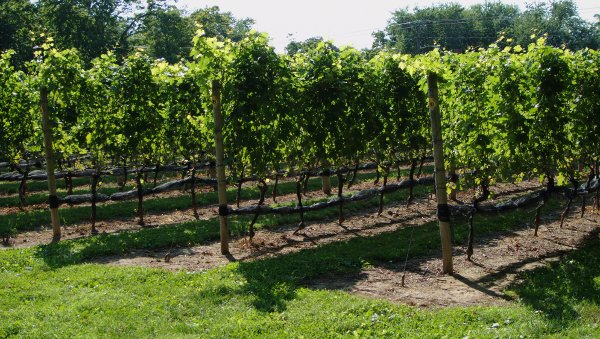
Day 2 Molly at the campground The second day included less bike trouble, but was no less eventful, and we were tired from the previous day's riding. The highlights included taking a tiny sidewalk path that I'm baffled how Google knows about up onto a sidewalk alongside the I-95 bridge across the Thames to New London, Connecticut. the Thames bridge The 13:00 ferry from New London to Orient Point, New York, where we got some remarkably good veggie burgers (whole edamame visible!) for lunch. Cross Sound Ferry And a vineyard on the north fork of Long Island, where we stopped for a quick tasting and ended up picking up a bottle of barrel-fermented chardonnay. The vineyard was small 23 acres, with 11 acres of grapes and the proprietors were friendly and extremely interested in our trip. They gave us a dollar off on the bottle due to our method of transport. The Old Field Vineyard It turns out there are only two trains a day on the Long Island rail, and we just barely caught the 18:52 return from Riverhead. We had mere seconds in the station and ended up without enough cash to pay for tickets onboard, but the conductor just took what we had and gave us tickets to Penn Station anyway. Outside Penn, a girl with a mohawk and a messenger bag overheard us talking about biking up Broadway and told us to bike up 8th Avenue instead. "Always bike up 8th and down Broadway because they have bike lanes in those directions." Thus, we didn't die dodging taxis in the dark. So basically, due to various people being extremely nice to us for no good reason, we made it to Columbia University around 22:30, on the correct day. Warm fuzzies for humanity all around. :)



29 July 2010

Stefano Zacchiroli: DebConf BoF HOWTO

Here at DebConf10 the schedule is starting to get really packed of events, which is great! About a half of those events are BoFs (in the IETF sense), i.e. discussion sessions among people interested in specific topics. (Other conferences use "BoF" to refer to impromptu, non-scheduled, and spontaneous events, while at DebConf we have traditionally submitted, reviewed, and scheduled BoFs in advance.) As most DebConf regulars, I've attended quite some BoFs in the past and I share with others the impression that the quality and usefulness for the project of BoFs varies substantially from BoF to BoF. That's why I'd like to share a BoF recipe, which comes from possibly the best organized BoF I've ever attended. As it happens with all good recipes (and with free software), I've took the liberty of customizing it a bit.
DebConf BoF HOWTO have a coordinator A good BoF should have a coordinator, which is usually (but not necessarily) the person who proposed the BoF in the first place. The role of the coordinator encompasses at least 2 tasks: preparing the BoF in advance (read below) and moderating the discussion to ensure everybody get a chance to participate. prepare in advance A good BoF is more than just getting together, vaguely knowing the BoF topic, and ... discuss. Mind you, it might work very well that way too, but the chances of having a successful BoF are much higher if attendees arrive prepared. That is quite simple to achieve. It just takes the BoF coordinator to prepare some working questions and/or detailed discussion topics, and advertise them as such. That way potential participants can make up their minds, recall experiences that they want to share, note down comments they want to bring into the discussion, etc. In my experience, the BoF time will then be used in a much more productive, exciting, and ultimately fun way. Most BoFs can also benefit from a few introductory slides on the BoF topic, to ensure all participants start from a common ground. The last slide could contain a brief recap of the working questions, so that the audience have them handy. don't be exclusive Debian is not a company and Debian contributors are not employees, therefore we cannot expect all relevant people to attend a specific BoF, just if they had to. As usual, the risk of cutting off community members who cannot attend should be mitigated as much as possible. To that end, minutes are just great; after the BoF, minutes should be posted where appropriate, and possibly uploaded to Penta as event attachments. ... but taking minutes is just boring and not everyone is good at that (for instance, yours truly used to suck at taking minutes, even if I'm trying to get better ...). If you have a trusted participant which is good at taking minutes, great, go for it! If you don't, use collaboration. During past DebConfs as well as at UDS this year, I've been shown a nice way of doing that. It takes a dedicated projector in the BoF room showing some real-time, collaborative editing facility (e.g. gobby). With such a setup, people usually just start taking minutes collaboratively, although explicitly inviting the audience to do that is a very good idea. Ideally, the room should have two projectors, one for supporting slides, another for collaborative minutes taking. In case there is only one, as it is usually the case for DebConf, it's probably better to use it for minutes and switch to them as soon as supporting slides are over.
gobby.debian.net for BoF minutes at DebConf10 For DebConf10, the DebConf team has setup a gobby (infinote) server at gobby.debian.net. Just do the following in order to be ready for collaborative minutes taking:
    # apt-get install gobby-0.5
    $ gobby-0.5 -c gobby.debian.net

(Note: you shouldn't use the non versioned gobby package as it uses a different protocol and doesn't support undo, which is quite risky; see Debian bug #590753 for more background.) As the naming convention for DebConf10 minutes, using document names that start with dc10- sounds sensible.
comments welcome! So, what do you think of the above suggestions? Do you have further best practices to share on BoF organization at DebConf? Leave a comment or mail me. In the end it would be nice to author a proper "DebConf BoF HOWTO" document for further reference. Thanks to Gregor for his feedback on early versions of this post.

27 July 2010

Tiago Bortoletto Vaz: Live installer (pre-alpha-almost-tested) just released

yeahhhh!!!
otavio
Wow, it even works!
daniel

Daniel and Otavio releasing Debian live installer in Debconf 10


22 July 2010

John Goerzen: Once, We Were Makers

I saw an article on Wired today: The Lost Tribes of RadioShack. It is well worth the read even if you re not into electronics. A key quote:
[H]is shop is a lone outpost; in a single generation, the American who built, repaired, and tinkered with technology has evolved into an entirely new species: the American who prefers to slip that technology out of his pocket and show off its killer apps. Once, we were makers. Now most of us are users.
I remember as a kid eagerly awaiting each year s new RadioShack catalog. I d read them pretty much cover to cover for fun. And who wouldn t? The catalogs had fun things like radios, telephone gadgets, calculators, tape recorders, electronic lab kits , books, components, LEDs I loved the catalogs and loved the store. My parents bought me a electronic kit (if memory serves 20 years later, it s the deluxe 160-project electronic kit from page 156 of the 1988 catalog, though it may have been purchased a different year). I had endless fun with that thing. It had resistors, diode, capacitors, oscillator, speaker, LED, relay, etc plenty to make a bunch of kid-friendly projects. Just looking at the catalog makes me excited even today. On the next page from the kit I had is a $5 crystal radio kit which needs no power source Solderless. With earphone, instructions, theory. On page 28 there was a revolving red light, and some microcassette recorders on p. 36 (I had one of those for awhile). I had enthusiasm for building and figuring out things for a long time. My dad let me take apart an old lawn mower for fun once I m sure he knew ahead of time it would never be back together. One of his friends from work built homemade contraptions out of things like an old vacuum cleaner (attach a cardboard tube to the exhaust and you get a great tennis ball shooter). And there was always all sorts of fun junk to discover up in the barn. I eventually shifted to a different sort of making things : programming. It has kept me busy for quite a number of years. But the Wired article has a point. RadioShack is struggling. Many people have no interest in making or fixing things anymore. The best-selling smartphone in the world comes sealed in a metal case where not even the battery can be replaced, the software is dictated by a company in California, and good luck trying to program for it without signing your life away first. A far cry from the first computer I used, a TRS-80 Color Computer II, bought, yes, at RadioShack. Turn it on, and in a few seconds you get a BASIC prompt. Can t really use it without programming. Being able to read its manual was an early motivation for me to work at learning to read. It is sad that so many devices can t be worked on anymore, and that so many people don t care. It is difficult for me to give Jacob (and later, Oliver) the sort of experience I had as a child. Companies would love to sell us $50 DVD sets, $300 educational game systems, $40 educational games, and any number of $30 plastic toys (some of which we have and the boys enjoy). I d rather give him a $10 bag of resistors, capacitors, wire, battery holders, LEDs, and a book, and see what he can come up with (when he s a bit older, of course). And, in fact, he and I built his first computer together. We installed the ultimate in operating systems for tinkering: Linux. This all brings me back to RadioShack. I ve been working on ham radio lately, with an eye to that being a project for Jacob (age 3.5), Oliver (just turned 1), and me to enjoy in the future. I needed some cable, and had been told by many people to visit the RadioShack in Derby, KS. It s like the one mentioned in the Wired article: huge, selling everything from washing machines to bulk cable, except this one specializes in amateur radio. I asked Jacob if he would like to come with me to a radio store. Dad, I would LOVE that! He brought his little semi-broken walkie-talkies with him to use during the hour drive there. At one point, he was concerned that a radio store is like a library and he might have to leave them on a shelf. I assured him he could keep them. We got to the RadioShack and he loved it. He couldn t even really contain his excitement. He ran back and forth along the bright green stripe running down the middle of the carpet. He excitedly watched them measure out 60ft of RG-8 coax for me. He pushed buttons on the demo clothes dryer, looked at all the antennas, and just had a great time. And he s been interested in my radio, too. When I was talking to somebody on it the other day, he said, I think he is at the radio store. He is having fun there. Right now, everybody I talk to on the radio is at the radio store to him. Jacob loves the fact that the backlight on my FT-857D can change colors, and often comes into the office just so I can put it into setup mode and let him spin the big wheel to change the colors. He enjoys opening boxes of components, and came out to help (and run around) while I suspended a dipole from some trees last Friday. I had told Jacob when we got to the store that This radio store is called RadioShack. He obviously took that to heart, because now if he hears me talking about a radio store , he will say, Dad, actually it is radio SHACK. So I say thank you to the Derby RadioShack for keeping the magic of making things with your dad alive for another generation.

18 July 2010

Rog rio Brito: I am going to DebConf 10

I just bought my tickets today to NYC and I am glady to say that I am going to Debconf 10.
I am going to DebConf10

I am going to DebConf10

The tickets have this information: This represents a personal milestone for me, as I have many plans for the conference. In fact, this will be a trip of many firsts for me: I am thankful for the DebConf team sponsoring both accomodation and food. It is highly appreciated. See you in NYC! Any hints that you may happen to have are warmly welcome.

7 July 2010

Clint Adams: Lack of proper shame

Some time ago, someone posted to a development mailing list about a piece of code, Cc:ing some people who had modified the code in recent past. Within hours, the original author replied to complain about not being Cc'd. Several thoughts went through my mind: This is Free Software, and people are motivated by all kinds of factors. Some bad reasons include Looking at it through an Open Source lens, all these bad reasons are good reasons. For whatever motives, people are getting work done and accomplishing things. Of course, there are always an irritating number of hangers-on, and people who do not actually achieve much but are filled with such self-importance that they believe they deserve to be highly influential through sheer force of will, and the majority of the Community will concede this influence to them due to a variety of flaws in the Human Condition, but I digress. It would be nice if everyone had motives that were pure and good, especially since at least 90% of problems in Free Software projects are due to ego issues, but when the world works, the world works. So I am happy to get code contributions for whatever reason (assuming there are no strings attached). The problem I have is when people insist that their bad reasons are legitimate and should be catered to and accommodated by others.

5 July 2010

Julian Andres Klode: Review: Lenovo ThinkPad Edge 15

Wednesday, after some weeks with a flickering screen (or more precisely, something is causing GTK+ to redraw and the kernel to print ^@ in the terminal when you touch the screen, see http://jak-linux.org/tmp/20100628_002.mp4) in my 3 years old HP Compaq 6720s (which seems to be a software-hardware combination problem, at least it works in Ubuntu); I decided to buy a new laptop. It took me a few minutes to find the Lenovo ThinkPad Edge 15 NVL7VGE; which I ordered at notebooksbilliger.de at around 14:30 CEST using Express. On Thursday morning at 6:40 CEST, the device arrived. The laptop features an Intel Core i5 430 M processor with integrated graphics, 4 GiB of RAM, 320 GB hard disk storage, matte screen, and of course a TrackPoint. The machine comes pre-installed with Windows 7 Professional which is not very nice (and Lenovo does not take Windows licenses back). I booted Ubuntu 10.04 from an USB disk which worked a few times, but not always, so I upgraded the BIOS to make USB booting reliable (as Lenovo published multiple BIOS updates already, one fixing this USB booting issue). The first step was booting Ubuntu 10.04 from an USB hard disk to check the Linux support. Using Ubuntu, everything worked out of the box, including stuff like HDMI audio support or output switching. An exception may be the DVD drive, which only works if you set the SATA mode to compatibility. Non-DVD media also works in AHCI mode, but only if you start with a disc inserted in the drive. Playing DVDs requires setting a region code using setregion(8) [otherwise they do not work at all] and SATA compatibility mode [otherwise they only work partially]. Another issue is the HDMI output, as the TV is not correctly detected and some parts at the top and the bottom of the image are missing (that is, the GNOME panels) (but that happens with different screens and ATI cards as well). Oh, and closing the lid with a screen attached and the internal screen disabled works only as long as you do not open it again, because that causes the GPU to stop. On the input side, we have one keyboard, one TrackPoint, and a touch pad. All of them work out of the box, but they have a few problems on the hardware side: The cursor keys on the keyboard are incredibly small and the touchpad is very large. The keyboard is different from the one in the HP Compaq: First of all, there is space between the keys (like Apple keyboards); and secondly, you need to apply more pressure in order to use the keys. The device feels more solid than the HP Compaq 6720s, especially touching the screen does not change the colors on the screen. I don t know how long the keyboard will last, but I hope that I will still have symbols on them in 5 months (which was not the case for the HP Compaq 6720s keyboard). Power consumption is another interesting point. When the device is idle and the screen is disabled, the device seems to consume about 10W. With screen enabled, consumption varies between 13W (idle) 35W (building source code); if the values received via ACPI are correct. The device ships with a 48 Wh battery which after some time was displayed as 53 Wh in gnome-power-statistics (only the when loaded state, capacity is displayed as 47.5Wh). According to Lenovo, the laptop lasts 4.5 hours on battery, meaning consumption of 47.5 Wh / 4.5 h = 10.5 Wh which is a bit overly optimistic if you want to work on the device. After checking everything, I took over my Debian sid installation from my old laptop (which I installed in 2008). It runs happely now, although I still need to get accustomed to the new keyboard and the large touch pad. All in all, the price of 765 I paid for the device seems to be OK. Now I only need to remove the Windows 7 sticker and hope that the device lasts long enough until I want to buy a new one (probably 2013, if the aliens don t invade us 2012).
Filed under: General

2 July 2010

Gunnar Wolf: Debian by its numbers, as seen by keyring-maint

At keyring-maint, we got a request by our DPL, querying for the evolution of the number of keys per keyring This can be almost-mapped to the number of Debian Developers, Debian Maintainers, retired and deleted accounts over time since the keyrings are maintained over version control. Stefano insisted this was more out of curiosity than anything else, but given the task seemed easy enough, I came up with the following dirty thingy. I'm sure there are better ways than cruising through the whole Bazaar history, but anyway - In case you want to play, you can clone an almost-up-to-date copy of the tree: bzr clone http://bzr.debian.org/keyring/debian-keyring/
  1. #!/bin/perl
  2. use strict;
  3. my ($lastrev, @keyrings, %revs, $fh);
  4. open $fh, '>growth_stats.txt' or die $!;
  5. @keyrings = sort qw(debian-keyring-gpg debian-keyring-pgp
  6. debian-maintainers-gpg
  7. emeritus-keyring-gpg emeritus-keyring-pgp
  8. removed-keys-gpg removed-keys-pgp);
  9. system('bzr unbind'); # Huge speed difference :-P
  10. $lastrev = bzr revno ;
  11. for my $entry (split /^---+$/m, bzr log )
  12. my ($rev, $stamp);
  13. for my $line (split(/\n/, $entry))
  14. next unless $line =~ /^(revno timestamp): (.*)/;
  15. $rev = $2 if $1 eq 'revno';
  16. $stamp = $2 if $1 eq 'timestamp';
  17. $revs $rev = stamp => $stamp ;
  18. spew('Revision', 'Date', @keyrings);
  19. system('bzr bind')
  20. for my $rev (sort $a<=>$b keys %revs)
  21. system("bzr update -r $rev");
  22. spew($rev, $revs $rev stamp ,
  23. map my @keys=<$_/*>;scalar(@keys) @keyrings);
  24. sub spew
  25. print $fh join(' ', @_),"\n"
And as a result... Yes, I fired up OpenOffice instead of graphing from within Perl, which could even have been less painful ;-) I had intended to leave graphing the data raw (also attached here) as an excercise to the [rl]eader... But anyway, the result is here (click to view it in full resolution, I don't want to mess your reading experience with a >1000px wide image): A couple of notes: Anyway, have fun with this. Graphics are always fun!
AttachmentSize
Debian by its numbers, as seen by keyring-maint62.79 KB
Raw data31.78 KB

27 June 2010

Matt Zimmerman: Navigating the PolicyKit maze

I ve written a simple application which will automatically extract media from CDs and DVDs when they are inserted into the drive attached to my server. This makes it easy for me to compile all of my media in one place and access it anytime I like. The application uses the modern udisks API, formerly known as DeviceKit-disks, and I wrote it in part to learn get some experience working with udisks (which, it turns out, is rather nice indeed). Naturally, I wanted to grant this application the privileges necessary to mount, unmount and eject removable media. The server is headless, and the application runs as a daemon, so this would require explicit configuration. udisks uses PolicyKit for authorization, so I expected this to be very simple to do. In fact, it is very simple, but finding out exactly how to do it wasn t quite so easy. The Internet is full of web pages which recommend editing /etc/PolicyKit/PolicyKit.conf. As far as I can tell, nothing pays attention to this file anymore, and all of these instructions have been rendered meaningless. My system was also full of tools like polkit-auth, from the apparently-obsolete policykit package, which kept their configuration in some other ignored place, i.e. /var/lib/PolicyKit. It seems the configuration system has been through a revolution or two recently. In Ubuntu 10.04, the right place to configure these things seems to be /var/lib/polkit-1/localauthority, and this is documented in pklocalauthority(8). Authorization can be tested using pkcheck(1), and the default policy can be examined using pkaction(1). I solved my problem by creating a file in /var/lib/polkit-1/localauthority/50-local.d with a .pkla extension with the following contents:
[Access to removable media for the media group]
Identity=unix-group:media
Action=org.freedesktop.udisks.drive-eject;org.freedesktop.udisks.filesystem-mount
ResultAny=yes
This took effect immediately and did exactly what I needed. I lost quite some time trying to figure out why the other methods weren t working, so perhaps this post will save the next person a bit of time. It may also inspire some gratitude for the infrastructure which makes all of this work automatically for more typical usage scenarios, so that most people don t need to worry about any of this. Along the way, I whipped up a patch to add a --eject option to the handy udisks(1) tool, which made it easier for me to test along the way.

26 June 2010

John Goerzen: Perfect use for broken technology: Give it to a 3-year-old

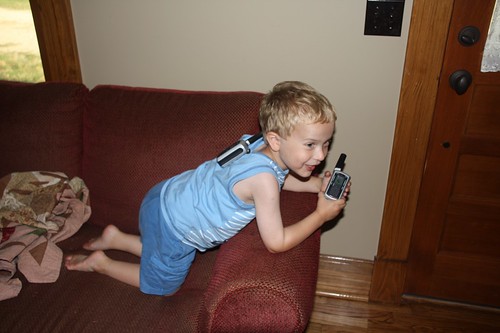
I last wrote about Jacob s new computer back in April. He has had fun with it, but is still a little young to appreciate it a whole lot. It s a fun thing, but not yet a favorite. Yesterday, though, I introduced Jacob to several bits of technology that really got him excited. We have a pair of FRS radios. These are low-power Family Radio Service devices, with a maximum practical range of maybe a mile, and are about as cheap a radio as you can buy that still has any sort of practical use. Anyhow, the receive circuit on one broke. I ordered a pair of TriSquare digital radios to replace them, which are incompatible. So, I have two radios, one with a broken receive circuit. What to do? GIVE THEM TO JACOB! I explained that one radio is the talking radio (the broken one) and the other is the listening radio. Then I demonstrated how I could use the talking radio and he could hear me on the listening radio. That was great fun. I encouraged him to go to the kitchen and see if he could still hear me in the next room. Cackles of laughter gave me the answer. Then he discovered the call button would make the other radio sound like a telephone, which was all the more exciting. He and I took turns with the talking and listening radios. Then I used the belt clip and attached the listening radio to the back of his shirt. I pointed out to him that this was sort of like a loudspeaker. Anything he said into the talking radio while holding town the transmit button would sound louder because it would also come out the radio on his back. Much cackling followed, and he ran around the house yelling MEOW! at the top of his lungs into the radio, then saying, Dad, did you hear THAT? It was VERY loud! He has spent hours listening to himself, listening to me, and generally enjoying life with radios. IMG_4218.JPG Jacob s second discovery was a cassette tape player. Awhile back, Terah rescued an old cassette tape player that was being thrown out, and bought a few 15-cent tapes for Jacob at a thrift store. The idea is that we can just let him play, and not care if he smashes it to bits. He enjoys it, but like the computer, didn t really get excited about it. Until yesterday, when we had this conversation: Me: Jacob, would you like to record your own voice on a tape? Jacob: (excited) Sure! Me: OK, bring me your tape recorder. Jacob: (exasperated) Dad, it s not a tape RECORDER. It s a tape PLAYER. Me: Jacob, it is a tape player, but it s also a tape recorder too. Jacob: (paused for about 5 seconds, then ) Ooooo! That is silly! (scampers off to find it) He found it, and I helped him put some tape over the write-protect tab on a cassette he had. Then he recorded his voice. He eventually figured out the stop, rewind, play, and record buttons with my help. But he s still confused: while he s recording, why doesn t he hear anything? Our first recording had me asking him some questions, and then telling him to press the stop button when he was done. He listened to it dozens of times, and each time my recorded voice asked a question, he answered it a little before his recorded voice did. And each time my recorded voice told him to press the stop button, he would say, I don t want to while his recorded voice asked is this it? He pretty well understands what the radios are about, but doesn t really get the tape recorder yet. Nevertheless, it has just become a far more exciting device in his eyes. Terah has been rolling her eyes at me today as I ve been trying to think up what other broken or old bits of technology we might have that Jacob would enjoy. My latest plan involves adapting his broken old batte
ry-operated fan into some sort of lego-related car. I think he d have fun working on it with me too. All this reminds me of things I did as a kid. My dad worked with a semi-retired man (Herb Miller) that loved to build weird contraptions. One of my favorites was a ball shooter made out of an old vacuum cleaner with a cardboard tube attached to the output spot. I also remember building a motorized car out of an erector set that sort of bent the rules at a school science class project. The idea was to launch a vehicle down a ramp and person whose vehicle went the farthest got a prize. There were no rules against using batteries and a scavenged motor to get that extra little edge over gravity. My car was the only one to manage to crash into the wall on the far side of the gymnasium. The science teacher, in a bit of fast thinking perhaps, announced my car the winner of the electric division. For some reason, I seem to be poised to encourage this sort of thinking in Jacob

24 June 2010

Matthew Garrett: Joojoo

I've had the opportunity to look into the Joojoo tablet recently. It's an interesting device in various ways, ranging from the screen being connected upside down and everything having to be rotated before display, to the ACPI implementation that's so generic it has no support for actually attaching most embedded controller interrupts to ACPI devices and so relies on a hacked kernel that exposes individual interrupts as ACPI events that are parsed in userspace, to the ChangeOrientation binary that's responsible for switching between landscape and portrait modes containing gems like ps aux grep fgplayer grep -v grep and containing references to org.freedesktop.PandaSystem, a somewhat gratuitous namespace grab. Hardware-wise it seems to be little more than battery, generic nvidia reference design board and touchscreen with an accelerometer and LED glued to the chipset's GPIO lines. The entire impression is one of an ambitious project not backed up by the level of technical expertise required to get things done properly. Frankly, I think Michael Arrington came out of this rather better than he could have done - behind the reasonably attractive UI, the entire device is pretty much held together by string and a following wind.

Of course, releasing shoddily put together technology isn't generally illegal and from that point of view Fusion Garage aren't any worse than a number of products I've had the misfortune to actually spend money on. But they're distributing Linux (stock Ubuntu with some additional packages and a modified kernel) without any source or an offer to provide source. I emailed them last week and got the following reply:

Dear Sir,

we are still actively making changes to the joojoo software. We will make
the source release available once we feel we are ready to do so and also
having the resources to get this sorted out and organized for publication.
We seek your kind understanding on our position and appreciate your
patience on this. Thank you.

Best Regards
joojoo Support Team


Strong work, Fusion Garage. Hardware and software may not be your strong points, but you're managing copyright infringement with the best of them.

Uwe Hermann: Using the Oasis UMO19 MCU003 400x USB microscope on Linux via luvcview

Oasis UMO19 MCU003 digital USB microscope I've been buying quite a lot of (usually cheapo) gadgets recently, which I'll probably introduce / review in various blog posts sooner or later. Let me start with a fun little gadget, a digital USB-based microscope. I found out about it via this thread over at lostscrews.com. You can get this (or a very similar device) e.g. on eBay for roughly 50 Euros. Mine seems to be from a company called Oasis (though they're probably just the reseller, not sure). The device doesn't seem to have a nice name, but I can see UMO19 MCU003 on the microscope, so I guess that's the name or model number. It can focus on magnifications of 20x or 400x. The image resolution is said to be a max. of 1600x1200, but in practice most of my images are 640x480, maybe I have to change some settings and/or the resolution depends on the magnification factor and lighting conditions. The device acts as a simple UVC webcam when attached to USB, so you can view the images easily via any compatible webcam software, e.g. luvcview and also save screenshots of the magnified areas (see images). UMO19 chip
UMO19 fabric
UMO19 LED First three from left to right: SMD LED (400x), clothes/jacket (400x), random PCB (20x). The other two below: A via on a PCB (400x), and the "pixels" of a TFT screen (400x). It worked out of the box on Linux for me, the uvcvideo kernel driver was loaded automatically.
 $ lsusb
 Bus 001 Device 013: ID 0ac8:3610 Z-Star Microelectronics Corp.
I set up a wiki page for more details (including full lsusb -vvv) and sample images at: http://randomprojects.org/wiki/Oasis_UMO19_MCU003_USB_microscope I will also post some more images there over the next few days. UMO19 TFT
UMO19 via
This is a really fun device for having a look at stuff you'd normally not see (or not well enough), and also useful for e.g. checking PCB solder joints, checking all kinds of electronics for errors or missing/misaligned parts, finding the chip name / model number of very tiny chips etc. etc. I can also imagine it's quite nice for biological use-cases, e.g. for studying insects, tissue, plants, and so on. Anyway, definately a nice toy for relatively low price, I can highly recommend a device like this. Check eBay (search for e.g. "usb mikroskop 400") and various online shops for similar devices, there seem to be a large number of them with different names and from different vendors. Just make sure it has at least 400x magnification, there are also some with only 80x or 200x which is not as useful as 400x, of course.

16 June 2010

David Paleino: Bash-Completion 1.2 released

After more than 9 months from the previous release, the Bash Completion Team is proud to announce the release of bash-completion 1.2! In this release, we dropped support for bash < 3.2. We're sorry, but we cannot stop development just to support versions that old. By now, everyone should have a version fulfilling our requirement. As usual, lots of completions have been added: we're now at 168 files in our contrib/ directory (1.1 had 145, and 1.0 had 44 -- but most completions in 1.0 were bundled in the main file). Now bash_completion only contains helper functions, and basic filename-based completions. Everything has moved to contrib/! This release also saw the contribution of many external people, despite the fact that our bugtracker on Alioth doesn't seem to work too well (problem with attachments, anyone?). Anyhow, you're invited to register and start filing bugs as you find them :). Apart from the usual team members (Ville Skytt , Freddy Vulto, the newcome Leonard Crestez and me), we've had contributions from (in no particular order): Ted Stern, Jeremie Lasalle Ratelle, Rapha l Droz, Adrian Friedli, Ildar Mulyukov, Neville Gao, Austin English, Igor Murzov, Mario Schwalbe and Mark van Rossum. Thank you people for helping us! For completion developers: we added new helper functions. Most notably, it's now possible to get the current and the previous "word" just by calling:
_get_comp_words_by_ref cur prev
instead of (up to 1.1):
cur=$(_get_cword) prev=$ COMP_WORDS[COMP_CWORD-1]
Also, we have a new helper to deal with completion with colons, __ltrim_colon_completions(). See the comment in bash_completion for its documentation. You'll find more helpers directly in bash_completion. We're still far from having a distributable API documentation, so please forgive us. Enjoy the new bash-completion! -- David

14 June 2010

Russell Coker: Should Passwords Expire?

It s widely regarded that passwords should be changed regularly. The Australian government declared last week the National Cyber Security Awareness Week [1] and has published a list of tips for online security which includes Get a stronger password and change it at least twice a year . Can a Password be Semi-Public? Generally I think of a password as being either secret or broken. If a password is known to someone other than the sysadmin and the user who is authorised to use the account in question then you have potentially already lost all your secret data. If a password is disclosed to an unauthorised person on one occasion then merely changing the password is not going to do any good unless the root cause is addressed, otherwise another anothorised person will probably get the password at some future time. Hitachi has published a good document covering many issues related to password management [2]. I think it does a reasonable job of making sysadmins aware of some of the issues but there are some things I disagree with. I think it should be used as a list of issues to consider rather than a list of answers. The Hitachi document lists a number of ways that passwords may be compromised and suggests changing them every 60 to 90 days to limit the use of stolen passwords. This seems to imply that a password is something that s value slowly degrades over time as it s increasingly exposed. I think that the right thing to do is to change a password if you suspect that it has been compromised. There s not much benefit in having a password if it s going to be known by unauthorised people for 89 days before being changed! Fundamentally a password is something that can have it s value rapidly drop to zero without warning. It doesn t wear out. Why are terms such as Three Months used for Maximum Password Ages? The Hitachi document gives some calculations on the probability of a brute-force attack succeeding against a random password with 90 days of attacking at a rate of 100 attempts per second [2]. I think that if a service is run by someone who wouldn t notice the load of 100 attempts per second then you have bigger security problems than the possibility of passwords being subject to brute-force attacks. Also it s not uncommon to have policies to lock accounts after as few as three failed login attempts. Rumor has it that in the early days of computing when the hashed password data was world readable someone calculated that more than 3 months of CPU time on a big computer would be needed to obtain a password by brute-force. But since then the power of individual CPUs has increased dramatically, computers have become cheap enough that anyone can easily gain legal access to dozens of systems and illegal access to a million systems, and it has become a design feature in every OS that hashed passwords are not readable by general users. So the limiting factor is to what degree the server restricts the frequency of password guesses. I don t think that specifying the minimum password length and maximum password age based on the fraction of the key space that could be subject to a brute-force attack makes sense. I don t think that any attempt to make an industry-wide standard for the frequency of password changes (as the government is trying to do) makes sense. Can there be a Delay between a Password being Compromised and being Used by an Attacker? Hypothetically speaking, if a password was likely to be compromised (EG by having the paper it was written on lost or stored insecurely) for some time before an attacker exploited it, then if the password was changed during that time period it could solve the problem. For example when a company moves office there is the possibility of notepaper with passwords to be lost. So if the sysadmin caused every user password to expire at the time of the move then a hostile party would be unable to gain access. Another possibility is the theft of backup tapes that contain the list of unencrypted passwords. If users change their passwords every three months then the theft of some four month old backup tapes will be less of a problem. Another possibility concerns the resale of old computers, phones, and other devices that may contain passwords. A reasonably intelligent user won t sell their old hardware as soon as the replacement device arrives, they will want to use the new device for some time to ensure that it works correctly. If passwords expire during this trial period with the new device then passwords stored in the old device won t have any value. The down-side to this idea is that people probably sell their old gear fairly quickly and making passwords expire every two weeks would not be accepted well by the users. It seems to me that having bulk password changes (all passwords for one user or for one company) based on circumstances that lead to potential insecurity would do more good than changing passwords at a fixed schedule. How are Passwords typically Compromised? Dinei Flor ncio and Cormac Herley of Microsoft Research and Baris Coskun of Brooklyn Polytechnic University wrote a paper titled Do Strong Web Passwords Accomplish Anything? [3] which discusses this issue. The first thing that they note is that nowadays passwords are most commonly compromised by phishing and keylogging. In those cases passwords are typically used shortly after they are stolen and the strength of a password never does any good. That paper suggests that banks should use stronger user-names rather than stronger passwords to combat the threat of bulk brute-force attacks. Can a Password Last Forever? If a password is entered in a secure manner, authenticated by a secure server, and all network links are encrypted or physically protected then there should never be a need to change it. Of course nothing is perfectly secure, so for some things with minimal short-term value or which can be used without anyone noticing there is a benefit in changing the password. But in the case of Internet banking if a hostile party gets your login details then you will probably know about it in a few days when the bank calls you about the unusual transactions from foreign countries long before a 90 day password change schedule would have done any good. Maybe one of the issues determining whether a password should be changed regularly is whether an attacker could use long-term read-only access to gain some benefit. Being able to read all the email someone received for a year could be a significant benefit if that person was a public figure, and there s usually no way for an ISP customer to know that someone else is downloading all their mail via POP or IMAP. Should a Password be the only Authentication Method? It is generally agreed that an authenitcation method should ideally involve something you have plus something you know. That means a password and a physical device such as a smart card, token with a changing sequential password, or a key such as a Yubikey [4]. If the physical device can t be cloned (through some combination of technical difficulty and physical access control) then it significantly improves security. When a physical device is used the purpose of the password is merely to stop someone who steals the physical device from being immediately exploit everything the password only has to be strong enough to keep the accounts secure until a new token can be issued. The combination of something you have and something you know is very strong. Having a physical token stored on the desk next to the PC that is used for logging in provides a significant benefit, then an attacker needs to break in to the house and can t sniff the password by compromising the PC remotely. Conclusion In all aspects of security you need to consider what threats you face. If an attacker is likely to launch an immediate noisy attack (such as transferring the maximum funds out of an Internet banking account) then changing the password regularly won t do any good. If a subtle long-term attack is expected then changing the password can do a lot of good but a physical token is the ideal if the account is valuable enough. But to put things in to perspective, it s technically possible to use a mobile phone camera at close range (or a SLR with a big lens at long range) to take a photo of keys that allow reproducing them. But this hasn t stopped people from carrying their house keys in an obvious manner that permits photography or leaving them on their desk at work. Also I ve never heard of anyone routinely changing the door locks in case a hostile party might have got a key although I m sure that such practices are common in highly secure locations. Few people even take their house keys off the key-ring when they have their car serviced! Related Posts Defense in Depth and Sudo when using sudo can increase security and when it can t.
Logging Shell Commands how to log what the sysadmin does and what benefits that provides you, it doesn t help if the sysadmin is hostile.
Logging in as Root should you login directly as root?

10 June 2010

David Welton: Ok, first one on the block: leenooks.com

The problem with selling off these sites is that I am a bit attached to them emotionally. Leenooks.com is a cool domain, I think - it's how Linus pronounces Linux, supposedly. It's also one of the first sites I put together: the original version was done in Perl with CGI back in ... '97? The current incarnation runs on DedaWiki a wiki I put together that is built with Ruby on Rails.
The idea behind the site was that, rather than keep track of all the hardware out there that works well with Linux, let's focus on the stuff you really want to avoid as that is a smaller set of things, and hopefully one that, one day, will be empty! It seems to have been fairly popular over the years, and has helped pay for the server it runs on. However, "popular" doesn't necessarily translate into "oodles of money", and especially now that I have a daughter who is a lot of fun to play with, I need to cut back on my "spare time" projects. So this one is the first one up on the auction block. I fervently hope that whoever acquires it can dedicate a bit more time and energy to making it do what it does, only better.

8 June 2010

Mike Hommey: Playing with icegrind

In the past few days, I ve been playing with icegrind, a little valgrind plugin that Taras Glek wrote to investigate how Firefox startup spends its time in libxul.so reading/initialization, mostly. I invite you to check out his various posts on the subject, it s an interesting read. After some fiddling with the original icegrind patch in the bug linked above, I got some better understanding on the binary initialization phase (more on that in another post), as we could call it, and hit some problems due to problems in icegrind and elflog. The latest version of the icegrind patch as of writing solved my main problem half way (though it needs further modifications to work properly, see below). What icegrind actually does is to track memory accesses in mmap()ed memory. When the program being profiled mmap()s a file, icegrind looks for a corresponding sections file next to it (e.g. libxul.so.sections for libxul.so ). The sections file contains offsets, sizes, and sections names, that will be used by icegrind to report the accesses. Whenever the profiled program makes memory accesses (whether it is for instructions or data) within the mmap()ed range, icegrind will add the corresponding section name in a log file (e.g. libxul.so.log for libxul.so ). Please note it will only do so for the first access in the given section. To generate section information for ELF files, Taras also hacked an elflog program that scans an ELF binary (program or library) and will output sections for symbols present in its symtab. This means the binary needs not to be stripped, though the full fledged debugging symbols are not needed. It outputs the sections names in a form that would be reusable in a linker script after a build with the -ffunction-sections and -fdata-sections compiler options, but that s mostly irrelevant when what you are after is only to see what is going on, not to reorder the sections at link time. There are glitches in the way elflog works that makes the section names for .bss symbols wrong (they will start with .symtab, .shstrtab, .comment, etc. instead of .bss). Also, technically, the .bss section is not mapped from the file. Note icegrind has rough edges, is still experimental, and isn t very user friendly, as in unix permissions, because its input and output files need to be next to the file being mmap()ed, and when that is a library in /usr/lib, well, you need write access there ; or you need to copy the library in a different directory and adjust LD_LIBRARY_PATH. Anyways, it s already useful as it currently is. If you want to play with it yourself, here are steps that worked well for me: Once you re done with this setup, you are ready to start playing: Obviously, you don t have to play around with Firefox. You can try with other libraries, or even programs. You ll see in a subsequent post, however, that to get more interesting information, the elflog output is unfortunately not enough.

5 June 2010

Ingo Juergensmann: Drupal - direkt import into database

I was trying the last week to import data from one database into a Drupal database. Basically this worked fairly well. The needed fields from the old database are easy to get by simple SELECT statements. Because I don't know anything about PHP, I doing the export/import with a Python script directly into the database. After all this is about articles, comments and tags, that need to be imported into a Drupal database.

The articles will be stored into tables node_revisions, node and node_counter. The tags into tables term_data and term_node. Comments will go into table comments. Here are the INSERTs:

Articles:

"insert into node_revisions (uid, body, teaser, log, timestamp, format, nid, title) values ('3', '%s', '%s', '', '%s', '1', '%s', '%s')" % (body, body, timestamp, i, title)

"insert into node (vid, type, uid, status, created, changed, comment, promote, moderate, sticky, language, tnid, translate, title) values ('%s', 'blog', '3', '1', '%s', '%s', '2', '1', '0', '0', '', '0', '0', '%s')" % (vid, timestamp, timestamp, title)

"insert into node_counter (nid,totalcount,daycount,timestamp) values ('%s', '100', '0','%s')" % (nid, timestamp)

Tags:

"insert into term_data (vid, name) values ('3', '%s')" % tag

"insert into term_node (nid, vid, tid) values ('%s', '%s', '%s')" % (nid, vid, tagtid)

Comments:

"insert into comments (pid, nid, uid, subject, comment, hostname, timestamp, status, format, thread, name, mail, homepage) values ('%s', '%s', '0', '%s', '%s', '%s', '%s', '0', '1', '01', '%s', '%s', '%s')" % (parentid, nid, ctitle, cbody, cip, ctimestamp, cauthor, cemail, curl)

sql="insert into term_node (nid, vid, tid) values ('%s', '%s', '%s')" % (nid, vid, tid)

The import is successful as there are comments and tags attached to each article or node. But there are still some problems. When accessing Recent Posts there are no entries listed. Yet, Drupal still thinks there are so many articles that it lists more than 30 pages:

Recent Post Errors

Something similar happens to the tags. The tags are actually assigned to and are displayed as well with the nodes. But when accessign taxonomys vocabular and trying to list the terms, the resulting page is empty:

Tag Errors

If my understanding of the Drupal6 database (on PostgreSQL this is) is correct, everything should be fine and properly stored into the database. But apparently there's something missing. But what? As already mentioned I have no clue about PHP, so using node_api or any other API calls by Drupal/PHP is no option for me. Except when the calls can be placed via Pythons system() call.

If anyone has some tips or hints for me, I would appreciate when you write a comment.

When there's interest I can provide the entire Python import script. I'm going to make it public anyway, when the last problems are solved.

Ingo Juergensmann: Drupal - direct import into database

I was trying the last week to import data from one database into a Drupal database. Basically this worked fairly well. The needed fields from the old database are easy to get by simple SELECT statements. Because I don't know anything about PHP, I doing the export/import with a Python script directly into the database. After all this is about articles, comments and tags, that need to be imported into a Drupal database.

The articles will be stored into tables node_revisions, node and node_counter. The tags into tables term_data and term_node. Comments will go into table comments. Here are the INSERTs:

Articles:

"insert into node_revisions (uid, body, teaser, log, timestamp, format, nid, title) values ('3', '%s', '%s', '', '%s', '1', '%s', '%s')" % (body, body, timestamp, i, title)

"insert into node (vid, type, uid, status, created, changed, comment, promote, moderate, sticky, language, tnid, translate, title) values ('%s', 'blog', '3', '1', '%s', '%s', '2', '1', '0', '0', '', '0', '0', '%s')" % (vid, timestamp, timestamp, title)

"insert into node_counter (nid,totalcount,daycount,timestamp) values ('%s', '100', '0','%s')" % (nid, timestamp)

Tags:

"insert into term_data (vid, name) values ('3', '%s')" % tag

"insert into term_node (nid, vid, tid) values ('%s', '%s', '%s')" % (nid, vid, tagtid)

Comments:

"insert into comments (pid, nid, uid, subject, comment, hostname, timestamp, status, format, thread, name, mail, homepage) values ('%s', '%s', '0', '%s', '%s', '%s', '%s', '0', '1', '01', '%s', '%s', '%s')" % (parentid, nid, ctitle, cbody, cip, ctimestamp, cauthor, cemail, curl)

sql="insert into term_node (nid, vid, tid) values ('%s', '%s', '%s')" % (nid, vid, tid)

The import is successful as there are comments and tags attached to each article or node. But there are still some problems. When accessing Recent Posts there are no entries listed. Yet, Drupal still thinks there are so many articles that it lists more than 30 pages:

Recent Post Errors

Something similar happens to the tags. The tags are actually assigned to and are displayed as well with the nodes. But when accessign taxonomys vocabular and trying to list the terms, the resulting page is empty:

Tag Errors

If my understanding of the Drupal6 database (on PostgreSQL this is) is correct, everything should be fine and properly stored into the database. But apparently there's something missing. But what? As already mentioned I have no clue about PHP, so using node_api or any other API calls by Drupal/PHP is no option for me. Except when the calls can be placed via Pythons system() call.

If anyone has some tips or hints for me, I would appreciate when you write a comment.

When there's interest I can provide the entire Python import script. I'm going to make it public anyway, when the last problems are solved.

UPDATE:

Killes on IRC hinted me that node_comment_statistics and term_hierarchy needs to be filled as well. Thanks for the hint!

24 May 2010

Axel Beckert: Perfect Team: autossh and GNU Screen

SSH is definitely one of my most often used tools, not only for system administration at work but also on the road with my netbook, an EeePC 701 running Debian Sid. On the road, it often happens that I have a flaky WLAN or UMTS connection, so I often have to kill (via <Enter>~.) and reconnect my SSH session due to a changed IP address or so. First step against problems arising from using SSH over unreliable network connections is of course GNU Screen. Second step is use SSH keys and ssh-agent to not needing to type the password on every reconnect. But it s still very annoying to kill the SSH connection and call ssh again manually. For luck there is autossh, a wrapper around SSH which regularily checks via two tunnels connect to each other on the remote side if the connection is still alive, and if not, it kills the ssh and starts a new one with the same parameters (i.e. tunnels, port forwardings, commands to call, etc.). It s quite obvious that this is perfect to be combined with screen s -R and -d options (Reattach if a detached screen is around, else start a new screen; detach a currently attached screen), so I found myself very often typing (or fetching it from the commandline history :-):
autossh -t sym.noone.org 'screen -Rd'
-t is necessary to allocate a terminal device on the remote machine which is not done by default if you directly call a command via ssh. In comparision to OpenSSH, autossh needs the single quotes, because otherwise it would parse -Rd as options to parse to ssh and bail out. That s not a real problem, but when you re used to just type ssh -t sym.noone.org screen -Rd without any quotes, you ll run into this then and when. Update, 25-May-2010, 14:55: As Carsten Hey points out, autossh also supports the -- option to declare that all following options and parameters must be passed to ssh itself. (End of Update) Typing that often and mistyping it then and when cries for an shell alias or an shell function. So I came up with the following shell function:
asc()  
    autossh -x -a -t "$@" 'screen -RdU'
 
I used a function instead of an alias in case of autossh will in future regard all parameters given after the command as part of the command as ssh does. The additional options -x and -a disable X and SSH Agent forwarding which both don t work if you reattach to an already running screen. And if you re using Zsh as I do, you can even add some more format string magic to set the window title more or less to the expanded alias, eh, function:
function asc()  
    # Set the title to something more obvious, e.g. the expanded
    # alias, eh, function
    print -Pn "\e]0;%n@%m: autossh -t $* 'screen -RdU'\a";
    autossh -x -a -t "$@" 'screen -RdU'
 
compdef asc=ssh
Update, 25-May-2010, 14:59: As Hauke points out in a comment, Zsh users should also declare that asc should have the same tab completion as ssh itself. The example above has been updated accordingly. (End of Update) In the meanwhile on the EeePC I use asc on the commandline more often than ssh itself. And I nearly no more type autossh. (The most common exception here is autossh hostname tail -F /path/to/some/logfile.) Using that function you can also add common ssh options for tunneling, etc. I use it most often like this:
asc -D 1080 sym.noone.org
This opens a SOCKS proxy on localhost, port 1080 and that way I can surf via the host I m connecting to by SSH. There s one small drawback though: You didn t expect that I can just invent some new three letter command without a namespace clash, did you? There is a free game called Advanced Strategic Command whose binary (and Debian package) is named asc, too. If you have that game installed, you can always call it using its full path, e.g. /usr/games/asc on Debian. P.S.: My whole grml based .zshrc is also available via git at git.noone.org as well as on github.

9 May 2010

Gregor Herrmann: RC bugs 2010/17, 2010/18

the usual short overview about my RC bug activities: luckily the count of RC bugs is going down; but some more people tackling the remaining ones would be great!

Next.

Previous.