Search Results: "tca"

29 July 2017

Robert McQueen: Welcome, Flathub!

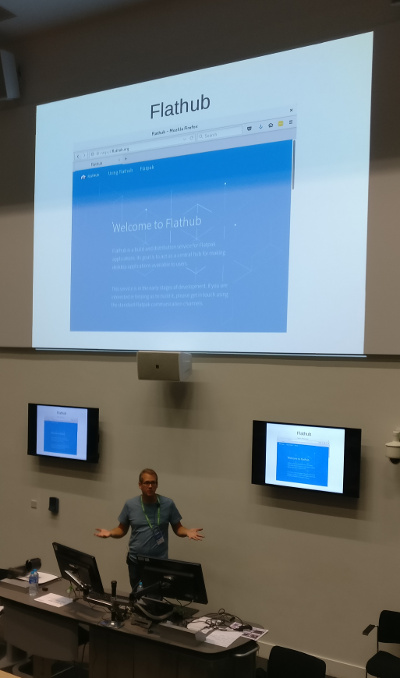
Alex Larsson talks about Flathub at GUADEC 2017At the Gtk+ hackfest in London earlier this year, we stole an afternoon from the toolkit folks (sorry!) to talk about Flatpak, and how we could establish a critical mass behind the Flatpak format. Bringing Linux container and sandboxing technology together with ostree, we ve got a technology which solves real world distribution, technical and security problems which have arguably held back the Linux desktop space and frustrated ISVs and app developers for nearly 20 years. The problem we need to solve, like any ecosystem, is one of users and developers without stuff you can easily get in Flatpak format, there won t be many users, and without many users, we won t have a strong or compelling incentive for developers to take their precious time to understand a new format and a new technology. As Alex Larsson said in his GUADEC talk yesterday: Decentralisation is good. Flatpak is a tool that is totally agnostic of who is publishing the software and where it comes from. For software freedom, that s an important thing because we want technology to empower users, rather than tell them what they can or can t do. Unfortunately, decentralisation makes for a terrible user experience. At present, the Flatpak webpage has a manually curated list of links to 10s of places where you can find different Flatpaks and add them to your system. You can t easily search and browse to find apps to try out so it s clear that if the current situation remains we re not going to be able to get a critical mass of users and developers around Flatpak. Enter Flathub. The idea is that by creating an obvious center of gravity for the Flatpak community to contribute and build their apps, users will have one place to go and find the best that the Linux app ecosystem has to offer. We can take care of the boring stuff like running a build service and empower Linux application developers to choose how and when their app gets out to their users. After the London hackfest we sketched out a minimum viable system Github, Buildbot and a few workers and got it going over the past few months, culminating in a mini-fundraiser to pay for the hosting of a production-ready setup. Thanks to the 20 individuals who supported our fundraiser, to Mythic Beasts who provided a server along with management, monitoring and heaps of bandwidth, and to Codethink and Scaleway who provide our ARM and Intel workers respectively. We inherit our core principles from the Flatpak project we want the Flatpak technology to succeed at alleviating the issues faced by app developers in targeting a diverse set of Linux platforms. None of this stops you from building and hosting your own Flatpak repos and we look forward to this being a wide and open playing field. We care about the success of the Linux desktop as a platform, so we are open to proprietary applications through Flatpak s extra data feature where the client machine downloads 3rd party binaries. They are correctly labeled as such in the AppStream, so will only be shown if you or your OS has configured GNOME Software to show you apps with proprietary licenses, respecting the user s preference. The new infrastructure is up and running and I put it into production on Thursday. We rebuilt the whole repository on the new system over the course of the week, signing everything with our new 4096-bit key stored on a Yubikey smartcard USB key. We have 66 apps at the moment, although Alex is working on bringing in the GNOME apps at present we hope those will be joined soon by the KDE apps, and Endless is planning to move over as many of our 3rd party Flatpaks as possible over the coming months. So, thanks again to Alex and the whole Flatpak community, and the individuals and the companies who supported making this a reality. You can add the repository and get downloading right away. Welcome to Flathub! Go forth and flatten  Flathub logo

27 June 2017

Daniel Pocock: How did the world ever work without Facebook?

Almost every day, somebody tells me there is no way they can survive without some social media like Facebook or Twitter. Otherwise mature adults fearful that without these dubious services, they would have no human contact ever again, they would die of hunger and the sky would come crashing down too. It is particularly disturbing for me to hear this attitude from community activists and campaigners. These are people who aspire to change the world, but can you really change the system using the tools the system gives you? Revolutionaries like Gandhi and the Bolsheviks don't have a lot in common: but both of them changed the world and both of them did so by going against the system. Gandhi, of course, relied on non-violence while the Bolsheviks continued to rely on violence long after taking power. Neither of them needed social media but both are likely to be remembered far longer than any viral video clip you have seen recently. With US border guards asking visitors for their Facebook profiles and Mark Zuckerberg being a regular participant at secretive Bilderberg meetings, it should be clear that Facebook and conventional social media is not on your side, it's on theirs. Kettling has never been easier When street protests erupt in major cities such as London, the police build fences around the protesters, cutting them off from the rest of the world. They become an island in the middle of the city, like a construction site or broken down bus that everybody else goes around. The police then set about arresting one person at a time, taking their name and photograph and then slowly letting them leave in different directions. This strategy is called kettling. Facebook helps kettle activists in their arm chair. The police state can gather far more data about them, while their impact is even more muted than if they ventured out of their home. You are more likely to win the lottery than make a viral campaign Every week there is news about some social media campaign that has gone viral. Every day, marketing professionals, professional campaigners and motivated activists sit at their computer spending hours trying to replicate this phenomenon. Do the math: how many of these campaigns can really be viral success stories? Society can only absorb a small number of these campaigns at any one time. For most of the people trying to ignite such campaigns, their time and energy is wasted, much like money spent buying lottery tickets and with odds that are just as bad. It is far better to focus on the quality of your work in other ways than to waste any time on social media. If you do something that is truly extraordinary, then other people will pick it up and share it for you and that is how a viral campaign really begins. The time and effort you put into trying to force something to become viral is wasting the energy and concentration you need to make something that is worthy of really being viral. An earthquake and an escaped lion never needed to announce themselves on social media to become an instant hit. If your news isn't extraordinary enough for random people to spontaneously post, share and tweet it in the first place, how can it ever go far? The news media deliberately over-rates social media News media outlets, including TV, radio and print, gain a significant benefit crowd-sourcing live information, free of charge, from the public on social media. It is only logical that they will cheer on social media sites and give them regular attention. Have you noticed that whenever Facebook's publicity department makes an announcement, the media are quick to publish it ahead of more significant stories about social or economic issues that impact our lives? Why do you think the media puts Facebook up on a podium like this, ahead of all other industries, if the media aren't getting something out of it too? The tail doesn't wag the dog One particular example is the news media's fascination with Donald Trump's Twitter account. Some people have gone as far as suggesting that this billionaire could have simply parked his jet and spent the whole of 2016 at one of his golf courses sending tweets and he would have won the presidency anyway. Suggesting that Trump's campaign revolved entirely around Twitter is like suggesting the tail wags the dog. The reality is different: Trump has been a prominent public figure for decades, both in the business and entertainment world. During his presidential campaign, he had at least 220 major campaign rallies attended by over 1.2 million people in the real world. Without this real-world organization and history, the Twitter account would have been largely ignored like the majority of Twitter accounts. On the left of politics, the media have been just as quick to suggest that Bernie Sanders and Jeremy Corbyn have been supported by the "Facebook generation". This label is superficial and deceiving. The reality, again, is a grass roots movement that has attracted young people to attend local campaign meetings in pubs up and down the country. Getting people to get out and be active is key. Social media is incidental to their campaign, not indispensible. Real-world meetings, big or small, are immensely more powerful than a social media presence. Consider the Trump example again: if 100,000 people receive one of his tweets, how many even notice it in the non-stop stream of information we are bombarded with today? On the other hand, if 100,000 bellow out a racist slogan at one of his rallies, is there any doubt whether each and every one of those people is engaged with the campaign at that moment? If you could choose between 100 extra Twitter followers or 10 extra activists attending a meeting every month, which would you prefer? Do we need this new definition of a Friend? Facebook is redefining what it means to be a friend. Is somebody who takes pictures of you and insists on sharing them with hundreds of people, tagging your face for the benefit of biometric profiling systems, really a friend? If you want to find out what a real friend is and who your real friends really are, there is no better way to do so then blowing away your Facebook and Twitter account and waiting to see who contacts you personally about meeting up in the real world. If you look at a profile on Facebook or Twitter, one of the most prominent features is the number of friends or followers they have. Research suggests that humans can realistically cope with no more than about 150 stable relationships. Facebook, however, has turned Friending people into something like a computer game. This research is also given far more attention then it deserves though: the number of really meaningful friendships that one person can maintain is far smaller. Think about how many birthdays and spouse's names you can remember and those may be the number of real friendships you can manage well. In his book Busy, Tony Crabbe suggests between 10-20 friendships are in this category and you should spend all your time with these people rather than letting your time be spread thinly across superficial Facebook "friends". This same logic can be extrapolated to activism and marketing in its many forms: is it better for a campaigner or publicist to have fifty journalists following him on Twitter (where tweets are often lost in the blink of an eye) or three journalists who he meets for drinks from time to time? Facebook alternatives: the ultimate trap? Numerous free, open source projects have tried to offer an equivalent to Facebook and Twitter. GNU social, Diaspora and identi.ca are some of the more well known examples. Trying to persuade people to move from Facebook to one of these platforms rarely works. In most cases, Metcalfe's law suggests the size of Facebook will suck them back in like the gravity of a black hole. To help people really beat these monstrosities, the most effective strategy is to help them live without social media, whether it is proprietary or not. The best way to convince them may be to give it up yourself and let them see how much you enjoy life without it. Share your thoughts The FSFE community has recently been debating the use of propriety software and services. Please feel free to join the list and click here to reply on the thread.

18 June 2017

Simon Josefsson: OpenPGP smartcard under GNOME on Debian 9.0 Stretch

I installed Debian 9.0 Stretch on my Lenovo X201 laptop today. Installation went smooth, as usual. GnuPG/SSH with an OpenPGP smartcard I use a YubiKey NEO does not work out of the box with GNOME though. I wrote about how to fix OpenPGP smartcards under GNOME with Debian 8.0 Jessie earlier, and I thought I d do a similar blog post for Debian 9.0 Stretch . The situation is slightly different than before (e.g., GnuPG works better but SSH doesn t) so there is some progress. May I hope that Debian 10.0 Buster gets this right? Pointers to which package in Debian should have a bug report tracking this issue is welcome (or a pointer to an existing bug report). After first login, I attempt to use gpg --card-status to check if GnuPG can talk to the smartcard.
jas@latte:~$ gpg --card-status
gpg: error getting version from 'scdaemon': No SmartCard daemon
gpg: OpenPGP card not available: No SmartCard daemon
jas@latte:~$ 
This fails because scdaemon is not installed. Isn t a smartcard common enough so that this should be installed by default on a GNOME Desktop Debian installation? Anyway, install it as follows.
root@latte:~# apt-get install scdaemon
Then try again.
jas@latte:~$ gpg --card-status
gpg: selecting openpgp failed: No such device
gpg: OpenPGP card not available: No such device
jas@latte:~$ 
I believe scdaemon here attempts to use its internal CCID implementation, and I do not know why it does not work. At this point I often recall that want pcscd installed since I work with smartcards in general.
root@latte:~# apt-get install pcscd
Now gpg --card-status works!
jas@latte:~$ gpg --card-status
Reader ...........: Yubico Yubikey NEO CCID 00 00
Application ID ...: D2760001240102000006017403230000
Version ..........: 2.0
Manufacturer .....: Yubico
Serial number ....: 01740323
Name of cardholder: Simon Josefsson
Language prefs ...: sv
Sex ..............: male
URL of public key : https://josefsson.org/54265e8c.txt
Login data .......: jas
Signature PIN ....: not forced
Key attributes ...: rsa2048 rsa2048 rsa2048
Max. PIN lengths .: 127 127 127
PIN retry counter : 3 3 3
Signature counter : 8358
Signature key ....: 9941 5CE1 905D 0E55 A9F8  8026 860B 7FBB 32F8 119D
      created ....: 2014-06-22 19:19:04
Encryption key....: DC9F 9B7D 8831 692A A852  D95B 9535 162A 78EC D86B
      created ....: 2014-06-22 19:19:20
Authentication key: 2E08 856F 4B22 2148 A40A  3E45 AF66 08D7 36BA 8F9B
      created ....: 2014-06-22 19:19:41
General key info..: sub  rsa2048/860B7FBB32F8119D 2014-06-22 Simon Josefsson 
sec#  rsa3744/0664A76954265E8C  created: 2014-06-22  expires: 2017-09-04
ssb>  rsa2048/860B7FBB32F8119D  created: 2014-06-22  expires: 2017-09-04
                                card-no: 0006 01740323
ssb>  rsa2048/9535162A78ECD86B  created: 2014-06-22  expires: 2017-09-04
                                card-no: 0006 01740323
ssb>  rsa2048/AF6608D736BA8F9B  created: 2014-06-22  expires: 2017-09-04
                                card-no: 0006 01740323
jas@latte:~$ 
Using the key will not work though.
jas@latte:~$ echo foo gpg -a --sign
gpg: no default secret key: No secret key
gpg: signing failed: No secret key
jas@latte:~$ 
This is because the public key and the secret key stub are not available.
jas@latte:~$ gpg --list-keys
jas@latte:~$ gpg --list-secret-keys
jas@latte:~$ 
You need to import the key for this to work. I have some vague memory that gpg --card-status was supposed to do this, but I may be wrong.
jas@latte:~$ gpg --recv-keys 9AA9BDB11BB1B99A21285A330664A76954265E8C
gpg: failed to start the dirmngr '/usr/bin/dirmngr': No such file or directory
gpg: connecting dirmngr at '/run/user/1000/gnupg/S.dirmngr' failed: No such file or directory
gpg: keyserver receive failed: No dirmngr
jas@latte:~$ 
Surprisingly, dirmngr is also not shipped by default so it has to be installed manually.
root@latte:~# apt-get install dirmngr
Below I proceed to trust the clouds to find my key.
jas@latte:~$ gpg --recv-keys 9AA9BDB11BB1B99A21285A330664A76954265E8C
gpg: key 0664A76954265E8C: public key "Simon Josefsson " imported
gpg: no ultimately trusted keys found
gpg: Total number processed: 1
gpg:               imported: 1
jas@latte:~$ 
Now the public key and the secret key stub are available locally.
jas@latte:~$ gpg --list-keys
/home/jas/.gnupg/pubring.kbx
----------------------------
pub   rsa3744 2014-06-22 [SC] [expires: 2017-09-04]
      9AA9BDB11BB1B99A21285A330664A76954265E8C
uid           [ unknown] Simon Josefsson 
sub   rsa2048 2014-06-22 [S] [expires: 2017-09-04]
sub   rsa2048 2014-06-22 [E] [expires: 2017-09-04]
sub   rsa2048 2014-06-22 [A] [expires: 2017-09-04]
jas@latte:~$ gpg --list-secret-keys
/home/jas/.gnupg/pubring.kbx
----------------------------
sec#  rsa3744 2014-06-22 [SC] [expires: 2017-09-04]
      9AA9BDB11BB1B99A21285A330664A76954265E8C
uid           [ unknown] Simon Josefsson 
ssb>  rsa2048 2014-06-22 [S] [expires: 2017-09-04]
ssb>  rsa2048 2014-06-22 [E] [expires: 2017-09-04]
ssb>  rsa2048 2014-06-22 [A] [expires: 2017-09-04]
jas@latte:~$ 
I am now able to sign data with the smartcard, yay!
jas@latte:~$ echo foo gpg -a --sign
-----BEGIN PGP MESSAGE-----
owGbwMvMwMHYxl2/2+iH4FzG01xJDJFu3+XT8vO5OhmNWRgYORhkxRRZZjrGPJwQ
yxe68keDGkwxKxNIJQMXpwBMRJGd/a98NMPJQt6jaoyO9yUVlmS7s7qm+Kjwr53G
uq9wQ+z+/kOdk9w4Q39+SMvc+mEV72kuH9WaW9bVqj80jN77hUbfTn5mffu2/aVL
h/IneTfaOQaukHij/P8A0//Phg/maWbONUjjySrl+a3tP8ll6/oeCd8g/aeTlH79
i0naanjW4bjv9wnvGuN+LPHLmhUc2zvZdyK3xttN/roHvsdX3f53yTAxeInvXZmd
x7W0/hVPX33Y4nT877T/ak4L057IBSavaPVcf4yhglVI8XuGgaTP666Wuslbliy4
5W5eLasbd33Xd/W0hTINznuz0kJ4r1bLHZW9fvjLduMPq5rS2co9tvW8nX9rhZ/D
zycu/QA=
=I8rt
-----END PGP MESSAGE-----
jas@latte:~$ 
Encrypting to myself will not work smoothly though.
jas@latte:~$ echo foo gpg -a --encrypt -r simon@josefsson.org
gpg: 9535162A78ECD86B: There is no assurance this key belongs to the named user
sub  rsa2048/9535162A78ECD86B 2014-06-22 Simon Josefsson 
 Primary key fingerprint: 9AA9 BDB1 1BB1 B99A 2128  5A33 0664 A769 5426 5E8C
      Subkey fingerprint: DC9F 9B7D 8831 692A A852  D95B 9535 162A 78EC D86B
It is NOT certain that the key belongs to the person named
in the user ID.  If you *really* know what you are doing,
you may answer the next question with yes.
Use this key anyway? (y/N) 
gpg: signal Interrupt caught ... exiting
jas@latte:~$ 
The reason is that the newly imported key has unknown trust settings. I update the trust settings on my key to fix this, and encrypting now works without a prompt.
jas@latte:~$ gpg --edit-key 9AA9BDB11BB1B99A21285A330664A76954265E8C
gpg (GnuPG) 2.1.18; Copyright (C) 2017 Free Software Foundation, Inc.
This is free software: you are free to change and redistribute it.
There is NO WARRANTY, to the extent permitted by law.
Secret key is available.
pub  rsa3744/0664A76954265E8C
     created: 2014-06-22  expires: 2017-09-04  usage: SC  
     trust: unknown       validity: unknown
ssb  rsa2048/860B7FBB32F8119D
     created: 2014-06-22  expires: 2017-09-04  usage: S   
     card-no: 0006 01740323
ssb  rsa2048/9535162A78ECD86B
     created: 2014-06-22  expires: 2017-09-04  usage: E   
     card-no: 0006 01740323
ssb  rsa2048/AF6608D736BA8F9B
     created: 2014-06-22  expires: 2017-09-04  usage: A   
     card-no: 0006 01740323
[ unknown] (1). Simon Josefsson 
[ unknown] (2)  Simon Josefsson 
gpg> trust
pub  rsa3744/0664A76954265E8C
     created: 2014-06-22  expires: 2017-09-04  usage: SC  
     trust: unknown       validity: unknown
ssb  rsa2048/860B7FBB32F8119D
     created: 2014-06-22  expires: 2017-09-04  usage: S   
     card-no: 0006 01740323
ssb  rsa2048/9535162A78ECD86B
     created: 2014-06-22  expires: 2017-09-04  usage: E   
     card-no: 0006 01740323
ssb  rsa2048/AF6608D736BA8F9B
     created: 2014-06-22  expires: 2017-09-04  usage: A   
     card-no: 0006 01740323
[ unknown] (1). Simon Josefsson 
[ unknown] (2)  Simon Josefsson 
Please decide how far you trust this user to correctly verify other users' keys
(by looking at passports, checking fingerprints from different sources, etc.)
  1 = I don't know or won't say
  2 = I do NOT trust
  3 = I trust marginally
  4 = I trust fully
  5 = I trust ultimately
  m = back to the main menu
Your decision? 5
Do you really want to set this key to ultimate trust? (y/N) y
pub  rsa3744/0664A76954265E8C
     created: 2014-06-22  expires: 2017-09-04  usage: SC  
     trust: ultimate      validity: unknown
ssb  rsa2048/860B7FBB32F8119D
     created: 2014-06-22  expires: 2017-09-04  usage: S   
     card-no: 0006 01740323
ssb  rsa2048/9535162A78ECD86B
     created: 2014-06-22  expires: 2017-09-04  usage: E   
     card-no: 0006 01740323
ssb  rsa2048/AF6608D736BA8F9B
     created: 2014-06-22  expires: 2017-09-04  usage: A   
     card-no: 0006 01740323
[ unknown] (1). Simon Josefsson 
[ unknown] (2)  Simon Josefsson 
Please note that the shown key validity is not necessarily correct
unless you restart the program.
gpg> quit
jas@latte:~$ echo foo gpg -a --encrypt -r simon@josefsson.org
-----BEGIN PGP MESSAGE-----
hQEMA5U1Fip47NhrAQgArTvAykj/YRhWVuXb6nzeEigtlvKFSmGHmbNkJgF5+r1/
/hWENR72wsb1L0ROaLIjM3iIwNmyBURMiG+xV8ZE03VNbJdORW+S0fO6Ck4FaIj8
iL2/CXyp1obq1xCeYjdPf2nrz/P2Evu69s1K2/0i9y2KOK+0+u9fEGdAge8Gup6y
PWFDFkNj2YiVa383BqJ+kV51tfquw+T4y5MfVWBoHlhm46GgwjIxXiI+uBa655IM
EgwrONcZTbAWSV4/ShhR9ug9AzGIJgpu9x8k2i+yKcBsgAh/+d8v7joUaPRZlGIr
kim217hpA3/VLIFxTTkkm/BO1KWBlblxvVaL3RZDDNI5AVp0SASswqBqT3W5ew+K
nKdQ6UTMhEFe8xddsLjkI9+AzHfiuDCDxnxNgI1haI6obp9eeouGXUKG
=s6kt
-----END PGP MESSAGE-----
jas@latte:~$ 
So everything is fine, isn t it? Alas, not quite.
jas@latte:~$ ssh-add -L
The agent has no identities.
jas@latte:~$ 
Tracking this down, I now realize that GNOME s keyring is used for SSH but GnuPG s gpg-agent is used for GnuPG. GnuPG uses the environment variable GPG_AGENT_INFO to connect to an agent, and SSH uses the SSH_AUTH_SOCK environment variable to find its agent. The filenames used below leak the knowledge that gpg-agent is used for GnuPG but GNOME keyring is used for SSH.
jas@latte:~$ echo $GPG_AGENT_INFO 
/run/user/1000/gnupg/S.gpg-agent:0:1
jas@latte:~$ echo $SSH_AUTH_SOCK 
/run/user/1000/keyring/ssh
jas@latte:~$ 
Here the same recipe as in my previous blog post works. This time GNOME keyring only has to be disabled for SSH. Disabling GNOME keyring is not sufficient, you also need gpg-agent to start with enable-ssh-support. The simplest way to achieve that is to add a line in ~/.gnupg/gpg-agent.conf as follows. When you login, the script /etc/X11/Xsession.d/90gpg-agent will set the environment variables GPG_AGENT_INFO and SSH_AUTH_SOCK. The latter variable is only set if enable-ssh-support is mentioned in the gpg-agent configuration.
jas@latte:~$ mkdir ~/.config/autostart
jas@latte:~$ cp /etc/xdg/autostart/gnome-keyring-ssh.desktop ~/.config/autostart/
jas@latte:~$ echo 'Hidden=true' >> ~/.config/autostart/gnome-keyring-ssh.desktop 
jas@latte:~$ echo enable-ssh-support >> ~/.gnupg/gpg-agent.conf 
jas@latte:~$ 
Log out from GNOME and log in again. Now you should see ssh-add -L working.
jas@latte:~$ ssh-add -L
ssh-rsa AAAAB3NzaC1yc2EAAAADAQABAAABAQDFP+UOTZJ+OXydpmbKmdGOVoJJz8se7lMs139T+TNLryk3EEWF+GqbB4VgzxzrGjwAMSjeQkAMb7Sbn+VpbJf1JDPFBHoYJQmg6CX4kFRaGZT6DHbYjgia59WkdkEYTtB7KPkbFWleo/RZT2u3f8eTedrP7dhSX0azN0lDuu/wBrwedzSV+AiPr10rQaCTp1V8sKbhz5ryOXHQW0Gcps6JraRzMW+ooKFX3lPq0pZa7qL9F6sE4sDFvtOdbRJoZS1b88aZrENGx8KSrcMzARq9UBn1plsEG4/3BRv/BgHHaF+d97by52R0VVyIXpLlkdp1Uk4D9cQptgaH4UAyI1vr cardno:000601740323
jas@latte:~$ 
Topics for further discussion or research include 1) whether scdaemon, dirmngr and/or pcscd should be pre-installed on Debian desktop systems; 2) whether gpg --card-status should attempt to import the public key and secret key stub automatically; 3) why GNOME keyring is used by default for SSH rather than gpg-agent; 4) whether GNOME keyring should support smartcards, or if it is better to always use gpg-agent for GnuPG/SSH, 5) if something could/should be done to automatically infer the trust setting for a secret key. Enjoy!

1 June 2017

Paul Wise: FLOSS Activities May 2017

Changes

Issues

Review

Administration
  • Debian: discuss mail bounces with a hoster, check perms of LE results, add 1 user to a group, re-sent some TLS cert expiry mail, clean up mail bounce flood, approve some debian.net TLS certs, do the samhain dance thrice, end 1 samhain mail flood, diagnose/fix LDAP update issue, relay DebConf cert expiry mails, reboot 2 non-responsive VM, merged patches for debian.org-sources.debian.org meta-package,
  • Debian mentors: lintian/security updates & reboot
  • Debian wiki: delete stray tmp file, whitelist 14 email addresses, disable 1 accounts with bouncing email, ping 3 persons with bouncing email
  • Debian website: update/push index/CD/distrib
  • Debian QA: deploy my changes, disable some removed suites in qadb
  • Debian PTS: strip whitespace from existing pages, invalidate sigs so pages get a rebuild
  • Debian derivatives census: deploy changes
  • Openmoko: security updates & reboots.

Communication
  • Invite Purism (on IRC), XBian (also on IRC), DuZeru to the Debian derivatives census
  • Respond to the shutdown of Parsix
  • Report BlankOn fileserver and Huayra webserver issues
  • Organise a transition of Ubuntu/Endless Debian derivatives census maintainers
  • Advocate against Debian having a monopoly on hardware certification
  • Advocate working with existing merchandise vendors
  • Start a discussion about Debian membership in other organisations
  • Advocate for HPE to join the LVFS & support fwupd

Sponsors All work was done on a volunteer basis.

31 May 2017

Lars Wirzenius: Using a Yubikey 4 for ensafening one's encryption

Introduction I've written before about using a U2F key with PAM. This post continues the theme and explains how to use a smartcard with GnuPG for storing OpenPGP private keys. Specifically, a Yubikey 4 card, because that's what I have, but any good GnuPG compatible card should work. The Yubikey is both a GnuPG compatible smart card, and a U2F card. The Yubikey 4 can handle keys up to 4096 bits. Older Yubikeys can only handle keys up to 2095 bits. The reason to do this is to make it harder for an attacker to steal your encryption keys. I will assume you don't already have an OpenPGP key, or are willing to generate a new one. I will also assume you run Debian stretch; some of the desktop environment setup details may differ between Debian versions or between Linux distributions. You will need: Terminology Some terminology: Outline The process outline is:
  1. Create a new, signing-only master key with GnuPG.
  2. Create three "subkeys", one each for encryption, signing, and authentication. These subkeys are what everyone else uses.
  3. Export copies of the master key pair and the subkey pairs and put them in a safe place.
  4. Put the subkeys on the Yubikey.
  5. GnuPG will automatically use the keys from the card. You have to have the card plugged into a USB port for things to work. If someone steals your laptop, they won't get the private subkeys. Even if they steal your Yubikey, they won't get them (the smartcard is physically designed to prevent that), and can't even use them (because there's PIN codes or passphrases and getting them wrong several times locks up the smartcard).
  6. Use gpg-agent as your SSH agent, and the authentication-only subkey on the Yubikey is used as your ssh key.
Configure GnuPG The process in more detail: Create new keys
$ gpg --full-generate-key
gpg (GnuPG) 2.1.18; Copyright (C) 2017 Free Software Foundation, Inc.
This is free software: you are free to change and redistribute it.
There is NO WARRANTY, to the extent permitted by law.

Please select what kind of key you want:
(1) RSA and RSA (default)
(2) DSA and Elgamal
(3) DSA (sign only)
(4) RSA (sign only)
Your selection? 4
RSA keys may be between 1024 and 4096 bits long.
What keysize do you want? (2048) 4096
Requested keysize is 4096 bits
Please specify how long the key should be valid.
0 = key does not expire
= key expires in n days
w = key expires in n weeks
m = key expires in n months
y = key expires in n years
Key is valid for? (0) 1y
Key expires at Tue 29 May 2018 06:43:54 PM EEST
Is this correct? (y/N) y

GnuPG needs to construct a user ID to identify your key.

Real name: Lars Wirzenius
Email address: liw@liw.fi
Comment: test key
You selected this USER-ID:
"Lars Wirzenius (test key) <liw@liw.fi>>"

Change (N)ame, (C)omment, (E)mail or (O)kay/(Q)uit? o
We need to generate a lot of random bytes. It is a good idea to perform
some other action (type on the keyboard, move the mouse, utilize the
disks) during the prime generation; this gives the random number
generator a better chance to gain enough entropy.
gpg: key 25FB738D6EE435F7 marked as ultimately trusted
gpg: directory '/home/liw/.gnupg/openpgp-revocs.d' created
gpg: revocation certificate stored as '/home/liw/.gnupg/openpgp-revocs.d/A734C10BF2DF39D19DC0F6C025FB738D6EE435F7.rev'
public and secret key created and signed.

Note that this key cannot be used for encryption. You may want to use
the command "--edit-key" to generate a subkey for this purpose.
pub rsa4096 2017-05-29 [SC] [expires: 2018-05-29]
A734C10BF2DF39D19DC0F6C025FB738D6EE435F7
uid Lars Wirzenius (test key) <liw@liw.fi>
  • Note that I set a 1-year expiration for they key. The expiration can be extended at any time (if you have the master secret key), but unless you do, the key won't accidentally live longer than the chosen time.
  • Review the key:
$ gpg --list-secret-keys
/home/liw/.gnupg/pubring.kbx
----------------------------
sec rsa4096 2017-05-29 [SC] [expires: 2018-05-29]
A734C10BF2DF39D19DC0F6C025FB738D6EE435F7
uid [ultimate] Lars Wirzenius (test key) <liw@liw.fi>
  • You now have the signing-only master key. You should now create three subkeys (keyid is the key identifier shown in the key listing, A734C10BF2DF39D19DC0F6C025FB738D6EE435F7 above). Use the --expert option to be able to add an authentication-only subkey.
$ gpg --edit-key --expert A734C10BF2DF39D19DC0F6C025FB738D6EE435F7z
gpg (GnuPG) 2.1.18; Copyright (C) 2017 Free Software Foundation, Inc.
This is free software: you are free to change and redistribute it.
There is NO WARRANTY, to the extent permitted by law.

Secret key is available.

sec rsa4096/25FB738D6EE435F7
created: 2017-05-29 expires: 2018-05-29 usage: SC
trust: ultimate validity: ultimate
[ultimate] (1). Lars Wirzenius (test key) <liw@liw.fi>

gpg> addkey
Please select what kind of key you want:
(3) DSA (sign only)
(4) RSA (sign only)
(5) Elgamal (encrypt only)
(6) RSA (encrypt only)
(7) DSA (set your own capabilities)
(8) RSA (set your own capabilities)
(10) ECC (sign only)
(11) ECC (set your own capabilities)
(12) ECC (encrypt only)
(13) Existing key
Your selection? 4
RSA keys may be between 1024 and 4096 bits long.
What keysize do you want? (2048) 4096
Requested keysize is 4096 bits
Please specify how long the key should be valid.
0 = key does not expire
= key expires in n days
w = key expires in n weeks
m = key expires in n months
y = key expires in n years
Key is valid for? (0) 1y
Key expires at Tue 29 May 2018 06:44:52 PM EEST
Is this correct? (y/N) y
Really create? (y/N) y
We need to generate a lot of random bytes. It is a good idea to perform
some other action (type on the keyboard, move the mouse, utilize the
disks) during the prime generation; this gives the random number
generator a better chance to gain enough entropy.

sec rsa4096/25FB738D6EE435F7
created: 2017-05-29 expires: 2018-05-29 usage: SC
trust: ultimate validity: ultimate
ssb rsa4096/05F88308DFB71774
created: 2017-05-29 expires: 2018-05-29 usage: S
[ultimate] (1). Lars Wirzenius (test key) <liw@liw.fi>

gpg> addkey
Please select what kind of key you want:
(3) DSA (sign only)
(4) RSA (sign only
(5) Elgamal (encrypt only)
(6) RSA (encrypt only)
(7) DSA (set your own capabilities)
(8) RSA (set your own capabilities)
(10) ECC (sign only)
(11) ECC (set your own capabilities)
(12) ECC (encrypt only)
(13) Existing key
Your selection? 6
RSA keys may be between 1024 and 4096 bits long.
What keysize do you want? (2048) 4096
Requested keysize is 4096 bits
Please specify how long the key should be valid
0 = key does not expire
= key expires in n days
w = key expires in n weeks
m = key expires in n months
y = key expires in n years
Key is valid for? (0) 1y
Key expires at Tue 29 May 2018 06:45:22 PM EEST
Is this correct? (y/N) y
Really create? (y/N) y
We need to generate a lot of random bytes. It is a good idea to perform
some other action (type on the keyboard, move the mouse, utilize the
disks) during the prime generation; this gives the random number
generator a better chance to gain enough entropy.

sec rsa4096/25FB738D6EE435F7
created: 2017-05-29 expires: 2018-05-29 usage: SC
trust: ultimate validity: ultimate
ssb rsa4096/05F88308DFB71774
created: 2017-05-29 expires: 2018-05-29 usage: S
ssb rsa4096/2929E8A96CBA57C7
created: 2017-05-29 expires: 2018-05-29 usage: E
[ultimate] (1). Lars Wirzenius (test key) <liw@liw.fi>

gpg> addkey
Please select what kind of key you want:
(3) DSA (sign only)
(4) RSA (sign only)
(5) Elgamal (encrypt only)
(6) RSA (encrypt only)
(7) DSA (set your own capabilities)
(8) RSA (set your own capabilities)
(10) ECC (sign only)
(11) ECC (set your own capabilities)
(12) ECC (encrypt only)
(13) Existing key
Your selection? 8

Possible actions for a RSA key: Sign Encrypt Authenticate
Current allowed actions: Sign Encrypt

(S) Toggle the sign capability
(E) Toggle the encrypt capability
(A) Toggle the authenticate capability
(Q) Finished

Your selection? a

Possible actions for a RSA key: Sign Encrypt Authenticate
Current allowed actions: Sign Encrypt Authenticate

(S) Toggle the sign capability
(E) Toggle the encrypt capability
(A) Toggle the authenticate capability
(Q) Finished

Your selection? s

Possible actions for a RSA key: Sign Encrypt Authenticate
Current allowed actions: Encrypt Authenticate

(S) Toggle the sign capability
(E) Toggle the encrypt capability
(A) Toggle the authenticate capability
(Q) Finished

Your selection? e

Possible actions for a RSA key: Sign Encrypt Authenticate
Current allowed actions: Authenticate

(S) Toggle the sign capability
(E) Toggle the encrypt capability
(A) Toggle the authenticate capability
(Q) Finished

Your selection? q
RSA keys may be btween 1024 and 4096 bits long.
What keysize do you want? (2048) 4096
Requested keysize is 4096 bits
Please specify how long the key should be valid.
0 = key does not expire
= key expires in n days
w = key expires in n weeks
m = key expires in n months
y = key expires in n years
Key is valid for? (0) 1y
Key expires at Tue 29 May 2018 06:45:56 PM EEST
Is this correct? (y/N) y
Really create? (y/N) y
We need to generate a lot of random bytes. It is a good idea to perform
some other action (type on the keyboard, move the mouse, utilize the
disks) during the prime generation; this gives the random number
generator a better chance to gain enough entropy.

sec rsa4096/25FB738D6EE435F7
created: 2017-05-29 expires: 2018-05-29 usage: SC
trust: ultimate validity: ultimate
ssb rsa4096/05F88308DFB71774
created: 2017-05-29 expires: 2018-05-29 usage: S
ssb rsa4096/2929E8A96CBA57C7
created: 2017-05-29 expires: 2018-05-29 usage: E
ssb rsa4096/4477EB0AEF1C440A
created: 2017-05-29 expires: 2018-05-29 usage: A
[ultimate] (1). Lars Wirzenius (test key) <liw@liw.fi>

gpg> save
Export secret keys to files, make a backup
  • You now have a master key and three subkeys. They are hidden in the ~/.gnupg directory. It is time to "export" the secret keys out from there.
$ gpg --export-secret-key --armor keyid > master.key
$ gpg --export-secret-subkeys --armor keyid > subkeys.key
  • You should keep these files safe. You don't want to lose them, and you don't want anyone else to get access to them. I recommend you format two USB memory sticks, format them using full-disk encryption, and copy the exported files to both of them. Then keep them somewhere safe. There's ways of making this part more sophisticated, but that's for another time.
  • The next step involves some hoop-jumping. What we want is to have the master secret key NOT on you machine, so we tell GnuPG to remove it. We exported it above, so we won't lose it. However, deleting the master secret key also removes the secret subkeys. But we can import those without importing the master secret key.
$ gpg --delete-secret-key keyid
$ gpg --import subkeys.key
  • Now verify that you have the secret subkeys, but not the master key. There should be one line starting with sec# (note the hash mark, which indicates the key isn't available), and three lines starting with ssb (no hash mark).
$ gpg -K
/home/liw/.gnupg/pubring.kbx
----------------------------
sec# rsa4096 2017-05-29 [SC] [expires: 2018-05-29]
A734C10BF2DF39D19DC0F6C025FB738D6EE435F7
uid [ultimate] Lars Wirzenius (test key) <liw@liw.fi>
ssb rsa4096 2017-05-29 [S] [expires: 2018-05-29]
ssb rsa4096 2017-05-29 [E] [expires: 2018-05-29]
ssb rsa4096 2017-05-29 [A] [expires: 2018-05-29]
Install subkeys on a Yubikey
  • Now insert the Yubikey in a USB slot. We can start transferring the secret subkeys to the Yubikey. If you want, you can set your name and other information, and change PIN codes. There's several types of PIN codes: normal use, unblocking a locked card, and a third PIN code for admin operations. Changing the PIN codes is a good idea, otherwise everyone will just try the default of 123456 (admin 12345678). However, I'm skipping that in the interest of brevity.
$ gpg -card-edit
...
  • Actually move the subkeys to the card. Note that this does a move, not a copy, and the subkeys will be removed from your ~/.gnupg (check with gpg -K).
$ gpg --edit-key liw
gpg (GnuPG) 2.1.18; Copyright (C) 2017 Free Software Foundation, Inc.
This is free software: you are free to change and redistribute it.
There is NO WARRANTY, to the extent permitted by law.

Secret key is available.

pub rsa4096/25FB738D6EE435F7
created: 2017-05-29 expires: 2018-05-29 usage: SC
trust: ultimate validity: ultimate
ssb rsa4096/05F88308DFB71774
created: 2017-05-29 expires: 2018-05-29 usage: S
ssb rsa4096/2929E8A96CBA57C7
created: 2017-05-29 expires: 2018-05-29 usage: E
ssb rsa4096/4477EB0AEF1C440A
created: 2017-05-29 expires: 2018-05-29 usage: A
[ultimate] (1). Lars Wirzenius (test key) <liw@liw.fi>

gpg> key 1

pub rsa4096/25FB738D6EE435F7
created: 2017-05-29 expires: 2018-05-29 usage: SC
trust: ultimate validity: ultimate
ssb* rsa4096/05F88308DFB71774
created: 2017-05-29 expires: 2018-05-29 usage: S
ssb rsa4096/2929E8A96CBA57C7
created: 2017-05-29 expires: 2018-05-29 usage: E
ssb rsa4096/4477EB0AEF1C440A
created: 2017-05-29 expires: 2018-05-29 usage: A
[ultimate] (1). Lars Wirzenius (test key) <liw@liw.fi>

gpg> keytocard
Please select where to store the key:
(1) Signature key
(3) Authentication key
Your selection? 1

pub rsa4096/25FB738D6EE435F7
created: 2017-05-29 expires: 2018-05-29 usage: SC
trust: ultimate validity: ultimate
ssb* rsa4096/05F88308DFB71774
created: 2017-05-29 expires: 2018-05-29 usage: S
ssb rsa4096/2929E8A96CBA57C7
created: 2017-05-29 expires: 2018-05-29 usage: E
ssb rsa4096/4477EB0AEF1C440A
created: 2017-05-29 expires: 2018-05-29 usage: A
[ultimate] (1). Lars Wirzenius (test key) <liw@liw.fi>

gpg> key 1

pub rsa4096/25FB738D6EE435F7
created: 2017-05-29 expires: 2018-05-29 usage: SC
trust: ultimate validity: ultimate
ssb rsa4096/05F88308DFB71774
created: 2017-05-29 expires: 2018-05-29 usage: S
ssb rsa4096/2929E8A96CBA57C7
created: 2017-05-29 expires: 2018-05-29 usage: E
ssb rsa4096/4477EB0AEF1C440A
created: 2017-05-29 expires: 2018-05-29 usage: A
[ultimate] (1). Lars Wirzenius (test key) <liw@liw.fi>

gpg> key 2

pub rsa4096/25FB738D6EE435F7
created: 2017-05-29 expires: 2018-05-29 usage: SC
trust: ultimate validity: ultimate
ssb rsa4096/05F88308DFB71774
created: 2017-05-29 expires: 2018-05-29 usage: S
ssb* rsa4096/2929E8A96CBA57C7
created: 2017-05-29 expires: 2018-05-29 usage: E
ssb rsa4096/4477EB0AEF1C440A
created: 2017-05-29 expires: 2018-05-29 usage: A
[ultimate] (1). Lars Wirzenius (test key) <liw@liw.fi>

gpg> keytocard
Please select where to store the key:
(2) Encryption key
Your selection? 2

pub rsa4096/25FB738D6EE435F7
created: 2017-05-29 expires: 2018-05-29 usage: SC
trust: ultimate validity: ultimate
ssb rsa4096/05F88308DFB71774
created: 2017-05-29 expires: 2018-05-29 usage: S
ssb* rsa4096/2929E8A96CBA57C7
created: 2017-05-29 expires: 2018-05-29 usage: E
ssb rsa4096/4477EB0AEF1C440A
created: 2017-05-29 expires: 2018-05-29 usage: A
[ultimate] (1). Lars Wirzenius (test key) <liw@liw.fi>

gpg> key 2

pub rsa4096/25FB738D6EE435F7
created: 2017-05-29 expires: 2018-05-29 usage: SC
trust: ultimate validity: ultimate
ssb rsa4096/05F88308DFB71774
created: 2017-05-29 expires: 2018-05-29 usage: S
ssb rsa4096/2929E8A96CBA57C7
created: 2017-05-29 expires: 2018-05-29 usage: E
ssb rsa4096/4477EB0AEF1C440A
created: 2017-05-29 expires: 2018-05-29 usage: A
[ultimate] (1). Lars Wirzenius (test key) <liw@liw.fi>

gpg> key 3

pub rsa4096/25FB738D6EE435F7
created: 2017-05-29 expires: 2018-05-29 usage: SC
trust: ultimate validity: ultimate
ssb rsa4096/05F88308DFB71774
created: 2017-05-29 expires: 2018-05-29 usage: S
ssb rsa4096/2929E8A96CBA57C7
created: 2017-05-29 expires: 2018-05-29 usage: E
ssb* rsa4096/4477EB0AEF1C440A
created: 2017-05-29 expires: 2018-05-29 usage: A
[ultimate] (1). Lars Wirzenius (test key) <liw@liw.fi>

gpg> keytocard
Please select where to store the key:
(3) Authentication key
Your selection? 3

pub rsa4096/25FB738D6EE435F7
created: 2017-05-29 expires: 2018-05-29 usage: SC
trust: ultimate validity: ultimate
ssb rsa4096/05F88308DFB71774
created: 2017-05-29 expires: 2018-05-29 usage: S
ssb rsa4096/2929E8A96CBA57C7
created: 2017-05-29 expires: 2018-05-29 usage: E
ssb* rsa4096/4477EB0AEF1C440A
created: 2017-05-29 expires: 2018-05-29 usage: A
[ultimate] (1). Lars Wirzenius (test key) <liw@liw.fi>

gpg> save
  • If you want to use several Yubikeys, or have a spare one just in case, repeat the previous four steps (starting from importing subkeys back into ~/.gnupg).
  • You're now done, as far GnuPG use is concerned. Any time you need to sign, encrypt, or decrypt something, GnuPG will look for your subkeys on the Yubikey, and will tell you to insert it in a USB port if it can't find the key.
Use subkey on Yubikey as your SSH key
  • To actually use the authentication-only subkey on the Yubikey for ssh, you need to configure your system to use gpg-agent as the SSH agent. Add the following line to .gnupg/gpg-agent.conf:
     enable-ssh-support
    
  • On a Debian stretch system with GNOME, edit /etc/xdg/autostart/gnome-keyring-ssh.desktop to have the following line, to prevent the GNOME ssh agent from starting up:
     Hidden=true
    
  • Edit /etc/X11/Xsession.options and remove or comment out the line that says use-ssh-agent. This stops a system-started ssh-agent from being started when the desktop start.
  • Create the file ~/.config/autostart/gpg-agent.desktop with the following content:
     [Desktop Entry]
     Type=Application
     Name=gpg-agent
     Comment=gpg-agent
     Exec=/usr/bin/gpg-agent --daemon
     OnlyShowIn=GNOME;Unity;MATE;
     X-GNOME-Autostart-Phase=PreDisplayServer
     X-GNOME-AutoRestart=false
     X-GNOME-Autostart-Notify=true
     X-GNOME-Bugzilla-Bugzilla=GNOME
     X-GNOME-Bugzilla-Product=gnome-keyring
     X-GNOME-Bugzilla-Component=general
     X-GNOME-Bugzilla-Version=3.20.0
    
  • To test, log out, and back in again, run the following in a terminal:
$ ssh-add -l
The output should contain a line that looks like this:
    4096 SHA256:PDCzyQPpd9tiWsELM8LwaLBsMDMm42J8/eEfezNgnVc cardno:000604626953 (RSA)
  • You need to export the authentication-only subkey in the SSH key format. You need this for adding to .ssh/authorized_keys, if nothing else.
$ gpg --export-ssh-key keyid > ssh.pub
  • Happy hacking.
See also See also the following links. I've used them to learn enough to write the above. Edited to fix:
  • Output of gpg -K after removing secret master key.

20 April 2017

Dirk Eddelbuettel: RcppQuantuccia 0.0.1

New package! And, as it happens, a effectively a subset or variant of one my oldest packages, RQuantLib. Fairly recently, Peter Caspers started to put together a header-only subset of QuantLib. He called this Quantuccia, and, upon me asking, said that it stands for "little sister" of QuantLib. Very nice. One design goal is to keep Quantuccia header-only. This makes distribution and deployment much easier. In the fifteen years that we have worked with QuantLib by providing the R bindings via RQuantLib, it has always been a concern to provide current QuantLib libraries on all required operating systems. Many people helped over the years but it is still an issue, and e.g. right now we have no Windows package as there is no library build it against. Enter RcppQuantuccia. It only depends on R, Rcpp (for seamless R and C++ integrations) and BH bringing Boost headers. This will make it much easier to have Windows and macOS binaries. So what can it do right now? We started with calendaring, and you can compute date pertaining to different (ISDA and other) business day conventions, and compute holiday schedules. Here is one example computing inter alia under the NYSE holiday schedule common for US equity and futures markets:
R> library(RcppQuantuccia)
R> fromD <- as.Date("2017-01-01")
R> toD <- as.Date("2017-12-31")
R> getHolidays(fromD, toD)        # default calender ie TARGET
[1] "2017-04-14" "2017-04-17" "2017-05-01" "2017-12-25" "2017-12-26"
R> setCalendar("UnitedStates")
R> getHolidays(fromD, toD)        # US aka US::Settlement
[1] "2017-01-02" "2017-01-16" "2017-02-20" "2017-05-29" "2017-07-04" "2017-09-04"
[7] "2017-10-09" "2017-11-10" "2017-11-23" "2017-12-25"
R> setCalendar("UnitedStates::NYSE")
R> getHolidays(fromD, toD)        # US New York Stock Exchange
[1] "2017-01-02" "2017-01-16" "2017-02-20" "2017-04-14" "2017-05-29" "2017-07-04"
[7] "2017-09-04" "2017-11-23" "2017-12-25"
R>
The GitHub repo already has a few more calendars, and more are expected. Help is of course welcome for both this, and for porting over actual quantitative finance calculations. More information is on the RcppQuantuccia page. Issues and bugreports should go to the GitHub issue tracker.

This post by Dirk Eddelbuettel originated on his Thinking inside the box blog. Please report excessive re-aggregation in third-party for-profit settings.

21 March 2017

Reproducible builds folks: Reproducible Builds: week 99 in Stretch cycle

Here's what happened in the Reproducible Builds effort between Sunday March 12 and Saturday March 18 2017: Upcoming events Reproducible Builds Hackathon Hamburg 2017 The Reproducible Builds Hamburg Hackathon 2017, or RB-HH-2017 for short is a 3 day hacking event taking place May 5th-7th in the CCC Hamburg Hackerspace located inside Frappant, as collective art space located in a historical monument in Hamburg, Germany. The aim of the hackathon is to spent some days working on Reproducible Builds in every distribution and project. The event is open to anybody interested on working on Reproducible Builds issues, with or without prior experience! Accomodation is available and travel sponsorship may be available by agreement. Please register your interest as soon as possible. Reproducible Builds Summit Berlin 2016 This is just a quick note, that all the pads we've written during the Berlin summit in December 2016 are now online (thanks to Holger), nicely complementing the report by Aspiration Tech. Request For Comments for new specification: BUILD_PATH_PREFIX_MAP Ximin Luo posted a draft version of our BUILD_PATH_PREFIX_MAP specification for passing build-time paths between high-level and low-level build tools. This is meant to help eliminate irreproducibility caused by different paths being used at build time. At the time of writing, this affects an estimated 15-20% of 25000 Debian packages. This is a continuation of an older proposal SOURCE_PREFIX_MAP, which has been updated based on feedback on our patches from GCC upstream, attendees of our Berlin 2016 summit, and participants on our mailing list. Thanks to everyone that contributed! The specification also contains runnable source code examples and test cases; see our git repo. Please comment on this draft ASAP - we plan to release version 1.0 of this in a few weeks. Toolchain changes
  • #857632 apt: ignore the currently running kernel if attempting a reproducible build (Chris Lamb)
  • #857803 shadow: Make the sp_lstchg shadow field reproducible. (Chris Lamb)
  • #857892 fontconfig: please make the cache files reproducible (Chris Lamb)
Packages reviewed and fixed, and bugs filed Chris Lamb: Reviews of unreproducible packages 5 package reviews have been added, 274 have been updated and 800 have been removed in this week, adding to our knowledge about identified issues. 1 issue type has been added: Weekly QA work During our reproducibility testing, FTBFS bugs have been detected and reported by:
  • Chris Lamb (5)
  • Mattia Rizzolo (1)
diffoscope development diffoscope 79 and 80 were uploaded to experimental by Chris Lamb. It included contributions from: Chris Lamb:
  • Ensure that we really are using ImageMagick. (Closes: #857940)
  • Extract SquashFS images in one go rather than per-file, speeding up (eg.) Tails ISO comparison by ~10x.
  • Support newer versions of cbfstool to avoid test failures. (Closes: #856446)
  • Skip icc test that varies on endian if the Debian-specific patch is not present. (Closes: #856447)
  • Compare GIF images using gifbuild. (Closes: #857610)
  • Various other code quality, build and UI improvements.
Maria Glukhova:
  • Improve AndroidManifest.xml comparison for APK files. (Closes: #850758)
strip-nondeterminism development strip-nondeterminism 0.032-1 was uploaded to unstable by Chris Lamb. It included contributions from: Chris Lamb:
  • Fix a possible endless loop while stripping ar files due to trusting the file's file size data. Thanks to Tobias Stoeckmann for the report, patch and testcase. (Closes: #857975)
  • Add support for testing files we should reject.
tests.reproducible-builds.org Misc. This week's edition was written by Ximin Luo, Holger Levsen and Chris Lamb & reviewed by a bunch of Reproducible Builds folks on IRC & the mailing lists.

31 January 2017

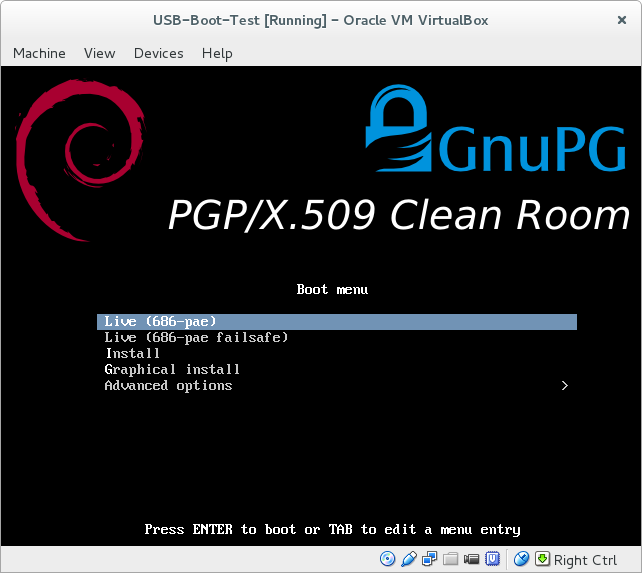
Elizabeth Ferdman: 8 Week Progress Update for PGP Clean Room

During the last few weeks, I learned about internationalization in bash and did a lot of refactoring/decomposing of the UI code, making the code a lot more DRY. Internationalization This intro to Internationalization in Bash from the Linux Journal and this Slackware doc put me on the road to internationalizing the UI code I had written thus far. Instead of hardcoding strings into the whiptail commands, like this:
PRIMARY_UID=$(whiptail --inputbox "$PRIMARY_UID_TEXT_EN" 8 78 --title "$PRIMARY_UID_TITLE_EN" 3>&1 1>&2 2>&3)
I set up a Message Catalog in a Portable Object file for English: en.po. The .po file contains msgid-msgstr key-value pairs:
msgid "EXPIRY_TEXT"
msgstr ""
"Please specify how long the key should be valid.\n"
"\t   0 = key does not expire\n"
"\t <n> = key expires in n days\n"
"\t<n>w = key expires in n weeks\n"
"\t<n>m = key expires in n months\n"
"\t<n>y = key expires in n years"
msgid "PRIMARY_UID_TITLE"
msgstr "Primary UID"
To make these .po files usable in a script, use the Linux utility msgfmt to turn .po files into Message Object files:
mkdir -p $HOME/project/locale/en_US/LC_MESSAGES/
msgfmt -o $HOME/project/locale/en_US/LC_MESSAGES/ui-strings.mo po/en.po
Now that we have a Message Object file, we can access the key value pairs in a script using the gettext command. Pass the name of the msgid as a string to get back the localized natural language string:
whiptail_yesno()  	
	whiptail --yesno "$(gettext $1)" $DIMENS --title "$(gettext $2)"
	return $?
if whiptail_yesno "ENCR_SUBKEY_YESNO_TEXT" "ENCR_SUBKEY_YESNO_TITLE"; then
...
In order for this to work, though, it s important to export some environmental variables before running gettext. Mine look like:
export TEXTDOMAINDIR=$HOME/gpg-helper-scripts/locale
export TEXTDOMAIN=ui-strings
export LANG=en_US.UTF-8
Refactoring/Reorganizing
gpg-helper-scripts/
  gpg/
       create_keys.sh
       add_uids.py
  whiptail/
       main_menu.sh
       gen_keys.sh
       smartcard_init.sh
       whiptail_helper.sh
  po/
       en.po
  locale/
       en_US/LC_MESSAGES/ui-strings.mo
  details/
       gpg-algos
       smartcard-workflow
  init.sh
  README.md
While setting up whiptail functions I learned that one does not simply return values in bash. With the help of another Linux Journal article, I came up with:
whiptail_password()  
	__resultvar=$1	
	result=$(whiptail --passwordbox "$(gettext $2)" $DIMENS --title "$(gettext $3)" 3>&1 1>&2 2>&3)
	eval $__resultvar="'$result'"
 
to store user input as variables while keeping the code DRY. I also looked a little bit at Google s Shell Style Guide, gave my files better names and organized the directory structure. GPG I was curious about the correct abbreviations, key lengths and usages for all of the gpg2.1.16 supported algorithms so I created a reference in details/gpg-algos that will come in handy for validating the user s input for different types of keys. Moving Forward Now that the code is much more readable, I can think more about the UI and the options that I want to include:
Lots more options could be added here.. Let me know your ideas. Thanks for reading!

17 January 2017

Elizabeth Ferdman: 6 Week Progress Update for PGP Clean Room

One of the PGP Clean Room s aims is to provide users with the option to easily initialize one or more smartcards with personal info and pins, and subsequently transfer keys to the smartcard(s). The advantage of using smartcards is that users don t have to expose their keys to their laptop for daily certification, signing, encryption or authentication purposes. I started building a basic whiptail TUI that asks users if they will be using a smartcard:
smartcard-init.sh on Github If yes, whiptail provides the user with the opportunity to initialize the smartcard with their name, preferred language and login, and change their admin PIN, user PIN, and reset code. I outlined the commands and interactions necessary to edit personal info on the smartcard using gpg --card-edit and sending the keys to the card with gpg --edit-key <FPR> in smartcard-workflow. There s no batch mode for smartcard operations and there s no quick command for it just yet (as in quick-addkey). One option would be to try this out with command-fd/command-file. Currently, python bindings for gpgme are under development so that is another possibility. We can use this workflow to support two smartcards one for the primary key and one for the subkeys, a setup that would also support subkey rotation.

15 January 2017

Mehdi Dogguy: Debian from 10,000 feet

Many of you are big fans of S.W.O.T analysis, I am sure of that! :-) Technical competence is our strongest suit, but we have reached a size and sphere of influence which requires an increase in organisation.

We all love our project and want to make sure Debian still shines in the next decades (and centuries!). One way to secure that goal is to identify elements/events/things which could put that goal at risk. To this end, we've organized a short S.W.O.T analysis session at DebConf16. Minutes of the meeting can be found here. I believe it is an interesting read and is useful for Debian old-timers as well as newcomers. It helps to convey a better understanding of the project's status. For each item, we've tried to identify an action.

Here are a few things we've worked on:
  • Identify new potential contributors by attending and speaking at conferences where Free and Open Sources software are still not very well-known, or where we have too few contributors.

    Each Debian developer is encouraged to identify events where we can promote FOSS and Debian. As DPL, I'd be happy to cover expenses to attend such events.
  • Our average age is also growing over the years. It is true that we could attract more new contributors than we already do.

    We can organize short internships. We should not wait for students to come to us. We can get in touch with universities and engineering schools and work together on a list of topics. It is easy and will give us the opportunity to reach out to more students.

    It is true that we have tried in the past to do that. We may organize a sprint with interested people and share our experience on trying to do internships on Debian-related subjects. If you have successfully done that in the past and managed to attract new contributors that way, please share your experience with us!

    If you see other ways to attract new contributors, please get in touch so that we can discuss!
  • Not easy to get started in the project.

    It could be argued that all the information is available, but rather than being easily findable from on starting point, it is scattered over several places (documentation on our website, wiki, metadata on bug reports, etc ).

    Fedora and Mozilla both worked on this subject and did build a nice web application to make this easier and nicer. The result of this is asknot-ng.

    A whatcanidofor.debian.org would be wonderful! Any takers? We can help by providing a virtual machine to build this. Being a DD is not mandatory. Everyone is welcome!
  • Cloud images for Debian.

    This is a very important point since cloud providers are now major distributions consumers. We have to ensure that Debian is correctly integrated in the cloud, without making compromises on our values and philosophy.

    I believe this item has been worked on during the last Debian Cloud sprint. I am looking forward to seeing the positive effects of this sprint in the long term. I believe it does help us to build a stronger relationship with cloud providers and gives us a nice opportunity to work with them on a shared set of goals!
During next DebConf, we can review the progress that has been made on each item and discuss new ones. In addition to this session acting as a health check, I see it as a way for the DPL to discuss, openly and publicly, about the important changes that should be implemented in the project and imagine together a better future.

In the meantime, everyone should feel free to pick one item from the list and work on it. :-)

3 January 2017

Elizabeth Ferdman: 4 Week Progress Update for PGP Clean Room

Happy New Year Everyone! Aside from taking some time off for the holidays, I set up a Debian-Sid USB stick in order to test gnupg version 2.1.16-3, the version to be included in Debian Stretch. For now, I m using the package rng-tools to speed up the key creation for the purpose of testing gpg commands. By running sudo rngd -r /dev/urandom before the gpg command, you can create the keys in about a second. Here are some of the sources that I ve been using that inform the workflow and secure practices for gpg that we ll be including in the Clean Room: Some feature suggestions that were made by Neal Walfield that could be included in the workflow:
  1. Use a smartcard for the primary key and a smartcard for the subkeys
  2. Support subkey rotation the creation of new subkeys
  3. Upon finishing a session, write a script to the USB that sends mails with the signed keys and imports the user s public keys.

2 January 2017

Ross Gammon: Happy New Year My Free Software activities in December 2016

So that was 2016! Here s a summary of what I got up to on my computer(s) in December, a check of how I went against my plan, and the TODO list for the next month or so. With a short holiday to Oslo, Christmas holidays, Christmas parties (at work and with Alexander at school, football etc.), travelling to Brussels with work, birthdays (Alexander & Antje), I missed a lot of deadlines, and failed to reach most of my Free Software goals (including my goals for new & updated packages in Debian Stretch the soft freeze is in a couple of days). To top it all off, I lost my grandmother at the ripe old age of 93. Rest in peace Nana. I wish I could have made it to the funeral, but it is sometimes tough living on the other side of the world to your family. Debian Ubuntu
  • Added the Ubuntu Studio testsuites to the package tracker, and blogged about running the Manual Tests.
Other Plan status & update for next month Debian Before the 5th January 2017 Debian Stretch soft freeze I hope to: For the Debian Stretch release: Ubuntu
  • Add the Ubuntu Studio Manual Testsuite to the package tracker, and try to encourage some testing of the newest versions of our priority packages. Done
  • Finish the ubuntustudio-lightdm-theme, ubuntustudio-default-settings transition including an update to the ubuntustudio-meta packages. Still to do
  • Reapply to become a Contributing Developer. Still to do
  • Start working on an Ubuntu Studio package tracker website so that we can keep an eye on the status of the packages we are interested in. Still to do
  • Start testing & bug triaging Ubuntu Studio packages.
  • Test Len s work on ubuntustudio-controls
Other
  • Continue working to convert my Family History website to Jekyll Done
  • Try and resurrect my old Gammon one-name study Drupal website from a backup and push it to the new GoONS Website project.
  • Give JMRI a good try out and look at what it would take to package it.

9 December 2016

Simon Richter: Busy

I'm fairly busy at the moment, so I don't really have time to work on free software, and when I do I really want to do something else than sit in front of a computer. I have declared email bankruptcy at 45,000 unread mails. I still have them, and plan to deal with them in small batches of a few hundred at a time, but in case you sent me something important, it is probably stuck in there. I now practice Inbox Zero, so resending it is a good way to reach me. For my Debian packages, not much changes. Any package with more than ten users is team maintained anyway. Sponsoring for the packages where I agreed to do so goes on. For KiCad, I won't get around to much of what I'd planned this year. Fortunately, at this point no one expects me to do anything soon. I still look into the CI system and unclog anything that doesn't clear on its own within a week. Plans for December:

  • actually having my own place. While I like the room I'm staying at, it is still fairly expensive because it's paid by the day, and living out of a suitcase without access to my library is kind of annoying after some time.
  • finishing the paperwork for 2016. Except for some small bits, most of it is in place.
  • 33C3. This time, instead of the "two monitors, three computers" setup, my plan is to have a single laptop only, and have it closed most of the time so the battery lasts the whole day.
  • See how far I'll get with the controller board for the CNC mill in the Munich Maker Lab. Absolutely no pressure there, it's only the most complex and expensive PCB I ever made.
Plans for January:
  • Getting settled in.
  • Back to the Carbon Monoxide detector board that we started in early November. The board is simple enough.
  • Visiting a demoparty in Finland
Plans for February:
  • FOSDEM. I plan to hang out in the EDA devroom most of the time, and go to dinner with friends.
  • Party. Specifically, a housewarming party for whatever flat I'll have then.
Other than that, reading lots of books and meeting other people.

30 November 2016

Chris Lamb: Free software activities in November 2016

Here is my monthly update covering what I have been doing in the free software world (previous month):
  • Started work on a Python API to the UK Postbox mail scanning and forwarding service. (repo)
  • Lots of improvements to buildinfo.debian.net, my experiment into how to process, store and distribute .buildinfo files after the Debian archive software has processed them, including making GPG signatures mandatory (#7), updating jenkins.debian.net to sign them and moving to SSL.
  • Improved the Django client to the KeyError error tracking software, enlarging the test coverage and additionally adding support for grouping errors using a context manager.
  • Made a number of improvements to travis.debian.net, my hosted service for projects that host their Debian packaging on GitHub to use the Travis CI continuous integration platform to test builds on every code change:
    • Install build-dependencies with debugging output. Thanks to @waja. (#31)
    • Install Lintian by default. Thanks to @freeekanayaka. (#33).
    • Call mktemp with --dry-run to avoid having to delete it later. (commit)
  • Submitted a pull request to Wheel (a utility to package Python libraries) to make the output of METADATA files reproducible. (#73)
  • Submitted some miscellaneous documentation updates to the Tails operating system. (patches)

Reproducible builds

Whilst anyone can inspect the source code of free software for malicious flaws, most software is distributed pre-compiled to end users. The motivation behind the Reproducible Builds effort is to permit verification that no flaws have been introduced either maliciously or accidentally during this compilation process by promising identical results are always generated from a given source, thus allowing multiple third-parties to come to a consensus on whether a build was compromised.

This month:

My work in the Reproducible Builds project was also covered in our weekly reports. (#80, #81, #82 #83.

Toolchain issues I submitted the following patches to fix reproducibility-related toolchain issues with Debian:

strip-nondeterminism

strip-nondeterminism is our tool to remove specific non-deterministic results from a completed build.


jenkins.debian.net

jenkins.debian.net runs our comprehensive testing framework.

  • buildinfo.debian.net has moved to SSL. (ac3b9e7)
  • Submit signing keys to keyservers after generation. (bdee6ff)
  • Various cosmetic changes, including
    • Prefer if X not in Y over if not X in Y. (bc23884)
    • No need for a dictionary; let's just use a set. (bf3fb6c)
    • Avoid DRY violation by using a for loop. (4125ec5)

I also submitted 9 patches to fix specific reproducibility issues in apktool, cairo-5c, lava-dispatcher, lava-server, node-rimraf, perlbrew, qsynth, tunnelx & zp.

Debian

Debian LTS This month I have been paid to work 11 hours on Debian Long Term Support (LTS). In that time I did the following:
  • "Frontdesk" duties, triaging CVEs, etc.
  • Issued DLA 697-1 for bsdiff fixing an arbitrary write vulnerability.
  • Issued DLA 705-1 for python-imaging correcting a number of memory overflow issues.
  • Issued DLA 713-1 for sniffit where a buffer overflow allowed a specially-crafted configuration file to provide a root shell.
  • Issued DLA 723-1 for libsoap-lite-perl preventing a Billion Laughs XML expansion attack.
  • Issued DLA 724-1 for mcabber fixing a roster push attack.

Uploads
  • redis:
    • 3.2.5-2 Tighten permissions of /var/ lib,log /redis. (#842987)
    • 3.2.5-3 & 3.2.5-4 Improve autopkgtest tests and install upstream's MANIFESTO and README.md documentation.
  • gunicorn (19.6.0-9) Adding autopkgtest tests.
  • libfiu:
    • 0.94-1 Add autopkgtest tests.
    • 0.95-1, 0.95-2 & 0.95-3 New upstream release and improve autopkgtest coverage.
  • python-django (1.10.3-1) New upstream release.
  • aptfs (0.8-3, 0.8-4 & 0.8-5) Adding and subsequently improving the autopkgtext tests.


I performed the following QA uploads:


Finally, I also made the following non-maintainer uploads:
  • libident (0.22-3.1) Move from obsolete Source-Version substvar to binary:Version. (#833195)
  • libpcl1 (1.6-1.1) Move from obsolete Source-Version substvar to binary:Version. (#833196)
  • pygopherd (2.0.18.4+nmu1) Move from obsolete Source-Version substvar to $ source:Version . (#833202)


RC bugs


I also filed 59 FTBFS bugs against arc-gui-clients, asyncpg, blhc, civicrm, d-feet, dpdk, fbpanel, freeciv, freeplane, gant, golang-github-googleapis-gax-go, golang-github-googleapis-proto-client-go, haskell-cabal-install, haskell-fail, haskell-monadcatchio-transformers, hg-git, htsjdk, hyperscan, jasperreports, json-simple, keystone, koji, libapache-mod-musicindex, libcoap, libdr-tarantool-perl, libmath-bigint-gmp-perl, libpng1.6, link-grammar, lua-sql, mediatomb, mitmproxy, ncrack, net-tools, node-dateformat, node-fuzzaldrin-plus, node-nopt, open-infrastructure-system-images, open-infrastructure-system-images, photofloat, ppp, ptlib, python-mpop, python-mysqldb, python-passlib, python-protobix, python-ttystatus, redland, ros-message-generation, ruby-ethon, ruby-nokogiri, salt-formula-ceilometer, spykeviewer, sssd, suil, torus-trooper, trash-cli, twisted-web2, uftp & wide-dhcpv6.

FTP Team

As a Debian FTP assistant I ACCEPTed 70 packages: bbqsql, coz-profiler, cross-toolchain-base, cross-toolchain-base-ports, dgit-test-dummy, django-anymail, django-hstore, django-html-sanitizer, django-impersonate, django-wkhtmltopdf, gcc-6-cross, gcc-defaults, gnome-shell-extension-dashtodock, golang-defaults, golang-github-btcsuite-fastsha256, golang-github-dnephin-cobra, golang-github-docker-go-events, golang-github-gogits-cron, golang-github-opencontainers-image-spec, haskell-debian, kpmcore, libdancer-logger-syslog-perl, libmoox-buildargs-perl, libmoox-role-cloneset-perl, libreoffice, linux-firmware-raspi3, linux-latest, node-babel-runtime, node-big.js, node-buffer-shims, node-charm, node-cliui, node-core-js, node-cpr, node-difflet, node-doctrine, node-duplexer2, node-emojis-list, node-eslint-plugin-flowtype, node-everything.js, node-execa, node-grunt-contrib-coffee, node-grunt-contrib-concat, node-jquery-textcomplete, node-js-tokens, node-json5, node-jsonfile, node-marked-man, node-os-locale, node-sparkles, node-tap-parser, node-time-stamp, node-wrap-ansi, ooniprobe, policycoreutils, pybind11, pygresql, pysynphot, python-axolotl, python-drizzle, python-geoip2, python-mockupdb, python-pyforge, python-sentinels, python-waiting, pythonmagick, r-cran-isocodes, ruby-unicode-display-width, suricata & voctomix-outcasts. I additionally filed 4 RC bugs against packages that had incomplete debian/copyright files against node-cliui, node-core-js, node-cpr & node-grunt-contrib-concat.

5 November 2016

Elizabeth Ferdman: Applying to Debian for Outreachy 2016

This year, Outreachy featured internships from organizations such as Debian, Fedora, GNOME, the Linux Kernel, Mozilla, Python, and Wikimedia, just to name a few. Each organization features mentored projects and in order to apply, applicants must contact the mentor, introduce themselves on the appropriate channels and make a small contribution to the project. After that, applicants might be required to fulfill additional tasks to demonstrate their abilities. Successful applicants will make quality contributions, communicate effectively with mentors, ask questions, fulfill tasks, help out their peers via mailing lists, and/or blog about their experience. One of the projects I applied to was the Clean Room for PGP and X.509 (PKI) Key Management. The project aims to create a Live Disc that enables users to create and manage their PGP keys easily and securely, using a text-based UI. I ve been a Debian user for about a year, but before applying to the project I didn t know much about GnuPG or public key encryption. Since then, I ve made some contributions and attended my first keysigning event in San Francisco featuring a lecture by Neal Walfield (more on that below). For my initial contribution, Daniel Pocock, the mentor for this project, asked that I write a script that lists the USB flash devices connected to the system and specifies which device the system booted from. Here s the bash script that I wrote, and that was enough to submit an application for Debian. My next task was to write a dns hook script for the dehydrated project, a shell client for signing certificates with Let s Encrypt (for free!). The script completes a dns challenge sent by the ACME-server by provisioning a TXT record for a given domain in order to prove ownership of the domain. I chose to write it in python and used the dnspython API. I posted my solution on github and there are many more here. At the lecture, Neal talked about good practices for key creation and management. Here are a few of those points:
  • Don t store your master key locally
  • Store your master key offline on a smartcard such as GnuK or NitroKey and store backups on a USB stick.
  • Neal mentioned that the OpenPGP card is not open hardware and according to this recent post neither is the Yubikey
  • To manage the key, use a dedicated offline computer such as a relatively cheap x40 or x60 Thinkpad (my two cents: use a Thinkpad like X200 or T400 flashed with Libreboot, which solves the proprietary firmware problem) and remove the wireless network card.
  • Use Tails which wipes memory on shutdown.
  • Use subkeys an encryption subkey is automatically created with gpg2 --gen-key. Create an additional signing subkey.
  • Generate a secure passphrase for your master key using 5-12 words. Example: pipe after harm horse split seize radar bulb
  • Refresh your keys regularly for new preferences and revokation certificates. An alternative to gpg2 --refresh-keys is parcimonie, which uses tor and refreshes keys one at a time.
  • Don t back up .gnupg/random_seed
  • More OpenPGP Best Practices
See the slides for Neal s full presentation.

3 November 2016

Simon Josefsson: Why I don t Use 2048 or 4096 RSA Key Sizes

I have used non-standard RSA key size for maybe 15 years. For example, my old OpenPGP key created in 2002. With non-standard key sizes, I mean a RSA key size that is not 2048 or 4096. I do this when I generate OpenPGP/SSH keys (using GnuPG with a smartcard like this) and PKIX certificates (using GnuTLS or OpenSSL, e.g. for XMPP or for HTTPS). People sometimes ask me why. I haven t seen anyone talk about this, or provide a writeup, that is consistent with my views. So I wanted to write about my motivation, so that it is easy for me to refer to, and hopefully to inspire others to think similarily. Or to provoke discussion and disagreement that s fine, and hopefully I will learn something. Before proceeding, here is some context: When building new things, it is usually better to use the Elliptic Curve technology algorithm Ed25519 instead of RSA. There is also ECDSA which has had a comparatively slow uptake, for a number of reasons that is widely available and is a reasonable choice when Ed25519 is not available. There are also post-quantum algorithms, but they are newer and adopting them today requires a careful cost-benefit analysis. First some background. RSA is an asymmetric public-key scheme, and relies on generating private keys which are the product of distinct prime numbers (typically two). The size of the resulting product, called the modulus n, is usually expressed in bit length and forms the key size. Historically RSA key sizes used to be a couple of hundred bits, then 512 bits settled as a commonly used size. With better understanding of RSA security levels, the common key size evolved into 768, 1024, and later 2048. Today s recommendations (see keylength.com) suggest that 2048 is on the weak side for long-term keys (5+ years), so there has been a trend to jump to 4096. The performance of RSA private-key operations starts to suffer at 4096, and the bandwidth requirements is causing issues in some protocols. Today 2048 and 4096 are the most common choices. My preference for non-2048/4096 RSA key sizes is based on the simple and na ve observation that if I would build a RSA key cracker, there is some likelihood that I would need to optimize the implementation for a particular key size in order to get good performance. Since 2048 and 4096 are dominant today, and 1024 were dominent some years ago, it may be feasible to build optimized versions for these three key sizes. My observation is a conservative decision based on speculation, and speculation on several levels. First I assume that there is an attack on RSA that we don t know about. Then I assume that this attack is not as efficient for some key sizes than others, either on a theoretical level, at implementation level (optimized libraries for certain characteristics), or at an economic/human level (decision to focus on common key sizes). Then I assume that by avoiding the efficient key sizes I can increase the difficulty to a sufficient level. Before analyzing whether those assumptions even remotely may make sense, it is useful to understand what is lost by selecting uncommon key sizes. This is to understand the cost of the trade-off. A significant burden would be if implementations didn t allow selecting unusual key sizes. In my experience, enough common applications support uncommon key sizes, for example GnuPG, OpenSSL, OpenSSH, FireFox, and Chrome. Some applications limit the permitted choices; this appears to be rare, but I have encountered it once. Some environments also restrict permitted choices, for example I have experienced that LetsEncrypt has introduced a requirement for RSA key sizes to be a multiples of 8. I noticed this since I chose a RSA key size of 3925 for my blog and received a certificate from LetsEncrypt in December 2015 however during renewal in 2016 it lead to an error message about the RSA key size. Some commercial CAs that I have used before restrict the RSA key size to one of 1024, 2048 or 4096 only. Some smart-cards also restrict the key sizes, sadly the YubiKey has this limitation. So it is not always possible, but possible often enough for me to be worthwhile. Another cost is that RSA signature operations are slowed down. This is because the exponentiation function is faster than multiplication, and if the bit pattern of the RSA key is a 1 followed by several 0 s, it is quicker to compute. I have not done benchmarks, but I have not experienced that this is a practical problem for me. I don t notice RSA operations in the flurry of all of other operations (network, IO) that is usually involved in my daily life. Deploying this on a large scale may have effects, of course, so benchmarks would be interesting. Back to the speculation that leads me to this choice. The first assumption is that there is an attack on RSA that we don t know about. In my mind, until there are proofs that the currently known attacks (GNFS-based attacks) are the best that can be found, or at least some heuristic argument that we can t do better than the current attacks, the probability for an unknown RSA attack is therefor, as strange as it may sound, 100%. The second assumption is that the unknown attack(s) are not as efficient for some key sizes than others. That statement can also be expressed like this: the cost to mount the attack is higher for some key sizes compared to others. At the implementation level, it seems reasonable to assume that implementing a RSA cracker for arbitrary key sizes could be more difficult and costlier than focusing on particular key sizes. Focusing on some key sizes allows optimization and less complex code. At the mathematical level, the assumption that the attack would be costlier for certain types of RSA key sizes appears dubious. It depends on the kind of algorithm the unknown attack is. For something similar to GNFS attacks, I believe the same algorithm applies equally for a RSA key size of 2048, 2730 and 4096 and that the running time depends mostly on the key size. Other algorithms that could crack RSA, such as some approximation algorithms, does not seem likely to be thwarted by using non-standard RSA key sizes either. I am not a mathematician though. At the economical or human level, it seems reasonable to say that if you can crack 95% of all keys out there (sizes 1024, 2048, 4096) then that is good enough and cracking the last 5% is just diminishing returns of the investment. Here I am making up the 95% number. Currently, I would guess that more than 95% of all RSA key sizes on the Internet are 1024, 2048 or 4096 though. So this aspect holds as long as people behave as they have done. The final assumption is that by using non-standard key sizes I raise the bar sufficiently high to make an attack impossible. To be honest, this scenario appears unlikely. However it might increase the cost somewhat, by a factor or two or five. Which might make someone target a lower hanging fruit instead. Putting my argument together, I have 1) identified some downsides of using non-standard RSA Key sizes and discussed their costs and implications, and 2) mentioned some speculative upsides of using non-standard key sizes. I am not aware of any argument that the odds of my speculation is 0% likely to be true. It appears there is some remote chance, higher than 0%, that my speculation is true. Therefor, my personal conservative approach is to hedge against this unlikely, but still possible, attack scenario by paying the moderate cost to use non-standard RSA key sizes. Of course, the QA engineer in me also likes to break things by not doing what everyone else does, so I end this with an ObXKCD.
20 October 2016

H ctor Or n Mart nez: Build a Debian package against Debian 8.0 using Download On Demand (DoD) service

In the previous post Open Build Service software architecture has been overviewed. In the current blog post, a tutorial on setting up a package build with OBS from Debian packages is presented. Steps:
  • Generate a test environment by creating Stretch/SID VM
  • Enable experimental repository
  • Install OBS server, api, worker and osc CLI packages
  • Ensure all OBS services are running
  • Create an OBS project for Download on Demand (DoD)
  • Create an OBS project linked to DoD
  • Adding a package to the project
  • Troubleshooting OBS
Generate a test environment by creating Stretch/SID VM Really, use whatever suits you best, but please create an untrusted test environment for this one. In the current tutorial it assumes $hostname is stretch , which should be stretch or sid suite. Be aware that copy & paste configuration files from current post might lead you into broken characters (i.e. ). Debian Stretch weekly netinst CD Enable experimental repository
# echo "deb http://httpredir.debian.org/debian experimental main" >> /etc/apt/sources.list.d/experimental.list
# apt-get update
Install and setup OBS server, api, worker and osc CLI packages
# apt-get install obs-server obs-api obs-worker osc
In the install process mysql database is needed, therefore if mysql server is not setup, a password needs to be provided.
When OBS API database obs-api is created, we need to pick a password for it, provide opensuse . The obs-api package will configure apache2 https webserver (creating a dummy certificate for stretch ) to serve OBS webui.
Add stretch and obs aliases to localhost entry in your /etc/hosts file.
Enable worker by setting ENABLED=1 in /etc/default/obsworker
Try to connect to the web UI https://stretch/
Login into OBS webui, default login credentials: Admin/opensuse).
From command line tool, try to list projects in OBS
 $ osc -A https://stretch ls
Accept dummy certificate and provide credentials (defaults: Admin/opensuse)
If the install proceeds as expected follow to the next step. Ensure all OBS services are running
# backend services
obsrun     813  0.0  0.9 104960 20448 ?        Ss   08:33   0:03 /usr/bin/perl -w /usr/lib/obs/server/bs_dodup
obsrun     815  0.0  1.5 157512 31940 ?        Ss   08:33   0:07 /usr/bin/perl -w /usr/lib/obs/server/bs_repserver
obsrun    1295  0.0  1.6 157644 32960 ?        S    08:34   0:07  \_ /usr/bin/perl -w /usr/lib/obs/server/bs_repserver
obsrun     816  0.0  1.8 167972 38600 ?        Ss   08:33   0:08 /usr/bin/perl -w /usr/lib/obs/server/bs_srcserver
obsrun    1296  0.0  1.8 168100 38864 ?        S    08:34   0:09  \_ /usr/bin/perl -w /usr/lib/obs/server/bs_srcserver
memcache   817  0.0  0.6 346964 12872 ?        Ssl  08:33   0:11 /usr/bin/memcached -m 64 -p 11211 -u memcache -l 127.0.0.1
obsrun     818  0.1  0.5  78548 11884 ?        Ss   08:33   0:41 /usr/bin/perl -w /usr/lib/obs/server/bs_dispatch
obsserv+   819  0.0  0.3  77516  7196 ?        Ss   08:33   0:05 /usr/bin/perl -w /usr/lib/obs/server/bs_service
mysql      851  0.0  0.0   4284  1324 ?        Ss   08:33   0:00 /bin/sh /usr/bin/mysqld_safe
mysql     1239  0.2  6.3 1010744 130104 ?      Sl   08:33   1:31  \_ /usr/sbin/mysqld --basedir=/usr --datadir=/var/lib/mysql --plugin-dir=/usr/lib/mysql/plugin --log-error=/var/log/mysql/error.log --pid-file=/var/run/mysqld/mysqld.pid --socket=/var/run/mysqld/mysqld.sock --port=3306
# web services
root      1452  0.0  0.1 110020  3968 ?        Ss   08:34   0:01 /usr/sbin/apache2 -k start
root      1454  0.0  0.1 435992  3496 ?        Ssl  08:34   0:00  \_ Passenger watchdog
root      1460  0.3  0.2 651044  5188 ?        Sl   08:34   1:46      \_ Passenger core
nobody    1465  0.0  0.1 444572  3312 ?        Sl   08:34   0:00      \_ Passenger ust-router
www-data  1476  0.0  0.1 855892  2608 ?        Sl   08:34   0:09  \_ /usr/sbin/apache2 -k start
www-data  1477  0.0  0.1 856068  2880 ?        Sl   08:34   0:09  \_ /usr/sbin/apache2 -k start
www-data  1761  0.0  4.9 426868 102040 ?       Sl   08:34   0:29 delayed_job.0
www-data  1767  0.0  4.8 425624 99888 ?        Sl   08:34   0:30 delayed_job.1
www-data  1775  0.0  4.9 426516 101708 ?       Sl   08:34   0:28 delayed_job.2
nobody    1788  0.0  5.7 496092 117480 ?       Sl   08:34   0:03 Passenger RubyApp: /usr/share/obs/api
nobody    1796  0.0  4.9 488888 102176 ?       Sl   08:34   0:00 Passenger RubyApp: /usr/share/obs/api
www-data  1814  0.0  4.5 282576 92376 ?        Sl   08:34   0:22 delayed_job.1000
www-data  1829  0.0  4.4 282684 92228 ?        Sl   08:34   0:22 delayed_job.1010
www-data  1841  0.0  4.5 282932 92536 ?        Sl   08:34   0:22 delayed_job.1020
www-data  1855  0.0  4.9 427988 101492 ?       Sl   08:34   0:29 delayed_job.1030
www-data  1865  0.2  5.0 492500 102964 ?       Sl   08:34   1:09 clockworkd.clock
www-data  1899  0.0  0.0  87100  1400 ?        S    08:34   0:00 /usr/bin/searchd --pidfile --config /usr/share/obs/api/config/production.sphinx.conf
www-data  1900  0.1  0.4 161620  8276 ?        Sl   08:34   0:51  \_ /usr/bin/searchd --pidfile --config /usr/share/obs/api/config/production.sphinx.conf
# OBS worker
root      1604  0.0  0.0  28116  1492 ?        Ss   08:34   0:00 SCREEN -m -d -c /srv/obs/run/worker/boot/screenrc
root      1605  0.0  0.9  75424 18764 pts/0    Ss+  08:34   0:06  \_ /usr/bin/perl -w ./bs_worker --hardstatus --root /srv/obs/worker/root_1 --statedir /srv/obs/run/worker/1 --id stretch:1 --reposerver http://obs:5252 --jobs 1
Create an OBS project for Download on Demand (DoD) Create a meta project file:
$ osc -A https://stretch:443 meta prj Debian:8 -e
<project name= Debian:8 >
<title>Debian 8 DoD</title>
<description>Debian 8 DoD</description>
<person userid= Admin role= maintainer />
<repository name= main >
<download arch= x86_64 url= http://deb.debian.org/debian/jessie/main repotype= deb />
<arch>x86_64</arch>
</repository>
</project>
Visit webUI to check project configuration Create a meta project configuration file:
$ osc -A https://stretch:443 meta prjconf Debian:8 -e
Add the following file, as found at build.opensuse.org
Repotype: debian
# create initial user
Preinstall: base-passwd
Preinstall: user-setup
# required for preinstall images
Preinstall: perl
# preinstall essentials + dependencies
Preinstall: base-files base-passwd bash bsdutils coreutils dash debconf
Preinstall: debianutils diffutils dpkg e2fslibs e2fsprogs findutils gawk
Preinstall: gcc-4.9-base grep gzip hostname initscripts insserv libacl1
Preinstall: libattr1 libblkid1 libbz2-1.0 libc-bin libc6 libcomerr2 libdb5.3
Preinstall: libgcc1 liblzma5 libmount1 libncurses5 libpam-modules
Preinstall: libpcre3 libsmartcols1
Preinstall: libpam-modules-bin libpam-runtime libpam0g libreadline6
Preinstall: libselinux1 libsemanage-common libsemanage1 libsepol1 libsigsegv2
Preinstall: libslang2 libss2 libtinfo5 libustr-1.0-1 libuuid1 login lsb-base
Preinstall: mount multiarch-support ncurses-base ncurses-bin passwd perl-base
Preinstall: readline-common sed sensible-utils sysv-rc sysvinit sysvinit-utils
Preinstall: tar tzdata util-linux zlib1g
Runscripts: base-passwd user-setup base-files gawk
VMinstall: libdevmapper1.02.1
Order: user-setup:base-files
# Essential packages (this should also pull the dependencies)
Support: base-files base-passwd bash bsdutils coreutils dash debianutils
Support: diffutils dpkg e2fsprogs findutils grep gzip hostname libc-bin 
Support: login mount ncurses-base ncurses-bin perl-base sed sysvinit 
Support: sysvinit-utils tar util-linux
# Build-essentials
Required: build-essential
Prefer: build-essential:make
# build script needs fakeroot
Support: fakeroot
# lintian support would be nice, but breaks too much atm
#Support: lintian
# helper tools in the chroot
Support: less kmod net-tools procps psmisc strace vim
# everything below same as for Debian:6.0 (apart from the version macros ofc)
# circular dependendencies in openjdk stack
Order: openjdk-6-jre-lib:openjdk-6-jre-headless
Order: openjdk-6-jre-headless:ca-certificates-java
Keep: binutils cpp cracklib file findutils gawk gcc gcc-ada gcc-c++
Keep: gzip libada libstdc++ libunwind
Keep: libunwind-devel libzio make mktemp pam-devel pam-modules
Keep: patch perl rcs timezone
Prefer: cvs libesd0 libfam0 libfam-dev expect
Prefer: gawk locales default-jdk
Prefer: xorg-x11-libs libpng fam mozilla mozilla-nss xorg-x11-Mesa
Prefer: unixODBC libsoup glitz java-1_4_2-sun gnome-panel
Prefer: desktop-data-SuSE gnome2-SuSE mono-nunit gecko-sharp2
Prefer: apache2-prefork openmotif-libs ghostscript-mini gtk-sharp
Prefer: glib-sharp libzypp-zmd-backend mDNSResponder
Prefer: -libgcc-mainline -libstdc++-mainline -gcc-mainline-c++
Prefer: -libgcj-mainline -viewperf -compat -compat-openssl097g
Prefer: -zmd -OpenOffice_org -pam-laus -libgcc-tree-ssa -busybox-links
Prefer: -crossover-office -libgnutls11-dev
# alternative pkg-config implementation
Prefer: -pkgconf
Prefer: -openrc
Prefer: -file-rc
Conflict: ghostscript-library:ghostscript-mini
Ignore: sysvinit:initscripts
Ignore: aaa_base:aaa_skel,suse-release,logrotate,ash,mingetty,distribution-release
Ignore: gettext-devel:libgcj,libstdc++-devel
Ignore: pwdutils:openslp
Ignore: pam-modules:resmgr
Ignore: rpm:suse-build-key,build-key
Ignore: bind-utils:bind-libs
Ignore: alsa:dialog,pciutils
Ignore: portmap:syslogd
Ignore: fontconfig:freetype2
Ignore: fontconfig-devel:freetype2-devel
Ignore: xorg-x11-libs:freetype2
Ignore: xorg-x11:x11-tools,resmgr,xkeyboard-config,xorg-x11-Mesa,libusb,freetype2,libjpeg,libpng
Ignore: apache2:logrotate
Ignore: arts:alsa,audiofile,resmgr,libogg,libvorbis
Ignore: kdelibs3:alsa,arts,pcre,OpenEXR,aspell,cups-libs,mDNSResponder,krb5,libjasper
Ignore: kdelibs3-devel:libvorbis-devel
Ignore: kdebase3:kdebase3-ksysguardd,OpenEXR,dbus-1,dbus-1-qt,hal,powersave,openslp,libusb
Ignore: kdebase3-SuSE:release-notes
Ignore: jack:alsa,libsndfile
Ignore: libxml2-devel:readline-devel
Ignore: gnome-vfs2:gnome-mime-data,desktop-file-utils,cdparanoia,dbus-1,dbus-1-glib,krb5,hal,libsmbclient,fam,file_alteration
Ignore: libgda:file_alteration
Ignore: gnutls:lzo,libopencdk
Ignore: gnutls-devel:lzo-devel,libopencdk-devel
Ignore: pango:cairo,glitz,libpixman,libpng
Ignore: pango-devel:cairo-devel
Ignore: cairo-devel:libpixman-devel
Ignore: libgnomeprint:libgnomecups
Ignore: libgnomeprintui:libgnomecups
Ignore: orbit2:libidl
Ignore: orbit2-devel:libidl,libidl-devel,indent
Ignore: qt3:libmng
Ignore: qt-sql:qt_database_plugin
Ignore: gtk2:libpng,libtiff
Ignore: libgnomecanvas-devel:glib-devel
Ignore: libgnomeui:gnome-icon-theme,shared-mime-info
Ignore: scrollkeeper:docbook_4,sgml-skel
Ignore: gnome-desktop:libgnomesu,startup-notification
Ignore: python-devel:python-tk
Ignore: gnome-pilot:gnome-panel
Ignore: gnome-panel:control-center2
Ignore: gnome-menus:kdebase3
Ignore: gnome-main-menu:rug
Ignore: libbonoboui:gnome-desktop
Ignore: postfix:pcre
Ignore: docbook_4:iso_ent,sgml-skel,xmlcharent
Ignore: control-center2:nautilus,evolution-data-server,gnome-menus,gstreamer-plugins,gstreamer,metacity,mozilla-nspr,mozilla,libxklavier,gnome-desktop,startup-notification
Ignore: docbook-xsl-stylesheets:xmlcharent
Ignore: liby2util-devel:libstdc++-devel,openssl-devel
Ignore: yast2:yast2-ncurses,yast2-theme-SuSELinux,perl-Config-Crontab,yast2-xml,SuSEfirewall2
Ignore: yast2-core:netcat,hwinfo,wireless-tools,sysfsutils
Ignore: yast2-core-devel:libxcrypt-devel,hwinfo-devel,blocxx-devel,sysfsutils,libstdc++-devel
Ignore: yast2-packagemanager-devel:rpm-devel,curl-devel,openssl-devel
Ignore: yast2-devtools:perl-XML-Writer,libxslt,pkgconfig
Ignore: yast2-installation:yast2-update,yast2-mouse,yast2-country,yast2-bootloader,yast2-packager,yast2-network,yast2-online-update,yast2-users,release-notes,autoyast2-installation
Ignore: yast2-bootloader:bootloader-theme
Ignore: yast2-packager:yast2-x11
Ignore: yast2-x11:sax2-libsax-perl
Ignore: openslp-devel:openssl-devel
Ignore: java-1_4_2-sun:xorg-x11-libs
Ignore: java-1_4_2-sun-devel:xorg-x11-libs
Ignore: kernel-um:xorg-x11-libs
Ignore: tetex:xorg-x11-libs,expat,fontconfig,freetype2,libjpeg,libpng,ghostscript-x11,xaw3d,gd,dialog,ed
Ignore: yast2-country:yast2-trans-stats
Ignore: susehelp:susehelp_lang,suse_help_viewer
Ignore: mailx:smtp_daemon
Ignore: cron:smtp_daemon
Ignore: hotplug:syslog
Ignore: pcmcia:syslog
Ignore: avalon-logkit:servlet
Ignore: jython:servlet
Ignore: ispell:ispell_dictionary,ispell_english_dictionary
Ignore: aspell:aspel_dictionary,aspell_dictionary
Ignore: smartlink-softmodem:kernel,kernel-nongpl
Ignore: OpenOffice_org-de:myspell-german-dictionary
Ignore: mediawiki:php-session,php-gettext,php-zlib,php-mysql,mod_php_any
Ignore: squirrelmail:mod_php_any,php-session,php-gettext,php-iconv,php-mbstring,php-openssl
Ignore: simias:mono(log4net)
Ignore: zmd:mono(log4net)
Ignore: horde:mod_php_any,php-gettext,php-mcrypt,php-imap,php-pear-log,php-pear,php-session,php
Ignore: xerces-j2:xml-commons-apis,xml-commons-resolver
Ignore: xdg-menu:desktop-data
Ignore: nessus-libraries:nessus-core
Ignore: evolution:yelp
Ignore: mono-tools:mono(gconf-sharp),mono(glade-sharp),mono(gnome-sharp),mono(gtkhtml-sharp),mono(atk-sharp),mono(gdk-sharp),mono(glib-sharp),mono(gtk-sharp),mono(pango-sharp)
Ignore: gecko-sharp2:mono(glib-sharp),mono(gtk-sharp)
Ignore: vcdimager:libcdio.so.6,libcdio.so.6(CDIO_6),libiso9660.so.4,libiso9660.so.4(ISO9660_4)
Ignore: libcdio:libcddb.so.2
Ignore: gnome-libs:libgnomeui
Ignore: nautilus:gnome-themes
Ignore: gnome-panel:gnome-themes
Ignore: gnome-panel:tomboy
Substitute: utempter
%ifnarch s390 s390x ppc ia64
Substitute: java2-devel-packages java-1_4_2-sun-devel
%else
 %ifnarch s390x
Substitute: java2-devel-packages java-1_4_2-ibm-devel
 %else
Substitute: java2-devel-packages java-1_4_2-ibm-devel xorg-x11-libs-32bit
 %endif
%endif
Substitute: yast2-devel-packages docbook-xsl-stylesheets doxygen libxslt perl-XML-Writer popt-devel sgml-skel update-desktop-files yast2 yast2-devtools yast2-packagemanager-devel yast2-perl-bindings yast2-testsuite
#
# SUSE compat mappings
#
Substitute: gcc-c++ gcc
Substitute: libsigc++2-devel libsigc++-2.0-dev
Substitute: glibc-devel-32bit
Substitute: pkgconfig pkg-config
%ifarch %ix86
Substitute: kernel-binary-packages kernel-default kernel-smp kernel-bigsmp kernel-debug kernel-um kernel-xen kernel-kdump
%endif
%ifarch ia64
Substitute: kernel-binary-packages kernel-default kernel-debug
%endif
%ifarch x86_64
Substitute: kernel-binary-packages kernel-default kernel-smp kernel-xen kernel-kdump
%endif
%ifarch ppc
Substitute: kernel-binary-packages kernel-default kernel-kdump kernel-ppc64 kernel-iseries64
%endif
%ifarch ppc64
Substitute: kernel-binary-packages kernel-ppc64 kernel-iseries64
%endif
%ifarch s390
Substitute: kernel-binary-packages kernel-s390
%endif
%ifarch s390x
Substitute: kernel-binary-packages kernel-default
%endif
%define debian_version 800
Macros:
%debian_version 800
Visit webUI to check project configuration Create an OBS project linked to DoD
$ osc -A https://stretch:443 meta prj test -e
<project name= test >
<title>test</title>
<description>test</description>
<person userid= Admin role= maintainer />
<repository name= Debian_8.0 >
<path project= Debian:8 repository= main />
<arch>x86_64</arch>
</repository>
</project>
Visit webUI to check project configuration Adding a package to the project
$ osc -A https://stretch:443 co test ; cd test
$ mkdir hello ; cd hello ; apt-get source -d hello ; cd - ; 
$ osc add hello 
$ osc ci -m "New import" hello
The package should go to dispatched state then get in blocked state while it downloads build dependencies from DoD link, eventually it should start building. Please check the journal logs to check if something went wrong or gets stuck. Visit webUI to check hello package build state OBS logging to the journal Check in the journal logs everything went fine:
$ sudo journalctl -u obsdispatcher.service -u obsdodup.service -u obsscheduler@x86_64.service -u obsworker.service -u obspublisher.service
Troubleshooting Currently we are facing few issues with web UI: And there are more issues that have not been reported, please do reportbug obs-api .

Daniel Pocock: Choosing smartcards, readers and hardware for the Outreachy project

One of the projects proposed for this round of Outreachy is the PGP / PKI Clean Room live image. Interns, and anybody who decides to start using the project (it is already functional for command line users) need to decide about purchasing various pieces of hardware, including a smart card, a smart card reader and a suitably secure computer to run the clean room image. It may also be desirable to purchase some additional accessories, such as a hardware random number generator. If you have any specific suggestions for hardware or can help arrange any donations of hardware for Outreachy interns, please come and join us in the pki-clean-room mailing list or consider adding ideas on the PGP / PKI clean room wiki. Choice of smart card For standard PGP use, the OpenPGP card provides a good choice. For X.509 use cases, such as VPN access, there are a range of choices. I recently obtained one of the SmartCard HSM cards, Card Contact were kind enough to provide me with a free sample. An interesting feature of this card is Elliptic Curve (ECC) support. More potential cards are listed on the OpenSC page here. Choice of card reader The technical factors to consider are most easily explained with a table:

On disk Smartcard reader without PIN-pad Smartcard reader with PIN-pad
Software Free/open Mostly free/open, Proprietary firmware in reader
Key extraction Possible Not generally possible
Passphrase compromise attack vectors Hardware or software keyloggers, phishing, user error (unsophisticated attackers) Exploiting firmware bugs over USB (only sophisticated attackers)
Other factors No hardware Small, USB key form-factor Largest form factor
Some are shortlisted on the GnuPG wiki and there has been recent discussion of that list on the GnuPG-users mailing list. Choice of computer to run the clean room environment There are a wide array of devices to choose from. Here are some principles that come to mind:
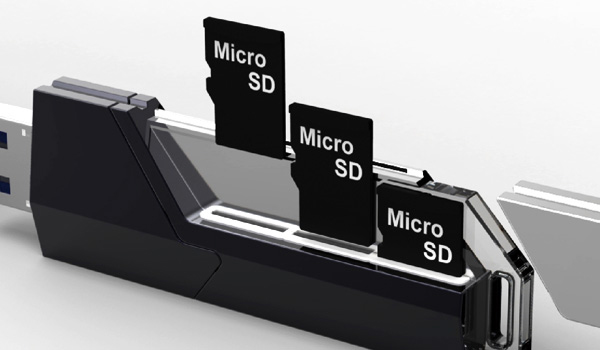
  • Prefer devices without any built-in wireless communications interfaces, or where those interfaces can be removed
  • Even better if there is no wired networking either
  • Particularly concerned users may also want to avoid devices with opaque micro-code/firmware
  • Small devices (laptops) that can be stored away easily in a locked cabinet or safe to prevent tampering
  • No hard disks required
  • Having built-in SD card readers or the ability to add them easily
SD cards and SD card readers The SD cards are used to store the master private key, used to sign the certificates/keys on the smart cards. Multiple copies are kept. It is a good idea to use SD cards from different vendors, preferably not manufactured in the same batch, to minimize the risk that they all fail at the same time. For convenience, it would be desirable to use a multi-card reader: although the software experience will be much the same if lots of individual card readers or USB flash drives are used. Other devices One additional idea that comes to mind is a hardware random number generator (TRNG), such as the FST-01. Can you help with ideas or donations? If you have any specific suggestions for hardware or can help arrange any donations of hardware for Outreachy interns, please come and join us in the pki-clean-room mailing list or consider adding ideas on the PGP / PKI clean room wiki.
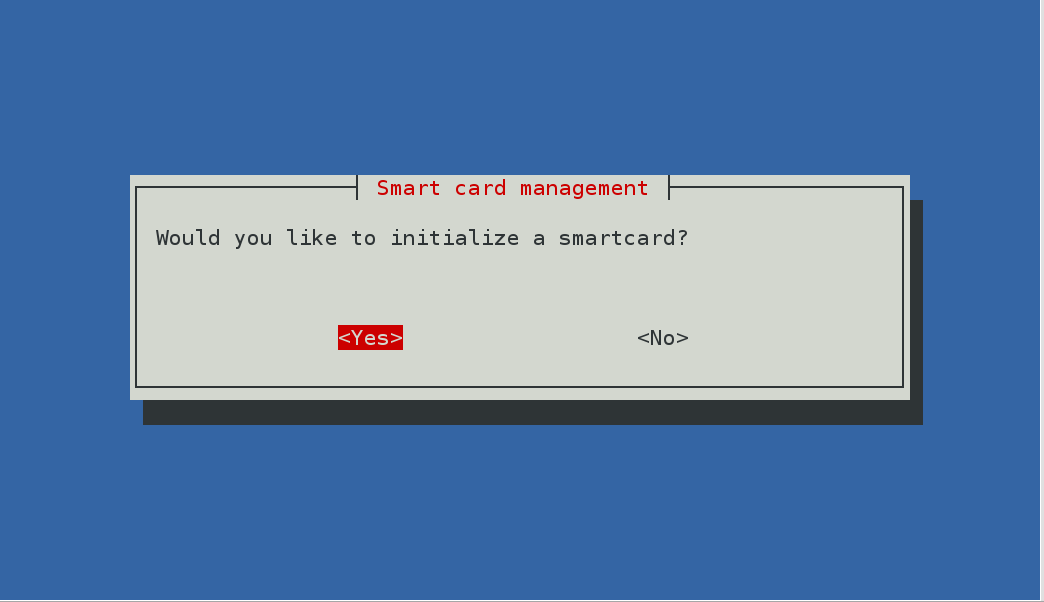
10 October 2016

Daniel Pocock: DVD-based Clean Room for PGP and PKI

There is increasing interest in computer security these days and more and more people are using some form of PKI, whether it is signing Git tags, signing packages for a GNU/Linux distribution or just signing your emails. There are also more home networks and small offices who require their own in-house Certificate Authority (CA) to issue TLS certificates for VPN users (e.g. StrongSWAN) or IP telephony. Back in April, I started discussing the PGP Clean Room idea (debian-devel discussion and gnupg-users discussion), created a wiki page and started development of a script to build the clean room ISO using live-build on Debian. Keeping the master keys completely offline and putting subkeys onto smart cards and other devices dramatically lowers the risk of mistakes and security breaches. Using a read-only DVD to operate the clean-room makes it convenient and harder to tamper with. Trying it out in VirtualBox It is fairly easy to clone the Git repository, run the script to create the ISO and boot it in VirtualBox to see what is inside: At the moment, it contains a number of packages likely to be useful in a PKI clean room, including GnuPG, smartcard drivers, the lightweight pki utility from StrongSWAN and OpenSSL. I've been trying it out with an SPR-532, one of the GnuPG-supported smartcard readers with a pin-pad and the OpenPGP card. Ready to use today More confident users will be able to build the ISO and use it immediately by operating all the utilities from the command line. For example, you should be able to fully configure PGP smart cards by following this blog from Simon Josefsson. The ISO includes some useful scripts, for example, create-raid will quickly partition and RAID a set of SD cards to store your master key-pair offline. Getting involved To make PGP accessible to a wider user-base and more convenient for those who don't use GnuPG frequently enough to remember all the command line options, it would be interesting to create a GUI, possibly using python-newt to create a similar look-and-feel to popular text-based installer and system administration tools. If you are keen on this project and would like to discuss it further, please come and join the new pki-clean-room mailing list and feel free to ask questions or share your thoughts about it. One way to proceed may be to recruit an Outreachy or GSoC intern to develop the UI. Before they can get started, it would be necessary to more thoroughly document workflow requirements.

Next.

Previous.