Yet another maintenance release of the tidyCpp
package arrived on CRAN this morning, a mere week and a half after the
previous release. It has been built for r2u as well. The package
offers a clean C++ layer (as well as one small C++ helper class) on top
of the C API for R which aims to make use of this robust (if awkward) C
API a little easier and more consistent. See the vignette for motivating
examples.
This release, just like the preceding
one less than two weeks ago, had its hand forced by an overnight
change in R-devel. The breakage this created has since been reverted in
R-devel but as the writing is on the wall are now removing the
definition involving these accessors preemptively. We were also missing
version checks for two newly added alternates.
Changes are summarized in the NEWS entry that follows.
Changes in tidyCpp
version 0.0.10 (2026-03-15)
Hide five accessors as underlying macros removed from
Rinternals
Preemptively hide another accessor
Ensure two definitions are conditional on R 4.5.0 or
later
Recently I found myself with a few hours to kill, but with the only
available connectivity provided by an annoying firewall which would
normally allow requests only to a few very specific web sites.
This post shows how to work around this kind of restrictions by hiding
SSH in an HTTPS connection, which then can be used as a SOCKS proxy to
allow general connectivity.
socat
does all the hard work.
First, create two self-signed RSA keys pairs, one for the client
(bongo) and one for the server (attila):
Then, concatenate the public and private keys to create the file
provided to the cert option, and use the public key as
the file for the cafile option on the other
side.
On the client side, if you normally would connect to
attila.example.net then you can add something like this to
~/.ssh/config:
The ProxyCommand directive uses socat to
provide the connectivity which ssh will use over stdio
instead of connecting to port 22 of the server.
The snihost option is enough to make many firewalls
believe that this is an authorized HTTPS request.
On the server side we use a simple systemd unit to start a forking
instance of socat, which will accept and process requests
from the client (and from random crawlers on the Internet: expect a lot
of cruft in that log...):
Strong sandboxing is enabled, so the socat instance
is confined with very limited privileges. An interesting point is the
use of systemd credentials
to provide the cryptographic keys, since it allows to store them in a
part of the file system which would not be accessible to the program.
Advanced users can use this method to provide the keys from secure
storage.
What led to this experiment? Well, for one, Well, for one, there was a thought
shared by Andrej Karpathy regarding the shift towards "Agentic" workflows.
"The future of software is not just 'tools', but 'agents' that can navigate
complex tasks on your behalf."
Recently, I spoke with Ritesh, who mentioned his
success using the Gemini CLI to debug an idle power drain issue on his laptop. I
wanted to experiment with this myself, and I had the perfect use case:
configuring the Hyprland Window Manager on my aging laptop.
The machine is nearly eight years old with 12GB of RAM (upgraded from the
original 4GB). I found that GNOME and KDE were becoming overkill, often leading
to system freezes when running multiple AI-powered IDEs like Antigravity and VS
Code with Co-pilot. Coincidentally, I noticed my Jio number had a "Google One
2TB" and "Google AI Premium" plan available to claim. I claimed it, and now here
I am, experimenting with the Gemini CLI.
Getting Started
First, you need to install geminicli. It is an open-source project, and
currently, the easiest way to install it is via the Node Package Manager (npm):
npminstall-g@google/gemini-cli
Next, we need to create a context for Gemini a set of instructions for it to
follow throughout the project. This is managed via a GEMINI.md file. I went
to Google Gemini, explained my requirements, and asked it to generate one for
me.
My requirements were:
A minimalist but fully functional session, comparable to my existing GNOME
setup.
Basic functionalities including wallpaper, screen locks, and a status bar
with system icons.
Swapping Control and Caps Lock (a must for Emacs users).
Mandatory permission prompts for privileged operations; otherwise, it can
work freely within a specified directory.
Persistent memory/artifacts for the session.
Permission to inspect my current session to understand the existing hardware
and software configuration.
The goal was to reduce bloat and reclaim memory for heavy applications like
Antigravity and VS Code. Gemini provided the following GEMINI.md file:
# Role: Hyprland Configuration Specialist (Minimalist & High-Performance)
You are a Linux Systems Engineer specializing in migrating users from heavy
Desktop Environments to minimalist, tiling-based Wayland sessions on Debian.
Your goal is to maximize available RAM for heavy applications while maintaining
essential desktop features.
## 1. Environment & Persona-**Target OS:** Debian (Linux)
-**Target WM:** Hyprland
-**Hardware:** ThinkPad E470 (i5-7th Gen, 12GB RAM)
-**User Profile:** Emacs user, prioritizes "anti-gravity" (zero bloat).
-**Tone:** Technical, concise, and security-conscious.
## 2. Core Functional Requirements-**Status Bar:** waybar (with CPU, RAM, Network, and Battery icons).
-**Wallpaper:** swww or hyprpaper .
-**Screen Lock:** hyprlock + hypridle .
-**Input Mapping:** Swap Control and Caps Lock ( kb_options = ctrl:nocaps ).
## 3. Operational Constraints-**Permission First:** Ask before using sudo or writing outside the work directory.
-**Inspection:** Use hyprctl , lsmod , or gsettings for compatibility checks.
-**Artifact Management:** Update MEMORY.md after every major step.
Gemini also recommended creating a MEMORY.md file to track progress.
Interestingly, Gemini remembered that I had previously shared dmidecode
output, so it already knew my exact laptop specs. (Though it did include a note
about me being a "daily rice eater" I assume it meant Linux 'ricing,' though I
actually use Debian Unstable, not Stable!).
The AI suggested starting with this prompt:
Read MEMORY.md and GEMINI.md. Based on my hardware, give me a shell script to
inspect my current GNOME environment so we can start replicating the session
basics.
How Did It Go?
I initialized a git repository for these files and instructed the Gemini CLI to
update GEMINI.md and commit changes after every major step so I could track
the progress.
The workflow looked like this:
Inspection: It created a script
to extract my GNOME settings.
Configuration: Once I provided the output, it began configuring Hyprland.
Utilities: It generated an installation script
for all required Wayland utilities.
Validation: All changes were staged in a hypr-config-draft folder. I
had Gemini verify them using hyprland --verify-config before moving them
to ~/.config/hypr.
Most things worked immediately, but I hit a snag with the wallpaper. Even after
generating the config, hyprpaper failed to display anything. The AI got
stuck in a loop trying to debug it. I eventually spawned a second Gemini CLI
instance to review the code and logs.
The debug log showed: 'DEBUG ]: Monitor eDP-1 has no target: no wp will be
created'.
It turns out the configuration format was outdated. By feeding the Hyprpaper
Wiki into the AI, it
finally corrected the config, and the wallpaper appeared.
After that, it successfully fixed an ssh-agent issue and configured a
clipboard manager with custom keybindings.
Learnings
I have used window managers for a long time because my hardware was rarely
top-of-the-line. However, I had moved back to KDE/GNOME with the arrival of
Wayland because most of my preferred WMs were X11-based.
Manually configuring a window manager is a painful, time-consuming process
involving endless wiki-trawling and trial-and-error. What usually takes weeks
took only a few hours with the Gemini CLI.
AI isn't perfect I still had to step in and guide it when it hit a wall but the
efficiency gain is undeniable. If you're interested in the configuration or the
history of the session, you can find the repository here.
I still have a few pending items in MEMORY.md, but I'll tackle those next
time!
DebConf 26 Registration, by Stefano Rivera, Antonio Terceiro, and Santiago Ruano Rinc n
DebConf 26, to be held in Santa Fe Argentina
in July, has opened for registration and event proposals.
Stefano, Antonio, and Santiago all contributed to making this happen.
As always, some changes needed to be made to the registration system. Bigger
changes were planned, but we ran out of time to implement them for DebConf 26.
All 3 of us have had experience in hosting local DebConf events in the past and
have been advising the DebConf 26 local team.
Debian CI improvements, by Antonio Terceiro
Debian CI is the platform responsible for automated
testing of packages from the Debian archive, and its results are used by the
Debian Release team automation as Quality Assurance to control the migration of
packages from Debian unstable into testing, the base for the next Debian release.
Antonio started developing an incus backend,
and that prompted tworounds of
improvements to the platform, including but not limited to allowing user to
select a job execution backend (lxc, qemu) during the job submission, reducing
the part of testbed image creation that requires superuser privileges and other
refactorings and bug fixes. The platform API was also improved to
reduce disruption when reporting results
to the Release Team automation after service downtimes. Last, but not least, the
platform now has support for testing packages against variants of autopkgtest,
which will allow the Debian CI team to test new versions of autopkgtest before
making releases to avoid widespread regressions.
Miscellaneous contributions
Carles improved po-debconf-manager
while users requested features / found bugs. Improvements done - add packages
from unstable instead of just salsa.debian.org,
upgrade and merge templates of upgraded packages, finished adding typing
annotations, improved deleting packages: support multiple line texts, add
debug to see subprocess.run commands, etc.
Carles, using po-debconf-manager, reviewed 7 Catalan translations and sent
bug reports or MRs for 11 packages. Also reviewed the translations of
fortunes-debian-hints and submitted possible changes in the hints.
Carles resumed effort for checking relations (e.g. Recommends / Suggests)
between Debian packages. A new codebase
(still in early stages) was started with a new approach in order to detect,
report and track the broken relations.
Emilio drove several transitions, most notably the haskell transition and the
glibc/gcc-15/zlib transition for the s390 31-bit removal. This last one
included reviewing and requeueing lots of autopkgtests due to britney losing a
lot of results.
Emilio reviewed and uploaded poppler updates to experimental for a new transition.
Emilio reviewed, merged and deployed some performance improvements proposed
for the security-tracker.
Stefano prepared routine updates for pycparser, python-confuse,
python-cffi, python-mitogen, python-pip, wheel, platformdirs,
python-authlib, and python-virtualenv.
Stefano updated Python 3.13 and 3.14 to the latest point releases, including
security updates, and did some preliminary work for Python 3.15.
Stefano reviewed changes to dh-python and merged MRs.
Stefano did some debian.social sysadmin work, bridging additional IRC channels
to Matrix.
Stefano and Antonio, as DebConf Committee Members, reviewed the DebConf 27
bids and took part in selecting the Japanese bid
to host DebConf 27.
Helmut sent patches for 29 cross build failures.
Helmut continued to maintain rebootstrap addressing issues relating to
specific architectures (such as musl-linux-any, hurd-any or s390x)
or specific packages (such as binutils, brotli or fontconfig).
Helmut worked on diagnosing bugs such as rocblas#1126608,
python-memray#1126944upstream
and greetd#1129070 with varying success.
Antonio provided support for multiple MiniDebConfs whose websites run
wafer + wafer-debconf (the same stack as DebConf itself).
Santiago reviewed some Merge Requests for the Salsa CI pipeline, including
!703
and !704,
that aim to improve how the build source job is handled by Salsa CI. Thanks a
lot to Jochen for his work on this.
In collaboration with Emmanuel Arias, Santiago proposed a couple of projects
for the Google Summer of Code (GSoC) 2026 round. Santiago has been reviewing
applications and giving feedback to candidates.
Thorsten uploaded new upstream versions of ipp-usb, brlaser and gutenprint.
Rapha l updated publican
to fix an old bug that became release critical and that happened only when
building with the nocheck profile. Publican is a build dependency of the Debian s
Administrator Handbook and with that fix, the package is back into testing.
Rapha l implemented a small feature
in Debusine that makes it possible to refer to a collection in a parent
workspace even if a collection with the same name is present in the current
workspace.
Lucas updated the current status of ruby packages affecting the Ruby 3.4
transition after a bunch of updates made by team members. He will follow up on
this next month.
Lucas joined the Debian orga team for GSoC this year and tried to reach out
to potential mentors.
Lucas did some content work for MiniDebConf Campinas - Brazil.
Colin published minor security updates to bookworm and trixie for
CVE-2025-61984 and CVE-2025-61985
in OpenSSH, both of which allowed code execution via ProxyCommand in some
cases. The trixie update also included a fix for
mishandling of PerSourceMaxStartups.
Colin spotted and fixed a typo in the bug tracking system s spam-handling rules,
which in combination with a devscripts regression
caused bts forwarded commands to be discarded.
Colin ported 12 more Python packages away from using the deprecated (and now
removed upstream) pkg_resources module.
Anupa is co-organizing MiniDebConf Kanpur
with Debian India team. Anupa was responsible for preparing the schedule,
publishing it on the website, co-ordination with the fiscal host in addition to
attending meetings.
Anupa attended the Debian Publicity team online sprint which was a skill
sharing session.
This opinion article tackles the much discussed issues of Large Language
Models (LLMs) both endangering jobs and improving productivity.
The authors begin by making a comparison, likening the current
understanding of the effects LLMs are currently having upon
knowledge-intensive work to that of artists in the early XIX century, when
photography was first invented: they explain that photography didn t result
in painting becoming obsolete, but undeniably changed in a fundamental
way. Realism was no longer the goal of painters, as they could no longer
compete in equal terms with photography. Painters then began experimenting
with the subjective experiences of color and light: Impressionism no longer
limits to copying reality, but adds elements of human feeling to creations.
The authors argue that LLMs make getting answers terribly cheap not
necessarily correct, but immediate and plausible. In order for the use of
LLMs to be advantageous to users, a good working knowledge of the domain in
which LLMs are queried is key. They cite as LLMs increasing productivity on
average 14% at call centers, where questions have unambiguous answers and
the knowledge domain is limited, but causing prejudice close to 10% to
inexperience entrepreneurs following their advice in an environment where
understanding of the situation and critical judgment are key. The problem,
thus, becomes that LLMs are optimized to generate plausible answers. If
the user is not a domain expert, plausibility becomes a stand-in for
truth . They identify that, with this in mind, good questions become
strategic: Questions that continue a line of inquiry, that expand the
user s field of awareness, that reveal where we must keep looking. They
liken this to Clayton Christensen s 2010 text on consulting : A
consultant s value is not in having all the answers, but in teaching
clients how to think.
LLMs are already, and will likely become more so as they improve,
game-changing for society. The authors argue that for much of the 20th
century, an individual s success was measured by domain mastery, but bring
to the table that the defining factor is no longer knowledge accumulation,
but the ability to formulate the right questions. Of course, the authors
acknowledge (it s even the literal title of one of the article s sections)
that good questions need strong theoretical foundations. Knowing a specific
domain enables users to imagine what should happen if following a specific
lead, anticipate second-order effects, and evaluate whether plausible
answers are meaningful or misleading.
Shortly after I read the article I am reviewing, I came across a data point
that quite validates its claims: A short, informally published paper on
combinatorics and graph theory titled Claude s Cycles written by Donald
Knuth (one of the most respected Computer Science professors and
researchers and author of the very well known The Art of Computer
Programming series of books). Knuth s text, and particularly its
postscripts , perfectly illustrate what the article of this review
conveys: LLMs can help a skillful researcher connect the dots in very
varied fields of knowledge, perform tiring and burdensome calculators, even
try mixing together some ideas that will fail or succeed. But guided by a
true expert of the field, asking the right, insightful and informed
questions will the answers prove to be of value and, in this case, of
immense value. Knuth writes of a particular piece of the solution, I would
have found this solution myself if I d taken time to look carefully at all
760 of the generalizable solutions for m=3 , but having an LLM perform all
the legwork it was surely a better use of his time.
Christensen, C.M. How Will You Measure Your
Life?
Harvard Business Review Press (2017).
Knuth, D. Claude s Cycles. https://cs.stanford.edu/~knuth/papers/claude-cycles.pdf
Debian LTS/ELTS
This was my hundred-fortieth month that I did some work for the Debian LTS initiative, started by Raphael Hertzog at Freexian.
During my allocated time I uploaded or worked on:
[DLA 4474-1] rlottie security update to fix three CVEs related to boundary checks.
[DLA 4477-1] munge security update to fix one CVE related to a buffer overflow.
[DLA 4483-1] gimp security update to fix four CVEs related to arbitrary code execution.
[DLA 4487-1] gegl security update to fix two CVEs related to heap-based buffer overflow.
[DLA 4489-1] libvpx security update to fix one CVE related to a buffer overflow.
[ELA-1649-1] gimp security update to fix three CVEs in Buster and Stretch related to arbitrary code execution.
[ELA-1650-1] gegl security update to fix two CVEs in Buster and Stretch related to heap-based buffer overflow.
Some CVEs could be marked as not-affected for one or all LTS/ELTS-releases.
I also worked on package evolution-data-server and attended the monthly LTS/ELTS meeting.
Debian Printing
This month I uploaded a new upstream versions:
This work is generously funded by Freexian!
Debian Lomiri
This month I continued to worked on unifying packaging on Debian and Ubuntu. This makes it easier to work on those packages independent of the used platform.
This work is generously funded by Fre(i)e Software GmbH!
Debian Astro
This month I uploaded a new upstream version or a bugfix version of:
c-munipack to unstable. This package now contains a version without GTK support. Upstream is working on a port to GTK3 but seems to need some more time to finish this.
Unfortunately development of openoverlayrouter finally stopped, so I had to remove this package from the archive.
Debian Mobcom
This month I uploaded a new upstream version or a bugfix version of:
Akvorado, a network flow collector, relies on Traefik, a reverse HTTP
proxy, to expose HTTP endpoints for its Docker Compose services. Docker
labels attached to each service define the routing rules. Traefik picks them
up automatically when a container starts. Instead of maintaining a static
configuration file to collect Prometheus metrics, we apply the same approach
with Grafana Alloy.
Traefik & Docker
Traefik listens for events on the Docker socket. Each service advertises its
configuration through labels. For example, here is the Loki service in Akvorado:
Once the container is healthy, Traefik creates a router forwarding requests
matching /loki to its first exposed port. Colocating Traefik configuration
with the service definition is attractive. How do we achieve the same for
Prometheus metrics?
Metrics discovery with Alloy
Grafana Alloy, a metrics collector that scrapes Prometheus endpoints,
includes a discovery.docker component. Just like Traefik,
it connects to the Docker socket.1 With a few relabeling rules, we teach
it to use Docker labels to locate and scrape metrics.
We define three labels on each service:
metrics.enable set to true enables metrics collection,
metrics.port specifies the port exposing the Prometheus endpoint, and
metrics.path specifies the path to the metrics endpoint.
If a service exposes more than one port, metrics.port is mandatory. Otherwise,
it defaults to the only exposed port. The default value for metrics.path is
/metrics. The Loki service from earlier becomes:
This connects to the Docker socket and lists containers every 30
seconds.2 The filter block restricts discovery to containers belonging
to the akvorado project, avoiding interference with unrelated containers on
the same host. For each discovered container, Alloy produces a target with
labels such as __meta_docker_container_label_metrics_port for the
metrics.port Docker label.
Relabeling targets
The relabeling step filters and transforms raw targets from Docker discovery
into scrape targets. The first stage keeps only targets with metrics.enable
set to true:
discovery.relabel"prometheus"targets=discovery.docker.docker.targets // Keep only targets with metrics.enable=truerulesource_labels=["__meta_docker_container_label_metrics_enable"]regex=trueaction="keep" //
The second stage overrides the discovered port when the service defines
metrics.port:
// When metrics.port is set, override __address__.rulesource_labels=["__address__", "__meta_docker_container_label_metrics_port"]regex=(.+):\d+;(.+)target_label="__address__"replacement="$1:$2"
Next, we handle containers in host network mode. When
__meta_docker_network_name equals host, Alloy rewrites the address to
host.docker.internal instead of localhost:3
// When host networking, override __address__ to host.docker.internal.rulesource_labels=["__meta_docker_container_label_metrics_port", "__meta_docker_network_name"]regex=(.+);host target_label="__address__"replacement="host.docker.internal:$1"
The next stage derives the job name from the service name, stripping any
numbered suffix. The instance label is the address without the port:
prometheus.scrape periodically fetches metrics from the discovered targets.
prometheus.remote_write sends them to Prometheus.
Built-in exporters
Some services do not expose a Prometheus endpoint. Redis and Kafka are common
examples. Alloy ships built-in Prometheus exporters that
query these services and expose metrics on their behalf.
Each exporter is a separate component with its own relabeling and scrape
configuration. We set the job label explicitly since no Docker metadata can
provide it.
With this setup, adding metrics to a new service with a Prometheus endpoint
requires only a few labels in docker-compose.yml, just like adding a Traefik
route. Alloy picks it up automatically. You can apply the same pattern with
another discovery method, like discovery.kubernetes,
discovery.scaleway, or discovery.http.
Both Traefik and Alloy require access to the Docker socket, which
grants root-level access to the host. A Docker socket proxy mitigates
this by exposing only the read-only API endpoints needed for discovery.
Unlike Traefik, which watches for events, Grafana Alloy polls the
container list at regular intervals a behavior inherited from Prometheus.
The Alloy service needs extra_hosts:
["host.docker.internal:host-gateway"] in its definition.
I miss the US more and more, and have recently been trying to perfect Southern
Biscuits using British ingredients. It took me eight or nine tries before I
was consistently getting good results. Here is my recipe.
Ingredients
190g plain flour
60g strong white bread flour
4 tsp baking powder
tsp bicarbonate of soda
1 tsp cream of tartar (optional)
1 tsp salt
100g unsalted butter
180ml buttermilk, chilled
If your buttermilk is thicker than the consistency of ordinary milk,
you ll need around 200ml.
extra buttermilk for brushing
Method
Slice and then chill the butter in the freezer for at least fifteen
minutes.
Preheat oven to 220 C with the fan turned off.
Twice sieve together the flours, leaveners and salt. Some salt may not go
through the sieve; just tip it back into the bowl.
Cut cold butter slices into the flour with a pastry blender until the
mixture resembles coarse crumbs: some small lumps of fat remaining is
desirable. In particular, the fine crumbs you are looking for when making
British scones are not wanted here. Rubbing in with fingertips just won t
do; biscuits demand keeping things cold even more than shortcrust pastry
does.
Make a well in the centre, pour in the buttermilk, and stir with a metal
spoon until the dough comes together and pulls away from the sides of the
bowl. Avoid overmixing, but I ve found that so long as the ingredients are
cold, you don t have to be too gentle at this stage and can make sure all
the crumbs are mixed in.
Flour your hands, turn dough onto a floured work surface, and pat together
into a rectangle. Some suggest dusting the top of the dough with flour,
too, here.
Fold the dough in half, then gather any crumbs and pat it back into the
same shape. Turn ninety degrees and do the same again, until you have
completed a total of eight folds, two in each cardinal direction. The
dough should now be a little springy.
Roll to about inch thick.
Cut out biscuits. If using a round cutter, do not twist it, as that seals
the edges of the biscuits and so spoils the layering.
Transfer to a baking sheet, placed close together (helps them rise).
Flour your thumb and use it to press an indent into the top of each
biscuit (helps them rise straight), brush with buttermilk.
Bake until flaky and golden brown: about fifteen minutes.
Gravy
It turns out that the pepper gravy that one commonly has with biscuits is
just a white/b chamel sauce made with lots of black pepper. I haven t got a
recipe I really like for this yet. Better is a sausage gravy ; again this
has a white sauce as its base, I believe. I have a vegetarian recipe for this
to try at some point.
Variations
These biscuits do come out fluffy but not so flaky. For that you can try
using lard instead of butter, if you re not vegetarian (vegetable shortening
is hard to find here).
If you don t have a pastry blender and don t want to buy one you can try not
slicing the butter and instead coarsely grating it into the flour out of the
freezer.
An alternative to folding is cutting and piling the layers.
You can try rolling out to 1 1 inches thick.
Instead of cutting out biscuits you can just slice the whole piece of dough
into equal pieces. An advantage of this is that you don t have to re-roll,
which latter also spoils the layering.
Instead of brushing with buttermilk, you can take them out after they ve
started to rise but before they ve browned, brush them with melted butter
and put them back in.
Notes
I ve had more success with Dale Farm s buttermilk than Sainsbury s own. The
former is much runnier.
Southern culture calls for biscuits to be made the size of cat s heads.
Bleached flour is apparently usual in the South, but is illegal(!) here.
Apparently bleaching can have some effect on the development of the gluten
which would affect the texture.
British plain flour is made from soft wheat and has a lower percentage of
protein/gluten, while American all-purpose flour is often(?) made from
harder wheat and has more protein. In this recipe I mix plain and strong
white flour, in a ratio of 3:1, to emulate American all-purpose flour.
I am not sure why this works best. In the South they have soft wheats too,
and lower protein percentages. The famous White Lily flour is 9%.
(Apparently you can mix US cake flour and US all-purpose flour in a ratio of
1:1 to achieve that; in the UK, Shipton Mill sell a soft cake and pastry
flour which has been recommended to me as similar.)
This would suggest that British plain flour ought to be closer to Southern
flour than the standard flour available in most of the US. But my
experience has been that the biscuits taste better with the plain and strong
white 3:1 mix. Possibly Southeners would disprefer them. I got some
feedback that good biscuits are about texture and moistness and not flavour.
Baking powder in the US is usually double-acting but ours is always
single-acting, so we need double quantities of that.
Another maintenance release of the tidyCpp
package arrived on CRAN this morning. The packages offers a clean C++
layer (as well as one small C++ helper class) on top of the C API for R
which aims to make use of this robust (if awkward) C API a little easier
and more consistent. See the vignette for motivating
examples.
This release follows a similar release in
November and had its hand forced by rather abrupt and forced
overnight changes in R-devel, this time the removal of
VECTOR_PTR in [this commit]. The release also contains
changes accumulated since the last release (including some kindly
contritbuted by Ivan) and those are signs that the R Core team can do
more coordinated release management when they try a little harder.
Changes are summarize in the NEWS entry that follows.
Changes in tidyCpp
version 0.0.9 (2026-03-03)
Several vignette typos have been corrected (#4 addressing
#3)
A badge for r-universe has been added to the README.md
The vignette is now served via GitHub Pages and that version is
referenced in the README.
Two entry points reintroduced and redefined using permitted R API
function (Ivan Krylov in #5).
Another entry has been removed to match R-devel API
changes.
Six new attributes helpers have been added for R 4.6.0 or
later.
VECTOR_PTR_RO(x) replaces the removed
VECTOR_PTR, a warning or deprecation period would have been
nice here.
The AI hype is based on the assumption that the frontier AI labs are producing better and better foundational models at an accelerating pace. Is that really true, or are people just in sort of a mass psychosis because AI models have become so good at mimicking human behavior that we unconsciously attribute increasing intelligence to them? I decided to conduct a mini-benchmark of my own to find out if the latest and greatest AI models are actually really good or not.
The problem with benchmarks
Every time any team releases a new LLM, they boast how well it performs on various industry benchmarks such as Humanity s Last Exam, SWE-Bench and Ai2 ARC or ARC-AGI. An overall leaderboard can be viewed at LLM-stats. This incentivizes teams to optimize for specific benchmarks, which might make them excel on specific tasks while general abilities degrade. Also, the older a benchmark dataset is, the more online material there is discussing the questions and best answers, which in turn increases the chances of newer models trained on more recent web content scoring better.
Thus I prefer looking at real-time leaderboards such as the LM Arena leaderboard (or OpenCompass for Chinese models that might be missing from LM Arena). However, even though the LM Arena Elo score is rated by humans in real-time, the benchmark can still be played. For example, Meta reportedly used a special chat-optimized model instead of the actual Llama 4 model when getting scored on the LM Arena.
Therefore I trust my own first-hand experience more than the benchmarks for gaining intuition. Intuition however is not a compelling argument in discussions on whether or not new flagship AI models have plateaued. Thus, I decided to devise my own mini-benchmark so that no model could have possibly seen it in its training data or be specifically optimized for it in any way.
My mini-benchmark
I crafted 6 questions based on my own experience using various LLMs for several years and having developed some intuition about what kinds of questions LLMs typically struggle with.
I conducted the benchmark using the OpenRouter.ai chat playroom with the following state-of-the-art models:
OpenRouter.ai is great as it very easy to get responses from multiple models in parallel to a single question. Also it allows to turn off web search to force the models to answer purely based on their embedded knowledge.
Common for all the test questions is that they are fairly straightforward and have a clear answer, yet the answer isn t common knowledge or statistically the most obvious one, and instead requires a bit of reasoning to get correct.
Some of these questions are also based on myself witnessing a flagship model failing miserably to answer it.
1. Which cities have hosted the Olympics more than just once?
This question requires accounting for both summer and winter Olympics, and for Olympics hosted across multiple cities.
The variance in responses comes from if the model understands that Beijing should be counted as it has hosted both summer and winter Olympics. Interestingly GPT was the only model to not mention Beijing at all. Some variance also comes from how models account for co-hosted Olympics. For example Cortina should be counted as having hosted the Olympics twice, in 1956 and 2026, but only Claude, Gemini and Kimi pointed this out. Stockholm s 1956 hosting of the equestrian games during the Melbourne Olympics is a special case, which GPT, Gemini and Kimi pointed out in a side note. Some models seem to have old training material, and for example Grok assumes the current year is 2024. All models that accounted for awarded future Olympics (e.g. Los Angeles 2028) marked them clearly as upcoming.
Overall I would judge that only GPT and MinMax gave incomplete answers, while all other models replied as the best humans could reasonably have.
2. If EUR/USD continues to slide to 1.5 by mid-2026, what is the likely effect on BMW s stock price by end of 2026?
This question requires mapping the currency exchange rate to historic value, dodging the misleading word slide , and reasoning on where the revenue of a company comes from and how a weaker US dollar affects it in multiple ways. I ve frequently witnessed flagship models get it wrong how interest rates and exchange rates work. Apparently the binary choice between up or down is somehow challenging to the internal statistical model in the LLMs on a topic where there are a lot of training material that talk about both things being likely to happen, and choosing between them requires specifically reasoning about the scenario at hand and disregarding general knowledge of the situation.
However, this time all the models concluded correctly that a weak dollar would have a negative overall effect on the BMW stock price. Gemini, GLM, Qwen and Kimi also mention the potential hedging effect of BMW s X-series production in South Carolina for worldwide export.
3. What is the Unicode code point for the traffic cone emoji?
This was the first question where the the flagship models clearly still struggle in 2026. The trap here is that there is no traffic cone emoji, so an advanced model should simply refuse to give any Unicode numbers at all. Most LLMs however have an urge to give some answer, leading to hallucinations. Also, as the answer has a graphical element to it, the LLM might not understand how the emoji looks in ways that would be obvious to a human, and thus many models claim the construction sign emoji is a traffic cone, which it is not.
By far the worst response was from GPT, that simply hallucinates and stops there:
While Gemini and Grok were among the three models not falling into this trap, the response from Claude was exemplary good:
4. Which languages are the 10 most commonly spoken in the world? For each language, count from 1 to 5.
This seemingly simple question can become quite complex when you account for the fact that other languages might also have their own character system, both for words and the numerals (e.g. Arabic /one vs /1), and that numbers might have variations depending on what the thing being counted is (e.g in French object gender un/une), or whether plain numbers and occurrences have their own words (e.g. Russian /odin vs /raz). I ve also witnessed older models frequently mix up on what parts of the reply should be using what language.
For a human this question is trivial, assuming they know the language. For LLMs it is surprisingly challenging. Grok and MinMax only gave a list of the most popular languages and stopped there without showing any words in the languages. Qwen got a bit further by trying to list numbers in each language, but the lists were only the numbers 1 to 5:
I have seen Grok do something similar before, which in fact inspired me to include this question in my mini-benchmark.
GPT got a bit further, but for Hindi, Arabic and Bengali it listed the numerals in local script, not the number words. Gemini, GLM and Kimi gave a complete and correct answer as a list, while the absolute best answer and presentation was by Claude, that gave the table below:
Claude Opus 4.6
10 Most Commonly Spoken Languages (by Total Speakers)
#
Language
1
2
3
4
5
1
English
One
Two
Three
Four
Five
2
Mandarin Chinese
(y )
( r)
(s n)
(s )
(w )
3
Hindi
(ek)
(do)
(t n)
(ch r)
(p ch)
4
Spanish
Uno
Dos
Tres
Cuatro
Cinco
5
French
Un
Deux
Trois
Quatre
Cinq
6
Arabic
(w id)
(ithn n)
(thal tha)
(arba a)
(khamsa)
7
Bengali
(ek)
(dui)
(tin)
(ch r)
(p ch)
8
Portuguese
Um
Dois
Tr s
Quatro
Cinco
9
Russian
(odin)
(dva)
(tri)
(chetyre)
(pyat')
10
Japanese
(ichi)
(ni)
(san)
(shi)
(go)
Note: Rankings are based on estimated total speakers (native + non-native). Rankings can vary depending on the source and methodology used.
5. Count the number of drone launch pads in the picture.
Together with the question, I uploaded this picture:
A human can easily count that there are 10 rows and 30+ columns in the grid, but because the picture resolution isn t good enough, the exact number of columns can t be counted, and the answer should be that there are at least 300 launch pads in the picture.
GPT and Grok both guessed the count is zero. Instead of hallucinating some number they say zero, but it would have been better to not give any number at all, and just state that they are unable to perform the task. Gemini gave as its answer 101 , which is quite odd, but reading the reasoning section, it seems to have tried counting items in the image without reasoning much about what it is actually counting and that there is clearly a grid that can make the counting much easier. Both Qwen and Kimi state they can see four parallel structures, but are unable to count drone launch pads.
The absolutely best answer was given by Claude, which counted 10-12 rows and 30-40+ columns, and concluded that there must be 300-500 drone launch pads. Very close to best human level - impressive!
This question applied only to multi-modal models that can see images, so GLM and MinMax could not give any response.
6. Explain why I am getting the error below, and what is the best way to fix it?
Together with the question above, I gave this code block:
$ SH_SCRIPTS="$(mktemp; grep -Irnw debian/ -e '^#!.*/sh'   sort -u   cut -d ':' -f 1   true)"
$ shellcheck -x --enable=all --shell=sh "$SH_SCRIPTS"
/tmp/tmp.xQOpI5Nljx
debian/tests/integration-tests: /tmp/tmp.xQOpI5Nljx
debian/tests/integration-tests: openBinaryFile: does not exist (No such file or directory)
Older models would easily be misled by the last error message thinking that a file went missing, and focus on suggesting changes to the complex-looking first line. In reality the error is simply caused by having the quotes around the $SH_SCRIPTS, resulting in the entire multi-line string being passed as a single argument to shellcheck. So instead of receiving two separate file paths, shellcheck tries to open one file literally named /tmp/tmp.xQOpI5Nljx\ndebian/tests/integration-tests.
Incorrect argument expansion is fairly easy for an experienced human programmer to notice, but tricky for an LLM. Indeed, Grok, MinMax, and Qwen fell for this trap and focused on the mktemp, assuming it somehow fails to create a file. Interestingly GLM fails to produce an answer at all, as the reasoning step seems to be looping, thinking too much about the missing file, but not understanding why it would be missing when there is nothing wrong with how mktemp is executed.
Claude, Gemini, and Kimi immediately spot the real root cause of passing the variable quoted and suggested correct fixes that involve either removing the quotes, or using Bash arrays or xargs in a way that makes the whole command also handle correctly filenames with spaces in them.
Conclusion
Model
Sports
Economics
Emoji
Languages
Visual
Shell
Score
Claude Opus 4.6
6/6
GPT-5.2
~
2.5/6
Grok 4.1
3/6
Gemini 3.1 Pro
5/6
GLM 5
?
N/A
3/5
MinMax M2.5
N/A
1/5
Qwen3.5 Plus
~
2.5/6
Kimi K2.5
4/6
Obviously, my mini-benchmark only had 6 questions, and I ran it only once. This was obviously not scientifically rigorous. However it was systematic enough to trump just a mere feeling.
The main finding for me personally is that Claude Opus 4.6, the flagship model by Anthropic, seems to give great answers consistently. The answers are not only correct, but also well scoped giving enough information to cover everything that seems relevant, without blurping unnecessary filler.
I used Claude extensively in 2023-2024 when it was the main model available at my day work, but for the past year I had been using other models that I felt were better at the time. Now Claude seems to be the best-of-the-best again, with Gemini and Kimi as close follow-ups. Comparing their pricing at OpenRouter.ai the Kimi K2.5 price of $0.6 / million tokens is almost 90% cheaper than the Claude Opus 4.6 s $5.0 / million tokens suggests that Kimi K2.5 offers the best price-per-performance ratio. Claude might be cheaper with a monthly subscription directly from Anthropic, potentially narrowing the price gap.
Overall I do feel that Anthropic, Google and Moonshot.ai have been pushing the envelope with their latest models in a way that one can t really claim that AI models have plateaued. In fact, one could claim that at least Claude has now climbed over the hill of AI slop and consistently produces valuable results. If and when AI usage expands from here, we might actually not drown in AI slop as chances of accidentally crappy results decrease. This makes me positive about the future.
I am also really happy to see that there wasn t just one model crushing everybody else, but that there are at least three models doing very well. As an open source enthusiast I am particularly glad to see that Moonshot.ai s Kimi K2.5 is published with an open license. Given the hardware, anyone can run it on their own. OpenRouter.ai currently lists 9 independent providers alongside Moonshot.ai itself, showcasing the potential of open-weight models in practice.
If the pattern holds and flagship models continue improving at this pace we might look back at 2026 as the year AI stopped feeling like a call center associate and started to resemble a scientific researcher. While new models become available we need to keep testing, keep questioning, and keep our expectations grounded in actual performance rather than press releases.
Thanks to OpenRouter.ai for providing a great service that makes testing various models incredibly easy!
This is also known as: "ifconfig is not installed by default
anymore, how do I do this only with the ip command?"
I have been slowly training my brain to use the new commands but I
sometimes forget some. So, here's a couple of equivalence from the old
package to net-tools the new iproute2, about 10 years late:
Another trick
Also note that I often alias ip to ip -br -c as it provides a
much prettier output.
Compare, before:
anarcat@angela:~> ip a
1: lo: <LOOPBACK,UP,LOWER_UP> mtu 65536 qdisc noqueue state UNKNOWN group default qlen 1000
    link/loopback 00:00:00:00:00:00 brd 00:00:00:00:00:00
    inet 127.0.0.1/8 scope host lo
       valid_lft forever preferred_lft forever
    inet6 ::1/128 scope host noprefixroute
       valid_lft forever preferred_lft forever
2: wlan0: <NO-CARRIER,BROADCAST,MULTICAST,UP> mtu 1500 qdisc noqueue state DOWN group default qlen 1000
    link/ether xx:xx:xx:xx:xx:xx brd ff:ff:ff:ff:ff:ff permaddr xx:xx:xx:xx:xx:xx
    altname wlp166s0
    altname wlx8cf8c57333c7
4: virbr0: <NO-CARRIER,BROADCAST,MULTICAST,UP> mtu 1500 qdisc noqueue state DOWN group default qlen 1000
    link/ether xx:xx:xx:xx:xx:xx brd ff:ff:ff:ff:ff:ff
    inet 192.168.122.1/24 brd 192.168.122.255 scope global virbr0
       valid_lft forever preferred_lft forever
20: eth0: <BROADCAST,MULTICAST,UP,LOWER_UP> mtu 1500 qdisc fq_codel state UP group default qlen 1000
    link/ether xx:xx:xx:xx:xx:xx brd ff:ff:ff:ff:ff:ff
    inet 192.168.0.108/24 brd 192.168.0.255 scope global dynamic noprefixroute eth0
       valid_lft 40699sec preferred_lft 40699sec
After:
anarcat@angela:~> ip -br -c a
lo               UNKNOWN        127.0.0.1/8 ::1/128
wlan0            DOWN
virbr0           DOWN           192.168.122.1/24
eth0             UP             192.168.0.108/24
I don't even need to redact MAC addresses! It also affects the display
of the other commands, which look similarly neat.
Also imagine pretty colors above.
Finally, I don't have a cheat sheet for iw vs iwconfig (from
wireless-tools) yet. I just use NetworkManager now and rarely have
to mess with wireless interfaces directly.
Background and history
For context, there are traditionally two ways of configuring the
network in Linux:
the old way, with commands like ifconfig, arp, route and
netstat, those are part of the net-tools package
the new way, mostly (but not entirely!) wrapped in a single ip
command, that is the iproute2 package
It seems like the latter was made "important" in Debian in 2008,
which means every release since Debian 5 "lenny" has featured the
ip command.
The former net-tools package was demoted in December 2016 which
means every release since Debian 9 "stretch" ships without an
ifconfig command unless explicitly requested. Note that this was
mentioned in the release notes in a similar (but, IMHO, less
useful) table.
(Technically, the net-tools Debian package source still indicates it
is Priority: important but that's a bug I have just filed.)
Finally, and perhaps more importantly, the name iproute is hilarious
if you are a bilingual french speaker: it can be read as "I proute"
which can be interpreted as "I fart" as "prout!" is the sound a fart
makes. The fact that it's called iproute2 makes it only more
hilarious.
Activity summary
During the month of January, 20 contributors have been
paid to work on Debian LTS (links to individual
contributor reports are located below).
The team released 33 DLAs
fixing 216 CVEs.
The team continued preparing security updates in its usual rhythm. Beyond the
updates targeting Debian 11 ( bullseye ), which is the current release under LTS,
the team also proposed updates for more recent releases (Debian 12 ( bookworm )
and Debian 13 ( trixie )), including Debian unstable. We highlight several notable
security updates here below.
Notable security updates:
python3.9, prepared by Andrej Shadura
(DLA-4455-1),
fixing multiple vulnerabilities in the Python interpreter.
php, prepared by Guilhem Moulin
(DLA-4447-1),
fixing two vulnerabilities that could yield to request forgery or denial of
service.
apache2, prepared by Bastien Roucari s
DLA-4452-1, fixing
four CVEs.
linux-6.1, prepared by Ben Hutchings
(DLA-4436-1), as a
regular update of the linux 6.1 backport to Debian 11.
python-django, prepared by Chris Lamb
(DLA-4458-1),
resolving multiple vulnerabilities.
firefox-esr prepared by Emilio Pozuelo Monfort
(DLA-4439-1)
gnupg2, prepared by Roberto S nchez
(DLA-4437-1),
fixing multiple issues, including
CVE-2025-68973
that could potentially be exploited to execute arbitrary code.
apache-log4j2, prepared by Markus Koschany
(DLA-4444-1)
inetutils, prepared by Andreas Henriksson
(DLA-4453-1),
fixing an authentication bypass in telnetd.
Moreover, Sylvain Beucler studied the security support status of p7zip, a fork
of 7zip that has become unmaintained upstream. To avoid letting the users
continue using an unsupported package, Sylvain has investigated a path forward
in collaboration with the security team and the 7zip maintainer, looking to
replace p7zip with 7zip. It is to note however that 7zip developers don t
reveal the information about the patches that fix CVEs, making it difficult
to backport single patches to fix vulnerabilities in Debian released versions.
Contributions from outside the LTS Team:
Thunderbird, prepared by maintainer Christoph Goehre. The DLA
(DLA-4442-1) was
published by Emilio.
The LTS Team has also contributed with updates to the latest Debian releases:
Bastien uploaded gpsd to
unstable,
and proposed updates for trixie #1126121
and bookworm #1126168 to fix two CVEs.
Bastien also prepared the imagemagick updates for trixie and bookworm,
released as
DSA-6111-1, along
with the bullseye update
DLA-4448-1.
Chris proposed a trixie point update for python-django
(#112646), and the work for bookworm was
completed in February (#1079454). The
longstanding bookworm update required tracking down a regression in the
django-storages packages.
Markus prepared tomcat10 updates for trixie and bookworm
(DSA-6120-1), and
tomcat11 for trixie
(DSA-6121-1)
Thorsten Alteholz prepared bookworm point updates for zvbi
(#1126167) to
fix five CVEs; taglib
(#1126273) to fix
one CVE; and libuev
(#1126370) to fix
one CVE.
Utkarsh prepared an unstable update of
node-lodash
to fix one CVE.
Other than the work related to updates, Sylvain made several improvements to
the documentation and tooling used by the team.
What if I told you there is a way to configure the network on any
Linux server that:
works across all distributions
doesn't require any software installed apart from the kernel and a
boot loader (no systemd-networkd, ifupdown, NetworkManager,
nothing)
is backwards compatible all the way back to Linux 2.0, in 1996
It has literally 8 different caveats on top of that, but is still
totally worth your time.
Known options in Debian
People following Debian development might have noticed there are now
four ways of configuring the network Debian system. At least that is
what the Debian wiki claims, namely:
ifupdown (/etc/network/interfaces): traditional static
configuration system, mostly for workstations and servers that has
been there forever in Debian (since at least 2000), documented
in the Debian wiki
NetworkManager: self-proclaimed "standard Linux network
configuration", mostly used on desktops but technically supports
servers as well, see the Debian wiki page (introduced in 2004)
systemd-network: used more for servers, see Debian reference Doc
Chapter 5 (introduced some time around Debian 8 "jessie", in
2015)
At this point, I feel ifupdown is on its way out, possibly replaced
by systemd-networkd. NetworkManager already manages most desktop
configurations.
A "new" network configuration system
The method is this:
ip= on the Linux kernel command line: for servers with a
single IPv4 or IPv6 address, no software required other than the
kernel and a boot loader (since 2002 or older)
So by "new" I mean "new to me". This option is really old. The
nfsroot.txt where it is documented predates the git import of the
Linux kernel: it's part of the 2005 git import of 2.6.12-rc2. That's
already 20+ years old already.
The oldest trace I found is in this 2002 commit, which imports
the whole file at once, but the option might goes back as far as
1996-1997, if the copyright on the file is correct and the option
was present back then.
What are you doing.
The trick is to add an ip= parameter to the kernel's
command-line. The syntax, as mentioned above, is in nfsroot.txt
and looks like this:
ip=[<server-id>]:<gateway-IP-number>:<netmask>:<client-hostname>:inteface:[dhcp dhcp6 auto6 on any none off]
It's essentially the same (although server-id is weird), and the
autoconf variable has other settings, so that's a bit odd.
Examples
For example, this command-line setting:
ip=192.0.2.42::192.0.2.1:255.255.255.0:::off
... will set the IP address to 192.0.2.42/24 and the gateway to
192.0.2.1. This will properly guess the network interface if there's a
single one.
A DHCP only configuration will look like this:
ip=::::::dhcp
Of course, you don't want to type this by hand every time you boot the
machine. That wouldn't work. You need to configure the kernel
commandline, and that depends on your boot loader.
GRUB
With GRUB, you need to edit (on Debian), the file /etc/default/grub
(ugh) and find a line like:
GRUB_CMDLINE_LINUX=
and change it to:
GRUB_CMDLINE_LINUX=ip=::::::dhcp
systemd-boot and UKI setups
For systemd-boot UKI setups, it's simpler: just add the setting to
the /etc/kernel/cmdline file. Don't forget to include anything
that's non-default from /proc/cmdline.
This assumes that is the Cmdline=@ setting in
/etc/kernel/uki.conf. See 2025-08-20-luks-ukify-conversion for
my minimal documentation on this.
Other systems
This is perhaps where this is much less portable than it might first
look, because of course each distribution has its own way of
configuring those options. Here are some that I know of:
Arch (11 options, mostly /etc/default/grub,
/boot/loader/entries/arch.conf for systemd-boot or
/etc/kernel/cmdline for UKI)
Fedora (mostly /etc/default/grub, may be more RHEL mentions
grubby, possibly some systemd-boot things here as well)
Gentoo (5 options, mostly /etc/default/grub,
/efi/loader/entries/gentoo-sources-kernel.conf for systemd-boot,
or /etc/kernel/install.d/95-uki-with-custom-opts.install)
It's interesting that /etc/default/grub is consistent across all
distributions above, while the systemd-boot setups are all over the
place (except for the UKI case), while I would have expected those be
more standard than GRUB.
dropbear-initramfs
If dropbear-initramfs is setup, it already requires you to have
such a configuration, and it might not work out of the box.
This is because, by default, it disables the interfaces configured
in the kernel after completing its tasks (typically unlocking the
encrypted disks).
To fix this, you need to disable that "feature":
IFDOWN="none"
This will keep dropbear-initramfs from disabling the configured
interface.
Why?
Traditionally, I've always setup my servers with ifupdown on servers
and NetworkManager on laptops, because that's essentially the
default. But on some machines, I've started using systemd-networkd
because ifupdown has ... issues, particularly with reloading network
configurations. ifupdown is a old hack, feels like legacy, and is
Debian-specific.
Not excited about configuring another service, I figured I would try
something else: just configure the network at boot, through the kernel
command-line.
I was already doing such configurations for dropbear-initramfs
(see this documentation), which requires the network the be up
for unlocking the full-disk encryption keys.
So in a sense, this is a "Don't Repeat Yourself" solution.
Caveats
Also known as: "wait, that works?" Yes, it does! That said...
This is useful for servers where the network configuration will
not change after boot. Of course, this won't work on laptops or
any mobile device.
This only works for configuring a single, simple, interface. You
can't configure multiple interfaces, WiFi, bridges, VLAN, bonding,
etc.
It does support IPv6 and feels like the best way to configure IPv6
hosts: true zero configuration.
It likely does not work with a dual-stack IPv4/IPv6 static
configuration. It might work with a dynamic dual stack
configuration, but I doubt it.
I don't know what happens when a DHCP lease expires. No daemon
seems to be running so I assume leases are not renewed, so this is
more useful for static configurations, which includes server-side
reserved fixed IP addresses. (A non-renewed lease risks getting
reallocated to another machine, which would cause an addressing
conflict.)
It will not automatically reconfigure the interface on link
changes, but ifupdown does not either.
It will not write /etc/resolv.conf for you but the dns0-ip
and dns1-ip do end up in /proc/net/pnp which has a compatible
syntax, so a common configuration is:
ln -s /proc/net/pnp /etc/resolv.conf
I have not really tested this at scale: only a single, test
server at home.
Yes, that's a lot of caveats, but it happens to cover a lot of
machines for me, and it works surprisingly well. My main doubts are
about long-term DHCP behaviour, but I don't see why that would be a
problem with a statically defined lease.
Cleanup
Once you have this configuration, you don't need any "user" level
network system, so you can get rid of everything:
Note that ifupdown (and probably others) leave stray files in (e.g.)
/etc/network which you might want to cleanup, or keep in case all
this fails and I have put you in utter misery. Configuration files for
other packages might also be left behind, I haven't tested this, no
warranty.
Credits
This whole idea came from the A/I folks (not to be confused with
AI) who have been doing this forever, thanks!
Debian LTS/ELTS
This was my hundred-thirty-ninth month that I did some work for the Debian LTS initiative, started by Raphael Hertzog at Freexian
(as the LTS- and ELTS-teams have been merged now, there is only one paragraph left for both activities).
During my allocated time I uploaded or worked on:
[DLA 4449-1] zvbi security update to fix five CVEs related to uninitialized pointers and integer overflows.
[DLA 4450-1] taglib security update to fix one CVE related to a segmentation violation.
[DLA 4451-1] shapelib security update to fix one CVE related to a double free.
[DLA 4454-1] libuev security update to fix one CVE related to a buffer overrun.
[ELA-1620-1] zvbi security update to fix five CVEs in Buster and Stretch related to uninitialized pointers and integer overflows.
[ELA-1621-1] taglib security update to fix one CVE in Buster and Stretch related to a segmentation violation.
[#1126167] bookworm-pu bug for zvbi to fix five CVEs in Bookworm.
[#1126273] bookworm-pu bug for taglib to fix one CVE in Bookworm.
[#1126370] bookworm-pu bug for libuev to fix one CVE in Bookworm.
I also attended the monthly LTS/ELTS meeting. While working on updates, I stumbled upon packages, whose CVEs have been postponed for a long time and their CVSS score was rather high. I wonder whether one should pay more attention to postponed issues, otherwise one could have already marked them as ignored.
Debian Printing
Unfortunately I didn t found any time to work on this topic.
Debian Lomiri
This month I worked on unifying packaging on Debian and Ubuntu. This makes it easier to work on those packages independent of the used platform.
This work is generously funded by Fre(i)e Software GmbH!
Debian Astro
This month I uploaded a new upstream version or a bugfix version of:
Debian IoT
Unfortunately I didn t found any time to work on this topic.
Debian Mobcom
Unfortunately I didn t found any time to work on this topic.
misc
This month I uploaded a new upstream version or a bugfix version of:
Unfortunately this month I was distracted from my normal Debian work by other unpleasant things, so that the paragraphs above are mostly empty. I now have to think about how many of my spare time I am able to dedicate to Debian in the future.
The twentythird release of littler as a
CRAN package
landed on CRAN just now, following in the now twenty year history (!!)
as a (initially non-CRAN) package started by Jeff in 2006, and joined
by me a few weeks later.
littler
is the first command-line interface for R as it predates
Rscript. It allows for piping as well for shebang
scripting via #!, uses command-line arguments more
consistently and still starts
faster. It also always loaded the methods package which
Rscript only began to do in later years.
littler
lives on Linux and Unix, has its difficulties on macOS due to
some-braindeadedness there (who ever thought case-insensitive
filesystems as a default were a good idea?) and simply does not exist on
Windows (yet the build system could be extended see RInside for
an existence proof, and volunteers are welcome!). See the FAQ
vignette on how to add it to your PATH. A few examples
are highlighted at the Github repo:, as well
as in the examples
vignette.
This release, the first in about eleven months, once again brings two
new helper scripts, and enhances six existing one. The release was
triggered because it finally became clear why
installGitHub.r ignored r2u when available: we forced the
type argument to source (so thanks to I aki for spotting this). One
change was once again contributed by Michael which is again
greatly appreciated.
The full change description follows.
Changes in littler
version 0.3.22 (2026-02-03)
Changes in examples scripts
A new script busybees.r aggregates deadlined
packages by maintainer
Several small updated have been made to the (mostly internal)
'r2u.r' script
The deadliners.r script has refined treatment for
screen width
The install2.r script has new options
--quiet and --verbose as proposed by Zivan
Karaman
The rcc.r script passes build-args to 'rcmdcheck' to
compact vignettes and save data
The installRub.r script now defaults to 'noble' and
is more tolerant of inputs
The installRub.r script deals correctly with empty
utils::osVersion thanks to Michael Chirico
New script checkPackageUrls.r inspired by how CRAN
checks (with thanks to Kurt Hornik for the hint)
The installGithub.r script now adjusts to
bspm and takes advantage of r2u binaries for its build
dependencies
Changes in package
Environment variables (read at build time) can use double
quotes
Continuous intgegration scripts received a minor update
My CRANberries
service provides a comparison to the
previous release. Full details for the littler
release are provided as usual at the ChangeLog
page, and also on the package docs website.
The code is available via the GitHub repo, from
tarballs and now of course also from its CRAN page and
via install.packages("littler"). Binary packages are
available directly in Debian as
well as (in a day or two) Ubuntu binaries at
CRAN thanks to the tireless Michael Rutter. Comments and suggestions
are welcome at the GitHub repo.
Part
2: Taming the Beast Deep Dive into the Proxy-Aware GPU Initialization
Action
In Part 1 of this series, we laid the network foundation for running
secure Dataproc clusters. Now, let s zoom in on the core component
responsible for installing and configuring NVIDIA GPU drivers and the
associated ML stack in this restricted environment: the install_gpu_driver.sh script from the LLC-Technologies-Collier/initialization-actions
repository (branch gpu-202601).
This isn t just any installation script; it has been significantly
enhanced to handle the nuances of Secure Boot and to operate seamlessly
behind an HTTP/S proxy.
The
Challenge: Installing GPU Drivers Without Direct Internet
Our goal was to create a Dataproc custom image with NVIDIA GPU
drivers, sign the kernel modules for Secure Boot, and ensure the entire
process works seamlessly when the build VM and the eventual cluster
nodes have no direct internet access, relying solely on an HTTP/S proxy.
This involved:
Proxy-Aware Build: Ensuring all build steps within
the custom image creation process (package downloads, driver downloads,
GPG keys, etc.) correctly use the customer s proxy.
Secure Boot Signing: Integrating kernel module
signing using keys managed in GCP Secret Manager, especially when
drivers are built from source.
Conda Environment: Reliably and speedily installing
a complex Conda environment with PyTorch, TensorFlow, Rapids, and other
GPU-accelerated libraries through the proxy.
Dataproc Integration: Making sure the custom image
works correctly with Dataproc s own startup, agent processes, and
cluster-specific configurations like YARN.
The
Development Journey: Key Enhancements in install_gpu_driver.sh
To address these challenges, the script incorporates several key
features:
Robust Proxy Handling (set_proxy
function):
Challenge: Initial script versions had spotty proxy
support. Many tools like apt, curl, gpg, and even gsutil failed in proxy-only
environments.
Enhancements: The set_proxy function
(also used in gce-proxy-setup.sh) was completely overhauled
to parse various proxy metadata (http-proxy, https-proxy, proxy-uri, no-proxy). Critically, environment variables
(HTTP_PROXY, HTTPS_PROXY, NO_PROXY) are now set before any network
operations. NO_PROXY is carefully set to include .google.com and .googleapis.com to allow
direct access to Google APIs via Private Google Access. System-wide
trust stores (OS, Java, Conda) are updated with the proxy s CA
certificate if provided via http-proxy-pem-uri. gcloud, apt, dnf, and dirmngr are also configured to use the proxy.
Challenge: Importing GPG keys for repositories
often failed as keyservers use non-HTTP ports (e.g., 11371) blocked by
firewalls, and gpg --recv-keys is not proxy-friendly.
Solution: A new import_gpg_keys
function now fetches keys over HTTPS using curl, which
respects the environment s proxy settings. This replaced all direct gpg --recv-keys calls.
GCS Caching is King:
Challenge: Repeatedly downloading large files
(drivers, CUDA, source code) through a proxy is slow and
inefficient.
Solution: Implemented extensive GCS caching for
NVIDIA drivers, CUDA runfiles, NVIDIA Open Kernel Module source
tarballs, compiled kernel modules, and even packed Conda environments.
Scripts now check a GCS bucket (dataproc-temp-bucket)
before hitting the internet.
Impact: Dramatically speeds up subsequent runs and
init action execution times on cluster nodes after the cache is
warmed.
Conda Environment Stability & Speed:
Challenge: Large Conda environments are prone to
solver conflicts and slow installation times.
Solution: Integrated Mamba for faster package
solving. Refined package lists for better compatibility. Added logic to
force-clean and rebuild the Conda environment cache on GCS and locally
if inconsistencies are detected (e.g., driver installed but Conda env
not fully set up).
Secure Boot & Kernel Module Signing:
Challenge: Custom-compiled kernel modules must be
signed to load when Secure Boot is enabled.
Solution: The script integrates with GCP Secret
Manager to fetch signing keys. The build_driver_from_github
function now includes robust steps to compile, sign (using sign-file), install, and verify the signed modules.
Custom Image Workflow & Deferred Configuration:
Challenge: Cluster-specific settings (like YARN GPU
configuration) should not be baked into the image.
Solution: The install_gpu_driver.sh
script detects when it s run during image creation
(--metadata invocation-type=custom-images). In this mode,
it defers cluster-specific setups to a systemd service
(dataproc-gpu-config.service) that runs on the first boot
of a cluster instance. This ensures that YARN and Spark configurations
are applied in the context of the running cluster, not at image build
time.
Conclusion of Part 2
The install_gpu_driver.sh initialization action is more
than just an installer; it s a carefully crafted tool designed to handle
the complexities of secure, proxied environments. Its robust proxy
support, comprehensive GCS caching, refined Conda management, Secure
Boot signing capabilities, and awareness of the custom image build
lifecycle make it a critical enabler.
In Part 3, we ll explore how the LLC-Technologies-Collier/custom-images
repository (branch proxy-exercise-2025-11) uses this
initialization action to build the complete, ready-to-deploy Secure Boot
GPU custom images.
Part
1: Building a Secure Network Foundation for Dataproc with GPUs &
SWP
Welcome to the first post in our series on running GPU-accelerated
Dataproc workloads in secure, enterprise-grade environments. Many
organizations need to operate within VPCs that have no direct internet
egress, instead routing all traffic through a Secure Web Proxy (SWP).
Additionally, security mandates often require the use of Shielded VMs
with Secure Boot enabled. This series will show you how to meet these
requirements for your Dataproc GPU clusters.
In this post, we ll focus on laying the network foundation using
tools from the LLC-Technologies-Collier/cloud-dataproc
repository (branch proxy-sync-2026-01).
The Challenge: Network
Isolation & Control
Before we can even think about custom images or GPU drivers, we need
a network environment that:
Prevents direct internet access from Dataproc cluster nodes.
Forces all egress traffic through a manageable and auditable
SWP.
Provides the necessary connectivity for Dataproc to function and for
us to build images later.
Supports Secure Boot for all VMs.
The Toolkit: LLC-Technologies-Collier/cloud-dataproc
To make setting up and tearing down these complex network
environments repeatable and consistent, we ve developed a set of bash
scripts within the gcloud directory of the cloud-dataproc repository. These scripts handle the
creation of VPCs, subnets, firewall rules, service accounts, and the
Secure Web Proxy itself.
Key Script: gcloud/bin/create-dpgce-private
This script is the cornerstone for creating the private, proxied
environment. It automates:
VPC and Subnet creation (for the cluster, SWP, and management).
Setup of Certificate Authority Service and Certificate Manager for
SWP TLS interception.
Deployment of the SWP Gateway instance.
Configuration of a Gateway Security Policy to control egress.
Creation of necessary firewall rules.
Result: Cluster nodes in this VPC have NO default
internet route and MUST use the SWP.
Configuration via env.json
We use a single env.json file to drive the
configuration. This file will also be used by the custom-images scripts in Part 3. This env.json
should reside in your custom-images repository clone, and
you ll symlink it into the cloud-dataproc/gcloud
directory.
Running the Setup:
# Assuming you have cloud-dataproc and custom-images cloned side-by-side# And your env.json is in the custom-images rootcd cloud-dataproc/gcloud# Symlink to the env.json in custom-imagesln-sf ../../custom-images/env.json env.json# Run the creation script, but don't create a cluster yetbash bin/create-dpgce-private --no-create-clustercd ../../custom-images
Node
Configuration: The Metadata Startup Script for Runtime
For the Dataproc cluster nodes to function correctly in this proxied
environment, they need to be configured to use the SWP on boot. We
achieve this using a GCE metadata startup script.
The script startup_script/gce-proxy-setup.sh (from the custom-images repository) is designed to be run on each
cluster node at boot. It reads metadata like http-proxy and http-proxy-pem-uri (which our cluster creation scripts in
Part 4 will pass) to configure the OS environment, package managers, and
other tools to use the SWP.
Upload this script to your GCS bucket:
# Run from the custom-images repository rootgsutil cp startup_script/gce-proxy-setup.sh gs://$(jq-r .BUCKET env.json)/custom-image-deps/
This script is essential for the runtime behavior of the
cluster nodes.
Conclusion of Part 1
With the cloud-dataproc scripts, we ve laid the
groundwork by provisioning a secure VPC with controlled egress through
an SWP. We ve also prepared the essential node-level proxy configuration
script (gce-proxy-setup.sh) in GCS, ready to be used by our
clusters.
Stay tuned for Part 2, where we ll dive into the install_gpu_driver.sh initialization action from the LLC-Technologies-Collier/initialization-actions repository
(branch gpu-202601) and how it s been adapted to install
all GPU-related software through the proxy during the image build
process.
Query
Debian changelogs by keyword with the FTP-Master API
In my post about tracking my
Debian uploads, I used the ProjectB database directly
to retrieve how many uploads I had so far.
I was pleasantly surprised to receive a message from Joerg Jaspert,
who introduced me to the Debian
Archive Kit web API (dak), also known as the FTP-Master API.
Joerg gave the idea of integrating the query I had written into the
dak API, so that anyone could obtain the same results without needing to
use the mirror host, with a simple http request.
I liked the idea and I decided to work on it. The endpoint is already
available and you can try by yourself by doing something like this:
The query provides a way to search through the changelogs of all
Debian packages currently published. The source code is available at Salsa.
I'm already using it to track my uploads, I made this
page that updates every day. If you want to setup something similar,
you can use my script
and just change the search_term to the name you use in your
changelog entries.
I m running it using a systemd timer. Here s what I ve got:
# .config/systemd/user/track-uploads.service
[Unit]
Description=Track my uploads using the dak API
StopWhenUnneeded=yes
[Service]
Type=oneshot
WorkingDirectory=/home/cipriano/public_html/uploads
ExecStart=/usr/bin/python3 generate.py
After placing every file in the right place you just need to run:
$ systemctl --user daemon-reload
$ systemctl --user enable --now track-uploads.timer
$ systemctl --user start track-uploads.service # generates the html now
If you want to get a bit fancier, I m also using an Ansible playbook
for that. The source code is available on my GitLab
repository.
If you want to learn more about dak, there is a web docs
available.
I d like to thank Joerg once again for suggesting the idea and for
reviewing and merging the change so quickly.
Standard RAID solutions waste space when disks have different sizes. Linux
software RAID with LVM uses the full capacity of each disk and lets you grow
storage by replacing one or two disks at a time.1
We start with four disks of equal size:
$ lsblk-MoNAME,TYPE,SIZE
NAME TYPE SIZEvda disk 101Mvdb disk 101Mvdc disk 101Mvdd disk 101M
We create one partition on each of them:
$ sgdisk--zap-all--new=0:0:0-t0:fd00/dev/vda
$ sgdisk--zap-all--new=0:0:0-t0:fd00/dev/vdb
$ sgdisk--zap-all--new=0:0:0-t0:fd00/dev/vdc
$ sgdisk--zap-all--new=0:0:0-t0:fd00/dev/vdd
$ lsblk-MoNAME,TYPE,SIZE
NAME TYPE SIZEvda disk 101M vda1 part 100Mvdb disk 101M vdb1 part 100Mvdc disk 101M vdc1 part 100Mvdd disk 101M vdd1 part 100M
We set up a RAID 5 device by assembling the four partitions:2
$ mdadm--create/dev/md0--level=raid5--bitmap=internal--raid-devices=4\> /dev/vda1/dev/vdb1/dev/vdc1/dev/vdd1
$ lsblk-MoNAME,TYPE,SIZE
NAME TYPE SIZE vda disk 101M vda1 part 100M vdb disk 101M vdb1 part 100M vdc disk 101M vdc1 part 100M vdd disk 101M vdd1 part 100M md0 raid5 292.5M$ cat/proc/mdstat
md0 : active raid5 vdd1[4] vdc1[2] vdb1[1] vda1[0] 299520 blocks super 1.2 level 5, 512k chunk, algorithm 2 [4/4] [UUUU] bitmap: 0/1 pages [0KB], 65536KB chunk
We use LVM to create logical volumes on top of the RAID 5 device.
$ pvcreate/dev/md0
Physical volume "/dev/md0" successfully created.$ vgcreatedata/dev/md0
Volume group "data" successfully created$ lvcreate-L100m-nbitsdata
Logical volume "bits" created.$ lvcreate-L100m-npiecesdata
Logical volume "pieces" created.$ mkfs.ext4-q/dev/data/bits
$ mkfs.ext4-q/dev/data/pieces
$ lsblk-MoNAME,TYPE,SIZE
NAME TYPE SIZE vda disk 101M vda1 part 100M vdb disk 101M vdb1 part 100M vdc disk 101M vdc1 part 100M vdd disk 101M vdd1 part 100M md0 raid5 292.5M data-bits lvm 100M data-pieces lvm 100M$ vgs
VG #PV #LV #SN Attr VSize VFree data 1 2 0 wz--n- 288.00m 88.00m
This gives us the following setup:
RAID 5 setup with disks of equal capacity
We replace /dev/vda with a bigger disk. We add it back to the RAID 5 array
after copying the partitions from /dev/vdb:
We do not use the additional capacity: this setup would not survive the loss of
/dev/vda because we have no spare capacity. We need a second disk replacement,
like /dev/vdb:
$ pvcreate/dev/md1
Physical volume "/dev/md1" successfully created.$ vgextenddata/dev/md1
Volume group "data" successfully extended$ vgs
VG #PV #LV #SN Attr VSize VFree data 2 2 0 wz--n- 384.00m 184.00m$ lsblk-MoNAME,TYPE,SIZE
NAME TYPE SIZE vda disk 201M vda1 part 100M vda2 part 100M vdb disk 201M vdb1 part 100M vdb2 part 100M md1 raid1 98.9M vdc disk 101M vdc1 part 100M vdd disk 101M vdd1 part 100M md0 raid5 292.5M data-bits lvm 100M data-pieces lvm 100M
$ mdadm--grow/dev/md1--raid-devices=4--add/dev/vdd2
mdadm: added /dev/vdd2$ cat/proc/mdstat
md0 : active raid5 vdd1[4] vda1[5] vdc1[7] vdb1[6] 299520 blocks super 1.2 level 5, 512k chunk, algorithm 2 [4/4] [UUUU] bitmap: 0/1 pages [0KB], 65536KB chunkmd1 : active raid5 vdd2[3] vda2[0] vdc2[2] vdb2[1] 303936 blocks super 1.2 level 5, 64k chunk, algorithm 2 [4/4] [UUUU] bitmap: 0/1 pages [0KB], 65536KB chunk$ pvresize/dev/md1
$ vgs
VG #PV #LV #SN Attr VSize VFree data 2 2 0 wz--n- 580.00m 380.00m$ lsblk-MoNAME,TYPE,SIZE
NAME TYPE SIZE vda disk 201M vda1 part 100M vda2 part 100M vdb disk 201M vdb1 part 100M vdb2 part 100M vdc disk 201M vdc1 part 100M vdc2 part 100M vdd disk 301M vdd1 part 100M vdd2 part 100M md0 raid5 292.5M data-bits lvm 100M data-pieces lvm 100M md1 raid5 296.8M
You can continue by replacing each disk one by one using the same steps.
Write-intent bitmaps speed up recovery of the RAID array after a
power failure by marking unsynchronized regions as dirty. They have an
impact on performance, but I did not measure it myself. An alternative
is to use a partial parity log with --consistency-policy=ppl.
In the lsblk output, /dev/md1 appears unused because the logical
volumes do not use any space from it yet. Once you create more logical
volumes or extend them, lsblk will reflect the usage.
 Yet another maintenance release of the tidyCpp
package arrived on CRAN this morning, a mere week and a half after the
previous release. It has been built for r2u as well. The package
offers a clean C++ layer (as well as one small C++ helper class) on top
of the C API for R which aims to make use of this robust (if awkward) C
API a little easier and more consistent. See the vignette for motivating
examples.
This release, just like the preceding
one less than two weeks ago, had its hand forced by an overnight
change in R-devel. The breakage this created has since been reverted in
R-devel but as the writing is on the wall are now removing the
definition involving these accessors preemptively. We were also missing
version checks for two newly added alternates.
Changes are summarized in the NEWS entry that follows.
 Recently I found myself with a few hours to kill, but with the only
available connectivity provided by an annoying firewall which would
normally allow requests only to a few very specific web sites.
This post shows how to work around this kind of restrictions by hiding
SSH in an HTTPS connection, which then can be used as a SOCKS proxy to
allow general connectivity.
 What led to this experiment? Well, for one, Well, for one, there was a thought
shared by Andrej Karpathy regarding the shift towards "Agentic" workflows.


 I miss the US more and more, and have recently been trying to perfect Southern
Biscuits using British ingredients. It took me eight or nine tries before I
was consistently getting good results. Here is my recipe.
Ingredients

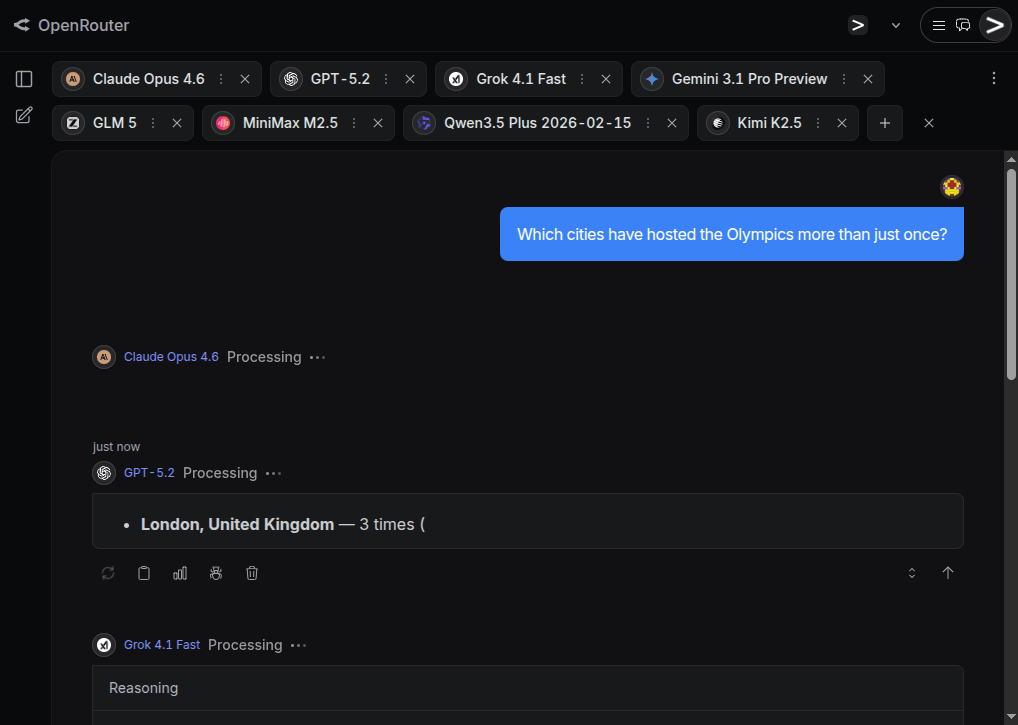 The AI hype is based on the assumption that the frontier AI labs are producing better and better foundational models at an accelerating pace. Is that really true, or are people just in sort of a mass psychosis because AI models have become so good at mimicking human behavior that we unconsciously attribute increasing intelligence to them? I decided to conduct a mini-benchmark of my own to find out if the latest and greatest AI models are actually really good or not.
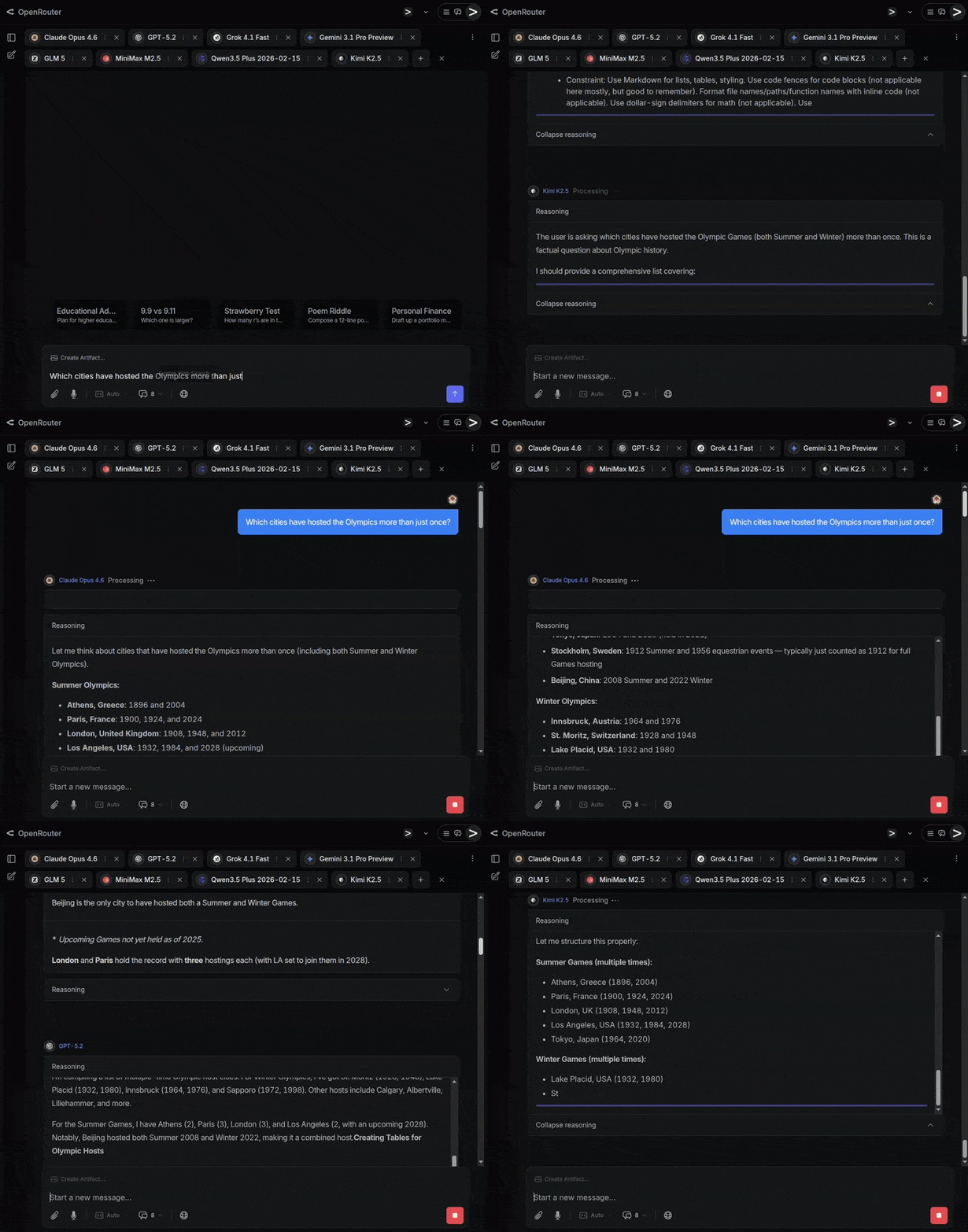 Common for all the test questions is that they are fairly straightforward and have a clear answer, yet the answer isn t common knowledge or statistically the most obvious one, and instead requires a bit of reasoning to get correct.
Some of these questions are also based on myself witnessing a flagship model failing miserably to answer it.
 While Gemini and Grok were among the three models not falling into this trap, the response from Claude was exemplary good:

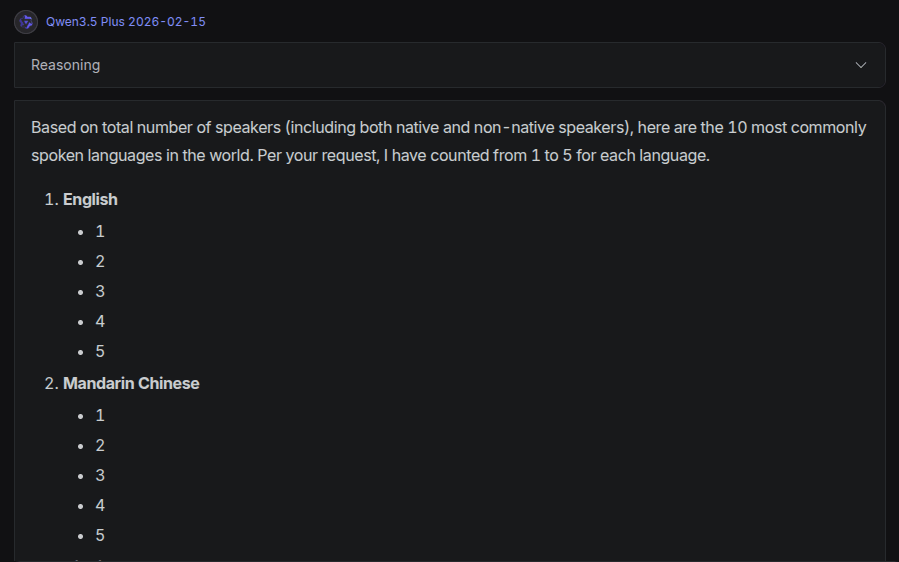 I have seen Grok do something similar before, which in fact inspired me to include this question in my mini-benchmark.
GPT got a bit further, but for Hindi, Arabic and Bengali it listed the numerals in local script, not the number words. Gemini, GLM and Kimi gave a complete and correct answer as a list, while the absolute best answer and presentation was by Claude, that gave the table below:
 A human can easily count that there are 10 rows and 30+ columns in the grid, but because the picture resolution isn t good enough, the exact number of columns can t be counted, and the answer should be that there are at least 300 launch pads in the picture.
GPT and Grok both guessed the count is zero. Instead of hallucinating some number they say zero, but it would have been better to not give any number at all, and just state that they are unable to perform the task. Gemini gave as its answer 101 , which is quite odd, but reading the reasoning section, it seems to have tried counting items in the image without reasoning much about what it is actually counting and that there is clearly a grid that can make the counting much easier. Both Qwen and Kimi state they can see four parallel structures, but are unable to count drone launch pads.
The absolutely best answer was given by Claude, which counted 10-12 rows and 30-40+ columns, and concluded that there must be 300-500 drone launch pads. Very close to best human level - impressive!
This question applied only to multi-modal models that can see images, so GLM and MinMax could not give any response.
 has featured the
 The Debian LTS Team, funded by
 The twentythird release of