Search Results: "matrix"

31 October 2023

Bits from Debian: Call for bids for DebConf24

Due to the current state of affairs in Israel, who were to host DebConf24, the DebConf committee has decided to renew calls for bids to host DebConf24 at another venue and location. The DebConf committee would like to express our sincere appreciation for the DebConf Israeli team, and the work they've done over several years. However, given the uncertainty about the situation, we regret that it will most likely not be possible to hold DebConf in Israel. As we ask for submissions for new host locations we ask that you please review and understand the details and requirements for a bid submission to host the Debian Developer Conference. Please review the template for a DebConf bid for guidelines on how to sumbit a proper bid. To submit a bid, please create the appropriate page(s) under DebConf Wiki Bids, and add it to the "Bids" section in the main DebConf 24 page. There isn't very much time to make a decision. We need bids by the end of November in order to make a decision by the end of the year. After your submission is completed please send us a notification at debconf-team@lists.debian.org to let us know that your bid submission is ready for review. We also suggest hanging out in our IRC chat room #debconf-team. Given this short deadline, we understand that bids won't be as complete as they would usually be. Do the best you can in the time available. Bids will be evaluated according to The Priority List. You can get in contact with the DebConf team by email to debconf-team@lists.debian.org, or via the #debconf-team IRC channel on OFTC or via our Matrix Channel. Thank you, The Debian Debconf Committee

11 October 2023

Russell Coker: PinePhone Status

4 months ago I got my PinePhonePro [1]. Since then I have got SE Linux working on it to the stage of allowing it to boot correctly with Debian/Unstable, login with the user_t domain (minimum privilege for the graphical user) and make and receive calls. I finished getting SE Linux working reasonably well 3 days ago and most (but not all) of the SE Linux policy is in Debian now. I ve been getting good at Github PRs and I m sending a lot of policy upstream, so the next version of Debian will have a much smaller diff from the upstream Refpolicy. I have been running the PinePhone with Plasma Mobile because I prefer KDE, I would run GNOME/Phoc if it gave significantly better functionality. 3 days ago I moved my main SIM (the one with the number that people call about work etc) to my PinePhone and tried running it as my main phone. Today I gave up on that. My Android History The last phone I had that did everything I needed was a Huawei Mate 10 Pro that I bought refurbished in June 2019 for $389. The Mate 10 Pro runs Android with the Google Play store and has been quite unremarkable which is presumably why I forgot to blog about it when I got it, it was a slight upgrade over the Huawei Mate 9 [2] that I had used for 2 years before that. In April 2022 I tried using a Huawei Nova 7i as my main phone without Google Play programs or services [3]. That experiment was a failure as I couldn t get NextCloud to work for Calendaring and Contacts. It could be that I stuffed something up when trying that, but I put more skill and effort into trying to get it to work than most people ever would. The Nova 7i is a very slick phone, faster and nicer than the Mate 10 Pro (as expected being 2 years newer) while also having ridiculously long battery life. The Nova 7i when always on running the SchildiChat Matrix client and the Conversations Jabber client it will use less than 10% battery in a 8 hour work day. As nice as the Nova 7i is for the core functions I still need to have Play Store apps for LinkedIn, Twitter, Facebook, Zoom, etc. Which meant connecting the Mate 10 Pro via Wifi. As slick as the Nova 7i is for non-Google stuff running it and the Mate 10 Pro is a medium amount of pain for a small amount of freedom. So now I have for the moment abandoned the Nova 7i and gone back to the Mate 10 Pro. What I will try to do is to either forcibly install Google Play on the Nova 7i to make it my proprietary phone or to install an open distribution of Linux (IE not Android) to make it at least a small tablet which incidentally is much more powerful than a PinePhonePro. Issues With the PinePhonePro The battery charges very slowly (as much as 50 hours estimated charge time) and discharges fast. When used in a typical way in Caffeine mode to stop suspend so I can ssh to it etc it won t come close to lasting an 8 hour day. Also it will only take 5V charging and ideally wants 5V 3A charging which most chargers won t do. The charging speed over regular USB ports is very slow, sometimes stating it will take as much as 50 hours to charge. A phone that gets below 50% charge in less than 4 hours and can t be charged at a reasonable speed from a USB port on a laptop or monitor is going to be a major pain to use in the office. I don t think this can be fixed in software, we can alleviate it by making software more CPU efficient and by enabling various hardware sleep modes more effectively but the slow charging is a hardware issue that can t be fixed. The phone call quality is poor. Usually when on a call I hear static and sometimes the person at the other end appears to hear nothing. Also the UI for calls is different from Android which makes it take longer to answer a call and gives more missed calls. The UI issue is a combination of software and habits, both of which can be changed. But the call quality may be a hardware issue. I don t know if it s a hardware issue specific to my phone or something related to the PinePhonePro on the Telstra network. Clicking on notification in the drop-down doesn t take me to the app. I don t know if this is regarded as a bug by the Plasma-Mobile developers. Also notifications aren t displayed on the lock screen and there doesn t seem to be a configuration option to enable this. The Plasma-Mobile configuration for the wifi hotspot is difficult. There is no button for it in the drop-down menu (called Quicksettings in Plasma-Mobile) and no way of easily determining whether it s in hotspot or wifi client mode. This isn t an insurmountable problem and the worst-case is that I could write a script to do it, but it s still annoying. There is apparent support in the desktop version of KDE for syncing contacts from Google and I could probably get that working (although I failed last time I tried on the desktop), but it is a pain. Conclusion Most of the problems are software related and therefore I can get involved in solving them. I plan to keep working on these things. If all the software had worked in an ideal manner then I would have spent more time investigating the hardware issues of battery life and charge time and the quality of calls. I now have my Librem5 [4] running Debian so I will be able to compare call quality with the PinePhonePro. If I m unable to get the PinePhonePro working adequately then maybe making the Librem5 my main phone will be an option. I hope that by early next year I will be able to make another test at using a FOSS phone my main phone. In the mean time I can still work on convergence and other things.

21 September 2023

Jonathan Carter: DebConf23

I very, very nearly didn t make it to DebConf this year, I had a bad cold/flu for a few days before I left, and after a negative covid-19 test just minutes before my flight, I decided to take the plunge and travel. This is just everything in chronological order, more or less, it s the only way I could write it.

DebCamp I planned to spend DebCamp working on various issues. Very few of them actually got done, I spent the first few days in bed further recovering, took a covid-19 test when I arrived and after I felt better, and both were negative, so not sure what exactly was wrong with me, but between that and catching up with other Debian duties, I couldn t make any progress on catching up on the packaging work I wanted to do. I ll still post what I intended here, I ll try to take a few days to focus on these some time next month: Calamares / Debian Live stuff:
  • #980209 installation fails at the install boot loader phase
  • #1021156 calamares-settings-debian: Confusing/generic program names
  • #1037299 Install Debian -> Untrusted application launcher
  • #1037123 Minimal HD space required too small for some live images
  • #971003 Console auto-login doesn t work with sysvinit
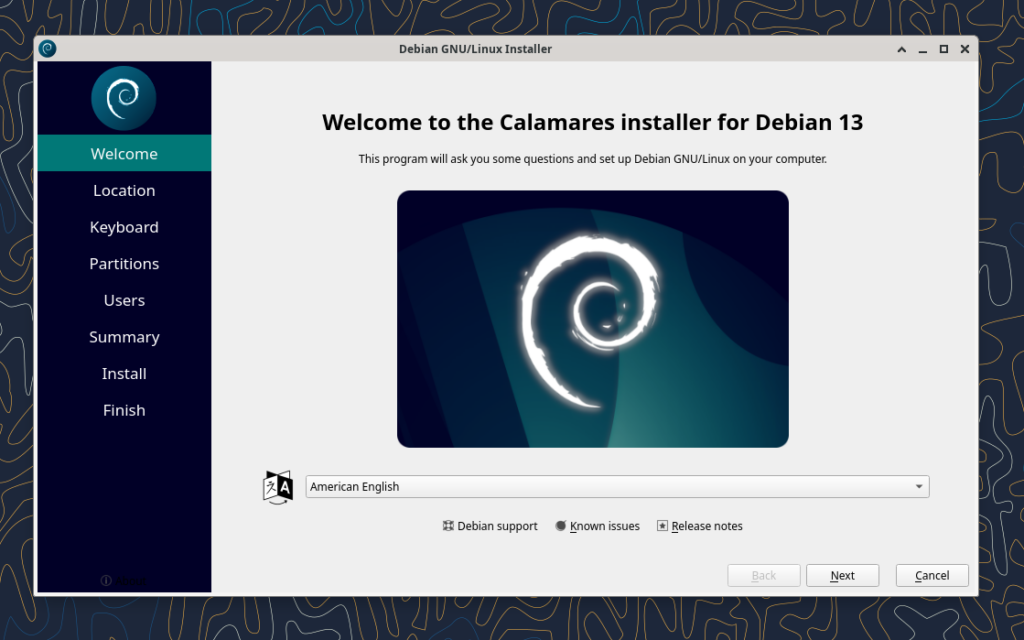
At least Calamares has been trixiefied in testing, so there s that! Desktop stuff:
  • #1038660 please set a placeholder theme during development, different from any release
  • #1021816 breeze: Background image not shown any more
  • #956102 desktop-base: unwanted metadata within images
  • #605915 please mtheake it a non-native package
  • #681025 Put old themes in a new package named desktop-base-extra
  • #941642 desktop-base: split theme data files and desktop integrations in separate packages
The Egg theme that I want to develop for testing/unstable is based on Juliette Taka s Homeworld theme that was used for Bullseye. Egg, as in, something that hasn t quite hatched yet. Get it? (for #1038660) Debian Social:
  • Set up Lemmy instance
    • I started setting up a Lemmy instance before DebCamp, and meant to finish it.
  • Migrate PeerTube to new server
    • We got a new physical server for our PeerTube instance, we should have more space for growth and it would help us fix the streaming feature on our platform.
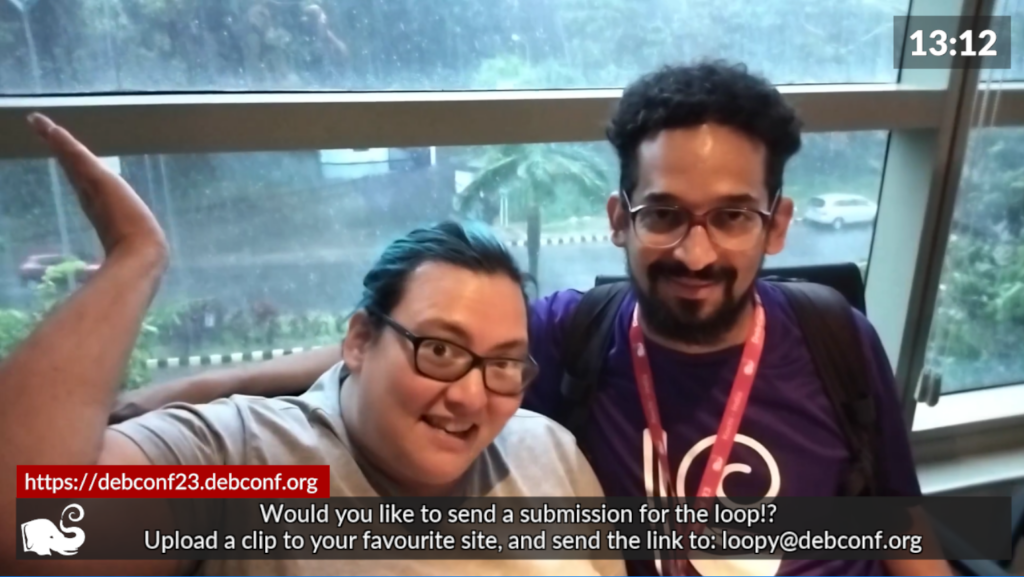
Loopy: I intended to get the loop for DebConf in good shape before I left, so that we can spend some time during DebCamp making some really nice content, unfortunately this went very tumbly, but at least we ended up with a loopy that kind of worked and wasn t too horrible. There s always another DebConf to try again, right?
So DebCamp as a usual DebCamp was pretty much a wash (fitting with all the rain we had?) for me, at least it gave me enough time to recover a bit for DebConf proper, and I had enough time left to catch up on some critical DPL duties and put together a few slides for the Bits from the DPL talk.

DebConf Bits From the DPL I had very, very little available time to prepare something for Bits fro the DPL, but I managed to put some slides together (available on my wiki page). I mostly covered:
  • A very quick introduction of myself (I ve done this so many times, it feels redundant giving my history every time), and some introduction on what it is that the DPL does. I declared my intent not to run for DPL again, and the reasoning behind it, and a few bits of information for people who may intend to stand for DPL next year.
  • The sentiment out there for the Debian 12 release (which has been very positive). How we include firmware by default now, and that we re saying goodbye to architectures both GNU/KFreeBSD and mipsel.
  • Debian Day and the 30th birthday party celebrations from local groups all over the world (and a reminder about the Local Groups BoF later in the week).
  • I looked forward to Debian 13 (trixie!), and how we re gaining riscv64 as a release architecture, as well as loongarch64, and that plans seem to be forming to fix 2k38 in Debian, and hopefully largely by the time the Trixie release comes by.
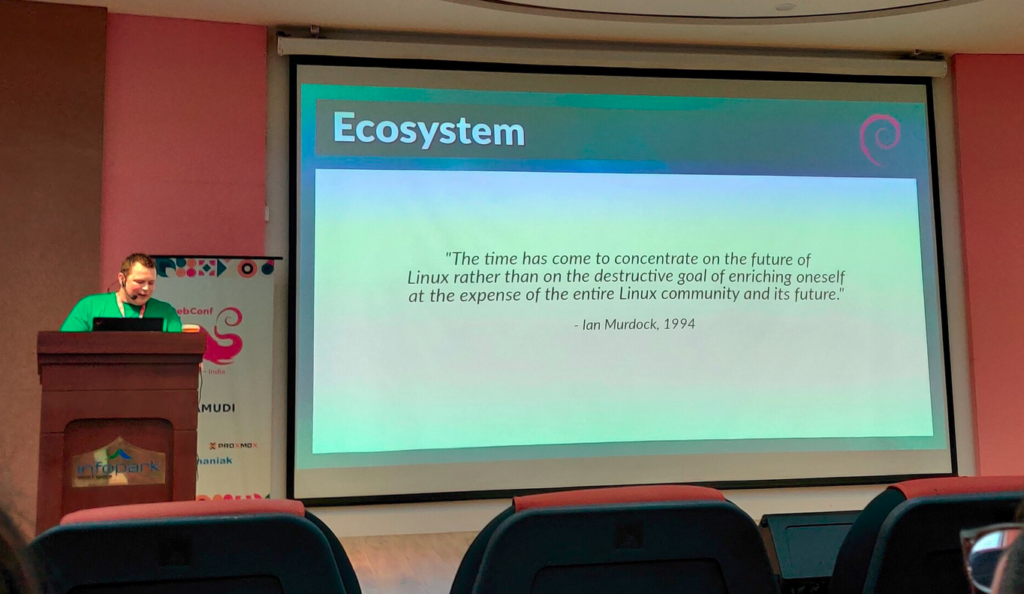
  • I made some comments about Enterprise Linux as people refer to the RHEL eco-system these days, how really bizarre some aspects of it is (like the kernel maintenance), and that some big vendors are choosing to support systems outside of that eco-system now (like CPanel now supporting Ubuntu too). I closed with the quote below from Ian Murdock, and assured the audience that if they want to go out and make money with Debian, they are more than welcome too.
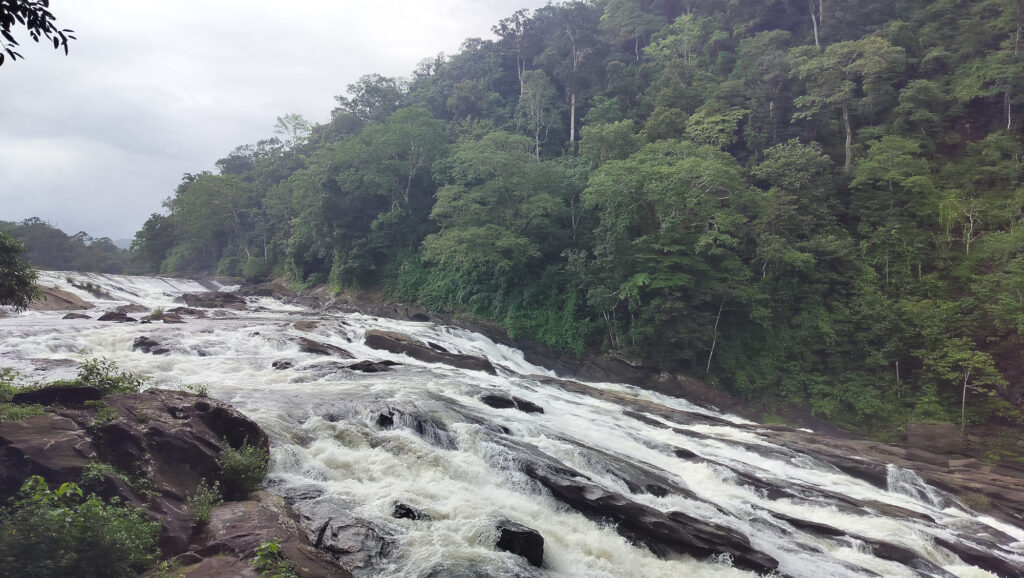
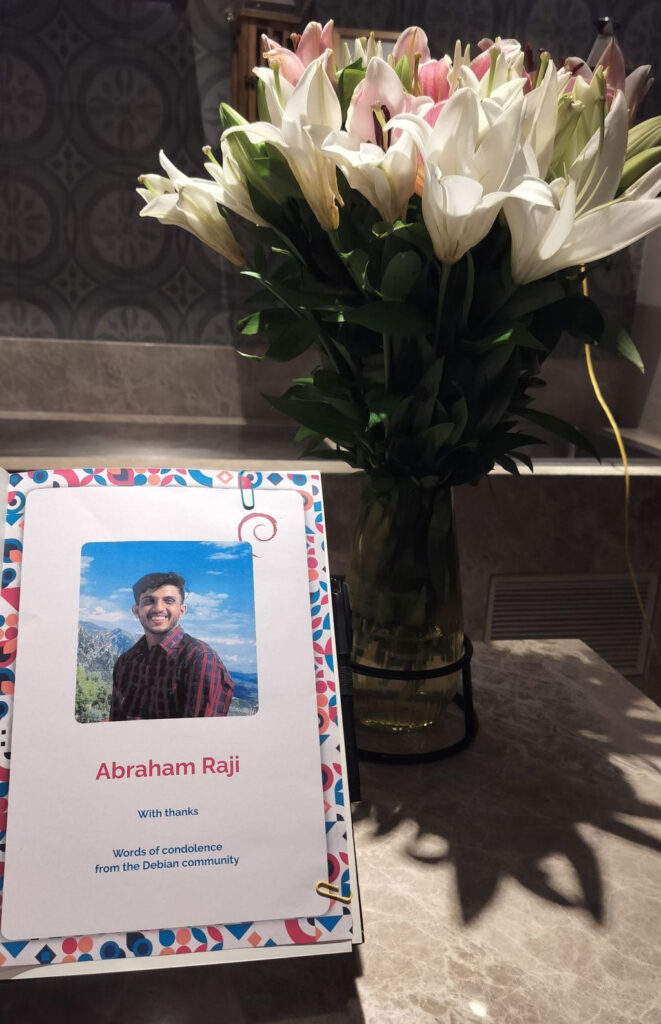
Job Fair I walked through the hallway where the Job Fair was hosted, and enjoyed all the buzz. It s not always easy to get this right, but this year it was very active and energetic, I hope lots of people made some connections! Cheese & Wine Due to state laws and alcohol licenses, we couldn t consume alcohol from outside the state of Kerala in the common areas of the hotel (only in private rooms), so this wasn t quite as big or as fun as our usual C&W parties since we couldn t share as much from our individual countries and cultures, but we always knew that this was going to be the case for this DebConf, and it still ended up being alright. Day Trip I opted for the forest / waterfalls daytrip. It was really, really long with lots of time in the bus. I think our trip s organiser underestimated how long it would take between the points on the route (all in all it wasn t that far, but on a bus on a winding mountain road, it takes long). We left at 8:00 and only found our way back to the hotel around 23:30. Even though we arrived tired and hungry, we saw some beautiful scenery, animals and also met indigenous river people who talked about their struggles against being driven out of their place of living multiple times as government invests in new developments like dams and hydro power. Photos available in the DebConf23 public git repository. Losing a beloved Debian Developer during DebConf To our collective devastation, not everyone made it back from their day trips. Abraham Raji was out to the kayak day trip, and while swimming, got caught by a whirlpool from a drainage system. Even though all of us were properly exhausted and shocked in disbelief at this point, we had to stay up and make some tough decisions. Some initially felt that we had to cancel the rest of DebConf. We also had to figure out how to announce what happened asap both to the larger project and at DebConf in an official manner, while ensuring that due diligence took place and that the family is informed by the police first before making anything public. We ended up cancelling all the talks for the following day, with an address from the DPL in the morning to explain what had happened. Of all the things I ve ever had to do as DPL, this was by far the hardest. The day after that, talks were also cancelled for the morning so that we could attend his funeral. Dozens of DebConf attendees headed out by bus to go pay their final respects, many wearing the t-shirts that Abraham had designed for DebConf. A book of condolences was set up so that everyone who wished to could write a message on how they remembered him. The book will be kept by his family.
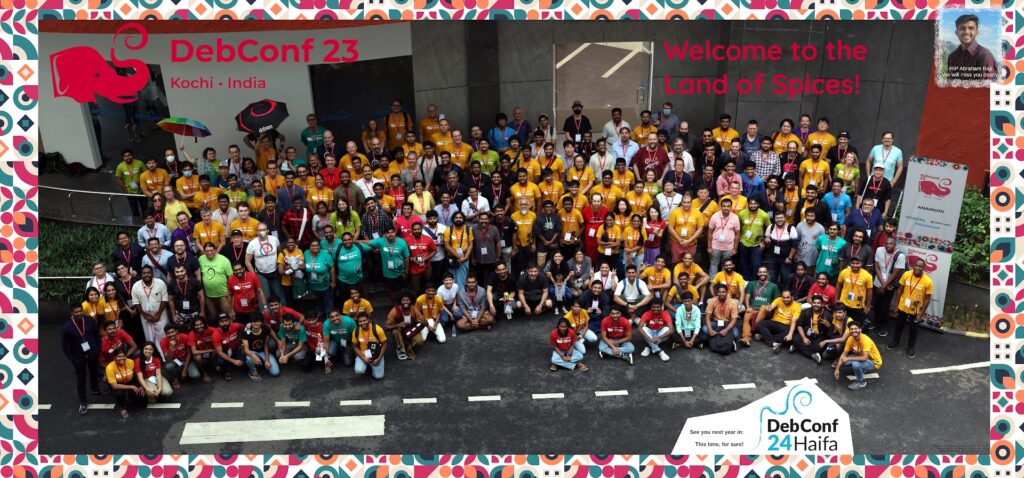
Today marks a week since his funeral, and I still feel very raw about it. And even though there was uncertainty whether DebConf should even continue after his death, in hindsight I m glad that everyone pushed forward. While we were all heart broken, it was also heart warming to see people care for each other in all of this. If anything, I think I needed more time at DebConf just to be in that warm aura of emotional support for just a bit longer. There are many people who I wanted to talk to who I barely even had a chance to see. Abraham, or Abru as he was called by some people (which I like because bru in Afrikaans is like bro in English, not sure if that s what it implied locally too) enjoyed artistic pursuits, but he was also passionate about knowledge transfer. He ran classes at DebConf both last year and this year (and I think at other local events too) where he taught people packaging via a quick course that he put together. His enthusiasm for Debian was contagious, a few of the people who he was mentoring came up to me and told me that they were going to see it through and become a DD in honor of him. I can t even remember how I reacted to that, my brain was already so worn out and stitching that together with the tragedy of what happened while at DebConf was just too much for me. I first met him in person last year in Kosovo, I already knew who he was, so I think we interacted during the online events the year before. He was just one of those people who showed so much promise, and I was curious to see what he d achieve in the future. Unfortunately, we was taken away from us too soon. Poetry Evening Later in the week we had the poetry evening. This was the first time I had the courage to recite something. I read Ithaka by C.P. Cavafy (translated by Edmund Keely). The first time I heard about this poem was in an interview with Julian Assange s wife, where she mentioned that he really loves this poem, and it caught my attention because I really like the Weezer song Return to Ithaka and always wondered what it was about, so needless to say, that was another rabbit hole at some point. Group Photo Our DebConf photographer organised another group photo for this event, links to high-res versions available on Aigar s website.
BoFs I didn t attend nearly as many talks this DebConf as I would ve liked (fortunately I can catch up on video, should be released soon), but I did make it to a few BoFs. In the Local Groups BoF, representatives from various local teams were present who introduced themselves and explained what they were doing. From memory (sorry if I left someone out), we had people from Belgium, Brazil, Taiwan and South Africa. We talked about types of events a local group could do (BSPs, Mini DC, sprints, Debian Day, etc. How to help local groups get started, booth kits for conferences, and setting up some form of calendar that lists important Debian events in a way that makes it easier for people to plan and co-ordinate. There s a mailing list for co-ordination of local groups, and the irc channel is -localgroups on oftc.
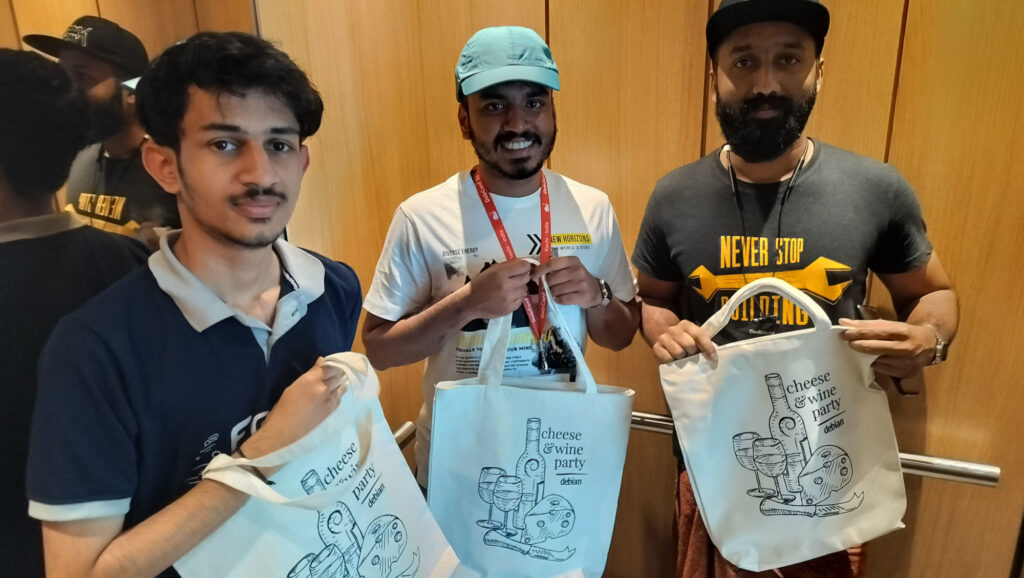
If you got one of these Cheese & Wine bags from DebConf, that s from the South African local group!
In the Debian.net BoF, we discussed the Debian.net hosting service, where Debian pays for VMs hosted for projects by individual DDs on Debian.net. The idea is that we start some form of census that monitors the services, whether they re still in use, whether the system is up to date, whether someone still cares for it, etc. We had some discussion about where the lines of responsibility are drawn, and we can probably make things a little bit more clear in the documentation. We also want to offer more in terms of backups and monitoring (currently DDs do get 500GB from rsync.net that could be used for backups of their services though). The intention is also to deploy some form of configuration management for some essentials across the hosts. We should also look at getting some sponsored hosting for this. In the Debian Social BoF, we discussed some services that need work / expansion. In particular, Matrix keeps growing at an increased rate as more users use it and more channels are bridged, so it will likely move to its own host with big disks soon. We might replace Pleroma with a fork called Akkoma, this will need some more home work and checking whether it s even feasible. Some services haven t really been used (like Writefreely and Plume), and it might be time to retire them. We might just have to help one or two users migrate some of their posts away if we do retire them. Mjolner seems to do a fine job at spam blocking, we haven t had any notable incidents yet. WordPress now has improved fediverse support, it s unclear whether it works on a multi-site instance yet, I ll test it at some point soon and report back. For upcoming services, we are implementing Lemmy and probably also Mobilizon. A request was made that we also look into Loomio. More Information Overload There s so much that happens at DebConf, it s tough to take it all in, and also, to find time to write about all of it, but I ll mention a few more things that are certainly worth of note. During DebConf, we had some people from the Kite Linux team over. KITE supplies the ICT needs for the primary and secondary schools in the province of Kerala, where they all use Linux. They decided to switch all of these to Debian. There was an ad-hoc BoF where locals were listening and fielding questions that the Kite Linux team had. It was great seeing all the energy and enthusiasm behind this effort, I hope someone will properly blog about this! I learned about the VGLUG Foundation, who are doing a tremendous job at promoting GNU/Linux in the country. They are also training up 50 people a year to be able to provide tech support for Debian. I came across the booth for Mostly Harmless, they liberate old hardware by installing free firmware on there. It was nice seeing all the devices out there that could be liberated, and how it can breathe new life into old harware.
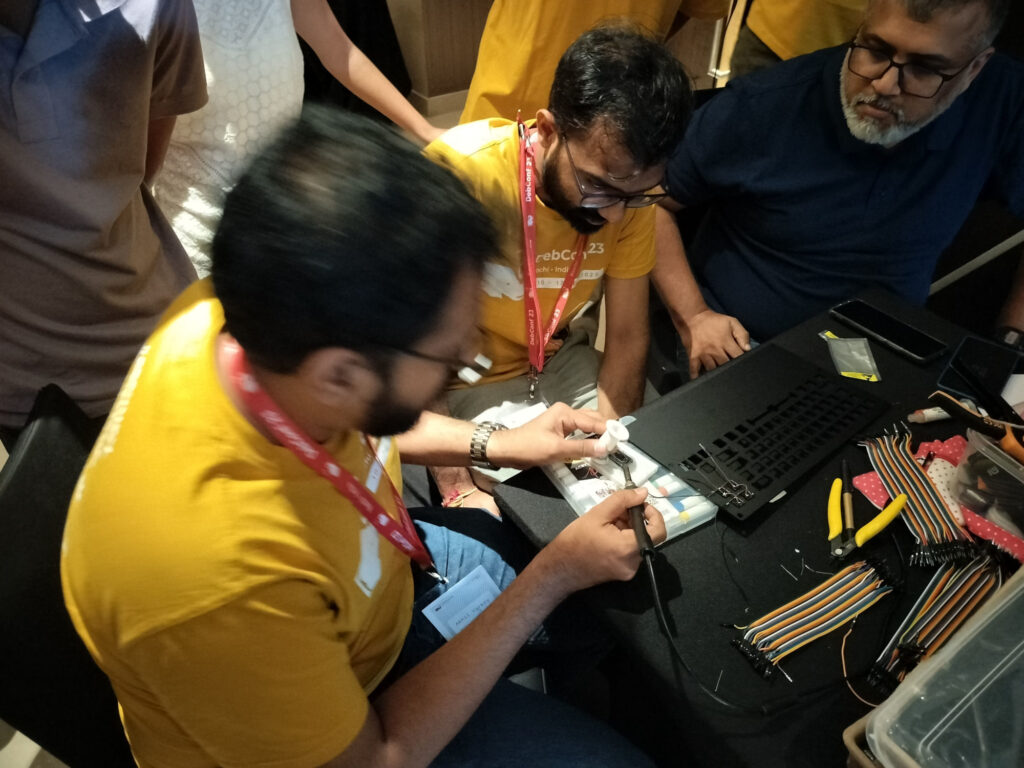
Some hopefully harmless soldering.
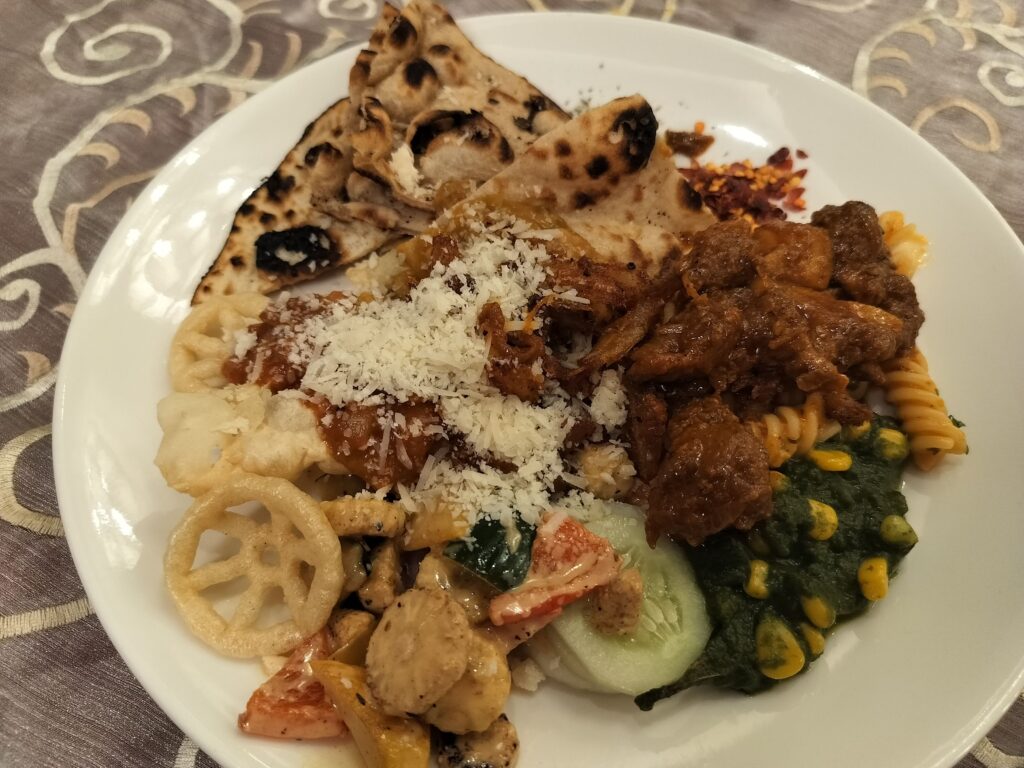
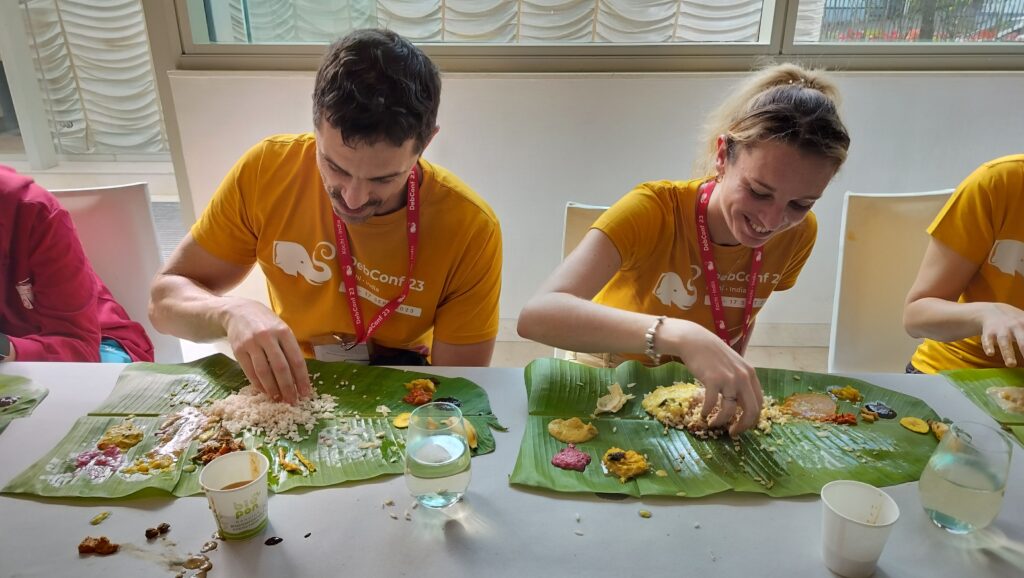
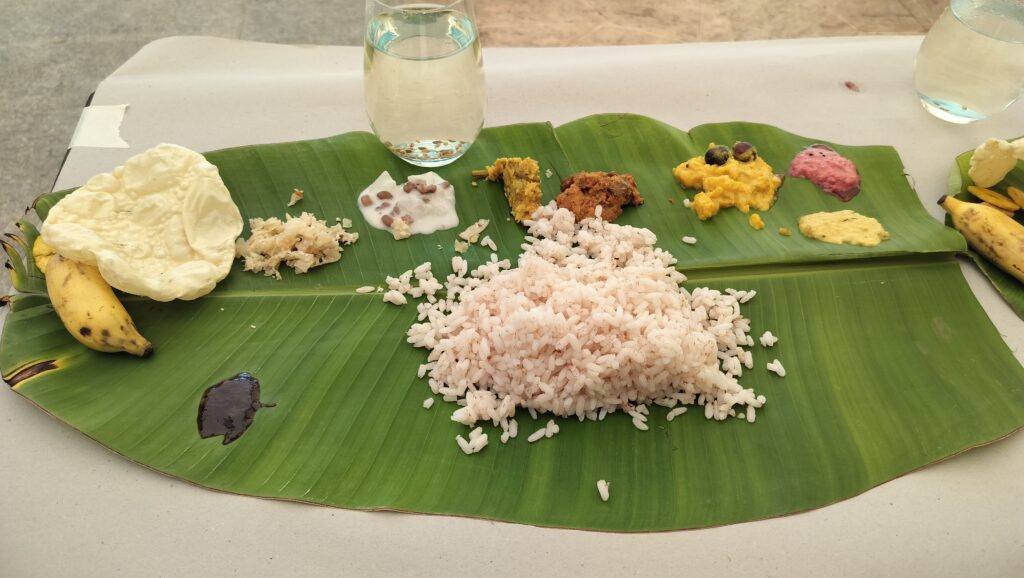
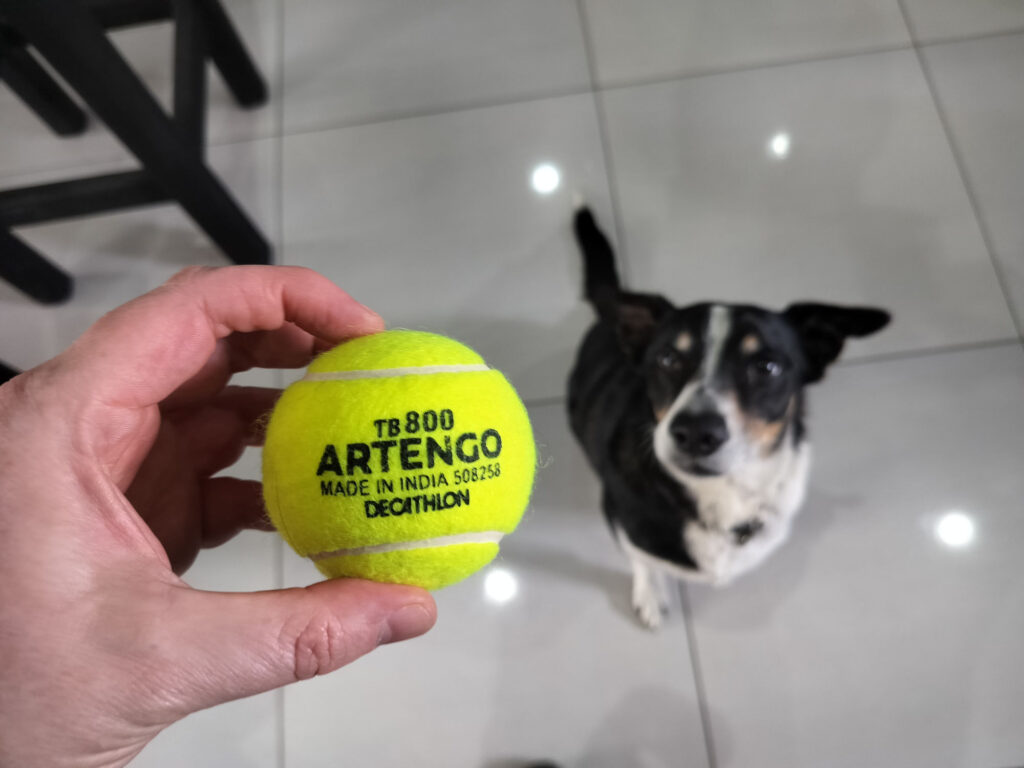
Overall, the community and their activities in India are very impressive, and I wish I had more time to get to know everyone better. Food Oh yes, one more thing. The food was great. I tasted more different kinds of curry than I ever did in my whole life up to this point. The lunch on banana leaves was interesting, and also learning how to eat this food properly by hand (thanks to the locals who insisted on teaching me!), it was a fruitful experience? This might catch on at home too less dishes to take care of! Special thanks to the DebConf23 Team I think this may have been one of the toughest DebConfs to organise yet, and I don t think many people outside of the DebConf team knows about all the challenges and adversity this team has faced in organising it. Even just getting to the previous DebConf in Kosovo was a long and tedious and somewhat risky process. Through it all, they were absolute pro s. Not once did I see them get angry or yell at each other, whenever a problem came up, they just dealt with it. They did a really stellar job and I did make a point of telling them on the last day that everyone appreciated all the work that they did. Back to my nest I bought Dax a ball back from India, he seems to have forgiven me for not taking him along.
I ll probably take a few days soon to focus a bit on my bugs and catch up on my original DebCamp goals. If you made it this far, thanks for reading! And thanks to everyone for being such fantastic people.

12 September 2023

John Goerzen: A Maze of Twisty Little Pixels, All Tiny

Two years ago, I wrote Managing an External Display on Linux Shouldn t Be This Hard. Happily, since I wrote that post, most of those issues have been resolved. But then you throw HiDPI into the mix and it all goes wonky. If you re running X11, basically the story is that you can change the scale factor, but it only takes effect on newly-launched applications (which means a logout/in because some of your applications you can t really re-launch). That is a problem if, like me, you sometimes connect an external display that is HiDPI, sometimes not, or your internal display is HiDPI but others aren t. Wayland is far better, supporting on-the-fly resizes quite nicely. I ve had two devices with HiDPI displays: a Surface Go 2, and a work-issued Thinkpad. The Surface Go 2 is my ultraportable Linux tablet. I use it sparingly at home, and rarely with an external display. I just put Gnome on it, in part because Gnome had better on-screen keyboard support at the time, and left it at that. On the work-issued Thinkpad, I really wanted to run KDE thanks to its tiling support (I wound up using bismuth with it). KDE was buggy with Wayland at the time, so I just stuck with X11 and ran my HiDPI displays at lower resolutions and lived with the fuzziness. But now that I have a Framework laptop with a HiDPI screen, I wanted to get this right. I tried both Gnome and KDE. Here are my observations with both: Gnome I used PaperWM with Gnome. PaperWM is a tiling manager with a unique horizontal ribbon approach. It grew on me; I think I would be equally at home, or maybe even prefer it, to my usual xmonad-style approach. Editing the active window border color required editing ~/.local/share/gnome-shell/extensions/paperwm@hedning:matrix.org/stylesheet.css and inserting background-color and border-color items in the paperwm-selection section. Gnome continues to have an absolutely terrible picture for configuring things. It has no less than four places to make changes (Settings, Tweaks, Extensions, and dconf-editor). In many cases, configuration for a given thing is split between Settings and Tweaks, and sometimes even with Extensions, and then there are sometimes options that are only visible in dconf. That is, where the Gnome people have even allowed something to be configurable. Gnome installs a power manager by default. It offers three options: performance, balanced, and saver. There is no explanation of the difference between them. None. What is it setting when I change the pref? A maximum frequency? A scaling governor? A balance between performance and efficiency cores? Not only that, but there s no way to tell it to just use performance when plugged in and balanced or saver when on battery. In an issue about adding that, a Gnome dev wrote We re not going to add a preference just because you want one . KDE, on the other hand, aside from not mucking with your system s power settings in this way, has a nice panel with on AC and on battery and you can very easily tweak various settings accordingly. The hostile attitude from the Gnome developers in that thread was a real turnoff. While Gnome has excellent support for Wayland, it doesn t (directly) support fractional scaling. That is, you can set it to 100%, 200%, and so forth, but no 150%. Well, unless you manage to discover that you can run gsettings set org.gnome.mutter experimental-features "['scale-monitor-framebuffer']" first. (Oh wait, does that make a FIFTH settings tool? Why yes it does.) Despite its name, that allows you to select fractional scaling under Wayland. For X11 apps, they will be blurry, a problem that is optional under KDE (more on that below). Gnome won t show the battery life time remaining on the task bar. Yikes. An extension might work in some cases. Not only that, but the Gnome battery icon frequently failed to indicate AC charging when AC was connected, a problem that didn t exist on KDE. Both Gnome and KDE support night light (warmer color temperatures at night), but Gnome s often didn t change when it should have, or changed on one display but not the other. The appindicator extension is pretty much required, as otherwise a number of applications (eg, Nextcloud) don t have their icon display anywhere. It does, however, generate a significant amount of log spam. There may be a fix for this. Unlike KDE, which has a nice inobtrusive popup asking what to do, Gnome silently automounts USB sticks when inserted. This is often wrong; for instance, if I m about to dd a Debian installer to it, I definitely don t want it mounted. I learned this the hard way. It is particularly annoying because in a GUI, there is no reason to mount a drive before the user tries to access it anyhow. It looks like there is a dconf setting, but then to actually mount a drive you have to open up Files (because OF COURSE Gnome doesn t have a nice removable-drives icon like KDE does) and it s a bunch of annoying clicks, and I didn t want to use the GUI file manager anyway. Same for unmounting; two clicks in KDE thanks to the task bar icon, but in Gnome you have to open up the file manager, unmount the drive, close the file manager again, etc. The ssh agent on Gnome doesn t start up for a Wayland session, though this is easily enough worked around. The reason I completely soured on Gnome is that after using it for awhile, I noticed my laptop fans spinning up. One core would be constantly busy. It was busy with a kworker events task, something to do with sound events. Logging out would resolve it. I believe it to be a Gnome shell issue. I could find no resolution to this, and am unwilling to tolerate the decreased battery life this implies. The Gnome summary: it looks nice out of the box, but you quickly realize that this is something of a paper-thin illusion when you try to actually use it regularly. KDE The KDE experience on Wayland was a little bit opposite of Gnome. While with Gnome, things start out looking great but you realize there are some serious issues (especially battery-eating), with KDE things start out looking a tad rough but you realize you can trivially fix them and wind up with a very solid system. Compared to Gnome, KDE never had a battery-draining problem. It will show me estimated battery time remaining if I want it to. It will do whatever I want it to when I insert a USB drive. It doesn t muck with my CPU power settings, and lets me easily define on AC vs on battery settings for things like suspend when idle. KDE supports fractional scaling, to any arbitrary setting (even with the gsettings thing above, Gnome still only supports it in 25% increments). Then the question is what to do with X11-only applications. KDE offers two choices. The first is Scaled by the system , which is also the only option for Gnome. With that setting, the X11 apps effectively run natively at 100% and then are scaled up within Wayland, giving them a blurry appearance on HiDPI displays. The advantage is that the scaling happens within Wayland, so the size of the app will always be correct even when the Wayland scaling factor changes. The other option is Apply scaling themselves , which uses native X11 scaling. This lets most X11 apps display crisp and sharp, but then if the system scaling changes, due to limitations of X11, you ll have to restart the X apps to get them to be the correct size. I appreciate the choice, and use Apply scaling by themselves because only a few of my apps aren t Wayland-aware. I did encounter a few bugs in KDE under Wayland: sddm, the display manager, would be slow to stop and cause a long delay on shutdown or reboot. This seems to be a known issue with sddm and Wayland, and is easily worked around by adding a systemd TimeoutStopSec. Konsole, the KDE terminal emulator, has weird display artifacts when using fractional scaling under Wayland. I applied some patches and rebuilt Konsole and then all was fine. The Bismuth tiling extension has some pretty weird behavior under Wayland, but a 1-character patch fixes it. On Debian, KDE mysteriously installed Pulseaudio instead of Debian s new default Pipewire, but that was easily fixed as well (and Pulseaudio also works fine). Conclusions I m sticking with KDE. Given that I couldn t figure out how to stop Gnome from deciding to eat enough battery to make my fan come on, the decision wasn t hard. But even if it weren t for that, I d have gone with KDE. Once a couple of things were patched, the experience is solid, fast, and flawless. Emacs (my main X11-only application) looks great with the self-scaling in KDE. Gimp, which I use occasionally, was terrible with the blurry scaling in Gnome. Update: Corrected the gsettings command

21 August 2023

Melissa Wen: AMD Driver-specific Properties for Color Management on Linux (Part 1)

TL;DR: Color is a visual perception. Human eyes can detect a broader range of colors than any devices in the graphics chain. Since each device can generate, capture or reproduce a specific subset of colors and tones, color management controls color conversion and calibration across devices to ensure a more accurate and consistent color representation. We can expose a GPU-accelerated display color management pipeline to support this process and enhance results, and this is what we are doing on Linux to improve color management on Gamescope/SteamDeck. Even with the challenges of being external developers, we have been working on mapping AMD GPU color capabilities to the Linux kernel color management interface, which is a combination of DRM and AMD driver-specific color properties. This more extensive color management pipeline includes pre-defined Transfer Functions, 1-Dimensional LookUp Tables (1D LUTs), and 3D LUTs before and after the plane composition/blending.
The study of color is well-established and has been explored for many years. Color science and research findings have also guided technology innovations. As a result, color in Computer Graphics is a very complex topic that I m putting a lot of effort into becoming familiar with. I always find myself rereading all the materials I have collected about color space and operations since I started this journey (about one year ago). I also understand how hard it is to find consensus on some color subjects, as exemplified by all explanations around the 2015 online viral phenomenon of The Black and Blue Dress. Have you heard about it? What is the color of the dress for you? So, taking into account my skills with colors and building consensus, this blog post only focuses on GPU hardware capabilities to support color management :-D If you want to learn more about color concepts and color on Linux, you can find useful links at the end of this blog post.

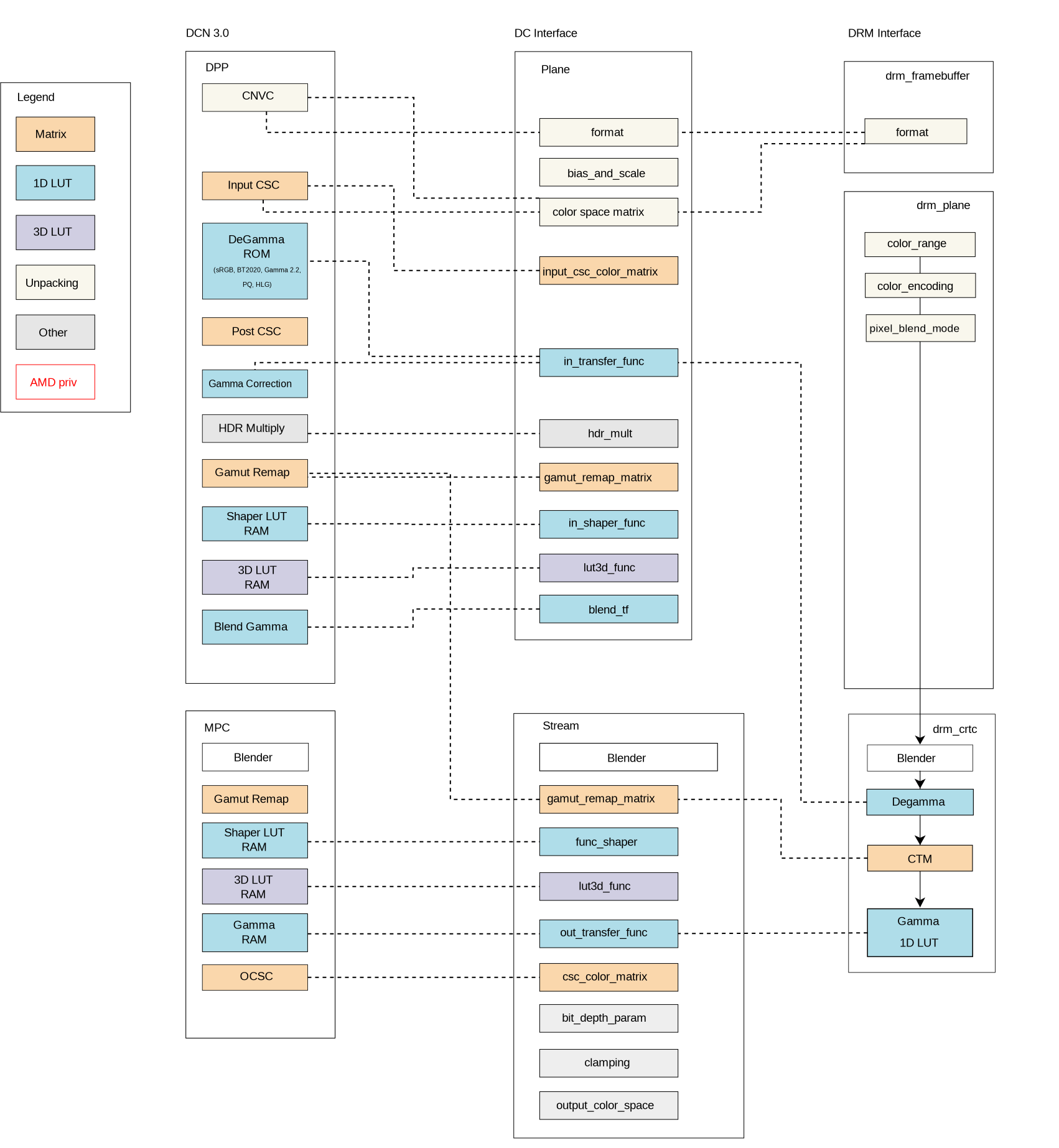
Linux Kernel, show me the colors ;D DRM color management interface only exposes a small set of post-blending color properties. Proposals to enhance the DRM color API from different vendors have landed the subsystem mailing list over the last few years. On one hand, we got some suggestions to extend DRM post-blending/CRTC color API: DRM CRTC 3D LUT for R-Car (2020 version); DRM CRTC 3D LUT for Intel (draft - 2020); DRM CRTC 3D LUT for AMD by Igalia (v2 - 2023); DRM CRTC 3D LUT for R-Car (v2 - 2023). On the other hand, some proposals to extend DRM pre-blending/plane API: DRM plane colors for Intel (v2 - 2021); DRM plane API for AMD (v3 - 2021); DRM plane 3D LUT for AMD - 2021. Finally, Simon Ser sent the latest proposal in May 2023: Plane color pipeline KMS uAPI, from discussions in the 2023 Display/HDR Hackfest, and it is still under evaluation by the Linux Graphics community. All previous proposals seek a generic solution for expanding the API, but many seem to have stalled due to the uncertainty of matching well the hardware capabilities of all vendors. Meanwhile, the use of AMD color capabilities on Linux remained limited by the DRM interface, as the DCN 3.0 family color caps and mapping diagram below shows the Linux/DRM color interface without driver-specific color properties [*]: Bearing in mind that we need to know the variety of color pipelines in the subsystem to be clear about a generic solution, we decided to approach the issue from a different perspective and worked on enabling a set of Driver-Specific Color Properties for AMD Display Drivers. As a result, I recently sent another round of the AMD driver-specific color mgmt API. For those who have been following the AMD driver-specific proposal since the beginning (see [RFC][V1]), the main new features of the latest version [v2] are the addition of pre-blending Color Transformation Matrix (plane CTM) and the differentiation of Pre-defined Transfer Functions (TF) supported by color blocks. For those who just got here, I will recap this work in two blog posts. This one describes the current status of the AMD display driver in the Linux kernel/DRM subsystem and what changes with the driver-specific properties. In the next post, we go deeper to describe the features of each color block and provide a better picture of what is available in terms of color management for Linux.

The Linux kernel color management API and AMD hardware color capabilities Before discussing colors in the Linux kernel with AMD hardware, consider accessing the Linux kernel documentation (version 6.5.0-rc5). In the AMD Display documentation, you will find my previous work documenting AMD hardware color capabilities and the Color Management Properties. It describes how AMD Display Manager (DM) intermediates requests between the AMD Display Core component (DC) and the Linux/DRM kernel interface for color management features. It also describes the relevant function to call the AMD color module in building curves for content space transformations. A subsection also describes hardware color capabilities and how they evolve between versions. This subsection, DC Color Capabilities between DCN generations, is a good starting point to understand what we have been doing on the kernel side to provide a broader color management API with AMD driver-specific properties.

Why do we need more kernel color properties on Linux? Blending is the process of combining multiple planes (framebuffers abstraction) according to their mode settings. Before blending, we can manage the colors of various planes separately; after blending, we have combined those planes in only one output per CRTC. Color conversions after blending would be enough in a single-plane scenario or when dealing with planes in the same color space on the kernel side. Still, it cannot help to handle the blending of multiple planes with different color spaces and luminance levels. With plane color management properties, userspace can get a more accurate representation of colors to deal with the diversity of color profiles of devices in the graphics chain, bring a wide color gamut (WCG), convert High-Dynamic-Range (HDR) content to Standard-Dynamic-Range (SDR) content (and vice-versa). With a GPU-accelerated display color management pipeline, we can use hardware blocks for color conversions and color mapping and support advanced color management. The current DRM color management API enables us to perform some color conversions after blending, but there is no interface to calibrate input space by planes. Note that here I m not considering some workarounds in the AMD display manager mapping of DRM CRTC de-gamma and DRM CRTC CTM property to pre-blending DC de-gamma and gamut remap block, respectively. So, in more detail, it only exposes three post-blending features:
  • DRM CRTC de-gamma: used to convert the framebuffer s colors to linear gamma;
  • DRM CRTC CTM: used for color space conversion;
  • DRM CRTC gamma: used to convert colors to the gamma space of the connected screen.

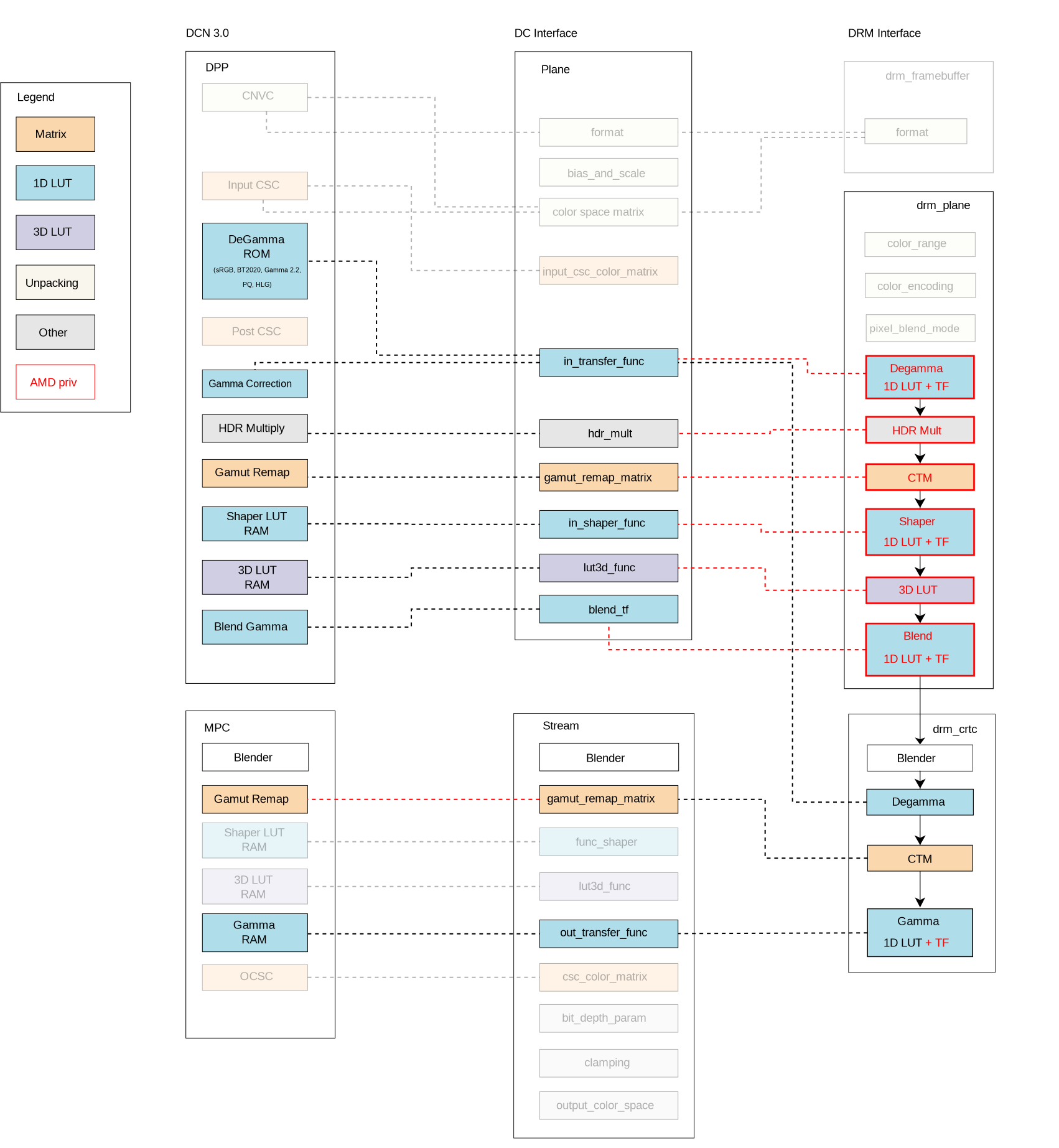
AMD driver-specific color management interface We can compare the Linux color management API with and without the driver-specific color properties. From now, we denote driver-specific properties with the AMD prefix and generic properties with the DRM prefix. For visual comparison, I bring the DCN 3.0 family color caps and mapping diagram closer and present it here again: Mixing AMD driver-specific color properties with DRM generic color properties, we have a broader Linux color management system with the following features exposed by properties in the plane and CRTC interface, as summarized by this updated diagram: The blocks highlighted by red lines are the new properties in the driver-specific interface developed by me (Igalia) and Joshua (Valve). The red dashed lines are new links between API and AMD driver components implemented by us to connect the Linux/DRM interface to AMD hardware blocks, mapping components accordingly. In short, we have the following color management properties exposed by the DRM/AMD display driver:
  • Pre-blending - AMD Display Pipe and Plane (DPP):
    • AMD plane de-gamma: 1D LUT and pre-defined transfer functions; used to linearize the input space of a plane;
    • AMD plane CTM: 3x4 matrix; used to convert plane color space;
    • AMD plane shaper: 1D LUT and pre-defined transfer functions; used to delinearize and/or normalize colors before applying 3D LUT;
    • AMD plane 3D LUT: 17x17x17 size with 12 bit-depth; three dimensional lookup table used for advanced color mapping;
    • AMD plane blend/out gamma: 1D LUT and pre-defined transfer functions; used to linearize back the color space after 3D LUT for blending.
  • Post-blending - AMD Multiple Pipe/Plane Combined (MPC):
    • DRM CRTC de-gamma: 1D LUT (can t be set together with plane de-gamma);
    • DRM CRTC CTM: 3x3 matrix (remapped to post-blending matrix);
    • DRM CRTC gamma: 1D LUT + AMD CRTC gamma TF; added to take advantage of driver pre-defined transfer functions;
Note: You can find more about AMD display blocks in the Display Core Next (DCN) - Linux kernel documentation, provided by Rodrigo Siqueira (Linux/AMD display developer) in a 2021-documentation series. In the next post, I ll revisit this topic, explaining display and color blocks in detail.

How did we get a large set of color features from AMD display hardware? So, looking at AMD hardware color capabilities in the first diagram, we can see no post-blending (MPC) de-gamma block in any hardware families. We can also see that the AMD display driver maps CRTC/post-blending CTM to pre-blending (DPP) gamut_remap, but there is post-blending (MPC) gamut_remap (DRM CTM) from newer hardware versions that include SteamDeck hardware. You can find more details about hardware versions in the Linux kernel documentation/AMDGPU Product Information. I needed to rework these two mappings mentioned above to provide pre-blending/plane de-gamma and CTM for SteamDeck. I changed the DC mapping to detach stream gamut remap matrixes from the DPP gamut remap block. That means mapping AMD plane CTM directly to DPP/pre-blending gamut remap block and DRM CRTC CTM to MPC/post-blending gamut remap block. In this sense, I also limited plane CTM properties to those hardware versions with MPC/post-blending gamut_remap capabilities since older versions cannot support this feature without clashes with DRM CRTC CTM. Unfortunately, I couldn t prevent conflict between AMD plane de-gamma and DRM plane de-gamma since post-blending de-gamma isn t available in any AMD hardware versions until now. The fact is that a post-blending de-gamma makes little sense in the AMD color pipeline, where plane blending works better in a linear space, and there are enough color blocks to linearize content before blending. To deal with this conflict, the driver now rejects atomic commits if users try to set both AMD plane de-gamma and DRM CRTC de-gamma simultaneously. Finally, we had no other clashes when enabling other AMD driver-specific color properties for our use case, Gamescope/SteamDeck. Our main work for the remaining properties was understanding the data flow of each property, the hardware capabilities and limitations, and how to shape the data for programming the registers - AMD color block capabilities (and limitations) are the topics of the next blog post. Besides that, we fixed some driver bugs along the way since it was the first Linux use case for most of the new color properties, and some behaviors are only exposed when exercising the engine. Take a look at the Gamescope/Steam Deck Color Pipeline[**], and see how Gamescope uses the new API to manage color space conversions and calibration (please click on the image for a better view): In the next blog post, I ll describe the implementation and technical details of each pre- and post-blending color block/property on the AMD display driver. * Thank Harry Wentland for helping with diagrams, color concepts and AMD capabilities. ** Thank Joshua Ashton for providing and explaining Gamescope/Steam Deck color pipeline. *** Thanks to the Linux Graphics community - explicitly Harry, Joshua, Pekka, Simon, Sebastian, Siqueira, Alex H. and Ville - to all the learning during this Linux DRM/AMD color journey. Also, Carlos and Tomas for organizing the 2023 Display/HDR Hackfest where we have a great and immersive opportunity to discuss Color & HDR on Linux.

29 July 2023

Shirish Agarwal: Manipur, Data Leakage, Aadhar, and IRCv3

Manipur Lot of news from Manipur. Seems the killings haven t stopped. In fact, there was a huge public rally in support of the rapists and murderers as reported by Imphal Free Press. The Ruling Govt. both at the Center and the State being BJP continuing to remain mum. Both the Internet shutdowns have been criticized and seems no effect on the Government. Their own MLA was attacked but they have chosen to also be silent about that. The opposition demanded that the PM come in both the houses and speak but he has chosen to remain silent. In that quite a few bills were passed without any discussions. If it was not for the viral videos nobody would have come to know of anything  . Internet shutdowns impact women disproportionately as more videos of assaults show  Of course, as shared before that gentleman has been arrested under Section 66A as I shared in the earlier blog post. In any case, in the last few years, this Government has chosen to pass most of its bills without any discussions. Some of the bills I will share below. The attitude of this Govt. can be seen through this cartoon
The above picture shows the disqualified M.P. Rahul Gandhi because he had asked what is the relationship between Adani and Modi. The other is the Mr. Modi, the Prime Minister who refuses to enter and address the Parliament. Prem Panicker shares how we chillingly have come to this stage when even after rapes we are silent

Data Leakage According to most BJP followers this is not a bug but a feature of this Government. Sucheta Dalal of Moneylife shared how the data leakage has been happening at the highest levels in the Government. The leakage is happening at the ministerial level because unless the minister or his subordinate passes a certain startup others cannot come to know. As shared in the article, while the official approval may take 3-4 days, within hours other entities start congratulating. That means they know that the person/s have been approved.While reading this story, the first thought that immediately crossed my mind was data theft and how easily that would have been done. There was a time when people would be shocked by articles such as above and demand action but sadly even if people know and want to do something they feel powerless to do anything

PAN Linking and Aadhar Last month GOI made PAN Linking to Aadhar a thing. This goes against the judgement given by the honored Supreme Court in September 2018. Around the same time, Moneylife had reported on the issue on how the info. on Aadhar cards is available and that has its consequences. But to date nothing has happened except GOI shrugging. In the last month, 13 crore+ users of PAN including me affected by it  I had tried to actually delink the two but none of the banks co-operated in the same  Aadhar has actually number of downsides, most people know about the AEPS fraud that has been committed time and time again. I have shared in previous blog posts the issue with biometric data as well as master biometric data that can and is being used for fraud. GOI either ignorant or doesn t give a fig as to what happens to you, citizen of India. I could go on and on but it would result in nothing constructive so will stop now

IRCv3 I had been enthused when I heard about IRCV3. While it was founded in 2016, it sorta came on in its own in around 2020. I did try matrix or rather riot-web and went through number of names while finally setting on element. While I do have the latest build 1.11.36 element just hasn t been workable for me. It is too outsized, and occupies much more real estate than other IM s (Instant Messengers and I cannot correct size it like I do say for qbittorrent or any other app. I had filed couple of bugs on it but because it apparently only affects me, nothing happened afterwards  But that is not the whole story at all. Because of Debconf happening in India, and that too Kochi, I decided to try out other tools to see how IRC is doing. While the Debian wiki page shares a lot about IRC clients and is also helpful in sharing stats by popcounter ( popularity-contest, thanks to whoever did that), it did help me in trying two of the most popular clients. Pidgin and Hexchat, both of which have shared higher numbers. This might be simply due to the fact that both get downloaded when you install the desktop version or they might be popular in themselves, have no idea one way or the other. But still I wanted to see what sort of experience I could expect from both of them in 2023. One of the other things I noticed is that Pidgin is not a participating organization in ircv3 while hexchat is. Before venturing in, I also decided to take a look at oftc.net. Came to know that for sometime now, oftc has started using web verify. I didn t see much of a difference between hcaptcha and gcaptcha other than that the fact that they looked more like oil paintings rather than anything else. While I could easily figure the odd man out or odd men out to be more accurate, I wonder how a person with low or no vision would pass that ??? Also much of our world is pretty much contextual based, figuring who the odd one is or are could be tricky. I do not have answers to the above other than to say more work needs to be done by oftc in that area. I did get a link that I verified. But am getting ahead of the story. Another thing I understood that for some reason oftc is also not particpating in ircv3, have no clue why not :(I

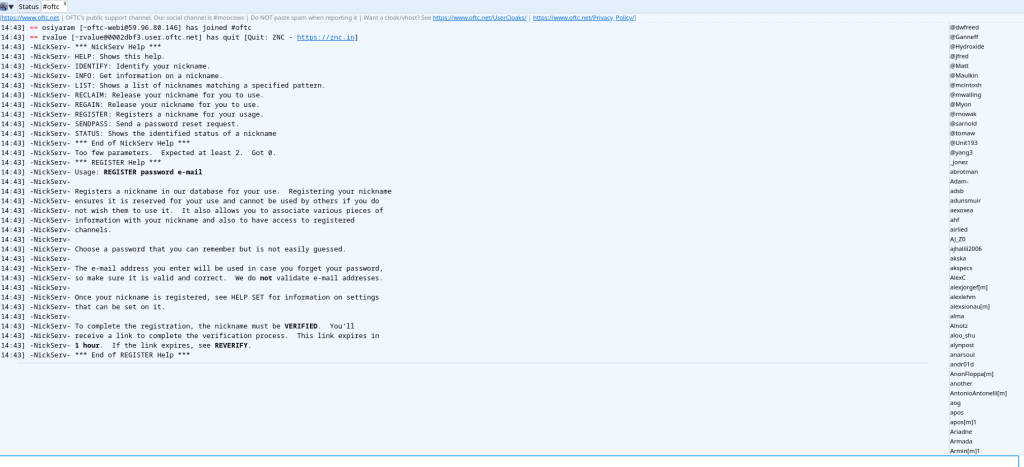
Account Registration in Pidgin and Hexchat This is the biggest pain point in both. I failed to register via either Pidgin or Hexchat. I couldn t find a way in either client to register my handle. I have had on/off relationships with IRC over the years, the biggest issue being IIRC is that if you stop using your handle for a month or two others can use it. IIRC, every couple of months or so, irc/oftc releases the dormant ones. Matrix/Vector has done quite a lot in that regard but that s a different thing altogether so for the moment will keep that aside. So, how to register for the network. This is where webchat.oftc.net comes in. You get a quaint 1970 s IRC window (probably emulated) where you call Nickserv to help you. As can be seen it one of the half a dozen bots that helps IRC. So the first thing you need to do is /msg nickserv help what you are doing is asking nickserv what services they have and Nickserv shares the numbers of services it offers. After looking into, you are looking for register /msg nickerv register Both the commands tell you what you need to do as can be seen by this
Let s say you are XYZ and your e-mail address is xyz@xyz.com This is just a throwaway id I am taking for the purpose of showing how the process is done. For this, also assume your passowrd is 1234xyz;0x something like this. I have shared about APG (Advanced Password Generator) before so you could use that to generate all sorts of passwords for yourself. So next would be /msg nickserv register 1234xyz;0x xyz@xyz.com Now the thing to remember is you need to be sure that the email is valid and in your control as it would generate a link with hcaptcha. Interestingly, their accessibility signup fails or errors out. I just entered my email and it errors out. Anyway back to it. Even after completing the puzzle, even with the valid username and password neither pidgin or hexchat would let me in. Neither of the clients were helpful in figuring out what was going wrong. At this stage, I decided to see the specs of ircv3 if they would help out in anyway and came across this. One would have thought that this is one of the more urgent things that need to be fixed, but for reasons unknown it s still in draft mode. Maybe they (the participants) are not in consensus, no idea. Unfortunately, it seems that the participants of IRCv3 have chosen a sort of closed working model as the channel is restricted. The only notes of any consequence are being shared by Ilmari Lauhakangas from Finland. Apparently, Mr/Ms/they Ilmari is also a libreoffice hacker. It is possible that their is or has been lot of drama before or something and that s why things are the way they are. In either way, doesn t tell me when this will be fixed, if ever. For people who are on mobiles and whatnot, without element, it would be 10x times harder. Update :- Saw this discussion on github. Don t see a way out  It seems I would be unable to unable to be part of Debconf Kochi 2023. Best of luck to all the participants and please share as much as possible of what happens during the event.

12 July 2023

John Goerzen: Backing Up and Archiving to Removable Media: dar vs. git-annex

This is the fourth in a series about archiving to removable media (optical discs such as BD-Rs and DVD+Rs or portable hard drives). Here are the first three parts: I want to state at the outset that this is not a general review of dar or git-annex. This is an analysis of how those tools stack up to a particular use case. Neither tool focuses on this use case, and I note it is particularly far from the more common uses of git-annex. For instance, both tools offer support for cloud storage providers and special support for ssh targets, but neither of those are in-scope for this post. Comparison Matrix As part of this project, I made a comparison matrix which includes not just dar and git-annex, but also backuppc, bacula/bareos, and borg. This may give you some good context, and also some reference for other projects in this general space. Reviewing the Goals I identified some goals in part 1. They are all valid. As I have thought through the project more, I feel like I should condense them into a simpler ordered list, with the first being the most important. I omit some things here that both dar and git-annex can do (updates/incrementals, for instance; see the expanded goals list in part 1). Here they are:
  1. The tool must not modify the source data in any way.
  2. It must be simple to create or update an archive. Processes that require a lot of manual work, are flaky, or are difficult to do correctly, are unlikely to be done correctly and often. If it s easy to do right, I m more likely to do it. Put another way: an archive never created can never be restored.
  3. The chances of a successful restore by someone that is not me, that doesn t know Linux, and is at least 10 years in the future, should be maximized. This implies a simple toolset, solid support for dealing with media errors or missing media, etc.
  4. Both a partial point-in-time restore and a full restore should be possible. The full restore must, at minimum, provide a consistent directory tree; that is, deletions, additions, and moves over time must be accurately reflected. Preserving modification times is a near-requirement, and preserving hard links, symbolic links, and other POSIX metadata is a significant nice-to-have.
  5. There must be a strategy to provide redundancy; for instance, a way for one set of archive discs to be offsite, another onsite, and the two to be periodically swapped.
  6. Use storage space efficiently.
Let s take a look at how the two stack up against these goals. Goal 1: Not modifying source data With dar, this is accomplished. dar --create does not modify source data (and even has a mode to avoid updating atime) so that s done. git-annex normally does modify source data, in that it typically replaces files with symlinks into its hash-indexed storage directory. It can instead use hardlinks. In either case, you will wind up with files that have identical content (but may have originally been separate, non-linked files) linked together with git-annex. This would cause me trouble, as well as run the risk of modifying timestamps. So instead of just storing my data under a git-annex repo as is its most common case, I use the directory special remote with importtree=yes to sort of import the data in. This, plus my desire to have the repos sensible and usable on non-POSIX operating systems, accounts for a chunk of the git-annex complexity you see here. You wouldn t normally see as much complexity with git-annex (though, as you will see, even without the directory special remote, dar still has less complexity). Winner: dar, though I demonstrated a working approach with git-annex as well. Goal 2: Simplicity of creating or updating an archive Let us simply start by recognizing this: Both tools have a lot of power, but I must say, it is easier to wrap my head around what dar is doing than what git-annex is doing. Everything dar does is with files: here are the files to archive, here is an archive file, here is a detached (isolated) catalog. It is very straightforward. It took me far less time to develop my dar page than my git-annex page, despite having existing familiarity with both tools. As I pointed out in part 2, I still don t fully understand how git-annex syncs metadata. Unsolved mysteries from that post include why the two git-annex drives had no idea what was on the other drives, and why the export operation silenty did nothing. Additionally, for the optical disc case, I had to create a restricted-size filesystem/dataset for git-annex to write into in order to get the desired size limit. Looking at the optical disc case, dar has a lot of nice infrastructure built in. With pause and execute, it can very easily be combined with disc burning operations. slice will automatically limit the size of a given slice, regardless of how much disk space is free, meaning that the git-annex tricks of creating smaller filesystems/datasets are unnecessary with dar. To create an initial full backup with dar, you just give it the size of the device, and it will automatically split up the archive, with hooks to integrate for burning or changing drives. About as easy as you could get. With git-annex, you would run the commands to have it fill up the initial filesystem, then burn the disc (or remove the drive), then run the commands to create another repo on the second filesystem, and so forth. With hard drives, with git-annex you would do something similar; let it fill up a repo on a drive, and if it exits with a space error, swap in the next. With dar, you would slice as with an optical disk. Dar s slicing is less convenient in this case, though, as it assumes every drive is the same size and yours may not be. You could work around that by using a slice size no bigger than the smallest drive, and putting multiple slices on larger drives if need be. If a single drive is large enough to hold your entire data set, though, you need not worry about this with either tool. Here s a warning about git-annex: it won t store anything beneath directories named .git. My use case doesn t have many of those. If your use case does, you re going to have to figure out what to do about it. Maybe rename them to something else while the backup runs? In any case, it is simply a fact that git-annex cannot back up git repositories, and this cuts against being able to back up things correctly. Another point is that git-annex has scalability concerns. If your archive set gets into the hundreds of thousands of files, you may need to split it into multiple distinct git-annex repositories. If this occurs and it will in my case it may serve to dull the shine of some of git-annex s features such as location tracking. A detour down the update strategies path Update strategies get a little more complicated with both. First, let s consider: what exactly should our update strategy be? For optical discs, I might consider doing a monthly update. I could burn a disc (or more than one, if needed) regardless of how much data is going to go onto it, because I want no more than a month s data lost in any case. An alternative might be to spool up data until I have a disc s worth, and then write that, but that could possibly mean months between actually burning a disc. Probably not good. For removable drives, we re unlikely to use a new drive each month. So there it makes sense to continue writing to the drive until it s full. Now we have a choice: do we write and preserve each month s updates, or do we eliminate intermediate changes and just keep the most recent data? With both tools, the monthly burn of an optical disc turns out to be very similar to the initial full backup to optical disc. The considerations for spanning multiple discs are the same. With both tools, we would presumably want to keep some metadata on the host so that we don t have to refer to a previous disc to know what was burned. In the dar case, that would be an isolated catalog. For git-annex, it would be a metadata-only repo. I illustrated both of these in parts 2 and 3. Now, for hard drives. Assuming we want to continue preserving each month s updates, with dar, we could just write an incremental to the drive each month. Assuming that the size of the incremental is likely far smaller than the size of the drive, you could easily enough do this. More fancily, you could look at the free space on the drive and tell dar to use that as the size of the first slice. For git-annex, you simply avoid calling drop/dropunused. This will cause the old versions of files to accumulate in .git/annex. You can get at them with git annex commands. This may imply some degree of elevated risk, as you are modifying metadata in the repo each month, which with dar you could chmod a-w or even chattr +i the archive files once written. Hopefully this elevated risk is low. If you don t want to preserve each month s updates, with dar, you could just write an incremental each month that is based on the previous drive s last backup, overwriting the previous. That implies some risk of drive failure during the time the overwrite is happening. Alternatively, you could write an incremental and then use dar to merge it into the previous incremental, creating a new one. This implies some degree of extra space needed (maybe on a different filesystem) while doing this. With git-annex, you would use drop/dropunused as I demonstrated in part 2. The winner for goal 2 is dar. The gap is biggest with optical discs and more narrow with hard drives, thanks to git-annex s different options for updates. Still, I would be more confident I got it right with dar. Goal 3: Greatest chance of successful restore in the distant future If you use git-annex like I suggested in part 2, you will have a set of discs or drives that contain a folder structure with plain files in them. These files can be opened without any additional tools at all. For sheer ability to get at raw data, git-annex has the edge. When you talk about getting a consistent full restore without multiple copies of renamed files or deleted files coming back then you are going to need to use git-annex to do that. Both git-annex and dar provide binaries. Dar provides a win64 version on its Sourceforge page. On the author s releases site, you can find the win64 version in addition to a statically-linked x86_64 version for Linux. The git-annex install page mostly directs you to package managers for your distribution, but the downloads page also lists builds for Linux, Windows, and Mac OS X. The Linux version is dynamic, but ships most of its .so files alongside. The Windows version requires cygwin.dll, and all versions require you to also install git itself. Both tools are in package managers for Mac OS X, Debian, FreeBSD, and so forth. Let s just say that you are likely to be able to run either one on a future Windows or Linux system. There are also GUI frontends for dar, such as DARGUI and gdar. This can increase the chances of a future person being able to use the software easily. git-annex has the assistant, which is based on a different use case and probably not directly helpful here. When it comes to doing the actual restore process using software, dar provides the easier process here. For dealing with media errors and the like, dar can integrate with par2. While technically you could use par2 against the files git-annex writes, that s more cumbersome to manage to the point that it is likely not to be done. Both tools can deal reasonably with missing media entirely. I m going to give the edge on this one to git-annex; while dar does provide the easier restore and superior tools for recovering from media errors, the ability to access raw data as plain files without any tools at all is quite compelling. I believe it is the most critical advantage git-annex has, and it s a big one. Goal 4: Support high-fidelity partial and full restores Both tools make it possible to do a full restore reflecting deletions, additions, and so forth. Dar, as noted, is easier for this, but it is possible with git-annex. So, both can achieve a consistent restore. Part of this goal deals with fidelity of the restore: preserving timestamps, hard and symbolic links, ownership, permissions, etc. Of these, timestamps are the most important for me. git-annex can t do any of that. dar does all of it. Some of this can be worked around using mtree as I documented in part 2. However, that implies a need to also provide mtree on the discs for future users, and I m not sure mtree really exists for Windows. It also cuts against the argument that git-annex discs can be used without any tools. It is true, they can, but all you will get is filename and content; no accurate date. Timestamps are often highly relevant for everything from photos to finding an elusive document or record. Winner: dar. Goal 5: Supporting backup strategies with redundancy My main goal here is to have two separate backup sets: one that is offsite, and one that is onsite. Depending on the strategy and media, they might just always stay that way, or periodically rotate. For instance, with optical discs, you might just burn two copies of every disc and store one at each place. For hard drives, since you will be updating the content of them, you might swap them periodically. This is possible with both tools. With both tools, if using the optical disc scheme I laid out, you can just burn two identical copies of each disc. With the hard drive case, with dar, you can keep two directories of isolated catalogs, one for each drive set. A little identifier file on each drive will let you know which set to use. git-annex can track locations itself. As I demonstrated in part 2, you can make each drive its own repo, add all drives from a given drive set to a git-annex group. When initializing a drive, you tell git-annex what group it s a prt of. From then on, git-annex knows what content is in each group and will add whatever a given drive s group needs to that drive. It s possible to do this with both, but the winner here is git-annex. Goal 6: Efficient use of storage Here are situations in which one or the other will be more efficient: The winner depends on your particular situation. Other notes While not part of the goals above, dar is capable of using tapes directly. While not as common, they are often used in communities of people that archive lots of data. Conclusions Overall, dar is the winner for me. It is simpler in most areas, easier to get correct, and scales very well. git-annex does, however, have some quite compelling points. Being able to access files as plain files is huge, and its location tracking is nicer than dar s, even when using dar_manager. Both tools are excellent and I recommend them both and for more than the particular scenario shown here. Both have fantastic and responsive authors.

9 July 2023

Russell Coker: Matrix

Introduction In 2020 I first setup a Matrix [1] server. Matrix is a full featured instant messaging protocol which requires a less stringent definition of instant , messages being delayed for minutes aren t that uncommon in my experience. Matrix is a federated service where the servers all store copies of the room data, so when you connect your client to it s home server it gets all the messages that were published while you were offline, it is widely regarded as being IRC but without a need to be connected all the time. One of it s noteworthy features is support for end to end encryption (so the server can t access cleartext messages from users) as a core feature. Matrix was designed for bridging with other protocols, the most well known of which is IRC. The most common Matrix server software is Synapse which is written in Python and uses a PostgreSQL database as it s backend [2]. My tests have shown that a lightly loaded Synapse server with less than a dozen users and only one or two active users will have noticeable performance problems if the PostgreSQL database is stored on SATA hard drives. This seems like the type of software that wouldn t have been developed before SSDs became commonly affordable. The matrix-synapse is in Debian/Unstable and the backports repositories for Bullseye and Buster. As Matrix is still being very actively developed you want to have a recent version of all related software so Debian/Buster isn t a good platform for running it, Bullseye or Bookworm are the preferred platforms. Configuring Synapse isn t really hard, but there are some postential problems. The first thing to do is to choose the DNS name, you can never change it without dropping the database (fresh install of all software and no documented way of keeping user configuration) so you don t want to get it wrong. Generally you will want the Matrix addresses at the top level of the domain you choose. When setting up a Matrix server for my local LUG I chose the top level of their domain luv.asn.au as the DNS name for the server. If you don t want to run a server then there are many open servers offering free account. Server Configuration Part of doing this configuration required creating the URL https://luv.asn.au/.well-known/matrix/client with the following contents so clients know where to connect. Note that you should not setup Jitsi sections without first discussing it with the people who run the Jitsi server in question.
 
  "m.homeserver":  
    "base_url": "https://luv.asn.au"
   
  "jitsi":  
    "preferredDomain": "jitsi.perthchat.org"
   
  "im.vector.riot.jitsi":  
    "preferredDomain": "jitsi.perthchat.org"
   
 
Also the URL https://luv.asn.au/.well-known/matrix/server for other servers to know where to connect:
 
  "m.server": "luv.asn.au:8448"
 
If the base_url or the m.server points to a name that isn t configured then you need to add it to the web server configuration. See section 3.1 of the documentation about well known Matrix client fields [3]. The SE Linux specific parts of the configuration are to run the following commands as Bookworm and Bullseye SE Linux policy have support for Synapse:
setsebool -P httpd_setrlimit 1
setsebool -P httpd_can_network_relay 1
setsebool -P matrix_postgresql_connect 1
To configure apache you have to enable proxy mode and SSL with the command a2enmod proxy ssl proxy_http and add the line Listen 8443 to /etc/apache2/ports.conf and restart Apache. The command chmod 700 /etc/matrix-synapse should probably be run to improve security, there s no reason for less restrictive permissions on that directory. In the /etc/matrix-synapse/homeserver.yaml file the macaroon_secret_key is a random key for generating tokens. To use the matrix.org server as a trusted key server and not receive warnings put the following line in the config file:
suppress_key_server_warning: true
A line like the following is needed to configure the baseurl:
public_baseurl: https://luv.asn.au:8448/
To have Synapse directly accept port 8448 connections you have to change bind_addresses in the first section of listeners to the global listen IPv6 and IPv4 addresses. The registration_shared_secret is a password for adding users. When you have set that you can write a shell script to add new users such as:
#!/bin/bash
# usage: matrix_new_user USER PASS
synapse_register_new_matrix_user -u $1 -p $2 -a -k THEPASSWORD
You need to set tls_certificate_path and tls_private_key_path to appropriate values, usually something like the following:
tls_certificate_path: "/etc/letsencrypt/live/www.luv.asn.au-0001/fullchain.pem"
tls_private_key_path: "/etc/letsencrypt/live/www.luv.asn.au-0001/privkey.pem"
For the database section you need something like the following which matches your PostgreSQL setup:
  name: "psycopg2"
  args:
    user: WWWWWW
    password: XXXXXXX
    database: YYYYYYY
    host: ZZZZZZ
    cp_min: 5
    cp_max: 10
You need to run psql commands like the following to set it up:
create role WWWWWW login password 'XXXXXXX';
create database YYYYYYY with owner WWWWWW ENCODING 'UTF8' LOCALE 'C' TEMPLATE 'template0';
For the Apache configuration you need something like the following for the port 8448 web server:
<VirtualHost *:8448>
  SSLEngine on
...
  ServerName luv.asn.au;
  AllowEncodedSlashes NoDecode
  ProxyPass /_matrix http://127.0.0.1:8008/_matrix nocanon
  ProxyPassReverse /_matrix http://127.0.0.1:8008/_matrix
  AllowEncodedSlashes NoDecode
  ProxyPass /_matrix http://127.0.0.1:8008/_matrix nocanon
  ProxyPassReverse /_matrix http://127.0.0.1:8008/_matrix
</VirtualHost>
Also you must add the ProxyPass section to the port 443 configuration (the server that is probably doing other more directly user visible things) for most (all?) end-user clients:
  ProxyPass /_matrix http://127.0.0.1:8008/_matrix nocanon
This web page can be used to test listing rooms via federation without logging in [4]. If it gives the error Can t find this server or its room list then you must set allow_public_rooms_without_auth and allow_public_rooms_over_federation to true in /etc/matrix-synapse/homeserver.yaml. The Matrix Federation Tester site [5] is good for testing new servers and for tests after network changes. Clients The Element (formerly known as Riot) client is the most common [6]. The following APT repository will allow you to install Element via apt install element-desktop on Debian/Buster.
deb https://packages.riot.im/debian/ default main
The Debian backports repository for Buster has the latest version of Quaternion, apt install quaternion should install that for you. Quaternion doesn t support end to end encryption (E2EE) and also doesn t seem to have good support for some other features like being invited to a room. My current favourite client is Schildi Chat on Android [7], which has a notification message 24*7 to reduce the incidence of Android killing it. Eventually I want to go to PinePhone or Librem 5 for all my phone use so I need to find a full featured Linux client that works on a small screen. Comparing to Jabber I plan to keep using Jabber for alerts because it really does instant messaging, it can reliably get the message to me within a matter of seconds. Also there are a selection of command-line clients for Jabber to allow sending messages from servers. When I first investigated Matrix there was no program suitable for sending messages from a script and the libraries for the protocol made it unreasonably difficult to write one. Now there is a Matrix client written in shell script [8] which might do that. But the delay in receiving messages is still a problem. Also the Matrix clients I ve tried so far have UIs that are more suited to serious chat than to quickly reading a notification message. Bridges Here is a list of bridges between Matrix and other protocols [9]. You can run bridges yourself for many different messaging protocols including Slack, Discord, and Messenger. There are also bridges run for public use for most IRC channels. Here is a list of integrations with other services [10], this is for interacting with things other than IM systems such as RSS feeds, polls, and other things. This also has some frameworks for writing bots. More Information The Debian wiki page about Matrix is good [11]. The view.matrix.org site allows searching for public rooms [12].

19 June 2023

Dirk Eddelbuettel: RcppArmadillo 0.12.4.1.0 on CRAN: New Upstream Bugfix

armadillo image Armadillo is a powerful and expressive C++ template library for linear algebra and scientific computing. It aims towards a good balance between speed and ease of use, has a syntax deliberately close to Matlab, and is useful for algorithm development directly in C++, or quick conversion of research code into production environments. RcppArmadillo integrates this library with the R environment and language and is widely used by (currently) 1079 other packages on CRAN, downloaded 29.6 million times (per the partial logs from the cloud mirrors of CRAN), and the CSDA paper) (preprint / vignette) by Conrad and myself has been cited 543 times according to Google Scholar. This release brings bugfix upstream release 12.4.1 made by Conrad at the end of last week. As usual, I prepared the usual release candidate, tested on the over 1000 reverse depends (which sadly takes a long time on old hardware), found no issues and sent it to CRAN. Where it got tested again and was by a stroke of bad luck upheld for two unrelated issue (one package fell over one of its other dependencies changing a data representation, another fell afoul of a tightened test on total test time) so this awaited the usual email handshake with the CRAN maintainers and the weekend got in the way. The release also contains a PR kindly provided by Mikael Jagan for an upcoming change in package Matrix. As a bugfix release, the set of changes is fairly small.

Changes in RcppArmadillo version 0.12.4.1.0 (2023-06-17)
  • Upgraded to Armadillo release 12.4.1 (Cortisol Profusion Redux)
    • fix bug in SpMat::shed_cols()
    • functions such as .is_finite() and find_nonfinite() will now emit a runtime warning when compiled in fast math mode; such compilation mode disables detection of non-finite values
  • Accommodate upcoming change in package Matrix (Mikael Jagan in #417 addressing #415)

Courtesy of my CRANberries, there is a diffstat report relative to previous release. More detailed information is on the RcppArmadillo page. Questions, comments etc should go to the rcpp-devel mailing list off the Rcpp R-Forge page. If you like this or other open-source work I do, you can sponsor me at GitHub.

This post by Dirk Eddelbuettel originated on his Thinking inside the box blog. Please report excessive re-aggregation in third-party for-profit settings.

27 May 2023

Dirk Eddelbuettel: RcppArmadillo 0.12.4.0.0 on CRAN: New Upstream Minor

armadillo image Armadillo is a powerful and expressive C++ template library for linear algebra and scientific computing. It aims towards a good balance between speed and ease of use, has a syntax deliberately close to Matlab, and is useful for algorithm development directly in C++, or quick conversion of research code into production environments. RcppArmadillo integrates this library with the R environment and language and is widely used by (currently) 1074 other packages on CRAN, downloaded 29.3 million times (per the partial logs from the cloud mirrors of CRAN), and the CSDA paper (preprint / vignette) by Conrad and myself has been cited 535 times according to Google Scholar. This release brings a new upstream release 12.4.0 made by Conrad a day or so ago. I prepared the usual release candidate, tested on the over 1000 reverse depends (which sadly takes almost a day on old hardware), found no issues and sent it to CRAN. Where it got tested again and was once again auto-processed smoothly by CRAN within a few hours on a Friday night which is just marvelous. So this time I tweeted about it too. The releases actually has a relatively small set of changes as a second follow-up release in the 12.* series.

Changes in RcppArmadillo version 0.12.4.0.0 (2023-05-26)
  • Upgraded to Armadillo release 12.4.0 (Cortisol Profusion Redux)
    • Added norm2est() for finding fast estimates of matrix 2-norm (spectral norm)
    • Added vecnorm() for obtaining the vector norm of each row or column of a matrix

Courtesy of my CRANberries, there is a diffstat report relative to previous release. More detailed information is on the RcppArmadillo page. Questions, comments etc should go to the rcpp-devel mailing list off the R-Forge page. If you like my open-source work, you may consider sponsoring me at GitHub.

This post by Dirk Eddelbuettel originated on his Thinking inside the box blog. Please report excessive re-aggregation in third-party for-profit settings.

5 May 2023

Shirish Agarwal: CAT-6, AMD 5600G, Dealerships closing down, TRAI-caller and privacy.

CAT-6 patch cord & ONU Few months back I was offered a fibre service. Most of the service offering has been using Chinese infrastructure including the ONU (Optical Network Unit). Wikipedia doesn t have a good page on ONU hence had to rely on third-party sites. FS (a name I don t really know) has some (good basic info. on ONU and how it s part and parcel of the whole infrastructure. I also got an ONT (Optical Network Terminal) but it seems to be very basic and mostly dumb. I used the old CAT-6 cable ( a decade old) to connect them and it worked for couple of months. Had to change it, first went to know if a higher cable solution offered themselves. CAT-7 is there but not backward compatible. CAT-8 is the next higher version but apparently it s expensive and also not easily bought. I did quite a few tests on CAT-6 and the ONU and it conks out at best 1 mbps which is still far better than what I am used to. CAT-8 are either not available or simply too expensive for home applications atm. A good summary of CAT-8 and what they stand for can be found here. The networking part is hopeless as most consumer facing CPU s and motherboards don t even offer 10 mbps, so asking anything more is just overkill without any benefit. Which does bring me to the next question, something that I may do in a few months or a year down the road. Just to clarify they may say it is 100 mbps or even 1 Gbps but that s plain wrong.

AMD APU, Asus Motherboard & Dealerships I had been thinking of an AMD APU, could wait a while but sooner or later would have to get one. I got quoted an AMD Ryzen 3 3200G with an Asus A320 Motherboard for around 14k which kinda looked steep to me. Quite a few hardware dealers whom I had traded, consulted over years simply shut down. While there are new people, it s much more harder now to make relationships (due to deafness) rather than before. The easiest to share which was also online was pcpartpicker.com that had an Indian domain now no longer available. The number of offline brick and mortar PC business has also closed quite a bit. There are a few new ones but it takes time and the big guys have made more of a killing. I was shocked quite a bit. Came home and browsed a bit and was hit by this. Both AMD and Intel PC business has taken a beating. AMD a bit more as Intel still holds part of the business segment as traditionally been theirs. There have been proofs and allegations of bribing in the past (do remember the EU Antitrust case against Intel for monopoly) but Intel s own cutting corners with the Spectre and Meltdown flaws hasn t helped its case, nor the suits themselves. AMD on the other hand under expertise of Lisa Su has simply grown strength by strength. Inflation and Profiteering by other big companies has made the outlook for both AMD and Intel a bit lackluster. AMD is supposed to show Zen5 chips in a few days time and the rumor mill has been ongoing. Correction Not few days but 2025. Personally, I would be happy with maybe a Ryzen 5600G with an Asus motherboard. My main motive whenever I buy an APU is not to hit beyond 65 TDP. It s kinda middle of the road. As far as what I could read this year and next year we could have AM4+ or something like those updates, AM5 APU s, CPU s and boards are slated to be launched in 2025. I did see pcpricetracker and it does give idea of various APU prices although have to say pcpartpicker was much intuitive to work with than the above. I just had my system cleaned couple of months so touchwood I should be able to use it for another couple of years or more before I have to get one of these APU s and do hope they are worth it. My idea is to use that not only for testing various softwares but also delve a bit into VR if that s possible. I did read a bit about deafness and VR as well. A good summary can be found here. I am hopeful that there may be few people in the community who may look and respond to that. It s crucial.

TRAI-caller, Privacy 101& Element. While most of us in Debian and FOSS communities do engage in privacy, lots of times it s frustrating. I m always looking for videos that seek to share that view why Privacy is needed by individuals and why Governments and other parties hate it. There are a couple of basic Youtube Videos that does explain the same quite practically.
Now why am I sharing the above. It isn t that people do not privacy and how we hold it dear. I share it because GOI just today blocked Element. While it may be trivial for us to workaround the issues, it does tell what GOI is doing. And it still acts as if surprised why it s press ranking is going to pits. Even our Women Wrestlers have been protesting for a week to just file an FIR (First Information Report) . And these are women who have got medals for the country. More than half of these organizations, specifically the women wrestling team don t have POSH which is a mandatory body supposed to be in every organization. POSH stands for Prevention of Sexual Harassment at Workplace. The gentleman concerned is a known rowdy/Goon hence it took almost a week of protest to do the needful  I do try not to report because right now every other day we see somewhere or the other the Govt. curtailing our rights and most people are mute  Signing out, till later

6 April 2023

Dirk Eddelbuettel: RcppArmadillo 0.12.2.0.0 on CRAN: New Upstream Minor

armadillo image Armadillo is a powerful and expressive C++ template library for linear algebra and scientific computing. It aims towards a good balance between speed and ease of use, has a syntax deliberately close to Matlab, and is useful for algorithm development directly in C++, or quick conversion of research code into production environments. RcppArmadillo integrates this library with the R environment and language and is widely used by (currently) 1052 other packages on CRAN, downloaded 28.6 million times (per the partial logs from the cloud mirrors of CRAN), and the CSDA paper (preprint / vignette) by Conrad and myself has been cited 522 times according to Google Scholar. This release brings a new upstream release 12.2.0 made by Conrad a day or so ago. We prepared the usual release candidate, tested on the over 1000 reverse depends, found no issues and sent it to CRAN. Where it got tested again and was auto-processed smoothly by CRAN. The releases actually has a relatively small set of changes as a first follow-up release in the 12.2.* series.

Changes in RcppArmadillo version 0.12.2.0.0 (2023-04-04)
  • Upgraded to Armadillo release 12.2.0 (Cortisol Profusion Deluxe)
    • more efficient use of FFTW3 by fft() and ifft()
    • faster in-place element-wise multiplication of sparse matrices by dense matrices
    • added spsolve_factoriser class to allow reuse of sparse matrix factorisation for solving systems of linear equations

Courtesy of my CRANberries, there is a diffstat report relative to previous release. More detailed information is on the RcppArmadillo page. Questions, comments etc should go to the rcpp-devel mailing list off the R-Forge page. If you like this or other open-source work I do, you can sponsor me at GitHub.

This post by Dirk Eddelbuettel originated on his Thinking inside the box blog. Please report excessive re-aggregation in third-party for-profit settings.

1 April 2023

Paul Wise: FLOSS Activities March 2023

Focus This month I didn't have any particular focus. I just worked on issues in my info bubble.

Changes

Issues

Review

Administration
  • Debian QA services: disabled updating jessie as it was removed
  • Debian IRC: rescued #debian-s390x from inactive person
  • Debian servers: repair a /etc git repo
  • Debian wiki: unblock IP addresses, approve accounts

Communication
  • Respond to queries from Debian users and contributors on the mailing lists and IRC

Sponsors The gensim, sptag, purple-discord, harmony work was sponsored. All other work was done on a volunteer basis.

13 March 2023

Antoine Beaupr : Framework 12th gen laptop review

The Framework is a 13.5" laptop body with swappable parts, which makes it somewhat future-proof and certainly easily repairable, scoring an "exceedingly rare" 10/10 score from ifixit.com. There are two generations of the laptop's main board (both compatible with the same body): the Intel 11th and 12th gen chipsets. I have received my Framework, 12th generation "DIY", device in late September 2022 and will update this page as I go along in the process of ordering, burning-in, setting up and using the device over the years. Overall, the Framework is a good laptop. I like the keyboard, the touch pad, the expansion cards. Clearly there's been some good work done on industrial design, and it's the most repairable laptop I've had in years. Time will tell, but it looks sturdy enough to survive me many years as well. This is also one of the most powerful devices I ever lay my hands on. I have managed, remotely, more powerful servers, but this is the fastest computer I have ever owned, and it fits in this tiny case. It is an amazing machine. On the downside, there's a bit of proprietary firmware required (WiFi, Bluetooth, some graphics) and the Framework ships with a proprietary BIOS, with currently no Coreboot support. Expect to need the latest kernel, firmware, and hacking around a bunch of things to get resolution and keybindings working right. Like others, I have first found significant power management issues, but many issues can actually be solved with some configuration. Some of the expansion ports (HDMI, DP, MicroSD, and SSD) use power when idle, so don't expect week-long suspend, or "full day" battery while those are plugged in. Finally, the expansion ports are nice, but there's only four of them. If you plan to have a two-monitor setup, you're likely going to need a dock. Read on for the detailed review. For context, I'm moving from the Purism Librem 13v4 because it basically exploded on me. I had, in the meantime, reverted back to an old ThinkPad X220, so I sometimes compare the Framework with that venerable laptop as well. This blog post has been maturing for months now. It started in September 2022 and I declared it completed in March 2023. It's the longest single article on this entire website, currently clocking at about 13,000 words. It will take an average reader a full hour to go through this thing, so I don't expect anyone to actually do that. This introduction should be good enough for most people, read the first section if you intend to actually buy a Framework. Jump around the table of contents as you see fit for after you did buy the laptop, as it might include some crucial hints on how to make it work best for you, especially on (Debian) Linux.

Advice for buyers Those are things I wish I would have known before buying:
  1. consider buying 4 USB-C expansion cards, or at least a mix of 4 USB-A or USB-C cards, as they use less power than other cards and you do want to fill those expansion slots otherwise they snag around and feel insecure
  2. you will likely need a dock or at least a USB hub if you want a two-monitor setup, otherwise you'll run out of ports
  3. you have to do some serious tuning to get proper (10h+ idle, 10 days suspend) power savings
  4. in particular, beware that the HDMI, DisplayPort and particularly the SSD and MicroSD cards take a significant amount power, even when sleeping, up to 2-6W for the latter two
  5. beware that the MicroSD card is what it says: Micro, normal SD cards won't fit, and while there might be full sized one eventually, it's currently only at the prototyping stage
  6. the Framework monitor has an unusual aspect ratio (3:2): I like it (and it matches classic and digital photography aspect ratio), but it might surprise you

Current status I have the framework! It's setup with a fresh new Debian bookworm installation. I've ran through a large number of tests and burn in. I have decided to use the Framework as my daily driver, and had to buy a USB-C dock to get my two monitors connected, which was own adventure. Update: Framework just (2023-03-23) just announced a whole bunch of new stuff: The recording is available in this video and it's not your typical keynote. It starts ~25 minutes late, audio is crap, lightning and camera are crap, clapping seems to be from whatever staff they managed to get together in a room, decor is bizarre, colors are shit. It's amazing.

Specifications Those are the specifications of the 12th gen, in general terms. Your build will of course vary according to your needs.
  • CPU: i5-1240P, i7-1260P, or i7-1280P (Up to 4.4-4.8 GHz, 4+8 cores), Iris Xe graphics
  • Storage: 250-4000GB NVMe (or bring your own)
  • Memory: 8-64GB DDR4-3200 (or bring your own)
  • WiFi 6e (AX210, vPro optional, or bring your own)
  • 296.63mm X 228.98mm X 15.85mm, 1.3Kg
  • 13.5" display, 3:2 ratio, 2256px X 1504px, 100% sRGB, >400 nit
  • 4 x USB-C user-selectable expansion ports, including
    • USB-C
    • USB-A
    • HDMI
    • DP
    • Ethernet
    • MicroSD
    • 250-1000GB SSD
  • 3.5mm combo headphone jack
  • Kill switches for microphone and camera
  • Battery: 55Wh
  • Camera: 1080p 60fps
  • Biometrics: Fingerprint Reader
  • Backlit keyboard
  • Power Adapter: 60W USB-C (or bring your own)
  • ships with a screwdriver/spludger
  • 1 year warranty
  • base price: 1000$CAD, but doesn't give you much, typical builds around 1500-2000$CAD

Actual build This is the actual build I ordered. Amounts in CAD. (1CAD = ~0.75EUR/USD.)

Base configuration
  • CPU: Intel Core i5-1240P (AKA Alder Lake P 8 4.4GHz P-threads, 8 3.2GHz E-threads, 16 total, 28-64W), 1079$
  • Memory: 16GB (1 x 16GB) DDR4-3200, 104$

Customization
  • Keyboard: US English, included

Expansion Cards
  • 2 USB-C $24
  • 3 USB-A $36
  • 2 HDMI $50
  • 1 DP $50
  • 1 MicroSD $25
  • 1 Storage 1TB $199
  • Sub-total: 384$

Accessories
  • Power Adapter - US/Canada $64.00

Total
  • Before tax: 1606$
  • After tax and duties: 1847$
  • Free shipping

Quick evaluation This is basically the TL;DR: here, just focusing on broad pros/cons of the laptop.

Pros

Cons
  • the 11th gen is out of stock, except for the higher-end CPUs, which are much less affordable (700$+)
  • the 12th gen has compatibility issues with Debian, followup in the DebianOn page, but basically: brightness hotkeys, power management, wifi, the webcam is okay even though the chipset is the infamous alder lake because it does not have the fancy camera; most issues currently seem solvable, and upstream is working with mainline to get their shit working
  • 12th gen might have issues with thunderbolt docks
  • they used to have some difficulty keeping up with the orders: first two batches shipped, third batch sold out, fourth batch should have shipped (?) in October 2021. they generally seem to keep up with shipping. update (august 2022): they rolled out a second line of laptops (12th gen), first batch shipped, second batch shipped late, September 2022 batch was generally on time, see this spreadsheet for a crowdsourced effort to track those supply chain issues seem to be under control as of early 2023. I got the Ethernet expansion card shipped within a week.
  • compared to my previous laptop (Purism Librem 13v4), it feels strangely bulkier and heavier; it's actually lighter than the purism (1.3kg vs 1.4kg) and thinner (15.85mm vs 18mm) but the design of the Purism laptop (tapered edges) makes it feel thinner
  • no space for a 2.5" drive
  • rather bright LED around power button, but can be dimmed in the BIOS (not low enough to my taste) I got used to it
  • fan quiet when idle, but can be noisy when running, for example if you max a CPU for a while
  • battery described as "mediocre" by Ars Technica (above), confirmed poor in my tests (see below)
  • no RJ-45 port, and attempts at designing ones are failing because the modular plugs are too thin to fit (according to Linux After Dark), so unlikely to have one in the future Update: they cracked that nut and ship an 2.5 gbps Ethernet expansion card with a realtek chipset, without any firmware blob (!)
  • a bit pricey for the performance, especially when compared to the competition (e.g. Dell XPS, Apple M1)
  • 12th gen Intel has glitchy graphics, seems like Intel hasn't fully landed proper Linux support for that chipset yet

Initial hardware setup A breeze.

Accessing the board The internals are accessed through five TorX screws, but there's a nice screwdriver/spudger that works well enough. The screws actually hold in place so you can't even lose them. The first setup is a bit counter-intuitive coming from the Librem laptop, as I expected the back cover to lift and give me access to the internals. But instead the screws is release the keyboard and touch pad assembly, so you actually need to flip the laptop back upright and lift the assembly off (!) to get access to the internals. Kind of scary. I also actually unplugged a connector in lifting the assembly because I lifted it towards the monitor, while you actually need to lift it to the right. Thankfully, the connector didn't break, it just snapped off and I could plug it back in, no harm done. Once there, everything is well indicated, with QR codes all over the place supposedly leading to online instructions.

Bad QR codes Unfortunately, the QR codes I tested (in the expansion card slot, the memory slot and CPU slots) did not actually work so I wonder how useful those actually are. After all, they need to point to something and that means a URL, a running website that will answer those requests forever. I bet those will break sooner than later and in fact, as far as I can tell, they just don't work at all. I prefer the approach taken by the MNT reform here which designed (with the 100 rabbits folks) an actual paper handbook (PDF). The first QR code that's immediately visible from the back of the laptop, in an expansion cord slot, is a 404. It seems to be some serial number URL, but I can't actually tell because, well, the page is a 404. I was expecting that bar code to lead me to an introduction page, something like "how to setup your Framework laptop". Support actually confirmed that it should point a quickstart guide. But in a bizarre twist, they somehow sent me the URL with the plus (+) signs escaped, like this:
https://guides.frame.work/Guide/Framework\+Laptop\+DIY\+Edition\+Quick\+Start\+Guide/57
... which Firefox immediately transforms in:
https://guides.frame.work/Guide/Framework/+Laptop/+DIY/+Edition/+Quick/+Start/+Guide/57
I'm puzzled as to why they would send the URL that way, the proper URL is of course:
https://guides.frame.work/Guide/Framework+Laptop+DIY+Edition+Quick+Start+Guide/57
(They have also "let the team know about this for feedback and help resolve the problem with the link" which is a support code word for "ha-ha! nope! not my problem right now!" Trust me, I know, my own code word is "can you please make a ticket?")

Seating disks and memory The "DIY" kit doesn't actually have that much of a setup. If you bought RAM, it's shipped outside the laptop in a little plastic case, so you just seat it in as usual. Then you insert your NVMe drive, and, if that's your fancy, you also install your own mPCI WiFi card. If you ordered one (which was my case), it's pre-installed. Closing the laptop is also kind of amazing, because the keyboard assembly snaps into place with magnets. I have actually used the laptop with the keyboard unscrewed as I was putting the drives in and out, and it actually works fine (and will probably void your warranty, so don't do that). (But you can.) (But don't, really.)

Hardware review

Keyboard and touch pad The keyboard feels nice, for a laptop. I'm used to mechanical keyboard and I'm rather violent with those poor things. Yet the key travel is nice and it's clickety enough that I don't feel too disoriented. At first, I felt the keyboard as being more laggy than my normal workstation setup, but it turned out this was a graphics driver issues. After enabling a composition manager, everything feels snappy. The touch pad feels good. The double-finger scroll works well enough, and I don't have to wonder too much where the middle button is, it just works. Taps don't work, out of the box: that needs to be enabled in Xorg, with something like this:
cat > /etc/X11/xorg.conf.d/40-libinput.conf <<EOF
Section "InputClass"
      Identifier "libinput touch pad catchall"
      MatchIsTouchpad "on"
      MatchDevicePath "/dev/input/event*"
      Driver "libinput"
      Option "Tapping" "on"
      Option "TappingButtonMap" "lmr"
EndSection
EOF
But be aware that once you enable that tapping, you'll need to deal with palm detection... So I have not actually enabled this in the end.

Power button The power button is a little dangerous. It's quite easy to hit, as it's right next to one expansion card where you are likely to plug in a cable power. And because the expansion cards are kind of hard to remove, you might squeeze the laptop (and the power key) when trying to remove the expansion card next to the power button. So obviously, don't do that. But that's not very helpful. An alternative is to make the power button do something else. With systemd-managed systems, it's actually quite easy. Add a HandlePowerKey stanza to (say) /etc/systemd/logind.conf.d/power-suspends.conf:
[Login]
HandlePowerKey=suspend
HandlePowerKeyLongPress=poweroff
You might have to create the directory first:
mkdir /etc/systemd/logind.conf.d/
Then restart logind:
systemctl restart systemd-logind
And the power button will suspend! Long-press to power off doesn't actually work as the laptop immediately suspends... Note that there's probably half a dozen other ways of doing this, see this, this, or that.

Special keybindings There is a series of "hidden" (as in: not labeled on the key) keybindings related to the fn keybinding that I actually find quite useful.
Key Equivalent Effect Command
p Pause lock screen xset s activate
b Break ? ?
k ScrLk switch keyboard layout N/A
It looks like those are defined in the microcontroller so it would be possible to add some. For example, the SysRq key is almost bound to fn s in there. Note that most other shortcuts like this are clearly documented (volume, brightness, etc). One key that's less obvious is F12 that only has the Framework logo on it. That actually calls the keysym XF86AudioMedia which, interestingly, does absolutely nothing here. By default, on Windows, it opens your browser to the Framework website and, on Linux, your "default media player". The keyboard backlight can be cycled with fn-space. The dimmer version is dim enough, and the keybinding is easy to find in the dark. A skinny elephant would be performed with alt PrtScr (above F11) KEY, so for example alt fn F11 b should do a hard reset. This comment suggests you need to hold the fn only if "function lock" is on, but that's actually the opposite of my experience. Out of the box, some of the fn keys don't work. Mute, volume up/down, brightness, monitor changes, and the airplane mode key all do basically nothing. They don't send proper keysyms to Xorg at all. This is a known problem and it's related to the fact that the laptop has light sensors to adjust the brightness automatically. Somehow some of those keys (e.g. the brightness controls) are supposed to show up as a different input device, but don't seem to work correctly. It seems like the solution is for the Framework team to write a driver specifically for this, but so far no progress since July 2022. In the meantime, the fancy functionality can be supposedly disabled with:
echo 'blacklist hid_sensor_hub'   sudo tee /etc/modprobe.d/framework-als-blacklist.conf
... and a reboot. This solution is also documented in the upstream guide. Note that there's another solution flying around that fixes this by changing permissions on the input device but I haven't tested that or seen confirmation it works.

Kill switches The Framework has two "kill switches": one for the camera and the other for the microphone. The camera one actually disconnects the USB device when turned off, and the mic one seems to cut the circuit. It doesn't show up as muted, it just stops feeding the sound. Both kill switches are around the main camera, on top of the monitor, and quite discreet. Then turn "red" when enabled (i.e. "red" means "turned off").

Monitor The monitor looks pretty good to my untrained eyes. I have yet to do photography work on it, but some photos I looked at look sharp and the colors are bright and lively. The blacks are dark and the screen is bright. I have yet to use it in full sunlight. The dimmed light is very dim, which I like.

Screen backlight I bind brightness keys to xbacklight in i3, but out of the box I get this error:
sep 29 22:09:14 angela i3[5661]: No outputs have backlight property
It just requires this blob in /etc/X11/xorg.conf.d/backlight.conf:
Section "Device"
    Identifier  "Card0"
    Driver      "intel"
    Option      "Backlight"  "intel_backlight"
EndSection
This way I can control the actual backlight power with the brightness keys, and they do significantly reduce power usage.

Multiple monitor support I have been able to hook up my two old monitors to the HDMI and DisplayPort expansion cards on the laptop. The lid closes without suspending the machine, and everything works great. I actually run out of ports, even with a 4-port USB-A hub, which gives me a total of 7 ports:
  1. power (USB-C)
  2. monitor 1 (DisplayPort)
  3. monitor 2 (HDMI)
  4. USB-A hub, which adds:
  5. keyboard (USB-A)
  6. mouse (USB-A)
  7. Yubikey
  8. external sound card
Now the latter, I might be able to get rid of if I switch to a combo-jack headset, which I do have (and still need to test). But still, this is a problem. I'll probably need a powered USB-C dock and better monitors, possibly with some Thunderbolt chaining, to save yet more ports. But that means more money into this setup, argh. And figuring out my monitor situation is the kind of thing I'm not that big of a fan of. And neither is shopping for USB-C (or is it Thunderbolt?) hubs. My normal autorandr setup doesn't work: I have tried saving a profile and it doesn't get autodetected, so I also first need to do:
autorandr -l framework-external-dual-lg-acer
The magic:
autorandr -l horizontal
... also works well. The worst problem with those monitors right now is that they have a radically smaller resolution than the main screen on the laptop, which means I need to reset the font scaling to normal every time I switch back and forth between those monitors and the laptop, which means I actually need to do this:
autorandr -l horizontal &&
eho Xft.dpi: 96   xrdb -merge &&
systemctl restart terminal xcolortaillog background-image emacs &&
i3-msg restart
Kind of disruptive.

Expansion ports I ordered a total of 10 expansion ports. I did manage to initialize the 1TB drive as an encrypted storage, mostly to keep photos as this is something that takes a massive amount of space (500GB and counting) and that I (unfortunately) don't work on very often (but still carry around). The expansion ports are fancy and nice, but not actually that convenient. They're a bit hard to take out: you really need to crimp your fingernails on there and pull hard to take them out. There's a little button next to them to release, I think, but at first it feels a little scary to pull those pucks out of there. You get used to it though, and it's one of those things you can do without looking eventually. There's only four expansion ports. Once you have two monitors, the drive, and power plugged in, bam, you're out of ports; there's nowhere to plug my Yubikey. So if this is going to be my daily driver, with a dual monitor setup, I will need a dock, which means more crap firmware and uncertainty, which isn't great. There are actually plans to make a dual-USB card, but that is blocked on designing an actual board for this. I can't wait to see more expansion ports produced. There's a ethernet expansion card which quickly went out of stock basically the day it was announced, but was eventually restocked. I would like to see a proper SD-card reader. There's a MicroSD card reader, but that obviously doesn't work for normal SD cards, which would be more broadly compatible anyways (because you can have a MicroSD to SD card adapter, but I have never heard of the reverse). Someone actually found a SD card reader that fits and then someone else managed to cram it in a 3D printed case, which is kind of amazing. Still, I really like that idea that I can carry all those little adapters in a pouch when I travel and can basically do anything I want. It does mean I need to shuffle through them to find the right one which is a little annoying. I have an elastic band to keep them lined up so that all the ports show the same side, to make it easier to find the right one. But that quickly gets undone and instead I have a pouch full of expansion cards. Another awesome thing with the expansion cards is that they don't just work on the laptop: anything that takes USB-C can take those cards, which means you can use it to connect an SD card to your phone, for backups, for example. Heck, you could even connect an external display to your phone that way, assuming that's supported by your phone of course (and it probably isn't). The expansion ports do take up some power, even when idle. See the power management section below, and particularly the power usage tests for details.

USB-C charging One thing that is really a game changer for me is USB-C charging. It's hard to overstate how convenient this is. I often have a USB-C cable lying around to charge my phone, and I can just grab that thing and pop it in my laptop. And while it will obviously not charge as fast as the provided charger, it will stop draining the battery at least. (As I wrote this, I had the laptop plugged in the Samsung charger that came with a phone, and it was telling me it would take 6 hours to charge the remaining 15%. With the provided charger, that flew down to 15 minutes. Similarly, I can power the laptop from the power grommet on my desk, reducing clutter as I have that single wire out there instead of the bulky power adapter.) I also really like the idea that I can charge my laptop with a power bank or, heck, with my phone, if push comes to shove. (And vice-versa!) This is awesome. And it works from any of the expansion ports, of course. There's a little led next to the expansion ports as well, which indicate the charge status:
  • red/amber: charging
  • white: charged
  • off: unplugged
I couldn't find documentation about this, but the forum answered. This is something of a recurring theme with the Framework. While it has a good knowledge base and repair/setup guides (and the forum is awesome) but it doesn't have a good "owner manual" that shows you the different parts of the laptop and what they do. Again, something the MNT reform did well. Another thing that people are asking about is an external sleep indicator: because the power LED is on the main keyboard assembly, you don't actually see whether the device is active or not when the lid is closed. Finally, I wondered what happens when you plug in multiple power sources and it turns out the charge controller is actually pretty smart: it will pick the best power source and use it. The only downside is it can't use multiple power sources, but that seems like a bit much to ask.

Multimedia and other devices Those things also work:
  • webcam: splendid, best webcam I've ever had (but my standards are really low)
  • onboard mic: works well, good gain (maybe a bit much)
  • onboard speakers: sound okay, a little metal-ish, loud enough to be annoying, see this thread for benchmarks, apparently pretty good speakers
  • combo jack: works, with slight hiss, see below
There's also a light sensor, but it conflicts with the keyboard brightness controls (see above). There's also an accelerometer, but it's off by default and will be removed from future builds.

Combo jack mic tests The Framework laptop ships with a combo jack on the left side, which allows you to plug in a CTIA (source) headset. In human terms, it's a device that has both a stereo output and a mono input, typically a headset or ear buds with a microphone somewhere. It works, which is better than the Purism (which only had audio out), but is on par for the course for that kind of onboard hardware. Because of electrical interference, such sound cards very often get lots of noise from the board. With a Jabra Evolve 40, the built-in USB sound card generates basically zero noise on silence (invisible down to -60dB in Audacity) while plugging it in directly generates a solid -30dB hiss. There is a noise-reduction system in that sound card, but the difference is still quite striking. On a comparable setup (curie, a 2017 Intel NUC), there is also a his with the Jabra headset, but it's quieter, more in the order of -40/-50 dB, a noticeable difference. Interestingly, testing with my Mee Audio Pro M6 earbuds leads to a little more hiss on curie, more on the -35/-40 dB range, close to the Framework. Also note that another sound card, the Antlion USB adapter that comes with the ModMic 4, also gives me pretty close to silence on a quiet recording, picking up less than -50dB of background noise. It's actually probably picking up the fans in the office, which do make audible noises. In other words, the hiss of the sound card built in the Framework laptop is so loud that it makes more noise than the quiet fans in the office. Or, another way to put it is that two USB sound cards (the Jabra and the Antlion) are able to pick up ambient noise in my office but not the Framework laptop. See also my audio page.

Performance tests

Compiling Linux 5.19.11 On a single core, compiling the Debian version of the Linux kernel takes around 100 minutes:
5411.85user 673.33system 1:37:46elapsed 103%CPU (0avgtext+0avgdata 831700maxresident)k
10594704inputs+87448000outputs (9131major+410636783minor)pagefaults 0swaps
This was using 16 watts of power, with full screen brightness. With all 16 cores (make -j16), it takes less than 25 minutes:
19251.06user 2467.47system 24:13.07elapsed 1494%CPU (0avgtext+0avgdata 831676maxresident)k
8321856inputs+87427848outputs (30792major+409145263minor)pagefaults 0swaps
I had to plug the normal power supply after a few minutes because battery would actually run out using my desk's power grommet (34 watts). During compilation, fans were spinning really hard, quite noisy, but not painfully so. The laptop was sucking 55 watts of power, steadily:
  Time    User  Nice   Sys  Idle    IO  Run Ctxt/s  IRQ/s Fork Exec Exit  Watts
-------- ----- ----- ----- ----- ----- ---- ------ ------ ---- ---- ---- ------
 Average  87.9   0.0  10.7   1.4   0.1 17.8 6583.6 5054.3 233.0 223.9 233.1  55.96
 GeoMean  87.9   0.0  10.6   1.2   0.0 17.6 6427.8 5048.1 227.6 218.7 227.7  55.96
  StdDev   1.4   0.0   1.2   0.6   0.2  3.0 1436.8  255.5 50.0 47.5 49.7   0.20
-------- ----- ----- ----- ----- ----- ---- ------ ------ ---- ---- ---- ------
 Minimum  85.0   0.0   7.8   0.5   0.0 13.0 3594.0 4638.0 117.0 111.0 120.0  55.52
 Maximum  90.8   0.0  12.9   3.5   0.8 38.0 10174.0 5901.0 374.0 362.0 375.0  56.41
-------- ----- ----- ----- ----- ----- ---- ------ ------ ---- ---- ---- ------
Summary:
CPU:  55.96 Watts on average with standard deviation 0.20
Note: power read from RAPL domains: package-0, uncore, package-0, core, psys.
These readings do not cover all the hardware in this device.

memtest86+ I ran Memtest86+ v6.00b3. It shows something like this:
Memtest86+ v6.00b3        12th Gen Intel(R) Core(TM) i5-1240P
CLK/Temp: 2112MHz    78/78 C   Pass  2% #
L1 Cache:   48KB    414 GB/s   Test 46% ##################
L2 Cache: 1.25MB    118 GB/s   Test #3 [Moving inversions, 1s & 0s] 
L3 Cache:   12MB     43 GB/s   Testing: 16GB - 18GB [1GB of 15.7GB]
Memory  :  15.7GB  14.9 GB/s   Pattern: 
--------------------------------------------------------------------------------
CPU: 4P+8E-Cores (16T)    SMP: 8T (PAR))    Time:  0:27:23  Status: Pass     \
RAM: 1600MHz (DDR4-3200) CAS 22-22-22-51    Pass:  1        Errors: 0
--------------------------------------------------------------------------------
Memory SPD Information
----------------------
 - Slot 2: 16GB DDR-4-3200 - Crucial CT16G4SFRA32A.C16FP (2022-W23)
                          Framework FRANMACP04
 <ESC> Exit  <F1> Configuration  <Space> Scroll Lock            6.00.unknown.x64
So about 30 minutes for a full 16GB memory test.

Software setup Once I had everything in the hardware setup, I figured, voil , I'm done, I'm just going to boot this beautiful machine and I can get back to work. I don't understand why I am so na ve some times. It's mind boggling. Obviously, it didn't happen that way at all, and I spent the best of the three following days tinkering with the laptop.

Secure boot and EFI First, I couldn't boot off of the NVMe drive I transferred from the previous laptop (the Purism) and the BIOS was not very helpful: it was just complaining about not finding any boot device, without dropping me in the real BIOS. At first, I thought it was a problem with my NVMe drive, because it's not listed in the compatible SSD drives from upstream. But I figured out how to enter BIOS (press F2 manically, of course), which showed the NVMe drive was actually detected. It just didn't boot, because it was an old (2010!!) Debian install without EFI. So from there, I disabled secure boot, and booted a grml image to try to recover. And by "boot" I mean, I managed to get to the grml boot loader which promptly failed to load its own root file system somehow. I still have to investigate exactly what happened there, but it failed some time after the initrd load with:
Unable to find medium containing a live file system
This, it turns out, was fixed in Debian lately, so a daily GRML build will not have this problems. The upcoming 2022 release (likely 2022.10 or 2022.11) will also get the fix. I did manage to boot the development version of the Debian installer which was a surprisingly good experience: it mounted the encrypted drives and did everything pretty smoothly. It even offered me to reinstall the boot loader, but that ultimately (and correctly, as it turns out) failed because I didn't have a /boot/efi partition. At this point, I realized there was no easy way out of this, and I just proceeded to completely reinstall Debian. I had a spare NVMe drive lying around (backups FTW!) so I just swapped that in, rebooted in the Debian installer, and did a clean install. I wanted to switch to bookworm anyways, so I guess that's done too.

Storage limitations Another thing that happened during setup is that I tried to copy over the internal 2.5" SSD drive from the Purism to the Framework 1TB expansion card. There's no 2.5" slot in the new laptop, so that's pretty much the only option for storage expansion. I was tired and did something wrong. I ended up wiping the partition table on the original 2.5" drive. Oops. It might be recoverable, but just restoring the partition table didn't work either, so I'm not sure how I recover the data there. Normally, everything on my laptops and workstations is designed to be disposable, so that wasn't that big of a problem. I did manage to recover most of the data thanks to git-annex reinit, but that was a little hairy.

Bootstrapping Puppet Once I had some networking, I had to install all the packages I needed. The time I spent setting up my workstations with Puppet has finally paid off. What I actually did was to restore two critical directories:
/etc/ssh
/var/lib/puppet
So that I would keep the previous machine's identity. That way I could contact the Puppet server and install whatever was missing. I used my Puppet optimization trick to do a batch install and then I had a good base setup, although not exactly as it was before. 1700 packages were installed manually on angela before the reinstall, and not in Puppet. I did not inspect each one individually, but I did go through /etc and copied over more SSH keys, for backups and SMTP over SSH.

LVFS support It looks like there's support for the (de-facto) standard LVFS firmware update system. At least I was able to update the UEFI firmware with a simple:
apt install fwupd-amd64-signed
fwupdmgr refresh
fwupdmgr get-updates
fwupdmgr update
Nice. The 12th gen BIOS updates, currently (January 2023) beta, can be deployed through LVFS with:
fwupdmgr enable-remote lvfs-testing
echo 'DisableCapsuleUpdateOnDisk=true' >> /etc/fwupd/uefi_capsule.conf 
fwupdmgr update
Those instructions come from the beta forum post. I performed the BIOS update on 2023-01-16T16:00-0500.

Resolution tweaks The Framework laptop resolution (2256px X 1504px) is big enough to give you a pretty small font size, so welcome to the marvelous world of "scaling". The Debian wiki page has a few tricks for this.

Console This will make the console and grub fonts more readable:
cat >> /etc/default/console-setup <<EOF
FONTFACE="Terminus"
FONTSIZE=32x16
EOF
echo GRUB_GFXMODE=1024x768 >> /etc/default/grub
update-grub

Xorg Adding this to your .Xresources will make everything look much bigger:
! 1.5*96
Xft.dpi: 144
Apparently, some of this can also help:
! These might also be useful depending on your monitor and personal preference:
Xft.autohint: 0
Xft.lcdfilter:  lcddefault
Xft.hintstyle:  hintfull
Xft.hinting: 1
Xft.antialias: 1
Xft.rgba: rgb
It my experience it also makes things look a little fuzzier, which is frustrating because you have this awesome monitor but everything looks out of focus. Just bumping Xft.dpi by a 1.5 factor looks good to me. The Debian Wiki has a page on HiDPI, but it's not as good as the Arch Wiki, where the above blurb comes from. I am not using the latter because I suspect it's causing some of the "fuzziness". TODO: find the equivalent of this GNOME hack in i3? (gsettings set org.gnome.mutter experimental-features "['scale-monitor-framebuffer']"), taken from this Framework guide

Issues

BIOS configuration The Framework BIOS has some minor issues. One issue I personally encountered is that I had disabled Quick boot and Quiet boot in the BIOS to diagnose the above boot issues. This, in turn, triggers a bug where the BIOS boot manager (F12) would just hang completely. It would also fail to boot from an external USB drive. The current fix (as of BIOS 3.03) is to re-enable both Quick boot and Quiet boot. Presumably this is something that will get fixed in a future BIOS update. Note that the following keybindings are active in the BIOS POST check:
Key Meaning
F2 Enter BIOS setup menu
F12 Enter BIOS boot manager
Delete Enter BIOS setup menu

WiFi compatibility issues I couldn't make WiFi work at first. Obviously, the default Debian installer doesn't ship with proprietary firmware (although that might change soon) so the WiFi card didn't work out of the box. But even after copying the firmware through a USB stick, I couldn't quite manage to find the right combination of ip/iw/wpa-supplicant (yes, after repeatedly copying a bunch more packages over to get those bootstrapped). (Next time I should probably try something like this post.) Thankfully, I had a little USB-C dongle with a RJ-45 jack lying around. That also required a firmware blob, but it was a single package to copy over, and with that loaded, I had network. Eventually, I did managed to make WiFi work; the problem was more on the side of "I forgot how to configure a WPA network by hand from the commandline" than anything else. NetworkManager worked fine and got WiFi working correctly. Note that this is with Debian bookworm, which has the 5.19 Linux kernel, and with the firmware-nonfree (firmware-iwlwifi, specifically) package.

Battery life I was having between about 7 hours of battery on the Purism Librem 13v4, and that's after a year or two of battery life. Now, I still have about 7 hours of battery life, which is nicer than my old ThinkPad X220 (20 minutes!) but really, it's not that good for a new generation laptop. The 12th generation Intel chipset probably improved things compared to the previous one Framework laptop, but I don't have a 11th gen Framework to compare with). (Note that those are estimates from my status bar, not wall clock measurements. They should still be comparable between the Purism and Framework, that said.) The battery life doesn't seem up to, say, Dell XPS 13, ThinkPad X1, and of course not the Apple M1, where I would expect 10+ hours of battery life out of the box. That said, I do get those kind estimates when the machine is fully charged and idle. In fact, when everything is quiet and nothing is plugged in, I get dozens of hours of battery life estimated (I've seen 25h!). So power usage fluctuates quite a bit depending on usage, which I guess is expected. Concretely, so far, light web browsing, reading emails and writing notes in Emacs (e.g. this file) takes about 8W of power:
Time    User  Nice   Sys  Idle    IO  Run Ctxt/s  IRQ/s Fork Exec Exit  Watts
-------- ----- ----- ----- ----- ----- ---- ------ ------ ---- ---- ---- ------
 Average   1.7   0.0   0.5  97.6   0.2  1.2 4684.9 1985.2 126.6 39.1 128.0   7.57
 GeoMean   1.4   0.0   0.4  97.6   0.1  1.2 4416.6 1734.5 111.6 27.9 113.3   7.54
  StdDev   1.0   0.2   0.2   1.2   0.0  0.5 1584.7 1058.3 82.1 44.0 80.2   0.71
-------- ----- ----- ----- ----- ----- ---- ------ ------ ---- ---- ---- ------
 Minimum   0.2   0.0   0.2  94.9   0.1  1.0 2242.0  698.2 82.0 17.0 82.0   6.36
 Maximum   4.1   1.1   1.0  99.4   0.2  3.0 8687.4 4445.1 463.0 249.0 449.0   9.10
-------- ----- ----- ----- ----- ----- ---- ------ ------ ---- ---- ---- ------
Summary:
System:   7.57 Watts on average with standard deviation 0.71
Expansion cards matter a lot in the battery life (see below for a thorough discussion), my normal setup is 2xUSB-C and 1xUSB-A (yes, with an empty slot, and yes, to save power). Interestingly, playing a video in a (720p) window in a window takes up more power (10.5W) than in full screen (9.5W) but I blame that on my desktop setup (i3 + compton)... Not sure if mpv hits the VA-API, maybe not in windowed mode. Similar results with 1080p, interestingly, except the window struggles to keep up altogether. Full screen playback takes a relatively comfortable 9.5W, which means a solid 5h+ of playback, which is fine by me. Fooling around the web, small edits, youtube-dl, and I'm at around 80% battery after about an hour, with an estimated 5h left, which is a little disappointing. I had a 7h remaining estimate before I started goofing around Discourse, so I suspect the website is a pretty big battery drain, actually. I see about 10-12 W, while I was probably at half that (6-8W) just playing music with mpv in the background... In other words, it looks like editing posts in Discourse with Firefox takes a solid 4-6W of power. Amazing and gross. (When writing about abusive power usage generates more power usage, is that an heisenbug? Or schr dinbug?)

Power management Compared to the Purism Librem 13v4, the ongoing power usage seems to be slightly better. An anecdotal metric is that the Purism would take 800mA idle, while the more powerful Framework manages a little over 500mA as I'm typing this, fluctuating between 450 and 600mA. That is without any active expansion card, except the storage. Those numbers come from the output of tlp-stat -b and, unfortunately, the "ampere" unit makes it quite hard to compare those, because voltage is not necessarily the same between the two platforms.
  • TODO: review Arch Linux's tips on power saving
  • TODO: i915 driver has a lot of parameters, including some about power saving, see, again, the arch wiki, and particularly enable_fbc=1
TL:DR; power management on the laptop is an issue, but there's various tweaks you can make to improve it. Try:
  • powertop --auto-tune
  • apt install tlp && systemctl enable tlp
  • nvme.noacpi=1 mem_sleep_default=deep on the kernel command line may help with standby power usage
  • keep only USB-C expansion cards plugged in, all others suck power even when idle
  • consider upgrading the BIOS to latest beta (3.06 at the time of writing), unverified power savings
  • latest Linux kernels (6.2) promise power savings as well (unverified)
Update: also try to follow the official optimization guide. It was made for Ubuntu but will probably also work for your distribution of choice with a few tweaks. They recommend using tlpui but it's not packaged in Debian. There is, however, a Flatpak release. In my case, it resulted in the following diff to tlp.conf: tlp.patch.

Background on CPU architecture There were power problems in the 11th gen Framework laptop, according to this report from Linux After Dark, so the issues with power management on the Framework are not new. The 12th generation Intel CPU (AKA "Alder Lake") is a big-little architecture with "power-saving" and "performance" cores. There used to be performance problems introduced by the scheduler in Linux 5.16 but those were eventually fixed in 5.18, which uses Intel's hardware as an "intelligent, low-latency hardware-assisted scheduler". According to Phoronix, the 5.19 release improved the power saving, at the cost of some penalty cost. There were also patch series to make the scheduler configurable, but it doesn't look those have been merged as of 5.19. There was also a session about this at the 2022 Linux Plumbers, but they stopped short of talking more about the specific problems Linux is facing in Alder lake:
Specifically, the kernel's energy-aware scheduling heuristics don't work well on those CPUs. A number of features present there complicate the energy picture; these include SMT, Intel's "turbo boost" mode, and the CPU's internal power-management mechanisms. For many workloads, running on an ostensibly more power-hungry Pcore can be more efficient than using an Ecore. Time for discussion of the problem was lacking, though, and the session came to a close.
All this to say that the 12gen Intel line shipped with this Framework series should have better power management thanks to its power-saving cores. And Linux has had the scheduler changes to make use of this (but maybe is still having trouble). In any case, this might not be the source of power management problems on my laptop, quite the opposite. Also note that the firmware updates for various chipsets are supposed to improve things eventually. On the other hand, The Verge simply declared the whole P-series a mistake...

Attempts at improving power usage I did try to follow some of the tips in this forum post. The tricks powertop --auto-tune and tlp's PCIE_ASPM_ON_BAT=powersupersave basically did nothing: I was stuck at 10W power usage in powertop (600+mA in tlp-stat). Apparently, I should be able to reach the C8 CPU power state (or even C9, C10) in powertop, but I seem to be stock at C7. (Although I'm not sure how to read that tab in powertop: in the Core(HW) column there's only C3/C6/C7 states, and most cores are 85% in C7 or maybe C6. But the next column over does show many CPUs in C10 states... As it turns out, the graphics card actually takes up a good chunk of power unless proper power management is enabled (see below). After tweaking this, I did manage to get down to around 7W power usage in powertop. Expansion cards actually do take up power, and so does the screen, obviously. The fully-lit screen takes a solid 2-3W of power compared to the fully dimmed screen. When removing all expansion cards and making the laptop idle, I can spin it down to 4 watts power usage at the moment, and an amazing 2 watts when the screen turned off.

Caveats Abusive (10W+) power usage that I initially found could be a problem with my desktop configuration: I have this silly status bar that updates every second and probably causes redraws... The CPU certainly doesn't seem to spin down below 1GHz. Also note that this is with an actual desktop running with everything: it could very well be that some things (I'm looking at you Signal Desktop) take up unreasonable amount of power on their own (hello, 1W/electron, sheesh). Syncthing and containerd (Docker!) also seem to take a good 500mW just sitting there. Beyond my desktop configuration, this could, of course, be a Debian-specific problem; your favorite distribution might be better at power management.

Idle power usage tests Some expansion cards waste energy, even when unused. Here is a summary of the findings from the powerstat page. I also include other devices tested in this page for completeness:
Device Minimum Average Max Stdev Note
Screen, 100% 2.4W 2.6W 2.8W N/A
Screen, 1% 30mW 140mW 250mW N/A
Backlight 1 290mW ? ? ? fairly small, all things considered
Backlight 2 890mW 1.2W 3W? 460mW? geometric progression
Backlight 3 1.69W 1.5W 1.8W? 390mW? significant power use
Radios 100mW 250mW N/A N/A
USB-C N/A N/A N/A N/A negligible power drain
USB-A 10mW 10mW ? 10mW almost negligible
DisplayPort 300mW 390mW 600mW N/A not passive
HDMI 380mW 440mW 1W? 20mW not passive
1TB SSD 1.65W 1.79W 2W 12mW significant, probably higher when busy
MicroSD 1.6W 3W 6W 1.93W highest power usage, possibly even higher when busy
Ethernet 1.69W 1.64W 1.76W N/A comparable to the SSD card
So it looks like all expansion cards but the USB-C ones are active, i.e. they draw power with idle. The USB-A cards are the least concern, sucking out 10mW, pretty much within the margin of error. But both the DisplayPort and HDMI do take a few hundred miliwatts. It looks like USB-A connectors have this fundamental flaw that they necessarily draw some powers because they lack the power negotiation features of USB-C. At least according to this post:
It seems the USB A must have power going to it all the time, that the old USB 2 and 3 protocols, the USB C only provides power when there is a connection. Old versus new.
Apparently, this is a problem specific to the USB-C to USB-A adapter that ships with the Framework. Some people have actually changed their orders to all USB-C because of this problem, but I'm not sure the problem is as serious as claimed in the forums. I couldn't reproduce the "one watt" power drains suggested elsewhere, at least not repeatedly. (A previous version of this post did show such a power drain, but it was in a less controlled test environment than the series of more rigorous tests above.) The worst offenders are the storage cards: the SSD drive takes at least one watt of power and the MicroSD card seems to want to take all the way up to 6 watts of power, both just sitting there doing nothing. This confirms claims of 1.4W for the SSD (but not 5W) power usage found elsewhere. The former post has instructions on how to disable the card in software. The MicroSD card has been reported as using 2 watts, but I've seen it as high as 6 watts, which is pretty damning. The Framework team has a beta update for the DisplayPort adapter but currently only for Windows (LVFS technically possible, "under investigation"). A USB-A firmware update is also under investigation. It is therefore likely at least some of those power management issues will eventually be fixed. Note that the upcoming Ethernet card has a reported 2-8W power usage, depending on traffic. I did my own power usage tests in powerstat-wayland and they seem lower than 2W. The upcoming 6.2 Linux kernel might also improve battery usage when idle, see this Phoronix article for details, likely in early 2023.

Idle power usage tests under Wayland Update: I redid those tests under Wayland, see powerstat-wayland for details. The TL;DR: is that power consumption is either smaller or similar.

Idle power usage tests, 3.06 beta BIOS I redid the idle tests after the 3.06 beta BIOS update and ended up with this results:
Device Minimum Average Max Stdev Note
Baseline 1.96W 2.01W 2.11W 30mW 1 USB-C, screen off, backlight off, no radios
2 USB-C 1.95W 2.16W 3.69W 430mW USB-C confirmed as mostly passive...
3 USB-C 1.95W 2.16W 3.69W 430mW ... although with extra stdev
1TB SSD 3.72W 3.85W 4.62W 200mW unchanged from before upgrade
1 USB-A 1.97W 2.18W 4.02W 530mW unchanged
2 USB-A 1.97W 2.00W 2.08W 30mW unchanged
3 USB-A 1.94W 1.99W 2.03W 20mW unchanged
MicroSD w/o card 3.54W 3.58W 3.71W 40mW significant improvement! 2-3W power saving!
MicroSD w/ card 3.53W 3.72W 5.23W 370mW new measurement! increased deviation
DisplayPort 2.28W 2.31W 2.37W 20mW unchanged
1 HDMI 2.43W 2.69W 4.53W 460mW unchanged
2 HDMI 2.53W 2.59W 2.67W 30mW unchanged
External USB 3.85W 3.89W 3.94W 30mW new result
Ethernet 3.60W 3.70W 4.91W 230mW unchanged
Note that the table summary is different than the previous table: here we show the absolute numbers while the previous table was doing a confusing attempt at showing relative (to the baseline) numbers. Conclusion: the 3.06 BIOS update did not significantly change idle power usage stats except for the MicroSD card which has significantly improved. The new "external USB" test is also interesting: it shows how the provided 1TB SSD card performs (admirably) compared to existing devices. The other new result is the MicroSD card with a card which, interestingly, uses less power than the 1TB SSD drive.

Standby battery usage I wrote some quick hack to evaluate how much power is used during sleep. Apparently, this is one of the areas that should have improved since the first Framework model, let's find out. My baseline for comparison is the Purism laptop, which, in 10 minutes, went from this:
sep 28 11:19:45 angela systemd-sleep[209379]: /sys/class/power_supply/BAT/charge_now                      =   6045 [mAh]
... to this:
sep 28 11:29:47 angela systemd-sleep[209725]: /sys/class/power_supply/BAT/charge_now                      =   6037 [mAh]
That's 8mAh per 10 minutes (and 2 seconds), or 48mA, or, with this battery, about 127 hours or roughly 5 days of standby. Not bad! In comparison, here is my really old x220, before:
sep 29 22:13:54 emma systemd-sleep[176315]: /sys/class/power_supply/BAT0/energy_now                     =   5070 [mWh]
... after:
sep 29 22:23:54 emma systemd-sleep[176486]: /sys/class/power_supply/BAT0/energy_now                     =   4980 [mWh]
... which is 90 mwH in 10 minutes, or a whopping 540mA, which was possibly okay when this battery was new (62000 mAh, so about 100 hours, or about 5 days), but this battery is almost dead and has only 5210 mAh when full, so only 10 hours standby. And here is the Framework performing a similar test, before:
sep 29 22:27:04 angela systemd-sleep[4515]: /sys/class/power_supply/BAT1/charge_full                    =   3518 [mAh]
sep 29 22:27:04 angela systemd-sleep[4515]: /sys/class/power_supply/BAT1/charge_now                     =   2861 [mAh]
... after:
sep 29 22:37:08 angela systemd-sleep[4743]: /sys/class/power_supply/BAT1/charge_now                     =   2812 [mAh]
... which is 49mAh in a little over 10 minutes (and 4 seconds), or 292mA, much more than the Purism, but half of the X220. At this rate, the battery would last on standby only 12 hours!! That is pretty bad. Note that this was done with the following expansion cards:
  • 2 USB-C
  • 1 1TB SSD drive
  • 1 USB-A with a hub connected to it, with keyboard and LAN
Preliminary tests without the hub (over one minute) show that it doesn't significantly affect this power consumption (300mA). This guide also suggests booting with nvme.noacpi=1 but this still gives me about 5mAh/min (or 300mA). Adding mem_sleep_default=deep to the kernel command line does make a difference. Before:
sep 29 23:03:11 angela systemd-sleep[3699]: /sys/class/power_supply/BAT1/charge_now                     =   2544 [mAh]
... after:
sep 29 23:04:25 angela systemd-sleep[4039]: /sys/class/power_supply/BAT1/charge_now                     =   2542 [mAh]
... which is 2mAh in 74 seconds, which is 97mA, brings us to a more reasonable 36 hours, or a day and a half. It's still above the x220 power usage, and more than an order of magnitude more than the Purism laptop. It's also far from the 0.4% promised by upstream, which would be 14mA for the 3500mAh battery. It should also be noted that this "deep" sleep mode is a little more disruptive than regular sleep. As you can see by the timing, it took more than 10 seconds for the laptop to resume, which feels a little alarming as your banging the keyboard to bring it back to life. You can confirm the current sleep mode with:
# cat /sys/power/mem_sleep
s2idle [deep]
In the above, deep is selected. You can change it on the fly with:
printf s2idle > /sys/power/mem_sleep
Here's another test:
sep 30 22:25:50 angela systemd-sleep[32207]: /sys/class/power_supply/BAT1/charge_now                     =   1619 [mAh]
sep 30 22:31:30 angela systemd-sleep[32516]: /sys/class/power_supply/BAT1/charge_now                     =   1613 [mAh]
... better! 6 mAh in about 6 minutes, works out to 63.5mA, so more than two days standby. A longer test:
oct 01 09:22:56 angela systemd-sleep[62978]: /sys/class/power_supply/BAT1/charge_now                     =   3327 [mAh]
oct 01 12:47:35 angela systemd-sleep[63219]: /sys/class/power_supply/BAT1/charge_now                     =   3147 [mAh]
That's 180mAh in about 3.5h, 52mA! Now at 66h, or almost 3 days. I wasn't sure why I was seeing such fluctuations in those tests, but as it turns out, expansion card power tests show that they do significantly affect power usage, especially the SSD drive, which can take up to two full watts of power even when idle. I didn't control for expansion cards in the above tests running them with whatever card I had plugged in without paying attention so it's likely the cause of the high power usage and fluctuations. It might be possible to work around this problem by disabling USB devices before suspend. TODO. See also this post. In the meantime, I have been able to get much better suspend performance by unplugging all modules. Then I get this result:
oct 04 11:15:38 angela systemd-sleep[257571]: /sys/class/power_supply/BAT1/charge_now                     =   3203 [mAh]
oct 04 15:09:32 angela systemd-sleep[257866]: /sys/class/power_supply/BAT1/charge_now                     =   3145 [mAh]
Which is 14.8mA! Almost exactly the number promised by Framework! With a full battery, that means a 10 days suspend time. This is actually pretty good, and far beyond what I was expecting when starting down this journey. So, once the expansion cards are unplugged, suspend power usage is actually quite reasonable. More detailed standby tests are available in the standby-tests page, with a summary below. There is also some hope that the Chromebook edition specifically designed with a specification of 14 days standby time could bring some firmware improvements back down to the normal line. Some of those issues were reported upstream in April 2022, but there doesn't seem to have been any progress there since. TODO: one final solution here is suspend-then-hibernate, which Windows uses for this TODO: consider implementing the S0ix sleep states , see also troubleshooting TODO: consider https://github.com/intel/pm-graph

Standby expansion cards test results This table is a summary of the more extensive standby-tests I have performed:
Device Wattage Amperage Days Note
baseline 0.25W 16mA 9 sleep=deep nvme.noacpi=1
s2idle 0.29W 18.9mA ~7 sleep=s2idle nvme.noacpi=1
normal nvme 0.31W 20mA ~7 sleep=s2idle without nvme.noacpi=1
1 USB-C 0.23W 15mA ~10
2 USB-C 0.23W 14.9mA same as above
1 USB-A 0.75W 48.7mA 3 +500mW (!!) for the first USB-A card!
2 USB-A 1.11W 72mA 2 +360mW
3 USB-A 1.48W 96mA <2 +370mW
1TB SSD 0.49W 32mA <5 +260mW
MicroSD 0.52W 34mA ~4 +290mW
DisplayPort 0.85W 55mA <3 +620mW (!!)
1 HDMI 0.58W 38mA ~4 +250mW
2 HDMI 0.65W 42mA <4 +70mW (?)
Conclusions:
  • USB-C cards take no extra power on suspend, possibly less than empty slots, more testing required
  • USB-A cards take a lot more power on suspend (300-500mW) than on regular idle (~10mW, almost negligible)
  • 1TB SSD and MicroSD cards seem to take a reasonable amount of power (260-290mW), compared to their runtime equivalents (1-6W!)
  • DisplayPort takes a surprising lot of power (620mW), almost double its average runtime usage (390mW)
  • HDMI cards take, surprisingly, less power (250mW) in standby than the DP card (620mW)
  • and oddly, a second card adds less power usage (70mW?!) than the first, maybe a circuit is used by both?
A discussion of those results is in this forum post.

Standby expansion cards test results, 3.06 beta BIOS Framework recently (2022-11-07) announced that they will publish a firmware upgrade to address some of the USB-C issues, including power management. This could positively affect the above result, improving both standby and runtime power usage. The update came out in December 2022 and I redid my analysis with the following results:
Device Wattage Amperage Days Note
baseline 0.25W 16mA 9 no cards, same as before upgrade
1 USB-C 0.25W 16mA 9 same as before
2 USB-C 0.25W 16mA 9 same
1 USB-A 0.80W 62mA 3 +550mW!! worse than before
2 USB-A 1.12W 73mA <2 +320mW, on top of the above, bad!
Ethernet 0.62W 40mA 3-4 new result, decent
1TB SSD 0.52W 34mA 4 a bit worse than before (+2mA)
MicroSD 0.51W 22mA 4 same
DisplayPort 0.52W 34mA 4+ upgrade improved by 300mW
1 HDMI ? 38mA ? same
2 HDMI ? 45mA ? a bit worse than before (+3mA)
Normal 1.08W 70mA ~2 Ethernet, 2 USB-C, USB-A
Full results in standby-tests-306. The big takeaway for me is that the update did not improve power usage on the USB-A ports which is a big problem for my use case. There is a notable improvement on the DisplayPort power consumption which brings it more in line with the HDMI connector, but it still doesn't properly turn off on suspend either. Even worse, the USB-A ports now sometimes fails to resume after suspend, which is pretty annoying. This is a known problem that will hopefully get fixed in the final release.

Battery wear protection The BIOS has an option to limit charge to 80% to mitigate battery wear. There's a way to control the embedded controller from runtime with fw-ectool, partly documented here. The command would be:
sudo ectool fwchargelimit 80
I looked at building this myself but failed to run it. I opened a RFP in Debian so that we can ship this in Debian, and also documented my work there. Note that there is now a counter that tracks charge/discharge cycles. It's visible in tlp-stat -b, which is a nice improvement:
root@angela:/home/anarcat# tlp-stat -b
--- TLP 1.5.0 --------------------------------------------
+++ Battery Care
Plugin: generic
Supported features: none available
+++ Battery Status: BAT1
/sys/class/power_supply/BAT1/manufacturer                   = NVT
/sys/class/power_supply/BAT1/model_name                     = Framewo
/sys/class/power_supply/BAT1/cycle_count                    =      3
/sys/class/power_supply/BAT1/charge_full_design             =   3572 [mAh]
/sys/class/power_supply/BAT1/charge_full                    =   3541 [mAh]
/sys/class/power_supply/BAT1/charge_now                     =   1625 [mAh]
/sys/class/power_supply/BAT1/current_now                    =    178 [mA]
/sys/class/power_supply/BAT1/status                         = Discharging
/sys/class/power_supply/BAT1/charge_control_start_threshold = (not available)
/sys/class/power_supply/BAT1/charge_control_end_threshold   = (not available)
Charge                                                      =   45.9 [%]
Capacity                                                    =   99.1 [%]
One thing that is still missing is the charge threshold data (the (not available) above). There's been some work to make that accessible in August, stay tuned? This would also make it possible implement hysteresis support.

Ethernet expansion card The Framework ethernet expansion card is a fancy little doodle: "2.5Gbit/s and 10/100/1000Mbit/s Ethernet", the "clear housing lets you peek at the RTL8156 controller that powers it". Which is another way to say "we didn't completely finish prod on this one, so it kind of looks like we 3D-printed this in the shop".... The card is a little bulky, but I guess that's inevitable considering the RJ-45 form factor when compared to the thin Framework laptop. I have had a serious issue when trying it at first: the link LEDs just wouldn't come up. I made a full bug report in the forum and with upstream support, but eventually figured it out on my own. It's (of course) a power saving issue: if you reboot the machine, the links come up when the laptop is running the BIOS POST check and even when the Linux kernel boots. I first thought that the problem is likely related to the powertop service which I run at boot time to tweak some power saving settings. It seems like this:
echo 'on' > '/sys/bus/usb/devices/4-2/power/control'
... is a good workaround to bring the card back online. You can even return to power saving mode and the card will still work:
echo 'auto' > '/sys/bus/usb/devices/4-2/power/control'
Further research by Matt_Hartley from the Framework Team found this issue in the tlp tracker that shows how the USB_AUTOSUSPEND setting enables the power saving even if the driver doesn't support it, which, in retrospect, just sounds like a bad idea. To quote that issue:
By default, USB power saving is active in the kernel, but not force-enabled for incompatible drivers. That is, devices that support suspension will suspend, drivers that do not, will not.
So the fix is actually to uninstall tlp or disable that setting by adding this to /etc/tlp.conf:
USB_AUTOSUSPEND=0
... but that disables auto-suspend on all USB devices, which may hurt other power usage performance. I have found that a a combination of:
USB_AUTOSUSPEND=1
USB_DENYLIST="0bda:8156"
and this on the kernel commandline:
usbcore.quirks=0bda:8156:k
... actually does work correctly. I now have this in my /etc/default/grub.d/framework-tweaks.cfg file:
# net.ifnames=0: normal interface names ffs (e.g. eth0, wlan0, not wlp166
s0)
# nvme.noacpi=1: reduce SSD disk power usage (not working)
# mem_sleep_default=deep: reduce power usage during sleep (not working)
# usbcore.quirk is a workaround for the ethernet card suspend bug: https:
//guides.frame.work/Guide/Fedora+37+Installation+on+the+Framework+Laptop/
108?lang=en
GRUB_CMDLINE_LINUX="net.ifnames=0 nvme.noacpi=1 mem_sleep_default=deep usbcore.quirks=0bda:8156:k"
# fix the resolution in grub for fonts to not be tiny
GRUB_GFXMODE=1024x768
Other than that, I haven't been able to max out the card because I don't have other 2.5Gbit/s equipment at home, which is strangely satisfying. But running against my Turris Omnia router, I could pretty much max a gigabit fairly easily:
[ ID] Interval           Transfer     Bitrate         Retr
[  5]   0.00-10.00  sec  1.09 GBytes   937 Mbits/sec  238             sender
[  5]   0.00-10.00  sec  1.09 GBytes   934 Mbits/sec                  receiver
The card doesn't require any proprietary firmware blobs which is surprising. Other than the power saving issues, it just works. In my power tests (see powerstat-wayland), the Ethernet card seems to use about 1.6W of power idle, without link, in the above "quirky" configuration where the card is functional but without autosuspend.

Proprietary firmware blobs The framework does need proprietary firmware to operate. Specifically:
  • the WiFi network card shipped with the DIY kit is a AX210 card that requires a 5.19 kernel or later, and the firmware-iwlwifi non-free firmware package
  • the Bluetooth adapter also loads the firmware-iwlwifi package (untested)
  • the graphics work out of the box without firmware, but certain power management features come only with special proprietary firmware, normally shipped in the firmware-misc-nonfree but currently missing from the package
Note that, at the time of writing, the latest i915 firmware from linux-firmware has a serious bug where loading all the accessible firmware results in noticeable I estimate 200-500ms lag between the keyboard (not the mouse!) and the display. Symptoms also include tearing and shearing of windows, it's pretty nasty. One workaround is to delete the two affected firmware files:
cd /lib/firmware && rm adlp_guc_70.1.1.bin adlp_guc_69.0.3.bin
update-initramfs -u
You will get the following warning during build, which is good as it means the problematic firmware is disabled:
W: Possible missing firmware /lib/firmware/i915/adlp_guc_69.0.3.bin for module i915
W: Possible missing firmware /lib/firmware/i915/adlp_guc_70.1.1.bin for module i915
But then it also means that critical firmware isn't loaded, which means, among other things, a higher battery drain. I was able to move from 8.5-10W down to the 7W range after making the firmware work properly. This is also after turning the backlight all the way down, as that takes a solid 2-3W in full blast. The proper fix is to use some compositing manager. I ended up using compton with the following systemd unit:
[Unit]
Description=start compositing manager
PartOf=graphical-session.target
ConditionHost=angela
[Service]
Type=exec
ExecStart=compton --show-all-xerrors --backend glx --vsync opengl-swc
Restart=on-failure
[Install]
RequiredBy=graphical-session.target
compton is orphaned however, so you might be tempted to use picom instead, but in my experience the latter uses much more power (1-2W extra, similar experience). I also tried compiz but it would just crash with:
anarcat@angela:~$ compiz --replace
compiz (core) - Warn: No XI2 extension
compiz (core) - Error: Another composite manager is already running on screen: 0
compiz (core) - Fatal: No manageable screens found on display :0
When running from the base session, I would get this instead:
compiz (core) - Warn: No XI2 extension
compiz (core) - Error: Couldn't load plugin 'ccp'
Thanks to EmanueleRocca for figuring all that out. See also this discussion about power management on the Framework forum. Note that Wayland environments do not require any special configuration here and actually work better, see my Wayland migration notes for details.
Also note that the iwlwifi firmware also looks incomplete. Even with the package installed, I get those errors in dmesg:
[   19.534429] Intel(R) Wireless WiFi driver for Linux
[   19.534691] iwlwifi 0000:a6:00.0: enabling device (0000 -> 0002)
[   19.541867] iwlwifi 0000:a6:00.0: firmware: failed to load iwlwifi-ty-a0-gf-a0-72.ucode (-2)
[   19.541881] iwlwifi 0000:a6:00.0: firmware: failed to load iwlwifi-ty-a0-gf-a0-72.ucode (-2)
[   19.541882] iwlwifi 0000:a6:00.0: Direct firmware load for iwlwifi-ty-a0-gf-a0-72.ucode failed with error -2
[   19.541890] iwlwifi 0000:a6:00.0: firmware: failed to load iwlwifi-ty-a0-gf-a0-71.ucode (-2)
[   19.541895] iwlwifi 0000:a6:00.0: firmware: failed to load iwlwifi-ty-a0-gf-a0-71.ucode (-2)
[   19.541896] iwlwifi 0000:a6:00.0: Direct firmware load for iwlwifi-ty-a0-gf-a0-71.ucode failed with error -2
[   19.541903] iwlwifi 0000:a6:00.0: firmware: failed to load iwlwifi-ty-a0-gf-a0-70.ucode (-2)
[   19.541907] iwlwifi 0000:a6:00.0: firmware: failed to load iwlwifi-ty-a0-gf-a0-70.ucode (-2)
[   19.541908] iwlwifi 0000:a6:00.0: Direct firmware load for iwlwifi-ty-a0-gf-a0-70.ucode failed with error -2
[   19.541913] iwlwifi 0000:a6:00.0: firmware: failed to load iwlwifi-ty-a0-gf-a0-69.ucode (-2)
[   19.541916] iwlwifi 0000:a6:00.0: firmware: failed to load iwlwifi-ty-a0-gf-a0-69.ucode (-2)
[   19.541917] iwlwifi 0000:a6:00.0: Direct firmware load for iwlwifi-ty-a0-gf-a0-69.ucode failed with error -2
[   19.541922] iwlwifi 0000:a6:00.0: firmware: failed to load iwlwifi-ty-a0-gf-a0-68.ucode (-2)
[   19.541926] iwlwifi 0000:a6:00.0: firmware: failed to load iwlwifi-ty-a0-gf-a0-68.ucode (-2)
[   19.541927] iwlwifi 0000:a6:00.0: Direct firmware load for iwlwifi-ty-a0-gf-a0-68.ucode failed with error -2
[   19.541933] iwlwifi 0000:a6:00.0: firmware: failed to load iwlwifi-ty-a0-gf-a0-67.ucode (-2)
[   19.541937] iwlwifi 0000:a6:00.0: firmware: failed to load iwlwifi-ty-a0-gf-a0-67.ucode (-2)
[   19.541937] iwlwifi 0000:a6:00.0: Direct firmware load for iwlwifi-ty-a0-gf-a0-67.ucode failed with error -2
[   19.544244] iwlwifi 0000:a6:00.0: firmware: direct-loading firmware iwlwifi-ty-a0-gf-a0-66.ucode
[   19.544257] iwlwifi 0000:a6:00.0: api flags index 2 larger than supported by driver
[   19.544270] iwlwifi 0000:a6:00.0: TLV_FW_FSEQ_VERSION: FSEQ Version: 0.63.2.1
[   19.544523] iwlwifi 0000:a6:00.0: firmware: failed to load iwl-debug-yoyo.bin (-2)
[   19.544528] iwlwifi 0000:a6:00.0: firmware: failed to load iwl-debug-yoyo.bin (-2)
[   19.544530] iwlwifi 0000:a6:00.0: loaded firmware version 66.55c64978.0 ty-a0-gf-a0-66.ucode op_mode iwlmvm
Some of those are available in the latest upstream firmware package (iwlwifi-ty-a0-gf-a0-71.ucode, -68, and -67), but not all (e.g. iwlwifi-ty-a0-gf-a0-72.ucode is missing) . It's unclear what those do or don't, as the WiFi seems to work well without them. I still copied them in from the latest linux-firmware package in the hope they would help with power management, but I did not notice a change after loading them. There are also multiple knobs on the iwlwifi and iwlmvm drivers. The latter has a power_schmeme setting which defaults to 2 (balanced), setting it to 3 (low power) could improve battery usage as well, in theory. The iwlwifi driver also has power_save (defaults to disabled) and power_level (1-5, defaults to 1) settings. See also the output of modinfo iwlwifi and modinfo iwlmvm for other driver options.

Graphics acceleration After loading the latest upstream firmware and setting up a compositing manager (compton, above), I tested the classic glxgears. Running in a window gives me odd results, as the gears basically grind to a halt:
Running synchronized to the vertical refresh.  The framerate should be
approximately the same as the monitor refresh rate.
137 frames in 5.1 seconds = 26.984 FPS
27 frames in 5.4 seconds =  5.022 FPS
Ouch. 5FPS! But interestingly, once the window is in full screen, it does hit the monitor refresh rate:
300 frames in 5.0 seconds = 60.000 FPS
I'm not really a gamer and I'm not normally using any of that fancy graphics acceleration stuff (except maybe my browser does?). I installed intel-gpu-tools for the intel_gpu_top command to confirm the GPU was engaged when doing those simulations. A nice find. Other useful diagnostic tools include glxgears and glxinfo (in mesa-utils) and (vainfo in vainfo). Following to this post, I also made sure to have those settings in my about:config in Firefox, or, in user.js:
user_pref("media.ffmpeg.vaapi.enabled", true);
Note that the guide suggests many other settings to tweak, but those might actually be overkill, see this comment and its parents. I did try forcing hardware acceleration by setting gfx.webrender.all to true, but everything became choppy and weird. The guide also mentions installing the intel-media-driver package, but I could not find that in Debian. The Arch wiki has, as usual, an excellent reference on hardware acceleration in Firefox.

Chromium / Signal desktop bugs It looks like both Chromium and Signal Desktop misbehave with my compositor setup (compton + i3). The fix is to add a persistent flag to Chromium. In Arch, it's conveniently in ~/.config/chromium-flags.conf but that doesn't actually work in Debian. I had to put the flag in /etc/chromium.d/disable-compositing, like this:
export CHROMIUM_FLAGS="$CHROMIUM_FLAGS --disable-gpu-compositing"
It's possible another one of the hundreds of flags might fix this issue better, but I don't really have time to go through this entire, incomplete, and unofficial list (!?!). Signal Desktop is a similar problem, and doesn't reuse those flags (because of course it doesn't). Instead I had to rewrite the wrapper script in /usr/local/bin/signal-desktop to use this instead:
exec /usr/bin/flatpak run --branch=stable --arch=x86_64 org.signal.Signal --disable-gpu-compositing "$@"
This was mostly done in this Puppet commit. I haven't figured out the root of this problem. I did try using picom and xcompmgr; they both suffer from the same issue. Another Debian testing user on Wayland told me they haven't seen this problem, so hopefully this can be fixed by switching to wayland.

Graphics card hangs I believe I might have this bug which results in a total graphical hang for 15-30 seconds. It's fairly rare so it's not too disruptive, but when it does happen, it's pretty alarming. The comments on that bug report are encouraging though: it seems this is a bug in either mesa or the Intel graphics driver, which means many people have this problem so it's likely to be fixed. There's actually a merge request on mesa already (2022-12-29). It could also be that bug because the error message I get is actually:
Jan 20 12:49:10 angela kernel: Asynchronous wait on fence 0000:00:02.0:sway[104431]:cb0ae timed out (hint:intel_atomic_commit_ready [i915]) 
Jan 20 12:49:15 angela kernel: i915 0000:00:02.0: [drm] GPU HANG: ecode 12:0:00000000 
Jan 20 12:49:15 angela kernel: i915 0000:00:02.0: [drm] Resetting chip for stopped heartbeat on rcs0 
Jan 20 12:49:15 angela kernel: i915 0000:00:02.0: [drm] GuC firmware i915/adlp_guc_70.1.1.bin version 70.1 
Jan 20 12:49:15 angela kernel: i915 0000:00:02.0: [drm] HuC firmware i915/tgl_huc_7.9.3.bin version 7.9 
Jan 20 12:49:15 angela kernel: i915 0000:00:02.0: [drm] HuC authenticated 
Jan 20 12:49:15 angela kernel: i915 0000:00:02.0: [drm] GuC submission enabled 
Jan 20 12:49:15 angela kernel: i915 0000:00:02.0: [drm] GuC SLPC enabled
It's a solid 30 seconds graphical hang. Maybe the keyboard and everything else keeps working. The latter bug report is quite long, with many comments, but this one from January 2023 seems to say that Sway 1.8 fixed the problem. There's also an earlier patch to add an extra kernel parameter that supposedly fixes that too. There's all sorts of other workarounds in there, for example this:
echo "options i915 enable_dc=1 enable_guc_loading=1 enable_guc_submission=1 edp_vswing=0 enable_guc=2 enable_fbc=1 enable_psr=1 disable_power_well=0"   sudo tee /etc/modprobe.d/i915.conf
from this comment... So that one is unsolved, as far as the upstream drivers are concerned, but maybe could be fixed through Sway.

Weird USB hangs / graphical glitches I have had weird connectivity glitches better described in this post, but basically: my USB keyboard and mice (connected over a USB hub) drop keys, lag a lot or hang, and I get visual glitches. The fix was to tighten the screws around the CPU on the motherboard (!), which is, thankfully, a rather simple repair.

USB docks are hell Note that the monitors are hooked up to angela through a USB-C / Thunderbolt dock from Cable Matters, with the lovely name of 201053-SIL. It has issues, see this blog post for an in-depth discussion.

Shipping details I ordered the Framework in August 2022 and received it about a month later, which is sooner than expected because the August batch was late. People (including me) expected this to have an impact on the September batch, but it seems Framework have been able to fix the delivery problems and keep up with the demand. As of early 2023, their website announces that laptops ship "within 5 days". I have myself ordered a few expansion cards in November 2022, and they shipped on the same day, arriving 3-4 days later.

The supply pipeline There are basically 6 steps in the Framework shipping pipeline, each (except the last) accompanied with an email notification:
  1. pre-order
  2. preparing batch
  3. preparing order
  4. payment complete
  5. shipping
  6. (received)
This comes from the crowdsourced spreadsheet, which should be updated when the status changes here. I was part of the "third batch" of the 12th generation laptop, which was supposed to ship in September. It ended up arriving on my door step on September 27th, about 33 days after ordering. It seems current orders are not processed in "batches", but in real time, see this blog post for details on shipping.

Shipping trivia I don't know about the others, but my laptop shipped through no less than four different airplane flights. Here are the hops it took: I can't quite figure out how to calculate exactly how much mileage that is, but it's huge. The ride through Alaska is surprising enough but the bounce back through Winnipeg is especially weird. I guess the route happens that way because of Fedex shipping hubs. There was a related oddity when I had my Purism laptop shipped: it left from the west coast and seemed to enter on an endless, two week long road trip across the continental US.

Other resources

28 February 2023

Utkarsh Gupta: FOSS Activites in February 2023

Here s my (forty-first) monthly but brief update about the activities I ve done in the F/L/OSS world.

Debian
This was my 50th month of actively contributing to Debian. I became a DM in late March 2019 and a DD on Christmas 19! \o/ There s a bunch of things I do, both, technical and non-technical. Here are the things I did this month:

Uploads

Others
  • Looked up some Release team documentation.
  • Sponsored php-font-lib and php-dompdf-svg-lib for William.
  • Granted DM rights for php-dompdf.
  • Mentoring for newcomers.
  • Reviewed micro bits for Nilesh, new uploads and changes.
  • Ruby sprints.
  • Bug work (on BTS and #debian-ruby) for rails and redmine.
  • Moderation of -project mailing list.
A huge thanks to Freexian for sponsoring my Debian work and Entrouvert for sponsoring the Redmine backports. :D

Ubuntu
This was my 25th month of actively contributing to Ubuntu. Now that I joined Canonical to work on Ubuntu full-time, there s a bunch of things I do! \o/ I mostly worked on different things, I guess. I was too lazy to maintain a list of things I worked on so there s no concrete list atm. Maybe I ll get back to this section later or will start to list stuff from the fall, as I was doing before. :D

Debian (E)LTS
Debian Long Term Support (LTS) is a project to extend the lifetime of all Debian stable releases to (at least) 5 years. Debian LTS is not handled by the Debian security team, but by a separate group of volunteers and companies interested in making it a success. And Debian Extended LTS (ELTS) is its sister project, extending support to the stretch and jessie release (+2 years after LTS support). This was my forty-first month as a Debian LTS and thirty-second month as a Debian ELTS paid contributor.
I worked for 24.25 hours for LTS and 28.50 hours for ELTS.

LTS CVE Fixes and Announcements:
  • Fixed CVE-2022-47016 for tmux and uploaded to buster via 2.8-3+deb10u1.
    But decided to not roll the DLA for the package as the CVE got rejected upstream.
  • Issued DLA 3359-1, fixing CVE-2019-13038 and CVE-2021-3639, for libapache2-mod-auth-mellon.
    For Debian 10 buster, these problems have been fixed in version 0.14.2-1+deb10u1.
  • Issued DLA 3360-1, fixing CVE-2021-30151 and CVE-2022-23837, for ruby-sidekiq.
    For Debian 10 buster, these problems have been fixed in version 5.2.3+dfsg-1+deb10u1.
  • Worked on ruby-rails-html-sanitize and added notes to the security-tracker.
    TL;DR: we need newer methods in ruby-loofah to make the patches for ruby-rails-html-sanitize backportable.
  • Started to look at other set of packages meanwhile.

ELTS CVE Fixes and Announcements:
  • Issued ELA 813-1, fixing CVE-2017-12618 and CVE-2022-25147, for apr-util.
    For Debian 8 jessie, these problems have been fixed in version 1.5.4-1+deb8u1.
    For Debian 9 stretch, these problems have been fixed in version 1.5.4-3+deb9u1.
  • Issued ELA 814-1, fixing CVE-2022-39286, for jupyter-core.
    For Debian 9 stretch, these problems have been fixed in version 4.2.1-1+deb9u1.
  • Issued ELA 815-1, fixing CVE-2022-44792 and CVE-2022-44793, for net-snmp.
    For Debian 8 jessie, these problems have been fixed in version 5.7.2.1+dfsg-1+deb8u6.
    For Debian 9 stretch, these problems have been fixed in version 5.7.3+dfsg-1.7+deb9u5.
  • Helped facilitate RabbitMQ s update queries by one of our customers.
  • Started to look at other set of packages meanwhile.

Other (E)LTS Work:
Until next time.
:wq for today.

22 February 2023

Dirk Eddelbuettel: RcppArmadillo 0.12.0.1.0 on CRAN: New Upstream, New Features

armadillo image Armadillo is a powerful and expressive C++ template library for linear algebra and scientific computing. It aims towards a good balance between speed and ease of use, has a syntax deliberately close to Matlab, and is useful for algorithm development directly in C++, or quick conversion of research code into production environments. RcppArmadillo integrates this library with the R environment and language and is widely used by (currently) 1042 other packages on CRAN, downloaded 28.1 million times (per the partial logs from the cloud mirrors of CRAN), and the CSDA paper (preprint / vignette) by Conrad and myself has been cited 513 times according to Google Scholar. This release brings a new upstream release 12.0.1. We found a small regression with the 12.0.0 release when we tested prior to a CRAN upload. Conrad very promptly fixed this with a literal one liner and made it 12.0.1 which we wrapped up as 0.12.0.1.0. Subsequent testing revealed no issues for us, and CRAN autoprocessed it as I tweeted earlier. This is actually quite impressive given the over 1000 CRAN packages using it all of which got tested again by CRAN. All this is testament to the rigour, as well as the well-oiled process at the repository. Our thanks go to the tireless maintainers! The releases actually has a rather nice set of changes (detailed below) to which we added one robustification thanks to Kevin. The full set of changes follows. We include the previous changeset as we may have skipped the usual blog post here.

Changes in RcppArmadillo version 0.12.0.1.0 (2023-02-20)
  • Upgraded to Armadillo release 12.0.1 (Cortisol Profusion)
    • faster fft() and ifft() via optional use of FFTW3
    • faster min() and max()
    • faster index_min() and index_max()
    • added .col_as_mat() and .row_as_mat() which return matrix representation of cube column and cube row
    • added csv_opts::strict option to loading CSV files to interpret missing values as NaN
    • added check_for_zeros option to form 4 of sparse matrix batch constructors
    • inv() and inv_sympd() with options inv_opts::no_ugly or inv_opts::allow_approx now use a scaled threshold similar to pinv()
    • set_cout_stream() and set_cerr_stream() are now no-ops; instead use the options ARMA_WARN_LEVEL, or ARMA_COUT_STREAM, or ARMA_CERR_STREAM
    • fix regression (mis-compilation) in shift() function (reported by us in #409)
  • The include directory order is now more robust (Kevin Ushey in #407 addressing #406)

Changes in RcppArmadillo version 0.11.4.4.0 (2023-02-09)
  • Upgraded to Armadillo release 11.4.4 (Ship of Theseus)
    • extended pow() with various forms of element-wise power operations
    • added find_nan() to find indices of NaN elements
    • faster handling of compound expressions by sum()
  • The package no longer sets a compilation standard, or progagates on in the generated packages as R ensures C++11 on all non-ancient versions
  • The CITATION file was updated to the current format

Courtesy of my CRANberries, there is a diffstat report relative to previous release. More detailed information is on the RcppArmadillo page. Questions, comments etc should go to the rcpp-devel mailing list off the R-Forge page. If you like this or other open-source work I do, you can sponsor me at GitHub.

This post by Dirk Eddelbuettel originated on his Thinking inside the box blog. Please report excessive re-aggregation in third-party for-profit settings.

10 February 2023

Antoine Beaupr : Picking a USB-C dock and charger

Dear lazy web, help me pick the right hardware to make my shiny new laptop work better. I want a new USB-C dock and travel power supply.

Background I need advice on hardware, because my current setup in the office doesn't work so well. My new Framework laptop has four (4!) USB-C ports which is great, but it only has those ports (there's a combo jack, but I don't use it because it's noisy). So right now I have the following setup:
  • HDMI: monitor one
  • HDMI: monitor two
  • USB-A: Yubikey
  • USB-C: USB-C hub, which has:
    • RJ-45 network
    • USB-A keyboard
    • USB-A mouse
    • USB-A headset
... and I'm missing a USB-C port for power! So I get into this annoying situation where I need to actually unplug the USB-A Yubikey, unplug the USB-A expansion card, plug in the power for a while so it can charge, and then do that in reverse when I need the Yubikey again (which is: often). Another option I have is to unplug the headset, but I often need both the headset and the Yubikey at once. I also have a pair of earbuds that work in the combo jack, but, again, they are noticeably noisy. So this doesn't work. I'm thinking I should get a USB-C Dock of some sort. The Framework forum has a long list of supported docks in a "megathread", but I figured people here might have their own experience with docks and laptop/dock setups. So what should USB-C Dock should I get? Should I consider changing to a big monitor with a built-in USB-C dock and power? Ideally, i'd like to just walk in the office, put the laptop down and insert a single USB-C cable and be done with it. Does that even work with Wayland? I have read reports of Displaylink not working in Sway specifically... does that apply to any multi-monitor over a single USB-C cable setup? Oh, and what about travel options? Do you have a fancy small form factor USB-C power charger that you really like?

Current ideas Here are the devices I'm considering right now...

USB chargers The spec here is at least 65W USB-C with international plugs. I particularly like the TOFU, but I am not sure it will deliver... I found that weird little thing through this Twitter post from Benedict Reuschling, from this blog post, from 2.5 admins episode 127 (phew!). Update: I ordered a TOFU power station today (2023-02-20). I'm a little concerned about the power output (45W instead of 65W for the Framework charger), but I suspect it will not actually be a problem while traveling, since the laptop will keep its charge during the day and will charge at night... The device shipped 3 days later, with an estimated delivery time of 12 to 15 days, so expect this thing to take its sweet time landing on your desk.

USB Docks Specification:
  • must have 2 or more USB-A ports (3 is ideal, otherwise i need a new headset adapter)
  • at least one USB-C port, preferably more
  • works in Linux
  • 2 display support (or one big monitor?), ideally 2x4k for future-proofing, HDMI or Display-Port, ideally also with double USB-C/Thunderbolt for future-proofing
  • all on one USB-C wire would be nice
  • power delivery over the USB-C cable
  • not too big, preferably
Note that I move from 4 USB-A ports down to 2 or 3 because I can change the USB-A cable on my keyboard for USB-C. But that means I need a slot for a USB-C port on the dock of course. I also could live with one less USB-A cable if I find a combo jack adapter, but that would mean a noisy experience. Options found so far:
  • ThinkPad universal dock/40ay0090us): 300$USD, 65-100W, combo jack, 3x USB3.1, 2x USB2.0, 1x USB-C, 2x Display Port, 1x HDMI Port, 1x Gigabit Ethernet
  • Caldigit docks are apparently good, and the USB-C HDMI Dock seems like a good candidate (not on sale in there Canada shop), but leaves me wondering whether I want to keep my old analog monitors around and instead get proper monitors with USB-C inputs, and use something like Thunderbolt Element hub (230$USD). Update: I wrote Caldigit and they don't seem to have any Dock that would work for me, they suggest the TS3 plus which only has a single DP connector (!?). The USB-C HDMI dock is actually discontinued and they mentioned that they do have trouble with Linux in general.
  • I was also recommended OWC docks as well. update: their website is a mess, and live chat has confirmed they do not actually have any device that fits the requirement of two HDMI/DP outputs.
  • Anker also has docks (e.g. the Anker 568 USB-C Docking Station 11-in-1 looks nice, but holy moly 300$USD... Also, Anker docks are not all equal, I've heard reports of some of them being bad. Update: I reached out to Anker to clarify whether or not their docks will work on Linux and to advise on which dock to use, and their response is that they "do not recommend you use our items with Linux system". So I guess that settles it with Anker.
  • Cable Matters are promising, and their "USB-C Docking Station with Dual 4K HDMI and 80W Charging for Windows Computers might just actually work. It was out of stock on their website and Amazon but after reaching out to their support by email, they pointed out a product page that works in Canada.
Also: this post from Big Mess Of Wires has me worried that anything might work at all. It's where I had the Cable Matters reference however... Update: I ordered a this dock from Cable Matters from Amazon (reluctantly). It promises Linux support and checked all the boxes for me (4x USB-A, audio, network, 2xHDMI). It kind of works? I tested the USB-A ports, charging, networking, and the HDMI ports, all worked the first time. But! When I disconnect and reconnect the hub, the HDMI ports stop working. It s quite infuriating especially since there s very little diagnostics available. It s unclear how the devices show up on my computer, I can t even tell what device provides the HDMI connectors in lsbusb. I ve also seen the USB keyboard drop keypresses, which is also ... not fun. I suspect foul play inside Sway. And yeah, those things are costly! This one goes for 300$ a pop, not great. Update 2: Cable Matters support responded by simply giving me this hack that solved it at least for now. Just reverse the USB-C cable, and poof, everything works. Magic.

Your turn! So what's your desktop setup like? Do you have docks? a laptop? a desktop? did you build it yourself? Did you solder a USB-C port in the back of your neck and interface directly with the matrix and there's no spoon? Do you have a 4k monitor? Two? A 8k monitor that curves around your head in a fully immersive display? Do you work on a Occulus rift and only interface the world through 3d virtual reality, including terminal emulators? Thanks in advance!

5 February 2023

James Valleroy: A look back at FreedomBox project in 2022

This post is very late, but better late than never! I want to take a look back at the work that was done on FreedomBox during 2022. Several apps were added to FreedomBox in 2022. The email server app (that was developed by a Google Summer of Code student back in 2021) was finally made available to the general audience of FreedomBox users. You will find it under the name Postfix/Dovecot , which are the main services configured by this app. Another app that was added is Janus, which has the description video room . It is called video room instead of video conference because the room itself is persistent. People can join the room or leave, but there isn t a concept of calling or ending the call . Actually, Janus is a lightweight WebRTC server that can be used as a backend for many different types of applications. But as implemented currently, there is just the simple video room app. In the future, more advanced apps such as Jangouts may be packaged in Debian and made available to FreedomBox. RSS-Bridge is an app that generates RSS feeds for websites that don t provide their own (for example, YouTube). It can be used together with any RSS news feed reader application, such as TT-RSS which is also available in FreedomBox. There is now a Privacy page in the System menu, which allows enabling or disabling the Debian popularity-contest tool. If enabled, it reports the Debian packages that are installed on the system. The results can be seen at https://popcon.debian.org, which currently shows over 400 FreedomBoxes are reporting data. A major feature added to FreedomBox in 2022 is the ability to uninstall apps. This feature is still considered experimental (it won t work for every app), but many issues have been fixed already. There is an option to take a backup of the app s data before uninstalling. There is also now an operations queue in case the user starts multiple install or uninstall operations concurrently. XEP-0363 (HTTP File Upload) has been enabled for Ejabberd Chat Server. This allows files to be transferred between XMPP clients that support this feature. There were a number of security improvements to FreedomBox, such as adding fail2ban jails for Dovecot, Matrix Synapse, and WordPress. Firewall rules were added to ensure that authentication and authorization for services proxied through Apache web server cannot be bypassed by programs running locally on the system. Also, we are no longer using libpam-tmpdir to provide temporary folder isolation, because it causes issues for several packages. Instead we use systemd s sandboxing features, which provide even better isolation for services. Some things were removed in 2022. The ez-ipupdate package is no longer used for Dynamic DNS, since it is replaced by a Python implementation of GnuDIP. An option to restrict who can log in to the system was removed, due to various issues that arose from it. Instead there is an option to restrict who can login through SSH. The DNSSEC diagnostic test was removed, because it caused confusion for many users (although use of DNSSEC is still recommended). Finally, some statistics. There were 31 releases in 2022 (including
point releases). There were 68 unique contributors to the git
repository; this includes code contributions and translations (but not
contributions to the manual pages). In total, there were 980 commits to the git repository.

31 December 2022

Guido G nther: Phosh 2022 in retrospect

I wanted to look back at what changed in phosh in 2022 and figured I could share it with you. I'll be focusing on things very close to the mobile shell, for a broader overview see Evangelos upcoming FOSDEM talk. Some numbers We're usually aiming for a phosh release at the end of each month. In 2022 We did 10 releases like that, 7 major releases (bumping the middle version number) and three betas. We skipped the April and November releases. We also did one bug fix relesae out of line (bumping the last bit of the version number). I hope we can keep that cadence in 2023 as it allows us to get changes to users in a timely fashion (thus closing usability gaps as early as possible) as well as giving distributions a way to plan ahead. Ideally we'd not skip any release but sometimes real life just interferes. Those releases contain code contributions from about 20 different people and translations from about 30 translators. These numbers are roughly the same as 2021 which is great. Thanks everyone! In phosh's git repository we had a bit over 730 non-merge commits (roughly 2 per day), which is about 10% less than in 2021. Looking closer this is easily compensated by commits to phoc (which needed quite some work for the gestures) and phosh-mobile-settings which didn't exist in 2021. User visible features Most notable new features are likely the swipe gestures for top and bottom bar, the possibility to use the quick settings on the lock screen as well as the style refresh driven by Sam Hewitt that e.g. touched the modal dialogs (but also sliders, dialpads, etc): Style Refresh Swipe up gesture We also added the possibility to have custom widgets via loadable plugins on the lock screen so the user can decide which information should be available. We currently ship plugins to show These are maintained within phosh's source tree although out of tree plugins should be doable too. There's a settings application (the above mentioned phosh-mobile-settings) to enable these. It also allows those plugins to have individual preferences: TODO A Plugin Plugin Preferenes Speaking of configurability: Scale-to-fit settings (to work around applications that don't fit the screen) and haptic/led feedback are now configurable without resorting to the command line: Scale to fit Feedbackd settings We can also have device specific settings which helps to temporarily accumulate special workaround without affecting other phones. Other user visible features include the ability to shuffle the digits on the lockscreen's keypad, a VPN quick settings, improved screenshot support and automatic high contrast theme switching when in bright sunlight (based on ambient sensor readings) as shown here. As mentioned above Evangelos will talk at FOSDEM 2023 about the broader ecosystem improvements including GNOME, GTK, wlroots, phoc, feedbackd, ModemManager, mmsd, NetworkManager and many others without phosh wouldn't be possible. What else As I wanted a T-shirt for Debconf 2022 in Prizren so I created a logo heavily inspired by those cute tiger images you often see in Southeast Asia. Based on that I also made a first batch of stickers mostly distributed at FrOSCon 2022: Phosh stickers That's it for 2022. If you want to get involved into phosh testing, development or documentation then just drop by in the matrix room.
30 December 2022

Utkarsh Gupta: FOSS Activites in December 2022

Here s my (thirty-ninth) monthly but brief update about the activities I ve done in the F/L/OSS world.

Debian
This was my 48th month of actively contributing to Debian. I became a DM in late March 2019 and a DD on Christmas 19! \o/ There s a bunch of things I do, both, technical and non-technical. Here are the things I did this month:
  • Some DebConf work.
  • Sponsoring stuff for non-DDs.
  • Mentoring for newcomers.
  • Moderation of -project mailing list.

Ubuntu
This was my 23rd month of actively contributing to Ubuntu. Now that I joined Canonical to work on Ubuntu full-time, there s a bunch of things I do! \o/ I mostly worked on different things, I guess. I was too lazy to maintain a list of things I worked on so there s no concrete list atm. Maybe I ll get back to this section later or will start to list stuff from the fall, as I was doing before. :D

Debian (E)LTS
Debian Long Term Support (LTS) is a project to extend the lifetime of all Debian stable releases to (at least) 5 years. Debian LTS is not handled by the Debian security team, but by a separate group of volunteers and companies interested in making it a success. And Debian Extended LTS (ELTS) is its sister project, extending support to the stretch and jessie release (+2 years after LTS support). This was my thirty-ninth month as a Debian LTS and thirtieth month as a Debian ELTS paid contributor.
I worked for 51.50 hours for LTS and 22.50 hours for ELTS.

LTS CVE Fixes and Announcements:

ELTS CVE Fixes and Announcements:
  • Issued ELA 752-1, fixing CVE-2021-41182, CVE-2021-41183, CVE-2021-41184, and CVE-2022-31160, for jqueryui.
    For Debian 9 stretch, these problems have been fixed in version 1.12.1+dfsg-4+deb9u1.
  • Helped facilitate Erlang s and RabbitMQ s update; cf: ELA 754-1.
  • Looked through python3.4 s FTBFS on armhf. Even diff d with Ubuntu. No luck. Inspected the traces, doesn t give a lot of hint either. Will continue to look later next month or so but it s a rabbit hole. (:
  • Inspected joblib s security update upon Helmut s investigation and see what went wrong there.
  • Started to look at other set of packages: dropbear, tiff, et al.

Other (E)LTS Work:
Until next time.
:wq for today.

Next.

Previous.