Search Results: "gq"

20 November 2015

Pau Garcia i Quiles: Desktops DevRoom @ FOSDEM 2016: Have you submitted your talk yet?

FOSDEM 2016 is going to be great (again!) and you still have the chance to be one of the stars. Have you submitted your talk to the Desktops DevRoom yet? No? Remember: we will only accept proposals until December 6th. After that, the Organization Team will get busy and vote and choose the talks. Here is the full Call for Participation, in case you need to check the details on how to submit: FOSDEM Desktops DevRoom 2016 Call for Participation Topics include anything related to the Desktop: desktop environments, software development for desktop/cross-platform, applications, UI, etc

4 November 2015

Mart n Ferrari: Tales from the SRE trenches: What can SRE do for you?

This is the fourth part in a series of articles about SRE, based on the talk I gave in the Romanian Association for Better Software. Previous articles can be found here: part 1, part 2, and part 3. As a side note, I am writing this from Heathrow Airport, about to board my plane to EZE. Buenos Aires, here I come!

So, what does SRE actually do? Enough about how to keep the holy wars under control and how to get work away from Ops. Let's talk about some of the things that SRE does. Obviously, SRE runs your service, performing all the traditional SysAdmin duties needed for your cat pictures to reach their consumers: provisioning, configuration, resource allocation, etc. They use specialised tools to monitor the service, and get alerted as soon as a problem is detected. They are also the ones waking up to fix your bugs in the middle of the night. But that is not the whole story: reliability is not only impacted by new launches. Suddenly usage grows, hardware fails, networks lose packets, solar flares flip your bits... When working at scale, things are going to break more often than not. You want these breakages to affect your availability as little as possible, there are three strategies you can apply to this end: minimise the impact of each failure, recover quickly, and avoid repetition. And of course, the best strategy of them all: preventing outages from happening at all.

Minimizing the impact of failures A single failure that takes the whole service down will affect severely your availability, so the first strategy as an SRE is to make sure your service is fragmented and distributed across what is called "failure domains". If the data center catches fire, you are going to have a bad day, but it is a lot better if only a fraction of your users depend on that one data center, while the others keep happily browsing cat pictures. SREs spend a lot of their time planning and deploying systems that span the globe to maximise redundancy while keeping latencies at reasonable levels.

Recovering quickly Many times, retrying after a failure is actually the best option. So another strategy is to automatically restart in milliseconds any piece of your system that fails. This way, less users are affected, while a human has time to investigate and fix the real problem. If a human needs to intervene, it is crucial that they get notified as fast as possible, and that they have quick access to all the information that is needed to solve the problem: detailed documentation of the production environment, meaningful and extensive monitoring, play-books1, etc. After all, at 2 AM you probably don't remember in which country the database shard lives, or what were the series of commands to redirect all the traffic to a different location. Implementing monitoring and automated alerts, writing documentation and play-books, and practising for disaster are other areas where SREs devote much effort.

Avoiding repetition Outages happen, pages ring, problems get fixed, but it should always be a chance for learning and improving. A page should require a human to think about a problem and find a solution. If the same problem keeps appearing, the human is not needed any more: the problem needs to be fixed at the root. Another key aspect of dealing with incidents is to write post-mortems2. Every incident should have one, and these should be tools for learning, not finger-pointing. Post-mortems can be an excellent tool, if people are honest about their mistakes, they are not used to blame other people, and issues are followed up by bug reports and discussions.

Preventing outages Of course nobody can prevent hard drives from failing, but there are certain classes of outages that can be forecasted with careful analysis. Usage spikes can bring a service down, but an SRE team will ensure that the systems are load-tested at higher-than-normal rates. They could also be prepared to quickly scale the service, provided the monitoring system will alert as soon as a certain threshold is reached. Monitoring is actually the key part in this: measuring relevant metrics for all the components of a system, and following their trends over time, SREs can completely avoid many outages: latencies growing out of acceptable bounds, disks filling up, progressive degradation of components, are all examples of typical problems automatically monitored (and alerted on) in an SRE team.
This is getting pretty long, so the next post will be the last one of these series, with some extra tips from SRE experience that I am sure can be applied in many places.

  1. A play-book is a document containing critical information needed when dealing with a specific alert: possible causes, hints for troubleshooting, links to more documentation. Some monitoring systems will automatically add a play-book URL to every alert sent, and you should be doing it too.
  2. Similarly to their real-life counterparts, a post-mortem is the process of examining a dead body (the outage), gutting it out and trying to understand what caused its demise.
Comment

2 November 2015

Pau Garcia i Quiles: FOSDEM Desktops DevRoom 2016 Call for Participation

FOSDEM is one of the largest gatherings of Free Software contributors in the world and happens each February in Brussels (Belgium, Europe). One of the tracks will be the Desktops DevRoom (formerly known as CrossDesktop DevRoom ), which will host Desktop-related talks. We are now inviting proposals for talks about Free/Libre/Open-source Software on the topics of Desktop development, Desktop applications and interoperability amongst Desktop Environments. This is a unique opportunity to show novel ideas and developments to a wide technical audience. Topics accepted include, but are not limited to: Talks can be very specific, such as the advantages/disadvantages of development with Qt on Wayland over X11/Mir; or as general as predictions for the fusion of Desktop and web in 5 years time. Topics that are of interest to the users and developers of all desktop environments are especially welcome. The FOSDEM 2015 schedule might give you some inspiration. Submissions Please include the following information when submitting a proposal: How to submit All submissions are made in the Pentabarf event planning tool: https://penta.fosdem.org/submission/FOSDEM16 When submitting your talk, make sure to select the Desktops devroom as the Track . Otherwise your talk will not be even considered for any devroom. If you already have a Pentabarf account from a previous year, even if your talk was not accepted, please reuse it. Create an account if, and only if, you don t have one from a previous year. If you have any issues with Pentabarf, please contact pgquiles at elpauer dot org. Deadline The deadline for submissions is December 6th 2015. FOSDEM will be held on the weekend of January 30th and 31st 2015 and the Desktops DevRoom will take place on Sunday, January 31st 2015. We will contact every submitter with a yes or no before December 18th 2015. Recording permission The talks in the Desktops devroom will be audio and video recorded, and possibly streamed live too. By submitting a proposal you consent to be recorded and agree to license the content of your talk under a Creative Commons (CC-BY) license. If you want us to stop the recording in the Q & A part (should you have one), please tell us. We can do that but only for the Q & A part. More information The official communication channel for the Desktops DevRoom is its mailing list desktops-devroom@lists.fosdem.org. Use this page to manage your subscription: https://lists.fosdem.org/listinfo/desktops-devroom Organization The Desktops DevRoom 2016 is managed by a team representing the most notable open desktops: If you want to join the team, please contact pgquiles at elpauer dot org

22 October 2015

Pau Garcia i Quiles: FOSDEM Desktops DevRoom 2016

It is now official: KDE will be present again at FOSDEM in the 2016 edition, on the 30th and 31st of January, 2016. Talks will take place at the Desktops DevRoom, on Sunday the 31st, but not exclusively: in past years, there were Qt and KDE-related talks at the mobile devroom, lightning talks, distributions, open document editors and more. KDE will be sharing the room with other desktop environments, as usual: Gnome, Unity, Enlightenment, Razor, etc. Representatives from those communities will be helping me in managing and organizing the devroom: Christophe Fergeau, Michael Zanetti, Philippe Caseiro and J rome Leclanche. I would like to extend the invitation to any other free/open source desktop environment and/or related stuff. Check last year s schedule for an example. Closed-source shops (Microsoft, Apple, Oracle, etc) are ALSO invited, provided that you will talk about something related to open source. We will publish the Call for Talks for the Desktops DevRoom 2016 soon. Stay tuned. In the meanwhile, you can subscribe to the Desktops DevRoom mailing list to be informed of important and useful information, and talk about FOSDEM and specific issues of the Desktops DevRoom.

20 August 2015

Simon Kainz: vim in Heidelberg

Following the tradition of Love Locks, apparently there is someone really in love with vim in Heidelberg! Valerie Found at the Old Bridge in Heidelberg during DebConf15.

20 June 2015

Lunar: Reproducible builds: week 5 in Stretch cycle

What happened about the reproducible builds effort for this week: Toolchain fixes Uploads that should help other packages: Patch submitted for toolchain issues: Some discussions have been started in Debian and with upstream: Packages fixed The following 8 packages became reproducible due to changes in their build dependencies: access-modifier-checker, apache-log4j2, jenkins-xstream, libsdl-perl, maven-shared-incremental, ruby-pygments.rb, ruby-wikicloth, uimaj. The following packages became reproducible after getting fixed: Some uploads fixed some reproducibility issues but not all of them: Patches submitted which did not make their way to the archive yet: Discussions that have been started: reproducible.debian.net Holger Levsen added two new package sets: pkg-javascript-devel and pkg-php-pear. The list of packages with and without notes are now sorted by age of the latest build. Mattia Rizzolo added support for email notifications so that maintainers can be warned when a package becomes unreproducible. Please ask Mattia or Holger or in the #debian-reproducible IRC channel if you want to be notified for your packages! strip-nondeterminism development Andrew Ayer fixed the gzip handler so that it skip adding a predetermined timestamp when there was none. Documentation update Lunar added documentation about mtimes of file extracted using unzip being timezone dependent. He also wrote a short example on how to test reproducibility. Stephen Kitt updated the documentation about timestamps in PE binaries. Documentation and scripts to perform weekly reports were published by Lunar. Package reviews 50 obsolete reviews have been removed, 51 added and 29 updated this week. Thanks Chris West and Mathieu Bridon amongst others. New identified issues: Misc. Lunar will be talking (in French) about reproducible builds at Pas Sage en Seine on June 19th, at 15:00 in Paris. Meeting will happen this Wednesday, 19:00 UTC.

12 June 2015

Riku Voipio: Dystopia of Things

The Thing on Internet
I've now had an "Internet of Things" device for about a year. It is Logitech Harmony HUB, an universal remote controller. It comes with a traditional remote, but the interesting part is that it allows me to use my smartphone/tablet as remote over WiFi. With the android app it provides a rather nice use experience, yet I can see the inevitable end in anger. Bare minimum GPL respectToday, the GPL sources for hub are available - at least the kernel and a patch for busybox. The proper GPL release is still only through written offer. The sources appeared online April this year while Hub has been sold for two years already. Even if I ordered the GPL CD, it's unlikely I could build a modified system with it - too many proprietary bits. The whole GPL was invented by someone who couldn't make a printer do what he wanted. The dystopian today where I have to rewrite the whole stack running on a Linux-based system if I'm not happy what's running there as provided by OEM.App onlyThe smartphone app is mandatory. The app is used to set up the hub. There is no HTML5 interface or any other way to control to the hub - just the bundled remote and phone apps. Fully proprietary apps, with limited customization options. And if app store update removes a feature you have used.. well you can't get it from anywhere anymore. The dystopian today where "Internet of Things" is actually "Smartphone App of Things".Locked APIMaybe instead of modifying the official app you could write your own UI? Like one screen with only the buttons you ever use when watching TV? There *is* an API with delightful headline "Better home experiences, together". However, not together with me, the owner of the harmony hub. The official API is locked to selected partners. And the API is not to control the hub - it's to let the hub connect to other IoT devices. Of course, for talented people, locked api is usually just undocumented api. People have reverse engineered how the app talks to the hub over wifi. Curiously it is actually Jabber based with some twists like logging credentials through Logitech servers. The dystopian today where I can't write programs to remotely control the internet connected thing I own without reverse engineering protocols.Central ServerDid someone say Logitech servers? Ah yes, all configuring of the remote happens via myharmony servers, where the database of remote controllers lives. There is some irony in calling the service *my* harmony when it's clearly theirs. The communication with cloud servers leaks at minimum back to Logitech what hardware I control with my hub. At the worst, it will become an avenue of exploits. And how long will Logitech manage these servers? The moment they are gone, harmony hub becomes a semi-brick. It will still work, but I can't change any configuration anymore. The dystopian future where the Internet of Thing will stop working *when* cloud servers get sunsetWhat nowThis is not just the Harmony hub - this is a pattern that many IoT products follow - Linux based gadget, smartphone app, cloud services, monetized apis. After the gadget is bought, the vendor has little incentive to provide any updates. After all, the next chance I'll carry them money is when the current gadget gets obsolete. I can see two ways out. The easy way is to get IoT gadgets as monthly paid service. Now the gadget vendor has the right incentive - instead of trying to convince me to buy their next gadget, their incentive is to keep me happily paying the monthly bill. The polar opposite is to start making open competing IoT's, and market to people the advantage of being yourself in control. I can see markets for both options. But half-way between is just pure dystopy.

8 June 2015

Timo Jyrinki: Quick Look: Dell XPS 13 Developer Edition (2015) with Ubuntu 14.04 LTS

I recently obtained the newest Dell's Ubuntu developer offering, XPS 13 (2015, model 9343). I opted in for FullHD non-touch display, mostly because of better battery life, the actual no need for higher resolution, and matte screen which is great outside. Touch would have been "nice-to-have", but in my work I don't really need it.

The other specifications include i7-5600U CPU, 8GB RAM, 256GB SSD [edit: lshw], and of course Ubuntu 14.04 LTS pre-installed as OEM specific installation. It was not possible to directly order it from Dell site, as Finland is reportedly not online market for Dell... The wholesale company however managed to get two models on their lists and so it's now possible to order via retailers. [edit: here are some country specific direct web order links however US, DE, FR, SE, NL]

In this blog post I give a quick look on how I started up using it, and do a few observations on the pre-installed Ubuntu included. I personally was interested in using the pre-installed Ubuntu like a non-Debian/Ubuntu developer would use it, but Dell has also provided instructions for Ubuntu 15.04, Debian 7.0 and Debian 8.0 advanced users among else. Even if not using the pre-installed Ubuntu, the benefit from buying an Ubuntu laptop is obviously smaller cost and on the other hand contributing to free software (by paying for the hardware enablement engineering done by or purchased by Dell).
Unboxing
The Black Box. (and white cat)

Opened box.


First time lid opened, no dust here yet!
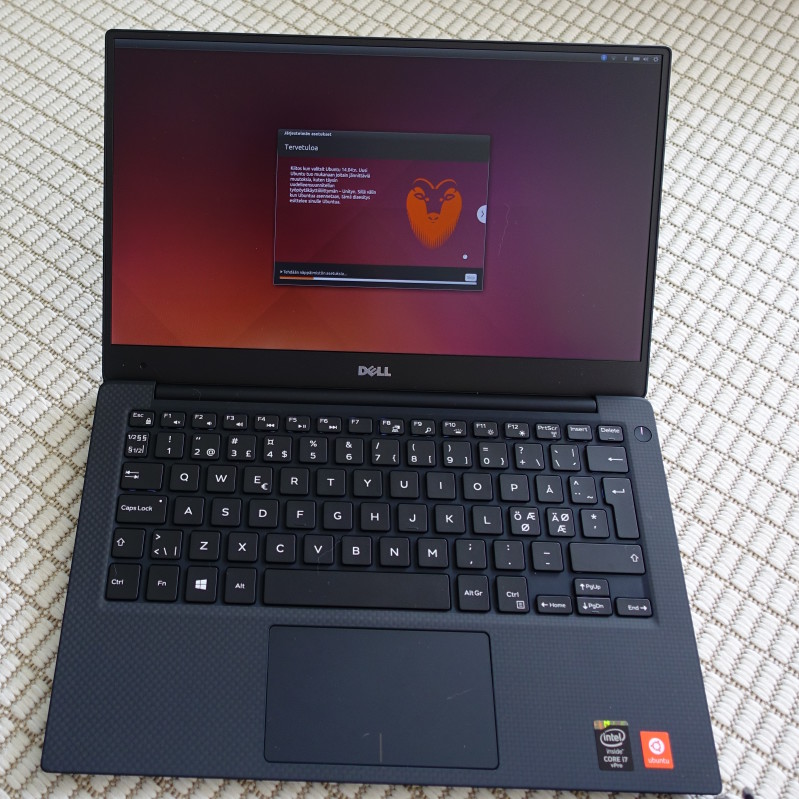
First time boot up, transitioning from the boot logo to a first time Ubuntu video.
A small clip from the end of the welcoming video.
First time setup. Language, Dell EULA, connecting to WiFi, location, keyboard, user+password.
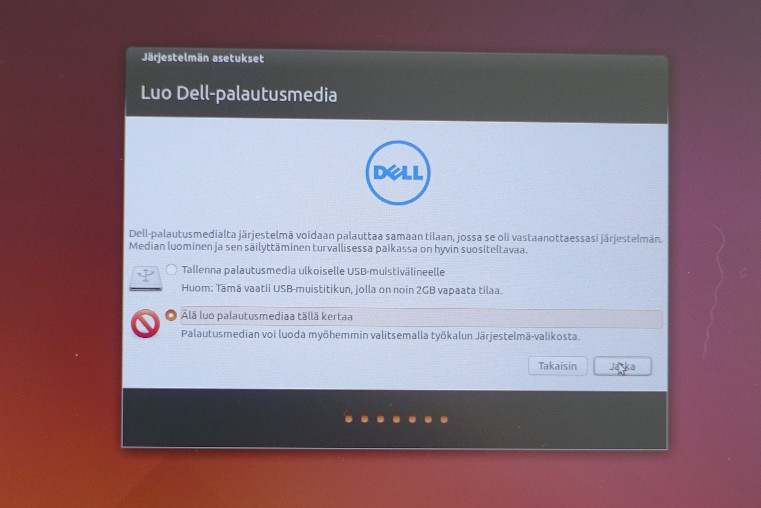
Creating recovery media. I opted not to do this as I had happened to read that it's highly recommended to install upgrades first, including to this tool.
Finalizing setup.
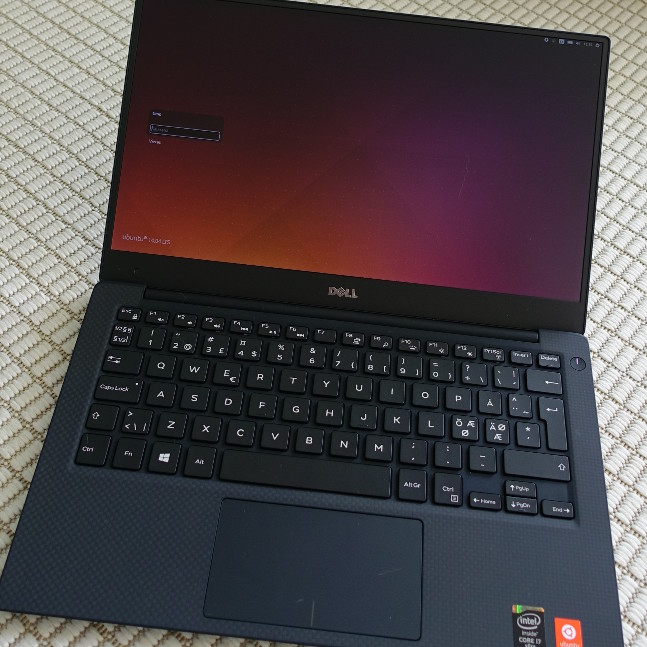
Ready to log in!
It's alive!
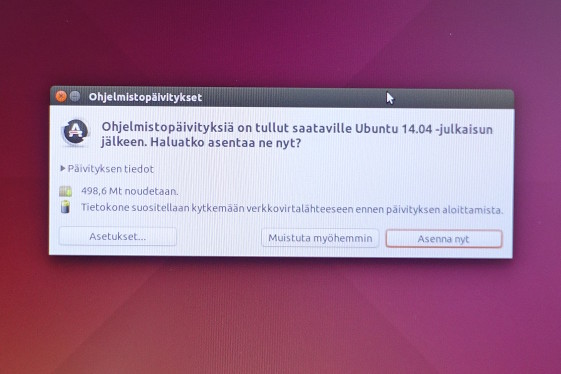
Not so recent 14.04 LTS image... lots of updates.
Problems in the First BatchUnfortunately the first batch of XPS 13:s with Ubuntu are going to ship with some problems. They're easy to fix if you know how to, but it's sad that they're there to begin with in the factory image. There is no knowledge when a fixed batch will start shipping - July maybe?

First of all, installing software upgrades stops. You need to run the following command via Dash Terminal once: sudo apt-get install -f (it suggests upgrading libc-dev-bin, libc6-dbg, libc6-dev and udev). After that you can continue running Software Updater as usual, maybe rebooting in between.

Secondly, the fixed touchpad driver is included but not enabled by default. You need to enable the only non-enabled Additional Driver as seen in the picture below or instructed in Youtube.

Dialog enabling the touchpad driver.

Clarification: you can safely ignore the two paragraphs below, they're just for advanced users like me who want to play with upgraded driver stacks.

Optionally, since I'm interested in the latest graphics drivers especially in case of a brand new hardware like Intel Broadwell, I upgraded my Ubuntu to use the 14.04.2 Hardware Enablement stack (matches 14.10 hardware support): sudo apt install --install-recommends libgles2-mesa-lts-utopic libglapi-mesa-lts-utopic linux-generic-lts-utopic xserver-xorg-lts-utopic libgl1-mesa-dri-lts-utopic libegl1-mesa-drivers-lts-utopic libgl1-mesa-glx-lts-utopic:i386

Even though it's much better than a normal Ubuntu 14.10 would be since many of the Dell fixes continue to be in use, some functionality might become worse compared to the pre-installed stack. The only thing I have noticed though is the internal microphone not working anymore out-of-the-box, requiring a kernel patch as mentioned in Dell's notes. This is not a surprise since the real eventual upstream support involves switching from HDA to I2S and during 14.10 kernel work that was not nearly done. If you're excited about new drivers, I'd recommend waiting until August when the 15.04 based 14.04.3 stack is available (same package names, but 'vivid' instead of 'utopic'). [edit: I couldn't resist myself when I saw linux-generic-lts-vivid (3.19 kernel) is already in the archives. 14.04.2 + that gives me working microphone again!]
ConclusionDell XPS 13 Developer Edition with Ubuntu 14.04 LTS is an extremely capable laptop + OS combination nearing perfection, but not quite there because of the software problems in the launch pre-install image. The laptop looks great, feels like a quality product should and is very compact for the screen size.

I've moved over all my work onto it and everything so far is working smoothly in my day-to-day tasks. I'm staying at Ubuntu 14.04 LTS and using my previous LXC configuration to run the latest Ubuntu and Debian development versions. I've also done some interesting changes already like LUKS In-Place Conversion, converting the pre-installed Ubuntu into whole disk encrypted one (not recommended for the faint hearted, GRUB reconfiguration is a bit of a pain).

I look happily forward to working a few productive years with this one!

1 May 2015

Lisandro Damián Nicanor Pérez Meyer: Qt4's status and Qt4's webkit removal in Stretch

Hi everyone! As you might know Qt4 has been deprecated (in the sense "you better start to port your code") since Qt5's first release in December 19th 2012. Since that point on Qt4 received only bugfixes. Upstream is about to release the last point release, 4.8.7. This means that only severe bugs like security ones will get a chance to get solved.

Moreover upstream recommended keeping Qt4 until 2017. If we get a Debian release every 2 years that will make Jessie oldstable in 2017 and deprecated in 2018. This means we should really consider starting to port code using Qt4 to Qt5 during Stretch's developing life cycle.

It is important to note that Qt4 depends on a number of dependencies that their maintainers might want to get removed from the archive for similar reasons. In this case we will simply don't hesitate in removing their support as long as Qt4 keeps building. This normally doesn't mean API/ABI breakage but missing plugins that will diminish functionality from your apps, maybe even key ones. As an example let's take the **hypothetical** case in which the libasound2 maintainers are switching to a new libasound3 which is not API-compatible and removing libasound2 in the process. In this case we will have no choice but to remove the dependency and drop the functionality it provides. This is another of the important reasons why you should be switching to Qt5.

Qt4's webkit removalWebkit is definitely not an easy piece of code to maintain. For starters it means having a full copy of the code in the archive for both Qt4 and Qt5. Now add to that the fact that the code evolves quickly and thus having upstream support even for security bugs will be getting harder and harder. So we decided to remove Qt4's webkit from the archive. Of course we still have a lot of KDE stuff using Qt4's webkit, so it won't disappear "soon", but it will at some point.

PortingSome of us where involved in various Qt4 to Qt5 migrations [0] and we know for sure that porting stuff from Qt4 to Qt5 is much much easier and less painful than it was from Qt3 to Qt4.

We also understand that there is still a lot of software still using Qt4. In order to ease the transition time we have provided Wheezy backports for Qt5.

Don't forget to take a look at the C++ API changes page [1] whenever you start porting your application.

[0] http://pkg-kde.alioth.debian.org/packagingqtstuff.html
[1] http://doc.qt.io/qt-5/sourcebreaks.html

Temporarily shipping both Qt4 and Qt5 builds of your libraryIn case you maintain a library chances are that upstream already provides a way to build it using Qt5. Please note there is no point in shipping an application built with both flavours, please use Qt5 whenever possible. This double compilation should be left only for libraries.

You can't mix Qt4 and Qt5 in the same binary, but you may provide libraries compiled against one or the other. For example, your source package foo could provide both libqt4foo1 and libqt5foo1. You need to mangle your debian/rules and/or build system accordingly to achieve this.

A good example both for upstream code allowing both styles of compilation and debian packaging is phonon. Take a look at the CMakeLists.txt files for seeing how a source can be built against both flavours and another to debian/rules to see an example of how to handle the compilation. Just bear in mind that you
need to replace $(overridden_command) with the command itself, that variable substitution comes from internal stuff from our team and you should not be using it without a very good reason. If in doubt, feel free to ask us on IRC [2] or on the mailing list [3].

[2] irc.debian.org #debian-kde
[3] debian-kde@lists.debian.org

TimelineWe plan to start filing wishlist bugs soon. Once we get most of KDE stuff running with Qt5's webkit we will start raising the severities.

2 January 2015

Simon Josefsson: OpenPGP Smartcards and GNOME

The combination of GnuPG and a OpenPGP smartcard (such as the YubiKey NEO) has been implemented and working well for around a decade. I recall starting to use it when I received a FSFE Fellowship card long time ago. Sadly there has been some regressions when using them under GNOME recently. I reinstalled my laptop with Debian Jessie (beta2) recently, and now took the time to work through the issue and write down a workaround. To work with GnuPG and smartcards you install GnuPG agent, scdaemon, pscsd and pcsc-tools. On Debian you can do it like this:
apt-get install gnupg-agent scdaemon pcscd pcsc-tools
Use the pcsc_scan command line tool to make sure pcscd recognize the smartcard before continuing, if that doesn t recognize the smartcard nothing beyond this point will work. The next step is to make sure you have the following line in ~/.gnupg/gpg.conf:
use-agent
Logging out and into GNOME should start gpg-agent for you, through the /etc/X11/Xsession.d/90gpg-agent script. In theory, this should be all that is required. However, when you start a terminal and attempt to use the smartcard through GnuPG you would get an error like this:
jas@latte:~$ gpg --card-status
gpg: selecting openpgp failed: unknown command
gpg: OpenPGP card not available: general error
jas@latte:~$
The reason is that the GNOME Keyring hijacks the GnuPG agent s environment variables and effectively replaces gpg-agent with gnome-keyring-daemon which does not support smartcard commands (Debian bug #773304). GnuPG uses the environment variable GPG_AGENT_INFO to find the location of the agent socket, and when the GNOME Keyring is active it will typically look like this:
jas@latte:~$ echo $GPG_AGENT_INFO 
/run/user/1000/keyring/gpg:0:1
jas@latte:~$ 
If you use GnuPG with a smartcard, I recommend to disable GNOME Keyring s GnuPG and SSH agent emulation code. This used to be easy to achieve in older GNOME releases (e.g., the one included in Debian Wheezy), through the gnome-session-properties GUI. Sadly there is no longer any GUI for disabling this functionality (Debian bug #760102). The GNOME Keyring GnuPG/SSH agent replacement functionality is invoked through the XDG autostart mechanism, and the documented way to disable system-wide services for a normal user account is to invoke the following commands.
jas@latte:~$ mkdir ~/.config/autostart
jas@latte:~$ cp /etc/xdg/autostart/gnome-keyring-gpg.desktop ~/.config/autostart/
jas@latte:~$ echo 'Hidden=true' >> ~/.config/autostart/gnome-keyring-gpg.desktop 
jas@latte:~$ cp /etc/xdg/autostart/gnome-keyring-ssh.desktop ~/.config/autostart/
jas@latte:~$ echo 'Hidden=true' >> ~/.config/autostart/gnome-keyring-ssh.desktop 
jas@latte:~$ 
You now need to logout and login again. When you start a terminal, you can look at the GPG_AGENT_INFO environment variable again and everything should be working again.
jas@latte:~$ echo $GPG_AGENT_INFO 
/tmp/gpg-dqR4L7/S.gpg-agent:1890:1
jas@latte:~$ echo $SSH_AUTH_SOCK 
/tmp/gpg-54VfLs/S.gpg-agent.ssh
jas@latte:~$ gpg --card-status
Application ID ...: D2760001240102000060000000420000
...
jas@latte:~$ ssh-add -L
ssh-rsa AAAAB3NzaC1yc2EAAAADAQABAAABAQDFP+UOTZJ+OXydpmbKmdGOVoJJz8se7lMs139T+TNLryk3EEWF+GqbB4VgzxzrGjwAMSjeQkAMb7Sbn+VpbJf1JDPFBHoYJQmg6CX4kFRaGZT6DHbYjgia59WkdkEYTtB7KPkbFWleo/RZT2u3f8eTedrP7dhSX0azN0lDuu/wBrwedzSV+AiPr10rQaCTp1V8sKbhz5ryOXHQW0Gcps6JraRzMW+ooKFX3lPq0pZa7qL9F6sE4sDFvtOdbRJoZS1b88aZrENGx8KSrcMzARq9UBn1plsEG4/3BRv/BgHHaF+d97by52R0VVyIXpLlkdp1Uk4D9cQptgaH4UAyI1vr cardno:006000000042
jas@latte:~$ 
That s it. Resolving this properly involves 1) adding smartcard code to the GNOME Keyring, 2) disabling the GnuPG/SSH replacement code in GNOME Keyring completely, 3) reorder the startup so that gpg-agent supersedes gnome-keyring-daemon instead of vice versa, so that people who installed the gpg-agent really gets it instead of the GNOME default, or 4) something else. I don t have a strong opinion on how to solve this, but 3) sounds like a simple way forward.

27 November 2014

Jonathan Dowland: PGP transition statement

-----BEGIN PGP SIGNED MESSAGE-----
Hash: SHA512,SHA1
I'm transitioning from my old, 1024-bit DSA PGP key, FD35 0B0A C6DD 5D91 DB7A 83D1 168B 4E71 7032 F238, to my newer, 4096-bit RSA key, E037 CB2A 1A00 61B9 4336 3C8B 0907 4096 06AA AAAA. If you have signed my old key, I'd be very grateful if you would consider signing my new key. (Thanks in advance!) This is long overdue! I've had 06AAAAAA since 2009, but it took me a while to get enough signatures on it for me to consider a transition. I still have far more signatures on my older key, owing to attending more conferences when I was using it than since I switched. This statement, available in plaintext at http://jmtd.net/log/pgp_transition/statement.txt, has been signed with both keys. I've marked my old key as expiring in around 72 days time, which coincides with my change of job, and will be just short of ten years since I generated it.
-----BEGIN PGP SIGNATURE-----
Version: GnuPG/MacGPG2 v2.0.22 (Darwin)
iQIcBAEBCgAGBQJUdysuAAoJEAkHQJYGqqqquQ0QALVGcn9Wbasg0oh8JeE8rN7h
k7FeZjmGk+ZwfXwo4Eq4pjxKp+TN+r4xBCFSHDRmMaAm9q7aWF/RqkdNiEtioQfJ
SmfzLsoEnSBmS9dr1LvAoxIlUzs/9Lt8EY2tB4NQne3QIu3VyRBjQDvqff6KJgkV
849+GsrJezkg/2VFZkZp1N9y0YwrmezV/1j0N6zR8Y20LlF4YuD3egUJYvbrQ1pA
krJwhiHskXRinqviYMg4CuTZZ3m2wc4fM6uiY5t9taqK90KFgmg73KvW6Rx2L+XP
BUzTlSYHnK+qI23Cng//DthFww2Wf9RofkfRgXk0zAe4+DcoMZzALKtZQA6GrT46
wzsmu459p5nUwwa6BzUvqBzyVtzbtHN5xaFwbjHCPlemsFlH/8LHackJLsBvr2Gp
q292huYu/HNo+Q6OIslFX6rc5AR3HKdbU2DxYMPAfI+CEtW1XwetK8ADSZc1v54C
+sc+Yb2kAleLX2xMIfS9JqvcKOP2Gbo7nTdRPnS2jZRWOv8JxVfFiSzHVODtlLfk
AmRvms5rQ2nPnB21yOd+DP2sACVKY0MS7/UwMh2hoQLR/bSu/jRh24n3WHDfQWtF
Jp4AD80ABFV2t/pSP1L70HlxwPmOzra8AVzCdXMOT/SdT387rSM9fvue4FY5goT+
/pResJSl9pAbBCtjOFJoiEYEARECAAYFAlR3Ky4ACgkQFotOcXAy8jiLawCgofsp
ggze/iSpfkyeL0vhXi6N/WMAoLQogFQY+VaQrVP3lGl1VVh4jw0W
=JBA4
-----END PGP SIGNATURE-----

Pau Garcia i Quiles: Reminder: Desktops DevRoom @ FOSDEM 2015

We are less than 10 days away from the deadline for the Desktops DevRoom at FOSDEM 2015, the largest Free and Open Source event in Europe. Do you think you can fill a room with 200+ people out of 6,000+ geeks? Prove it! Check the Call for Talks for details on how to submit your talk proposal about anything related to the desktop: http://www.elpauer.org/2014/10/fosdem-2015-desktops-devroom-call-for-talks/

26 October 2014

Pau Garcia i Quiles: FOSDEM 2015 Desktops DevRoom Call for Talks

FOSDEM is one of the largest gatherings of Free Software contributors in the world and happens each February in Brussels (Belgium). One of the tracks will be the Desktops DevRoom (formerly known as CrossDesktop DevRoom ), which will host Desktop-related talks. We are now inviting proposals for talks about Free/Libre/Open-source Software on the topics of Desktop development, Desktop applications and interoperability amongst Desktop Environments. This is a unique opportunity to show novel ideas and developments to a wide technical audience. Topics accepted include, but are not limited to: Enlightenment, Gnome, KDE, Unity, XFCE, LXQt, Windows, Mac OS X, software development for the desktop, general desktop matters, applications that enhance desktops and web (when related to desktop). Talks can be very specific, such as the advantages/disadvantages of development with Qt on Wayland over X11/Mir; or as general as predictions for the fusion of Desktop and web in 5 years time. Topics that are of interest to the users and developers of all desktop environments are especially welcome. The FOSDEM 2014 schedule might give you some inspiration. Please include the following information when submitting a proposal: The deadline for submissions is December 7th 2014. FOSDEM will be held on the weekend of January 31st-February 1st 2015 and the Desktops DevRoom will take place on Sunday, February 1st 2015. Please use the following website to submit your proposals: https://penta.fosdem.org/submission/FOSDEM15 (you do not need to create a new Pentabarf account if you already have one from past years). You can also join the devroom s mailing list, which is the official communication channel for the DevRoom: desktops-devroom@lists.fosdem.org (subscription page for the mailing list) The Desktops DevRoom 2015 Organization Team

1 October 2014

Vincent Sanders: It is a bad plan that admits of no modification

I find it somewhat interesting that thousands of years later that our society still uses Publilius Syrus sententiae though I imagine the tendency to leave well enough alone means such phrases stay in usage.

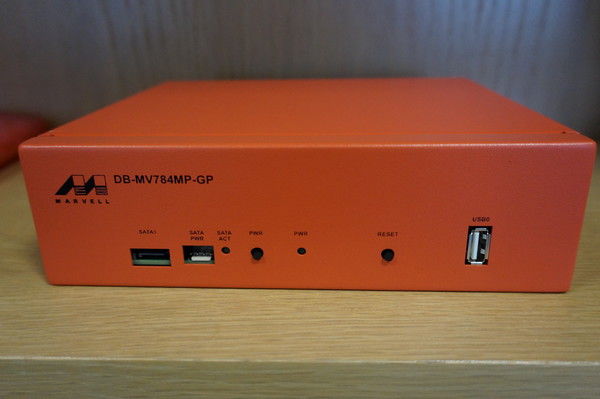
Marvell ARM system - Photo from Steve McIntyre
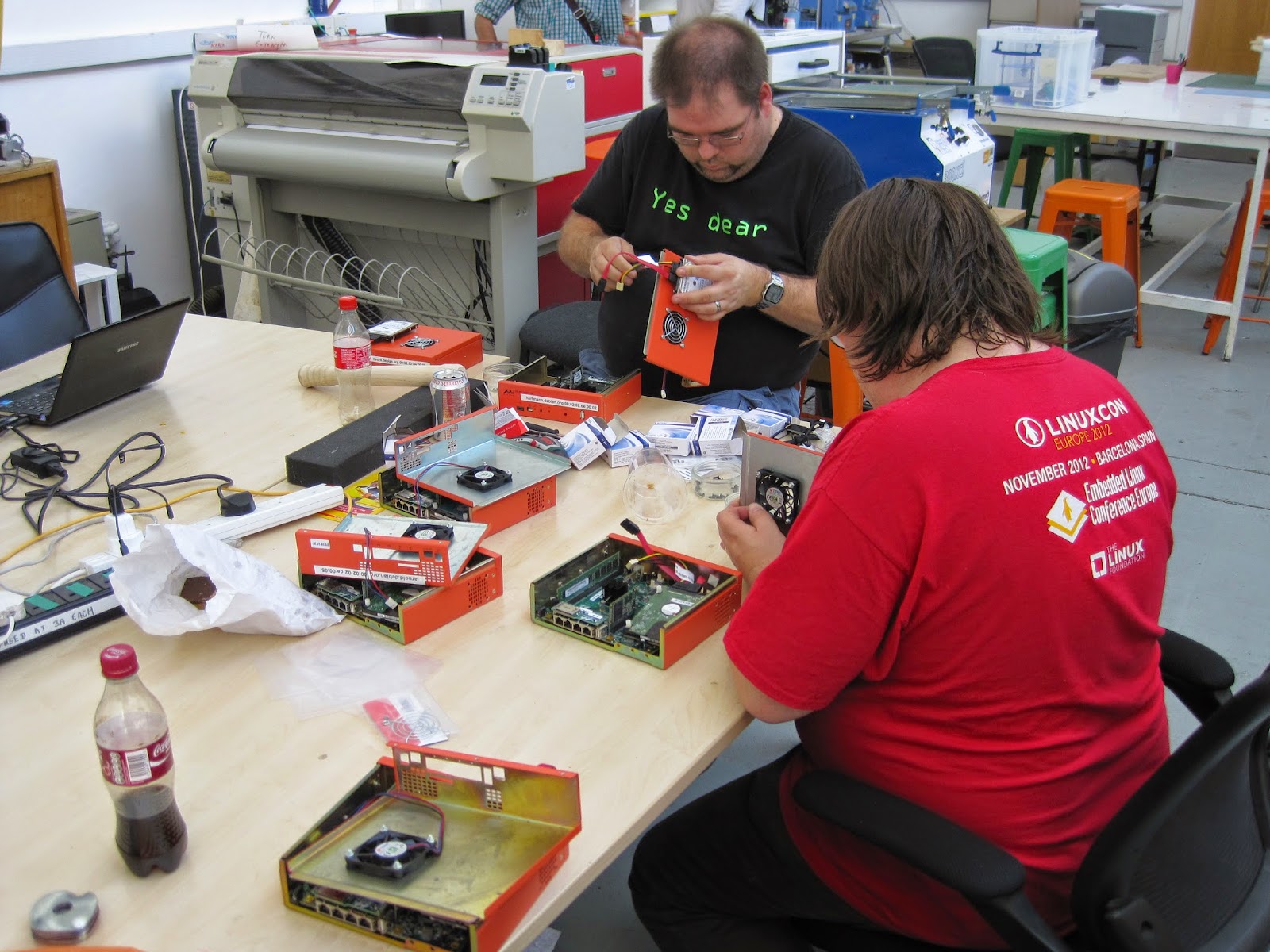
One weekend Steve McIntyre asked me if I could find a source of some of some 40mm fans for some systems with some pretty strict requirements. They needed to be long life and shift a lot of air to combat a persistent overheating issue.

I sat with him and went through the Farnell utterly hateful parametric web interface and eventually came up with a couple of options which were very expensive. Only then did I stop and ask what the actual problem was.

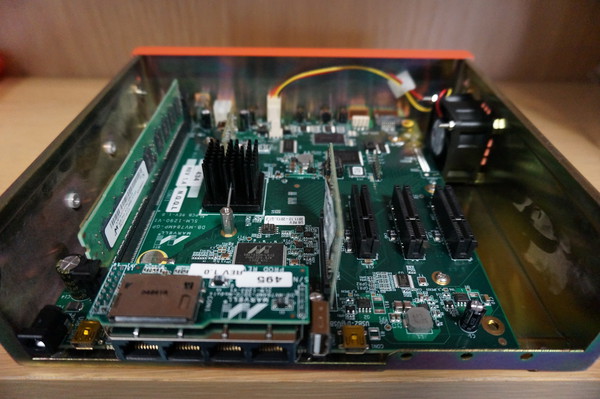
Marvell ARM system Original internal cooling arrangement - Photo from Steve McIntyre
Steve showed me one of the Debian ARM buildd boxes which are Marvell development machines. These systems are powerful quad core machines housed in compact steel enclosures.

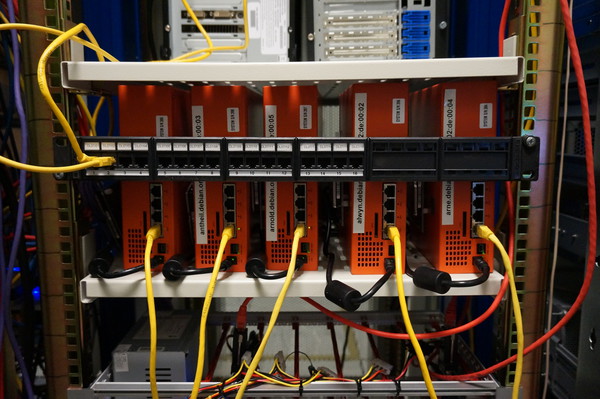
There is a single 40mm fan trying to provide cooling for the entire enclosure. When the units are placed horizontally and used intermittently this proves adequate. Unfortunately when the system are arranged vertically in a rack and run at full load continuously they often overheat and have to be restarted. In addition the small high speed fans need replacing frequently as their bearings wore out quickly.

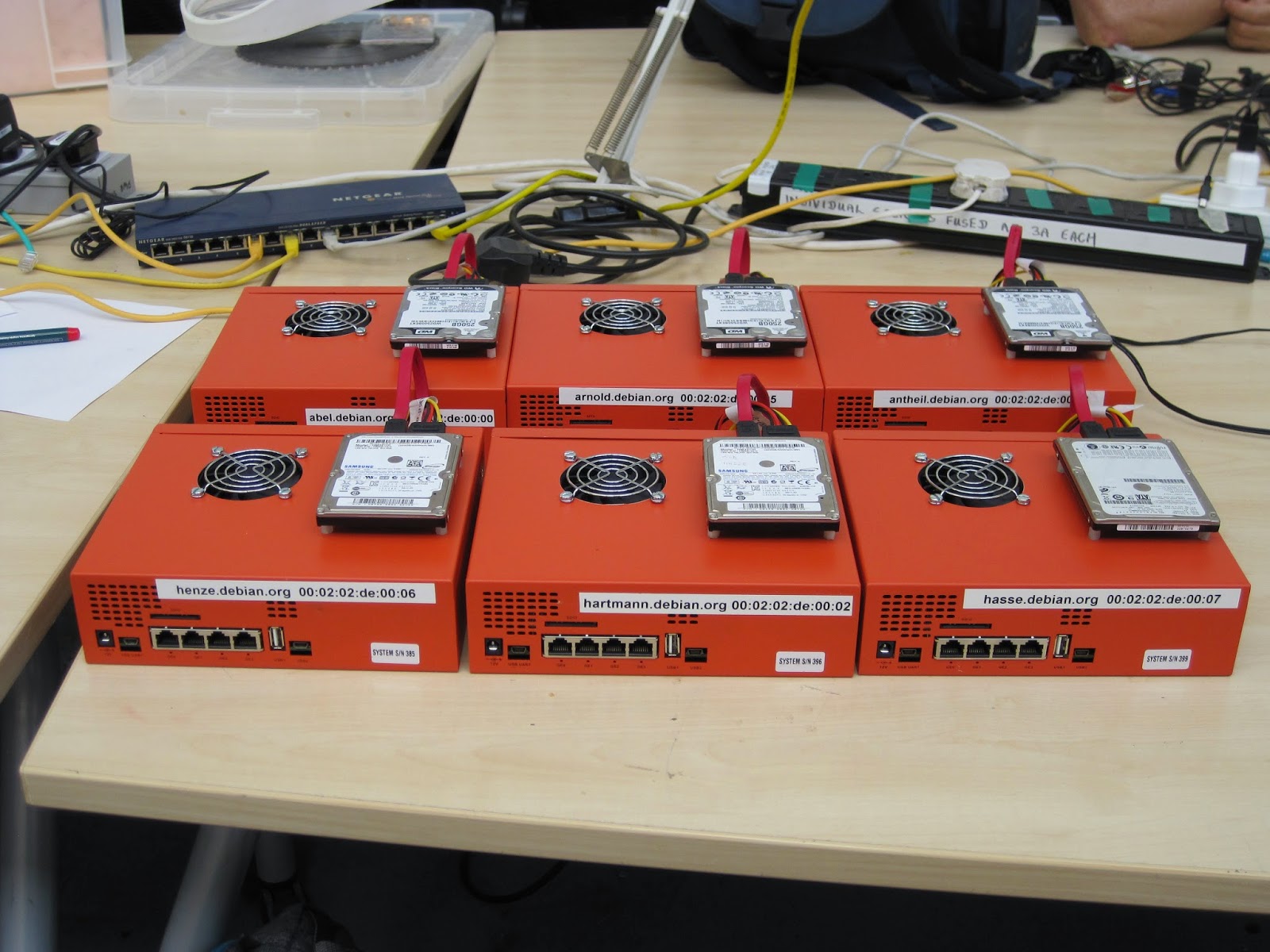
Debian ARM buildd systems - Photo from Steve McIntyreThis was obviously causing some issues for the ARM Debian ports which Steve wanted to rectify. After talking the problem through for a while we came to the conclusion we could use much larger 60mm fans to blow air directly through the top of the case onto the cpu heatsink.

Larger fans can be run much more slowly to move a similar volume of air to the smaller 40mm fans which gives a much longer service life.

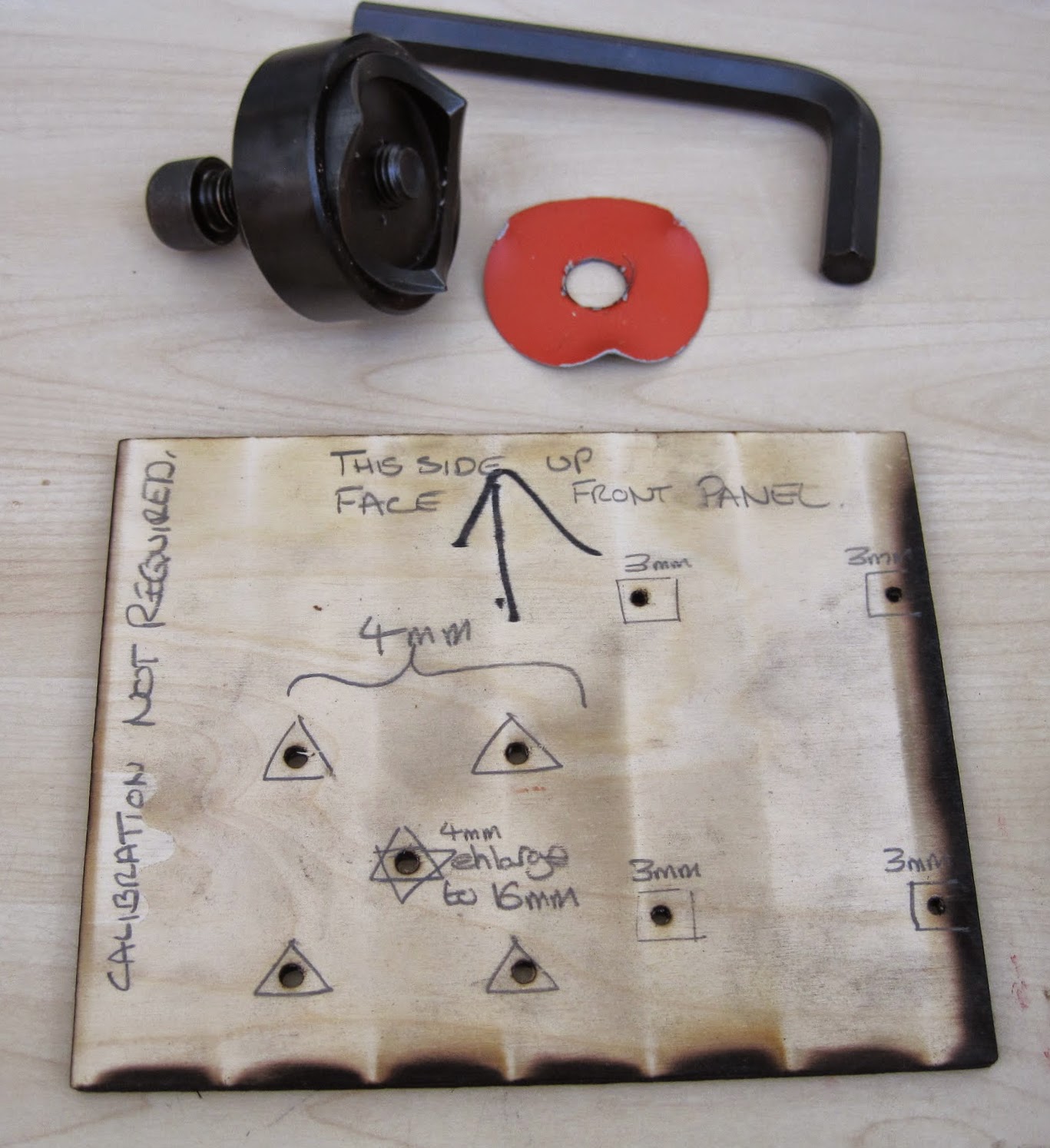
Hole punch and Drilling template
Steve proceeded to order enough parts to allow us to modify all the Debian systems, this worked out cheaper than a single "special" 40mm high volume fan.

I acquired a rather large steel hole punch, I chose this tool because it produces a much superior finish to a hole cutter and this project demanded a high level of finish (not to mention I loved having a valid excuse to own and use a huge allen key!)

If we had simply been modifying a single case I would have measured and marked up by hand. With the prospect of altering at least eight I laser cut a template from plywood which Andy Simpkins took great glee in excessively annotating.

We also used the opportunity to add bolt holes to securely attach the 2.5 inch SATA drives instead of using sticky pads.

Steve and I modified a single system to begin with both to check our alignment and the efficacy of the change. We were pleasantly surprised to discover that hoiby could now repeatedly do kernel compiles with all four cores flat out which was not possible before. The measured CPU temperature, which had previously been around 90 C, did not rise above 40 C

Steve and Andy on the assembly line
Steve, Andy and I then arranged a day where we took all the remaining units out of the rack at ARM, modified and returned them. We used the facilities at the Cambridge Makespace where I am a member to do the modifications.

I broke two 3mm drill bits and dulled a 4mm bit drilling all the holes, Roger Smith was good enough to loan us the use of his "Christmas tree bit" to ream the fan hole out to 16mm so we could thread the hole punch and cut the 60mm fan aperture out.

six modified systems ready to be re-racked.
We managed to get quite an assembly line going and, in my opinion, the results look pretty professional.

It has been several months since we did this work and these systems continue to run without issue. To complete the story we can see some graphs courtesy of the DSA munin instance.

CPU load on arnold.debian.org
You can clearly see the huge drop in temperature at the end of Week 25 despite the continuously high CPU load. Also there is only a single gap in the data after the changes (these indicate crashes where data was not recorded) where before there were frequent and extensive times where the systems were simply unusable.

CPU Temperature of arnold.debian.org
One reason I continue to enjoy Debian so much is the wide variety of ways in which I can contribute not only by maintaining my packages. Sometimes this kind of work does not receive the credit it deserves and hopefully highlights a small part of the frantic paddling that goes on under the serene surface of the Debian project to keep things "just working".

27 September 2014

Ritesh Raj Sarraf: Laptop Mode Tools 1.66

I am pleased to announce the release of Laptop Mode Tools at version 1.66. This release fixes an important bug in the way Laptop Mode Tools is invoked. Users, now when disable it in the config file, the tool will be disabled. Thanks to bendlas@github for narrowing it down. The GUI configuration tool has been improved, thanks to Juan. And there is a new power saving module for users with ATI Radeon cards. Thanks to M. Ziebell for submitting the patch. Laptop Mode Tools development can be tracked @ GitHub

AddThis:

Categories:

Keywords:

20 September 2014

Laura Arjona: Happy Software Freedom Day!

Today we celebrate the day of free software (each year, a saturday around mid-September) More info at softwarefreedomday.org There are no public events in Madrid, but I m going to try to hack and write a bit more this weekend, as my personal celebration. In this blog post you can find some of my very very recent activities on free software, and my plans for this weekend of celebration! Debian Children distros aka Derivatives I had the translation/update of the page www.debian.org/misc/children-distros pending since long time. It s a long page, and I was not sure what was better: if picking up the too-outdated last translation, and review it carefully in order to update it, or starting from scratch. I decided to reuse the last translation (thanks Luis Uribe!) and after some days dedicating my commuting time on it, finally, yesterday evening I finished it at home. Now it s in the review queue, and I hope in 10 days or so it will be uploaded. In the meantime, I have learned a bit about the Debian Derivatives subproject and census, I have watched the Derivatives Panel at DebConf13, and had a look at the bug #723069 about keeping the children-distros page up to date. So now that I m liberated about this translation, I m going to put some time in keeping up to date the original English page (I m part of the www and publicity team, so I think it makes sense). My goal is to review at least one Debian derivative each two days, and when I finish the list, start again. I can update the wiki myself, and for the www, I ll send patches against #723069, unless I m told to do it other way. BTW, wouldn t be nice to mark web/wiki pages as RFH the same as packages?, so other people can easily decide to put some time on them, and make http://www.debian.org even more awesome! Or make them appear in the how-can-i-help reminders :) Mmm maybe it s just a matter of filing a bug and tagging it as gift ? I think no, because nobody has the package www.debian.org installed in their system I ll talk with the maintainer about this. New Member process I promised myself to try to work a bit more in Debian during the summer and September, and if everything goes well, try to apply to the new member process in October. I wanted to read all the documentation first, and one challenge is to review/update the translations of www.debian.org/devel/join folder. This way, both myself and the Spanish speaking community benefit from the effort. Yesterday I translated one of those pending pages and I hope during the weekend I can translate/update the rest. When I finish that, I ll keep reading the other documentation. DebConf15 This summer I was invited to join the DebConf15 organization team and pick up tasks in the publicity area. I was very happy to join, I m not sure at all that I can go to DebConf15 in Heidelberg (Germany), in fact I m quite sure I will not go since mid-August is the only opportunity to visit family who lives far away, but anyway, there are things that we can do before DebConf15 and I can contribute. For now, I attended last Monday to the meeting at IRC, and I m finishing a short blogpost about the DebConf14 talk presenting DebConf15, that will be published in the DebConf15 blog. Android, F-Droid I keep on trying to spread the word about F-Droid and the free software available for Android, last week some of my friends updated Kontalk to the 3.0.b1 version (I had updated at the beginning of September) and they liked that now, the images are sent encrypted as well as the text messages :) Some friends also liked the 2048 game, since it can be played offline, without ads, and so. I decided to spend some time this weekend contributing translations to the Android apps that I use. A long pending issue is to try to put workforce in the F-Droid project itself so apps descriptions are internationalized (the program is fully translatable, but the categories of apps and the descriptions themselves, are not). This is a complicated issue, it requires to take some design decisions, and later, of course, the implementation. I cannot do it alone, and I cannot do it in the short time. But today I have filed a bug report (#35) so maybe I find other people able to help. Jabber/XMPP and the RedesLibres chatroom Since several months I ve been using more often my Jabber/XMPP account to join the chatroom redeslibres@salas.mijabber.es I meet there some people that I follow in Pump.io (for example, the people that write in the Comun cate Libremente or Lignux blogs) and we talk about pump.io, free software, free services, and other things. I feel very comfortable there, it s nice to have a Spanish speaking group inside the Free Software community, and I m also learning a bit about XMPP (I ve tried a lot of desktop and Android clients, just for fun!), free networks, and so. So today I wanted to publicly thank you everybody in that chatroom, that welcomed me so well :) Thank you, free software friends And, by extension, I want to thank you all the people that work and have fun in the Free Software communities, in the projects where I contribute or others. They (we) hack to make the world better, and to allow others join to this beautiful challenge that is making machines do what their (final) users wants. Comments? You can comment on this post in this Pump.io thread.
Filed under: My experiences and opinion Tagged: Android, Communities, Contributing to libre software, Debian, English, F-Droid, federation, Free Software, Freedom, internationalization, libre software, localization, translations

22 June 2014

Simon Josefsson: OpenPGP Key Transition Statement

I have created a new OpenPGP key 54265e8c and will be transitioning away from my old key. If you have signed my old key, I would appreciate signatures on my new key as well. I have created a transition statement that can be downloaded from https://josefsson.org/key-transition-2014-06-22.txt. Below is the signed statement.
-----BEGIN PGP SIGNED MESSAGE-----
Hash: SHA512
OpenPGP Key Transition Statement for Simon Josefsson
I have created a new OpenPGP key and will be transitioning away from
my old key.  The old key has not been compromised and will continue to
be valid for some time, but I prefer all future correspondence to be
encrypted to the new key, and will be making signatures with the new
key going forward.
I would like this new key to be re-integrated into the web of trust.
This message is signed by both keys to certify the transition.  My new
and old keys are signed by each other.  If you have signed my old key,
I would appreciate signatures on my new key as well, provided that
your signing policy permits that without re-authenticating me.
The old key, which I am transitioning away from, is:
pub   1280R/B565716F 2002-05-05
      Key fingerprint = 0424 D4EE 81A0 E3D1 19C6  F835 EDA2 1E94 B565 716F
The new key, to which I am transitioning, is:
pub   3744R/54265E8C 2014-06-22
      Key fingerprint = 9AA9 BDB1 1BB1 B99A 2128  5A33 0664 A769 5426 5E8C
The entire key may be downloaded from: https://josefsson.org/54265e8c.txt
To fetch the full new key from a public key server using GnuPG, run:
  gpg --keyserver keys.gnupg.net --recv-key 54265e8c
If you already know my old key, you can now verify that the new key is
signed by the old one:
  gpg --check-sigs 54265e8c
If you are satisfied that you've got the right key, and the User IDs
match what you expect, I would appreciate it if you would sign my key:
  gpg --sign-key 54265e8c
You can upload your signatures to a public keyserver directly:
  gpg --keyserver keys.gnupg.net --send-key 54265e8c
Or email simon@josefsson.org (possibly encrypted) the output from:
  gpg --armor --export 54265e8c
If you'd like any further verification or have any questions about the
transition please contact me directly.
To verify the integrity of this statement:
  wget -q -O- https://josefsson.org/key-transition-2014-06-22.txt gpg --verify
/Simon
-----BEGIN PGP SIGNATURE-----
Version: GnuPG v1.4.12 (GNU/Linux)
iLwEAQEKAAYFAlOnV+AACgkQ7aIelLVlcW89XgUAljJgYfReyR9/bU+Om6UHUttt
CAOgSRqdcQSQ2hT69vzuhb/bc8CslIQcBtGqTgxDFsxEFhbm5zKn+tSzy5MHNHqt
MsqHcZjlYuYVhMXDhka+cfyhtd9zIxjVE5vk8v+GqEGoh8DGYq0vPy3VfvcSz5Z3
MSUpSj8gN00jlU1z4nad3maEq0ApvsLr8EsLZmtxF5TNFvzJ8mmwY+gHBGHjVYkB
8AQBAQoABgUCU6dX4AAKCRAGZKdpVCZejD1eDp46XGL2puMp0le2OF75WIUW8xqf
TMiZeB99ruk3P/jvuLnGPP2J5o7SIKE50FkMEss0yvxi6jBlHk+cJeKWGXVjBpxU
0QHq063NU+kjbMYwDfi5ZxXqaKeYODJm8Xmfh3d7lRaWF5rUOosR8nC/OROSrhg4
TjlAbvbxpQsls/JPbbporK2gbAtMlzJPD8zC8z/dT+t0qjlce8fADugblVW3bACC
Kl53X4XpojzNd/U19tSXkIBdNY/GVJqci+iruiJ1WGARF9ocnIXVuNXsfyt7UGq4
UiM/AeDVzI76v1QnE8WpsmSXzi2zXe3VahUPhOU2nPDoL53ggiVsTY3TwilvQLfX
Av/74PIaEtCi1g23YeojQlpdYzcWfnE+tUyTSNwPIBzyzHvFAHNg1Pg0KKUALsD9
P7EjrMuz63z2276EBKX8++9GnQQNCNfdHSuX4WGrBx2YgmOOqRdllMKz6pVMZdJO
V+gXbCMx0D5G7v50oB58Mb5NOgIoOnh3IQhJ7LkLwmcdG39yCdpU+92XbAW73elV
kmM8i0wsj5kDUU2ys32Gj2HnsVpbnh3Fvm9fjFJRbbQL/FxNAjzNcHe4cF3g8hTb
YVJJlzhmHGvd7HvXysJJaa0=
=ZaqY
-----END PGP SIGNATURE-----
flattr this!

4 May 2014

Francois Marier: What's in a debian/ directory?

If you're looking to get started at packaging free software for Debian, you should start with the excellent New Maintainers' Guide or the Introduction to Debian Packaging on the Debian wiki. Once you know the basics, or if you prefer to learn by example, you may be interested in the full walkthrough which follows. We will look at the contents of three simple packages.

node-libravatar This package is a node.js library for the Libravatar service. Version 2.0.0-3 of that package contains the following files in its debian/ directory:
  • changelog
  • compat
  • control
  • copyright
  • docs
  • node-libravatar.install
  • rules
  • source/format
  • watch

debian/control
Source: node-libravatar
Priority: extra
Maintainer: Francois Marier <francois@debian.org>
Build-Depends: debhelper (>= 9)
Standards-Version: 3.9.4
Section: web
Homepage: https://github.com/fmarier/node-libravatar
Vcs-Git: git://git.debian.org/collab-maint/node-libravatar.git
Vcs-Browser: http://git.debian.org/?p=collab-maint/node-libravatar.git;a=summary
Package: node-libravatar
Architecture: all
Depends: $ shlibs:Depends , $ misc:Depends , nodejs
Description: libravatar library for NodeJS
 This library allows web application authors to make use of the free Libravatar
 service (https://www.libravatar.org). This service hosts avatar images for
 users and allows other sites to look them up using email addresses.
 .
 node-libravatar includes full support for federated avatar servers.
This is probably the most important file since it contains the bulk of the metadata about this package. Maintainer is a required field listing the maintainer of that package, which can be a person or a team. It only contains a single value though, any co-maintainers will be listed under the optional Uploaders field. Build-Depends lists the packages which are needed to build the package (e.g. a compiler), as opposed to those which are needed to install the binary package (e.g. a library it uses). Standards-Version refers to the version of the Debian Policy that this package complies with. The Homepage field refers to the upstream homepage, whereas the Vcs-* fields point to the repository where the packaging is stored. If you take a look at the node-libravatar packaging repository you will see that it contains three branches:
  • upstream is the source as it was in the tarball downloaded from upstream.
  • master is the upstream branch along with all of the Debian customizations.
  • pristine-tar is unrelated to the other two branches and is used by the pristine-tar tool to reconstitute the original upstream tarball as needed.
After these fields comes a new section which starts with a Package field. This is the definition of a binary package, not to be confused with the Source field at the top of this file, which refers to the name of the source package. In this particular example, they are both the same and there is only one of each, however this is not always the case, as we'll see later. Inside that binary package definition, lives the Architecture field which is normally one of these two:
  • all for a binary package that will work on all architectures but only needs to be built once
  • any for a binary package that will work everywhere but that will need to be built separately for each architecture
Finally, the last field worth pointing out is the Depends field which lists all of the runtime dependencies that the binary package has. This is what will be pulled in by apt-get when you apt-get install node-libravatar. The two variables will be substituted later by debhelper.

debian/changelog
node-libravatar (2.0.0-3) unstable; urgency=low
  * debian/watch: poll github directly
  * Bump Standards-Version up to 3.9.4
 -- Francois Marier <francois@debian.org>  Mon, 20 May 2013 12:07:49 +1200
node-libravatar (2.0.0-2) unstable; urgency=low
  * More precise license tag and upstream contact in debian/copyright
 -- Francois Marier <francois@debian.org>  Tue, 29 May 2012 22:51:03 +1200
node-libravatar (2.0.0-1) unstable; urgency=low
  * New upstream release
    - new non-backward-compatible API
 -- Francois Marier <francois@debian.org>  Mon, 07 May 2012 14:54:19 +1200
node-libravatar (1.1.1-1) unstable; urgency=low
  * Initial release (Closes: #661771)
 -- Francois Marier <francois@debian.org>  Fri, 02 Mar 2012 15:29:57 +1300
This may seem at first like a mundane file, but it is very important since it is the canonical source of the package version (2.0.0-3 in this case). This is the only place where you need to bump the package version when uploading a new package to the Debian archive. The first line also includes the distribution where the package will be uploaded. It is usually one of these values:
  • unstable for the vast majority of uploads
  • stable for uploads that have been approved by the release maintainers and fix serious bugs in the stable version of Debian
  • stable-security for security fixes to the stable version of Debian that cannot wait until the next stable point release and have been approved by the security team
Packages uploaded to unstable will migrate automatically to testing provided that a few conditions are met (e.g. no release-critical bugs were introduced). The length of time before that migration is influenced by the urgency field (low, medium or high) in the changelog entry. Another thing worth noting is that the first upload normally needs to close an ITP (Intent to Package) bug.

debian/rules
#!/usr/bin/make -f
# -*- makefile -*-
%:
    dh $@ 
override_dh_auto_test:
As can be gathered from the first two lines of this file, this is a Makefile. This is what controls how the package is built. There's not much to see and that's because most of its content is automatically added by debhelper. So let's look at it in action by building the package:
$ git buildpackage -us -uc
and then looking at parts of the build log (../node-libravatar_2.0.0-3_amd64.build):
 fakeroot debian/rules clean
dh clean 
   dh_testdir
   dh_auto_clean
   dh_clean
One of the first things we see is the debian/rules file being run with the clean target. To find out what that does, have a look at the dh_auto_clean which states that it will attempt to delete build residues and run something like make clean using the upstream Makefile.
 debian/rules build
dh build 
   dh_testdir
   dh_auto_configure
   dh_auto_build
Next we see the build target being invoked and looking at dh_auto_configure we see that this will essentially run ./configure and its equivalents. The dh_auto_build helper script then takes care of running make (or equivalent) on the upstream code. This should be familiar to anybody who has ever built a piece of free software from scratch and has encountered the usual method for building from source:
./configure
make
make install
Finally, we get to actually build the .deb:
 fakeroot debian/rules binary
dh binary 
   dh_testroot
   dh_prep
   dh_installdirs
   dh_auto_install
   dh_install
...
   dh_md5sums
   dh_builddeb
dpkg-deb: building package  node-libravatar' in  ../node-libravatar_2.0.0-3_all.deb'.
Here we see a number of helpers, including dh_auto_install which takes care of running make install. Going back to the debian/rules, we notice that there is manually defined target at the bottom of the file:
override_dh_auto_test:
which essentially disables dh_auto_test by replacing it with an empty set of commands. The reason for this becomes clear when we take a look at the test target of the upstream Makefile and the dependencies it has: tap, a node.js library that is not yet available in Debian. In other words, we can't run the test suite on the build machines so we need to disable it here.

debian/compat
9
This file simply specifies the version of debhelper that is required by the various helpers used in debian/rules. Version 9 is the latest at the moment.

debian/copyright
Format: http://www.debian.org/doc/packaging-manuals/copyright-format/1.0/
Upstream-Name: node-libravatar
Upstream-Contact: Francois Marier <francois@libravatar.org>
Source: https://github.com/fmarier/node-libravatar
Files: *
Copyright: 2011 Francois Marier <francois@libravatar.org>
License: Expat
Files: debian/*
Copyright: 2012 Francois Marier <francois@debian.org>
License: Expat
License: Expat
 Permission is hereby granted, free of charge, to any person obtaining a copy of this
 software and associated documentation files (the "Software"), to deal in the Software
 without restriction, including without limitation the rights to use, copy, modify,
 merge, publish, distribute, sublicense, and/or sell copies of the Software, and to
 permit persons to whom the Software is furnished to do so, subject to the following
 conditions:
 .
 The above copyright notice and this permission notice shall be included in all copies
 or substantial portions of the Software.
 .
 THE SOFTWARE IS PROVIDED "AS IS", WITHOUT WARRANTY OF ANY KIND, EXPRESS OR IMPLIED,
 INCLUDING BUT NOT LIMITED TO THE WARRANTIES OF MERCHANTABILITY, FITNESS FOR A
 PARTICULAR PURPOSE AND NONINFRINGEMENT. IN NO EVENT SHALL THE AUTHORS OR COPYRIGHT
 HOLDERS BE LIABLE FOR ANY CLAIM, DAMAGES OR OTHER LIABILITY, WHETHER IN AN ACTION OF
 CONTRACT, TORT OR OTHERWISE, ARISING FROM, OUT OF OR IN CONNECTION WITH THE SOFTWARE
 OR THE USE OR OTHER DEALINGS IN THE SOFTWARE.
This machine-readable file lists all of the different licenses encountered in this package. It requires that the maintainer audits the upstream code for any copyright statements that might be present in addition to the license of the package as a whole.

debian/docs
README.md
This file contains a list of upstream files that will be copied into the /usr/share/doc/node-libravatar/ directory by dh_installdocs.

debian/node-libravatar.install
lib/*    usr/lib/nodejs/
The install file is used by dh_install to supplement the work done by dh_auto_install which, as we have seen earlier, essentially just runs make install on the upstream Makefile. Looking at that upstream Makefile, it becomes clear that the files will need to be installed manually by the Debian package since that Makefile doesn't have an install target.

debian/watch
version=3
https://github.com/fmarier/node-libravatar/tags /fmarier/node-libravatar/archive/node-libravatar-([0-9.]+)\.tar\.gz
This is the file that allows Debian tools like the Package Tracking System to automatically detect that a new upstream version is available. What it does is simply visit the upstream page which contains all of the release tarballs and look for links which have an href matching the above regular expression. Running uscan --report --verbose will show us all of the tarballs that can be automatically discovered using this watch file:
-- Scanning for watchfiles in .
-- Found watchfile in ./debian
-- In debian/watch, processing watchfile line:
   https://github.com/fmarier/node-libravatar/tags /fmarier/node-libravatar/archive/node-libravatar-([0-9.]+)\.tar\.gz
-- Found the following matching hrefs:
     /fmarier/node-libravatar/archive/node-libravatar-2.0.0.tar.gz
     /fmarier/node-libravatar/archive/node-libravatar-1.1.1.tar.gz
     /fmarier/node-libravatar/archive/node-libravatar-1.1.0.tar.gz
     /fmarier/node-libravatar/archive/node-libravatar-1.0.1.tar.gz
     /fmarier/node-libravatar/archive/node-libravatar-1.0.0.tar.gz
Newest version on remote site is 2.0.0, local version is 2.0.0
 => Package is up to date
-- Scan finished

pylibravatar This second package is the equivalent Python library for the Libravatar service. Version 1.6-2 of that package contains similar files in its debian/ directory, but let's look at two in particular:
  • control
  • upstream/signing-key.asc

debian/control
Source: pylibravatar
Section: python
Priority: optional
Maintainer: Francois Marier <francois@debian.org>
Build-Depends: debhelper (>= 9), python-all, python3-all
Standards-Version: 3.9.5
Homepage: https://launchpad.net/pyLibravatar
...
Package: python-libravatar
Architecture: all
Depends: $ misc:Depends , $ python:Depends , python-dns, python
Description: Libravatar module for Python 2
 Module to make use of the federated Libravatar.org avatar hosting service
 from within Python applications.
...
Package: python3-libravatar
Architecture: all
Depends: $ misc:Depends , $ python3:Depends , python3-dns, python3
Description: Libravatar module for Python 3
 Module to make use of the federated Libravatar.org avatar hosting service
 from within Python applications.
...
Here is an example of a source package (pylibravatar) which builds two separate binary packages: python-libravatar and python3-libravatar. This highlights the fact that a given upstream source can be split into several binary packages in the archive when it makes sense. In this case, there is no point in Python 2 applications pulling in the Python 3 files, so the two separate packages make sense. Another common example is the use of a -doc package to separate the documentation from the rest of a package so that it doesn't need to be installed on production servers for example.

debian/upstream/signing-key.asc
-----BEGIN PGP PUBLIC KEY BLOCK-----
Version: GnuPG v1
mQINBEpQYz4BEAC7REQD1za69RUnkt6nRCFhSJmmoeJc+yEiWTKc9GOIMAwJDme1
+CMYgVn4Xzf1VQYwD/lE+mfWgyeMomLQjDM1mxx/LOM2a1WWPOk9+PvQwKfRJy92
...
UxDtZm/4yUmU6KvHvOGiDCMuIiB+MqhqJJ5wf80wXhzu8nmC+fyGt6nvu0ggMle8
sAMgXt/aQUTZE5zNCQ==
=RkTO
-----END PGP PUBLIC KEY BLOCK-----
This is simply the OpenPGP key that the upstream developer uses to sign release tarballs. Since PGP signatures are available on the upstream download page, it's possible to instruct uscan to check signatures before downloading tarballs. The way to do that is to use the pgpsigurlmange option in debian/watch:
version=3
opts=pgpsigurlmangle=s/$/.asc/ https://pypi.python.org/pypi/pyLibravatar https://pypi.python.org/packages/source/p/pyLibravatar/pyLibravatar-(.*)\.tar\.gz
which is simply a regular expression replacement string which takes the tarball URL and converts it to the URL of the matching PGP signature.

fcheck The last package we will look at is a file integrity checker. It essentially goes through all of the files in /usr/bin/ and /usr/lib/ and stores a hash of them in its database. When one of these files changes, you get an email. In particular, we will look at the following files in the debian/ directory of version 2.7.59-18:
  • dirs
  • fcheck.cron.d
  • fcheck.postrm
  • fcheck.postinst
  • patches/
  • README.Debian
  • rules
  • source/format

debian/patches This directory contains ten patches as well as a file called series which lists the patches that should be applied to the upstream source and in which order. Should you need to temporarily disable a patch, simply remove it from this file and it will no longer be applied at build time. Let's have a look at patches/04_cfg_sha256.patch:
Description: Switch to sha256 hash algorithm
Forwarded: not needed
Author: Francois Marier <francois@debian.org>
Last-Update: 2009-03-15
--- a/fcheck.cfg
+++ b/fcheck.cfg
@@ -149,8 +149,7 @@ TimeZone        = EST5EDT
 #$Signature      = /usr/bin/sum
 #$Signature      = /usr/bin/cksum
 #$Signature      = /usr/bin/md5sum
-$Signature      = /bin/cksum
-
+$Signature      = /usr/bin/sha256sum
 # Include an optional configuration file.
This is a very simple patch which changes the default configuration of fcheck to promote the use of a stronger hash function. At the top of the file is a bunch of metadata in the DEP-3 format. Why does this package contain so many customizations to the upstream code when Debian's policy is to push fixes upstream and work towards reduce the delta between upstream and Debian's code? The answer can be found in debian/control:
Homepage: http://web.archive.org/web/20050415074059/www.geocities.com/fcheck2000/
This package no longer has an upstream maintainer and its original source is gone. In other words, the Debian package is where all of the new bug fixes get done.

debian/source/format
3.0 (quilt)
This file contains what is called the source package format. What it basically says is that the patches found in debian/patches/ will be applied to the upstream source using the quilt tool at build time.

debian/fcheck.postrm
#!/bin/sh
# postrm script for fcheck
#
# see: dh_installdeb(1)
set -e
# summary of how this script can be called:
#        * <postrm>  remove'
#        * <postrm>  purge'
#        * <old-postrm>  upgrade' <new-version>
#        * <new-postrm>  failed-upgrade' <old-version>
#        * <new-postrm>  abort-install'
#        * <new-postrm>  abort-install' <old-version>
#        * <new-postrm>  abort-upgrade' <old-version>
#        * <disappearer's-postrm>  disappear' <overwriter>
#          <overwriter-version>
# for details, see http://www.debian.org/doc/debian-policy/ or
# the debian-policy package
case "$1" in
    remove upgrade failed-upgrade abort-install abort-upgrade disappear)
    ;;
    purge)
      if [ -e /var/lib/fcheck/fcheck.dbf ]; then
        echo "Purging old database file ..."
        rm -f /var/lib/fcheck/fcheck.dbf
      fi
      rm -rf /var/lib/fcheck
      rm -rf /var/log/fcheck
      rm -rf /etc/fcheck
    ;;
    *)
        echo "postrm called with unknown argument \ $1'" >&2
        exit 1
    ;;
esac
# dh_installdeb will replace this with shell code automatically
# generated by other debhelper scripts.
#DEBHELPER#
exit 0
This script is one of the many possible maintainer scripts that a package can provide if needed. This particular one, as the name suggests, will be run after the package is removed (apt-get remove fcheck) or purged (apt-get remove --purge fcheck). Looking at the case statement above, it doesn't do anything extra in the remove case, but it deletes a few files and directories when called with the purge argument.

debian/README.Debian This optional README file contains Debian-specific instructions that might be useful to users. It supplements the upstream README which is often more generic and cannot assume a particular system configuration.

debian/rules
#!/usr/bin/make -f
# -*- makefile -*-
# Sample debian/rules that uses debhelper.
# This file was originally written by Joey Hess and Craig Small.
# As a special exception, when this file is copied by dh-make into a
# dh-make output file, you may use that output file without restriction.
# This special exception was added by Craig Small in version 0.37 of dh-make.
# Uncomment this to turn on verbose mode.
#export DH_VERBOSE=1
build-arch:
build-indep:
build: build-stamp
build-stamp:
    dh_testdir
    pod2man --section=8 $(CURDIR)/debian/fcheck.pod > $(CURDIR)/fcheck.8
    touch build-stamp
clean:
    dh_testdir
    dh_testroot
    rm -f build-stamp 
    rm -f $(CURDIR)/fcheck.8
    dh_clean
install: build
    dh_testdir
    dh_testroot
    dh_prep
    dh_installdirs
    cp $(CURDIR)/fcheck $(CURDIR)/debian/fcheck/usr/sbin/fcheck
    cp $(CURDIR)/fcheck.cfg $(CURDIR)/debian/fcheck/etc/fcheck/fcheck.cfg
# Build architecture-independent files here.
binary-arch: build install
# Build architecture-independent files here.
binary-indep: build install
    dh_testdir
    dh_testroot
    dh_installdocs
    dh_installcron
    dh_installman fcheck.8
    dh_installchangelogs
    dh_installexamples
    dh_installlogcheck
    dh_link
    dh_strip
    dh_compress
    dh_fixperms
    dh_installdeb
    dh_shlibdeps
    dh_gencontrol
    dh_md5sums
    dh_builddeb
binary: binary-indep binary-arch
.PHONY: build clean binary-indep binary-arch binary install
This is an example of a old-style debian/rules file which you still encounter in packages which haven't yet upgraded to the latest version of debhelper 9, as can be shown by the contents of debian/compat:
8
It does essentially the same thing that what we've seen in the build log, but in a more verbose way.

debian/dirs
usr/sbin
etc/fcheck
This file contains a list of directories that dh_installdirs will create in the build directory. The reason why these directories need to be created is that files are copied into these directories in the install target of the debian/rules file. Note that this is different from directories which are created at the time of installation of the package. In that case, the directory (e.g. /var/log/fcheck/) must be created in the postinst script and removed in the postrm script.

debian/fcheck.cron.d
#
# Regular cron job for the fcheck package
#
30 */2  * * *   root    test -x /usr/sbin/fcheck && if ! nice ionice -c3 /usr/sbin/fcheck -asxrf /etc/fcheck/fcheck.cfg >/var/run/fcheck.out 2>&1; then mailx -s "ALERT: [fcheck]  hostname --fqdn " root </var/run/fcheck.out ; /usr/sbin/fcheck -cadsxlf /etc/fcheck/fcheck.cfg ; fi ; rm -f /var/run/fcheck.out
This file is the cronjob which drives the checks performed by this package. It will be copied to /etc/cron.d/fcheck by dh_installcron.

21 April 2014

John Goerzen: A Dry Spring

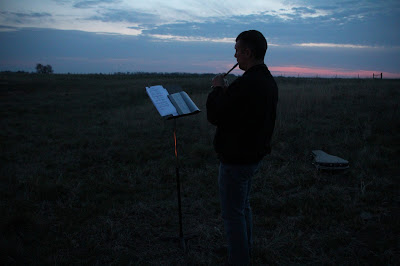
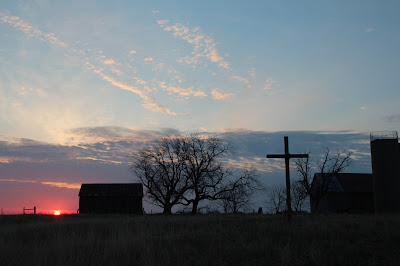
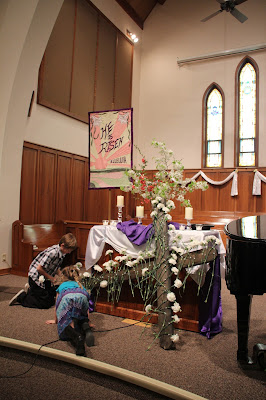
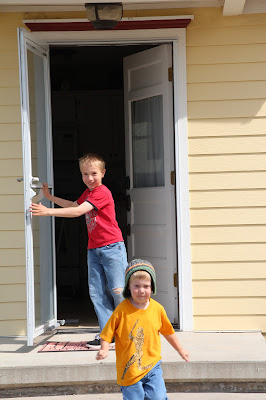
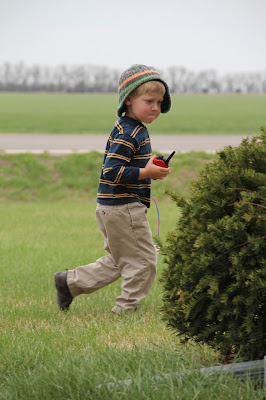
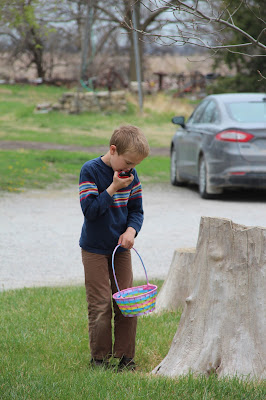
Spring in the prairie is a bit of an odd thing this year. Here and there, near ditches and creeks, a short, soft blanket of lush green grass covers the ground. A few feet away, patches of green are visible between the brown shoots of last year s grass. Some trees are already turning green, purple, red, and white, while others stand still and brown, stubbornly insisting that spring is not here yet. To look at the thermometer may not be much guide either; two days after the temperature was nearly 90, we woke to see a dusting of snow on the ground. It s been dry, terribly try in Kansas. Grass next to a gravel driveway or road often has a chalkish layer of dust on it, kicked up by passing cars or even a stiff wind. The earth thirsts. It is somehow fitting to celebrate Easter, that spring holiday, in the midst of the dry ground, to remember that water is not the only thing that can quench thirst. Easter morning began sleepily, as we got up early to head to a sunrise service. It was in a pasture just outside a small Kansas town, and we gathered there at about 6:15, wearing only light jackets against the breeze. A fire was burning, and there was water on hand to quickly douse any grass that caught first that wasn t supposed to and it was occasionally used. I was doing the prelude for the service, playing on my penny whistle. I enjoyed being able to do that, and was glad that the wind was calm enough that it didn t interfere too much with the music. We sang some hymns, listened to some Bible readings, and just stood in silence, listening to the crackle of the fire, some country dogs playing, and watching the sky to the east transform as the sun came up. Then it was on to church for breakfast, and a break before the Easter service the pipe organ ringing, piano playing with it, and deep trombone and full sanctuary of people singing our 4-part Easter hymns celebrating the day. Laura had the idea of pinning carnations onto the cross, and we got to watch everyone come up and add theirs. Jacob and Oliver enjoyed the sunrise service. They decided they would keep a watchful eye on the first and the dogs, they enjoyed muffins at breakfast and playing in the church after that. But if you are 4 or 7, what is Easter without an Easter egg hunt? And they got in several. Laura and I hid some eggs around the yard. Jacob asked me to use a radio to tell them when the eggs were ready. Here they are, bounding out the door to begin the hunt! And, of course, if you are 4 or 7 and have a geek for a dad, you will naturally think to bring radios with you to the next hunt. To tell your brother what you re finding, of course. It was a good weekend, and in fact, Jacob even volunteered to put up a wet floor sign after he spilled some water: On the last car ride of the day, Jacob decided he would write a story about his Easter. He decided he would publish a big book, and be a famous author and make other children happy. Oliver, of course, decided he needed an Easter story also. We couldn t very well publish a book in the car, but I did manage to use my phone to capture their stories. It s been a long and busy week, but there is much to be joyful about, even when tired.

18 April 2014

Richard Hartmann: higher security

Instant classic
Trusted:
NO, there were errors:
The certificate does not apply to the given host
The certificate authority's certificate is invalid
The root certificate authority's certificate is not trusted for this purpose
The certificate cannot be verified for internal reasons
Signature Algorithm: md5WithRSAEncryption
    Issuer: C=XY, ST=Snake Desert, L=Snake Town, O=Snake Oil, Ltd, OU=Certificate Authority, CN=Snake Oil CA/emailAddress=ca@snakeoil.dom
    Validity
        Not Before: Oct 21 18:21:51 1999 GMT
        Not After : Oct 20 18:21:51 2001 GMT
    Subject: C=XY, ST=Snake Desert, L=Snake Town, O=Snake Oil, Ltd, OU=Webserver Team, CN=www.snakeoil.dom/emailAddress=www@snakeoil.dom
...
            X509v3 Subject Alternative Name: 
            email:www@snakeoil.dom

For your own pleasure:
openssl s_client -connect www.walton.com.tw:443 -showcerts

or just run
echo '
-----BEGIN CERTIFICATE-----
MIIDNjCCAp+gAwIBAgIBATANBgkqhkiG9w0BAQQFADCBqTELMAkGA1UEBhMCWFkx
FTATBgNVBAgTDFNuYWtlIERlc2VydDETMBEGA1UEBxMKU25ha2UgVG93bjEXMBUG
A1UEChMOU25ha2UgT2lsLCBMdGQxHjAcBgNVBAsTFUNlcnRpZmljYXRlIEF1dGhv
cml0eTEVMBMGA1UEAxMMU25ha2UgT2lsIENBMR4wHAYJKoZIhvcNAQkBFg9jYUBz
bmFrZW9pbC5kb20wHhcNOTkxMDIxMTgyMTUxWhcNMDExMDIwMTgyMTUxWjCBpzEL
MAkGA1UEBhMCWFkxFTATBgNVBAgTDFNuYWtlIERlc2VydDETMBEGA1UEBxMKU25h
a2UgVG93bjEXMBUGA1UEChMOU25ha2UgT2lsLCBMdGQxFzAVBgNVBAsTDldlYnNl
cnZlciBUZWFtMRkwFwYDVQQDExB3d3cuc25ha2VvaWwuZG9tMR8wHQYJKoZIhvcN
AQkBFhB3d3dAc25ha2VvaWwuZG9tMIGfMA0GCSqGSIb3DQEBAQUAA4GNADCBiQKB
gQC554Ro+VH0dJONqljPBW+C72MDNGNy9eXnzejXrczsHs3Pc92Vaat6CpIEEGue
yG29xagb1o7Gj2KRgpVYcmdx6tHd2JkFW5BcFVfWXL42PV4rf9ziYon8jWsbK2aE
+L6hCtcbxdbHOGZdSIWZJwc/1Vs70S/7ImW+Zds8YEFiAwIDAQABo24wbDAbBgNV
HREEFDASgRB3d3dAc25ha2VvaWwuZG9tMDoGCWCGSAGG+EIBDQQtFittb2Rfc3Ns
IGdlbmVyYXRlZCBjdXN0b20gc2VydmVyIGNlcnRpZmljYXRlMBEGCWCGSAGG+EIB
AQQEAwIGQDANBgkqhkiG9w0BAQQFAAOBgQB6MRsYGTXUR53/nTkRDQlBdgCcnhy3
hErfmPNl/Or5jWOmuufeIXqCvM6dK7kW/KBboui4pffIKUVafLUMdARVV6BpIGMI
5LmVFK3sgwuJ01v/90hCt4kTWoT8YHbBLtQh7PzWgJoBAY7MJmjSguYCRt91sU4K
s0dfWsdItkw4uQ==
-----END CERTIFICATE-----
'   openssl x509 -noout -text

At least they're secure against heartbleed.

Next.

Previous.