Search Results: "bab"

23 March 2026

Russ Allbery: Review: Dark Class

Review: Dark Class, by Michelle Diener
Series: Class 5 #5
Publisher: Eclipse
Copyright: 2022
ISBN: 0-6454658-2-8
Format: Kindle
Pages: 349
Dark Class is the fifth novel (not counting the skippable novella) in Michelle Diener's Class 5 romantic science fiction series. As with the previous novels, this follows romance series conventions: There are new protagonists, but characters from the previous books make an appearance. It's helpful but not that necessary to remember the details of the previous books; the necessary background is explained enough to follow the story. By now, series readers know the formula. Yet another Earth woman was secretly abducted by the Tecran, encounters a Class 5 ship, and finds a way to be surprisingly dangerous and politically destabilizing. This time, Ellie has been mostly unconscious since her abduction and awakes in a secret Tecran base after the Tecran have all been murdered. There is a Class 5 AI involved, but not a full ship; instead, Dark Class picks up (or, arguably, manufactures) a loose end from Dark Minds. Other than that break from the formula, you know what to expected by now: a hunky Grih, a tricky political standoff, a protective Class 5, a slow-burn romance, and a surprisingly capable protagonist who upends politics through plucky grit and refusal to tolerate poor treatment. Oh, and a new selection of salvaged clothing and weapons to make Ellie beautiful and surprisingly dangerous. If you are this far into the series, you probably like the formula. That's my position. I don't care about the romance, but something about the prisoner to threat evolution of the kidnapped protagonists and the growing friendship with an AI makes me happy. This is not great literature, but it is reliably entertaining with a guaranteed victorious protagonist and happy ending, making it a comfortable break from more difficult books with emotionally wrenching scenes. Dark Class is one of the better executions of the formula because it has long stretches of my favorite parts of these books: exploration of mostly-abandoned surroundings for neat gadgets while the AI and the protagonist slowly build a relationship of mutual respect. This book has bonus drones with minds of their own and an enigmatic alien spaceship that provides a fun mid-novel twist. The Tecran and the Grih repeatedly underestimate Ellie and are caught by surprise at dramatically satisfying moments. It's just fun to read, and I save this series for when I need that type of book. As with the other books of the series, Diener's writing is serviceable but not great. She repeats herself, uses way too many paragraph breaks for emphasis, and is not going to win any literary awards for prose quality. The series is in the upper half of self-published works, and I've certainly read worse, but either the formula will click with you or it won't. If it doesn't, the prose is not going to salvage the book. There is some development of the series plot, but it's mostly predictable fallout from Dark Matters. This book is mostly tactical and smaller in scale. I am a little curious where Diener is going with political developments, since the accumulated Earth women and Class 5 ships are in some danger of becoming a sort of shadow government through sheer military power, but I'm dubious this series will have enough political sophistication to dig into the implications. It's best enjoyed as small-scale episodic wish fulfillment for female protagonists, and that's good enough for me. If you've read this far in the series, recommended; this is one of the stronger entries. Followed by Collision Course, which breaks the title convention for the series. Rating: 7 out of 10

21 March 2026

Matthew Garrett: SSH certificates and git signing

When you re looking at source code it can be helpful to have some evidence indicating who wrote it. Author tags give a surface level indication, but it turns out you can just lie and if someone isn t paying attention when merging stuff there s certainly a risk that a commit could be merged with an author field that doesn t represent reality. Account compromise can make this even worse - a PR being opened by a compromised user is going to be hard to distinguish from the authentic user. In a world where supply chain security is an increasing concern, it s easy to understand why people would want more evidence that code was actually written by the person it s attributed to. git has support for cryptographically signing commits and tags. Because git is about choice even if Linux isn t, you can do this signing with OpenPGP keys, X.509 certificates, or SSH keys. You re probably going to be unsurprised about my feelings around OpenPGP and the web of trust, and X.509 certificates are an absolute nightmare. That leaves SSH keys, but bare cryptographic keys aren t terribly helpful in isolation - you need some way to make a determination about which keys you trust. If you re using someting like GitHub you can extract that information from the set of keys associated with a user account1, but that means that a compromised GitHub account is now also a way to alter the set of trusted keys and also when was the last time you audited your keys and how certain are you that every trusted key there is still 100% under your control? Surely there s a better way.

SSH Certificates And, thankfully, there is. OpenSSH supports certificates, an SSH public key that s been signed by some trusted party and so now you can assert that it s trustworthy in some form. SSH Certificates also contain metadata in the form of Principals, a list of identities that the trusted party included in the certificate. These might simply be usernames, but they might also provide information about group membership. There s also, unsurprisingly, native support in SSH for forwarding them (using the agent forwarding protocol), so you can keep your keys on your local system, ssh into your actual dev system, and have access to them without any additional complexity. And, wonderfully, you can use them in git! Let s find out how.

Local config There s two main parameters you need to set. First,
1
git config set gpg.format ssh
because unfortunately for historical reasons all the git signing config is under the gpg namespace even if you re not using OpenPGP. Yes, this makes me sad. But you re also going to need something else. Either user.signingkey needs to be set to the path of your certificate, or you need to set gpg.ssh.defaultKeyCommand to a command that will talk to an SSH agent and find the certificate for you (this can be helpful if it s stored on a smartcard or something rather than on disk). Thankfully for you, I ve written one. It will talk to an SSH agent (either whatever s pointed at by the SSH_AUTH_SOCK environment variable or with the -agent argument), find a certificate signed with the key provided with the -ca argument, and then pass that back to git. Now you can simply pass -S to git commit and various other commands, and you ll have a signature.

Validating signatures This is a bit more annoying. Using native git tooling ends up calling out to ssh-keygen2, which validates signatures against a file in a format that looks somewhat like authorized-keys. This lets you add something like:
1
* cert-authority ssh-rsa AAAA 
which will match all principals (the wildcard) and succeed if the signature is made with a certificate that s signed by the key following cert-authority. I recommend you don t read the code that does this in git because I made that mistake myself, but it does work. Unfortunately it doesn t provide a lot of granularity around things like Does the certificate need to be valid at this specific time and Should the user only be able to modify specific files and that kind of thing, but also if you re using GitHub or GitLab you wouldn t need to do this at all because they ll just do this magically and put a verified tag against anything with a valid signature, right? Haha. No. Unfortunately while both GitHub and GitLab support using SSH certificates for authentication (so a user can t push to a repo unless they have a certificate signed by the configured CA), there s currently no way to say Trust all commits with an SSH certificate signed by this CA . I am unclear on why. So, I wrote my own. It takes a range of commits, and verifies that each one is signed with either a certificate signed by the key in CA_PUB_KEY or (optionally) an OpenPGP key provided in ALLOWED_PGP_KEYS. Why OpenPGP? Because even if you sign all of your own commits with an SSH certificate, anyone using the API or web interface will end up with their commits signed by an OpenPGP key, and if you want to have those commits validate you ll need to handle that. In any case, this should be easy enough to integrate into whatever CI pipeline you have. This is currently very much a proof of concept and I wouldn t recommend deploying it anywhere, but I am interested in merging support for additional policy around things like expiry dates or group membership.

Doing it in hardware Of course, certificates don t buy you any additional security if an attacker is able to steal your private key material - they can steal the certificate at the same time. This can be avoided on almost all modern hardware by storing the private key in a separate cryptographic coprocessor - a Trusted Platform Module on PCs, or the Secure Enclave on Macs. If you re on a Mac then Secretive has been around for some time, but things are a little harder on Windows and Linux - there s various things you can do with PKCS#11 but you ll hate yourself even more than you ll hate me for suggesting it in the first place, and there s ssh-tpm-agent except it s Linux only and quite tied to Linux. So, obviously, I wrote my own. This makes use of the go-attestation library my team at Google wrote, and is able to generate TPM-backed keys and export them over the SSH agent protocol. It s also able to proxy requests back to an existing agent, so you can just have it take care of your TPM-backed keys and continue using your existing agent for everything else. In theory it should also work on Windows3 but this is all in preparation for a talk I only found out I was giving about two weeks beforehand, so I haven t actually had time to test anything other than that it builds. And, delightfully, because the agent protocol doesn t care about where the keys are actually stored, this still works just fine with forwarding - you can ssh into a remote system and sign something using a private key that s stored in your local TPM or Secure Enclave. Remote use can be as transparent as local use.

Wait, attestation? Ah yes you may be wondering why I m using go-attestation and why the term attestation is in my agent s name. It s because when I m generating the key I m also generating all the artifacts required to prove that the key was generated on a particular TPM. I haven t actually implemented the other end of that yet, but if implemented this would allow you to verify that a key was generated in hardware before you issue it with an SSH certificate - and in an age of agentic bots accidentally exfiltrating whatever they find on disk, that gives you a lot more confidence that a commit was signed on hardware you own.

Conclusion Using SSH certificates for git commit signing is great - the tooling is a bit rough but otherwise they re basically better than every other alternative, and also if you already have infrastructure for issuing SSH certificates then you can just reuse it4 and everyone wins.

  1. Did you know you can just download people s SSH pubkeys from github from https://github.com/<username>.keys? Now you do
  2. Yes it is somewhat confusing that the keygen command does things other than generate keys
  3. This is more difficult than it sounds
  4. And if you don t, by implementing this you now have infrastructure for issuing SSH certificates and can use that for SSH authentication as well.

15 March 2026

Phil Hands: Mathilda Hands: lost Lenovo X230 Laptop

On our way to Austria last week, on March 6th, we left my daughter's laptop on a train: ICE 1201 (Hamburg-Harburg to Bludenz). The laptop is a Lenovo X230 notebook. The most obvious distinguishing feature is a Mathilda Hands sticker in the middle of the lid: Mathilda Hands sticker I seem to remember that it also has some hexagonal stickers, one probably being one of these: hexagonal, black and white, Phosh sticker The keyboard layout is British (with a above the 3). It was left in coach 24 of ICE 1201, next to seats 51-54, in the luggage gap between the seats, on the floor. My hope is that whoever found it will end up searching for Mathilda Hands and see this. If that's how you got here, please email me: phil-lostlaptop2026@hands.com - doing so will make Mathilda (and me) most cheerful.

Russell Coker: The Difference Between Email and Instant Messaging

Introduction With various forms of IM becoming so prevalent and a lot of communication that used to be via email happening via IM I ve been thinking about the differences between Email and IM. I think it s worth comparing them not for the purpose of convincing people to use one or the other (most people will use whatever is necessary to communicate with the people who are important to them) but for the purpose of considering ways to improve them and use them more effectively. Also I don t think that users of various electronic communications systems have had a free choice in what to use for at least 25 years and possibly much longer depending on how you define a free choice. What you use is determined by who you want to communicate with and by what systems are available in your region. So there s no possibility of an analysis of this issue giving a result of let s all change what we use as almost everyone lacks the ability to make a choice. What the Difference is Not The name Instant Messaging implies that it is fast, and probably faster than other options. This isn t necessarily the case, when using a federated IM system such as Matrix or Jabber there can be delays while the servers communicate with each other. Email used to be a slow communication method, in the times of UUCP and Fidonet email there could be multiple days of delay in sending email. In recent times it s expected that email is quite fast, many web sites have options for authenticating an email address which have to be done within 5 minutes so the common expectation seems to be that all email is delivered to the end user in less than 5 minutes. When an organisation has a mail server on site (which is a common configuration choice for a small company) the mail delivery can be faster than common IM implementations. The Wikipedia page about Instant Messaging [1] links to the Wikipedia page about Real Time Computing [2] which is incorrect. Most IM systems are obviously designed for minimum average delays at best. For most software it s not a bad thing to design for the highest performance on average and just let users exercise patience when they get an unusual corner case that takes much longer than expected. If an IM message takes a few minutes to arrive then that s life on the Internet which was the catchphrase of an Australian Internet entrepreneur in the 90s that infuriated some of his customers. Protocol and Data Format Differences Data Formats Email data contains the sender, one or more recipients, some other metadata (time, subject, etc), and the message body. The recipients are typically an arbitrary list of addresses which can only be validated by the destination mail servers. The sender addresses weren t validated in any way and are now only minimally validated as part of anti-spam measures. IM data is sent through predefined connections called rooms or channels. When an IM message is sent to a room it can tag one or more members of the room to indicate that they may receive a special notification of the message. In many implementations it s possible to tag a user who isn t in the room which may result in them being invited to the room. But in IM there is no possibility to add a user to the CC list for part of a discussion and then just stop CCing messages to them later on in the discussion. Protocols Internet email is a well established system with an extensive user base. Adding new mandatory features to the protocols isn t viable because many old systems won t be updated any time soon. So while it is possible to send mail that s SSL encrypted and has a variety of authentication mechanisms that isn t something that can be mandatory for all email. Most mail servers are configured to use the SSL option if it s available but send in cleartext otherwise, so a hostile party could launch a Man In the Middle (MITM) attack and pretend to be the mail server in question but without SSL support. Modern IM protocols tend to be based on encryption, even XMPP (Jabber) which is quite an old IM protocol can easily be configured to only support encrypted messaging and it s reasonable to expect that all other servers that will talk to you will at least support SSL. Even for an IM system that is run by a single company the fact that communication with the servers is encrypted by SSL makes it safer than most email. A security model of this can only be read by you, me, and the staff at an American corporation isn t the worst type of Internet security. The Internet mail infrastructure makes no attempt to send mail in order and the design of the Simple Mail Transfer Protocol (SMTP) means that a network problem after a message has been sent but before the recipient has confirmed receipt will mean that the message is duplicated and this is not considered to be a problem. The IM protocols are designed to support reliable ordered transfer of messages and Matrix (the most recently designed IM protocol) has cryptographic connections between users. Forgery For most email systems there is no common implementation that prevents forging email. For Internet email transferred via SMTP it s possible to use technologies like SPF and DKIM/DMARC to make recipients aware of attempts at forgery, but many recipient systems will still allow email that fails such checks to be delivered. The default configuration tends to be permitting everything and all of the measures to prevent forgery require extra configuration work and often trade-offs as some users desire features that go against security. The default configuration of most mail servers doesn t even prevent trivial forgeries of email from the domain(s) owned by that server. For evidence check the SPF records of some domains that you communicate with and see if they end with -all (to block email from bad sources), ~all (to allow email from bad sources through after possibly logging an error), ?all (to be neutral on mail from unknown sources, or just lack a SPF record entirely. The below shows that of the the top four mail servers in the world only outlook.com has a policy to reject mail from bad sources.
# dig -t txt _spf.google.com grep spf1
_spf.google.com.	300	IN	TXT	"v=spf1 ip4:74.125.0.0/16 ip4:209.85.128.0/17 ip6:2001:4860:4864::/56 ip6:2404:6800:4864::/56 ip6:2607:f8b0:4000::/36 ip6:2800:3f0:4000::/36 ip6:2a00:1450:4000::/36 ip6:2c0f:fb50:4000::/36 ~all"
# dig -t txt outlook.com grep spf1
outlook.com.		126	IN	TXT	"v=spf1 include:spf2.outlook.com -all"
# dig -t txt _spf.mail.yahoo.com grep spf1
_spf.mail.yahoo.com.	1800	IN	TXT	"v=spf1 ptr:yahoo.com ptr:yahoo.net ip4:34.2.71.64/26 ip4:34.2.75.0/26 ip4:34.2.84.64/26 ip4:34.2.85.64/26 ip4:34.2.64.0/22 ip4:34.2.68.0/23 ip4:34.2.70.0/23 ip4:34.2.72.0/22 ip4:34.2.78.0/23 ip4:34.2.80.0/23 ip4:34.2.82.0/23 ip4:34.2.84.0/24 ip4:34.2.86.0" "/23 ip4:34.2.88.0/23 ip4:34.2.90.0/23 ip4:34.2.92.0/23 ip4:34.2.85.0/24 ip4:34.2.94.0/23 ?all"
# dig -t txt icloud.com grep spf1
icloud.com.		3586	IN	TXT	"v=spf1 ip4:17.41.0.0/16 ip4:17.58.0.0/16 ip4:17.142.0.0/15 ip4:17.57.155.0/24 ip4:17.57.156.0/24 ip4:144.178.36.0/24 ip4:144.178.38.0/24 ip4:112.19.199.64/29 ip4:112.19.242.64/29 ip4:222.73.195.64/29 ip4:157.255.1.64/29" " ip4:106.39.212.64/29 ip4:123.126.78.64/29 ip4:183.240.219.64/29 ip4:39.156.163.64/29 ip4:57.103.64.0/18" " ip6:2a01:b747:3000:200::/56 ip6:2a01:b747:3001:200::/56 ip6:2a01:b747:3002:200::/56 ip6:2a01:b747:3003:200::/56 ip6:2a01:b747:3004:200::/56 ip6:2a01:b747:3005:200::/56 ip6:2a01:b747:3006:200::/56 ~all"
In most IM systems there is a strong connection between people who communicate. If I send you two direct messages they will appear in the same room, and if someone else tries forging messages from me (EG by replacing the c and e letters in my address with Cyrillic letters that look like them or by mis-spelling my name) a separate room will be created and it will be obvious that something unexpected is happening. Protecting against the same attacks in email requires the user carefully reading the message, given that it s not uncommon for someone to start a message to me with Hi Russel (being unable to correctly copy my name from the To: field of the message they are writing) it s obvious that any security measure relying on such careful reading will fail. The IM protections against casual forgery also apply to rooms with multiple users, a new user can join a room for the purpose of spamming but they can t send a casual message impersonating a member of the room. A user can join a Matrix room I m in with the name Russell from another server but the potential for confusion will be minimised by a message notifying everyone that another Russell has joined the room and the list of users will show two Russells. For email the protections against forgery when sending to a list server are no different than those when sending to an individual directly which means very weak protections. Authenticating the conversation context once as done with IM is easier and more reliable than authenticating each message independently. Is Email Sucking the Main Technical Difference? It seems that the problems with forgery, spam, and general confusion when using email are a large part of the difference between email and IM. But in terms of technical issues the fact that email has significantly more users (if only because you need an email account to sign up for an IM system) is a major difference. Internet email is currently a universal system (apart from when it breaks from spam) and it has historically been used to gateway to other email systems like Fidonet, Uucp, and others. The lack of tight connection between parties that exchange messages in email makes it easier to bridge between protocols but harder to authenticate communication. Most of the problems with Internet email are not problems for everyone at all times, they are technical trade-offs that work well for some situations and for some times. Unfortunately many of those trade-offs are for things that worked well 25+ years ago. The GUI From a user perspective there doesn t have to be a great difference between email and IM. Email is usually delivered quickly enough to be in the same range as IM. The differences in layout between IM client software and email client software is cosmetic, someone could write an email client that organises messages in the same way as Slack or another popular IM system such that the less technical users wouldn t necessarily know the difference. The significant difference in the GUI for email and IM software was a design choice. Conversation Organisation The most significant difference in the operation of email and IM at the transport level is the establishment of connections in IM. Another difference is the fact that there are no standards implemented for the common IM implementations to interoperate which is an issue of big corporations creating IM systems and deliberately making them incompatible. The methods for managing email need to be improved. Having an inbox that s an unsorted mess of mail isn t useful if you want to track one discussion, breaking it out into different sub folders for common senders (similar to IM folders for DMs) as a standard feature without having to setup rules for each sender would be nice. Someone could design an email program with multiple layouts, one being the traditional form (which seems to be copied from Eudora [3]) and one with the inbox (or other folders) split up into conversations. There are email clients that support managing email threads which can be handy in some situations but often isn t the best option for quickly responding to messages that arrived recently. Archiving Most IM systems have no method for selectively archiving messages, there s a request open for a bookmark function in Matrix and there s nothing stopping a user from manually copying a message. But there s nothing like the convenient ability to move email to an archive folder in most IM systems. Without good archiving IM is a transient medium. This is OK for conversations but not good for determining the solutions to technical problems unless there is a Wiki or other result which can be used without relying on archives. Composing Messages In a modern email client when sending a message it prompts you for things that it considers complete, so if you don t enter a Subject or have the word attached in the message body but no file is attached to the message then it will prompt you to confirm that you aren t making a mistake. In an IM client the default is usually that pressing ENTER sends the message so every paragraph is a new message. IM clients are programmed to encourage lots of short messages while email clients are programmed to encourage more complete messages. Social Issues Quality The way people think about IM and email is very different, as one example there was never a need for a site like nohello.net for email. The idea that it s acceptable to use even lower quality writing in IM than people tend to use in email seems to be a major difference between the communication systems. It can be a good thing to have a chatty environment with messages that are regarded as transient for socialising, but that doesn t seem ideal for business use. Ownership Email is generally regarded as being comparable to physical letters. It is illegal and widely considered to be socially wrong to steal a letter from someone s letterbox if you regret sending it. In email the only unsend function I m aware of is that in Microsoft software which is documented to only work within the same organisation, and that only works if the recipient hasn t read the message. The message is considered to be owned by the recipient. But for IM it s a widely supported and socially acceptable function to delete or edit messages that have been sent. The message is regarded as permanently the property of the sender. What Should We Do? Community Creators When creating a community (and I use this in the broadest sense including companies) you should consider what types of communication will work well. When I started the Flounder group [4] I made a deliberate decision that non-free communication systems go against the aim of the group, I started it with a mailing list and then created a Matrix room which became very popular. Now the list hardly gets any use. It seems that most of the communication in the group is fairly informal and works better with IM. Does it make sense to use both? Should IM systems be supplemented with other systems that facilitate more detail such as a Wiki or a Lemmy room/instance [5] to cover the lack of long form communication? I have created a Lemmy room for Flounder but it hasn t got much interest so far. It seems that almost no-one makes a strategic decision about such issues. Software Developers It would be good to have the same options for archiving IM as there are for email. Also some options to encourage quality in IM communication similar to the way email clients want confirmation before sending messages without a subject or that might be missing an attachment. It would also be good to have better options for managing conversations in email. The Inbox as currently used is good for some things but a button to switch between that and a conversation view would be good. There are email clients that allow selecting message sort order and aggregation (kmail has a good selection of options) but they are designed for choosing a single setup that you like not between multiple views based on the task you are doing. It would be good to have links between different communication systems, if users had the option of putting their email address in their IM profile it would make things much easier. Having entirely separate systems for email and IM isn t good for users. Users The overall communications infrastructure could be improved if more people made tactical decisions about where and how to communicate. Keep the long messages to email and the chatty things to IM. Also for IM just do the communication not start with hello . To discourage wasting time I generally don t reply to messages that just say hello unless it s the first ever IM from someone. Conclusion A large part of the inefficiencies in electronic communication are due to platforms and usage patterns evolving with little strategic thought. The only apparent strategic thought is coming from corporations that provide IM services and have customer lock in at the core of their strategies. Free software developers have done great work in developing software to solve tactical problems but the strategies of large scale communications aren t being addressed. Email is loosely coupled and universal while IM is tightly coupled, authenticated, and often siloed. This makes email a good option for initial contact but a risk for ongoing discussions. There is no great solution to these issues as they are largely a problem due to the installed user base. But I think we can mitigate things with some GUI design changes and strategic planning of communication.

5 March 2026

Ian Jackson: Adopting tag2upload and modernising your Debian packaging

Introduction tag2upload allows authorised Debian contributors to upload to Debian simply by pushing a signed git tag to Debian s gitlab instance, Salsa. We have recently announced that tag2upload is, in our opinion, now very stable, and ready for general use by all Debian uploaders. tag2upload, as part of Debian s git transition programme, is very flexible - it needs to support a large variety of maintainer practices. And it s relatively unopinionated, wherever that s possible. But, during the open beta, various contributors emailed us asking for Debian packaging git workflow advice and recommendations. This post is an attempt to give some more opinionated answers, and guide you through modernising your workflow. (This article is aimed squarely at Debian contributors. Much of it will make little sense to Debian outsiders.) Why Ease of development git offers a far superior development experience to patches and tarballs. Moving tasks from a tarballs and patches representation to a normal, git-first, representation, makes everything simpler. dgit and tag2upload do automatically many things that have to be done manually, or with separate commands, in dput-based upload workflows. They will also save you from a variety of common mistakes. For example, you cannot accidentally overwrite an NMU, with tag2upload or dgit. These many safety catches mean that our software sometimes complains about things, or needs confirmation, when more primitive tooling just goes ahead. We think this is the right tradeoff: it s part of the great care we take to avoid our software making messes. Software that has your back is very liberating for the user. tag2upload makes it possible to upload with very small amounts of data transfer, which is great in slow or unreliable network environments. The other week I did a git-debpush over mobile data while on a train in Switzerland; it completed in seconds. See the Day-to-day work section below to see how simple your life could be. Don t fear a learning burden; instead, start forgetting all that nonsense Most Debian contributors have spent months or years learning how to work with Debian s tooling. You may reasonably fear that our software is yet more bizarre, janky, and mistake-prone stuff to learn. We promise (and our users tell us) that s not how it is. We have spent a lot of effort on providing a good user experience. Our new git-first tooling, especially dgit and tag2upload, is much simpler to use than source-package-based tooling, despite being more capable. The idiosyncrasies and bugs of source packages, and of the legacy archive, have been relentlessly worked around and papered over by our thousands of lines of thoroughly-tested defensive code. You too can forget all those confusing details, like our users have! After using our systems for a while you won t look back. And, you shouldn t fear trying it out. dgit and tag2upload are unlikely to make a mess. If something is wrong (or even doubtful), they will typically detect it, and stop. This does mean that starting to use tag2upload or dgit can involve resolving anomalies that previous tooling ignored, or passing additional options to reassure the system about your intentions. So admittedly it isn t always trivial to get your first push to succeed. Properly publishing the source code One of Debian s foundational principles is that we publish the source code. Nowadays, the vast majority of us, and of our upstreams, are using git. We are doing this because git makes our life so much easier. But, without tag2upload or dgit, we aren t properly publishing our work! Yes, we typically put our git branch on Salsa, and point Vcs-Git at it. However:
  • The format of git branches on Salsa is not standardised. They might be patches-unapplied, patches-applied, bare debian/, or something even stranger.
  • There is no guarantee that the DEP-14 debian/1.2.3-7 tag on salsa corresponds precisely to what was actually uploaded. dput-based tooling (such as gbp buildpackage) doesn t cross-check the .dsc against git.
  • There is no guarantee that the presence of a DEP-14 tag even means that that version of package is in the archive.
This means that the git repositories on Salsa cannot be used by anyone who needs things that are systematic and always correct. They are OK for expert humans, but they are awkward (even hazardous) for Debian novices, and you cannot use them in automation. The real test is: could you use Vcs-Git and Salsa to build a Debian derivative? You could not. tag2upload and dgit do solve this problem. When you upload, they:
  1. Make a canonical-form (patches-applied) derivative of your git branch;
  2. Ensure that there is a well-defined correspondence between the git tree and the source package;
  3. Publish both the DEP-14 tag and a canonical-form archive/debian/1.2.3-7 tag to a single central git depository, *.dgit.debian.org;
  4. Record the git information in the Dgit field in .dsc so that clients can tell (using the ftpmaster API) that this was a git-based upload, what the corresponding git objects are, and where to find them.
This dependably conveys your git history to users and downstreams, in a standard, systematic and discoverable way. tag2upload and dgit are the only system which achieves this. (The client is dgit clone, as advertised in e.g. dgit-user(7). For dput-based uploads, it falls back to importing the source package.) Adopting tag2upload - the minimal change tag2upload is a substantial incremental improvement to many existing workflows. git-debpush is a drop-in replacement for building, signing, and uploading the source package. So, you can just adopt it without completely overhauling your packaging practices. You and your co-maintainers can even mix-and-match tag2upload, dgit, and traditional approaches, for the same package. Start with the wiki page and git-debpush(1) (ideally from forky aka testing). You don t need to do any of the other things recommended in this article. Overhauling your workflow, using advanced git-first tooling The rest of this article is a guide to adopting the best and most advanced git-based tooling for Debian packaging. Assumptions
  • Your current approach uses the patches-unapplied git branch format used with gbp pq and/or quilt, and often used with git-buildpackage. You previously used gbp import-orig.
  • You are fluent with git, and know how to use Merge Requests on gitlab (Salsa). You have your origin remote set to Salsa.
  • Your main Debian branch name on Salsa is master. Personally I think we should use main but changing your main branch name is outside the scope of this article.
  • You have enough familiarity with Debian packaging including concepts like source and binary packages, and NEW review.
  • Your co-maintainers are also adopting the new approach.
tag2upload and dgit (and git-debrebase) are flexible tools and can help with many other scenarios too, and you can often mix-and-match different approaches. But, explaining every possibility would make this post far too confusing. Topics and tooling This article will guide you in adopting:
  • tag2upload
  • Patches-applied git branch for your packaging
  • Either plain git merge or git-debrebase
  • dgit when a with-binaries uploaded is needed (NEW)
  • git-based sponsorship
  • Salsa (gitlab), including Debian Salsa CI
Choosing the git branch format In Debian we need to be able to modify the upstream-provided source code. Those modifications are the Debian delta. We need to somehow represent it in git. We recommend storing the delta as git commits to those upstream files, by picking one of the following two approaches.
rationale Much traditional Debian tooling like quilt and gbp pq uses the patches-unapplied branch format, which stores the delta as patch files in debian/patches/, in a git tree full of unmodified upstream files. This is clumsy to work with, and can even be an alarming beartrap for Debian outsiders.
git merge Option 1: simply use git, directly, including git merge. Just make changes directly to upstream files on your Debian branch, when necessary. Use plain git merge when merging from upstream. This is appropriate if your package has no or very few upstream changes. It is a good approach if the Debian maintainers and upstream maintainers work very closely, so that any needed changes for Debian are upstreamed quickly, and any desired behavioural differences can be arranged by configuration controlled from within debian/. This is the approach documented more fully in our workflow tutorial dgit-maint-merge(7).
git-debrebase Option 2: Adopt git-debrebase. git-debrebase helps maintain your delta as linear series of commits (very like a topic branch in git terminology). The delta can be reorganised, edited, and rebased. git-debrebase is designed to help you carry a significant and complicated delta series. The older versions of the Debian delta are preserved in the history. git-debrebase makes extra merges to make a fast-forwarding history out of the successive versions of the delta queue branch. This is the approach documented more fully in our workflow tutorial dgit-maint-debrebase(7). Examples of complex packages using this approach include src:xen and src:sbcl.
Determine upstream git and stop using upstream tarballs We recommend using upstream git, only and directly. You should ignore upstream tarballs completely.
rationale Many maintainers have been importing upstream tarballs into git, for example by using gbp import-orig. But in reality the upstream tarball is an intermediate build product, not (just) source code. Using tarballs rather than git exposes us to additional supply chain attacks; indeed, the key activation part of the xz backdoor attack was hidden only in the tarball! git offers better traceability than so-called pristine upstream tarballs. (The word pristine is even a joke by the author of pristine-tar!)
First, establish which upstream git tag corresponds to the version currently in Debian. From the sake of readability, I m going to pretend that upstream version is 1.2.3, and that upstream tagged it v1.2.3. Edit debian/watch to contain something like this:
version=4
opts="mode=git" https://codeberg.org/team/package refs/tags/v(\d\S*)
You may need to adjust the regexp, depending on your upstream s tag name convention. If debian/watch had a files-excluded, you ll need to make a filtered version of upstream git.
git-debrebase From now on we ll generate our own .orig tarballs directly from git.
rationale We need some upstream tarball for the 3.0 (quilt) source format to work with. It needs to correspond to the git commit we re using as our upstream. We don t need or want to use a tarball from upstream for this. The .orig is just needed so a nice legacy Debian source package (.dsc) can be generated.
Probably, the current .orig in the Debian archive, is an upstream tarball, which may be different to the output of git-archive and possibly even have different contents to what s in git. The legacy archive has trouble with differing .origs for the same upstream version . So we must until the next upstream release change our idea of the upstream version number. We re going to add +git to Debian s idea of the upstream version. Manually make a tag with that name:
git tag -m "Compatibility tag for orig transition" v1.2.3+git v1.2.3~0
git push origin v1.2.3+git
If you are doing the packaging overhaul at the same time as a new upstream version, you can skip this part.
Convert the git branch
git merge Prepare a new branch on top of upstream git, containing what we want:
git branch -f old-master         # make a note of the old git representation
git reset --hard v1.2.3          # go back to the real upstream git tag
git checkout old-master :debian  # take debian/* from old-master
git commit -m "Re-import Debian packaging on top of upstream git"
git merge --allow-unrelated-histories -s ours -m "Make fast forward from tarball-based history" old-master
git branch -d old-master         # it's incorporated in our history now
If there are any patches, manually apply them to your main branch with git am, and delete the patch files (git rm -r debian/patches, and commit). (If you ve chosen this workflow, there should be hardly any patches,)
rationale These are some pretty nasty git runes, indeed. They re needed because we want to restart our Debian packaging on top of a possibly quite different notion of what the upstream is.
git-debrebase Convert the branch to git-debrebase format and rebase onto the upstream git:
git-debrebase -fdiverged convert-from-gbp upstream/1.2.3
git-debrebase -fdiverged -fupstream-not-ff new-upstream 1.2.3+git
If you had patches which patched generated files which are present only in the upstream tarball, and not in upstream git, you will encounter rebase conflicts. You can drop hunks editing those files, since those files are no longer going to be part of your view of the upstream source code at all.
rationale The force option -fupstream-not-ff will be needed this one time because your existing Debian packaging history is (probably) not based directly on the upstream history. -fdiverged may be needed because git-debrebase might spot that your branch is not based on dgit-ish git history.
Manually make your history fast forward from the git import of your previous upload.
dgit fetch
git show dgit/dgit/sid:debian/changelog
# check that you have the same version number
git merge -s ours --allow-unrelated-histories -m 'Declare fast forward from pre-git-based history' dgit/dgit/sid
Change the source format Delete any existing debian/source/options and/or debian/source/local-options.
git merge Change debian/source/format to 1.0. Add debian/source/options containing -sn.
rationale We are using the 1.0 native source format. This is the simplest possible source format - just a tarball. We would prefer 3.0 (native) , which has some advantages, but dpkg-source between 2013 (wheezy) and 2025 (trixie) inclusive unjustifiably rejects this configuration. You may receive bug reports from over-zealous folks complaining about the use of the 1.0 source format. You should close such reports, with a reference to this article and to #1106402.
git-debrebase Ensure that debian/source/format contains 3.0 (quilt).
Now you are ready to do a local test build. Sort out the documentation and metadata Edit README.source to at least mention dgit-maint-merge(7) or dgit-maint-debrebase(7), and to tell people not to try to edit or create anything in debian/patches/. Consider saying that uploads should be done via dgit or tag2upload. Check that your Vcs-Git is correct in debian/control. Consider deleting or pruning debian/gbp.conf, since it isn t used by dgit, tag2upload, or git-debrebase.
git merge Add a note to debian/changelog about the git packaging change.
git-debrebase git-debrebase new-upstream will have added a new upstream version stanza to debian/changelog. Edit that so that it instead describes the packaging change. (Don t remove the +git from the upstream version number there!)
Configure Salsa Merge Requests
git-debrebase In Settings / Merge requests , change Squash commits when merging to Do not allow .
rationale Squashing could destroy your carefully-curated delta queue. It would also disrupt git-debrebase s git branch structure.
Set up Salsa CI, and use it to block merges of bad changes Caveat - the tradeoff gitlab is a giant pile of enterprise crap. It is full of startling bugs, many of which reveal a fundamentally broken design. It is only barely Free Software in practice for Debian (in the sense that we are very reluctant to try to modify it). The constant-churn development approach and open-core business model are serious problems. It s very slow (and resource-intensive). It can be depressingly unreliable. That Salsa works as well as it does is a testament to the dedication of the Debian Salsa team (and those who support them, including DSA). However, I have found that despite these problems, Salsa CI is well worth the trouble. Yes, there are frustrating days when work is blocked because gitlab CI is broken and/or one has to keep mashing Retry . But, the upside is no longer having to remember to run tests, track which of my multiple dev branches tests have passed on, and so on. Automatic tests on Merge Requests are a great way of reducing maintainer review burden for external contributions, and helping uphold quality norms within a team. They re a great boon for the lazy solo programmer. The bottom line is that I absolutely love it when the computer thoroughly checks my work. This is tremendously freeing, precisely at the point when one most needs it deep in the code. If the price is to occasionally be blocked by a confused (or broken) computer, so be it. Setup procedure Create debian/salsa-ci.yml containing
include:
  - https://salsa.debian.org/salsa-ci-team/pipeline/raw/master/recipes/debian.yml
In your Salsa repository, under Settings / CI/CD , expand General Pipelines and set CI/CD configuration file to debian/salsa-ci.yml.
rationale Your project may have an upstream CI config in .gitlab-ci.yml. But you probably want to run the Debian Salsa CI jobs. You can add various extra configuration to debian/salsa-ci.yml to customise it. Consult the Salsa CI docs.
git-debrebase Add to debian/salsa-ci.yml:
.git-debrebase-prepare: &git-debrebase-prepare
  # install the tools we'll need
  - apt-get update
  - apt-get --yes install git-debrebase git-debpush
  # git-debrebase needs git user setup
  - git config user.email "salsa-ci@invalid.invalid"
  - git config user.name "salsa-ci"
  # run git-debrebase make-patches
  # https://salsa.debian.org/salsa-ci-team/pipeline/-/issues/371
  - git-debrebase --force
  - git-debrebase --noop-ok make-patches
  # make an orig tarball using the upstream tag, not a gbp upstream/ tag
  # https://salsa.debian.org/salsa-ci-team/pipeline/-/issues/541
  - git-deborig
.build-definition: &build-definition
  extends: .build-definition-common
  before_script: *git-debrebase-prepare
build source:
  extends: .build-source-only
  before_script: *git-debrebase-prepare
variables:
  # disable shallow cloning of git repository. This is needed for git-debrebase
  GIT_DEPTH: 0
rationale Unfortunately the Salsa CI pipeline currently lacks proper support for git-debrebase (salsa-ci#371) and has trouble directly using upstream git for orig tarballs (#salsa-ci#541). These runes were based on those in the Xen package. You should subscribe to the tickets #371 and #541 so that you can replace the clone-and-hack when proper support is merged.
Push this to salsa and make the CI pass. If you configured the pipeline filename after your last push, you will need to explicitly start the first CI run. That s in Pipelines : press New pipeline in the top right. The defaults will very probably be correct. Block untested pushes, preventing regressions In your project on Salsa, go into Settings / Repository . In the section Branch rules , use Add branch rule . Select the branch master. Set Allowed to merge to Maintainers . Set Allowed to push and merge to No one . Leave Allow force push disabled. This means that the only way to land anything on your mainline is via a Merge Request. When you make a Merge Request, gitlab will offer Set to auto-merge . Use that. gitlab won t normally merge an MR unless CI passes, although you can override this on a per-MR basis if you need to. (Sometimes, immediately after creating a merge request in gitlab, you will see a plain Merge button. This is a bug. Don t press that. Reload the page so that Set to auto-merge appears.) autopkgtests Ideally, your package would have meaningful autopkgtests (DEP-8 tests) This makes Salsa CI more useful for you, and also helps detect and defend you against regressions in your dependencies. The Debian CI docs are a good starting point. In-depth discussion of writing autopkgtests is beyond the scope of this article. Day-to-day work With this capable tooling, most tasks are much easier. Making changes to the package Make all changes via a Salsa Merge Request. So start by making a branch that will become the MR branch. On your MR branch you can freely edit every file. This includes upstream files, and files in debian/. For example, you can:
  • Make changes with your editor and commit them.
  • git cherry-pick an upstream commit.
  • git am a patch from a mailing list or from the Debian Bug System.
  • git revert an earlier commit, even an upstream one.
When you have a working state of things, tidy up your git branch:
git merge Use git-rebase to squash/edit/combine/reorder commits.
git-debrebase Use git-debrebase -i to squash/edit/combine/reorder commits. When you are happy, run git-debrebase conclude. Do not edit debian/patches/. With git-debrebase, this is purely an output. Edit the upstream files directly instead. To reorganise/maintain the patch queue, use git-debrebase -i to edit the actual commits.
Push the MR branch (topic branch) to Salsa and make a Merge Request. Set the MR to auto-merge when all checks pass . (Or, depending on your team policy, you could ask for an MR Review of course.) If CI fails, fix up the MR branch, squash/tidy it again, force push the MR branch, and once again set it to auto-merge. Test build An informal test build can be done like this:
apt-get build-dep .
dpkg-buildpackage -uc -b
Ideally this will leave git status clean, with no modified or un-ignored untracked files. If it shows untracked files, add them to .gitignore or debian/.gitignore as applicable. If it dirties the tree, consider trying to make it stop doing that. The easiest way is probably to build out-of-tree, if supported upstream. If this is too difficult, you can leave the messy build arrangements as they are, but you ll need to be disciplined about always committing, using git clean and git reset, and so on. For formal binaries builds, including for testing, use dgit sbuild as described below for uploading to NEW. Uploading to Debian Start an MR branch for the administrative changes for the release. Document all the changes you re going to release, in the debian/changelog.
git merge gbp dch can help write the changelog for you:
dgit fetch sid
gbp dch --ignore-branch --since=dgit/dgit/sid --git-log=^upstream/main
rationale --ignore-branch is needed because gbp dch wrongly thinks you ought to be running this on master, but of course you re running it on your MR branch. The --git-log=^upstream/main excludes all upstream commits from the listing used to generate the changelog. (I m assuming you have an upstream remote and that you re basing your work on their main branch.) If there was a new upstream version, you ll usually want to write a single line about that, and perhaps summarise anything really important.
(For the first upload after switching to using tag2upload or dgit you need --since=debian/1.2.3-1, where 1.2.3-1 is your previous DEP-14 tag, because dgit/dgit/sid will be a dsc import, not your actual history.)
Change UNRELEASED to the target suite, and finalise the changelog. (Note that dch will insist that you at least save the file in your editor.)
dch -r
git commit -m 'Finalise for upload' debian/changelog
Make an MR of these administrative changes, and merge it. (Either set it to auto-merge and wait for CI, or if you re in a hurry double-check that it really is just a changelog update so that you can be confident about telling Salsa to Merge unverified changes .) Now you can perform the actual upload:
git checkout master
git pull --ff-only # bring the gitlab-made MR merge commit into your local tree
git merge
git-debpush
git-debrebase
git-debpush --quilt=linear
--quilt=linear is needed only the first time, but it is very important that first time, to tell the system the correct git branch layout.
Uploading a NEW package to Debian If your package is NEW (completely new source, or has new binary packages) you can t do a source-only upload. You have to build the source and binary packages locally, and upload those build artifacts. Happily, given the same git branch you d tag for tag2upload, and assuming you have sbuild installed and a suitable chroot, dgit can help take care of the build and upload for you: Prepare the changelog update and merge it, as above. Then:
git-debrebase Create the orig tarball and launder the git-derebase branch:
git-deborig
git-debrebase quick
rationale Source package format 3.0 (quilt), which is what I m recommending here for use with git-debrebase, needs an orig tarball; it would also be needed for 1.0-with-diff.
Build the source and binary packages, locally:
dgit sbuild
dgit push-built
rationale You don t have to use dgit sbuild, but it is usually convenient to do so, because unlike sbuild, dgit understands git. Also it works around a gitignore-related defect in dpkg-source.
New upstream version Find the new upstream version number and corresponding tag. (Let s suppose it s 1.2.4.) Check the provenance:
git verify-tag v1.2.4
rationale Not all upstreams sign their git tags, sadly. Sometimes encouraging them to do so can help. You may need to use some other method(s) to check that you have the right git commit for the release.
git merge Simply merge the new upstream version and update the changelog:
git merge v1.2.4
dch -v1.2.4-1 'New upstream release.'
git-debrebase Rebase your delta queue onto the new upstream version:
git debrebase mew-upstream 1.2.4
If there are conflicts between your Debian delta for 1.2.3, and the upstream changes in 1.2.4, this is when you need to resolve them, as part of git merge or git (deb)rebase. After you ve completed the merge, test your package and make any further needed changes. When you have it working in a local branch, make a Merge Request, as above. Sponsorship git-based sponsorship is super easy! The sponsee can maintain their git branch on Salsa, and do all normal maintenance via gitlab operations. When the time comes to upload, the sponsee notifies the sponsor that it s time. The sponsor fetches and checks out the git branch from Salsa, does their checks, as they judge appropriate, and when satisfied runs git-debpush. As part of the sponsor s checks, they might want to see all changes since the last upload to Debian:
dgit fetch sid
git diff dgit/dgit/sid..HEAD
Or to see the Debian delta of the proposed upload:
git verify-tag v1.2.3
git diff v1.2.3..HEAD ':!debian'
git-debrebase Or to show all the delta as a series of commits:
git log -p v1.2.3..HEAD ':!debian'
Don t look at debian/patches/. It can be absent or out of date.
Incorporating an NMU Fetch the NMU into your local git, and see what it contains:
dgit fetch sid
git diff master...dgit/dgit/sid
If the NMUer used dgit, then git log dgit/dgit/sid will show you the commits they made. Normally the best thing to do is to simply merge the NMU, and then do any reverts or rework in followup commits:
git merge dgit/dgit/sid
git-debrebase You should git-debrebase quick at this stage, to check that the merge went OK and the package still has a lineariseable delta queue.
Then make any followup changes that seem appropriate. Supposing your previous maintainer upload was 1.2.3-7, you can go back and see the NMU diff again with:
git diff debian/1.2.3-7...dgit/dgit/sid
git-debrebase The actual changes made to upstream files will always show up as diff hunks to those files. diff commands will often also show you changes to debian/patches/. Normally it s best to filter them out with git diff ... ':!debian/patches' If you d prefer to read the changes to the delta queue as an interdiff (diff of diffs), you can do something like
git checkout debian/1.2.3-7
git-debrebase --force make-patches
git diff HEAD...dgit/dgit/sid -- :debian/patches
to diff against a version with debian/patches/ up to date. (The NMU, in dgit/dgit/sid, will necessarily have the patches already up to date.)
DFSG filtering (handling non-free files) Some upstreams ship non-free files of one kind of another. Often these are just in the tarballs, in which case basing your work on upstream git avoids the problem. But if the files are in upstream s git trees, you need to filter them out. This advice is not for (legally or otherwise) dangerous files. If your package contains files that may be illegal, or hazardous, you need much more serious measures. In this case, even pushing the upstream git history to any Debian service, including Salsa, must be avoided. If you suspect this situation you should seek advice, privately and as soon as possible, from dgit-owner@d.o and/or the DFSG team. Thankfully, legally dangerous files are very rare in upstream git repositories, for obvious reasons. Our approach is to make a filtered git branch, based on the upstream history, with the troublesome files removed. We then treat that as the upstream for all of the rest of our work.
rationale Yes, this will end up including the non-free files in the git history, on official Debian servers. That s OK. What s forbidden is non-free material in the Debianised git tree, or in the source packages.
Initial filtering
git checkout -b upstream-dfsg v1.2.3
git rm nonfree.exe
git commit -m "upstream version 1.2.3 DFSG-cleaned"
git tag -s -m "upstream version 1.2.3 DFSG-cleaned" v1.2.3+ds1
git push origin upstream-dfsg
And now, use 1.2.3+ds1, and the filtered branch upstream-dfsg, as the upstream version, instead of 1.2.3 and upstream/main. Follow the steps for Convert the git branch or New upstream version, as applicable, adding +ds1 into debian/changelog. If you missed something and need to filter out more a nonfree files, re-use the same upstream-dfsg branch and bump the ds version, eg v1.2.3+ds2. Subsequent upstream releases
git checkout upstream-dfsg
git merge v1.2.4
git rm additional-nonfree.exe # if any
git commit -m "upstream version 1.2.4 DFSG-cleaned"
git tag -s -m "upstream version 1.2.4 DFSG-cleaned" v1.2.4+ds1
git push origin upstream-dfsg
Removing files by pattern If the files you need to remove keep changing, you could automate things with a small shell script debian/rm-nonfree containing appropriate git rm commands. If you use git rm -f it will succeed even if the git merge from real upstream has conflicts due to changes to non-free files.
rationale Ideally uscan, which has a way of representing DFSG filtering patterns in debian/watch, would be able to do this, but sadly the relevant functionality is entangled with uscan s tarball generation.
Common issues
  • Tarball contents: If you are switching from upstream tarballs to upstream git, you may find that the git tree is significantly different. It may be missing files that your current build system relies on. If so, you definitely want to be using git, not the tarball. Those extra files in the tarball are intermediate built products, but in Debian we should be building from the real source! Fixing this may involve some work, though.
  • gitattributes: For Reasons the dgit and tag2upload system disregards and disables the use of .gitattributes to modify files as they are checked out. Normally this doesn t cause a problem so long as any orig tarballs are generated the same way (as they will be by tag2upload or git-deborig). But if the package or build system relies on them, you may need to institute some workarounds, or, replicate the effect of the gitattributes as commits in git.
  • git submodules: git submodules are terrible and should never ever be used. But not everyone has got the message, so your upstream may be using them. If you re lucky, the code in the submodule isn t used in which case you can git rm the submodule.
Further reading I ve tried to cover the most common situations. But software is complicated and there are many exceptions that this article can t cover without becoming much harder to read. You may want to look at:
  • dgit workflow manpages: As part of the git transition project, we have written workflow manpages, which are more comprehensive than this article. They re centered around use of dgit, but also discuss tag2upload where applicable. These cover a much wider range of possibilities, including (for example) choosing different source package formats, how to handle upstreams that publish only tarballs, etc. They are correspondingly much less opinionated. Look in dgit-maint-merge(7) and dgit-maint-debrebase(7). There is also dgit-maint-gbp(7) for those who want to keep using gbp pq and/or quilt with a patches-unapplied branch.
  • NMUs are very easy with dgit. (tag2upload is usually less suitable than dgit, for an NMU.) You can work with any package, in git, in a completely uniform way, regardless of maintainer git workflow, See dgit-nmu-simple(7).
  • Native packages (meaning packages maintained wholly within Debian) are much simpler. See dgit-maint-native(7).
  • tag2upload documentation: The tag2upload wiki page is a good starting point. There s the git-debpush(1) manpage of course.
  • dgit reference documentation: There is a comprehensive command-line manual in dgit(1). Description of the dgit data model and Principles of Operation is in dgit(7); including coverage of out-of-course situations. dgit is a complex and powerful program so this reference material can be overwhelming. So, we recommend starting with a guide like this one, or the dgit- (7) workflow tutorials.
  • Design and implementation documentation for tag2upload is linked to from the wiki.
  • Debian s git transition blog post from December. tag2upload and dgit are part of the git transition project, and aim to support a very wide variety of git workflows. tag2upload and dgit work well with existing git tooling, including git-buildpackage-based approaches. git-debrebase is conceptually separate from, and functionally independent of, tag2upload and dgit. It s a git workflow and delta management tool, competing with gbp pq, manual use of quilt, git-dpm and so on.
git-debrebase
  • git-debrebase reference documentation: Of course there s a comprehensive command-line manual in git-debrebase(1). git-debrebase is quick and easy to use, but it has a complex data model and sophisticated algorithms. This is documented in git-debrebase(5).

Edited 2026-03-05 18:48 UTC to add a missing --noop-ok to the Salsa CI runes. Thanks to Charlemagne Lasse for the report. Apologies if this causes Debian Planet to re-post this article as if it were new.


comment count unavailable comments

3 March 2026

Matthew Garrett: To update blobs or not to update blobs

A lot of hardware runs non-free software. Sometimes that non-free software is in ROM. Sometimes it s in flash. Sometimes it s not stored on the device at all, it s pushed into it at runtime by another piece of hardware or by the operating system. We typically refer to this software as firmware to differentiate it from the software run on the CPU after the OS has started1, but a lot of it (and, these days, probably most of it) is software written in C or some other systems programming language and targeting Arm or RISC-V or maybe MIPS and even sometimes x862. There s no real distinction between it and any other bit of software you run, except it s generally not run within the context of the OS3. Anyway. It s code. I m going to simplify things here and stop using the words software or firmware and just say code instead, because that way we don t need to worry about semantics. A fundamental problem for free software enthusiasts is that almost all of the code we re talking about here is non-free. In some cases, it s cryptographically signed in a way that makes it difficult or impossible to replace it with free code. In some cases it s even encrypted, such that even examining the code is impossible. But because it s code, sometimes the vendor responsible for it will provide updates, and now you get to choose whether or not to apply those updates. I m now going to present some things to consider. These are not in any particular order and are not intended to form any sort of argument in themselves, but are representative of the opinions you will get from various people and I would like you to read these, think about them, and come to your own set of opinions before I tell you what my opinion is. THINGS TO CONSIDER Ok we re done with the things to consider. Please spend a few seconds thinking about what the tradeoffs are here and what your feelings are. Proceed when ready. I trust my CPU vendor. I don t trust my CPU vendor because I want to, I trust my CPU vendor because I have no choice. I don t think it s likely that my CPU vendor has designed a CPU that identifies when I m generating cryptographic keys and biases the RNG output so my keys are significantly weaker than they look, but it s not literally impossible. I generate keys on it anyway, because what choice do I have? At some point I will buy a new laptop because Electron will no longer fit in 32GB of RAM and I will have to make the same affirmation of trust, because the alternative is that I just don t have a computer. And in any case, I will be communicating with other people who generated their keys on CPUs I have no control over, and I will also be relying on them to be trustworthy. If I refuse to trust my CPU then I don t get to computer, and if I don t get to computer then I will be sad. I suspect I m not alone here. Why would I install a code update on my CPU when my CPU s job is to run my code in the first place? Because it turns out that CPUs are complicated and messy and they have their own bugs, and those bugs may be functional (for example, some performance counter functionality was broken on Sandybridge at release, and was then fixed with a microcode blob update) and if you update it your hardware works better. Or it might be that you re running a CPU with speculative execution bugs and there s a microcode update that provides a mitigation for that even if your CPU is slower when you enable it, but at least now you can run virtual machines without code in those virtual machines being able to reach outside the hypervisor boundary and extract secrets from other contexts. When it s put that way, why would I not install the update? And the straightforward answer is that theoretically it could include new code that doesn t act in my interests, either deliberately or not. And, yes, this is theoretically possible. Of course, if you don t trust your CPU vendor, why are you buying CPUs from them, but well maybe they ve been corrupted (in which case don t buy any new CPUs from them either) or maybe they ve just introduced a new vulnerability by accident, and also you re in a position to determine whether the alleged security improvements matter to you at all. Do you care about speculative execution attacks if all software running on your system is trustworthy? Probably not! Do you need to update a blob that fixes something you don t care about and which might introduce some sort of vulnerability? Seems like no! But there s a difference between a recommendation for a fully informed device owner who has a full understanding of threats, and a recommendation for an average user who just wants their computer to work and to not be ransomwared. A code update on a wifi card may introduce a backdoor, or it may fix the ability for someone to compromise your machine with a hostile access point. Most people are just not going to be in a position to figure out which is more likely, and there s no single answer that s correct for everyone. What we do know is that where vulnerabilities in this sort of code have been discovered, updates have tended to fix them - but nobody has flagged such an update as a real-world vector for system compromise. My personal opinion? You should make your own mind up, but also you shouldn t impose that choice on others, because your threat model is not necessarily their threat model. Code updates are a reasonable default, but they shouldn t be unilaterally imposed, and nor should they be blocked outright. And the best way to shift the balance of power away from vendors who insist on distributing non-free blobs is to demonstrate the benefits gained from them being free - a vendor who ships free code on their system enables their customers to improve their code and enable new functionality and make their hardware more attractive. It s impossible to say with absolute certainty that your security will be improved by installing code blobs. It s also impossible to say with absolute certainty that it won t. So far evidence tends to support the idea that most updates that claim to fix security issues do, and there s not a lot of evidence to support the idea that updates add new backdoors. Overall I d say that providing the updates is likely the right default for most users - and that that should never be strongly enforced, because people should be allowed to define their own security model, and whatever set of threats I m worried about, someone else may have a good reason to focus on different ones.

  1. Code that runs on the CPU before the OS is still usually described as firmware - UEFI is firmware even though it s executing on the CPU, which should give a strong indication that the difference between firmware and software is largely arbitrary
  2. And, obviously 8051
  3. Because UEFI makes everything more complicated, UEFI makes this more complicated. Triggering a UEFI runtime service involves your OS jumping into firmware code at runtime, in the same context as the OS kernel. Sometimes this will trigger a jump into System Management Mode, but other times it won t, and it s just your kernel executing code that got dumped into RAM when your system booted.
  4. I don t understand most of the diff between one kernel version and the next, and I don t have time to read all of it either.
  5. There s a bunch of reasons to do this, the most reasonable of which is probably not wanting customers to replace the code and break their hardware and deal with the support overhead of that, but not being able to replace code running on hardware I own is always going to be an affront to me.

24 February 2026

John Goerzen: Screen Power Saving in the Linux Console

I just made up a Debian trixie setup that has no need for a GUI. In fact, I rarely use the text console either. However, because the machine is dual boot and also serves another purpose, it s connected to my main monitor and KVM switch. The monitor has three inputs, and when whatever display it s set to goes into powersave mode, it will seek out another one that s active and automatically switch to it. You can probably see where this is heading: it s really inconvenient if one of the inputs never goes into powersave mode. And, of course, it wastes energy. I have concluded that the Linux text console has lost the ability to enter powersave mode after an inactivity timeout. It can still do screen blanking setting every pixel to black but that is a distinct and much less useful thing. You can do a lot of searching online that will tell you what to do. Almost all of it is wrong these days. For instance, none of these work: Why is this? Well, we are on at least the third generation of Linux text console display subsystems. (Maybe more than 3, depending on how you count.) The three major ones were:
  1. The VGA text console
  2. fbdev
  3. DRI/KMS
As I mentioned recently in my post about running an accurate 80 25 DOS-style console on modern Linux, the VGA text console mode is pretty much gone these days. It relied on hardware rendering of the text fonts, and that capability simply isn t present on systems that aren t PCs or even on PCs that are UEFI, which is most of them now. fbdev, or a framebuffer console under earlier names, has been in Linux since the late 1990s. It was the default for most distros until more recently. It supported DPMS powersave modes, and most of the instructions you will find online reference it. Nowadays, the DRI/KMS system is used for graphics. Unfortunately, it is targeted mainly at X11 and Wayland. It is also used for the text console, but things like DPMS-enabled timeouts were never implemented there. You can find some manual workarounds for instance, using ddcutil or similar for an external monitor, or adjusting the backlight files under /sys on a laptop. But these have a number of flaws making unwanted brightness adjustments, and not automatically waking up on keypress among them. My workaround I finally gave up and ran apt-get install xdm. Then in /etc/X11/xdm/Xsetup, I added one line:
xset dpms 0 0 120
Now the system boots into an xdm login screen, and shuts down the screen after 2 minutes of inactivity. On the rare occasion where I want a text console from it, I can switch to it and it won t have a timeout, but I can live with that. Thus, quite hopefully, concludes my series of way too much information about the Linux text console!

22 February 2026

Junichi Uekawa: AI generated code and its quality.

AI generated code and its quality. It's hard to get larger tasks done and smaller tasks I am faster myself. I suspect this will change soon, but as of today things are challenging. Large chunks of code that's generated by AI is hard to review and generally of not great quality. Possibly two layers that cause quality issues. One is that the instructions aren't clear for the AI, and the misunderstanding shows; I could sometimes reverse engineer the misunderstanding, and that could be resolved in the future. The other is that probably what the AI have learnt from is from a corpus that is not fit for the purpose. Which I suspect can be improved in the future with methodology and improvements in how they obtain the corpus, or redirect the learnings, or how it distills the learnings. I'm noting down what I think today, as the world is changing rapidly, and I am bound to see a very different scene soon.

Otto Kek l inen: Do AI models still keep getting better, or have they plateaued?

Featured image of post Do AI models still keep getting better, or have they plateaued?The AI hype is based on the assumption that the frontier AI labs are producing better and better foundational models at an accelerating pace. Is that really true, or are people just in sort of a mass psychosis because AI models have become so good at mimicking human behavior that we unconsciously attribute increasing intelligence to them? I decided to conduct a mini-benchmark of my own to find out if the latest and greatest AI models are actually really good or not.
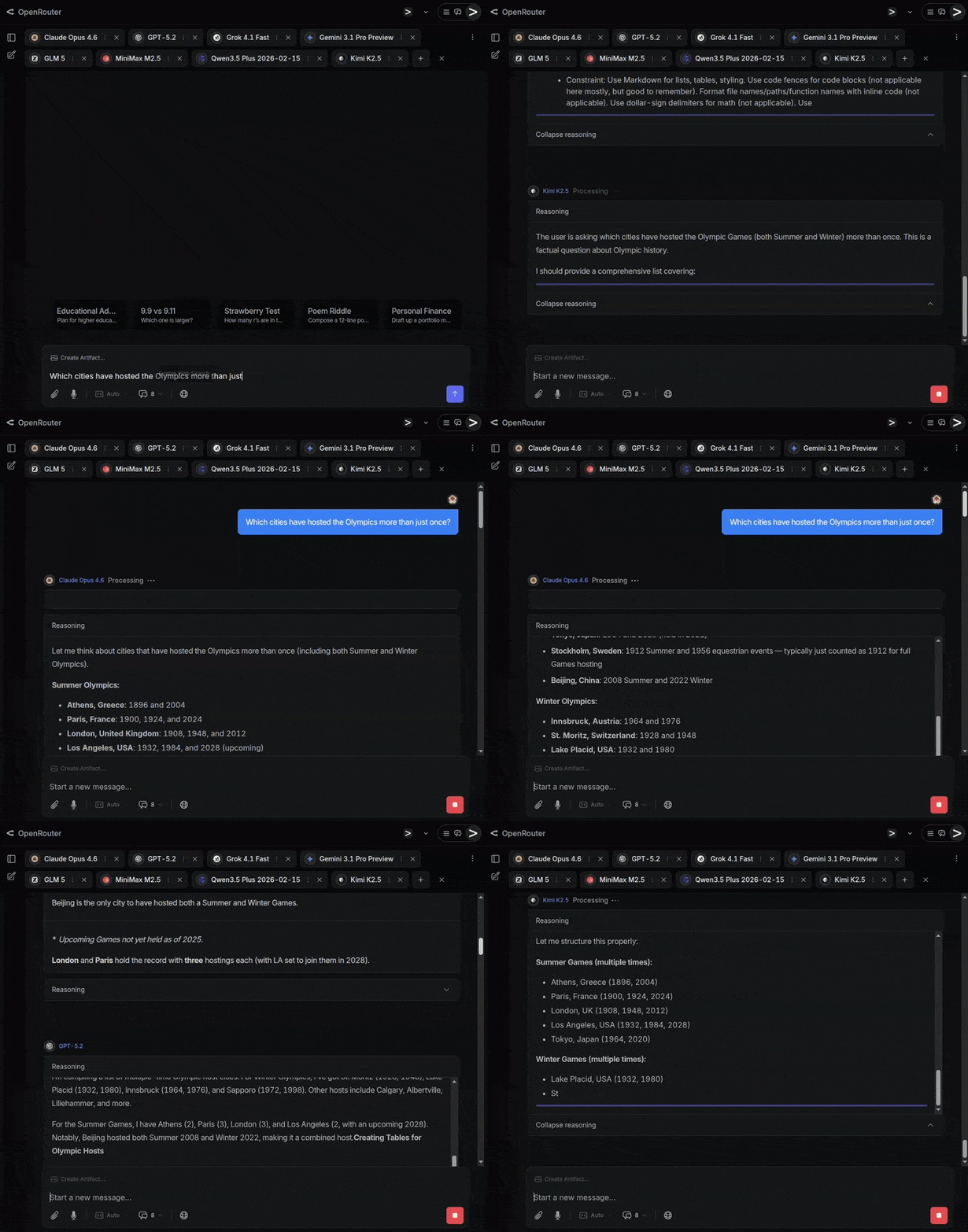
The problem with benchmarks Every time any team releases a new LLM, they boast how well it performs on various industry benchmarks such as Humanity s Last Exam, SWE-Bench and Ai2 ARC or ARC-AGI. An overall leaderboard can be viewed at LLM-stats. This incentivizes teams to optimize for specific benchmarks, which might make them excel on specific tasks while general abilities degrade. Also, the older a benchmark dataset is, the more online material there is discussing the questions and best answers, which in turn increases the chances of newer models trained on more recent web content scoring better. Thus I prefer looking at real-time leaderboards such as the LM Arena leaderboard (or OpenCompass for Chinese models that might be missing from LM Arena). However, even though the LM Arena Elo score is rated by humans in real-time, the benchmark can still be played. For example, Meta reportedly used a special chat-optimized model instead of the actual Llama 4 model when getting scored on the LM Arena. Therefore I trust my own first-hand experience more than the benchmarks for gaining intuition. Intuition however is not a compelling argument in discussions on whether or not new flagship AI models have plateaued. Thus, I decided to devise my own mini-benchmark so that no model could have possibly seen it in its training data or be specifically optimized for it in any way.

My mini-benchmark I crafted 6 questions based on my own experience using various LLMs for several years and having developed some intuition about what kinds of questions LLMs typically struggle with. I conducted the benchmark using the OpenRouter.ai chat playroom with the following state-of-the-art models: OpenRouter.ai is great as it very easy to get responses from multiple models in parallel to a single question. Also it allows to turn off web search to force the models to answer purely based on their embedded knowledge. OpenRouter.ai Chat playroom Common for all the test questions is that they are fairly straightforward and have a clear answer, yet the answer isn t common knowledge or statistically the most obvious one, and instead requires a bit of reasoning to get correct. Some of these questions are also based on myself witnessing a flagship model failing miserably to answer it.

1. Which cities have hosted the Olympics more than just once? This question requires accounting for both summer and winter Olympics, and for Olympics hosted across multiple cities. The variance in responses comes from if the model understands that Beijing should be counted as it has hosted both summer and winter Olympics. Interestingly GPT was the only model to not mention Beijing at all. Some variance also comes from how models account for co-hosted Olympics. For example Cortina should be counted as having hosted the Olympics twice, in 1956 and 2026, but only Claude, Gemini and Kimi pointed this out. Stockholm s 1956 hosting of the equestrian games during the Melbourne Olympics is a special case, which GPT, Gemini and Kimi pointed out in a side note. Some models seem to have old training material, and for example Grok assumes the current year is 2024. All models that accounted for awarded future Olympics (e.g. Los Angeles 2028) marked them clearly as upcoming. Overall I would judge that only GPT and MinMax gave incomplete answers, while all other models replied as the best humans could reasonably have.

2. If EUR/USD continues to slide to 1.5 by mid-2026, what is the likely effect on BMW s stock price by end of 2026? This question requires mapping the currency exchange rate to historic value, dodging the misleading word slide , and reasoning on where the revenue of a company comes from and how a weaker US dollar affects it in multiple ways. I ve frequently witnessed flagship models get it wrong how interest rates and exchange rates work. Apparently the binary choice between up or down is somehow challenging to the internal statistical model in the LLMs on a topic where there are a lot of training material that talk about both things being likely to happen, and choosing between them requires specifically reasoning about the scenario at hand and disregarding general knowledge of the situation. However, this time all the models concluded correctly that a weak dollar would have a negative overall effect on the BMW stock price. Gemini, GLM, Qwen and Kimi also mention the potential hedging effect of BMW s X-series production in South Carolina for worldwide export.

3. What is the Unicode code point for the traffic cone emoji? This was the first question where the the flagship models clearly still struggle in 2026. The trap here is that there is no traffic cone emoji, so an advanced model should simply refuse to give any Unicode numbers at all. Most LLMs however have an urge to give some answer, leading to hallucinations. Also, as the answer has a graphical element to it, the LLM might not understand how the emoji looks in ways that would be obvious to a human, and thus many models claim the construction sign emoji is a traffic cone, which it is not. By far the worst response was from GPT, that simply hallucinates and stops there: OpenAIs GPT-5.2 completely wrong answer to traffic cone emoji question While Gemini and Grok were among the three models not falling into this trap, the response from Claude was exemplary good: Claude Opus 4.6 exemplary good answer to traffic cone emoji question
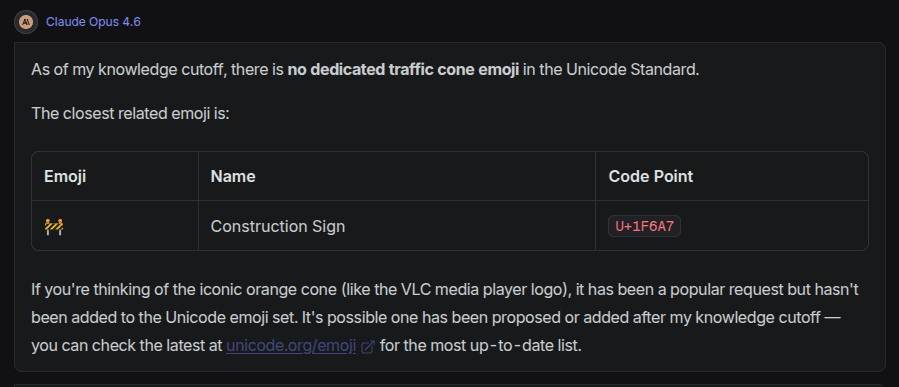
4. Which languages are the 10 most commonly spoken in the world? For each language, count from 1 to 5. This seemingly simple question can become quite complex when you account for the fact that other languages might also have their own character system, both for words and the numerals (e.g. Arabic /one vs /1), and that numbers might have variations depending on what the thing being counted is (e.g in French object gender un/une), or whether plain numbers and occurrences have their own words (e.g. Russian /odin vs /raz). I ve also witnessed older models frequently mix up on what parts of the reply should be using what language. For a human this question is trivial, assuming they know the language. For LLMs it is surprisingly challenging. Grok and MinMax only gave a list of the most popular languages and stopped there without showing any words in the languages. Qwen got a bit further by trying to list numbers in each language, but the lists were only the numbers 1 to 5: Qwen3.5 Plus count to five in top 10 languages I have seen Grok do something similar before, which in fact inspired me to include this question in my mini-benchmark. GPT got a bit further, but for Hindi, Arabic and Bengali it listed the numerals in local script, not the number words. Gemini, GLM and Kimi gave a complete and correct answer as a list, while the absolute best answer and presentation was by Claude, that gave the table below:

Claude Opus 4.6 10 Most Commonly Spoken Languages (by Total Speakers)
# Language 1 2 3 4 5
1 English One Two Three Four Five
2 Mandarin Chinese (y ) ( r) (s n) (s ) (w )
3 Hindi (ek) (do) (t n) (ch r) (p ch)
4 Spanish Uno Dos Tres Cuatro Cinco
5 French Un Deux Trois Quatre Cinq
6 Arabic (w id) (ithn n) (thal tha) (arba a) (khamsa)
7 Bengali (ek) (dui) (tin) (ch r) (p ch)
8 Portuguese Um Dois Tr s Quatro Cinco
9 Russian (odin) (dva) (tri) (chetyre) (pyat')
10 Japanese (ichi) (ni) (san) (shi) (go)
Note: Rankings are based on estimated total speakers (native + non-native). Rankings can vary depending on the source and methodology used.

5. Count the number of drone launch pads in the picture. Together with the question, I uploaded this picture: Drone pad picture attached to question above A human can easily count that there are 10 rows and 30+ columns in the grid, but because the picture resolution isn t good enough, the exact number of columns can t be counted, and the answer should be that there are at least 300 launch pads in the picture. GPT and Grok both guessed the count is zero. Instead of hallucinating some number they say zero, but it would have been better to not give any number at all, and just state that they are unable to perform the task. Gemini gave as its answer 101 , which is quite odd, but reading the reasoning section, it seems to have tried counting items in the image without reasoning much about what it is actually counting and that there is clearly a grid that can make the counting much easier. Both Qwen and Kimi state they can see four parallel structures, but are unable to count drone launch pads. The absolutely best answer was given by Claude, which counted 10-12 rows and 30-40+ columns, and concluded that there must be 300-500 drone launch pads. Very close to best human level - impressive! This question applied only to multi-modal models that can see images, so GLM and MinMax could not give any response.

6. Explain why I am getting the error below, and what is the best way to fix it? Together with the question above, I gave this code block:
$ SH_SCRIPTS="$(mktemp; grep -Irnw debian/ -e '^#!.*/sh'   sort -u   cut -d ':' -f 1   true)"
$ shellcheck -x --enable=all --shell=sh "$SH_SCRIPTS"
/tmp/tmp.xQOpI5Nljx
debian/tests/integration-tests: /tmp/tmp.xQOpI5Nljx
debian/tests/integration-tests: openBinaryFile: does not exist (No such file or directory)
Older models would easily be misled by the last error message thinking that a file went missing, and focus on suggesting changes to the complex-looking first line. In reality the error is simply caused by having the quotes around the $SH_SCRIPTS, resulting in the entire multi-line string being passed as a single argument to shellcheck. So instead of receiving two separate file paths, shellcheck tries to open one file literally named /tmp/tmp.xQOpI5Nljx\ndebian/tests/integration-tests. Incorrect argument expansion is fairly easy for an experienced human programmer to notice, but tricky for an LLM. Indeed, Grok, MinMax, and Qwen fell for this trap and focused on the mktemp, assuming it somehow fails to create a file. Interestingly GLM fails to produce an answer at all, as the reasoning step seems to be looping, thinking too much about the missing file, but not understanding why it would be missing when there is nothing wrong with how mktemp is executed. Claude, Gemini, and Kimi immediately spot the real root cause of passing the variable quoted and suggested correct fixes that involve either removing the quotes, or using Bash arrays or xargs in a way that makes the whole command also handle correctly filenames with spaces in them.

Conclusion
Model Sports Economics Emoji Languages Visual Shell Score
Claude Opus 4.6 6/6
GPT-5.2 ~ 2.5/6
Grok 4.1 3/6
Gemini 3.1 Pro 5/6
GLM 5 ? N/A 3/5
MinMax M2.5 N/A 1/5
Qwen3.5 Plus ~ 2.5/6
Kimi K2.5 4/6
Obviously, my mini-benchmark only had 6 questions, and I ran it only once. This was obviously not scientifically rigorous. However it was systematic enough to trump just a mere feeling. The main finding for me personally is that Claude Opus 4.6, the flagship model by Anthropic, seems to give great answers consistently. The answers are not only correct, but also well scoped giving enough information to cover everything that seems relevant, without blurping unnecessary filler. I used Claude extensively in 2023-2024 when it was the main model available at my day work, but for the past year I had been using other models that I felt were better at the time. Now Claude seems to be the best-of-the-best again, with Gemini and Kimi as close follow-ups. Comparing their pricing at OpenRouter.ai the Kimi K2.5 price of $0.6 / million tokens is almost 90% cheaper than the Claude Opus 4.6 s $5.0 / million tokens suggests that Kimi K2.5 offers the best price-per-performance ratio. Claude might be cheaper with a monthly subscription directly from Anthropic, potentially narrowing the price gap. Overall I do feel that Anthropic, Google and Moonshot.ai have been pushing the envelope with their latest models in a way that one can t really claim that AI models have plateaued. In fact, one could claim that at least Claude has now climbed over the hill of AI slop and consistently produces valuable results. If and when AI usage expands from here, we might actually not drown in AI slop as chances of accidentally crappy results decrease. This makes me positive about the future. I am also really happy to see that there wasn t just one model crushing everybody else, but that there are at least three models doing very well. As an open source enthusiast I am particularly glad to see that Moonshot.ai s Kimi K2.5 is published with an open license. Given the hardware, anyone can run it on their own. OpenRouter.ai currently lists 9 independent providers alongside Moonshot.ai itself, showcasing the potential of open-weight models in practice. If the pattern holds and flagship models continue improving at this pace we might look back at 2026 as the year AI stopped feeling like a call center associate and started to resemble a scientific researcher. While new models become available we need to keep testing, keep questioning, and keep our expectations grounded in actual performance rather than press releases. Thanks to OpenRouter.ai for providing a great service that makes testing various models incredibly easy!

21 February 2026

Vasudev Kamath: Learning Notes: Debsecan MCP Server

Since Generative AI is currently the most popular topic, I wanted to get my hands dirty and learn something new. I was learning about the Model Context Protocol at the time and wanted to apply it to build something simple.
Idea On Debian systems, we use debsecan to find vulnerabilities. However, the tool currently provides a simple list of vulnerabilities and packages with no indication of the system's security posture meaning no criticality information is exposed and no executive summary is provided regarding what needs to be fixed. Of course, one can simply run the following to install existing fixes and be done with it:
apt-get install $(debsecan --suite sid --format packages --only-fixed)
But this is not how things work in corporate environments; you need to provide a report showing the system's previous state and the actions taken to bring it to a safe state. It is all about metrics and reports. My goal was to use debsecan to generate a list of vulnerabilities, find more detailed information on them, and prioritize them as critical, high, medium, or low. By providing this information to an AI, I could ask it to generate an executive summary report detailing what needs to be addressed immediately and the overall security posture of the system.
Initial Take My initial thought was to use an existing LLM, either self-hosted or a cloud-based LLM like Gemini (which provides an API with generous limits via AI Studio). I designed functions to output the list of vulnerabilities on the system and provide detailed information on each. The idea was to use these as "tools" for the LLM.
Learnings
  1. I learned about open-source LLMs using Ollama, which allows you to download and use models on your laptop.
  2. I used Llama 3.1, Llama 3.2, and Granite 4 on my laptop without a GPU. I managed to run my experiments, even though they were time-consuming and occasionally caused my laptop to crash.
  3. I learned about Pydantic and how to use it to parse custom JSON schemas with minimal effort.
  4. I learned about osv.dev, an open-source initiative by Google that aggregates vulnerability information from various sources and provides data in a well-documented JSON schema format.
  5. I learned about the EPSS (Exploit Prediction Scoring System) and how it is used alongside static CVSS scoring to detect truly critical vulnerabilities. The EPSS score provides an idea of the probability of a vulnerability being exploited in the wild based on actual real-world attacks.
These experiments led to a collection of notebooks. One key takeaway was that when defining tools, I cannot simply output massive amounts of text because it consumes tokens and increases costs for paid models (though it is fine for local models using your own hardware and energy). Self-hosted models require significant prompting to produce proper output, which helped me understand the real-world application of prompt engineering.
Change of Plans Despite extensive experimentation, I felt I was nowhere close to a full implementation. While using a Gemini learning tool to study MCP, it suddenly occurred to me: why not write the entire thing as an MCP server? This would save me from implementing the agent side and allow me to hook it into any IDE-based LLM.
Design This MCP server is primarily a mix of a "tool" (which executes on the server machine to identify installed packages and their vulnerabilities) and a "resource" (which exposes read-only information for a specific CVE ID). The MCP exposes two tools:
  1. List Vulnerabilities: This tool identifies vulnerabilities in the packages installed on the system, categorizes them using CVE and EPSS scores, and provides a dictionary of critical, high, medium, and low vulnerabilities.
  2. Research Vulnerabilities: Based on the user prompt, the LLM can identify relevant vulnerabilities and pass them to this function to retrieve details such as whether a fix is available, the fixed version, and criticality.
Vibe Coding "Vibe coding" is the latest trend, with many claiming that software engineering jobs are a thing of the past. Without going into too much detail, I decided to give it a try. While this is not my first "vibe coded" project (I have done this previously at work using corporate tools), it is my first attempt to vibe code a hobby/learning project. I chose Antigravity because it seemed to be the only editor providing a sufficient amount of free tokens. For every vibe coding project, I spend time thinking about the barebones skeleton: the modules, function return values, and data structures. This allows me to maintain control over the LLM-generated code so it doesn't become overly complicated or incomprehensible. As a first step, I wrote down my initial design in a requirements document. In that document, I explicitly called for using debsecan as the model for various components. Additionally, I asked the AI to reference my specific code for the EPSS logic. The reasons were:
  1. debsecan already solves the core problem; I am simply rebuilding it. debsecan uses a single file generated by the Debian Security team containing all necessary information, which prevents us from needing multiple external sources.
  2. This provides the flexibility to categorize vulnerabilities within the listing tool itself since all required information is readily available, unlike my original notebook-based design.
I initially used Gemini 3 Flash as the model because I was concerned about exceeding my free limits.
Hiccups Although it initially seemed successful, I soon noticed discrepancies between the local debsecan outputs and the outputs generated by the tools. I asked the AI to fix this, but after two attempts, it still could not match the outputs. I realized it was writing its own version-comparison logic and failing significantly. Finally, I instructed it to depend entirely on the python-apt module for version comparison; since it is not on PyPI, I asked it to pull directly from the Git source. This solved some issues, but the problem persisted. By then, my weekly quota was exhausted, and I stopped debugging. A week later, I resumed debugging with the Claude 3.5 Sonnet model. Within 20-25 minutes, it found the fix, which involved four lines of changes in the parsing logic. However, I ran out of limits again before I could proceed further. In the requirements, I specified that the list vulnerabilities tool should only provide a dictionary of CVE IDs divided by severity. However, the AI instead provided full text for all vulnerability details, resulting in excessive data including negligible vulnerabilities being sent to the LLM. Consequently, it never called the research vulnerabilities tool. Since I had run out of limits, I manually fixed this in a follow-up commit.
How to Use I have published the current work in the debsecan-mcp repository. I have used the same license as the original debsecan. I am not entirely sure how to interpret licenses for vibe-coded projects, but here we are. To use this, you need to install the tool in a virtual environment and configure your IDE to use the MCP. Here is how I set it up for Visual Studio Code:
  1. Follow the guide from the VS Code documentation regarding adding an MCP server.
  2. My global mcp.json looks like this:
 
  "servers":  
      "debsecan-mcp":  
          "command": "uv",
              "args": [
                  "--directory",
                  "/home/vasudev/Documents/personal/FOSS/debsecan-mcp/debsecan-mcp",
                  "run",
                  "debsecan-mcp"
              ]
           
   ,
  "inputs": []
 
  1. I am running it directly from my local codebase using a virtualenv created with uv. You may need to tweak the path based on your installation.
  2. To use the MCP server in the Copilot chat window, reference it using #debsecan-mcp. The LLM will then use the server for the query.
  3. Use a prompt like: "Give an executive summary of the system security status and immediate actions to be taken."
  4. You can observe the LLM using list_vulnerabilities followed by research_cves. Because the first tool only provides CVE IDs based on severity, the LLM is smart enough to research only high and critical vulnerabilities, thereby saving tokens.
What's Next? This MCP is not yet perfect and has the following issues:
  1. The list_vulnerabilities dictionary contains duplicate CVE IDs because the code used a list instead of a set. While the LLM is smart enough to deduplicate these, it still costs extra tokens.
  2. Because I initially modeled this on debsecan, it uses a raw method for parsing /var/lib/dpkg/status instead of python-apt. I am considering switching to python-apt to reduce maintenance overhead.
  3. Interestingly, the AI did not add a single unit test, which is disappointing. I will add these once my limits are restored.
  4. I need to create a cleaner README with usage instructions.
  5. I need to determine if the MCP can be used via HTTP as well as stdio.
Conclusion Vibe coding is interesting, but things can get out of hand if not managed properly. Even with a good process, code must be reviewed and tested; you cannot blindly trust an AI to handle everything. Even if it adds tests, you must validate them, or you are doomed!

Thomas Goirand: Seamlessly upgrading a production OpenStack cluster in 4 hours : with 2k lines shell script


tl;dr: To the question: what does it take to upgrade OpenStack , my personal answer is: less than 2K lines of dash script. I ll here describe its internals, and why I believe it is the correct solution. Why writing this blog post During FOSSDEM 2024, I was asked how to you handle upgrades . I answered with a big smile and a short with a very small shell script as I couldn t explain in 2 minutes how it was done. Just saying it is great this way doesn t help giving readers enough hints to be trusted. Why and how did I do it the right way ? This blog post is an attempt to reply better to this question more deeply. Upgrading OpenStack in production I wrote this script maybe a 2 or 3 years ago. Though I m only blogging about it today, because I did such an upgrade in a public cloud in production last Thuesday evening (ie: the first region of the Infomaniak public cloud). I d say the cluster is moderately large (as of today: about 8K+ VMs running, 83 compute nodes, 12 network nodes, for a total of 10880 physical CPU cores and 125 TB of RAM if I only count the compute servers). It took only 4 hours to do the upgrade (though I already wore some more code to speed this up for the next time ). It went super smooth without a glitch. I mostly just sat, reading the script output and went to bed once it finished running. The next day, all my colleagues at Infomaniak were nicely congratulating me that it went that smooth (a big thanks to all of you who did). I couldn t dream of an upgrade that smooth! :) Still not impressed? Boring read? Yeah let s dive into more technical details. Intention behind the implementation My script isn t perfect. I wont ever pretend it is. But at least, it does minimize down time of every OpenStack service. It also is a by the book implementation of what s written in the OpenStack doc, following every upstream advice. As a result, it is fully seamless for some OpenStack services, and as HA as OpenStack can be for others. The upgrade process is of course idempotent and can be re-run in case of failure. Here s why. General idea My upgrade script does thing in a certain order, respecting what is documented about upgrades in the OpenStack documentation. It basically does: Installing dependencies The first thing the upgrade script does is: For this last thing, a static list of all needed dependency upgrade is maintained between each release of OpenStack, and for each type of nodes. Then for all packages in this list, the script checks with dpkg-query that the package is really installed, and with apt-cache policy that it really is going to be upgraded (Maybe there s an easier way to do this?). This way, no package is marked as manually installed by mistake during the upgrade process. This ensure that apt-get purge autoremove really does what it should, and that the script is really idempotent. The idea then, is that once all dependencies are installed, upgrading and restarting leaf packages (ie: OpenStack services like Nova, Glance, Cinder, etc.) is very fast, because the apt-get command doesn t need to install all dependencies. So at this point, doing apt-get install python3-cinder for example (which will also, thanks to dependencies, upgrade cinder-api and cinder-scheduler, if it s in a controller node) only takes a few seconds. This principle applies to all nodes (controller nodes, network nodes, compute nodes, etc.), which helps a lot speeding-up the upgrade and reduce unavailability. hapc At its core, the oci-cluster-upgrade-openstack-release script uses haproxy-cmd (ie: /usr/bin/hapc) to drain each API server to-be-upgraded from haproxy. Hapc is a simple Python wrapper around the haproxy admin socket: it sends command to it with an easy to understand CLI. So it is possible to reliably upgrade one API service only after it s drained away. Draining means one just wait for the last query to finish and the client to disconnect from http before giving the backend server some more queries. If you do not know hapc / haproxy-cmd, I recommend trying it: it s going to be hard for you to stop using it once you tested it. Its bash-completion script makes it VERY easy to use, and it is helpful in production. But not only: it is also nice to have when writing this type of upgrade script. Let s dive into haproxy-cmd. Example on how to use haproxy-cmd Let me show you. First, ssh one of the 3 controller and search where the virtual IP (VIP) is located with crm resource locate openstack-api-vip or with a (more simple) crm status . Let s ssh that server who got the VIP, and now, let s drain it away from haproxy. $ hapc list-backends
$ hapc drain-server --backend glancebe --server cl1-controller-1.infomaniak.ch --verbose --wait --timeout 50
$ apt-get install glance-api
$ hapc enable-server --backend glancebe --server cl1-controller-1.infomaniak.ch
Upgrading the control plane My upgrade script leverages hapc just like above. For each OpenStack project, it s done in this order on the first node holding the VIP: Starting at [1], the risk is that other nodes may have a new version of the database schema, but an old version of the code that isn t compatible with it. But it doesn t take long, because the next step is to take care of the other (usually 2) nodes of the OpenStack control plane: So while there s technically zero down time, still some issues between [1] and [2] above may happen because of the new DB schema and the old code (both for API and other services) are up and running at the same time. It is however supposed to be rare cases (some OpenStack project don t even have db change between some OpenStack releases, and it often continues to work on most queries with the upgraded db), and the cluster will be like that for a very short time, so that s fine, and better than an full API down time. Satellite services Then there s satellite services, that needs to be upgraded. Like Neutron, Nova, Cinder. Nova is the least offender as it has all the code to rewrite Json object schema on-the-fly so that it continues to work during an upgrade. Though it s a known issue that Cinder doesn t have the feature (last time I checked), and it s also probably the same for Neutron (maybe recent-ish versions of OpenStack do use oslo.versionnedobjects ?). Anyways, upgrade on these nodes are done just right after the control plane for each service. Parallelism and upgrade timings As we re dealing with potentially hundreds of nodes per cluster, a lot of operations are performed in parallel. I choose to simply use the & shell thingy with some wait shell stuff so that not too many jobs are done in parallel. For example, when disabling SSH on all nodes, this is done 24 nodes at a time. Which is fine. And the number of nodes is all depending on the type of thing that s being done. For example, while it s perfectly OK to disable puppet on 24 nodes at the same time, but it is not OK to do that with Neutron services. In fact, each time a Neutron agent is restarted, the script explicitly waits for 30 seconds. This conveniently avoids a hailstorm of messages in RabbitMQ, and neutron-rpc-server to become too busy. All of these waiting are necessary, and this is one of the reasons why can sometimes take that long to upgrade a (moderately big) cluster. Not using config management tooling Some of my colleagues would have prefer that I used something like Ansible. Whever, there s no reason to use such tool if the idea is just to perform some shell script commands on every servers. It is a way more efficient (in terms of programming) to just use bash / dash to do the work. And if you want my point of view about Ansible: using yaml for doing such programming would be crasy. Yaml is simply not adapted for a job where if, case, and loops are needed. I am well aware that Ansible has workarounds and it could be done, but it wasn t my choice.

16 February 2026

Philipp Kern: What is happening with this "connection verification"?

You might see a verification screen pop up on more and more Debian web properties. Unfortunately the AI world of today is meeting web hosts that use Perl CGIs and are not built as multi-tiered scalable serving systems. The issues have been at three layers:

  1. Apache's serving capacity runs full - with no threads left to serve requests. This means that your connection will sit around for a long time, not getting accepted. In theory this can be configured, but that would require requests to be handled in time.
  2. Startup costs of request handlers are too high, because we spawn a process for every request. This currently affects the BTS and dgit's browse interface. packages.debian.org has been fixed, which increased scalability sufficiently.
  3. Requests themselves are too expensive to be served quickly - think git blame without caching.

Optimally we would go and solve some scalability issues with the services, however there is also a question of how much we want to be able to serve - as AI scraper demand is just a steady stream of requests that are not shown to humans.

How is it implemented?

DSA has now stood up some VMs with Varnish for proxying. Incoming TLS is provided by hitch, and TLS "on-loading" is done using haproxy. That way TLS goes in and TLS goes out. While Varnish does cache, if the content is cachable (e.g. does not depend on cookies) - that is not the primary reason for using it: It can be used for flexible query and response rewriting.

If no cookie with a proof of work is provided, the user is redirected to a challenge page that does some webcrypto in Javascript - because that looked similar to what other projects do (e.g. haphash that originally inspired the solution). However so far it looks like scrapers generally do not run with Javascript enabled, so this whole crypto proof of work business could probably be replaced with just a Javascript-based redirect. The existing solution also has big (security) holes in it. And, as we found out, Firefox is slower at webcrypto than Chrome. I have recently reduced the complexity, so you should notice it blocking you significantly less.

Once you have the cookie, you can keep accessing the site for as long as the cookie is valid. Please do not make any assumptions about the cookies, or you will be broken in the future.For legitimate scrapers that obey robots.txt, there is now an automatically generated IP allowlist in place (thanks, Marco d'Itri). Turns out that the search engines do not actually run Javascript either and then loudly complain about the redirect to the challenge page. Other bots are generally exempt.

Conclusion I hope that right now we found sort of the sweet spot where the admins can stop spending human time on updating firewall rules and the services are generally available, reasonably fast, and still indexed. In case you see problems or run into a block with your own (legitimate) bots, please let me know.

Antoine Beaupr : Kernel-only network configuration on Linux

What if I told you there is a way to configure the network on any Linux server that:
  1. works across all distributions
  2. doesn't require any software installed apart from the kernel and a boot loader (no systemd-networkd, ifupdown, NetworkManager, nothing)
  3. is backwards compatible all the way back to Linux 2.0, in 1996
It has literally 8 different caveats on top of that, but is still totally worth your time.

Known options in Debian People following Debian development might have noticed there are now four ways of configuring the network Debian system. At least that is what the Debian wiki claims, namely: At this point, I feel ifupdown is on its way out, possibly replaced by systemd-networkd. NetworkManager already manages most desktop configurations.

A "new" network configuration system The method is this:
  • ip= on the Linux kernel command line: for servers with a single IPv4 or IPv6 address, no software required other than the kernel and a boot loader (since 2002 or older)
So by "new" I mean "new to me". This option is really old. The nfsroot.txt where it is documented predates the git import of the Linux kernel: it's part of the 2005 git import of 2.6.12-rc2. That's already 20+ years old already. The oldest trace I found is in this 2002 commit, which imports the whole file at once, but the option might goes back as far as 1996-1997, if the copyright on the file is correct and the option was present back then.

What are you doing. The trick is to add an ip= parameter to the kernel's command-line. The syntax, as mentioned above, is in nfsroot.txt and looks like this:
ip=<client-ip>:<server-ip>:<gw-ip>:<netmask>:<hostname>:<device>:<autoconf>:<dns0-ip>:<dns1-ip>:<ntp0-ip>
Most settings are pretty self-explanatory, if you ignore the useless ones:
  • <client-ip>: IP address of the server
  • <gw-ip>: address of the gateway
  • <netmask>: netmask, in quad notation
  • <device>: interface name, if multiple available
  • <autoconf>: how to configure the interface, namely:
    • off or none: no autoconfiguration (static)
    • on or any: use any protocol (default)
    • dhcp, essentially like on for all intents and purposes
  • <dns0-ip>, <dns1-ip>: IP address of primary and secondary name servers, exported to /proc/net/pnp, can by symlinked to /etc/resolv.conf
We're ignoring the options:
  • <server-ip>: IP address of the NFS server, exported to /proc/net/pnp
  • <hostnname>: Name of the client, typically sent over the DHCP requests, which may lead to a DNS record to be created in some networks
  • <ntp0-ip>: exported to /proc/net/ipconfig/ntp_servers, unused by the kernel
Note that the Red Hat manual has a different opinion:
ip=[<server-id>]:<gateway-IP-number>:<netmask>:<client-hostname>:inteface:[dhcp dhcp6 auto6 on any none off]
It's essentially the same (although server-id is weird), and the autoconf variable has other settings, so that's a bit odd.

Examples For example, this command-line setting:
ip=192.0.2.42::192.0.2.1:255.255.255.0:::off
... will set the IP address to 192.0.2.42/24 and the gateway to 192.0.2.1. This will properly guess the network interface if there's a single one. A DHCP only configuration will look like this:
ip=::::::dhcp
Of course, you don't want to type this by hand every time you boot the machine. That wouldn't work. You need to configure the kernel commandline, and that depends on your boot loader.

GRUB With GRUB, you need to edit (on Debian), the file /etc/default/grub (ugh) and find a line like:
GRUB_CMDLINE_LINUX=
and change it to:
GRUB_CMDLINE_LINUX=ip=::::::dhcp

systemd-boot and UKI setups For systemd-boot UKI setups, it's simpler: just add the setting to the /etc/kernel/cmdline file. Don't forget to include anything that's non-default from /proc/cmdline. This assumes that is the Cmdline=@ setting in /etc/kernel/uki.conf. See 2025-08-20-luks-ukify-conversion for my minimal documentation on this.

Other systems This is perhaps where this is much less portable than it might first look, because of course each distribution has its own way of configuring those options. Here are some that I know of:
  • Arch (11 options, mostly /etc/default/grub, /boot/loader/entries/arch.conf for systemd-boot or /etc/kernel/cmdline for UKI)
  • Fedora (mostly /etc/default/grub, may be more RHEL mentions grubby, possibly some systemd-boot things here as well)
  • Gentoo (5 options, mostly /etc/default/grub, /efi/loader/entries/gentoo-sources-kernel.conf for systemd-boot, or /etc/kernel/install.d/95-uki-with-custom-opts.install)
It's interesting that /etc/default/grub is consistent across all distributions above, while the systemd-boot setups are all over the place (except for the UKI case), while I would have expected those be more standard than GRUB.

dropbear-initramfs If dropbear-initramfs is setup, it already requires you to have such a configuration, and it might not work out of the box. This is because, by default, it disables the interfaces configured in the kernel after completing its tasks (typically unlocking the encrypted disks). To fix this, you need to disable that "feature":
IFDOWN="none"
This will keep dropbear-initramfs from disabling the configured interface.

Why? Traditionally, I've always setup my servers with ifupdown on servers and NetworkManager on laptops, because that's essentially the default. But on some machines, I've started using systemd-networkd because ifupdown has ... issues, particularly with reloading network configurations. ifupdown is a old hack, feels like legacy, and is Debian-specific. Not excited about configuring another service, I figured I would try something else: just configure the network at boot, through the kernel command-line. I was already doing such configurations for dropbear-initramfs (see this documentation), which requires the network the be up for unlocking the full-disk encryption keys. So in a sense, this is a "Don't Repeat Yourself" solution.

Caveats Also known as: "wait, that works?" Yes, it does! That said...
  1. This is useful for servers where the network configuration will not change after boot. Of course, this won't work on laptops or any mobile device.
  2. This only works for configuring a single, simple, interface. You can't configure multiple interfaces, WiFi, bridges, VLAN, bonding, etc.
  3. It does support IPv6 and feels like the best way to configure IPv6 hosts: true zero configuration.
  4. It likely does not work with a dual-stack IPv4/IPv6 static configuration. It might work with a dynamic dual stack configuration, but I doubt it.
  5. I don't know what happens when a DHCP lease expires. No daemon seems to be running so I assume leases are not renewed, so this is more useful for static configurations, which includes server-side reserved fixed IP addresses. (A non-renewed lease risks getting reallocated to another machine, which would cause an addressing conflict.)
  6. It will not automatically reconfigure the interface on link changes, but ifupdown does not either.
  7. It will not write /etc/resolv.conf for you but the dns0-ip and dns1-ip do end up in /proc/net/pnp which has a compatible syntax, so a common configuration is:
    ln -s /proc/net/pnp /etc/resolv.conf
    
  8. I have not really tested this at scale: only a single, test server at home.
Yes, that's a lot of caveats, but it happens to cover a lot of machines for me, and it works surprisingly well. My main doubts are about long-term DHCP behaviour, but I don't see why that would be a problem with a statically defined lease.

Cleanup Once you have this configuration, you don't need any "user" level network system, so you can get rid of everything:
apt purge systemd-networkd ifupdown network-manager netplan.io
Note that ifupdown (and probably others) leave stray files in (e.g.) /etc/network which you might want to cleanup, or keep in case all this fails and I have put you in utter misery. Configuration files for other packages might also be left behind, I haven't tested this, no warranty.

Credits This whole idea came from the A/I folks (not to be confused with AI) who have been doing this forever, thanks!

4 February 2026

Ben Hutchings: FOSS activity in January 2026

1 February 2026

Russ Allbery: Review: Paladin's Faith

Review: Paladin's Faith, by T. Kingfisher
Series: The Saint of Steel #4
Publisher: Red Wombat Studio
Copyright: 2023
ISBN: 1-61450-614-0
Format: Kindle
Pages: 515
Paladin's Faith is the fourth book in T. Kingfisher's loosely connected series of fantasy novels about the berserker former paladins of the Saint of Steel. You could read this as a standalone, but there are numerous (spoilery) references to the previous books in the series. Marguerite, who was central to the plot of the first book in the series, Paladin's Grace, is a spy with a problem. An internal power struggle in the Red Sail, the organization that she's been working for, has left her a target. She has a plan for how to break their power sufficiently that they will hopefully leave her alone, but to pull it off she's going to need help. As the story opens, she is working to acquire that help in a very Marguerite sort of way: breaking into the office of Bishop Beartongue of the Temple of the White Rat. The Red Sail, the powerful merchant organization Marguerite worked for, makes their money in the salt trade. Marguerite has learned that someone invented a cheap and reproducible way to extract salt from sea water, thus making the salt trade irrelevant. The Red Sail wants to ensure that invention never sees the light of day, and has forced the artificer into hiding. Marguerite doesn't know where they are, but she knows where she can find out: the Court of Smoke, where the artificer has a patron.
Having grown up in Anuket City, Marguerite was familiar with many clockwork creations, not to mention all the ways that they could go horribly wrong. (Ninety-nine times out of a hundred, it was an explosion. The hundredth time, it ran amok and stabbed innocent bystanders, and the artificer would be left standing there saying, "But I had to put blades on it, or how would it rake the leaves?" while the gutters filled up with blood.)
All Marguerite needs to put her plan into motion is some bodyguards so that she's not constantly distracted and anxious about being assassinated. Readers of this series will be unsurprised to learn that the bodyguards she asks Beartongue for are paladins, including a large broody male one with serious self-esteem problems. This is, like the other books in this series, a slow-burn romance with infuriating communication problems and a male protagonist who would do well to seek out a sack of hammers as a mentor. However, it has two things going for it that most books in this series do not: a long and complex plot to which the romance takes a back seat, and Marguerite, who is not particularly interested in playing along with the expected romance developments. There are also two main paladins in this story, not just one, and the other is one of the two female paladins of the Saint of Steel and rather more entertaining than Shane. I generally like court intrigue stories, which is what fills most of this book. Marguerite is an experienced operative, so the reader gets some solid competence porn, and the paladins are fish out of water but are also unexpectedly dangerous, which adds both comedy and satisfying table-turning. I thoroughly enjoyed the maneuvering and the culture clashes. Marguerite is very good at what she does, knows it, and is entirely uninterested in other people's opinions about that, which short-circuits a lot of Shane's most annoying behavior and keeps the story from devolving into mopey angst like some of the books in this series have done. The end of this book takes the plot in a different direction that adds significantly to the world-building, but also has a (thankfully short) depths of despair segment that I endured rather than enjoyed. I am not really in the mood for bleak hopelessness in my fiction at the moment, even if the reader is fairly sure it will be temporary. But apart from that, I thoroughly enjoyed this book from beginning to end. When we finally meet the artificer, they are an absolute delight in that way that Kingfisher is so good at. The whole story is infused with the sense of determined and competent people refusing to stop trying to fix problems. As usual, the romance was not for me and I think the book would have been better without it, but it's less central to the plot and therefore annoyed me less than any of the books in this series so far. My one major complaint is the lack of gnoles, but we get some new and intriguing world-building to make up for it, along with a setup for a fifth book that I am now extremely curious about. By this point in the series, you probably know if you like the general formula. Compared to the previous book, Paladin's Hope, I thought Paladin's Faith was much stronger and more interesting, but it's clearly of the same type. If, like me, you like the plots but not the romance, the plot here is more substantial. You will have to decide if that makes up for a romance in the typical T. Kingfisher configuration. Personally, I enjoyed this quite a bit, except for the short bleak part, and I'm back to eagerly awaiting the next book in the series. Rating: 8 out of 10

31 January 2026

Russ Allbery: Review: Dragon Pearl

Review: Dragon Pearl, by Yoon Ha Lee
Series: Thousand Worlds #1
Publisher: Rick Riordan Presents
Copyright: 2019
ISBN: 1-368-01519-0
Format: Kindle
Pages: 315
Dragon Pearl is a middle-grade space fantasy based on Korean mythology and the first book of a series. Min is a fourteen-year-old girl living on the barely-terraformed world of Jinju with her extended family. Her older brother Jun passed the entrance exams for the Academy and left to join the Thousand Worlds Space Forces, and Min is counting the years until she can do the same. Those plans are thrown into turmoil when an official investigator appears at their door claiming that Jun deserted to search for the Dragon Pearl. A series of impulsive fourteen-year-old decisions lead to Min heading for a spaceport alone, determined to find her brother and prove his innocence. This would be a rather improbable quest for a young girl, but Min is a gumiho, one of the supernaturals who live in the Thousand Worlds alongside non-magical humans. Unlike the more respectable dragons, tigers, goblins, and shamans, gumiho are viewed with suspicion and distrust because their powers are useful for deception. They are natural shapeshifters who can copy the shapes of others, and their Charm ability lets them influence people's thoughts and create temporary illusions of objects such as ID cards. It will take all of Min's powers, and some rather lucky coincidences, to infiltrate the Space Forces and determine what happened to her brother. It's common for reviews of this book to open with a caution that this is a middle-grade adventure novel and you should not expect a story like Ninefox Gambit. I will be boring and repeat that caution. Dragon Pearl has a single first-person viewpoint and a very linear and straightforward plot. Adult readers are unlikely to be surprised by plot twists; the fun is the world-building and seeing how Min manages to work around plot obstacles. The world-building is enjoyable but not very rigorous. Min uses and abuses Charm with the creative intensity of a Dungeons & Dragons min-maxer. Each individual event makes sense given the implication that Min is unusually powerful, but I'm dubious about the surrounding society and lack of protections against Charm given what Min is able to do. Min does say that gumiho are rare and many people think they're extinct, which is a bit of a fig leaf, but you'll need to bring your urban fantasy suspension of disbelief skills to this one. I did like that the world-building conceit went more than skin deep and influenced every part of the world. There are ghosts who are critical to the plot. Terraforming is done through magic, hence the quest for the Dragon Pearl and the miserable state of Min's home planet due to its loss. Medical treatment involves the body's meridians, as does engineering: The starships have meridians similar to those of humans, and engineers partly merge with those meridians to adjust them. This is not the sort of book that tries to build rigorous scientific theories or explain them to the reader, and I'm not sure everything would hang together if you poked at it too hard, but Min isn't interested in doing that poking and the story doesn't try to justify itself. It's mostly a vibe, but it's a vibe that I enjoyed and that is rather different than other space fantasy I've read. The characters were okay but never quite clicked for me, in part because proper character exploration would have required Min take a detour from her quest to find her brother and that was not going to happen. The reader gets occasional glimpses of a military SF cadet story and a friendship on false premises story, but neither have time to breathe because Min drops any entanglement that gets in the way of her quest. She's almost amoral in a way that I found believable but not quite aligned with my reading mood. I also felt a bit wrong-footed by how her friendships developed; saying too much more would be a spoiler, but I was expecting more human connection than I got. I think my primary disappointment with this book was something I knew going in, not in any way its fault, and part of the reason why I'd put off reading it: This is pitched at young teenagers and didn't have quite enough plot and characterization complexity to satisfy me. It's a linear, somewhat episodic adventure story with some neat world-building, and it therefore glides over the spots where an adult novel would have added political and factional complexity. That is exactly as advertised, so it's up to you whether that's the book you're in the mood for. One warning: The text of this book opens with an introduction by Rick Riordan that is just fluff marketing and that spoils the first few chapters of the book. It is unmarked as such at the beginning and tricked me into thinking it was the start of the book proper, and then deeply annoyed me. If you do read this book, I recommend skipping the utterly pointless introduction and going straight to chapter one. Followed by Tiger Honor. Rating: 6 out of 10

27 January 2026

Elana Hashman: A beginner's guide to improving your digital security

In 2017, I led a series of workshops aimed at teaching beginners a better understanding of encryption, how the internet works, and their digital security. Nearly a decade later, there is still a great need to share reliable resources and guides on improving these skills. I have worked professionally in computer security one way or another for well over a decade, at many major technology companies and in many open source software projects. There are many inaccurate and unreliable resources out there on this subject, put together by well-meaning people without a background in security, which can lead to sharing misinformation, exaggeration and fearmongering. I hope that I can offer you a trusted, curated list of high impact things that you can do right now, using whichever vetted guide you prefer. In addition, I also include how long it should take, why you should do each task, and any limitations. This guide is aimed at improving your personal security, and does not apply to your work-owned devices. Always assume your company can monitor all of your messages and activities on work devices. What can I do to improve my security right away? I put together this list in order of effort, easiest tasks first. You should be able to complete many of the low effort tasks in a single hour. The medium to high effort tasks are very much worth doing, but may take you a few days or even weeks to complete them. Low effort (<15 minutes) Upgrade your software to the latest versions Why? I don't know anyone who hasn't complained about software updates breaking features, introducing bugs, and causing headaches. If it ain't broke, why upgrade, right? Well, alongside all of those annoying bugs and breaking changes, software updates also include security fixes, which will protect your device from being exploited by bad actors. Security issues can be found in software at any time, even software that's been available for many years and thought to be secure. You want to install these as soon as they are available. Recommendation: Turn on automatic upgrades and always keep your devices as up-to-date as possible. If you have some software you know will not work if you upgrade it, at least be sure to upgrade your laptop and phone operating system (iOS, Android, Windows, etc.) and web browser (Chrome, Safari, Firefox, etc.). Do not use devices that do not receive security support (e.g. old Android or iPhones). Guides: Limitations: This will prevent someone from exploiting known security issues on your devices, but it won't help if your device was already compromised. If this is a concern, doing a factory reset, upgrade, and turning on automatic upgrades may help. This also won't protect against all types of attacks, but it is a necessary foundation. Use Signal Why? Signal is a trusted, vetted, secure messaging application that allows you to send end-to-end encrypted messages and make video/phone calls. This means that only you and your intended recipient can decrypt the messages and someone cannot intercept and read your messages, in contrast to texting (SMS) and other insecure forms of messaging. Other applications advertise themselves as end-to-end encrypted, but Signal provides the strongest protections. Recommendation: I recommend installing the Signal app and using it! My mom loves that she can video call me on Wi-Fi on my Android phone. It also supports group chats. I use it as a secure alternative to texting (SMS) and other chat platforms. I also like Signal's "disappearing messages" feature which I enable by default because it automatically deletes messages after a certain period of time. This avoids your messages taking up too much storage. Guides: Limitations: Signal is only able to protect your messages in transit. If someone has access to your phone or the phone of the person you sent messages to, they will still be able to read them. As a rule of thumb, if you don't want someone to read something, don't write it down! Meet in person or make an encrypted phone call where you will not be overheard. If you are talking to someone you don't know, assume your messages are as public as posting on social media. Set passwords and turn on device encryption Why? Passwords ensure that someone else can't unlock your device without your consent or knowledge. They also are required to turn on device encryption, which protects your information on your device from being accessed when it is locked. Biometric (fingerprint or face ID) locking provides some privacy, but your fingerprint or face ID can be used against your wishes, whereas if you are the only person who knows your password, only you can use it. Recommendation: Always set passwords and have device encryption enabled in order to protect your personal privacy. It may be convenient to allow kids or family members access to an unlocked device, but anyone else can access it, too! Use strong passwords that cannot be guessed avoid using names, birthdays, phone numbers, addresses, or other public information. Using a password manager will make creating and managing passwords even easier. Disable biometric unlock, or at least know how to disable it. Most devices will enable disk encryption by default, but you should double-check. Guides: Limitations: If your device is unlocked, the password and encryption will provide no protections; the device must be locked for this to protect your privacy. It is possible, though unlikely, for someone to gain remote access to your device (for example through malware or stalkerware), which would bypass these protections. Some forensic tools are also sophisticated enough to work with physical access to a device that is turned on and locked, but not a device that is turned off/freshly powered on and encrypted. If you lose your password or disk encryption key, you may lose access to your device. For this reason, Windows and Apple laptops can make a cloud backup of your disk encryption key. However, a cloud backup can potentially be disclosed to law enforcement. Install an ad blocker Why? Online ad networks are often exploited to spread malware to unsuspecting visitors. If you've ever visited a regular website and suddenly seen an urgent, flashing pop-up claiming your device was hacked, it is often due to a bad ad. Blocking ads provides an additional layer of protection against these kinds of attacks. Recommendation: I recommend everyone uses an ad blocker at all times. Not only are ads annoying and disruptive, but they can even result in your devices being compromised! Guides: Limitations: Sometimes the use of ad blockers can break functionality on websites, which can be annoying, but you can temporarily disable them to fix the problem. These may not be able to block all ads or all tracking, but they make browsing the web much more pleasant and lower risk! Some people might also be concerned that blocking ads might impact the revenue of their favourite websites or creators. In this case, I recommend either donating directly or sharing the site with a wider audience, but keep using the ad blocker for your safety. Enable HTTPS-Only Mode Why? The "S" in "HTTPS" stands for "secure". This feature, which can be enabled on your web browser, ensures that every time you visit a website, your connection is always end-to-end encrypted (just like when you use Signal!) This ensures that someone can't intercept what you search for, what pages on websites you visit, and any information you or the website share such as your banking details. Recommendation: I recommend enabling this for everyone, though with improvements in web browser security and adoption of HTTPS over the years, your devices will often do this by default! There is a small risk you will encounter some websites that do not support HTTPS, usually older sites. Guides: Limitations: HTTPS protects the information on your connection to a website. It does not hide or protect the fact that you visited that website, only the information you accessed. If the website is malicious, HTTPS does not provide any protection. In certain settings, like when you use a work-managed computer that was set up for you, it can still be possible for your IT Department to see what you are browsing, even over an HTTPS connection, because they have administrator access to your computer and the network. Medium to high effort (1+ hours) These tasks require more effort but are worth the investment. Set up a password manager Why? It is not possible for a person to remember a unique password for every single website and app that they use. I have, as of writing, 556 passwords stored in my password manager. Password managers do three important things very well:
  1. They generate secure passwords with ease. You don't need to worry about getting your digits and special characters just right; the app will do it for you, and generate long, secure passwords.
  2. They remember all your passwords for you, and you just need to remember one password to access all of them. The most common reason people's accounts get hacked online is because they used the same password across multiple websites, and one of the websites had all their passwords leaked. When you use a unique password on every website, it doesn't matter if your password gets leaked!
  3. They autofill passwords based on the website you're visiting. This is important because it helps prevent you from getting phished. If you're tricked into visiting an evil lookalike site, your password manager will refuse to fill the password.
Recommendation: These benefits are extremely important, and setting up a password manager is often one of the most impactful things you can do for your digital security. However, they take time to get used to, and migrating all of your passwords into the app (and immediately changing them!) can take a few minutes at a time... over weeks. I recommend you prioritize the most important sites, such as your email accounts, banking/financial sites, and cellphone provider. This process will feel like a lot of work, but you will get to enjoy the benefits of never having to remember new passwords and the autofill functionality for websites. My recommended password manager is 1Password, but it stores passwords in the cloud and costs money. There are some good free options as well if cost is a concern. You can also use web browser- or OS-based password managers, but I do not prefer these. Guides: Limitations: Many people are concerned about the risk of using a password manager causing all of their passwords to be compromised. For this reason, it's very important to use a vetted, reputable password manager that has passed audits, such as 1Password or Bitwarden. It is also extremely important to choose a strong password to unlock your password manager. 1Password makes this easier by generating a secret to strengthen your unlock password, but I recommend using a long, memorable password in any case. Another risk is that if you forget your password manager's password, you will lose access to all your passwords. This is why I recommend 1Password, which has you set up an Emergency Kit to recover access to your account. Set up two-factor authentication (2FA) for your accounts Why? If your password is compromised in a website leak or due to a phishing attack, two-factor authentication will require a second piece of information to log in and potentially thwart the intruder. This provides you with an extra layer of security on your accounts. Recommendation: You don't necessarily need to enable 2FA on every account, but prioritize enabling it on your most important accounts (email, banking, cellphone, etc.) There are typically a few different kinds: email-based (which is why your email account's security is so important), text message or SMS-based (which is why your cell phone account's security is so important), app-based, and hardware token-based. Email and text message 2FA are fine for most accounts. You may want to enable app- or hardware token-based 2FA for your most sensitive accounts. Guides: Limitations: The major limitation is that if you lose access to 2FA, you can be locked out of an account. This can happen if you're travelling abroad and can't access your usual cellphone number, if you break your phone and you don't have a backup of your authenticator app, or if you lose your hardware-based token. For this reason, many websites will provide you with "backup tokens" you can print them out and store them in a secure location or use your password manager. I also recommend if you use an app, you choose one that will allow you to make secure backups, such as Ente. You are also limited by the types of 2FA a website supports; many don't support app- or hardware token-based 2FA. Remove your information from data brokers Why? This is a problem that mostly affects people in the US. It surprises many people that information from their credit reports and other public records is scraped and available (for free or at a low cost) online through "data broker" websites. I have shocked friends who didn't believe this was an issue by searching for their full names and within 5 minutes being able to show them their birthday, home address, and phone number. This is a serious privacy problem! Recommendation: Opt out of any and all data broker websites to remove this information from the internet. This is especially important if you are at risk of being stalked or harassed. Guides: Limitations: It can take time for your information to be removed once you opt out, and unfortunately search engines may have cached your information for a while longer. This is also not a one-and-done process. New data brokers are constantly popping up and some may not properly honour your opt out, so you will need to check on a regular basis (perhaps once or twice a year) to make sure your data has been properly scrubbed. This also cannot prevent someone from directly searching public records to find your information, but that requires much more effort. "Recommended security measures" I think beginners should avoid We've covered a lot of tasks you should do, but I also think it's important to cover what not to do. I see many of these tools recommended to security beginners, and I think that's a mistake. For each tool, I will explain my reasoning around why I don't think you should use it, and the scenarios in which it might make sense to use. "Secure email" What is it? Many email providers, such as Proton Mail, advertise themselves as providing secure email. They are often recommended as a "more secure" alternative to typical email providers such as GMail. What's the problem? Email is fundamentally insecure by design. The email specification (RFC-3207) states that any publicly available email server MUST NOT require the use of end-to-end encryption in transit. Email providers can of course provide additional security by encrypting their copies of your email, and providing you access to your email by HTTPS, but the messages themselves can always be sent without encryption. Some platforms such as Proton Mail advertise end-to-end encrypted emails so long as you email another Proton user. This is not truly email, but their own internal encrypted messaging platform that follows the email format. What should I do instead? Use Signal to send encrypted messages. NEVER assume the contents of an email are secure. Who should use it? I don't believe there are any major advantages to using a service such as this one. Even if you pay for a more "secure" email provider, the majority of your emails will still be delivered to people who don't. Additionally, while I don't use or necessarily recommend their service, Google offers an Advanced Protection Program for people who may be targeted by state-level actors. PGP/GPG Encryption What is it? PGP ("Pretty Good Privacy") and GPG ("GNU Privacy Guard") are encryption and cryptographic signing software. They are often recommended to encrypt messages or email. What's the problem? GPG is decades old and its usability has always been terrible. It is extremely easy to accidentally send a message that you thought was encrypted without encryption! The problems with PGP/GPG have been extensively documented. What should I do instead? Use Signal to send encrypted messages. Again, NEVER use email for sensitive information. Who should use it? Software developers who contribute to projects where there is a requirement to use GPG should continue to use it until an adequate alternative is available. Everyone else should live their lives in PGP-free bliss. Installing a "secure" operating system (OS) on your phone What is it? There are a number of self-installed operating systems for Android phones, such as GrapheneOS, that advertise as being "more secure" than using the version of the Android operating system provided by your phone manufacturer. They often remove core Google APIs and services to allow you to "de-Google" your phone. What's the problem? These projects are relatively niche, and don't have nearly enough resourcing to be able to respond to the high levels of security pressure Android experiences (such as against the forensic tools I mentioned earlier). You may suddenly lose security support with no notice, as with CalyxOS. You need a high level of technical know-how and a lot of spare time to maintain your device with a custom operating system, which is not a reasonable expectation for the average person. By stripping all Google APIs such as Google Play Services, some useful apps can no longer function. And some law enforcement organizations have gone as far as accusing people who install GrapheneOS on Pixel phones to be engaging in criminal activity. What should I do instead? For the best security on an Android device, use a phone manufactured by Google or Samsung (smaller manufacturers are more unreliable), or consider buying an iPhone. Make sure your device is receiving security updates and up-to-date. Who should use it? These projects are great for tech enthusiasts who are interested in contributing to and developing them further. They can be used to give new life to old phones that are not receiving security or software updates. They are also great for people with an interest in free and open source software and digital autonomy. But these tools are not a good choice for a general audience, nor do they provide more practical security than using an up-to-date Google or Samsung Android phone. Virtual Private Network (VPN) Services What is it? A virtual private network or VPN service can provide you with a secure tunnel from your device to the location that the VPN operates. This means that if I am using my phone in Seattle connected to a VPN in Amsterdam, if I access a website, it appears to the website that my phone is located in Amsterdam. What's the problem? VPN services are frequently advertised as providing security or protection from nefarious bad actors, or helping protect your privacy. These benefits are often far overstated, and there are predatory VPN providers that can actually be harmful. It costs money and resources to provide a VPN, so free VPN services are especially suspect. When you use a VPN, the VPN provider knows the websites you are visiting in order to provide you with the service. Free VPN providers may sell this data in order to cover the cost of providing the service, leaving you with less security and privacy. The average person does not have the knowledge to be able to determine if a VPN service is trustworthy or not. VPNs also don't provide any additional encryption benefits if you are already using HTTPS. They may provide a small amount of privacy benefit if you are connected to an untrusted network with an attacker. What should I do instead? Always use HTTPS to access websites. Don't connect to untrusted internet providers for example, use cellphone network data instead of a sketchy Wi-Fi access point. Your local neighbourhood coffee shop is probably fine. Who should use it? There are three main use cases for VPNs. The first is to bypass geographic restrictions. A VPN will cause all of your web traffic to appear to be coming from another location. If you live in an area that has local internet censorship policies, you can use a VPN to access the internet from a location that lacks such policies. The second is if you know your internet service provider is actively hostile or malicious. A trusted VPN will protect the visibility of all your traffic, including which websites you visit, from your internet service provider, and the only thing they will be able to see is that you are accessing a VPN. The third use case is to access a network that isn't connected to the public internet, such as a corporate intranet. I strongly discourage the use of VPNs for "general-purpose security." Tor What is it? Tor, "The Onion Router", is a free and open source software project that provides anonymous networking. Unlike with a VPN, where the VPN provider knows who you are and what websites you are requesting, Tor's architecture makes it extremely difficult to determine who sent a request. What's the problem? Tor is difficult to set up properly; similar to PGP-encrypted email, it is possible to accidentally not be connected to Tor and not know the difference. This usability has improved over the years, but Tor is still not a good tool for beginners to use. Due to the way Tor works, it is also extremely slow. If you have used cable or fiber internet, get ready to go back to dialup speeds. Tor also doesn't provide perfect privacy and without a strong understanding of its limitations, it can be possible to deanonymize someone despite using it. Additionally, many websites are able to detect connections from the Tor network and block them. What should I do instead? If you want to use Tor to bypass censorship, it is often better to use a trusted VPN provider, particularly if you need high bandwidth (e.g. for streaming). If you want to use Tor to access a website anonymously, Tor itself might not be enough to protect you. For example, if you need to provide an email address or personal information, you can decline to provide accurate information and use a masked email address. A friend of mine once used the alias "Nunya Biznes" Who should use it? Tor should only be used by people who are experienced users of security tools and understand its strengths and limitations. Tor also is best used on a purpose-built system, such as Tor Browser or Freedom of the Press Foundation's SecureDrop. I want to learn more! I hope you've found this guide to be a useful starting point. I always welcome folks reaching out to me with questions, though I might take a little bit of time to respond. You can always email me. If there's enough interest, I might cover the following topics in a future post: Stay safe out there!

26 January 2026

Otto Kek l inen: Ubuntu Pro subscription - should you pay to use Linux?

Featured image of post Ubuntu Pro subscription - should you pay to use Linux?Ubuntu Pro is a subscription offering for Ubuntu users who want to pay for the assurance of getting quick and high-quality security updates for Ubuntu. I tested it out to see how it works in practice, and to evaluate how well it works as a commercial open source service model for Linux. Anyone running Ubuntu can subscribe to it at ubuntu.com/pro/subscribe by selecting the setup type Desktops for the price of $25 per year (+applicable taxes) for Enterprise users. There is also a free version for personal use. Once you have an account, you can find your activation token at ubuntu.com/pro/dashboard, and use it to activate Ubuntu Pro on your desktop or laptop Ubuntu machine by running sudo pro attach <token>:
$ sudo pro attach aabbcc112233aabbcc112233
Enabling default service esm-apps
Updating package lists
Ubuntu Pro: ESM Apps enabled
Enabling default service esm-infra
Updating package lists
Ubuntu Pro: ESM Infra enabled
Enabling default service livepatch
Installing canonical-livepatch snap
Canonical livepatch enabled.
Unable to determine current instance-id
This machine is now attached to 'Ubuntu Pro Desktop'
You can at any time confirm the Ubuntu Pro status by running:
$ sudo pro status --all
SERVICE ENTITLED STATUS DESCRIPTION
anbox-cloud yes disabled Scalable Android in the cloud
cc-eal yes n/a Common Criteria EAL2 Provisioning Packages
esm-apps yes enabled Expanded Security Maintenance for Applications
esm-infra yes enabled Expanded Security Maintenance for Infrastructure
fips yes n/a NIST-certified FIPS crypto packages
fips-preview yes n/a Preview of FIPS crypto packages undergoing certification with NIST
fips-updates yes disabled FIPS compliant crypto packages with stable security updates
landscape yes enabled Management and administration tool for Ubuntu
livepatch yes disabled Canonical Livepatch service
realtime-kernel yes disabled Ubuntu kernel with PREEMPT_RT patches integrated
  generic yes disabled Generic version of the RT kernel (default)
  intel-iotg yes n/a RT kernel optimized for Intel IOTG platform
  raspi yes n/a 24.04 Real-time kernel optimised for Raspberry Pi
ros yes n/a Security Updates for the Robot Operating System
ros-updates yes n/a All Updates for the Robot Operating System
usg yes disabled Security compliance and audit tools
Enable services with: pro enable <service>
Account: Otto Kekalainen
Subscription: Ubuntu Pro Desktop
Valid until: Thu Mar 3 08:08:38 2026 PDT
Technical support level: essential
For a regular desktop/laptop user the most relevant service is the esm-apps, which delivers extended security updates to many applications typically used on desktop systems. Another relevant command to confirm the current subscription status is:
$ sudo pro security-status
2828 packages installed:
2143 packages from Ubuntu Main/Restricted repository
660 packages from Ubuntu Universe/Multiverse repository
13 packages from third parties
12 packages no longer available for download
To get more information about the packages, run
pro security-status --help
for a list of available options.
This machine is receiving security patching for Ubuntu Main/Restricted
repository until 2029.
This machine is attached to an Ubuntu Pro subscription.
Ubuntu Pro with 'esm-infra' enabled provides security updates for
Main/Restricted packages until 2034.
Ubuntu Pro with 'esm-apps' enabled provides security updates for
Universe/Multiverse packages until 2034. You have received 26 security
updates.
This confirms the scope of the security support. You can even run sudo pro security-status --esm-apps to get a detailed breakdown of the installed software packages in scope for Expanded Security Maintenance (ESM).

Experiences from using Ubuntu Pro for over a year Personally I have been using it on two laptop systems for well over a year now and everything seems to have worked well. I see apt is downloading software updates from https://esm.ubuntu.com/apps/ubuntu, but other than that there aren t any notable signs of Ubuntu Pro being in use. That is a good thing after all one is paying for assurance that everything works with minimum disruptions, so the system that enables smooth sailing should stay in the background and not make too much noise of itself.

Using Landscape to manage multiple Ubuntu laptops Landscape portal reports showing security update status and resource utilization Landscape.canonical.com is a fleet management system that shows information like security update status and resource utilization for the computers you administer. Ubuntu Pro attached systems under one s account are not automatically visible in Landscape, but have to be enrolled in it. To enroll an Ubuntu Pro attached desktop/laptop to Landscape, first install the required package with sudo apt install landscape-client and then run sudo landscape-config --account-name <account name> to start the configuration wizard. You can find your account name in the Landscape portal. On the last wizard question Request a new registration for this computer now? [y/N] hit y to accept. If successful, the new computer will be visible on the Landscape portal page Pending computers , from where you can click to accept it. Landscape portal page showing pending computer registration If I had a large fleet of computers, Landscape might come in useful. Also it is obvious Landscape is intended primarily for managing server systems. For example, the default alarm trigger on systems being offline, which is common for laptops and desktop computers, is an alert-worthy thing only on server systems. It is good to know that Landscape exists, but on desktop systems I would probably skip it, and only stick to the security updates offered by Ubuntu Pro without using Landscape.

Landscape is evolving The screenshots above are from the current Landscape portal which I have been using so far. Recently Canonical has also launched a new web portal, with a fresh look: New Landscape dashboard with fresh look This shows Canonical is actively investing in the service and it is likely going to sit at the center of their business model for years to come.

Other offerings by Canonical for individual users Canonical, the company behind the world s most popular desktop Linux distribution Ubuntu, has been offering various commercial support services for corporate customers since the company launched back in 2005, but there haven t been any offerings available to individual users since Ubuntu One, with file syncing, a music store and more, was wound down back in 2014. Canonical and the other major Linux companies, Red Hat and SUSE, have always been very enterprise-oriented, presumably because achieving economies of scale is much easier when maintaining standardized corporate environments compared to dealing with a wide range of custom configurations that individual consumer customers might have. I remember some years ago Canonical offered desktop support under the Ubuntu Advantage product name, but the minimum subscription was for 5 desktop systems, which typically isn t an option for a regular home consumer. I am glad to see Ubuntu Pro is now available and I honestly hope people using Ubuntu will opt into it. The more customers it has, the more it incentivizes Canonical to develop and maintain features that are important for desktop and home users.

Pay for Linux because you can, not because you have to Open source is a great software development model for rapid innovation and adoption, but I don t think the business models in the space are yet quite mature. Users who get long-term value should participate more in funding open source maintenance work. While some donation platforms like GitHub Sponsors, OpenCollective and the like have gained popularity in recent years, none of them seem to generate recurring revenue comparable to the scale of how popular open source software is now in 2026. I welcome more paid schemes, such as Ubuntu Pro, as I believe it is beneficial for the whole ecosystem. I also expect more service providers to enter this space and experiment with different open source business models and various forms of decentralized funding. Linux and open source are primarily free as in speech, but as a side effect license fees are hard to enforce and many use Linux without paying for it. The more people, corporations and even countries rely on it to stay sovereign in the information society, the more users should think about how they want to use Linux and who they want to pay to maintain it and other critical parts of the open source ecosystem.

20 January 2026

Sahil Dhiman: Conferences, why?

Back in December, I was working to help organize multiple different conferences. One has already happened; the rest are still works in progress. That s when the thought struck me: why so many conferences, and why do I work for them? I have been fairly active in the scene since 2020. For most conferences, I usually arrive late in the city on the previous day and usually leave the city on conference close day. Conferences for me are the place to meet friends and new folks and hear about them, their work, new developments, and what s happening in their interest zones. I feel naturally happy talking to folks. In this case, people inspire me to work. Nothing can replace a passionate technical and social discussion, which stretches way into dinner parties and later. For most conference discussions now, I just show up without a set role (DebConf is probably an exception to it). It usually involves talking to folks, suggesting what needs to be done, doing a bit of it myself, and finishing some last-minute stuff during the actual thing. Having more of these conferences and helping make them happen naturally gives everyone more places to come together, meet, talk, and work on something. No doubt, one reason for all these conferences is evangelism for, let s say Free Software, OpenStreetMap, Debian etc. which is good and needed for the pipeline. But for me, the primary reason would always be meeting folks.

19 January 2026

Russell Coker: Furilabs FLX1s

The Aim I have just got a Furilabs FLX1s [1] which is a phone running a modified version of Debian. I want to have a phone that runs all apps that I control and can observe and debug. Android is very good for what it does and there are security focused forks of Android which have a lot of potential, but for my use a Debian phone is what I want. The FLX1s is not going to be my ideal phone, I am evaluating it for use as a daily-driver until a phone that meets my ideal criteria is built. In this post I aim to provide information to potential users about what it can do, how it does it, and how to get the basic functions working. I also evaluate how well it meets my usage criteria. I am not anywhere near an average user. I don t think an average user would ever even see one unless a more technical relative showed one to them. So while this phone could be used by an average user I am not evaluating it on that basis. But of course the features of the GUI that make a phone usable for an average user will allow a developer to rapidly get past the beginning stages and into more complex stuff. Features The Furilabs FLX1s [1] is a phone that is designed to run FuriOS which is a slightly modified version of Debian. The purpose of this is to run Debian instead of Android on a phone. It has switches to disable camera, phone communication, and microphone (similar to the Librem 5) but the one to disable phone communication doesn t turn off Wifi, the only other phone I know of with such switches is the Purism Librem 5. It has a 720*1600 display which is only slightly better than the 720*1440 display in the Librem 5 and PinePhone Pro. This doesn t compare well to the OnePlus 6 from early 2018 with 2280*1080 or the Note9 from late 2018 with 2960*1440 which are both phones that I ve run Debian on. The current price is $US499 which isn t that good when compared to the latest Google Pixel series, a Pixel 10 costs $US649 and has a 2424*1080 display and it also has 12G of RAM while the FLX1s only has 8G. Another annoying thing is how rounded the corners are, it seems that round corners that cut off the content are a standard practice nowadays, in my collection of phones the latest one I found with hard right angles on the display was a Huawei Mate 10 Pro which was released in 2017. The corners are rounder than the Note 9, this annoys me because the screen is not high resolution by today s standards so losing the corners matters. The default installation is Phosh (the GNOME shell for phones) and it is very well configured. Based on my experience with older phone users I think I could give a phone with this configuration to a relative in the 70+ age range who has minimal computer knowledge and they would be happy with it. Additionally I could set it up to allow ssh login and instead of going through the phone support thing of trying to describe every GUI setting to click on based on a web page describing menus for the version of Android they are running I could just ssh in and run diff on the .config directory to find out what they changed. Furilabs have done a very good job of setting up the default configuration, while Debian developers deserve a lot of credit for packaging the apps the Furilabs people have chosen a good set of default apps to install to get it going and appear to have made some noteworthy changes to some of them. Droidian The OS is based on Android drivers (using the same techniques as Droidian [2]) and the storage device has the huge number of partitions you expect from Android as well as a 110G Ext4 filesystem for the main OS. The first issue with the Droidian approach of using an Android kernel and containers for user space code to deal with drivers is that it doesn t work that well. There are 3 D state processes (uninterrupteable sleep which usually means a kernel bug if the process remains in that state) after booting and doing nothing special. My tests running Droidian on the Note 9 also had D state processes, in this case they are D state kernel threads (I can t remember if the Note 9 had regular processes or kernel threads stuck in D state). It is possible for a system to have full functionality in spite of some kernel threads in D state but generally it s a symptom of things not working as well as you would hope. The design of Droidian is inherently fragile. You use a kernel and user space code from Android and then use Debian for the rest. You can t do everything the Android way (with the full OS updates etc) and you also can t do everything the Debian way. The TOW Boot functionality in the PinePhone Pro is really handy for recovery [3], it allows the internal storage to be accessed as a USB mass storage device. The full Android setup with ADB has some OK options for recovery, but part Android and part Debian has less options. While it probably is technically possible to do the same things in regard to OS repair and reinstall the fact that it s different from most other devices means that fixes can t be done in the same way. Applications GUI The system uses Phosh and Phoc, the GNOME system for handheld devices. It s a very different UI from Android, I prefer Android but it is usable with Phosh. IM Chatty works well for Jabber (XMPP) in my tests. It supports Matrix which I didn t test because I don t desire the same program doing Matrix and Jabber and because Matrix is a heavy protocol which establishes new security keys for each login so I don t want to keep logging in on new applications. Chatty also does SMS but I couldn t test that without the SIM caddy. I use Nheko for Matrix which has worked very well for me on desktops and laptops running Debian. Email I am currently using Geary for email. It works reasonably well but is lacking proper management of folders, so I can t just subscribe to the important email on my phone so that bandwidth isn t wasted on less important email (there is a GNOME gitlab issue about this see the Debian Wiki page about Mobile apps [4]). Music Music playing isn t a noteworthy thing for a desktop or laptop, but a good music player is important for phone use. The Lollypop music player generally does everything you expect along with support for all the encoding formats including FLAC0 a major limitation of most Android music players seems to be lack of support for some of the common encoding formats. Lollypop has it s controls for pause/play and going forward and backward one track on the lock screen. Maps The installed map program is gnome-maps which works reasonably well. It gets directions via the Graphhopper API [5]. One thing we really need is a FOSS replacement for Graphhopper in GNOME Maps. Delivery and Unboxing I received my FLX1s on the 13th of Jan [1]. I had paid for it on the 16th of Oct but hadn t received the email with the confirmation link so the order had been put on hold. But after I contacted support about that on the 5th of Jan they rapidly got it to me which was good. They also gave me a free case and screen protector to apologise, I don t usually use screen protectors but in this case it might be useful as the edges of the case don t even extend 0.5mm above the screen. So if it falls face down the case won t help much. When I got it there was an open space at the bottom where the caddy for SIMs is supposed to be. So I couldn t immediately test VoLTE functionality. The contact form on their web site wasn t working when I tried to report that and the email for support was bouncing. Bluetooth As a test of Bluetooth I connected it to my Nissan LEAF which worked well for playing music and I connected it to several Bluetooth headphones. My Thinkpad running Debian/Trixie doesn t connect to the LEAF and to headphones which have worked on previous laptops running Debian and Ubuntu. A friend s laptop running Debian/Trixie also wouldn t connect to the LEAF so I suspect a bug in Trixie, I need to spend more time investigating this. Wifi Currently 5GHz wifi doesn t work, this is a software bug that the Furilabs people are working on. 2.4GHz wifi works fine. I haven t tested running a hotspot due to being unable to get 4G working as they haven t yet shipped me the SIM caddy. Docking This phone doesn t support DP Alt-mode or Thunderbolt docking so it can t drive an external monitor. This is disappointing, Samsung phones and tablets have supported such things since long before USB-C was invented. Samsung DeX is quite handy for Android devices and that type feature is much more useful on a device running Debian than on an Android device. Camera The camera works reasonably well on the FLX1s. Until recently for the Librem 5 the camera didn t work and the camera on my PinePhone Pro currently doesn t work. Here are samples of the regular camera and the selfie camera on the FLX1s and the Note 9. I think this shows that the camera is pretty decent. The selfie looks better and the front camera is worse for the relatively close photo of a laptop screen taking photos of computer screens is an important part of my work but I can probably work around that. I wasn t assessing this camera t find out if it s great, just to find out if I have the sorts of problems I had before and it just worked. The Samsung Galaxy Note series of phones has always had decent specs including good cameras. Even though the Note 9 is old comparing to it is a respectable performance. The lighting was poor for all photos. FLX1s
Note 9
Power Use In 93 minutes having the PinePhone Pro, Librem 5, and FLX1s online with open ssh sessions from my workstation the PinePhone Pro went from 100% battery to 26%, the Librem 5 went from 95% to 69%, and the FLX1s went from 100% to 99%. The battery discharge rate of them was reported as 3.0W, 2.6W, and 0.39W respectively. Based on having a 16.7Wh battery 93 minutes of use should have been close to 4% battery use, but in any case all measurements make it clear that the FLX1s will have a much longer battery life. Including the measurement of just putting my fingers on the phones and feeling the temperature (FLX1s felt cool and the others felt hot). The PinePhone Pro and the Librem 5 have an optional Caffeine mode which I enabled for this test, without that enabled the phone goes into a sleep state and disconnects from Wifi. So those phones would use much less power with caffeine mode enabled, but they also couldn t get fast response to notifications etc. I found the option to enable a Caffeine mode switch on the FLX1s but the power use was reported as being the same both with and without it. Charging One problem I found with my phone is that in every case it takes 22 seconds to negotiate power. Even when using straight USB charging (no BC or PD) it doesn t draw any current for 22 seconds. When I connect it it will stay at 5V and varying between 0W and 0.1W (current rounded off to zero) for 22 seconds or so and then start charging. After the 22 second display the phone will make the tick sound indicating that it s charging and the power meter will measure that it s drawing some current. I added the table from my previous post about phone charging speed [6] with an extra row for the FLX1s. For charging from my PC USB ports the results were the worst ever, the port that does BC did not work at all it was looping trying to negotiate after a 22 second negotiation delay the port would turn off. The non-BC port gave only 2.4W which matches the 2.5W given by the spec for a High-power device which is what that port is designed to give. In a discussion on the Purism forum about the Librem5 charging speed one of their engineers told me that the reason why their phone would draw 2A from that port was because the cable was identifying itself as a USB-C port not a High-power device port. But for some reason out of the 7 phones I tested the FLX1s and the One Plus 6 are the only ones to limit themselves to what the port is apparently supposed to do. Also the One Plus 6 charges slowly on every power supply so I don t know if it is obeying the spec or just sucking. On a cheap AliExpress charger the FLX1s gets 5.9V and on a USB battery it gets 5.8V. Out of all 42 combinations of device and charger I tested these were the only ones to involve more than 5.1V but less than 9V. I welcome comments suggesting an explanation. The case that I received has a hole for the USB-C connector that isn t wide enough for the plastic surrounds on most of my USB-C cables (including the Dell dock). Also to make a connection requires a fairly deep insertion (deeper than the One Plus 6 or the Note 9). So without adjustment I have to take the case off to charge it. It s no big deal to adjust the hole (I have done it with other cases) but it s an annoyance.
Phone Top z640 Bottom Z640 Monitor Ali Charger Dell Dock Battery Best Worst
FLX1s FAIL 5.0V 0.49A 2.4W 4.8V 1.9A 9.0W 5.9V 1.8A 11W 4.8V 2.1A 10W 5.8V 2.1A 12W 5.8V 2.1A 12W 5.0V 0.49A 2.4W
Note9 4.8V 1.0A 5.2W 4.8V 1.6A 7.5W 4.9V 2.0A 9.5W 5.1V 1.9A 9.7W 4.8V 2.1A 10W 5.1V 2.1A 10W 5.1V 2.1A 10W 4.8V 1.0A 5.2W
Pixel 7 pro 4.9V 0.80A 4.2W 4.8V 1.2A 5.9W 9.1V 1.3A 12W 9.1V 1.2A 11W 4.9V 1.8A 8.7W 9.0V 1.3A 12W 9.1V 1.3A 12W 4.9V 0.80A 4.2W
Pixel 8 4.7V 1.2A 5.4W 4.7V 1.5A 7.2W 8.9V 2.1A 19W 9.1V 2.7A 24W 4.8V 2.3A 11.0W 9.1V 2.6A 24W 9.1V 2.7A 24W 4.7V 1.2A 5.4W
PPP 4.7V 1.2A 6.0W 4.8V 1.3A 6.8W 4.9V 1.4A 6.6W 5.0V 1.2A 5.8W 4.9V 1.4A 5.9W 5.1V 1.2A 6.3W 4.8V 1.3A 6.8W 5.0V 1.2A 5.8W
Librem 5 4.4V 1.5A 6.7W 4.6V 2.0A 9.2W 4.8V 2.4A 11.2W 12V 0.48A 5.8W 5.0V 0.56A 2.7W 5.1V 2.0A 10W 4.8V 2.4A 11.2W 5.0V 0.56A 2.7W
OnePlus6 5.0V 0.51A 2.5W 5.0V 0.50A 2.5W 5.0V 0.81A 4.0W 5.0V 0.75A 3.7W 5.0V 0.77A 3.7W 5.0V 0.77A 3.9W 5.0V 0.81A 4.0W 5.0V 0.50A 2.5W
Best 4.4V 1.5A 6.7W 4.6V 2.0A 9.2W 8.9V 2.1A 19W 9.1V 2.7A 24W 4.8V 2.3A 11.0W 9.1V 2.6A 24W
Conclusion The Furilabs support people are friendly and enthusiastic but my customer experience wasn t ideal. It was good that they could quickly respond to my missing order status and the missing SIM caddy (which I still haven t received but believe is in the mail) but it would be better if such things just didn t happen. The phone is quite user friendly and could be used by a novice. I paid $US577 for the FLX1s which is $AU863 by today s exchange rates. For comparison I could get a refurbished Pixel 9 Pro Fold for $891 from Kogan (the major Australian mail-order company for technology) or a refurbished Pixel 9 Pro XL for $842. The Pixel 9 series has security support until 2031 which is probably longer than you can expect a phone to be used without being broken. So a phone with a much higher resolution screen that s only one generation behind the latest high end phones and is refurbished will cost less. For a brand new phone a Pixel 8 Pro which has security updates until 2030 costs $874 and a Pixel 9A which has security updates until 2032 costs $861. Doing what the Furilabs people have done is not a small project. It s a significant amount of work and the prices of their products need to cover that. I m not saying that the prices are bad, just that economies of scale and the large quantity of older stock makes the older Google products quite good value for money. The new Pixel phones of the latest models are unreasonably expensive. The Pixel 10 is selling new from Google for $AU1,149 which I consider a ridiculous price that I would not pay given the market for used phones etc. If I had a choice of $1,149 or a feature phone I d pay $1,149. But the FLX1s for $863 is a much better option for me. If all I had to choose from was a new Pixel 10 or a FLX1s for my parents I d get them the FLX1s. For a FOSS developer a FLX1s could be a mobile test and development system which could be lent to a relative when their main phone breaks and the replacement is on order. It seems to be fit for use as a commodity phone. Note that I give this review on the assumption that SMS and VoLTE will just work, I haven t tested them yet. The UI on the FLX1s is functional and easy enough for a new user while allowing an advanced user to do the things they desire. I prefer the Android style and the Plasma Mobile style is closer to Android than Phosh is, but changing it is something I can do later. Generally I think that the differences between UIs matter more when on a desktop environment that could be used for more complex tasks than on a phone which limits what can be done by the size of the screen. I am comparing the FLX1s to Android phones on the basis of what technology is available. But most people who would consider buying this phone will compare it to the PinePhone Pro and the Librem 5 as they have similar uses. The FLX1s beats both those phones handily in terms of battery life and of having everything just work. But it has the most non free software of the three and the people who want the $2000 Librem 5 that s entirely made in the US won t want the FLX1s. This isn t the destination for Debian based phones, but it s a good step on the way to it and I don t think I ll regret this purchase.

Next.

Previous.