% cat /proc/sys/kernel/random/entropy_avail; \
dd bs=1M if=/dev/random of=/dev/null count=1; \
for n in $(seq 1 5); do \
cat /proc/sys/kernel/random/entropy_avail; \
sleep 1; \
done
300
0+1 oppf ringer inn
0+1 oppf ringer ut
28 byte kopiert, 0,000264565 s, 106 kB/s
4
8
12
17
21
%
The entropy level increases by 3-4 every second. In such case any
application requiring random bits (like a HTTPS enabled web server)
will halt and wait for more entrpy. And here is the situation with
the ChaosKey inserted:
% cat /proc/sys/kernel/random/entropy_avail; \
dd bs=1M if=/dev/random of=/dev/null count=1; \
for n in $(seq 1 5); do \
cat /proc/sys/kernel/random/entropy_avail; \
sleep 1; \
done
1079
0+1 oppf ringer inn
0+1 oppf ringer ut
104 byte kopiert, 0,000487647 s, 213 kB/s
433
1028
1031
1035
1038
%
Quite the difference. :) I bought a few more than I need, in case
someone want to buy one here in Norway. :)
Update: The dongle was presented at Debconf last year. You might
find the talk
recording illuminating. It explains exactly what the source of
randomness is, if you are unable to spot it from the schema drawing
available from the ChaosKey web site linked at the start of this blog
post.
On Wednesday, I spent the entire day in court in Follo Tingrett
representing the member association
NUUG, alongside the member
association EFN and the DNS registrar
IMC, challenging the seizure of the DNS name popcorn-time.no. It
was interesting to sit in a court of law for the first time in my
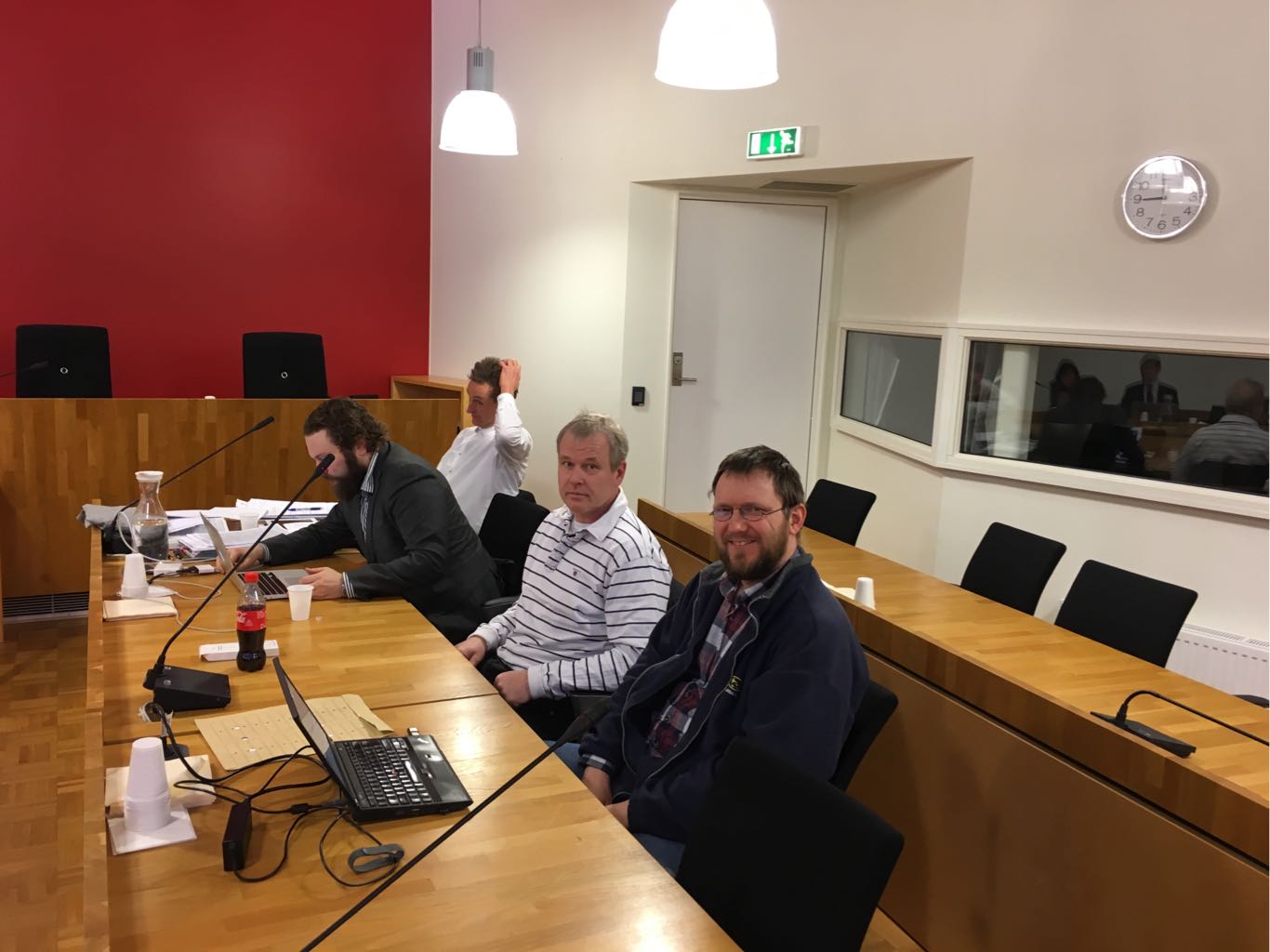
life. Our team can be seen in the picture above: attorney Ola
Tellesb , EFN board member Tom Fredrik Blenning, IMC CEO Morten Emil
Eriksen and NUUG board member Petter Reinholdtsen.
The
case at hand is that the Norwegian National Authority for
Investigation and Prosecution of Economic and Environmental Crime (aka
kokrim) decided on their own, to seize a DNS domain early last
year, without following
the
official policy of the Norwegian DNS authority which require a
court decision. The web site in question was a site covering Popcorn
Time. And Popcorn Time is the name of a technology with both legal
and illegal applications. Popcorn Time is a client combining
searching a Bittorrent directory available on the Internet with
downloading/distribute content via Bittorrent and playing the
downloaded content on screen. It can be used illegally if it is used
to distribute content against the will of the right holder, but it can
also be used legally to play a lot of content, for example the
millions of movies
available from the
Internet Archive or the collection
available from Vodo. We created
a
video demonstrating legally use of Popcorn Time and played it in
Court. It can of course be downloaded using Bittorrent.
I did not quite know what to expect from a day in court. The
government held on to their version of the story and we held on to
ours, and I hope the judge is able to make sense of it all. We will
know in two weeks time. Unfortunately I do not have high hopes, as
the Government have the upper hand here with more knowledge about the
case, better training in handling criminal law and in general higher
standing in the courts than fairly unknown DNS registrar and member
associations. It is expensive to be right also in Norway. So far the
case have cost more than NOK 70 000,-. To help fund the case, NUUG
and EFN have asked for donations, and managed to collect around NOK 25
000,- so far. Given the presentation from the Government, I expect
the government to appeal if the case go our way. And if the case do
not go our way, I hope we have enough funding to appeal.
From the other side came two people from kokrim. On the benches,
appearing to be part of the group from the government were two people
from the Simonsen Vogt Wiik lawyer office, and three others I am not
quite sure who was. kokrim had proposed to present two witnesses
from The Motion Picture Association, but this was rejected because
they did not speak Norwegian and it was a bit late to bring in a
translator, but perhaps the two from MPA were present anyway. All
seven appeared to know each other. Good to see the case is take
seriously.
If you, like me, believe the courts should be involved before a DNS
domain is hijacked by the government, or you believe the Popcorn Time
technology have a lot of useful and legal applications, I suggest you
too donate to
the NUUG defense fund. Both Bitcoin and bank transfer are
available. If NUUG get more than we need for the legal action (very
unlikely), the rest will be spend promoting free software, open
standards and unix-like operating systems in Norway, so no matter what
happens the money will be put to good use.
If you want to lean more about the case, I recommend you check out
the blog
posts from NUUG covering the case. They cover the legal arguments
on both sides.
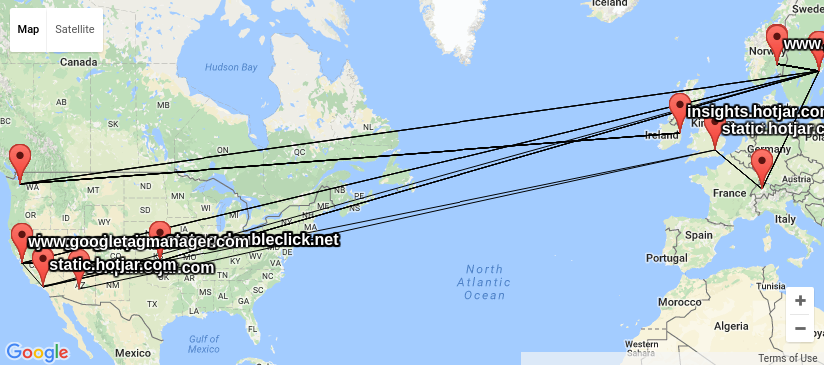
traceroute to www.stortinget.no (85.88.67.10), 30 hops max, 60 byte packets 1 uio-gw10.uio.no (129.240.202.1) 0.447 ms 0.486 ms 0.621 ms 2 uio-gw8.uio.no (129.240.24.229) 0.467 ms 0.578 ms 0.675 ms 3 oslo-gw1.uninett.no (128.39.65.17) 0.385 ms 0.373 ms 0.358 ms 4 te3-1-2.br1.fn3.as2116.net (193.156.90.3) 1.174 ms 1.172 ms 1.153 ms 5 he16-1-1.cr1.san110.as2116.net (195.0.244.234) 2.627 ms he16-1-1.cr2.oslosda310.as2116.net (195.0.244.48) 3.172 ms he16-1-1.cr1.san110.as2116.net (195.0.244.234) 2.857 ms 6 ae1.ar8.oslosda310.as2116.net (195.0.242.39) 0.662 ms 0.637 ms ae0.ar8.oslosda310.as2116.net (195.0.242.23) 0.622 ms 7 89.191.10.146 (89.191.10.146) 0.931 ms 0.917 ms 0.955 ms 8 * * * 9 * * * [...]This show the DNS names and IP addresses of (at least some of the) network equipment involved in getting the data traffic from me to the www.stortinget.no server, and how long it took in milliseconds for a package to reach the equipment and return to me. Three packages are sent, and some times the packages do not follow the same path. This is shown for hop 5, where three different IP addresses replied to the traceroute request. There are many ways to measure trace routes. Other good traceroute implementations I use are traceroute (using ICMP packages) mtr (can do both ICMP, UDP and TCP) and scapy (python library with ICMP, UDP, TCP traceroute and a lot of other capabilities). All of them are easily available in Debian. This time around, I wanted to know the geographic location of different route points, to visualize how visiting a web page spread information about the visit to a lot of servers around the globe. The background is that a web site today often will ask the browser to get from many servers the parts (for example HTML, JSON, fonts, JavaScript, CSS, video) required to display the content. This will leak information about the visit to those controlling these servers and anyone able to peek at the data traffic passing by (like your ISP, the ISPs backbone provider, FRA, GCHQ, NSA and others). Lets pick an example, the Norwegian parliament web site www.stortinget.no. It is read daily by all members of parliament and their staff, as well as political journalists, activits and many other citizens of Norway. A visit to the www.stortinget.no web site will ask your browser to contact 8 other servers: ajax.googleapis.com, insights.hotjar.com, script.hotjar.com, static.hotjar.com, stats.g.doubleclick.net, www.google-analytics.com, www.googletagmanager.com and www.netigate.se. I extracted this by asking PhantomJS to visit the Stortinget web page and tell me all the URLs PhantomJS downloaded to render the page (in HAR format using their netsniff example. I am very grateful to Gorm for showing me how to do this). My goal is to visualize network traces to all IP addresses behind these DNS names, do show where visitors personal information is spread when visiting the page.
When I had a look around for options, I could not find any good
free software tools to do this, and decided I needed my own traceroute
wrapper outputting KML based on locations looked up using GeoIP. KML
is easy to work with and easy to generate, and understood by several
of the GIS tools I have available. I got good help from by NUUG
colleague Anders Einar with this, and the result can be seen in
my
kmltraceroute git repository. Unfortunately, the quality of the
free GeoIP databases I could find (and the for-pay databases my
friends had access to) is not up to the task. The IP addresses of
central Internet infrastructure would typically be placed near the
controlling companies main office, and not where the router is really
located, as you can see from the
KML file I created using the GeoLite City dataset from MaxMind.
I also had a look at the visual traceroute graph created by
the scrapy project,
showing IP network ownership (aka AS owner) for the IP address in
question.
The
graph display a lot of useful information about the traceroute in SVG
format, and give a good indication on who control the network
equipment involved, but it do not include geolocation. This graph
make it possible to see the information is made available at least for
UNINETT, Catchcom, Stortinget, Nordunet, Google, Amazon, Telia, Level
3 Communications and NetDNA.
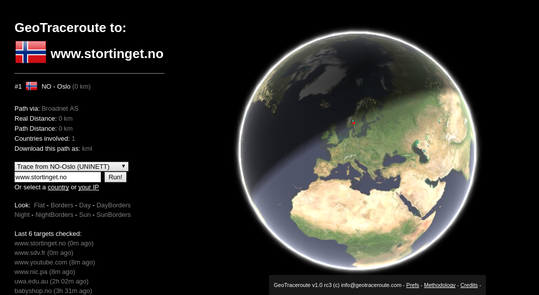
In the process, I came across the
web service GeoTraceroute by
Salim Gasmi. Its methology of combining guesses based on DNS names,
various location databases and finally use latecy times to rule out
candidate locations seemed to do a very good job of guessing correct
geolocation. But it could only do one trace at the time, did not have
a sensor in Norway and did not make the geolocations easily available
for postprocessing. So I contacted the developer and asked if he
would be willing to share the code (he refused until he had time to
clean it up), but he was interested in providing the geolocations in a
machine readable format, and willing to set up a sensor in Norway. So
since yesterday, it is possible to run traces from Norway in this
service thanks to a sensor node set up by
the NUUG assosiation, and get the
trace in KML format for further processing.
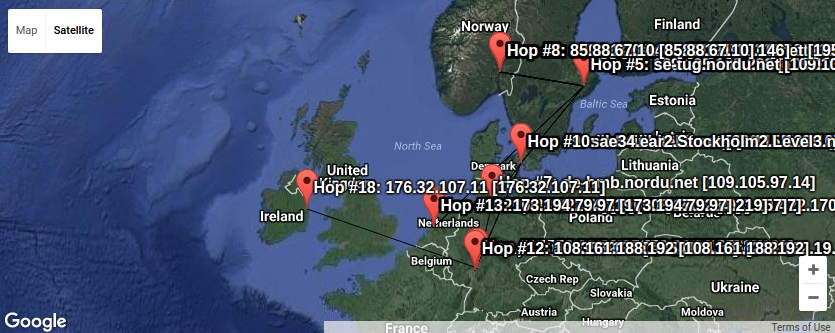
Here we can see a lot of trafic passes Sweden on its way to
Denmark, Germany, Holland and Ireland. Plenty of places where the
Snowden confirmations verified the traffic is read by various actors
without your best interest as their top priority.
Combining KML files is trivial using a text editor, so I could loop
over all the hosts behind the urls imported by www.stortinget.no and
ask for the KML file from GeoTraceroute, and create a combined KML
file with all the traces (unfortunately only one of the IP addresses
behind the DNS name is traced this time. To get them all, one would
have to request traces using IP number instead of DNS names from
GeoTraceroute). That might be the next step in this project.
Armed with these tools, I find it a lot easier to figure out where
the IP traffic moves and who control the boxes involved in moving it.
And every time the link crosses for example the Swedish border, we can
be sure Swedish Signal Intelligence (FRA) is listening, as GCHQ do in
Britain and NSA in USA and cables around the globe. (Hm, what should
we tell them? :) Keep that in mind if you ever send anything
unencrypted over the Internet.
PS: KML files are drawn using
the KML viewer from Ivan
Rublev, as it was less cluttered than the local Linux application
Marble. There are heaps of other options too.
As usual, if you use Bitcoin and want to show your support of my
activities, please send Bitcoin donations to my address
15oWEoG9dUPovwmUL9KWAnYRtNJEkP1u1b.
% ical-archiver t/2004-2016.ics Found 3612 vevents Found 6 vtodos Found 2 vjournals Writing t/2004-2016.ics-subset-vevent-2004.ics Writing t/2004-2016.ics-subset-vevent-2005.ics Writing t/2004-2016.ics-subset-vevent-2006.ics Writing t/2004-2016.ics-subset-vevent-2007.ics Writing t/2004-2016.ics-subset-vevent-2008.ics Writing t/2004-2016.ics-subset-vevent-2009.ics Writing t/2004-2016.ics-subset-vevent-2010.ics Writing t/2004-2016.ics-subset-vevent-2011.ics Writing t/2004-2016.ics-subset-vevent-2012.ics Writing t/2004-2016.ics-subset-vevent-2013.ics Writing t/2004-2016.ics-subset-vevent-2014.ics Writing t/2004-2016.ics-subset-vjournal-2007.ics Writing t/2004-2016.ics-subset-vjournal-2011.ics Writing t/2004-2016.ics-subset-vtodo-2012.ics Writing t/2004-2016.ics-remaining.ics %As you can see, the original file is untouched and new files are written with names derived from the original file. If you are happy with their content, the *-remaining.ics file can replace the original the the others can be archived or imported as historical calendar collections. The script should probably be improved a bit. The error handling when discovering broken entries is not good, and I am not sure yet if it make sense to split different entry types into separate files or not. The program is thus likely to change. If you find it interesting, please get in touch. :) As usual, if you use Bitcoin and want to show your support of my activities, please send Bitcoin donations to my address 15oWEoG9dUPovwmUL9KWAnYRtNJEkP1u1b.
% appstreamcli what-provides modalias \ usb:v1130p0202d0100dc00dsc00dp00ic03isc00ip00in00 Identifier: pymissile [generic] Name: pymissile Summary: Control original Striker USB Missile Launcher Package: pymissile % appstreamcli what-provides modalias usb:v0694p0002d0000 Identifier: libnxt [generic] Name: libnxt Summary: utility library for talking to the LEGO Mindstorms NXT brick Package: libnxt --- Identifier: t2n [generic] Name: t2n Summary: Simple command-line tool for Lego NXT Package: t2n --- Identifier: python-nxt [generic] Name: python-nxt Summary: Python driver/interface/wrapper for the Lego Mindstorms NXT robot Package: python-nxt --- Identifier: nbc [generic] Name: nbc Summary: C compiler for LEGO Mindstorms NXT bricks Package: nbc %A similar query can be done using the combined AppStream and Isenkram databases using the isenkram-lookup tool:
% isenkram-lookup usb:v1130p0202d0100dc00dsc00dp00ic03isc00ip00in00 pymissile % isenkram-lookup usb:v0694p0002d0000 libnxt nbc python-nxt t2n %You can find modalias values relevant for your machine using cat $(find /sys/devices/ -name modalias). If you want to make this system a success and help Debian users make the most of the hardware they have, please helpadd AppStream metadata for your package following the guidelines documented in the wiki. So far only 11 packages provide such information, among the several hundred hardware specific packages in Debian. The Isenkram database on the other hand contain 101 packages, mostly related to USB dongles. Most of the packages with hardware mapping in AppStream are LEGO Mindstorms related, because I have, as part of my involvement in the Debian LEGO team given priority to making sure LEGO users get proposed the complete set of packages in Debian for that particular hardware. The team also got a nice Christmas present today. The nxt-firmware package made it into Debian. With this package in place, it is now possible to use the LEGO Mindstorms NXT unit with only free software, as the nxt-firmware package contain the source and firmware binaries for the NXT brick. As usual, if you use Bitcoin and want to show your support of my activities, please send Bitcoin donations to my address 15oWEoG9dUPovwmUL9KWAnYRtNJEkP1u1b.
What we did at the Debian Edu / Skolelinux gathering in November 2016 in Oslo
From November 25 to 27 some people met in the hackerspace bitraf in downtown Oslo. On Saturday and Sunday we met in the morning and hacked and translated all day until we went for dinners in the evening. Despite the short time I think we managed to get a lot done and had good fun, so I'm hoping we'll have another gathering in 2017!
Debian Edu / Skolelinux is currently in better shape regarding the upcoming Debian release than we ever have been, which is pretty awesome. Today, on December 21st, all our changes are in Stretch, except for debian-edu-artwork.git, which awaits a desktop-base upload to unstable the only thing missing is being able to install Debian Edu using our profiles from official media releasing Debian Edu Stretch on the same day as Debian Stretch would be a huge success though!
These are the notes taken in a pad (thanks riseup!) during the meeting:
Phil Hands worked on


% isenkram-lookup bluez cheese ethtool fprintd fprintd-demo gkrellm-thinkbat hdapsd libpam-fprintd pidgin-blinklight thinkfan tlp tp-smapi-dkms tp-smapi-source tpb %It can also list the firware package providing firmware requested by the load kernel modules, which in my case is an empty list because I have all the firmware my machine need:
% /usr/sbin/isenkram-autoinstall-firmware -l info: did not find any firmware files requested by loaded kernel modules. exiting %The last few days I had a look at several of the around 250 packages in Debian with udev rules. These seem like good candidates to install when a given hardware dongle is inserted, and I found several that should be proposed by isenkram. I have not had time to check all of them, but am happy to report that now there are 97 packages packages mapped to hardware by Isenkram. 11 of these packages provide hardware mapping using AppStream, while the rest are listed in the modaliases file provided in isenkram. These are the packages with hardware mappings at the moment. The marked packages are also announcing their hardware support using AppStream, for everyone to use: air-quality-sensor, alsa-firmware-loaders, argyll, array-info, avarice, avrdude, b43-fwcutter, bit-babbler, bluez, bluez-firmware, brltty, broadcom-sta-dkms, calibre, cgminer, cheese, colord, colorhug-client, dahdi-firmware-nonfree, dahdi-linux, dfu-util, dolphin-emu, ekeyd, ethtool, firmware-ipw2x00, fprintd, fprintd-demo, galileo, gkrellm-thinkbat, gphoto2, gpsbabel, gpsbabel-gui, gpsman, gpstrans, gqrx-sdr, gr-fcdproplus, gr-osmosdr, gtkpod, hackrf, hdapsd, hdmi2usb-udev, hpijs-ppds, hplip, ipw3945-source, ipw3945d, kde-config-tablet, kinect-audio-setup, libnxt, libpam-fprintd, lomoco, madwimax, minidisc-utils, mkgmap, msi-keyboard, mtkbabel, nbc, nqc, nut-hal-drivers, ola, open-vm-toolbox, open-vm-tools, openambit, pcgminer, pcmciautils, pcscd, pidgin-blinklight, printer-driver-splix, pymissile, python-nxt, qlandkartegt, qlandkartegt-garmin, rosegarden, rt2x00-source, sispmctl, soapysdr-module-hackrf, solaar, squeak-plugins-scratch, sunxi-tools, t2n, thinkfan, thinkfinger-tools, tlp, tp-smapi-dkms, tp-smapi-source, tpb, tucnak, uhd-host, usbmuxd, viking, virtualbox-ose-guest-x11, w1retap, xawtv, xserver-xorg-input-vmmouse, xserver-xorg-input-wacom, xserver-xorg-video-qxl, xserver-xorg-video-vmware, yubikey-personalization and zd1211-firmware If you know of other packages, please let me know with a wishlist bug report against the isenkram-cli package, and ask the package maintainer to add AppStream metadata according to the guidelines to provide the information for everyone. In time, I hope to get rid of the isenkram specific hardware mapping and depend exclusively on AppStream. Note, the AppStream metadata for broadcom-sta-dkms is matching too much hardware, and suggest that the package with with any ethernet card. See bug #838735 for the details. I hope the maintainer find time to address it soon. In the mean time I provide an override in isenkram.
In my early years, I played
the epic game
Elite on my PC. I spent many months trading and fighting in
space, and reached the 'elite' fighting status before I moved on. The
original Elite game was available on Commodore 64 and the IBM PC
edition I played had a 64 KB executable. I am still impressed today
that the authors managed to squeeze both a 3D engine and details about
more than 2000 planet systems across 7 galaxies into a binary so
small.
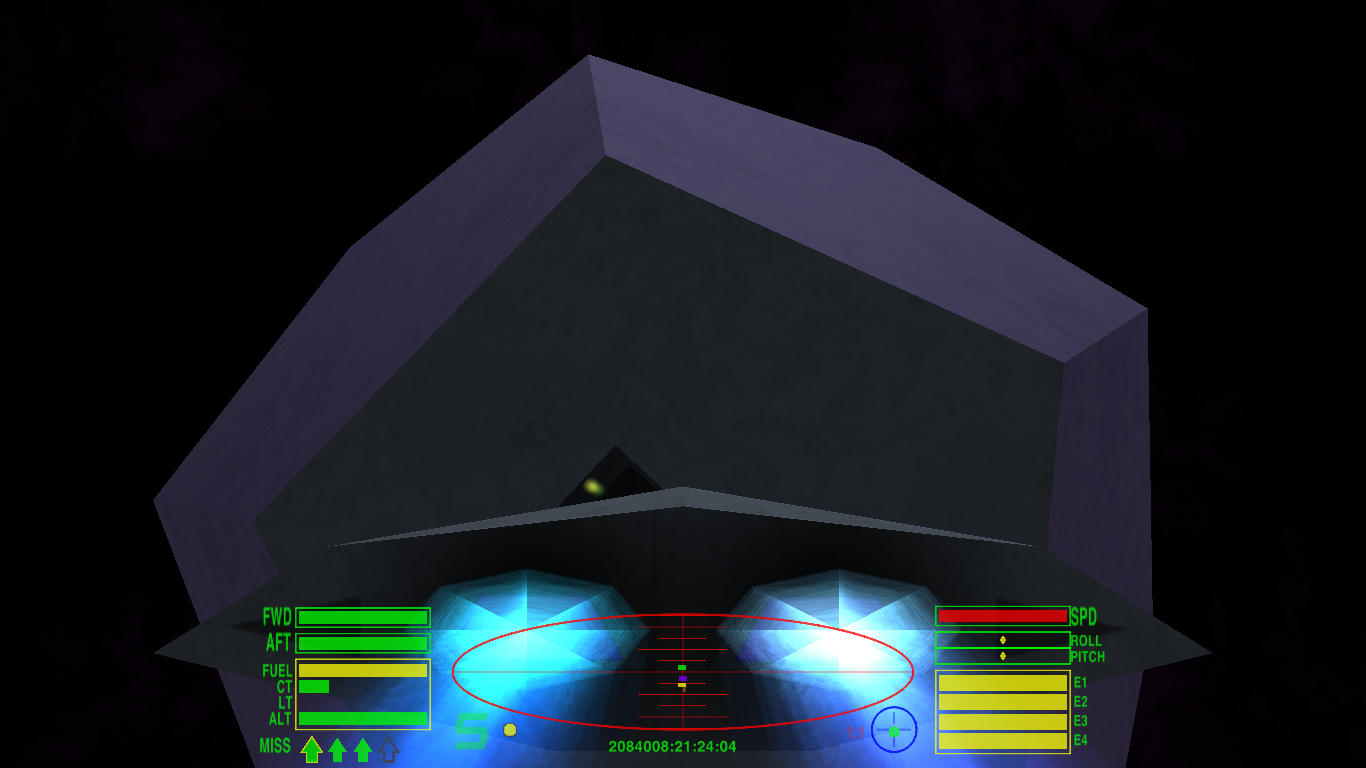
I have known about the free
software game Oolite inspired by Elite for a while, but did not
really have time to test it properly until a few days ago. It was
great to discover that my old knowledge about trading routes were
still valid. But my fighting and flying abilities were gone, so I had
to retrain to be able to dock on a space station. And I am still not
able to make much resistance when I am attacked by pirates, so I
bougth and mounted the most powerful laser in the rear to be able to
put up at least some resistance while fleeing for my life. :)
When playing Elite in the late eighties, I had to discover
everything on my own, and I had long lists of prices seen on different
planets to be able to decide where to trade what. This time I had the
advantages of the
Elite wiki,
where information about each planet is easily available with common
price ranges and suggested trading routes. This improved my ability
to earn money and I have been able to earn enough to buy a lot of
useful equipent in a few days. I believe I originally played for
months before I could get a docking computer, while now I could get it
after less then a week.
If you like science fiction and dreamed of a life as a vagabond in
space, you should try out Oolite. It is available for Linux, MacOSX
and Windows, and is included in Debian and derivatives since 2011.
As usual, if you use Bitcoin and want to show your support of my
activities, please send Bitcoin donations to my address
15oWEoG9dUPovwmUL9KWAnYRtNJEkP1u1b.
This should ask d-i to install the package inside the d-i environment early in the installation sequence. Having it installed in d-i in turn will make sure the relevant scripts are called just after debootstrap filled /target/ with the freshly installed Debian system to configure apt to run dpkg with eatmydata. This is enough to speed up the installation process. There is a proposal to extend the idea a bit further by using /etc/ld.so.preload instead of apt.conf, but I have not tested its impact.preseed/early_command="anna-install eatmydata-udeb"
coz run --- /path/to/binary-with-debug-infoThis will produce a profile.coz file in the current working directory with the profiling information. This is then given to a JavaScript application provided in the package and available from a project web page. To start the local copy, invoke it in a browser like this:
sensible-browser /usr/share/coz-profiler/viewer/index.htmSee the project home page and the USENIX ;login: article on Coz for more information on how it is working.
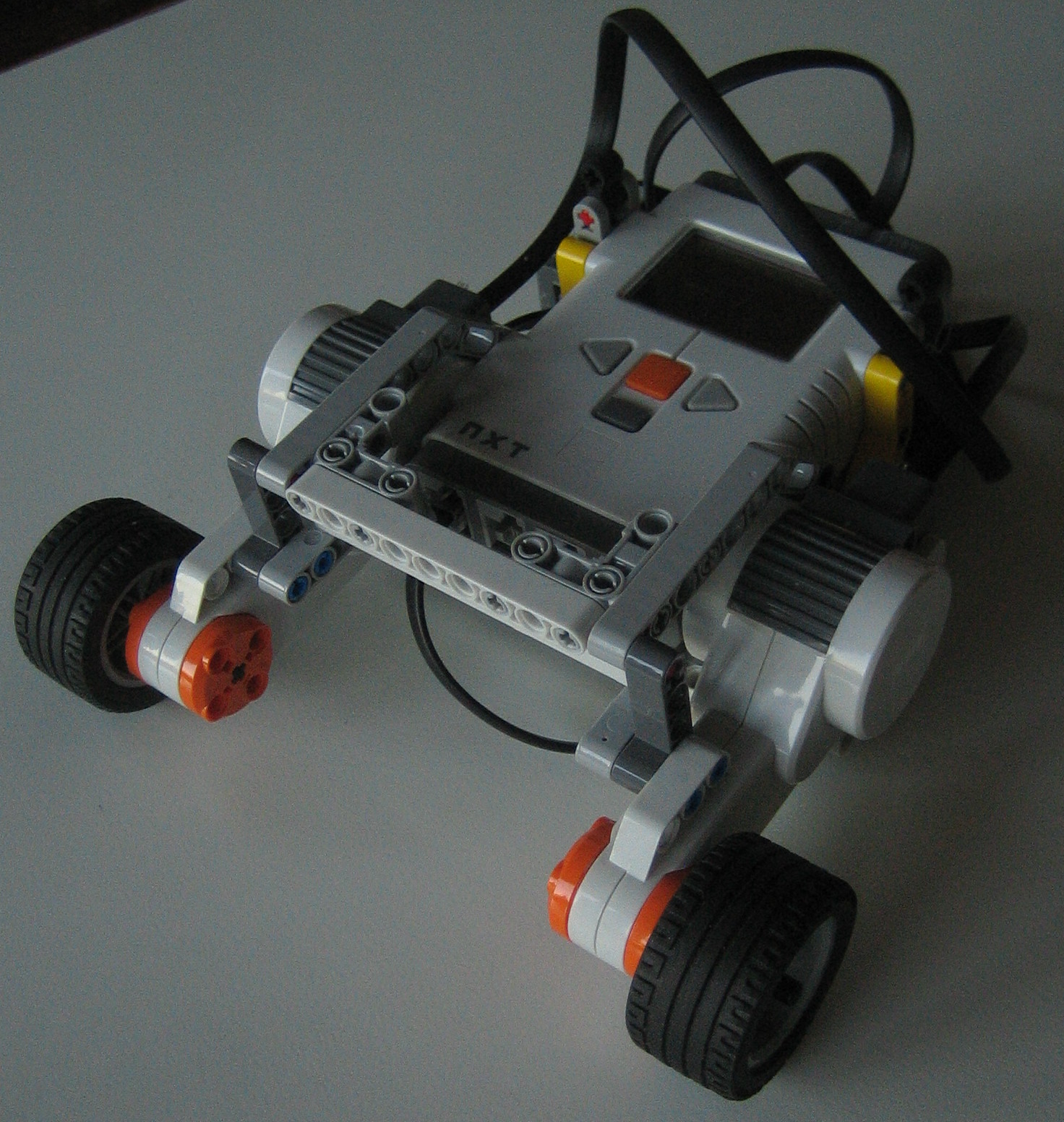
Because I lack the infrared sensor used to control the robot in the
design from HiTechnic, I had to comment out the last task
(taskControl). I simply placed /* and */ around it get the program
working without that sensor present. Now it balances just fine until
the battery status run low:
Now we would like to teach it how to follow a line and take remote control instructions using the included Bluetooth receiver in the NXT. If you, like me, love LEGO and want to make sure we find the tools they need to work with LEGO in Debian and all our derivative distributions like Ubuntu, check out the LEGO designers project page and join the Debian LEGO team. Personally I own a RCX and NXT controller (no EV3), and would like to make sure the Debian tools needed to program the systems I own work as they should.
apt install git tor chromium git clone https://github.com/WhisperSystems/Signal-Desktop.git
cd Signal-Desktop; cat <<EOF patch -p1
diff --git a/js/background.js b/js/background.js
index 24b4c1d..579345f 100644
--- a/js/background.js
+++ b/js/background.js
@@ -33,9 +33,9 @@
);
);
- var SERVER_URL = 'https://textsecure-service-staging.whispersystems.org';
+ var SERVER_URL = 'https://textsecure-service-ca.whispersystems.org';
var SERVER_PORTS = [80, 4433, 8443];
- var ATTACHMENT_SERVER_URL = 'https://whispersystems-textsecure-attachments-staging.s3.amazonaws.com';
+ var ATTACHMENT_SERVER_URL = 'https://whispersystems-textsecure-attachments.s3.amazonaws.com';
var messageReceiver;
window.getSocketStatus = function()
if (messageReceiver)
diff --git a/js/expire.js b/js/expire.js
index 639aeae..beb91c3 100644
--- a/js/expire.js
+++ b/js/expire.js
@@ -1,6 +1,6 @@
;(function()
'use strict';
- var BUILD_EXPIRATION = 0;
+ var BUILD_EXPIRATION = Date.now() + (90 * 24 * 60 * 60 * 1000);
window.extension = window.extension ;
diff --git a/js/views/install_view.js b/js/views/install_view.js
index 7816f4f..1d6233b 100644
--- a/js/views/install_view.js
+++ b/js/views/install_view.js
@@ -38,7 +38,8 @@
return
'click .step1': this.selectStep.bind(this, 1),
'click .step2': this.selectStep.bind(this, 2),
- 'click .step3': this.selectStep.bind(this, 3)
+ 'click .step3': this.selectStep.bind(this, 3),
+ 'click .callreg': function() extension.install('standalone') ,
;
,
clearQR: function()
diff --git a/options.html b/options.html
index dc0f28e..8d709f6 100644
--- a/options.html
+++ b/options.html
@@ -14,7 +14,10 @@
<div class='nav'>
<h1> installWelcome </h1>
<p> installTagline </p>
- <div> <a class='button step2'> installGetStartedButton </a> </div>
+ <div> <a class='button step2'> installGetStartedButton </a>
+ <br> <a class="button callreg">Register without mobile phone</a>
+
+ </div>
<span class='dot step1 selected'></span>
<span class='dot step2'></span>
<span class='dot step3'></span>
--- /dev/null 2016-10-07 09:55:13.730181472 +0200
+++ b/run-signal-app 2016-10-10 08:54:09.434172391 +0200
@@ -0,0 +1,12 @@
+#!/bin/sh
+set -e
+cd $(dirname $0)
+mkdir -p userdata
+userdata=" pwd /userdata"
+if [ -d "$userdata" ] && [ ! -d "$userdata/.git" ] ; then
+ (cd $userdata && git init)
+fi
+(cd $userdata && git add . && git commit -m "Current status." true)
+exec chromium \
+ --proxy-server="socks://localhost:9050" \
+ --user-data-dir=$userdata --load-and-launch-app= pwd
EOF
chmod a+rx run-signal-app
As usual, if you use Bitcoin and want to show your support of my
activities, please send Bitcoin donations to my address
15oWEoG9dUPovwmUL9KWAnYRtNJEkP1u1b.
SUBSYSTEM=="usb", ACTION=="add", ATTR idVendor =="0694", ATTR idProduct =="0001", \
SYMLINK+="rcx-%k", TAG+="uaccess"
The key part is the 'TAG+="uaccess"' at the end. I suspect all
packages using plugdev in their /lib/udev/rules.d/ files should be
changed to use this tag (either directly or indirectly via
70-uaccess.rules). Perhaps a lintian check should be created
to detect this?
I've been unable to find good documentation on the uaccess feature.
It is unclear to me if the uaccess tag is an internal implementation
detail like the udev-acl tag used by
/lib/udev/rules.d/70-udev-acl.rules. If it is, I guess the
indirect method is the preferred way. Michael
asked for more
documentation from the systemd project and I hope it will make
this clearer. For now I use the generic classes when they exist and
is already handled by 70-uaccess.rules, and add the tag
directly if no such class exist.
To learn more about the isenkram system, please check out
my
blog posts tagged isenkram.
To help out making life for LEGO constructors in Debian easier,
please join us on our IRC channel
#debian-lego and join
the Debian
LEGO team in the Alioth project we created yesterday. A mailing
list is not yet created, but we are working on it. :)
As usual, if you use Bitcoin and want to show your support of my
activities, please send Bitcoin donations to my address
15oWEoG9dUPovwmUL9KWAnYRtNJEkP1u1b.
60 was
uploaded to unstable by Mattia
Rizzolo. It included
contributions
from:
0.027-1 and 0.028-1 were uploaded to
unstable by Chris Lamb. It included
contributions
from:
0.5.1 was
uploaded to unstable by Chris
Lamb. It included
contributions
from:
This will create a text file profile.coz with the instrumentation information. To show what part of the code affect the performance most, use a web browser and either point it to http://plasma-umass.github.io/coz/ or use the copy from git (in the gh-pages branch). Check out this web site to have a look at several example profiling runs and get an idea what the end result from the profile runs look like. To make the profiling more useful you include <coz.h> and insert the COZ_PROGRESS or COZ_BEGIN and COZ_END at appropriate places in the code, rebuild and run the profiler. This allow coz to do more targeted experiments. A video published by ACM presenting the Coz profiler is available from Youtube. There is also a paper from the 25th Symposium on Operating Systems Principles available titled Coz: finding code that counts with causal profiling. The source code for Coz is available from github. It will only build with clang because it uses a C++ feature missing in GCC, but I've submitted a patch to solve it and hope it will be included in the upstream source soon. Please get in touch if you, like me, would like to see this piece of software in Debian. I would very much like some help with the packaging effort, as I lack the in depth knowledge on how to package C++ libraries.coz run --- program-to-run
Next.