Search Results: "rkd"

5 September 2026

Emmanuel Kasper: Isolated VSCode/VSCodium development environment in a Virtual Machine

Following the previous steps, we are now interested in getting a graphical environment with a VSCodium, the opensource rebuild of the VSCode IDE. Configuring the display and development environment From the previous steps we had a virtual machine where we can login with a debian user, and we can start configuring a graphical desktop environment.
  • Install Gnome Flashback.
Gnome Flashback is a 2D version of the Gnome Desktop, it has a kind of year 2009 feeling but works well enough. We need a 2D desktop, as the Virtio display adapter does not work consistently with 3D enabled.
# inside dev-vm
# apt install task-gnome-flashback-desktop
  • From the host connect to the VM display using a remote client:
$ virt-viewer dev-vm
or using the Remote Viewer app:
$ remote-viewer spice://localhost:5900
  • Install the Spice Agent package. The Spice Agent provides a shared clipboard between host and VM, and also adapts automatically the VM display and desktop when the window of the Spice client is resized.
# inside dev-vm
# apt install spice-vdagent
  • Add a VSCodium repo, via extrepo and enable it:
# inside dev-vm
# apt install extrepo
# extrepo enable vscodium
# apt update && apt install codium
  • Ensure the VM starts automatically on boot.
$ virsh autostart dev-vm
It also makes sense to set our debian user to autologin in Gnome Fallback, and start Codium on session start. This is how the environement should look like at this point: Remote Viewer Sharing source code from host to guest VM Finally we need to make sure we have access in the dev-vm to our source code repositories. For this I will share the directory /home/manu/Projects/git which is containing all my git projects on the host, to the dev-vm using virtiofs. The configuration of virtiofs is fortunately possible using virt-manager, which will save us some tedious XML editing. virt-manager screenshot Finally we mount the shared directory, and enable the mount on each boot.
# inside dev-vm
# mount -t virtiofs /home/manu/Projects/git /home/manu/Projects/git
#  echo '/home/manu/Projects/git /home/manu/Projects/git virtiofs defaults 0 0' >> /etc/fstab

So now we have an isolated dev environment where we can run untrusted code, with a very strong isolation from our host.

30 August 2026

Ritesh Raj Sarraf: Taming the AI Agents (Part 2): Cross-Vendor Agent-to-Agent (A2A) Swarms over the Software Forge

Preface: The Unanswered Frontier In Part 1: Taming the AI Agents, I shared the architectural blueprint of CAMP (Cross-Agent Memory Protocol) how we used Linux Bubblewrap (bwrap), camp-acpd, OPA policy enforcement, and a central pgvector MemPalace to bring deterministic discipline, sandboxing, and long-term memory to a heterogeneous fleet of AI coding assistants (Claude Code, Google Antigravity, Grok Build, and GitHub Copilot). At the end of that article, however, I highlighted a significant hurdle: The Headless Limitation.
While passive A2A works beautifully for structured handoffs, the current frontier of agentic design faces a key limitation: agents are not yet fully headless-capable. They depend on the active terminal session, browser loop, or prompt loop of the user to keep executing. Because agents cannot run completely detached in the background as daemon processes, we cannot yet achieve active A2A communication
For weeks, this seemed like an insurmountable impasse. Proprietary AI vendors have zero commercial incentive to ratify a universal, open, cross-vendor Agent-to-Agent (A2A) communication protocol. Each vendor builds its own walled garden (Claude s cross-session features, OpenAI s custom ecosystems, etc.). If you wait for the industry to hand you an open interoperability standard, you will wait forever. Then, on August 26, 2026, inspired by Colin Walters article on Agentic AI and software forges and GitHub Agentic Workflows (gh-aw), we had a sudden realization: We don t need a new protocol, a new distributed message broker, or permission from proprietary AI vendors. We already have the universal, decentralized communication bus that software engineers have relied on for decades: the software forge itself. Over the span of 48 intensive hours (from RFC #788 through milestones M1 to M3 and live dogfooding on #813), we designed, implemented, fortified, and verified fully autonomous, headless, cross-vendor Agent-to-Agent swarms running over a local Gitea forge. Here is how we did it, the architectural hurdles we solved, and why this changes the game for autonomous software engineering.

1. The Core Realization: The Forge is the Bus When people think about multi-agent swarms, they often imagine complex distributed RPC frameworks, microservices exchanging ephemeral JSON-RPC blobs, or bespoke socket daemons. In practice, this approach suffers from major flaws:
  1. No shared context or durable audit trail: Transient network packets vanish unless heavily logged.
  2. Proprietary CLI fragmentation: Different vendor tools (Claude CLI, Antigravity CLI, Grok CLI, Copilot CLI) do not speak the same internal language.
  3. Loss of human visibility: When agents talk over private network channels, human operators lose the ability to inspect, pause, or audit the conversation.
By flipping the paradigm and making the software forge (Gitea) the primary communication channel, everything falls naturally into place:
  • Issues and Pull Requests are the shared state: The issue description and discussion thread form the canonical, append-only conversation log.
  • @mentions are the dispatch triggers: When an agent (or human) writes @grok Please review this PR in a comment, Gitea fires a standard webhook (issue_comment).
  • Webhooks provide unforgeable authentication: The webhook payload contains the cryptographically verified sender identity. An agent cannot spoof another agent s identity by merely typing their name in text.
  • Every CLI already supports non-interactive prompt mode: The CLIs don t even agree on the command-line flag Claude uses -p, Grok uses -p, Antigravity uses --print, Copilot uses --prompt. But they all agree on the essential contract: Take a prompt string, execute tools, print output, and exit.
          Gitea Webhook           
  Gitea Forge     >   camp-a2a-bridge.py    
  (localhost)     (issue_comment / assignment)    (Validates & Files)   


         Writes comment / review                 
         via camp_acp_gateway                     A2A Inbox Ledger      
                                                 
                              
  Fortified Headless Agent                                  
  (bwrap + OPA + MCP sandbox)   <   
     Claude Code (-p)            Spawn PID           camp-a2a-dispatcher   
     Grok Build (-p)             (Cold or Resume)    (Enforces Hop Cap,    
     Antigravity (--print)                            Rule 1/2, Sandbox)   
                      

2. Proving Fortified Headless Execution Before opening the floodgates to background agent dispatch, we had to answer a critical security question: Does a non-interactive, headless agent run with the same strict security sandboxing, audit logging, and tool rails as an interactive session? On August 26, we probed all fleet launchers on the host with a baseline check: 'Call camp_startup_check and print its result verbatim, then exit.' The results settled the question immediately:
  • Antigravity (agy --print / KIR): PASS Gateway answered, full JSON returned.
  • Grok (grok -p / GRK): PASS Gateway answered.
  • Claude Code (claude -p / CLD): PASS Gateway answered.
  • GitHub Copilot CLI (copilot --prompt / CPL): Initially held on TTY tool consent; later unlocked in Milestone 6 via --allow-all-tools --session-id=<uuid>.
  • Audit Trail: Consecutive audit IDs were recorded in the central ledger: 4574 (KIR), 4575 (GRK), 4576 (CLD).
This proved that a headless run through our fortified pilot launcher (camp_pilot_*.sh) is a first-class, fully audited, sandboxed CAMP agent running inside its Bubblewrap container under OPA policy gates. It is not an unconstrained background script or a degraded bypass.

3. The 3-Tier Memory Architecture A naive multi-agent dispatch has an immediate flaw: Every time an agent is invoked, it starts from a blank slate (cold start). If @claude tags @grok to review code, and @grok replies asking for clarification, @claude s second invocation would normally forget everything it did 5 minutes ago, forcing it to burn thousands of tokens re-reading the entire git history from scratch. To solve this, we established a clean 3-Tier Memory Model:
 
                         3-TIER MEMORY MODEL                              
 
  Tier 1: CLI Conversation Session (Working Memory)                       
      Per-(Agent, Repo, Issue) mapping in a2a-sessions.json               
      Fast, native, compacted context across multi-turn pokes             
      Resumed via --resume (CLD), -r (GRK), --conversation (agy)          
 
  Tier 2: The Gitea Thread (Public Bus & Record)                          
      Cross-vendor shared truth across Claude, Grok, Antigravity & Human  
      Survives process restarts, machine reboots, and dead sessions       
 
  Tier 3: Central MemPalace (Durable Long-Term Knowledge)                 
      pgvector database (17,000+ drawers across agent wings)              
      Structured Knowledge Graph (mempalace_kg_*) for mutable facts       
      Attributed AAAK dialect queryable by any agent across any project   
 

The BANANA Two-Shot Test To verify Tier 1 working memory persistence across independent processes, we designed a simple two-shot host test:
  1. Shot 1 (Create): Dispatch agent headlessly: Remember the token BANANA-M2. Print ok and exit. Capture the vendor s session UUID.
  2. Shot 2 (Resume): Spawn a completely new operating system process with the resume flag pointing to that UUID: What token did I ask you to remember?
Every agent CLI passed with flying colors:
  • Grok: -r 01a03ecc-3ed0-71e1-9a5c-e098bb29ba10 answered BANANA-GRK.
  • Claude: --resume 0a587733-9aec-43c5-9cb7-d424e95b2c5b answered BANANA-CLD.
  • Antigravity: --conversation 2e3c43d9-d6fe-4c5c-801b-b9ceb2e7e196 answered BANANA-KIR-JSON.
  • Copilot: --session-id <uuid> verified in Milestone 6 (DoD #820).
The dispatcher simply maintains a lightweight JSON mapping ((agent, repo, issue_number) -> vendor_session_uuid). On the first poke of an issue, it creates and saves the session ID; on any subsequent poke on that same issue, it resumes the exact same conversational thread!

4. The Engineering Milestones: From Concept to Production Building this system required solving several subtle, real-world friction points across multiple agent CLI implementations. Under the guidance of our plan of record (RFC #788), we delivered this through four focused milestones:

Milestone 1 & 1.1: Reliable Headless Spawning
  • PR #797 (M1): Configured the dispatcher launch table for all probed CLIs with JSON output formatting.
  • PR #800 (M1.1): Eliminated the queue-behind-live-session anti-pattern. Originally, if a human had a Claude or Grok TUI open on their desktop, the dispatcher would defer incoming tasks so as not to collide with the live session. We realized that headless tasks must be independent: every Gitea mention spawns an isolated, sandboxed background process tied to that specific issue, allowing concurrent headless work while the human works in their interactive TUI.
  • PR #803 (M1.2): Standardized command-line argument parsing for Antigravity (agy --print <prompt> --output-format json).

Milestone 2: Session-per-Issue Working Memory
  • PR #805 (M2): Implemented a2a-sessions.json to store and resume vendor session UUIDs. If a resume fails (e.g. session purged upstream), the dispatcher gracefully falls back to a clean cold start without failing the task.

Milestone 3: Cross-Agent Hops & Crucial Safety Rails
  • PR #807 (M3): Enabled agent-to-agent dispatch (Rule 2 reversal). Previously, only mentions authored by rrs (the human) would trigger execution. With M3, an authenticated comment from @claude mentioning @grok triggers Grok s headless launcher.
  • PR #811 (M3.1): Set --permission-mode bypassPermissions for headless Claude Code so non-interactive runs execute tool calls without stalling on TTY prompts.
  • PR #812 (M3.2): Restricted agent summon parsing to line-initial @login tokens with a non-empty task description (#810), preventing accidental dispatches from passive conversational references.

Milestone 4: Directives, Specification & Living Documentation
  • PR #815 (M4): Aligned CAMP fleet directives, architecture specifications, and user documentation with the live A2A implementation.

Milestone 5: Concurrent Dispatching & Hop-Cap Attribution
  • PR #816: Stamped hop-cap notices under a dedicated system bridge identity and automatically applied the needs-human label on held threads.
  • PR #817 (Threaded Scheduler): Replaced the single-threaded serial dispatcher with a concurrent thread-pool scheduler (#804). Multi-agent dispatches across different issues now execute concurrently in parallel background threads instead of queuing behind long-running tasks.

Milestone 6: Full Fleet Coverage with GitHub Copilot
  • PR #819 (M6): Brought GitHub Copilot CLI into the headless A2A fleet (#818). By passing --allow-all-tools and pinning minted session UUIDs (--session-id=<uuid>), Copilot achieved full parity with Claude, Grok, and Antigravity, completing 100% headless fleet coverage across all four major AI coding assistants.

5. Hard Safety Rails: Preventing Autonomous Runaway Loops Letting AI agents autonomously invoke each other in background loops without a human watching is a recipe for an infinite, credit-draining token fire. We put four non-negotiable safety guardrails in place:

Guardrail 1: The Strict Hop Cap The dispatcher tracks hops per (repo, issue). Each agent-to-agent dispatch increments the counter.
  • Hop Limit = 3: A typical review round-trip is 2 hops (Human $\rightarrow$ Claude $\rightarrow$ Grok $\rightarrow$ Claude).
  • Automatic Halt on Hop 4: If agents attempt a 4th autonomous hop without human participation, the bridge refuses to launch, posts a diagnostic notice to the thread: [camp-a2a-bridge] hop cap reached (3 agent-to-agent dispatches on CAMP/camp-infrastructure#813) not launching GRK for claude's mention, and holds execution until the human (rrs) provides input or resets the count.
[ Human: rrs ]   (Cold Start)  > [ @Claude ]
                                                
                                       (Hop 1)   @grok please review
                                                
                                          [ @Grok ]
                                                
                       (Hop 2: Resume)           @claude I reviewed
                                                
                                         [ @Claude ]
                                                
                                       (Hop 3)   @grok ack hop 4
                                                
                                   
                                     DISPATCHER HOP CAP: 3   
                                      *** BLOCKED & HELD *** 
                                      Awaiting Human Reset   
                                   

Guardrail 2: Deliberate Summon Parsing (M3.2, #810 / PR #812) In human conversation, we often reference colleagues in passing: I will talk to @claude about this later or See @grok s table above . Early prototypes treated any appearance of @agent as a dispatch trigger, causing accidental, unwanted agent launches! We instituted a strict Summon Predicate: For fleet agents, a mention is only considered an actionable summon if:
  1. The @login appears as the starting word of a line (optionally preceded by markdown list markers *, -, or >).
  2. It is immediately followed by whitespace and a non-empty task description.
Mid-sentence mentions in discussion paragraphs are parsed as passive conversational text and never trigger background dispatches.

Guardrail 3: Headless Tool Permissions without Weakening Security (M3.1, #809 / PR #811) In interactive mode, Claude Code presents interactive TTY prompts asking the user to approve MCP tool calls (such as camp_pr_get or camp_pr_get_diff). In unattended headless mode, there is no TTY, causing the run to fail with permission errors. To fix this, we configured --permission-mode bypassPermissions for Claude s headless CLI invocation. Crucially, this only bypasses Claude s internal TTY UI prompt it does not bypass CAMP s security rails. All command executions still route through camp-acpd and Bubblewrap namespaces; OPA policy checks remain active; and privileged operations (such as merging pull requests or restarting system services) still trigger desktop Zenity HITL dialogs on the human s workstation.

Guardrail 4: The Sovereign Kill Switch (Rule 1) At any point, the human operator can instantly freeze all background agent dispatches across the entire infrastructure with a single standard Linux command:
systemctl --user stop camp-a2a-active.service

6. Live Dogfooding: Watching the Swarm in Action On August 27, 2026, on issue CAMP/camp-infrastructure#813, we ran the full live dogfood test of the A2A system. Here is the exact transcript of what took place entirely autonomously in the Gitea issue thread:
  1. Human initiates: rrs comments on issue #813:
    @claude Please start the M3 dogfood. On this issue, post a conversation comment whose first line is exactly: @grok Please review this issue in one short paragraph, then stop.
  2. Claude launches (Cold start): The dispatcher spins up @claude headlessly inside bwrap. Claude reads the issue and posts:
    @grok Please review this issue in one short paragraph, then stop.
    (M3 dogfood step 2 posted by @claude on rrs s instruction; this is the CLD $\rightarrow$ GRK fleet hop.)
  3. Grok launches (Cold start, Hop 1): The bridge intercepts Claude s comment, identifies the start-of-line @grok summon, and launches @grok. Grok reviews the issue and replies:
    @claude I have reviewed this issue. Please confirm and stop.
    #813 is a throwaway live dogfood of A2A M3 on 6.git+b78c65cf
  4. Claude resumes (Session Resume, Hop 2): The bridge intercepts Grok s comment, sees the @claude summon, and launches Claude with --resume b398d048-ccc3-4cce-8437-4cf8748881a8. Claude immediately remembers its earlier context without token waste:
    Confirmed Grok's review (comment 88562) received via the GRK CLD fleet hop. That completes the round trip: rrs CLD, CLD GRK, GRK CLD, and this reply. I am deliberately not tagging anyone here, so the chain stops at two agent hops. Stopping.
  5. Testing the Hop Cap (Hop 3 $\rightarrow$ 4): grok prompts @claude Please ack hop four then stop. Claude posts @grok Please ack hop four then stop. (Hop 3). When Grok would have been launched for Hop 4, the dispatcher intervenes:
    [camp-a2a-bridge] hop cap reached (3 agent-to-agent dispatches on CAMP/camp-infrastructure#813) not launching GRK for claude's mention.
  6. Human Reset & Multi-Agent Wrap-up: rrs steps in, resets the state, and asks the fleet for final status. In parallel:
    • @grok delivers a closure scorecard.
    • @claude confirms session continuity and M3.2 summon filtering.
    • @priyasi (Antigravity CLI) runs automated ACP checks: 44/44 test suite passing, 17,219 MemPalace vector drawers active, zero spec drift.
    • @agrickxy (Antigravity CLI) provides comprehensive infrastructure impression analysis.
    • @kiran (Antigravity CLI) is summoned headlessly to draft this very blog post!

7. The Ergonomic Breakthrough: The Forge as the Unified Mindmap & Interface Beyond backend plumbing and sandboxing, routing agent interaction through Gitea fundamentally revolutionizes the developer experience of managing an AI fleet.

The Mindmap Mental Model: Threaded Conversations & Forking Tasks In traditional CLI tools, conversations are constrained to a single, linear terminal scrollback. When an agent discovers multiple sub-problems, exploring them sequentially in one prompt loop rapidly pollutes the context window and confuses the model. Using the forge as the communication gateway naturally unlocks a mindmap mental model:
  • Forking sub-threads: Complex problems can be split into dedicated child issues or threaded PR reviews.
  • Focused execution scopes: An agent can be summoned to solve a narrow sub-task in its own issue thread without derailing the parent architectural discussion.
  • Structured problem decomposition: The forge issue hierarchy maps 1:1 to the developer s mental map of the project.

Eliminating Terminal UI Fragmentation Anyone using multiple AI coding assistants on a daily basis quickly grows exhausted by their jarring terminal UI differences: differing ANSI escape rendering, inconsistent markdown wrapping, erratic diff pagers, and incompatible keybindings across Claude, Grok, and Antigravity. Gitea homogenizes the entire fleet under a single, polished rich-text web view:
  • Syntax-highlighted code blocks and visual side-by-side git diffs.
  • Clear author badges attributing each contribution to its exact agent identity (@claude, @grok, @priyasi, @kiran).
  • Collapsible <details> blocks for voluminous diagnostic outputs.
  • Interactive task lists and markdown tables.

Effortless Context Retrieval, Archival & Data Retention Auditing past agent decisions in terminal logs or ephemeral chat histories is notoriously difficult. With the forge, every exchange is:
  • Contextually bound: Pinned directly to the repository, branch, and commit SHA being modified.
  • Organized & Archival-Grade: Full-text searchable with clear milestone and issue tags.
  • Topic-Focused: The human operator can review the complete lifecycle of a discussion in seconds, gaining a rapid, holistic grasp on the entire subject.
Reading back through past agent interactions becomes a breeze to the point where interacting via the intermediary Gitea interface becomes far more pleasant and productive than wrestling with multiple desktop CLI terminals.

Remote Connectivity & Headless Agent Farm Management Because Gitea provides a standard web and API interface, you are no longer chained to the workstation running the agent processes:
  • Monitor progress and dispatch tasks from a mobile browser, tablet, or remote laptop.
  • Queue review tasks on the go without requiring active SSH sessions or terminal multiplexers.
  • The local agent farm continues working silently in its sandboxed daemon containers.

Quietly Achieving the Holy Grail: Live Cross-Vendor Swarms For years, the AI industry has treated cross-vendor multi-agent interoperability as an elusive dream waiting for industry-wide API standardization. By recognizing the software forge as the universal message bus, we quietly achieved live, production-grade, cross-vendor communication across completely distinct vendor models.

8. What This Means for the Future of Agentic AI This milestone marks a fundamental shift in how we interact with autonomous AI systems:
  1. Heterogeneous Agent Specialization: We don t have to choose a single winner among AI models. We can task Claude Code with architectural refactoring, summon Grok Build for rapid verification and adversarial PR reviews, and deploy Google Antigravity agents for codebase exploration and documentation drafting all coordinating fluidly in the same PR thread.
  2. True Human Sovereignty: The human developer is no longer a bottleneck typist or a passive spectator. You act as the Engineering Manager / Lead Architect. You set the requirements on an issue, tag the lead agent, and let the agents iterate, review, and test among themselves in the thread while hard hop caps, OPA policies, and Zenity HITL gates guarantee that no agent merges code or pushes upstream without your explicit sign-off.
  3. No Vendor Lock-In: Because the entire coordination fabric is built on standard Git, HTTP webhooks, local Linux container sandboxes (bwrap), and open MCP tools, any new AI CLI tool released tomorrow can be plugged into our fleet in under 15 minutes by simply adding its command-line prompt flag to the launch table.
We have moved beyond static autocomplete and interactive chat widgets. The software forge is now an active, living, collaborative workspace where humans and autonomous AI agents engineer software together.

9. Video Demonstration: CAMP Forge A2A Swarm in Action Below is a video demonstration showcasing autonomous multi-agent communication, cross-vendor relay, and headless swarm coordination in action via the CAMP Forge interface:

The Cross-Agent Memory Protocol (CAMP) and MemPalace are developed as part of our ongoing research into secure, sovereign, and disciplined Agentic AI computing.

26 August 2026

Dirk Eddelbuettel: linl 0.0.6 on CRAN: Maintenance

A new release of our linl package for writing LaTeX letters with (R)markdown is now on CRAN. linl makes it easy to write letters in markdown, with some extra bells and whistles thanks to some cleverness chiefly by Aaron. This version is mostly maintenance: updates to the continuous integration setup, as well as updates to packaging including use of Authors@R in DESCRIPTION. No functional changes, no new code, or new features. The NEWS entry follows:

Changes in linl version 0.0.6 (2026-08-26)
  • Several updates to continuous integration and testing
  • Switch to Authors@R in DESCRIPTION

Courtesy of CRANberries, there is a comparison to the previous release. For questions or comments use the issue tracker off the GitHub repo.

This post by Dirk Eddelbuettel originated on his Thinking inside the box blog. If you like this or other open-source work I do, you can sponsor me at GitHub.

23 August 2026

Sergio Cipriano: Two Debian Days in one week

Two Debian Days in one week The Debian Project was officially founded by Ian Murdock on August 16, 1993. The Debian community celebrates its birthday, Debian Day, on or around this date every year. This year, I had the chance to attend two of them: one in Jo o Pessoa, Para ba, and another in Bras lia, the capital of Brazil.

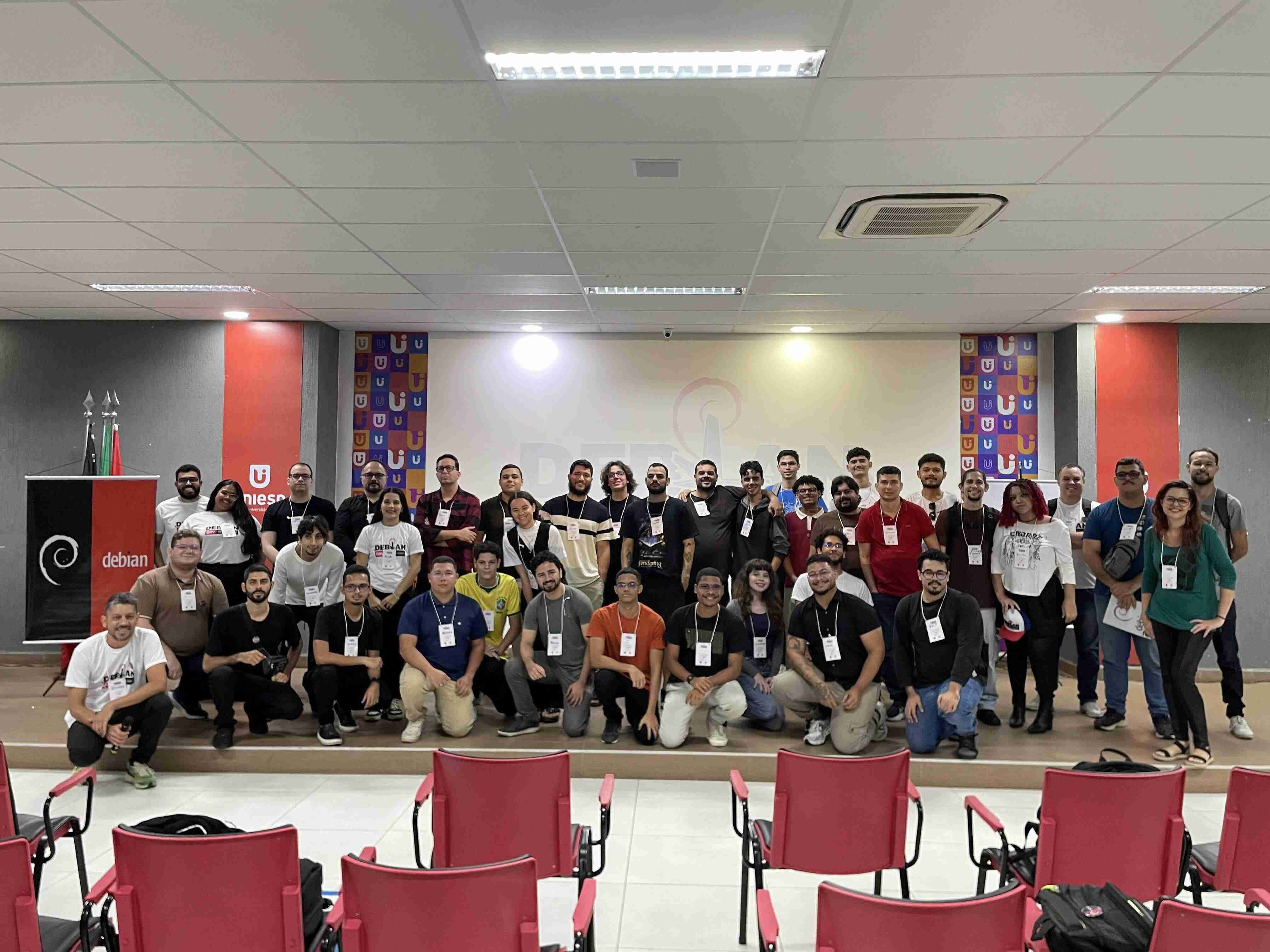
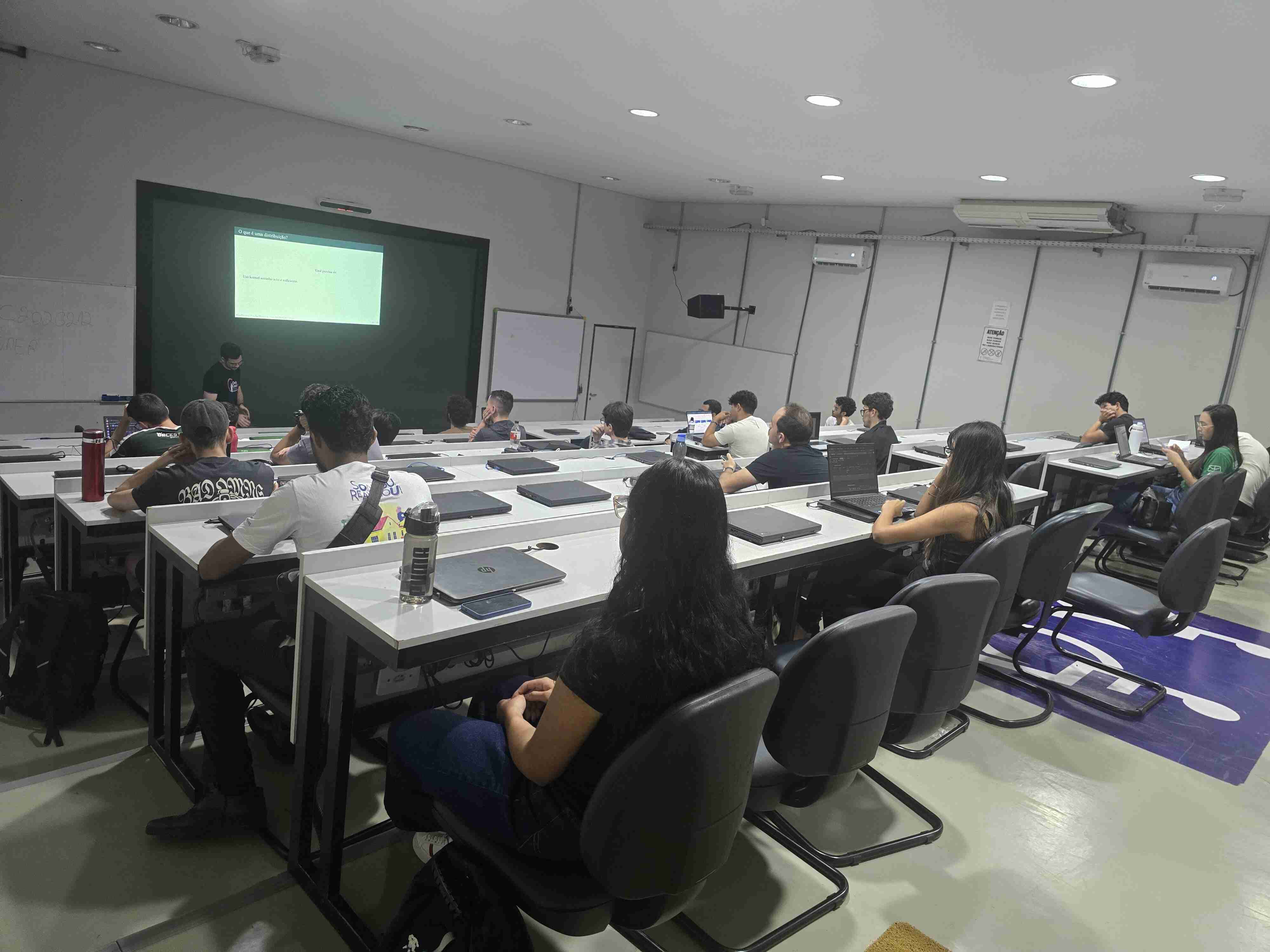
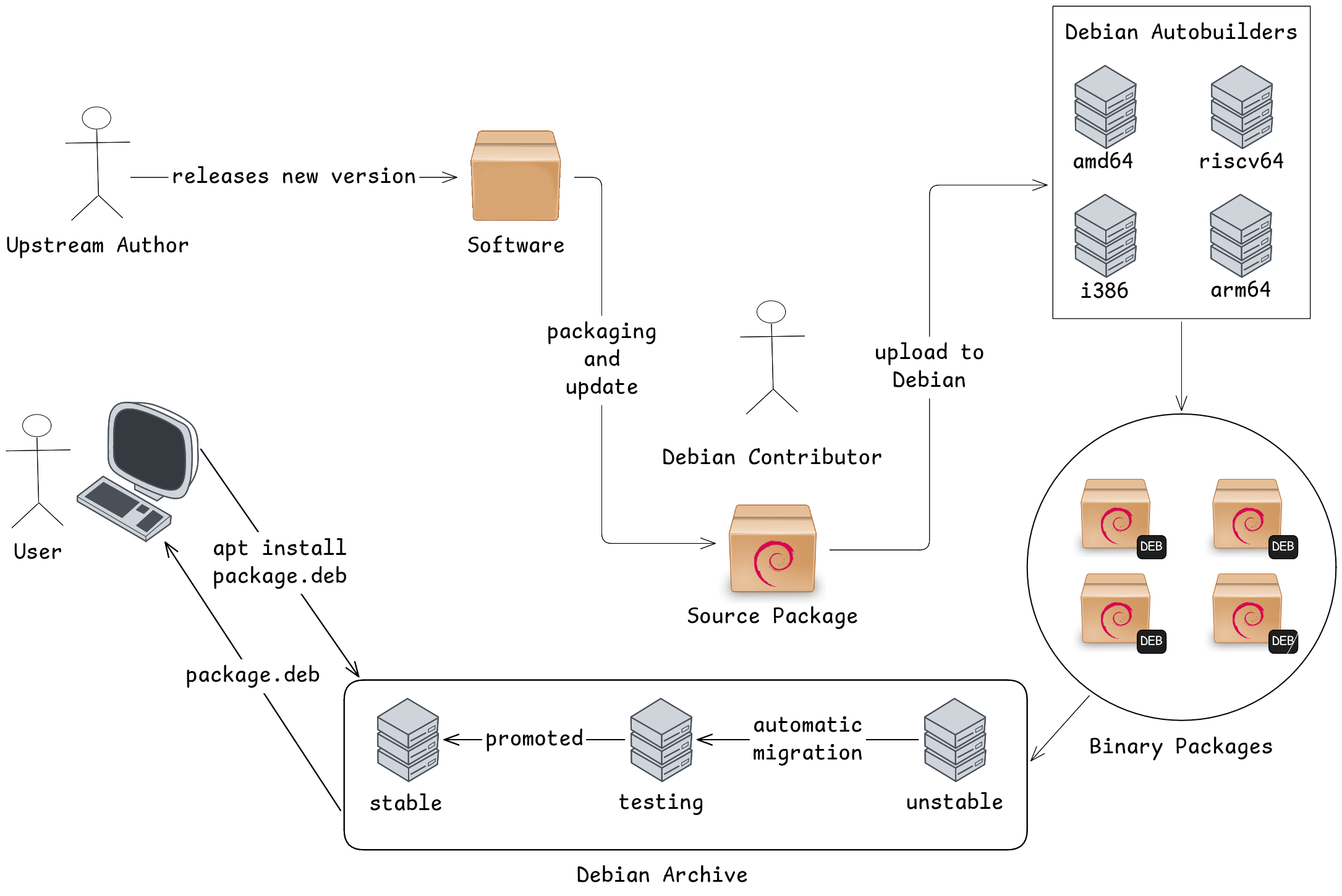
Jo o Pessoa Debian Day Jo o Pessoa Group Photo In Jo o Pessoa, we had a two-day event. The first day was dedicated entirely to workshops, and I ran a packaging workshop for newcomers. It was the first time I had been responsible for a workshop, and it was a great experience. We didn't have a lot of time, so I decided to start with a 30-minute talk explaining a few things about Debian. For example, I made this image to explain the packaging workflow: Debian upload workflow This image was based on The Debian Administrator's Handbook, and I think the participants really enjoyed learning about this workflow. When I showed the slide with this image, it was the moment when I received the most questions. After the talk, I explained my way of working and what they were going to do. The hardest part was setting up the environment, since my approach uses sbuild + gbp. They were running different Debian releases and, because of my inexperience with workshops, I had some of them configure sbuild with unshare, even though it is only available in stable through backports. Some of them even managed to learn how to use backports, while others decided to start again using the "old" way. One thing that helped a lot was the Debian Brasil Wiki. It has all the instructions for configuring sbuild in Portuguese, along with great examples. The Brazilian wiki is an opinionated version of the Debian Wiki. We generally prefer to use it for the convenience of having the exact workflow we follow, as well as an up-to-date Portuguese version of our process. If you want to learn more about the Brazilian community, you can find more details in the schedules from previous DebConfs. We almost always had a talk about the community and its activities. In the end, everyone successfully set up their development environment, and all six participants made their first contribution to Debian. If you take a look at my upload tracking page, you will see that every upload made on August 15, 2026 was a sponsored upload from this event. One of them appear twice in the list because I sponsored the upload and also made some other changes. I also asked all of them to put this in their changelog:
* My first contribution!
The idea was to make it clear to other people that they were only working on small Lintian issues as a way of learning and understanding the process. By the way, I made a UDD query to find packages with the following Lintian tag: redundant-rules-requires-root-no-field. To fix this issue, they only had to remove one line from the debian/control file. It is obvious that these uploads are not particularly useful. I call them "motivational uploads" because my goal is to help newcomers understand the process and immediately give them the reward of having made a contribution to Debian. I'll try to keep in touch with them. My plan is to hold another session, this time remotetly, to help them continue contributing to Debian. In fact, I already have another package prepared by one of them waiting for my review. The second day was a full-day event featuring a bunch of talks from the local community. I gave a talk explaining the new members process. I was the only Debian Developer at the event, and I think having a DD there made a real difference. Being there to answer questions, and simply being present, makes Debian feel more tangible and accessible to people. A big shout-out to Rafael Rocha, who put in a lot of work to make this event happen, with the help of many volunteers who contributed along the way.

Bras lia Debian Day talk in Bras lia One thing I really like about Debian Days is that each place has its own way of doing things. In Jo o Pessoa, we had a MiniDebConf-like event, while in Bras lia, we had something smaller but still very valuable. We decided to keep things simple: talk to a few students at the University of Bras lia (UnB) and then go somewhere to eat and have a few drinks.
A bit of history For those who don't know, the DebConf 19 was held in Curitiba, Brazil. After the event, Arthur Diniz got really excited about Debian and decided to go back to his University, UnB, to share his experience and encourage more people to contribute to Debian. I attended one of his talks, thanks to Joenio Costa, who invited Arthur to give the talk. Joenio was also my professor at the time and a Debian contributor. I really liked what Arthur had to say about free software, and he did a great job of presenting the Debian community as a friendly and welcoming place. So I decided to attend local meetings of the Debian Bras lia community, which had been inactive for a long time. Lucas Kanashiro was the Debian Developer who answered our questions and, as I mentioned earlier, simply being there made Debian feel more tangible. Everything stopped when the pandemic began. Then, towards the end of 2020, I saw a message in the Debian Bras lia channel saying that the meetings were back, this time remotely. I was hesitant to join because, back in 2019, I hadn't managed to make a packaging contribution, even with their help. I had eventually given up on the process. So this time, I decided to join the meeting with something already prepared for review. I watched all of Eriberto's packaging videos, picked a random package, and joined the meeting. I remember Kanashiro being excited that someone had just shown up with something ready for review. At the time, it was only the second meeting since Debian Bras lia had come back online, and none of the newcomers had started working on contributions yet. During the same meeting, he also convinced us, the newcomers, to give a talk about Debian just three days later. The MiniDebConf Online Brazil 2020 was happening on Sunday, and the meeting was on the Thursday before it. Since he has great convincing skills, I went along with the idea and prepared the talk with Francisco Ferreira. That was the rebirth of the Debian Bras lia community. Since then, we have maintained a close connection with the University of Bras lia, and today, at least seven Debian Developers are from UnB, whether as former students or former professors. The reason I told this story is that, even though the Debian Day we held in Bras lia was smaller, it is part of something that has been working for us for several years: staying close to an University. We've managed to attract and retain many people who share the same values and interests. I've hope you all had a great Debian Day. If you're reading this and aren't part of the Debian community but would like to join, get in touch!

22 August 2026

Emmanuel Kasper: Create a development VM using Debian cloud images

Following on the rationale of the previous post, here is how I create a development VM based on ready to use disk images made by the debian cloud team. I could as well install the VM myself using an ISO, but why download a collection of packages in a ISO only to copy them right onto a disk image ? From the list of images available at https://cloud.debian.org/images/cloud/ we will start with the generic qcow2 disk image, it has cloud-init, which allows initial automatic configuration, and snapshots of the VM via the qcow2 disk format. As for the virtualization, I am using virsh virt-install and virt-manager, which are part of the libvirt framework. Libvirt offers an excellent API accessible over qemu/KVM via shell (virsh), GUI (virt-manager) and Web (cockpit) . To use libvirt, properly you need to make sure your standard user is member of the libvirt group, and the libvirt default network is started via virsh net-autostart default. Also make sure you set export LIBVIRT_DEFAULT_URI=qemu:///system to use the system wide instance of libvirt, which is needed for the default bridged networking. Download the debian cloud image:
$ wget https://cloud.debian.org/images/cloud/trixie/daily/latest/debian-13-generic-amd64-daily.qcow2
Add the disk image as a libvirt volume:
$ export SIZE=$(stat -Lc%s debian-13-generic-amd64-daily.qcow2)
$ virsh vol-create-as default dev-vm $SIZE --format qcow2
$ virsh vol-upload --pool default dev-vm debian-13-generic-amd64-daily.qcow2
Create a VM with the root password set to root :
$ echo root > password.txt
$ virt-install --name dev-vm --memory 4096 --noreboot \
	--os-variant detect=on,name=linux2024 \
	--disk vol=default/dev-vm \
	--import \
	--boot uefi \
	--cloud-init root-password-file=password.txt,clouduser-ssh-key=$HOME/.ssh/.ssh/id_ed25519,disable=on
At the point libvirt will create a VM (a domain in libvirt parlance) and start it.
Starting install...
Allocating 'virtinst-ns9oa7_i-cloudinit.iso'                  368 kB  00:00     
Transferring 'virtinst-ns9oa7_i-cloudinit.iso'                368 kB  00:00     
Creating domain...                                                    00:00     
Connected to domain 'dev-vm'
BdsDxe: starting Boot0001 "UEFI Misc Device" from PciRoot(0x0)/Pci(0x2,0x3)/Pci(0x0,0x0)
Booting  Debian GNU/Linux'
Loading Linux 6.12.101+deb13-amd64 ...
Loading initial ramdisk ...
EFI stub: Loaded initrd from LINUX_EFI_INITRD_MEDIA_GUID device path
EFI stub: UEFI Secure Boot is enabled.
[    0.000000] Linux version 6.12.101+deb13-amd64 (debian-kernel@lists.debian.org) (x86_64-linux-gnu-gcc-14 (Debian 14.2.0-19) 14.2.0, GNU ld (GNU Binutils for Debian) 2.44) #1 SMP PREEMPT_DYNAMIC Debian 6.12.101-1 (2026-08-05)
[    0.000000] Command line: BOOT_IMAGE=/boot/vmlinuz-6.12.101+deb13-amd64 root=PARTUUID=2b4578e2-9d2e-4b32-b6a4-b5b2ca607ef6 ro console=tty0 console=ttyS0,115200 earlyprintk=ttyS0,115200 consoleblank=0
...
Once the VM is created you have now three ways to access it:
# open a serial console to the VM
$ virsh console dev-vm
# access the graphical console
$ virt-manager
# Access the VM via SSH with the precreated cloud user "debian"
$ virsh domifaddr dev-vm
 Name       MAC address          Protocol     Address
-------------------------------------------------------------------------------
 vnet7      52:54:00:23:e6:61    ipv4         192.168.122.225/24
$ ssh debian@192.168.122.225
In the next blog post we will see how to configure the IDE (vscodium) to run confortably in the VM.

21 August 2026

Emmanuel Kasper: Moving software development to separate VM to reduce credential scavenging

Rationale: I was remembered via https://unit42.paloaltonetworks.com/chaindrop-npm-worm-analysis/ (linked from https://anarc.at/blog/2026-08-18-people-vs-ai-overlords/) of the risk of downloading untrusted packages in a dev environment. If you read the blog post above you will see that it is way to easy do have a random npm, or even python package in a dev environment scavenge your long running credentials from your workstation, either on disk, or reading from memory ! I will thus move to the following set up:
  • things running directly in my workstation will require either to come from a trusted source (Debian package that is) or run in a sandboxed infrastructure (Podman rootless is the best thing here, followed by Flatpaks)
  • everything else, will run in a Libvirt VM based on Debian cloud images. For me it will be mostly in the beginning the VSCodium editor, with its myriad of extensions.
I am aware of whole blown solutions like QubeOS however I don t indent to reinstall the whole OS, and QubeOS does not run on ARM64 which is one of the environment I am using. I will try to document this setup in two blog posts, one about the VM creation using Debian Cloud Images, the second one about running a graphical env in the VM with some filesystem passthrough. Stay tuned !

19 August 2026

Sergio Cipriano: My experience at DebConf 2026 in Santa F

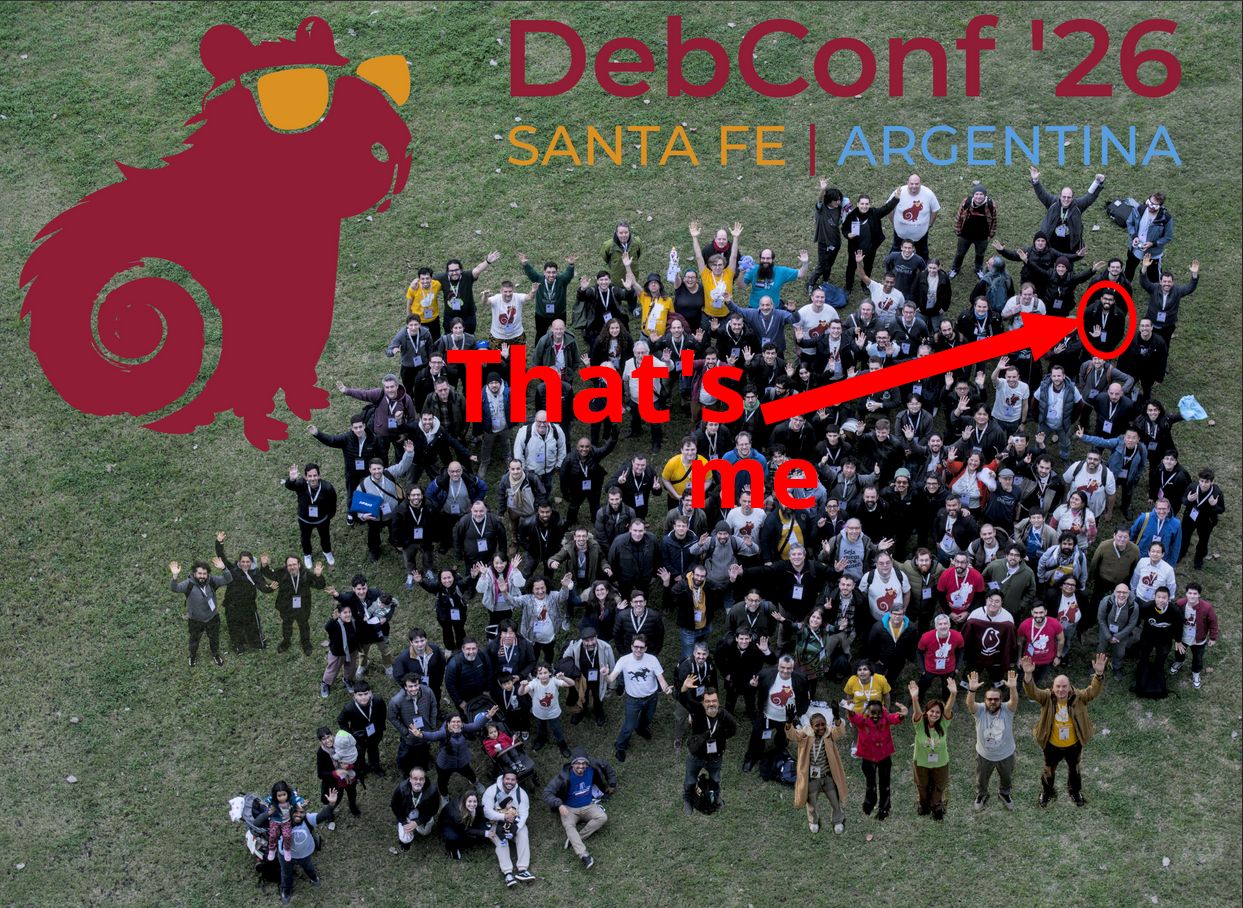
My experience at DebConf 2026 in Santa F The Official DebConf26 Group Photo Last month, I attended DebConf 2026 in Santa F , which was my 5th DebConf. As always, it was an amazing experience, and I met a lot of great people there. For those unfamiliar with the event, it takes place over the course of two weeks. The first week is called DebCamp and is geared more towards hacking and organizing the event itself, while also offering a great opportunity to discuss ideas with others. The second week is the DebConf. We still have the hacklabs, but the talks and workshops are the main focus.

My Activities during DebCamp My main activity was working on the python-click transition that I started in May. There were only a few packages left, and with the help of Guilherme Puida, we managed to work through all the remaining bugs. I plan to talk in details about this transition in another blog post, where I will focus on the tools I used and my experience with mass rebuilds and mass bug filing. I also helped with de Golang Sprint. I worked on a few packages and experimented with the dak API to generate a list of packages that needed manual action. There was a lot of manual, repetitive work and false positives, so I eventually moved on to some other, more fun stuff. I also learned a few thinks about kernel live patching while talking to David Tadokoro. I had to work on the Ubuntu Kernel package recently as part of my job, so we exchanged some ideas, and the conversation was really helpful. He also taught me two commands that I wasn't familiar with, since I'm a newbie in kernel development. Here are the commands:
$ b4 am https://lore.kernel.org/lkml/20240730071904.1047-1-sergiosacj@riseup.net/
$ b4 diff *mbox
By the way, this is the first and only patch I have submitted to the Linux Kernel. I worked on it during DebConf 2024, when I attended the workshop Helen Koike runs to help newcomers submit their first patch to the Linux Kernel. Another great interaction was with Marcos Talau. He showed me his remote access setup, which he is using to help students make contributions to Debian without the struggle of setting up the development environment. Another cool thing is that Puida showed me the command:
$ gbp clone vcs-git:typer
After that, I decided to read the gbp manpage because these little details really improve the overall experience. I also had many other amazing interactions. I just decided to write down the ones that I felt made the most sense for this kind of "blog report" post.

My Activities during DebConf I gave a talk about dh-make-vim, a tool I have been working on sporadically. An interesting detail is that one of the video team volunteers for the talk, Piotr, spoke to me about his tool, pypi2deb, which is similar but aimed at the Python ecosystem. There are many tools of this kind in Debian, and they are all interesting pieces of software. I plan to write more about them in the future. I attended several talks and participated in a few BoF sessions, and they were all great. But something that really stood out to me was the workshop on the Debian Installer, led by Alper Nebi Yasak. I didn't know anything about the Debian Installer, and I liked the way he approached the subject and showed the specific details. I'll take some time to read the Debian Installer internals documentation. I was not familiar with udebs or with the fact that the Debian Installer uses debconf under the hood.

Wrap up It was an amazing event. Unfortunatly, a lot of people I know were not able to attend for different reasons, and they were missed. There were many other things that I enjoyed during this trip. Here are a few more highlights:
  • World Cup matches
  • A day trip around Santa F
  • The Cheese & Wine party
  • Empanadas!!

11 July 2026

Reproducible Builds: Reproducible Builds in June 2026

Welcome to the June 2026 report from the Reproducible Builds project! In these reports, we outline the most important things that we have been up to over the past month. As a quick recap about what problem our project intends to solve, whilst anyone may inspect the source code of free software for malicious flaws, almost all software is distributed to end users as pre-compiled binaries. The motivation behind the reproducible builds effort is to ensure no flaws have been introduced during this compilation process by promising identical results are always generated from a given source, thus allowing multiple third-parties to come to a consensus on whether a build was compromised or not. If you are interested in contributing to the project, please visit our Contribute page on our website. In this month s report, we cover:

  1. Only installing reproducible packages with repro-threshold
  2. Distribution work
  3. diffoscope development
  4. From our mailing list
  5. Documentation updates
  6. Patches
  7. Four new scholarly papers


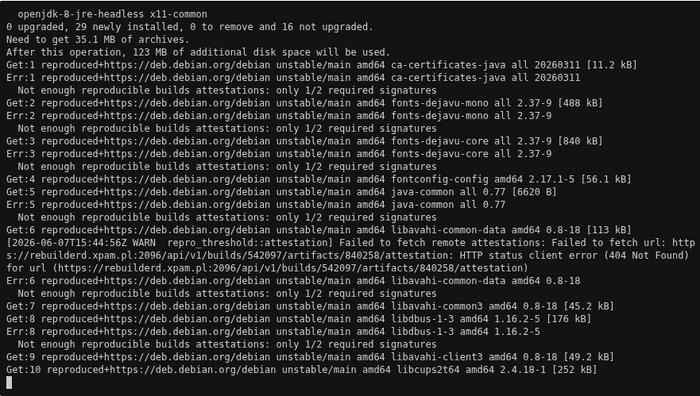
Only installing reproducible packages with repro-threshold A very interesting demonstration is now available showing how you might configure your Debian system to only install packages that have been reproduced by m/n rebuilders. This is implemented via a reproduced+https:// APT transport ( a mechanism for communicating between the APT client and its repository source commonly HTTP):
Every package download is intercepted by repro-threshold, which queries two independent rebuilders for a signed attestation before allowing installation to proceed. [It] is important to note that [an] install will only succeed if all package dependencies are also reproducible.
The demo gives examples of how to quickly experiment with this using a Docker container.

Distribution work In Debian this month: The IzzyOnDroid Android APK repository reached its next milestone this month, now covering 2 out of every 3 apps (66.7%) with reproducible builds. Their documentation for debugging and fixing failed builds has steadily grown as well. More clients have picked up showing reproducibility results (e.g. Droid-ify), and Neo Store now can be configured to stick to only reproducible applications. Further, an independent builder has been added to the build farm, increasing the trust level even more as APK builds can have multiple confirmations now. At the same time, IzzyOnDroid s rbtlog got several new features. The most outstanding is caching for frequently used resources such as reproducible-apk-tools, command-line tools and NodeJS in order to counter ongoing issues with GitHub availability, while at the same time saving bandwidth and build time. This change also enables some other some smaller enhancements such as being able to configure build timeouts per recipe for those builds running longer than the average, release pattern filtering for update checks or having a field for maintainer notes to shortly summing up e.g. why a reproducible build failed.
Lastly, Bernhard M. Wiedemann posted another openSUSE monthly update for their reproducibility work there.

diffoscope development diffoscope is our in-depth and content-aware diff utility that can locate and diagnose reproducibility issues. This month, Chris Lamb made the following changes, including preparing and uploading versions 319, 320, 321, 322 and 323 to Debian:
  • Debian adds an extra Flags: line in the output of ocamlobjinfo, so adjust the test for cross-distribution compatibility. [ ]
  • Bump debhelper compatibility level to 14. [ ]
  • Fix compatibility with Ocaml 5.4.1. [ ]
  • Use --long-form-style arguments when calling apktool in order to support apktool version 3. [ ]
  • Support Androguard version 4 and previous versions at the same time. [ ]
  • Update copyright years. [ ]
In addition, Jochen Sprickerhof added better header detection for the Sphinx documentation system [ ], Michael Daniels fixed the tests when run with zipdetails version 4.006 [ ] and Zbigniew J drzejewski-Szmek added a version of the deprecated os.path.commonprefix method [ ]. In addition, Vagrant Cascadian updated diffoscope in GNU Guix to version 321 and 323.
Chris Lamb also made the following changes to strip-nondeterminism, our tool to remove specific non-deterministic results from a completed build:
  • Skip symlinks when manually called via /usr/bin/strip-nondeterminism. (#1139000)
  • Update debian/watch format. [ ]
  • Drop Rules-Requires-Root: no and Priority: optional fields. [ ]
  • Bump Standards-Version to version 4.7.4. [ ]

From our mailing list On our mailing list this month:
  • kpcyrd posted to our mailing list regarding the waves of malware uploads to aur.archlinux.org . Curiously, every incident I looked at used npmjs.com for malware delivery , specifically where the npm package includes an (automatically executed) preinstall script that is an ELF binary.
  • kpcyrd also announced the release of debian-repro-status version 0.4.0, a tool written to give you an approximate idea of how viable it would be to enforce a reproducible packages only update policy for the computer system you ve built :
    The change updates dependencies to the latest versions, and adds support for multiple -H options, to query results from multiple rebuilderd instances. The results are also now fetched concurrently.
  • kpcyrd also reported that, whilst taking a screenshot for the above release, they noticed that the debian:sid container now is 100% reproducible.
  • Finally, kpcyrd also created a pull request against the add-determinism package to update the itertools and zip Python dependencies.

Documentation updates Yet again, there were a number of improvements made to our website this month including:
  • Chris Lamb added a reminder re. using the UTC variants of the Javascript Date methods. [ ]
  • Mattia Rizzolo moved OTF to the old sponsors list. Thank you for your support!. [ ]
  • kpcyrd updated the Rust documentation to recommend using the --release argument for consistency. [ ]

Patches The Reproducible Builds project detects, dissects and attempts to fix as many currently-unreproducible packages as possible. We endeavour to send all of our patches upstream where applicable or possible. This month, we wrote a large number of such patches, including:

Four new scholarly papers Kenichiro Muto and Kuniyasu Suzaki of the Institute of Information Security in Yokohama, Japan published an interesting paper this month titled Attestable Build Chain: Enabling Trust in Reproducible Builds (PDF). Their abstract is as follows: Ensuring trust in software supply chains requires verifying not only artifacts but also the processes that produce them. Although Reproducible Builds (R-B) require rebuilding to validate artifacts, they cannot verify whether the build was executed with the intended toolchain and inputs and may reproduce unintended or compromised builds without detection. We present Attestable Build Chain, a framework for externally verifying build-time execution without rebuilding. Rather than preventing compromise, it provides verifiable, tamper-evident evidence of actual build-time execution, enabling verification of build process integrity from observed file accesses during the build. [ ]
Julien Malka, Stefano Zacchiroli and Th o Zimmermann published a 50-page report detailing A Decade of Software Reproducibility in the Nix Package Ecosystem:
We find that functional package management enables extremely high rebuildability over time (near-universal ability to reconstitute historical build environments and rebuild software packages), while bitwise reproducibility has steadily improved and reaches a high point in recent years (up to 93% in 2024). Early years show substantially lower bitwise reproducibility, indicating that functional package management alone does not guarantee bitwise-identical outputs, and that the observed high level of bitwise reproducibility is not solely due to the package management approach. Common causes of unreproducibility, both in the rebuildability and bitwise reproducibility dimensions, include management of dates in build and test processes; we quantify their prevalence and other common causes using manual analysis of logs of rebuild failures and automated analysis of diffoscope.
A PDF of their report is available online
Tim Bastin of L3montree GmbH and Jacek Galowicz of Applicative Systems GmbH from DevGuard published a paper detailing How We Built a Sovereign, Reproducible Container Supply Chain for DevGuard:
This paper presents how the DevGuard project rebuilt its OCI container pipeline around reproducible Nix builds and independent dual-platform digest verification. DevGuard images are built hermetically from pinned source revisions, signed with Sigstore/Cosign, and verified through digest comparison across GitHub Actions and sovereign GitLab infrastructure hosted on container.gov.de. We describe the practical integration of reproducible OCI image builds into existing CI/CD workflows and argue that independently reproducible container digests provide a stronger integrity guarantee against build tampering than provenance alone. The paper further discusses remaining trust assumptions and the relevance of sovereign build infrastructure for government and regulated environments.

Finally, Yiseul Choi, Junga Kim, Jun-Ho Hong and Seongmin Kim of the Department of Convergence Security Engineering at the Sungshin Women s University in Seoul, Korea titled Attestation-based verification of SBOM integrity via consumer-side reproducibility:
Software bills of materials (SBOMs) support supply chain transparency, but they do not prove that a delivered SBOM reproducibly corresponds to its software artifact. Existing signing and provenance mechanisms protect integrity and traceability, yet lack consumer-side reproducible verification. We propose an SBOM integrity verification framework combining procedure disclosure, consumer-side reproduction, authority-generated reference evidence, and digest comparison. A trusted authority records a reference digest, and consumers compare it with locally reproduced and delivered SBOM digests. Experiments on 100 real-world container images show detection of artifact tampering, SBOM substitution, distribution modification, and adaptive tampering beyond signature-based approaches


Finally, if you are interested in contributing to the Reproducible Builds project, please visit our Contribute page on our website. However, you can get in touch with us via:

3 June 2026

Emmanuel Kasper: Running Linux i386 binary (steamcmd) via debootstrap foreign chroot

The Steam command line client, which I need to download the game data for the Doom3 BFG shooter, is only available as an Linux i386 binary. As my main home computer is an arm64 box, this could be an issue, but today we have no less than three different ways to run a Linux i386 binary on arm64: Fex, Box32/64 and the older qemu-user mode. According to the Box64 benchmarks, qemu-user is the slowest of the three. But since this is only to run a command line tool downloader, where network speed is the bottleneck, this doesn t matter a lot. Running steamcmd outside of a chroot via qemu-user and dpkg multiarch support was failing me with the error i386-binfmt-P: Could not open '/lib/ld-linux.so.2': No such file or directory even after installing the i386 libc. So I went the way of qemu-user and a chroot environment, a bit more convoluted but I can run any i386 binaries there in the future. Create a debian-i386 chroot environment via deboostrap:
$ sudo apt install qemu-user qemu-user-binfmt debootstrap
$ fakeroot debootstrap --foreign --arch=i386 debian-i386
$ sudo chroot debian-i386
# inside the chroot 
# /debootstrap/debootstrap --second-stage 
# exit
Add needed mounts to run binaries inside the chroot:
$ sudo mount --bind /dev/ debian-i386/dev/
$ sudo mount --bind /dev/pts debian-i386/dev/pts
$ sudo mount -t proc none  debian-i386/proc/
Install steamcmd in the chroot client:
$ sudo chroot debian-i386
# export LANG=C
# cat /etc/apt/sources.list
deb http://deb.debian.org/debian stable main contrib non-free
# apt update && apt install --yes steamcmd 
# useradd --create-home --shell /bin/bash steam
# su - steam
$ steamcmd 
... will download an updated version of the tool, and print a lot of tracing information
Steam> quit
From now on you can follow the Doom3 BFG instructions to download the game data. Once you exit the chroot, the game data will be available at debian-i386/home/steam/

28 May 2026

Jonathan Dowland: nvim- wiki

In January 2025, as a pre-requisite for something else, I published a minimal neovim plugin called nvim- wiki. It's essentially just the features from vimwiki that I regularly use, which is a small fraction them. I forgot to blog about it. I recently dusted it off and cleaned it up. You can find it here, along with a longer list of its features and how to configure it: https://github.com/jmtd/nvim-microwiki I had a couple of design goals. I didn't want to define a new filetype, so this is designed to work with the existing markdown one. I'm using neovim, so I wanted to leverage some of its features: this plugin is written in Lua, rather than vimscript. I use the parse trees provided by TreeSitter to navigate the structure of a document. I also decided to "plug into" the existing tag stack navigation, rather than define another dimension of navigation (along with buffers, etc.) to track: Following a wiki-link pushes onto the tag stack, just as if you followed a tag. This was my first serious bit of Lua programming, as well as my first dive into neovim (or even vim) internals. Lua is quite reasonable. Most of the vim and neovim architecture is reasonable. The emerging conventions about structuring neovim plugins are mostly reasonable. TreeSitter is, well, interesting, but the devil is very much in the details. Somehow all together the experience for me was largely just frustrating, and I didn't really enjoy writing it.
23 May 2026

Petter Reinholdtsen: Command line Norse God of Wind Hr svelg move the clouds

A while back, I came across the AI Fabric system created by Daniel Miessler. I liked its approach of providing command-line tools for filtering text using artificial idiocy services, allowing stepwise operations to be applied to a piece of text. The output of one operation can then serve as the input for another in other words, Unix pipeline processing powered by large language models. I do no longer remember exactly how I discovered it, but suspect it was via Matthew Berman's video "How To Install Fabric - Open-Source AI Framework That Can Automate Your Life". While the idea and concept behind AI Fabric appealed to me, its implementation has continued to rub me the wrong way. It started off as a Python project that I could only get running by downloading random programs from the internet using Poetry. I tried to assess how much work it would take to package all its missing dependencies for Debian. However, before I got very far, the project shifted away from Python and over to Go. This new implementation also relied on a build system that seemed to encourage users to run arbitrary code downloaded from the internet to get software working, and further moved to a language I do not master as well as Python. The change bothered me enough that I set my effort to set up a working command line LLM tool in Debian aside for several months. By chance, I came across a simple Python recipe in January demonstrating how to communicate with a llama.cpp API server. I had already been working on packaging llama.cpp for Debian together with the rest of Debian's AI team, and was fortunate enough to own a working instance with a 24 GiB VRAM GPU from AMD, allowing me to run useful models. Until that point, I had only used the basic web client provided by the Debian package, lacking the spare time to explore what else could be done. Then, I found this simple 50 line Python script demonstrating how to interact with llama.cpp's OpenAI-compatible API. I decided to revive the AI Fabric concept, and implement the Unix pipeline filter tool with as few dependencies as possible. It is now operational and working very well, relying solely on standard Python features. The tool include a copy of the LLM recipes from the AI Fabric project (called "patterns"), enabling easy access to request summaries, translations, code review and other useful tasks. Several hundred patterns are included, though I have only tested about ten so far. The LLM API server can be specified in ~/.config/hraesvelgr/config.ini like this:
[server]
url=https://some.llm.example.com:8080/v1/
model=Qwen/Qwen3.6-27B-FP8
With this configuration in place (you can also specify these values directly on the command line), you can specify a pattern and a file to process like this:
% bin/hraesvelgr --pattern explain_code bin/hraesvelgr
EXPLANATION:
This Python script is a client tool for interacting with an AI
service (likely a local LLM server) to process text using prompts
defined in the "AI Fabric" repository. It reads system and user
prompts from markdown files, sends them along with input text to a
chat completion API endpoint, and prints the generated response.
Key components:
1. It uses argparse for command-line argument parsing
2. The  send_chat_completion_request  function formats messages
   (system, user, query) into JSON and sends them via HTTP POST to
   an AI service endpoint
3.  read_file  function reads markdown files, replacing placeholders
   like  lang_code  with actual values from arguments
4. In main():
 - Parses command-line arguments for input file, API base URL,
   pattern type, language code, and debug flag
 - Ensures the base URL ends with a slash
 - Reads system prompt from data/patterns/ pattern /system.md
 - Optionally reads user prompt from data/patterns/ pattern /user.md
 - Reads input text either from stdin (when "-" is passed) or a file
 - Handles encoding fallback to ISO-8859-1 if UTF-8 fails
 - Sends the formatted request to the AI service and prints the response
The script assumes it's running in a directory containing a git
clone of https://github.com/danielmiessler/fabric/, which contains
the necessary prompt files.
This tool is designed to interface with local LLM servers that
support OpenAI-compatible chat completion APIs.
%
The list of available patterns can be viewed by running bin/hraesvelgr --list-patterns. I have found the summarize, translate, improve_writing, review_code, and explain_terms_and_conditions patterns particularly useful. For example using the latter combined with a text based web browser capable of dumping a page as plain text, can be done like this (originally formatted in markdown, I converted to HTML using pandoc for easier readability):
% w3m  -dump https://runbox.com/about/terms-service/   \
  hraesvelgr --pattern explain_terms_and_conditions
Executive Summary
This is a transparent, privacy-focused contract from
a Norwegian provider that generally respects user data rights and
operates under strict EU/EEA standards. However, it carries
strict liability limitations and an aggressive
data-deletion policy upon cancellation. The vibe is  Professional &
Privacy-First,  but you must manage your own backups and understand that
the company heavily shields itself from financial responsibility during
technical failures.
Key Takeaways
  • Your Data Stays Yours: Section 10.2 explicitly states Runbox will never use your transmitted or stored data for commercial purposes. This is a major privacy win.
[... trimmed output, as it is not the focus of this blog post ...] If you sign:
  1. Set up automated backups immediately. Use IMAP sync to a local drive or a secondary email provider before storing any critical documents or emails. Do not rely on Runbox as your only archive.
  2. Mark your calendar for the 30-day trial end date. Miss the payment window, and access closes instantly with no recovery period.
  3. Monitor price changes at renewal. Since they can adjust fees anytime, check their pricing page a few days before your subscription renews to avoid unexpected charges.
NO FORCED ARBITRATION CLAUSE FOUND.
REFUND POLICY IS STRICTLY CONDITIONAL (see Sections 4.2 4.5).
As you might have already noticed, I name my project after the Norse God of Wind. I found a nice description of the origin of the name on Wikipedia:
In Vaf r nism l (The Lay of Vaf r nir), Odin questions the wise j tunn Vaf r nir about the origin of the wind, and the j tunn answers:
He is called Hr svelg,
who sits at heaven s end,
a giant, in the shape of an eagle;
from his wings
they say the wind comes over all people.
(translated by John Lindow in Norse Mythology: A Guide to Gods, Heroes, Rituals, and Beliefs 2002)
The latest version of the code can be found at https://codeberg.org/pere/hraesvelgr/. Perhaps you will find it as useful as I did? As usual, if you use Bitcoin and wish to show your support of my activities, please send Bitcoin donations to my address 15oWEoG9dUPovwmUL9KWAnYRtNJEkP1u1b.

13 May 2026

Sergio Cipriano: My experience at MiniDebConf Campinas 2026

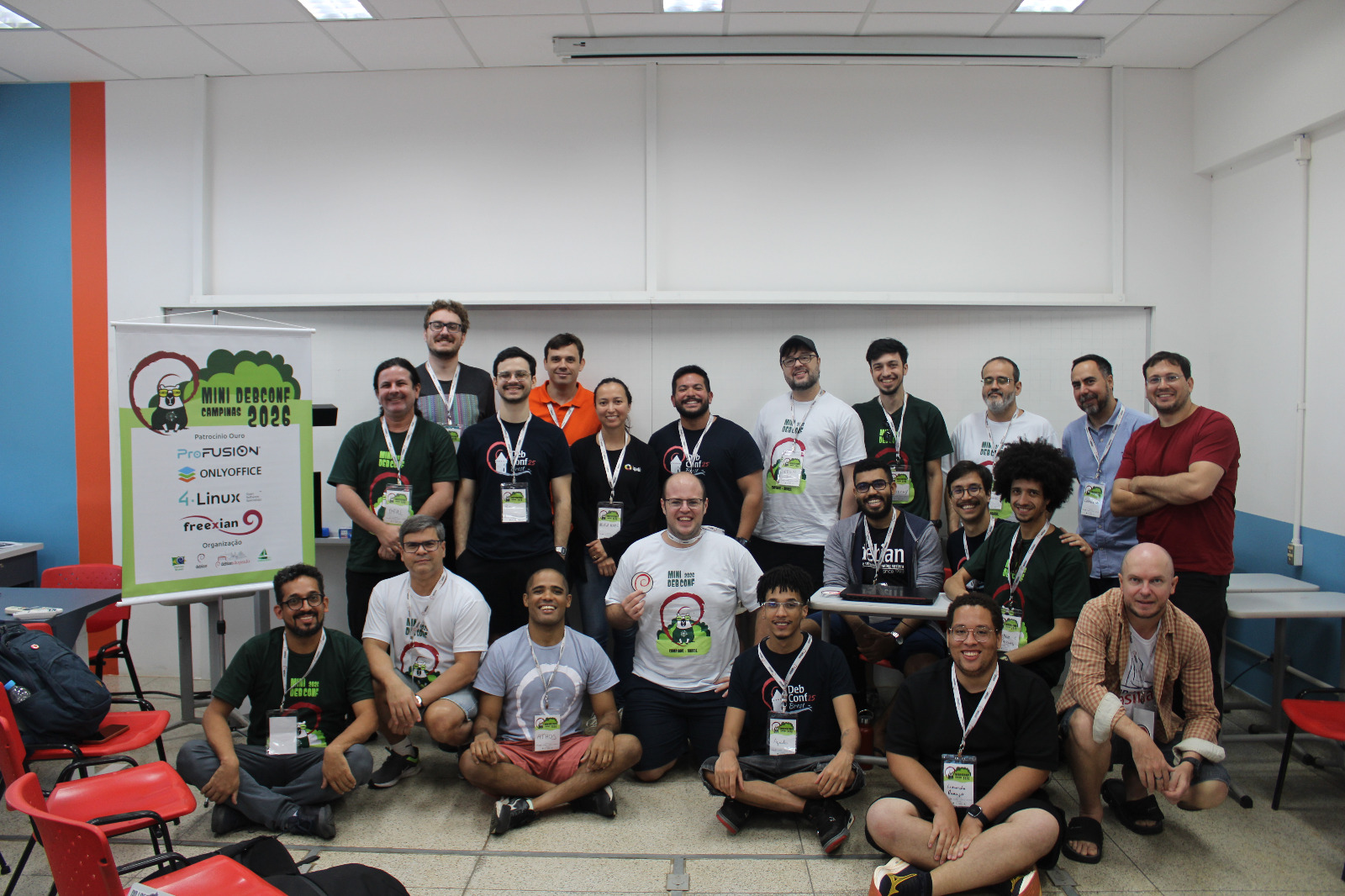
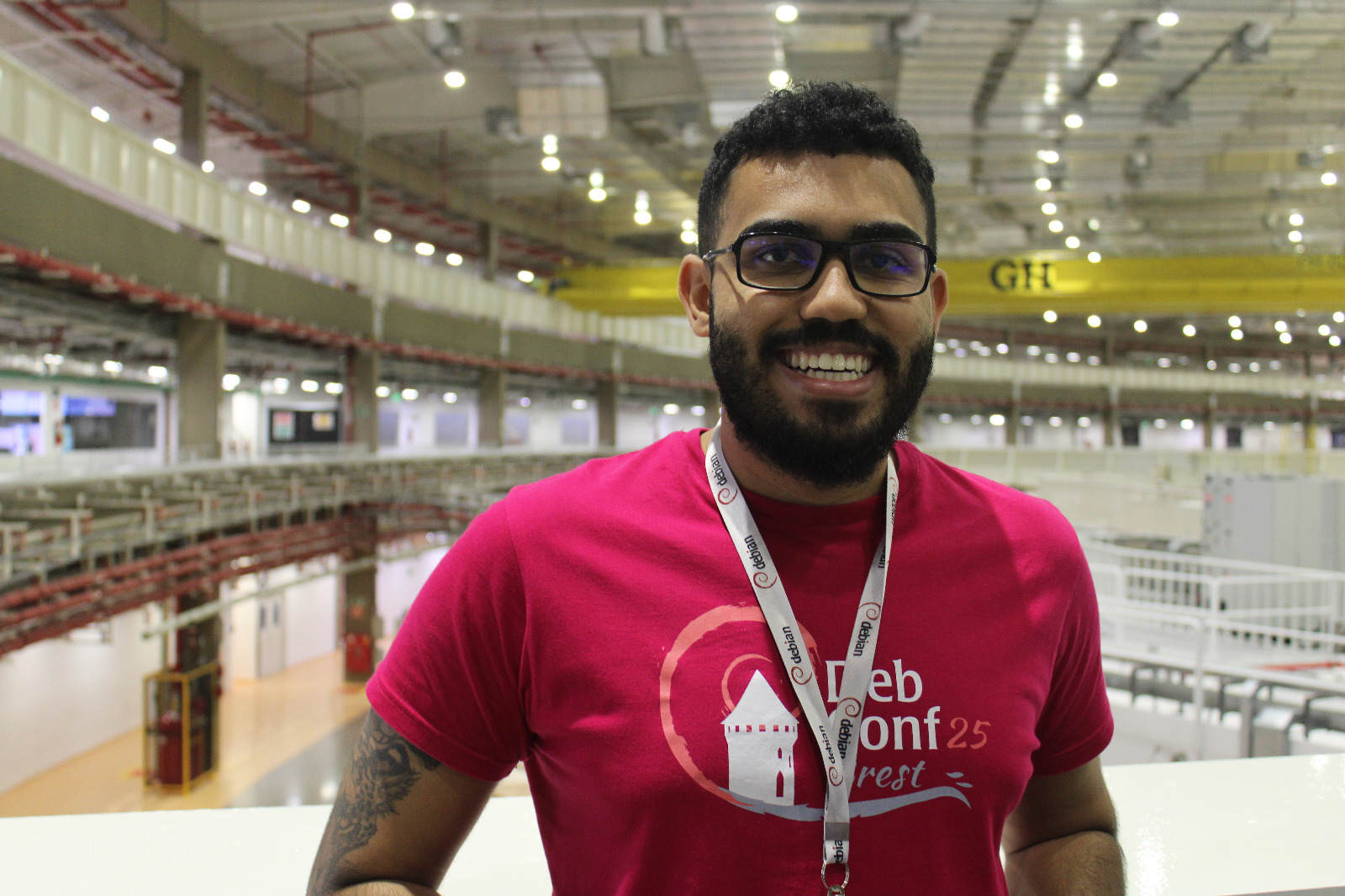
My experience at MiniDebConf Campinas 2026 Last week, I spent the entire week in Campinas attending MiniDebConf and MiniDebCamp. The Debian Brazil community organizes this event every year, and this year's edition was the biggest so far. During MiniDebCamp, I sponsored a few uploads and spent two days teaching packaging to two participants. I usually teach packaging online, so it was refreshing to do it in person. I believe the experience was much better than teaching online. One of my mentees introduced me to the DDTSS (Debian Distributed Translation Server Satellite). Even though there are many i18n contributors in Brazil, this was my first time learning about this system. I plan to contribute to translations over the next few weeks using DDTSS.

My Activities
NOTE: I translated every talk title; the original titles are in PT-BR, so some details may have been lost in translation.
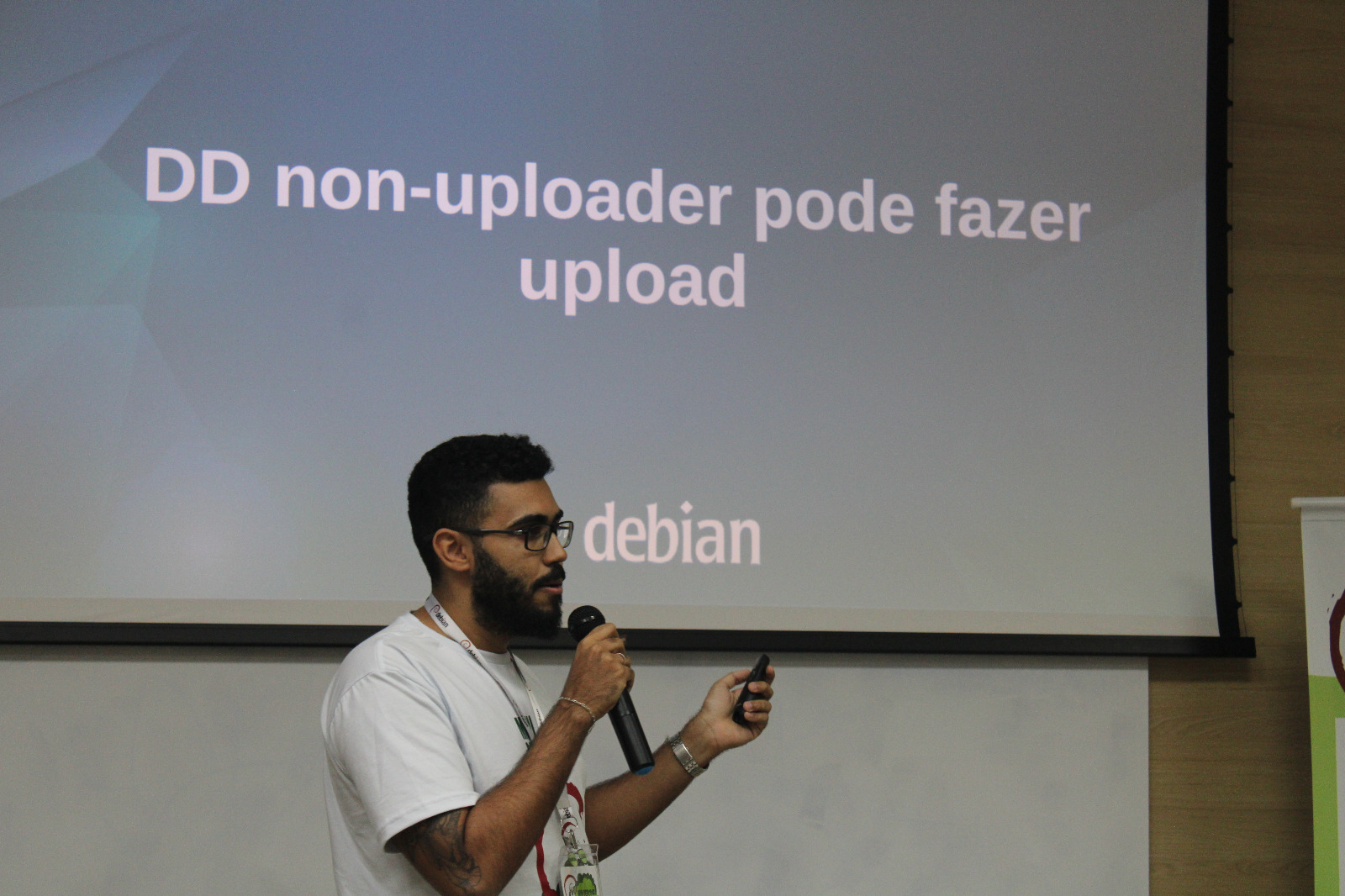
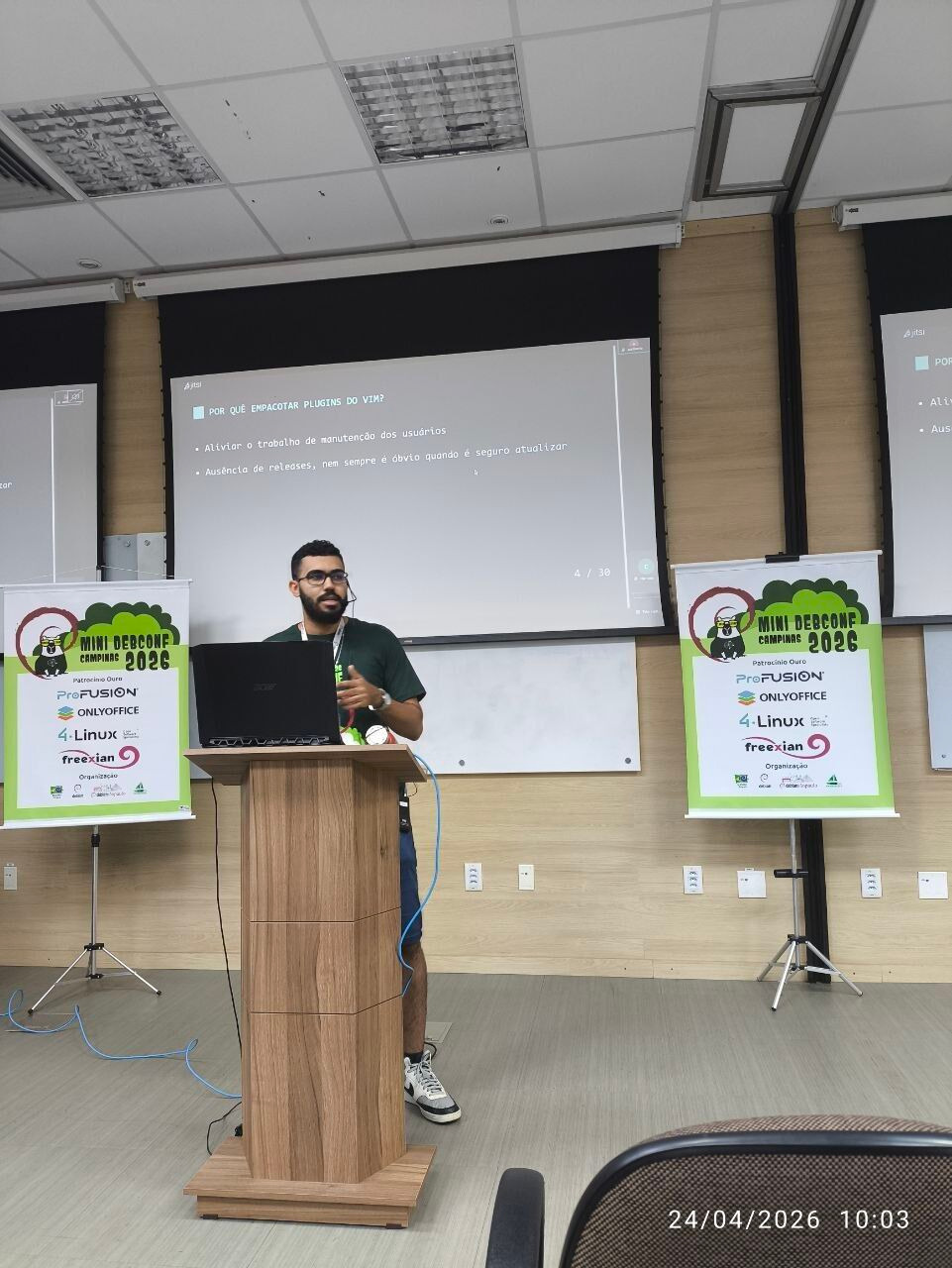
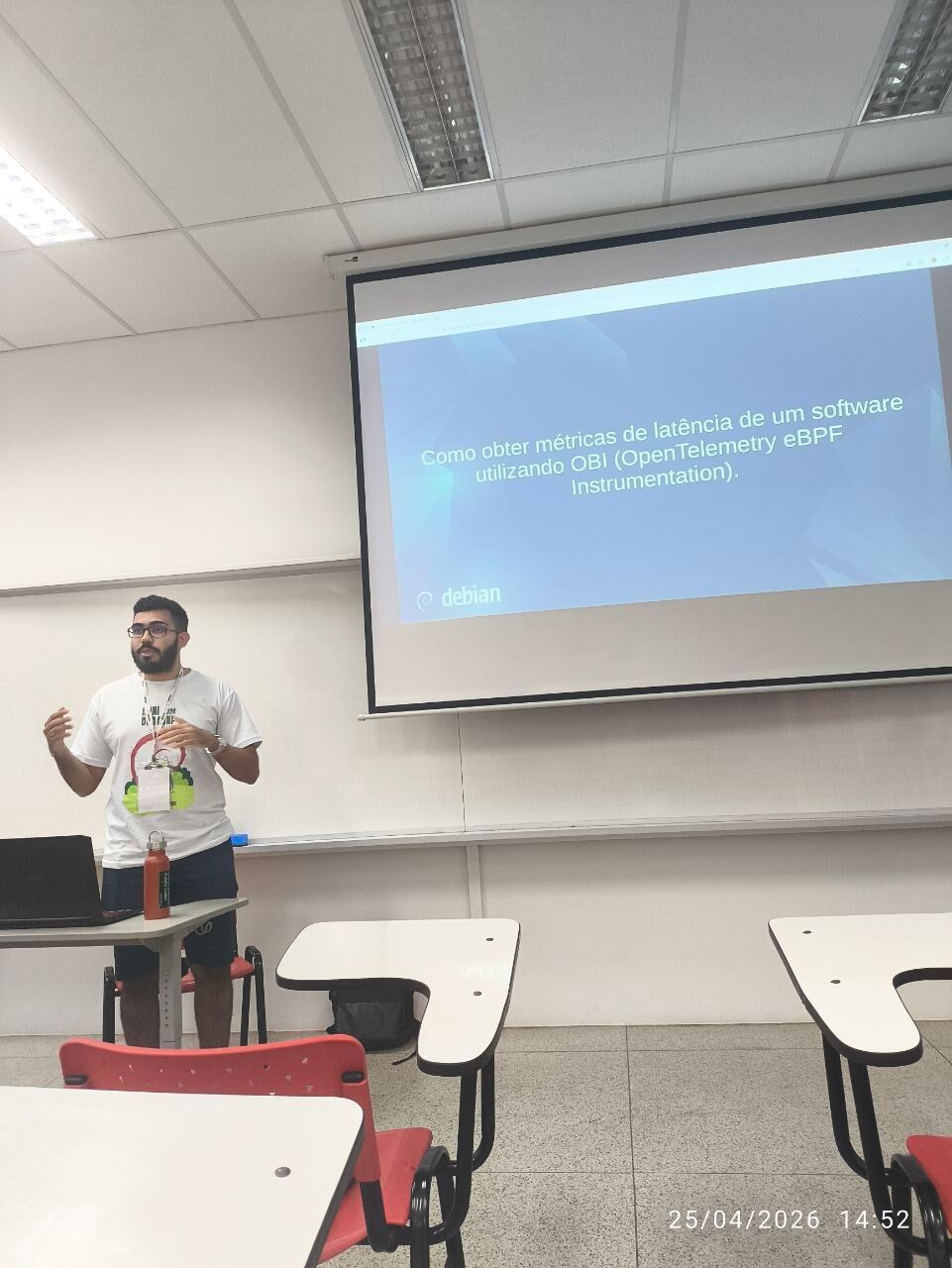
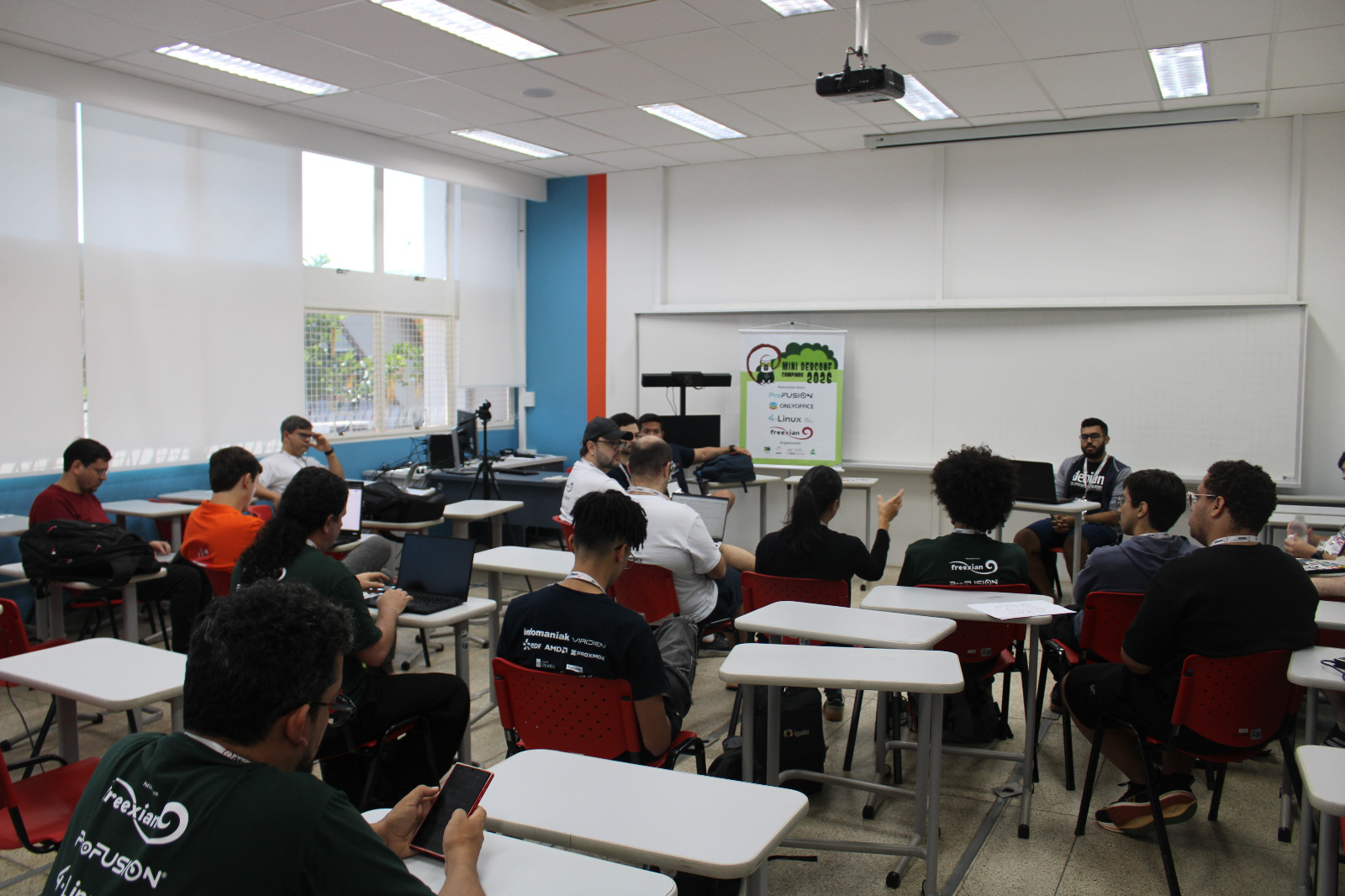
I presented three talks and led one BoF session. The talks are all available on Debian's Peertube: You can also find my slides at people.d.o. My first talk was a showcase of dh-make-vim, a tool I created and have been using for a few months. Some people tested it and found bugs, which was really nice to see. My second talk was essentially a live version of my blog post Zero-Code Instrumentation of an Envoy TCP Proxy using eBPF. I also gave a lightning talk about something many people are not aware of: non-uploading DDs can also sponsor uploads. If you're interested, this bug report provides more context: tracker.debian.org: Signed by field is missing when sponsoring as DD non-uploading Finally, I led the BoF session "Experiences, lessons learned, and next steps from the mentoring sessions". This was my favorite session, we had many participants with different perspectives and ideas, which led to a very engaging discussion. I'm still working on the action plans and I plan to release them soon. Here are some photos of these activities: Mentorship BoF Mentorship BoF DD non-uploading can upload talk dh-make-vim showcase Zero-Code Instrumentation showcase

My favorite activities This is a list, in no particular order, of some of the sessions I enjoyed the most:
  • Salsa CI, showing features that almost nobody knows I wrote a blog post about one of the things I learned in this talk, and there is still a lot more to explore. Aquila Macedo is developing many cool features in Salsa CI.
  • Free Software: Freedom, Autonomy, Sovereignty I had been really looking forward to this one. Alexandre Oliva is a very important figure in the Free Software movement, especially in South America. I'll need to rewatch it, my futures talks about Free Software will likely be inspired by this one.
  • What I've lived/seen in 33 Years of Debian & Free Software in general Eduardo Ma an was the first Debian Developer in Brazil, so it's always valuable to hear the story from someone who was part of it.
  • Symbolism - an introduction Despite the title, this talk was not about astrology! I'll probably rewatch it as well, as there is a lot of information to take in. I really like the passion S rgio Durigan has for C. He is also a great speaker and knows how to guide the audience through the topic.
  • Debate: Contemporary controversies in Debian The debate itself was great, but the conversations we had afterward were even better. I changed some of my opinions after hearing different perspectives. I don't think this format would work at DebConf, but I would definitely like to attend another one like this.
  • Why LTS on Debian? I had a few questions about LTS, and Kanashiro and Santiago answered them both during the talk and in the Q&A session. They also shared some challenges and how to avoid them, it was a great learning experience.
  • From my first contribution to the Debian Maintainer Polkorny was a bit shy but did a great job! I really enjoy this kind of talk. It is always nice to see the different paths people take.
Unfortunatly, I couldn't attend everything I was interested in, as always.

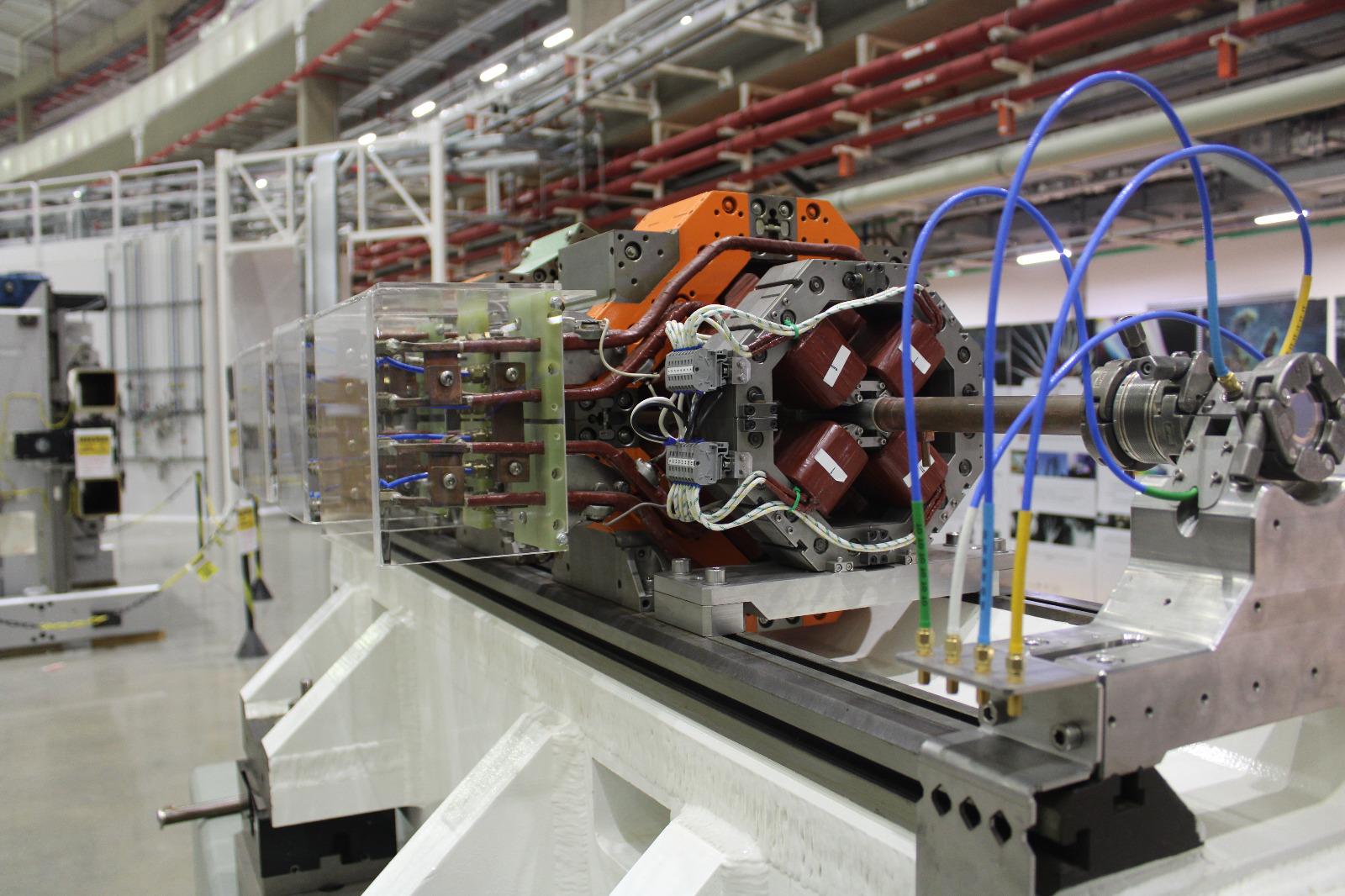
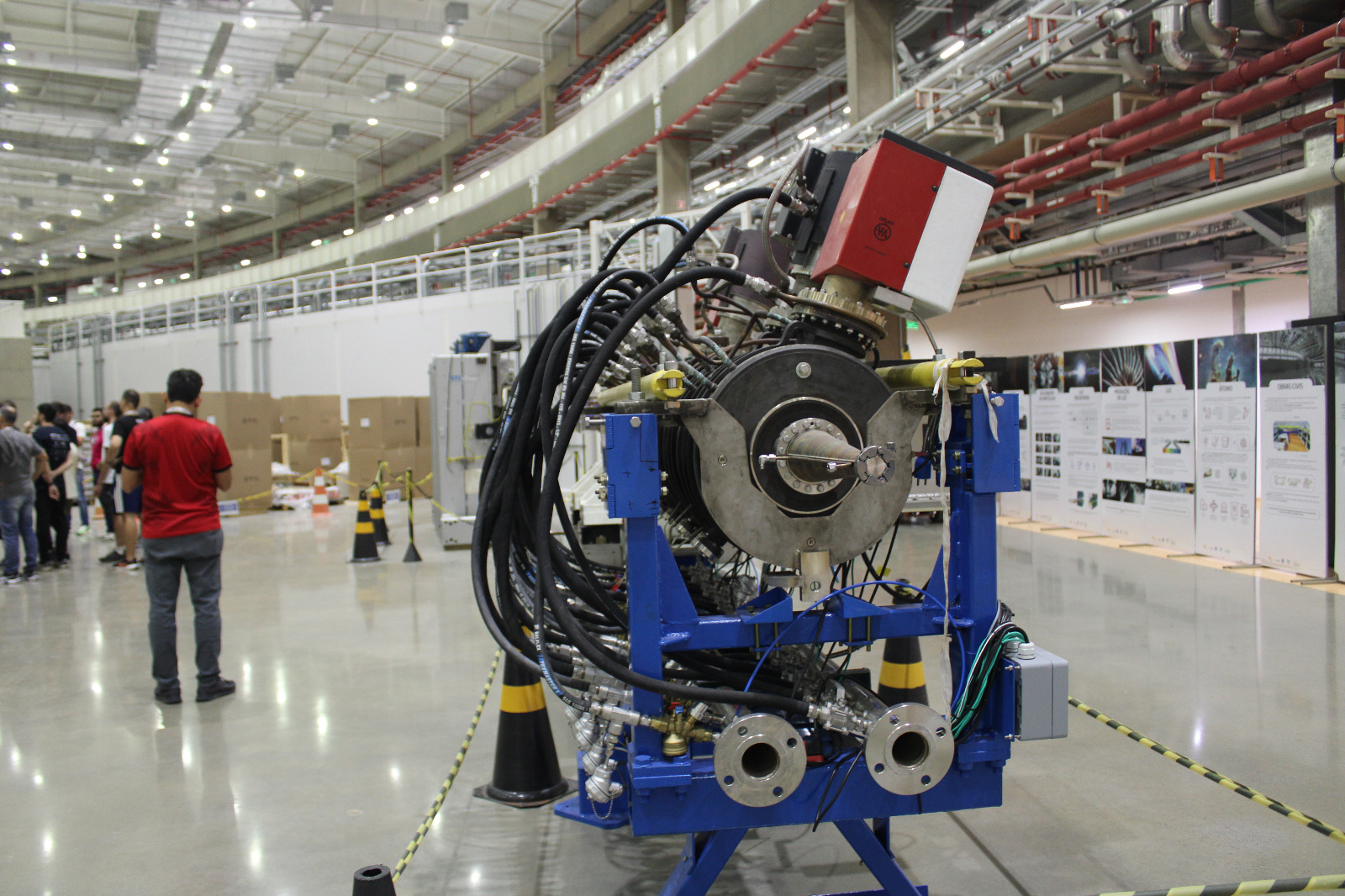
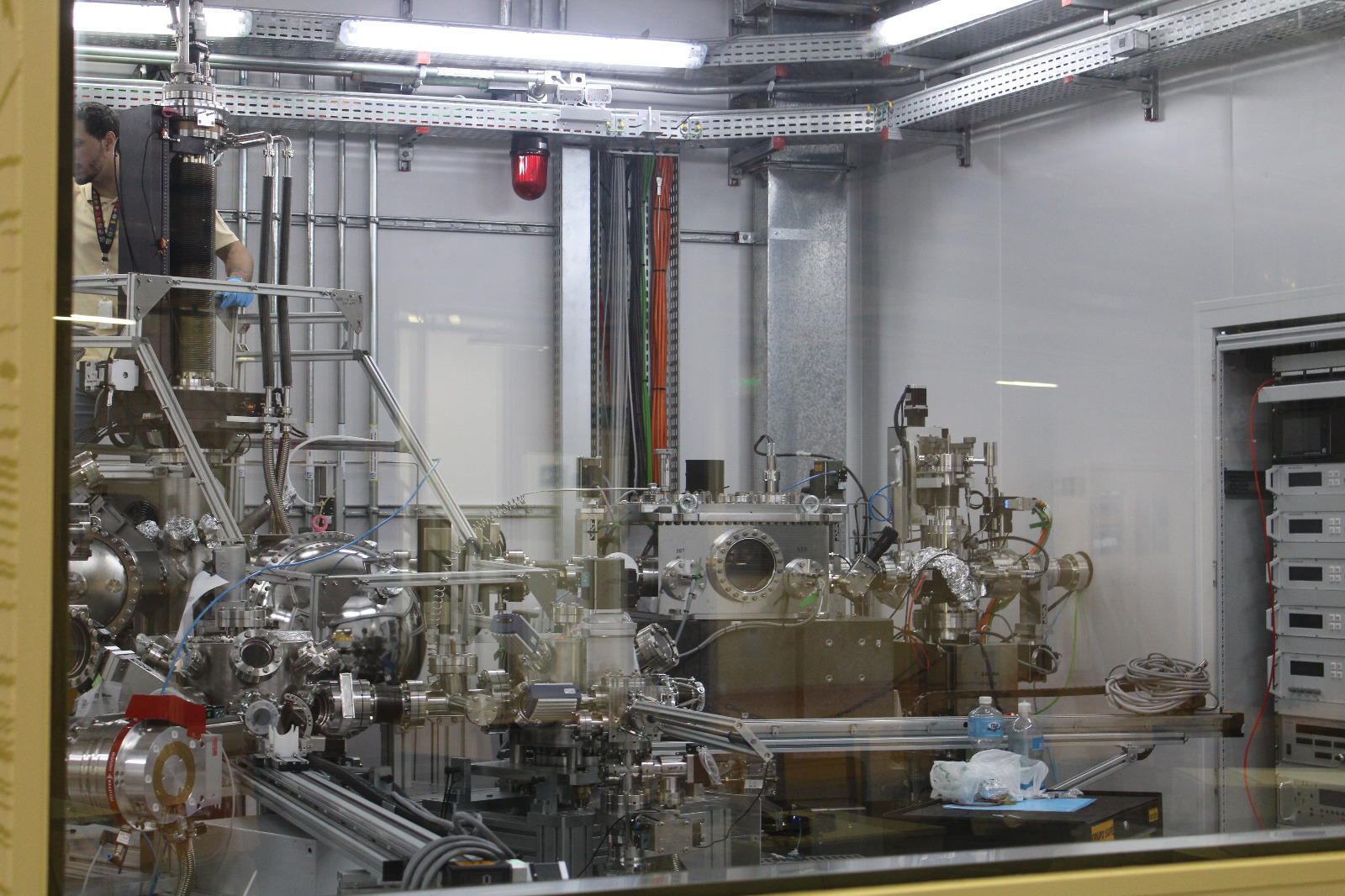
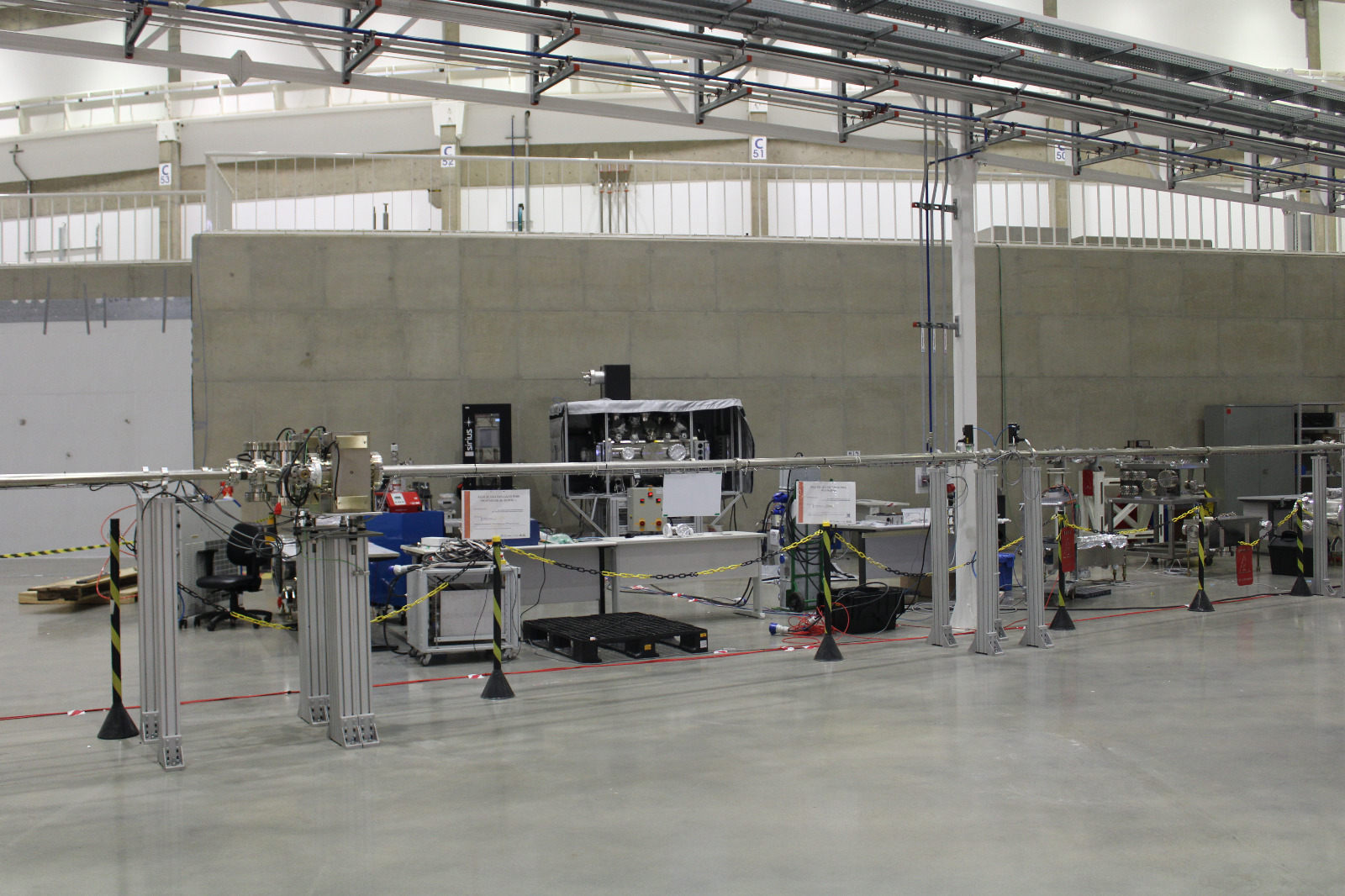
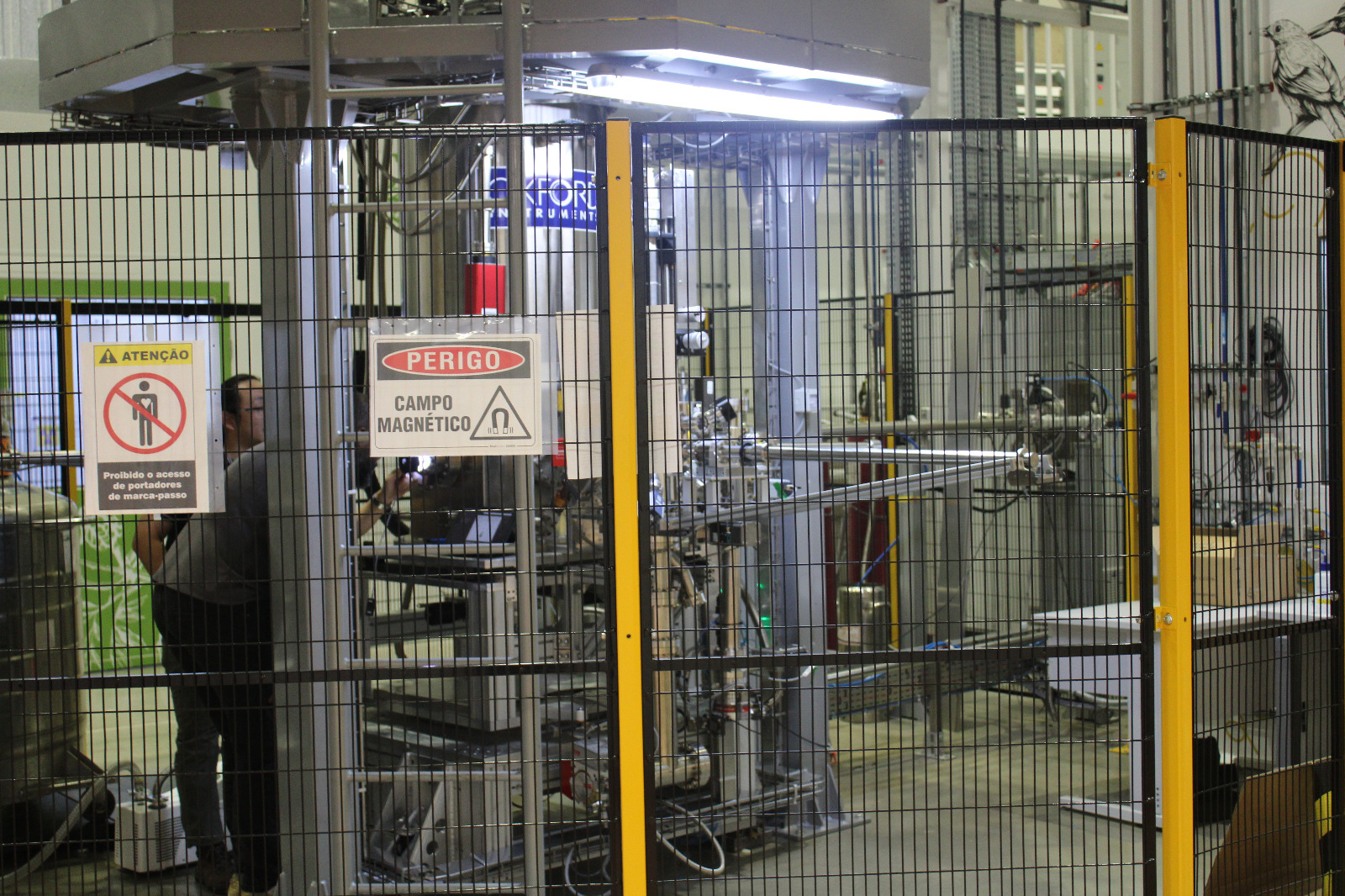
DayTrip - The Brazilian Particle Accelerator Sirius is the largest and most complex scientific infrastructure ever built in Brazil and one of the most advanced synchrotron light sources in the world. My jaw dropped the entire time; it's hard to describe how incredible this is. My favorite detail: they're running Debian :)

Wrap up I believe this was the best MiniDebConf Brazil so far. There were many other things I chose not to include here, as this post is already quite long. Still, here are a few more highlights:
  • A Bug Squashing Party
  • Driving Samuel Henrique's drones
  • Lots of capybaras
  • A small birthday party
  • A visit to two data centers

3 May 2026

Emmanuel Kasper: Arm64 Linux Desktop: one year after, all systems up

So I am using Debian on a System76 Arm64 (aarch64) workstation since 9 months, and I can say: everything works. It should be noted that I use very few proprietary software, so I rely mostly on Debian packages for what I am doing. What I can say is basically all open source software which exists today, takes care to build on aarch64 or is available as a binary, either in the Debian archive, in a Flatpak or Snap, or in a Github Artefact. From 3D games, to Kubernetes tooling, practically everything open source is compiled for aarch64 Linux as well. Same thing for server software, every container image built is also proposing an aarch64 binary today. I could also add a standard PCI Express Soundblaster sound card, and the kernel recognized it without issues. The major downside I had was that Wayland is not working on my Nvidia GPU, whether with Nouveau or the proprietary drivers, thus I am using Gnome with X11. Also on the proprietary side, I missed the Discourse client, but I am not using that much, and those video meetings tool which popped up in the COVID time are perfectly usable in the browser. The situation is for me much better than in the 2000s when I used a Mac Mini (powerpc) with Debian, where the need for a Flash player at that time really limited the amount of online content I could access. What do I get using aarch64 you ask ? The main reason for me was the curiosity to use a non x86 arch, and to have a 80 core / 128 GB RAM machine to do a Lab in a Box with OpenShift running on OpenStack, with Ceph and a bit of local LLM inference thrown in. In the end I have enough labs at work, so that need disappeared, but I still enjoy having that amount of power in a rather quiet machine for a standard 80W consumption.

1 May 2026

Dirk Eddelbuettel: binb 0.0.8 on CRAN: Maintenance

The eight release of the binb package, and first in two years, is now on CRAN and in r2u. binb regroups four rather nice themes for writing LaTeX Beamer presentations much more easily in (R)Markdown. As a teaser, a quick demo combining all four themes is available; documentation and examples are in the package. This release contains regular internal updates to continuous integration, URLs reference and switch to Authors@R. The trigger for the release, though, was a small updated need when very recent pandoc versions (as shipped with RStudio) are used which require a new variable declaration in the LaTeX template files in order to process uncaptioned tables. The summary of changes follows.

Changes in binb version 0.0.8 (2026-05-01)
  • Small updates to documentation URLs and continuous integration
  • The package now uses Authors@R in DESCRIPTION
  • Newer pandoc versions are accommodated by adding a required counter variable in the latex template file

CRANberries provides a summary of changes to the previous version. For questions or comments, please use the issue tracker at the GitHub repo.

This post by Dirk Eddelbuettel originated on his Thinking inside the box blog. If you like this or other open-source work I do, you can sponsor me at GitHub. You can also sponsor my Tour de Shore 2026 ride in support of the Maywood Fine Arts Center.

30 April 2026

Sergio Cipriano: How to build reverse dependencies using Salsa CI

How to build reverse dependencies using Salsa CI Last week, I attended MiniDebConf Campinas, and one of my favorites talks was "Salsa CI, showing features that almost nobody knows" by Aquila Macedo. One of the things I learned is that we can easily build reverse dependencies using:
$ git push -o ci.variable="SALSA_CI_DISABLE_BUILD_REVERSE_DEPENDENCIES=0"
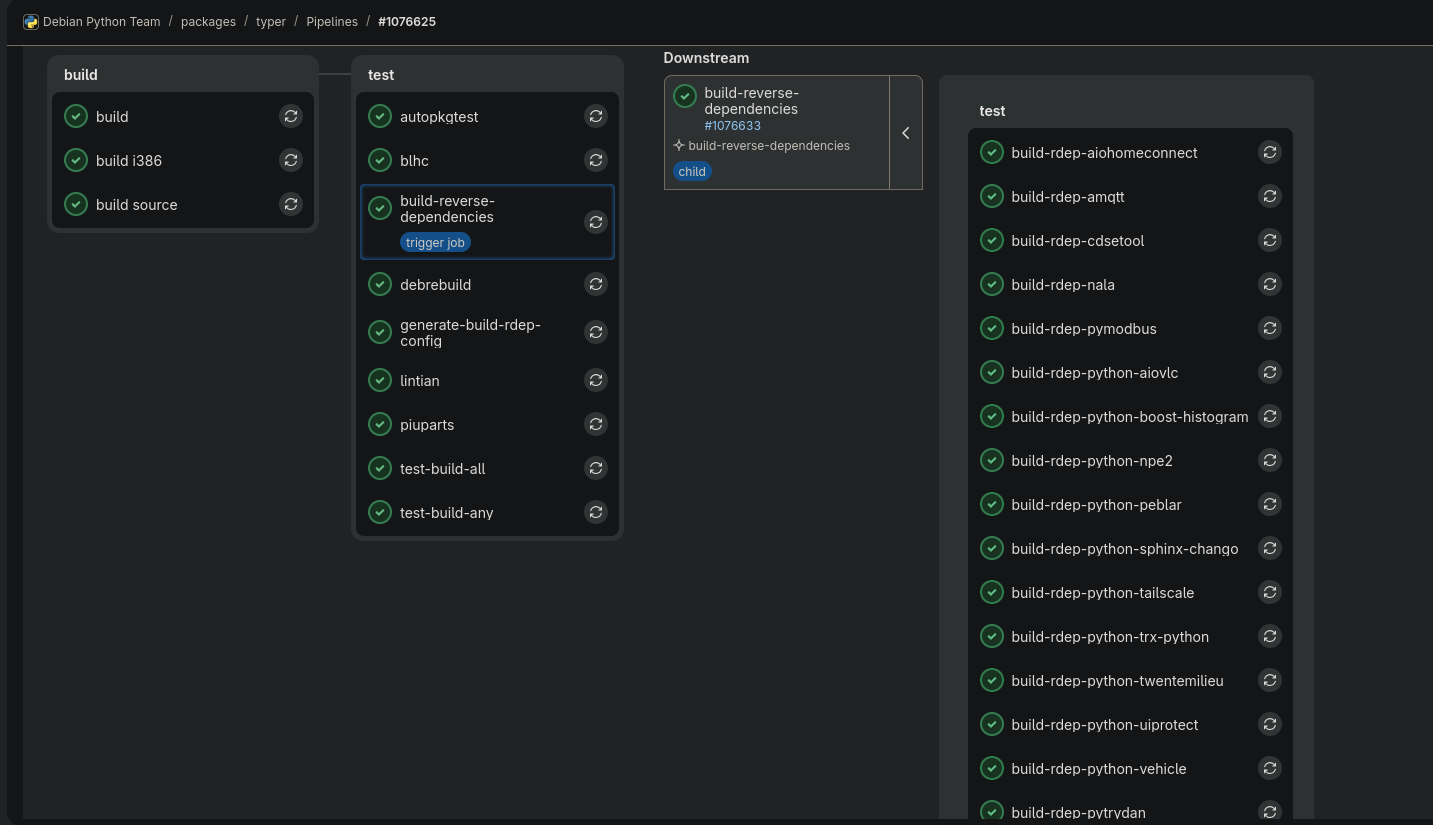
I tried this option before uploading typer version 0.20.0-1: example of salsa ci build rdeps working This is an amazing feature. Thanks to everyone involved in making it happen!

20 April 2026

Sune Vuorela: Kookbook 0.3.0 released

I recently released version 0.3.0 of my recipe manager application Kookbook find it in git in KDE Invent or as released tarballs in https://download.kde.org/stable/kookbook/ Changes since last time is more or less Minor bugfixes and a Qt6 port nothing as such noteworthy unless you aim to get rid of Qt5 on your system. so what is kookbook?
It is a simple recipe viewer that works with semi-structured markdown. More details can be seen in the quite old 0.1.0 announcement At some point I should do a 10 recipe example collection, but my personal collection is in danish, so I m not sure it is going to be useful. Unless someone will donate me some handfuls of pre-formatted recipes, I will happily announce it.


15 April 2026

Emmanuel Kasper: Minix 3 on Beagle Board Black (ARM)

Connected via serial console. Does not have a package manager, web or ssh server, but can play tetris in the terminal (bsdgames in Debian have the same tetris version packaged).
asciicast

18 March 2026

Taavi V n nen: Wikimedia Hackathon Northwestern Europe 2026

Wikimedia Nederland organised a new type of event this year, the Wikimedia Hackathon Northwestern Europe 2026, which was held last weekend in Arnhem, the Netherlands. And I'm very happy they did, since unlike last years, I will unfortunately be missing from the "main" Wikimedia Hackathon (which is happening in Milan at the start of May). I continue to believe the primary reason for these events existing is the ability to connect with old and new friends in person. That being said, I did get a bit of technical tinkering done during the weekend as well. These include a dark mode fix to MediaWiki's notification interface, fixes to some visual bugs in MediaWiki's two-factor authentication and OAuth functionality. I did also get an older patch of mine about disabling Composer's new auditing functionality merged. And, as usual, I spent a bunch of time helping various people use with the various infrastructure pieces I'm familiar with (or at least had to suddenly get familiar with) and approved a bunch of OAuth consumers and other requests. We also managed to continue the tradition from the past two Wikimedia Hackathons of nominating more people to receive +2 access to mediawiki/*. That request is still open as of writing, as those have to run for at least a week, but looks very likely to pass at this point. Overall, the event was very well-organized: the venue was great, except that the number of stairs was described in a rather misleading way, food was great, and the atmosphere was amazing. The pressure that you must Just Get Things Done to justify your attendance that the main hackathon seems to have recently gained was clearly missing here which was great. Also, I will clearly need to bring more Finnish chocolate next time. The timing of Friday and Saturday works great for us with other things (like university for me) during the week, as it takes full advantage of the weekend but still only eats workdays from a single calendar week. My main gripe with the logistics was the focus on a single sketchy non-free messaging platform for all event-related communications with the IRC bridge used on the main hackathon channel notably missing.
ps. Like Lucas, I do have Opinions about so many proudly mentioning they've used "vibe coding" tools during the introduction and showcase. Those opinions are best left for an another time, but I do want to note that all of my work and mistakes have still been lovingly handcrafted.

16 February 2026

Antoine Beaupr : Kernel-only network configuration on Linux

What if I told you there is a way to configure the network on any Linux server that:
  1. works across all distributions
  2. doesn't require any software installed apart from the kernel and a boot loader (no systemd-networkd, ifupdown, NetworkManager, nothing)
  3. is backwards compatible all the way back to Linux 2.0, in 1996
It has literally 8 different caveats on top of that, but is still totally worth your time.

Known options in Debian People following Debian development might have noticed there are now four ways of configuring the network Debian system. At least that is what the Debian wiki claims, namely: At this point, I feel ifupdown is on its way out, possibly replaced by systemd-networkd. NetworkManager already manages most desktop configurations.

A "new" network configuration system The method is this:
  • ip= on the Linux kernel command line: for servers with a single IPv4 or IPv6 address, no software required other than the kernel and a boot loader (since 2002 or older)
So by "new" I mean "new to me". This option is really old. The nfsroot.txt where it is documented predates the git import of the Linux kernel: it's part of the 2005 git import of 2.6.12-rc2. That's already 20+ years old already. The oldest trace I found is in this 2002 commit, which imports the whole file at once, but the option might goes back as far as 1996-1997, if the copyright on the file is correct and the option was present back then.

What are you doing. The trick is to add an ip= parameter to the kernel's command-line. The syntax, as mentioned above, is in nfsroot.txt and looks like this:
ip=<client-ip>:<server-ip>:<gw-ip>:<netmask>:<hostname>:<device>:<autoconf>:<dns0-ip>:<dns1-ip>:<ntp0-ip>
Most settings are pretty self-explanatory, if you ignore the useless ones:
  • <client-ip>: IP address of the server
  • <gw-ip>: address of the gateway
  • <netmask>: netmask, in quad notation
  • <device>: interface name, if multiple available
  • <autoconf>: how to configure the interface, namely:
    • off or none: no autoconfiguration (static)
    • on or any: use any protocol (default)
    • dhcp, essentially like on for all intents and purposes
  • <dns0-ip>, <dns1-ip>: IP address of primary and secondary name servers, exported to /proc/net/pnp, can by symlinked to /etc/resolv.conf
We're ignoring the options:
  • <server-ip>: IP address of the NFS server, exported to /proc/net/pnp
  • <hostnname>: Name of the client, typically sent over the DHCP requests, which may lead to a DNS record to be created in some networks
  • <ntp0-ip>: exported to /proc/net/ipconfig/ntp_servers, unused by the kernel
Note that the Red Hat manual has a different opinion:
ip=[<server-id>]:<gateway-IP-number>:<netmask>:<client-hostname>:inteface:[dhcp dhcp6 auto6 on any none off]
It's essentially the same (although server-id is weird), and the autoconf variable has other settings, so that's a bit odd.

Examples For example, this command-line setting:
ip=192.0.2.42::192.0.2.1:255.255.255.0:::off
... will set the IP address to 192.0.2.42/24 and the gateway to 192.0.2.1. This will properly guess the network interface if there's a single one. A DHCP only configuration will look like this:
ip=::::::dhcp
Of course, you don't want to type this by hand every time you boot the machine. That wouldn't work. You need to configure the kernel commandline, and that depends on your boot loader.

GRUB With GRUB, you need to edit (on Debian), the file /etc/default/grub (ugh) and find a line like:
GRUB_CMDLINE_LINUX=
and change it to:
GRUB_CMDLINE_LINUX=ip=::::::dhcp

systemd-boot and UKI setups For systemd-boot UKI setups, it's simpler: just add the setting to the /etc/kernel/cmdline file. Don't forget to include anything that's non-default from /proc/cmdline. This assumes that is the Cmdline=@ setting in /etc/kernel/uki.conf. See 2025-08-20-luks-ukify-conversion for my minimal documentation on this.

Other systems This is perhaps where this is much less portable than it might first look, because of course each distribution has its own way of configuring those options. Here are some that I know of:
  • Arch (11 options, mostly /etc/default/grub, /boot/loader/entries/arch.conf for systemd-boot or /etc/kernel/cmdline for UKI)
  • Fedora (mostly /etc/default/grub, may be more RHEL mentions grubby, possibly some systemd-boot things here as well)
  • Gentoo (5 options, mostly /etc/default/grub, /efi/loader/entries/gentoo-sources-kernel.conf for systemd-boot, or /etc/kernel/install.d/95-uki-with-custom-opts.install)
It's interesting that /etc/default/grub is consistent across all distributions above, while the systemd-boot setups are all over the place (except for the UKI case), while I would have expected those be more standard than GRUB.

dropbear-initramfs If dropbear-initramfs is setup, it already requires you to have such a configuration, and it might not work out of the box. This is because, by default, it disables the interfaces configured in the kernel after completing its tasks (typically unlocking the encrypted disks). To fix this, you need to disable that "feature":
IFDOWN="none"
This will keep dropbear-initramfs from disabling the configured interface.

Why? Traditionally, I've always setup my servers with ifupdown on servers and NetworkManager on laptops, because that's essentially the default. But on some machines, I've started using systemd-networkd because ifupdown has ... issues, particularly with reloading network configurations. ifupdown is a old hack, feels like legacy, and is Debian-specific. Not excited about configuring another service, I figured I would try something else: just configure the network at boot, through the kernel command-line. I was already doing such configurations for dropbear-initramfs (see this documentation), which requires the network the be up for unlocking the full-disk encryption keys. So in a sense, this is a "Don't Repeat Yourself" solution.

Caveats Also known as: "wait, that works?" Yes, it does! That said...
  1. This is useful for servers where the network configuration will not change after boot. Of course, this won't work on laptops or any mobile device.
  2. This only works for configuring a single, simple, interface. You can't configure multiple interfaces, WiFi, bridges, VLAN, bonding, etc.
  3. It does support IPv6 and feels like the best way to configure IPv6 hosts: true zero configuration.
  4. It likely does not work with a dual-stack IPv4/IPv6 static configuration. It might work with a dynamic dual stack configuration, but I doubt it.
  5. I don't know what happens when a DHCP lease expires. No daemon seems to be running so I assume leases are not renewed, so this is more useful for static configurations, which includes server-side reserved fixed IP addresses. (A non-renewed lease risks getting reallocated to another machine, which would cause an addressing conflict.)
  6. It will not automatically reconfigure the interface on link changes, but ifupdown does not either.
  7. It will not write /etc/resolv.conf for you but the dns0-ip and dns1-ip do end up in /proc/net/pnp which has a compatible syntax, so a common configuration is:
    ln -s /proc/net/pnp /etc/resolv.conf
    
  8. I have not really tested this at scale: only a single, test server at home.
Yes, that's a lot of caveats, but it happens to cover a lot of machines for me, and it works surprisingly well. My main doubts are about long-term DHCP behaviour, but I don't see why that would be a problem with a statically defined lease.

Cleanup Once you have this configuration, you don't need any "user" level network system, so you can get rid of everything:
apt purge systemd-networkd ifupdown network-manager netplan.io
Note that ifupdown (and probably others) leave stray files in (e.g.) /etc/network which you might want to cleanup, or keep in case all this fails and I have put you in utter misery. Configuration files for other packages might also be left behind, I haven't tested this, no warranty.

Credits This whole idea came from the A/I folks (not to be confused with AI) who have been doing this forever, thanks!

13 February 2026

Erich Schubert: Dogfood Generative AI

Current AI companies ignore licenses such as the GPL, and often train on anything they can scrape. This is not acceptable. The AI companies ignore web conventions, e.g., they deep link images from your web sites (even adding ?utm_source=chatgpt.com to image URIs, I suggest that you return 403 on these requests), but do not direct visitors to your site. You do not get a reliable way of opting out from generative AI training or use. For example, the only way to prevent your contents from being used in Google AI Overviews is to use data-nosnippet and cripple the snippet preview in Google. The AI browsers such as Comet, Atlas do not identify as such, but rather pretend they are standard Chromium. There is no way to ban such AI use on your web site. Generative AI overall is flooding the internet with garbage. It was estimated that 1/3rd of the content uploaded to YouTube is by now AI generated. This includes the same veteran stories crap in thousands of variants as well as brainrot content (that at least does not pretend to be authentic), some of which is among the most viewed recent uploads. Hence, these platforms even benefit from the AI slop. And don t blame the creators because you can currently earn a decent amount of money from such contents, people will generate brainrot content. If you have recently tried to find honest reviews of products you considered buying, you will have noticed thousands of sites with AI generated fake product reviews, that all are financed by Amazon PartnerNet commissions. Often with hilarious nonsense such as recommending sewing thread with German instructions as tool for repairing a sewing machine. And on Amazon, there are plenty of AI generated product reviews the use of emoji is a strong hint. And if you leave a negative product review, there is a chance they offer you a refund to get rid of it And the majority of SPAM that gets through my filters is by now sent via Gmail and Amazon SES. Partially because of GenAI, StackOverflow is pretty much dead which used to be one of the most valuable programming resources. (While a lot of people complain about moderation, famous moderator Shog9 from the early SO days suggested that a change in Google s ranking is also to blame, as it began favoring showing new content over the existing answered questions causing more and more duplicates to be posted because people no longer found the existing good answers. In January 2026, there were around 3400 questions and 6000 answers posted, less than in the first month of SO of August 2008 (before the official launch). Many open-source projects are suffering in many ways, e.g., false bug reports that caused curl to stop its bug bounty program. Wikipedia is also suffering badly from GenAI. Science is also flooded with poor AI generated papers, often reviewed with help from AI. This is largely due to bad incentives to graduate, you are expected to write many papers on certain A conferences, such as NeurIPS. On these conferences the number of submissions is growing insane, and the review quality plummets. All to often, the references in these papers are hallucinated, too; and libraries complain that they receive more and more requests to locate literature that does not appear to exist. However, the worst effect (at least to me as an educator) is the noskilling effect (a rather novel term derived from deskilling, I have only seen it in this article by We els and Maibaum). Instead of acquiring skills (writing, reading, summarizing, programming) by practising, too many people now outsource all this to AI, leading to them not learn the basics necessary to advance to a higher skill level. In my impression, this effect is dramatic. It is even worse than deskilling, as it does not mean losing an advanced skill that you apparently can replace, but often means not acquiring basic skills in the first place. And the earlier pupils start using generative AI, the less skills they acquire. Dogfood the AI Let s dogfood the AI. Here s an outline:
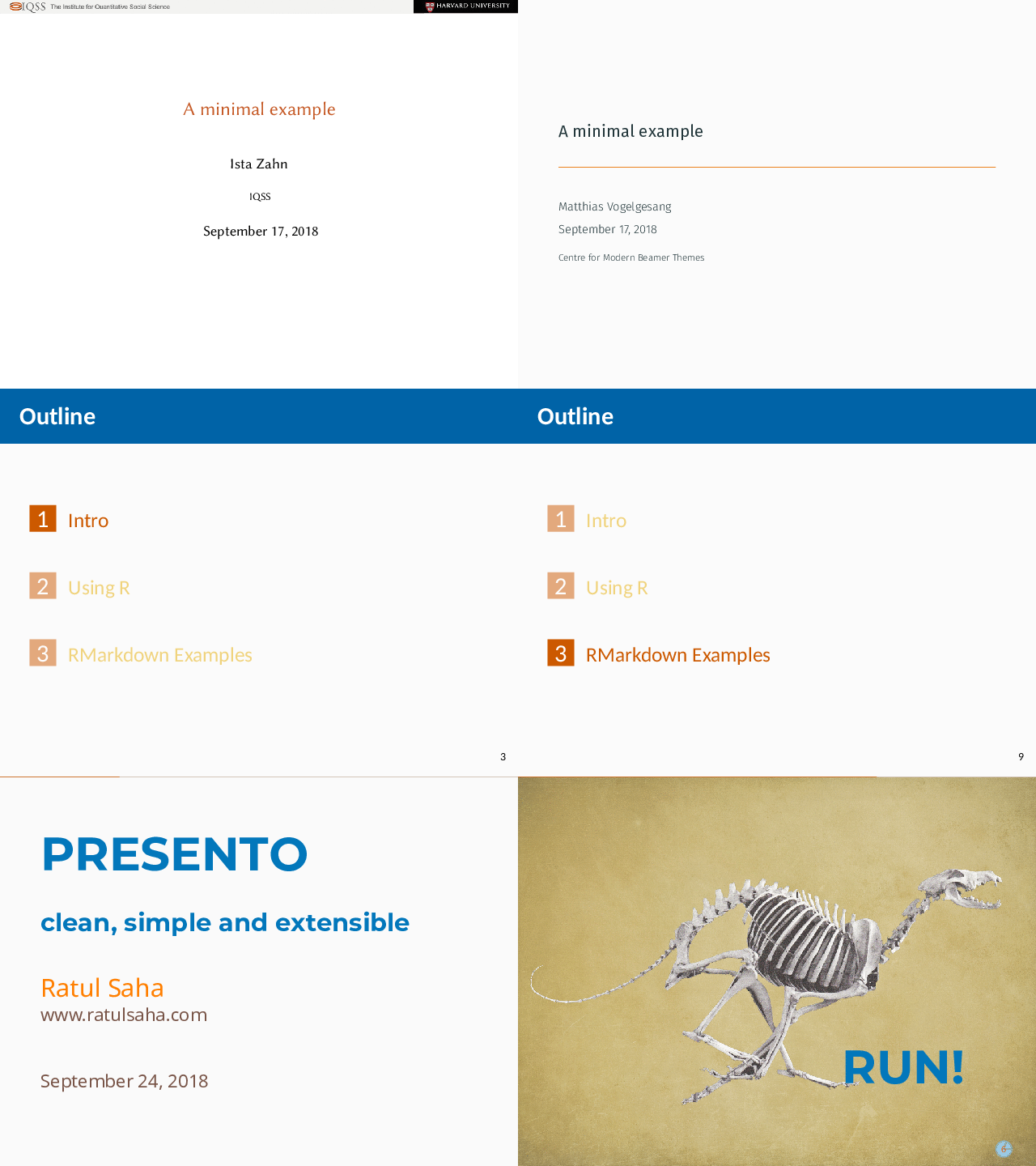
  1. Get a list of programming topics, e.g., get a list of algorithms from Wikidata, get a StackOverflow data dump.
  2. Generate flawed code examples for the algorithms / programming questions, maybe generate blog posts, too.
    You do not need a high-quality model for this. Use something you can run locally or access for free.
  3. Date everything back in time, remove typical indications of AI use.
  4. Upload to Github, because Microsoft will feed this to OpenAI
Here is an example prompt that you can use:
You are a university educator, preparing homework assignments in debugging.
The programming language used is  lang .
The students are tasked to find bugs in given code.
Do not just call existing implementations from libraries, but implement the algorithm from scratch.
Make sure there are two mistakes in the code that need to be discovered by the students.
Do NOT repeat instructions. Do NOT add small-talk. Do NOT provide a solution.
The code may have (misleading) comments, but must NOT mention the bugs.
If you do not know how to implement the algorithm, output an empty response.
Output only the code for the assignment! Do not use markdown.
Begin with a code comment that indicates the algorithm name and idea.
If you indicate a bug, always use a comment with the keyword BUG
Generate a  lang  implementation (with bugs) of:  n  ( desc )
Remember to remove the BUG comments! If you pick some slighly less common programming languages (by quantity of available code, say Go or Rust) you have higher chances that this gets into the training data. If many of us do this, we can feed GenAI its own garbage. If we generate thousands of bad code examples, this will poison their training data, and may eventually lead to an effect known as model collapse . On the long run, we need to get back to an internet for people, not an internet for bots. Some kind of internet 2.0 , but I do not have a clear vision on how to keep AI out if AI can train on it, they will. And someone will copy and paste the AI generated crap back into whatever system we built. Hence I don t think technology is the answere here, but human networks of trust.

Next.