Daniel Baumann: Debian: Modernizing iperf/iperf3 and introducing fireperf
TL;DR: If you want to run your own iperf server,
run
sudo apt install -yU iperf-server and you re donesrc:iperf only built iperf. If you wanted to run an iperf server, you had to do it on your own, i.e. there was no systemd service for that.
Apart from tidying the Debian package, src:iperf now builds the new iperf-client and iperf-server packages, the latter contains the systemd and ufw integration. iperf-server runs with a dynamic systemd user and systemd service hardening.
The iperf package is now a transitional package, that also cleans up any leftovers from before the package split into iperf-client and iperf-server (e.g. when upgrading from trixie to forky).
For historical reasons, iperf2 is packaged in debian as iperf, not iperf2. Now the iperf packages have provides for iperf2, iperf2-client, and iperf2-server respectively (so they can be installed by these names too).
Updated iperf packages are available in sid, and backports for trixie are available at Debian Fast Forward.
It might make sense in the future
to maybe rename
- given that iperf2 and iperf3 are completely different tools with different advantages and disadvantages depending on the use-case
- therefore the one is not replacing the other (iperf2 in general is the better tool than iperf3, eventhough the common misconception is that iperf3 is supposedly better than iperf2 because the number 3 is greater than the number 2)
iperf to iperf2 to match both upstream naming and also to harmonize the packaging of iperf2 with other distributions.
TL;DR: If you want to run your own iperf3 server,
run
sudo apt install -yU iperf3-server and you re donesrc:iperf3 only built iperf3. If you wanted to run an iperf3 server, iperf3 had a debconf yes/no question which would then start one iperf3 server on the default port 5201.
Apart from tidying the Debian package, src:iperf3 now builds the new iperf3-client and iperf3-server packages, the latter contains the systemd and ufw integration. iperf3-server runs with a dynamic systemd user instead of the previous local system account, and has systemd service hardening.
Since iperf3 (contrary to iperf, also see here and here for iperv vs. iperf3) does not allow using multiple connections on the same port, you have to run multiple iperf3 servers, each on their own port, in order to serve more than one client at the time.
The old debconf question for enabling a single iperf3 server has been removed as well as the obsolete sysvinit integration.
In order to allow running multiple iperf3 servers at the same time (but on different ports), iperf3-server now contains a systemd service template so you can enable multiple iperf3 servers (e.g. 3 servers on subsequent port numbers, but you can run as many as you want on any ports you like) either manually with:
sudo systemctl enable --now iperf3-server@5201sudo systemctl enable --now iperf3-server@5202sudo systemctl enable --now iperf3-server@5203sudo dpkg-reconfigure -p low iperf3-serverTMPFILE="$(mktemp)"echo "iperf3 iperf3-server ports string 5201 5202 5203" > $ TMPFILE cat "$ TMPFILE " sudo debconf-set-selectionsdpkg-reconfigure -fnoninteractive -pcritical iperf3-serverrm -f "$ TMPFILE "iperf3 package is now a transitional package, that also cleans up any leftovers from before the package split into iperf3-client and iperf3-server.
Updated iperf3 packages are available in sid, and backports for trixie are available at Debian Fast Forward.
TL;DR: If you want a nicer iperf/iperf3 client,
run
sudo apt install -yU fireperf-clientTL;DR: If you want to run your own fireperf server,
run
sudo apt install -yU fireperf-server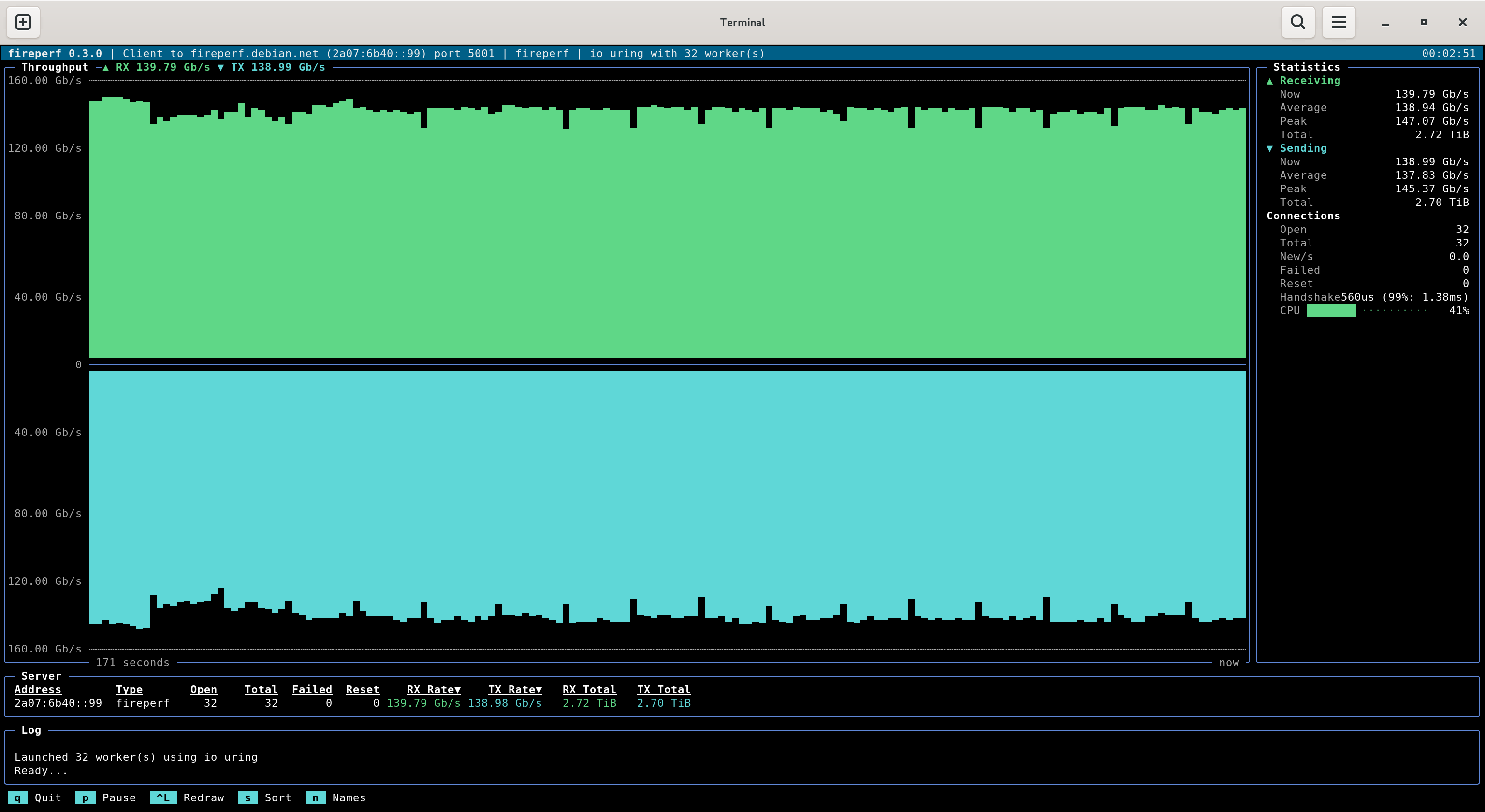 Image: fireperf interactive terminal interface
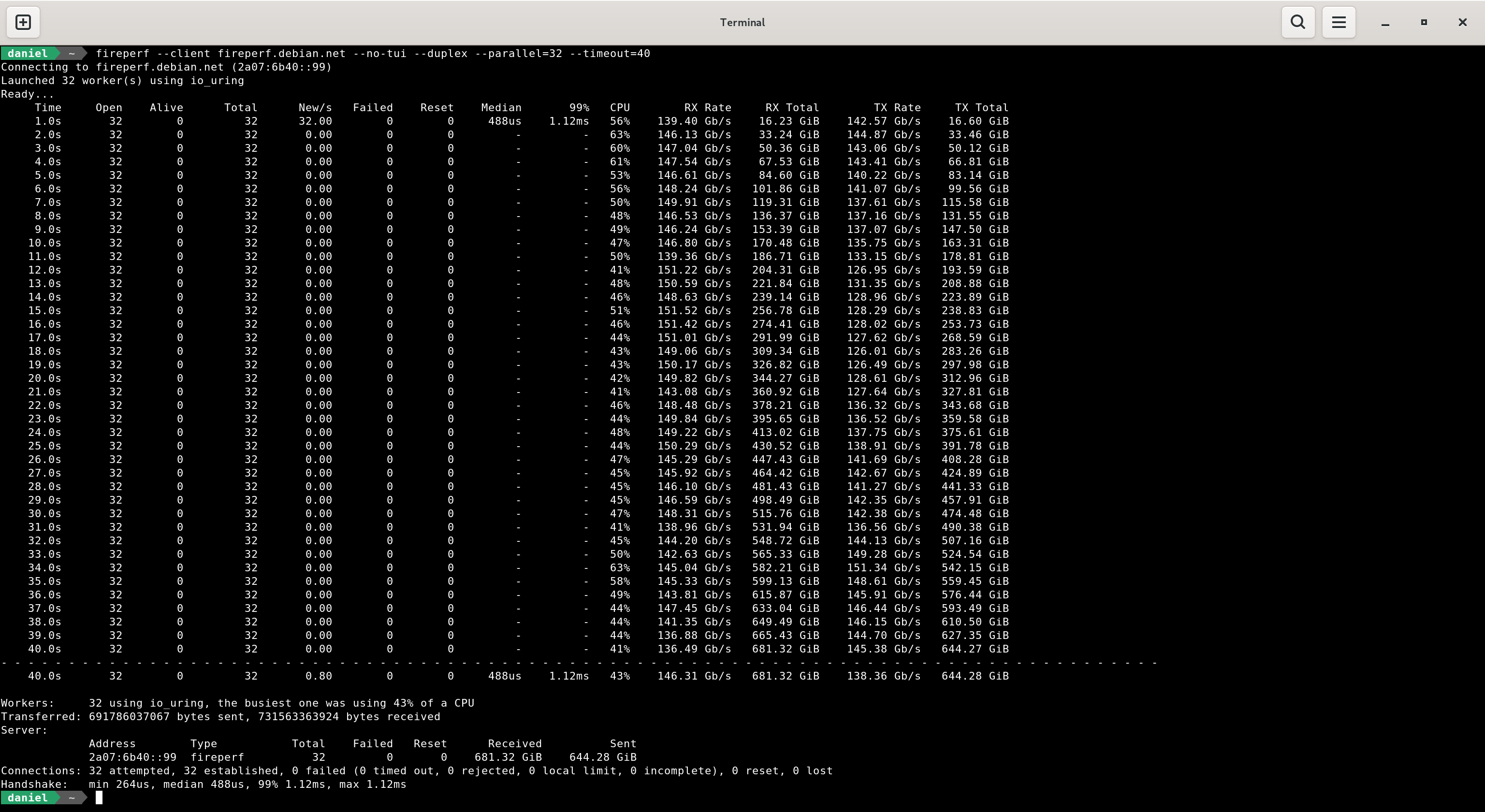 Image: fireperf non-interactive terminal interface
- measures upload or download individually, or concurrent upload and download
- allows to serve many clients in parallel (on the same port)
- allows to use many workers in parallel (for maxing out bandwith of servers with LACP instead of ECMP)
- allows to use and track many connection sessions in parallel (for maxing out firewalls)
- can also be used as a client for both iperf and iperf3 (autodetecting the target)
- can also be used as a iperf3 server
- can output results in JSON
- has a live graph (ncurses)
- uses less CPU ressources on both the client and the server (io_uring, zerocopy, )
fireperf packages are in sid, and backports for trixie are available at Debian Fast Forward.
Happy bandwidth measuring!
 Today marks the 10-year anniversary of my first contribution to
 Debian Live has passed on. And it has done so in


 This is my monthly summary of my free software related activities. If you re among the people who
 Similar as people are doing with a seperate package for
 Update: After some more testing, EXTLINUX_MEMDISK defaults to true now.